ECID Profile Lookup : Hands-on Lab
2 min
Exploring a Web Visitor profile in Adobe Experience Platform
- Navigate to Profiles from the left-hand navigation bar.
- Click on the Browse tab.
- Search for 'ECID' under namespaces.
- Enter the below string as the Identity Value.
56385312490897606582942595126704000026
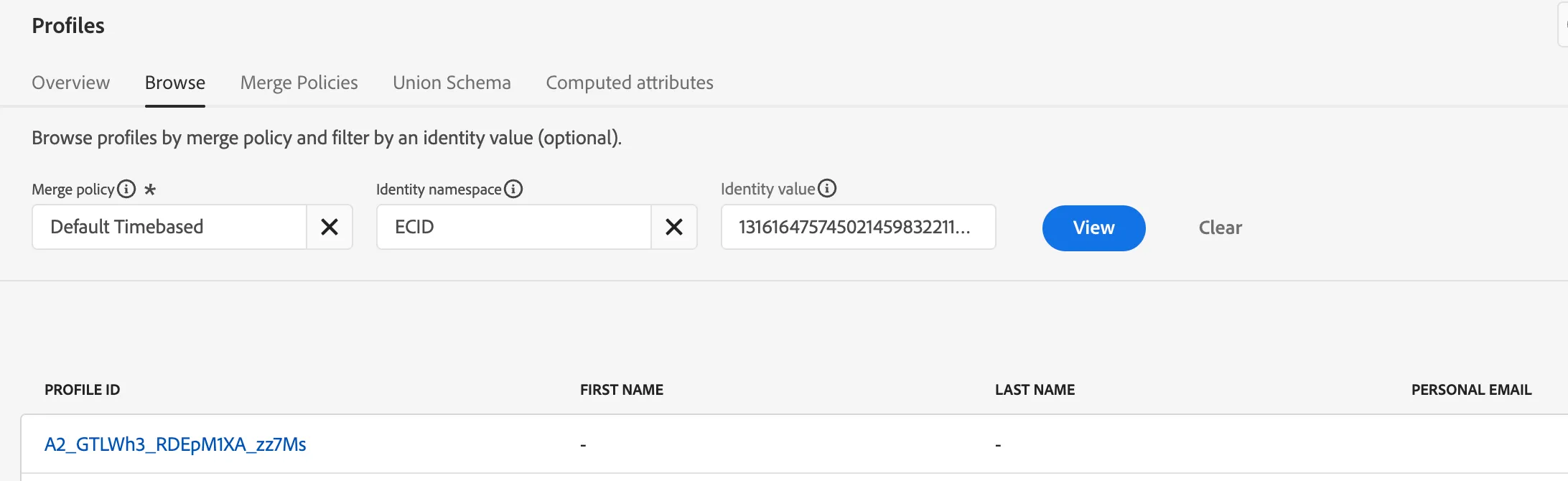
5. Click View
6. Now click on the Profile Id to explore the following tabs
- Details
- Attributes
- Events
- Audience Membership
- Identity Graph
This is what a pseudonomous visitor profile looks like