Access
Accessing the Experience platform
- Use Chrome or Firefox.
- Sign-out from all Adobe instances that might be open.
- Do not use your own credentials to access the demo instance for this lab. Instead, you'll use specific credentials provided in this document.
The Hands-on Lab URL
Your user information
User | Name | Username | Password |
|---|---|---|---|
1 | Stuart Heggie | accent@v8HOL | |
2 | Amanda Doan | accent@v8HOL | |
3 | Steve Tietgen | accent@v8HOL | |
4 | Joshua Oxspring | accent@v8HOL | |
5 | Alex Langridge | accent@v8HOL | |
6 | Paul Duong | accent@v8HOL | |
7 | Archibald Pihier | accent@v8HOL | |
8 | Simon Platt | accent@v8HOL | |
9 | | accent@v8HOL | |
10 | | accent@v8HOL |
If you're asked to add in any additional data or to add a mobile number as part of your sign-in, please ignore these prompts and select to skip or otherwise ignore these steps. If you have problems logging in, alert your presenter immediately.
After Successfully Logging In
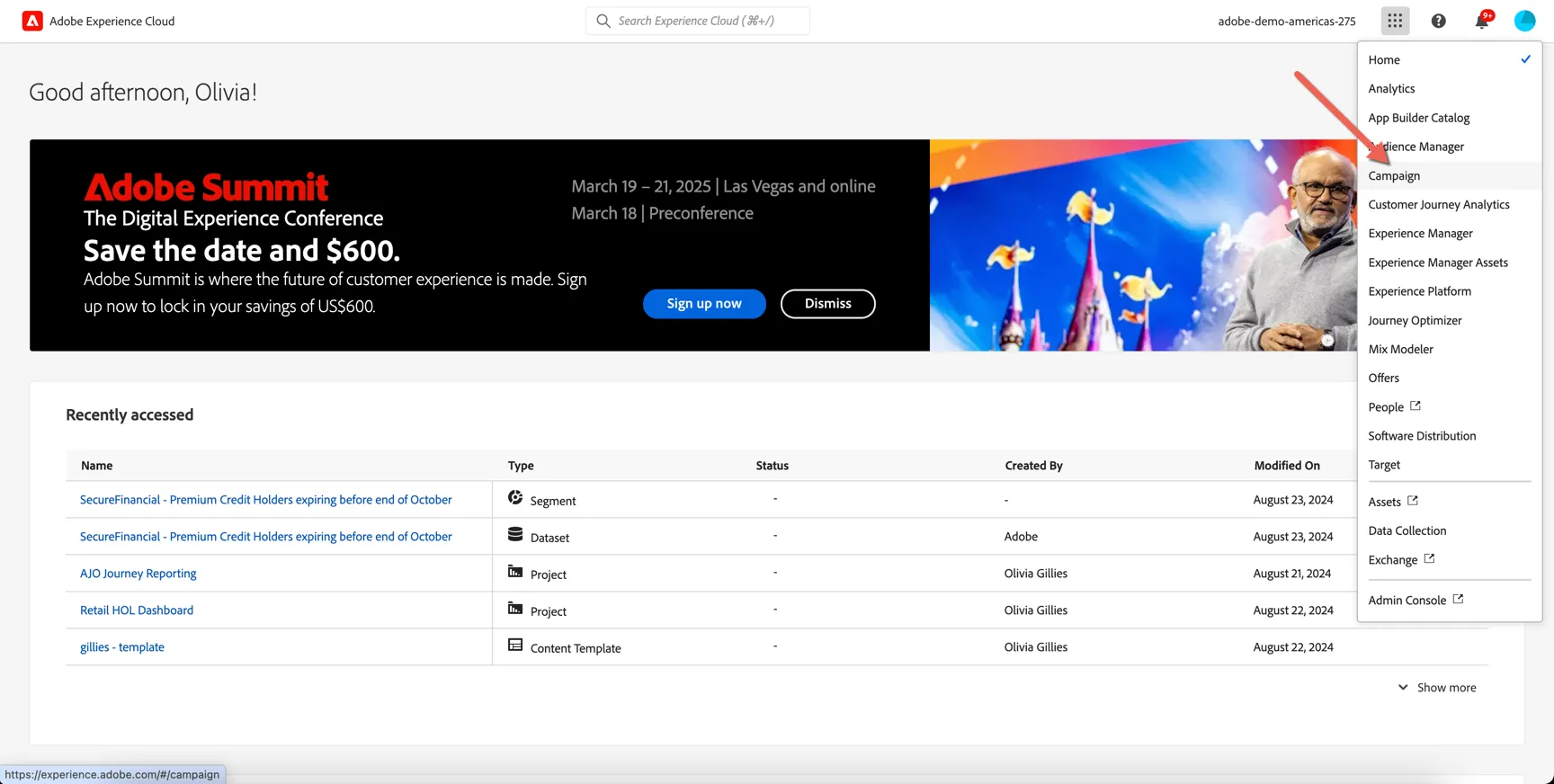
You will land on the Experience Cloud home page. Use the solution switcher in the top right to go to Adobe Campaign:
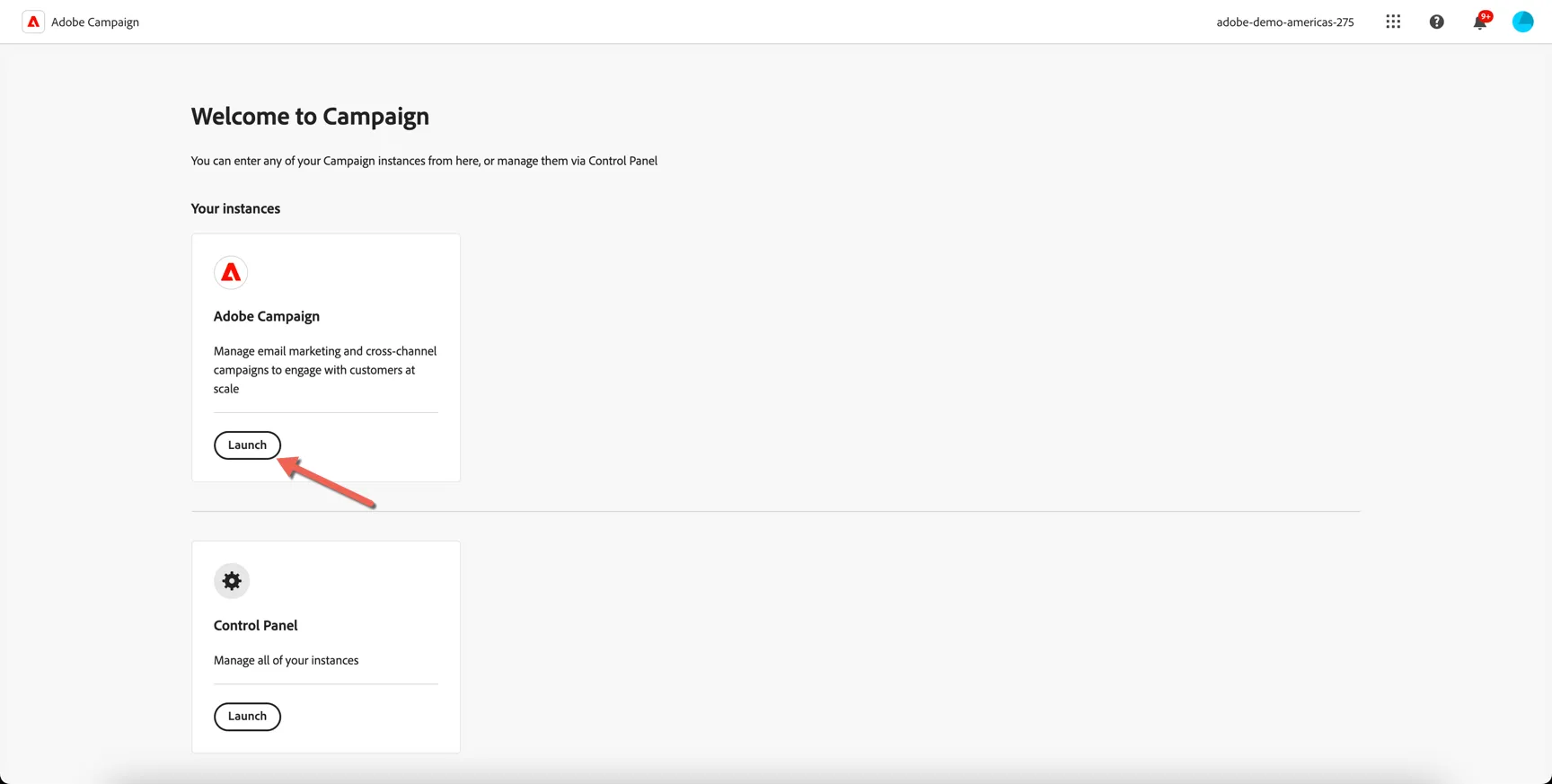
This will take you to the summary page where you can access Adobe Campaign as well as the Control panel for admin based configuration. Click to Launch Adobe Campaign.
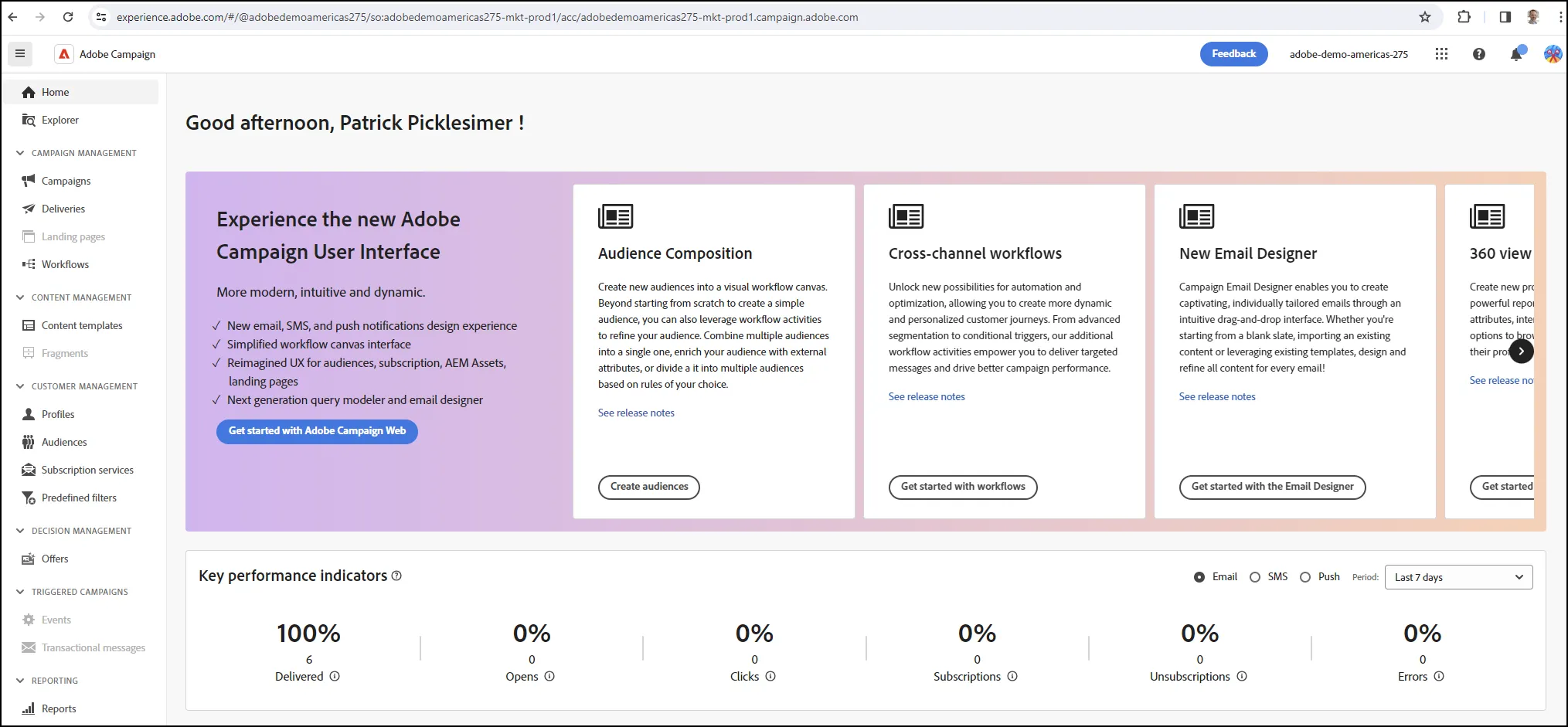
You will land on the home page for Adobe Campaign v8:
If you have any issues accessing the instance through the instructions above, try opening the following link which should take you directly to Adobe Campaign: https://experience.adobe.com/#/@adobedemoamericas275/so:adobedemoamericas275-mkt-prod1/acc/home
If you still have issues, let your presenter know.