[Bonus] Send your Audience to a Destination: TikTok
Context
Activate profiles for your TikTok campaigns for audience targeting, personalisation, and suppression based on hashed emails.
TikTok supports the activation of these identities:
- GAID - Google Advertising ID
- IDFA - Apple ID for Advertisers
- phone_sha256 - Phone numbers hashed with SHA256 algorithm
- email_lc_sha256 - Email addresses hashed with SHA256 algorithm
Export Type: Audience Export
Export Frequency: Streaming
Activate Audiences to the TikTok Destination
To log into the Adobe Experience Platform, check the Introduction section.
- In the left rail, click on Connections and choose Destinations, then go to Catalog. You’ll then see the Destinations Catalog.
- In Destinations, select Social, click the Activate Audiences on the TikTok card.
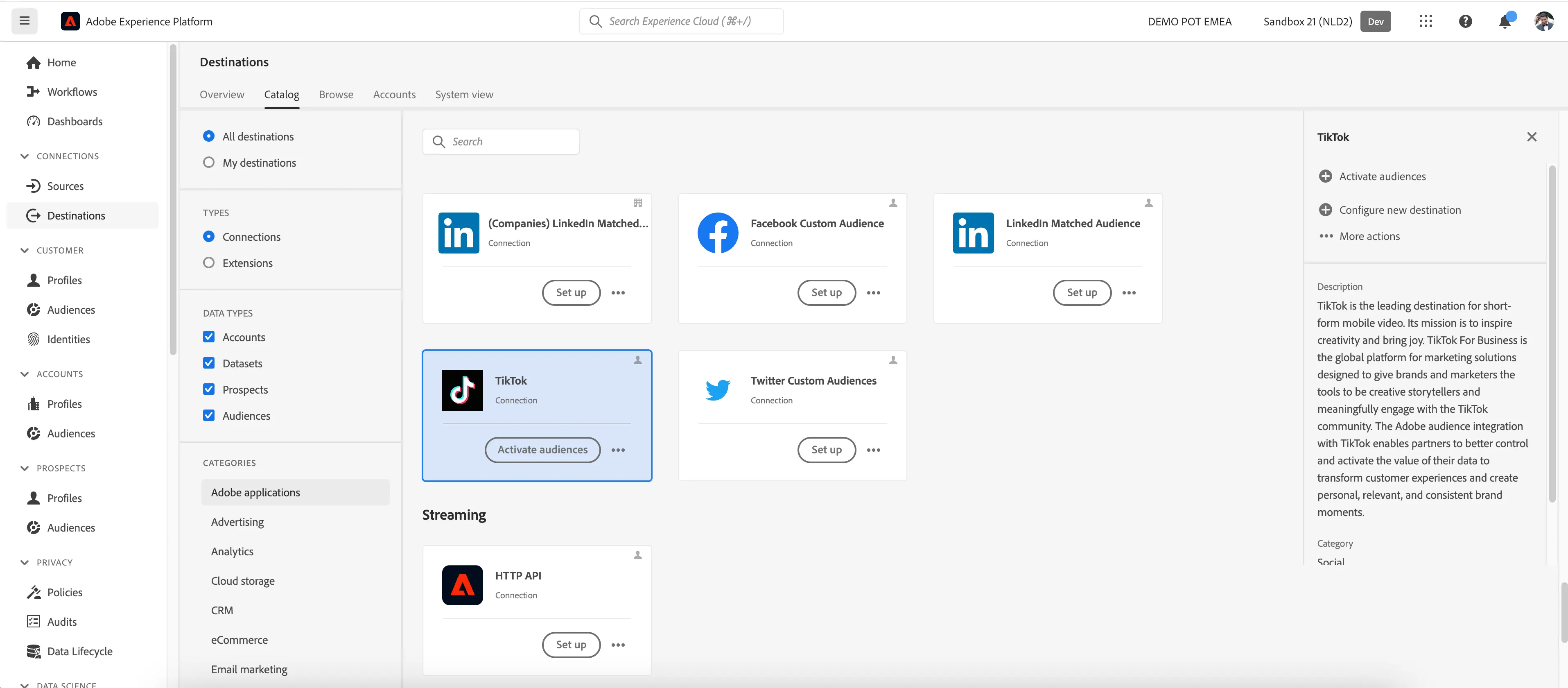
- Check the checkbox to select the Destination - Tiktok Destination bootcamp and click Next.
For this Lab we have already configured the TikTok Destination for our demo account. You can reuse this Account to map your audiences in the Lab: TikTok Destination - Bootcamp
In the list of available audiences:
- Select one of the Audiences you created in the previous exercise for mapping.
- Click Next.
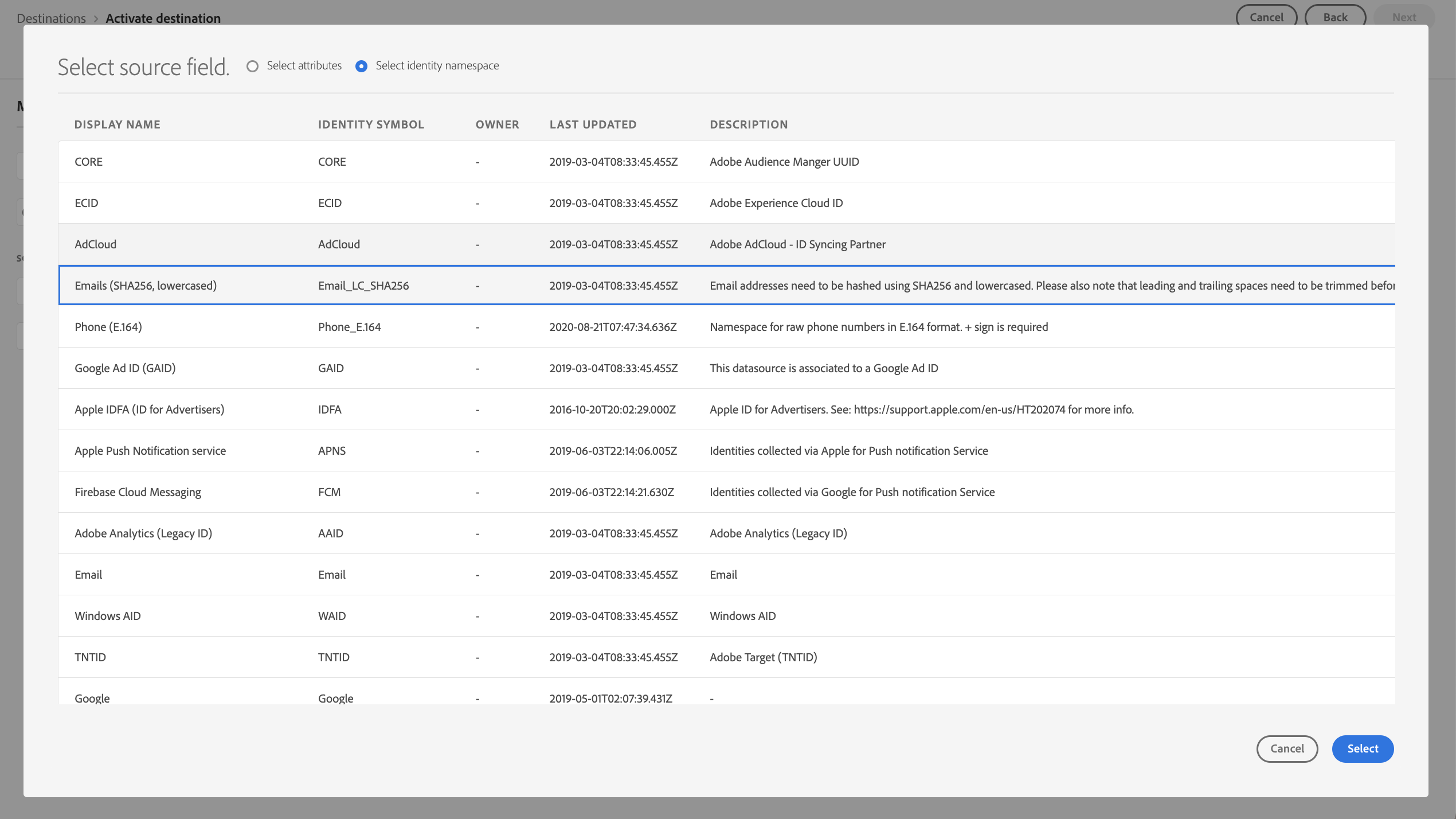
For the TikTok Destination, you need to specify your mapping identifiers between Adobe Experience Platform and TikTok. These will be used to match the profiles in your audiences between platforms.
For this lab we want to use the Hashed Email ID as the mapping identifier.
This mapping is already in place for the TikTok Destination - Bootcamp, the below steps are for information only. Don't replicate these steps.
Your mapping should now look like:
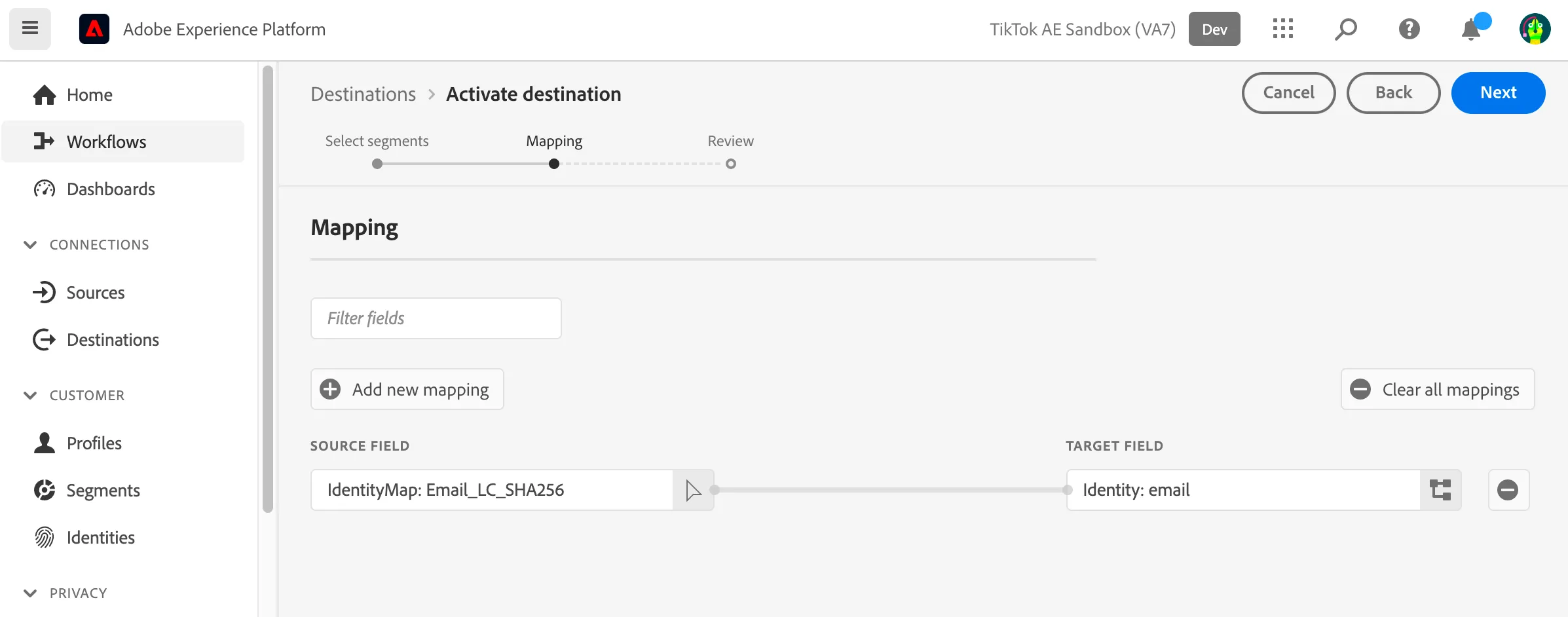
Click Next.
Finally, on the Review page, click Finish.
Your audience is now activated to TikTok.
Exported Data
For TikTok, a successful activation means that a TikTok custom audience would be created programmatically in TikTok Ads Manager. Audience membership in the audience would be added and removed as users are qualified or disqualified for the activated audiences.