Activation
Note this exercise will be delivered as a Demo during the lab. The information below is for reference only. You are welcome to complete the exercise in your own time after the lab.
Activate to Tiktok
Activate profiles to Tiktok for ad targeting, personalization, and suppression based on hashed email and phone number.
You can use this destination for audience targeting to reach and re-engage with your customers across Tiktok.
Tiktok supports the activation of identities:
- GAID - Google Advertising ID
- IDFA - Apple ID for Advertisers
- phone_sha256 - Phone numbers hashed with SHA256 algorithm
- email_lc_sha256 - Email addresses hashed with SHA256 algorithm
Export Type = Segment Export
Tiktok both require that no personally identifiable information (PII) is sent in clear. Therefore, the audiences activated to these destinations can be keyed off hashed identifiers, such as email addresses or phone numbers.
Go to the Adobe Experience Platform.
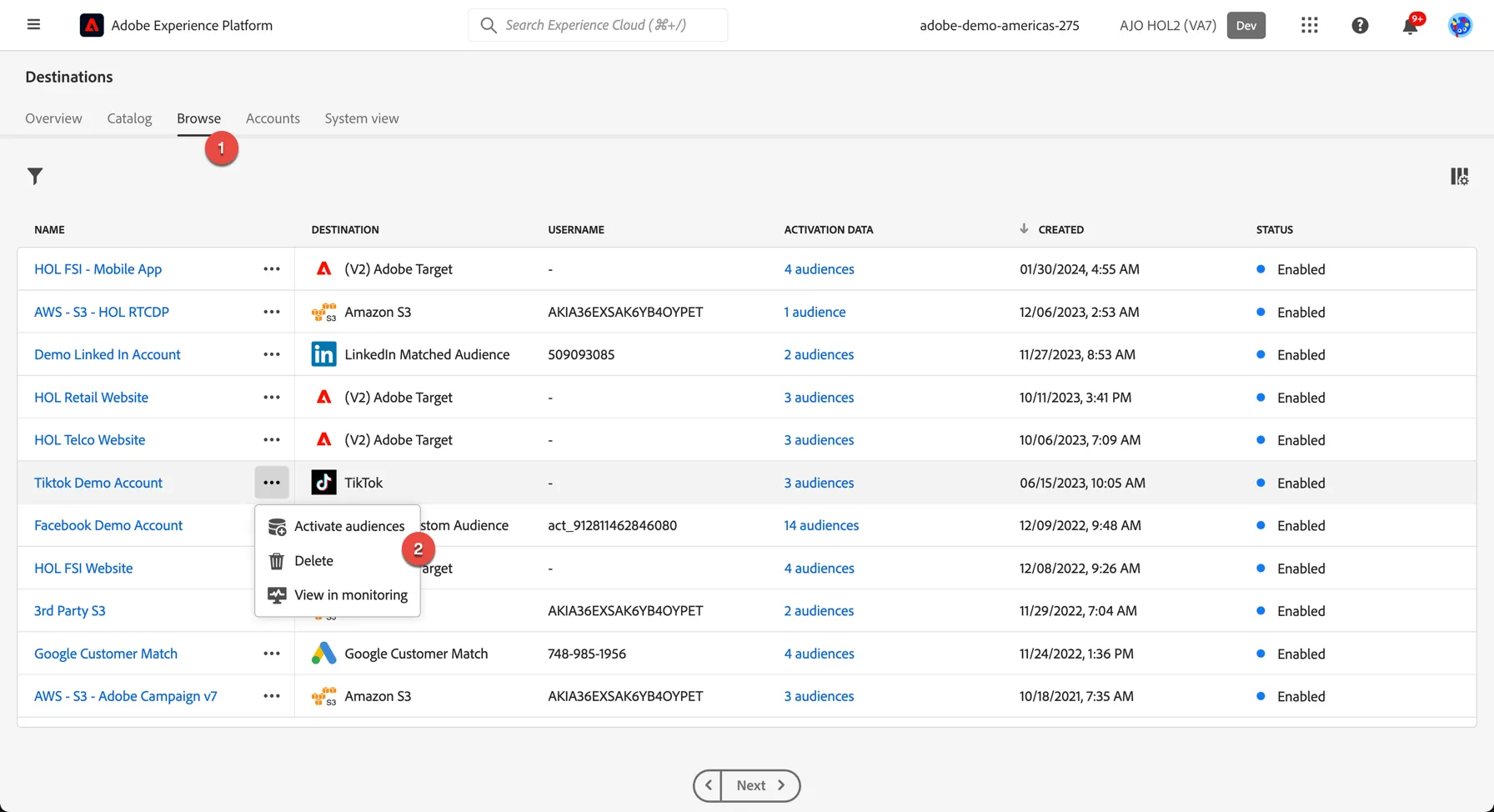
- There are a few destinations already configured for this HOL. Click on browse on the top menu to see the list. Click on the 3 dots and select to Activate audiences
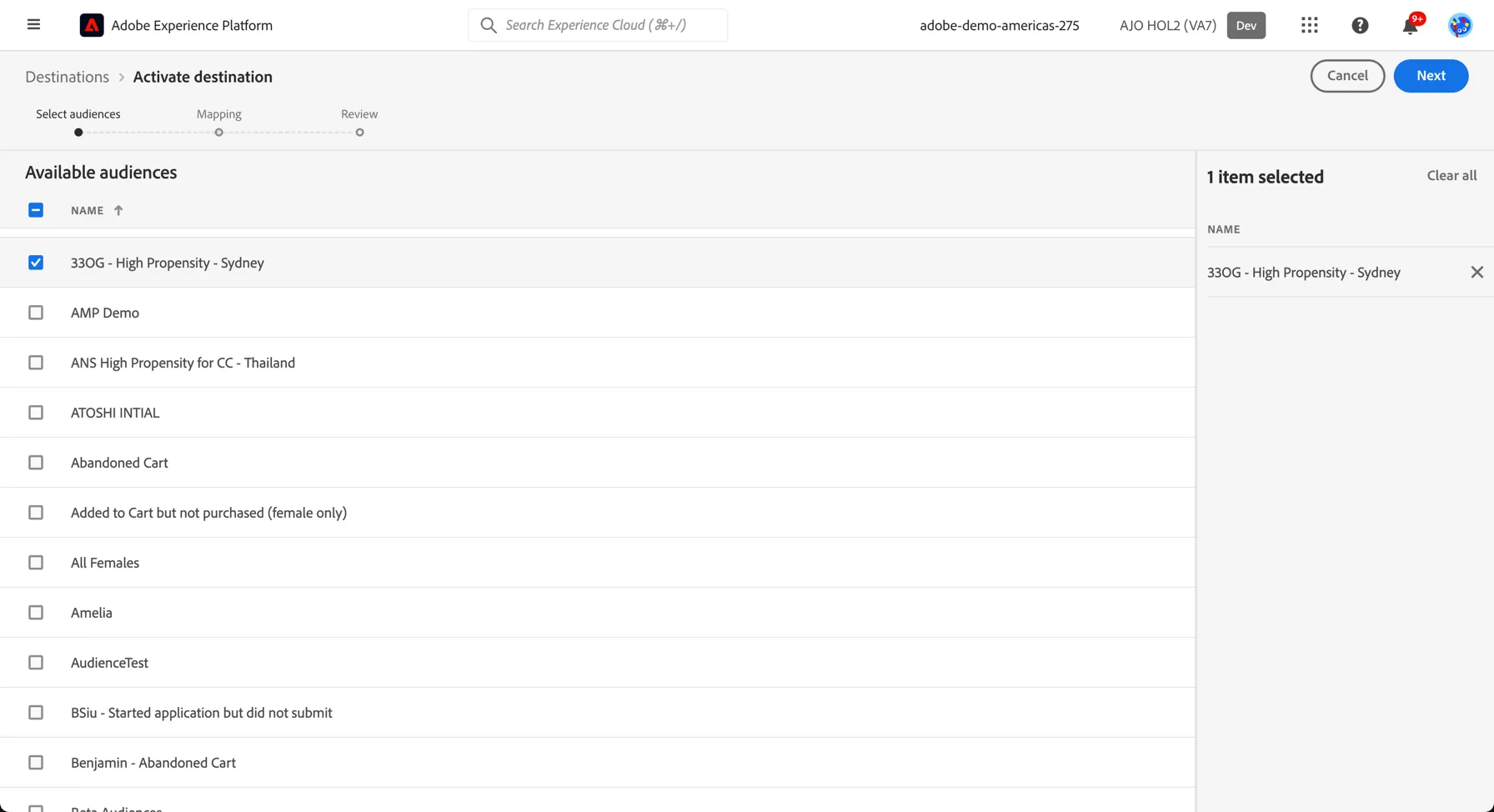
2. In the list of available segments, select the segment you created in the previous exercise.
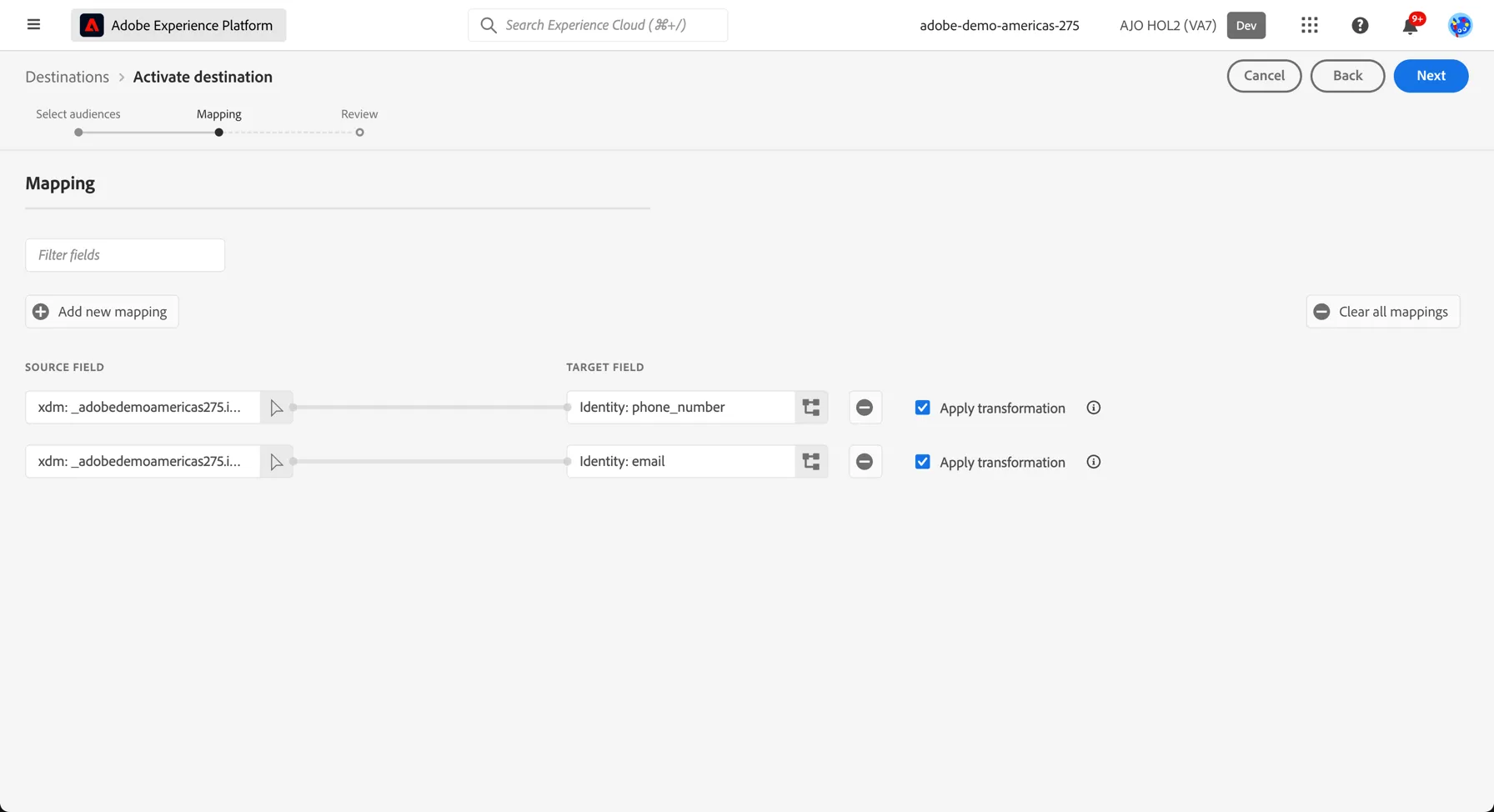
3. The mapping step only needs to be completed once, after that every segment will use the same set of mapping identifiers to match customers between Adobe Experience Platform and your destination. For Tiktok we use hashed email and phone number. Click Next to proceed to the next step.
4. Finally, on the Review page, click Finish.
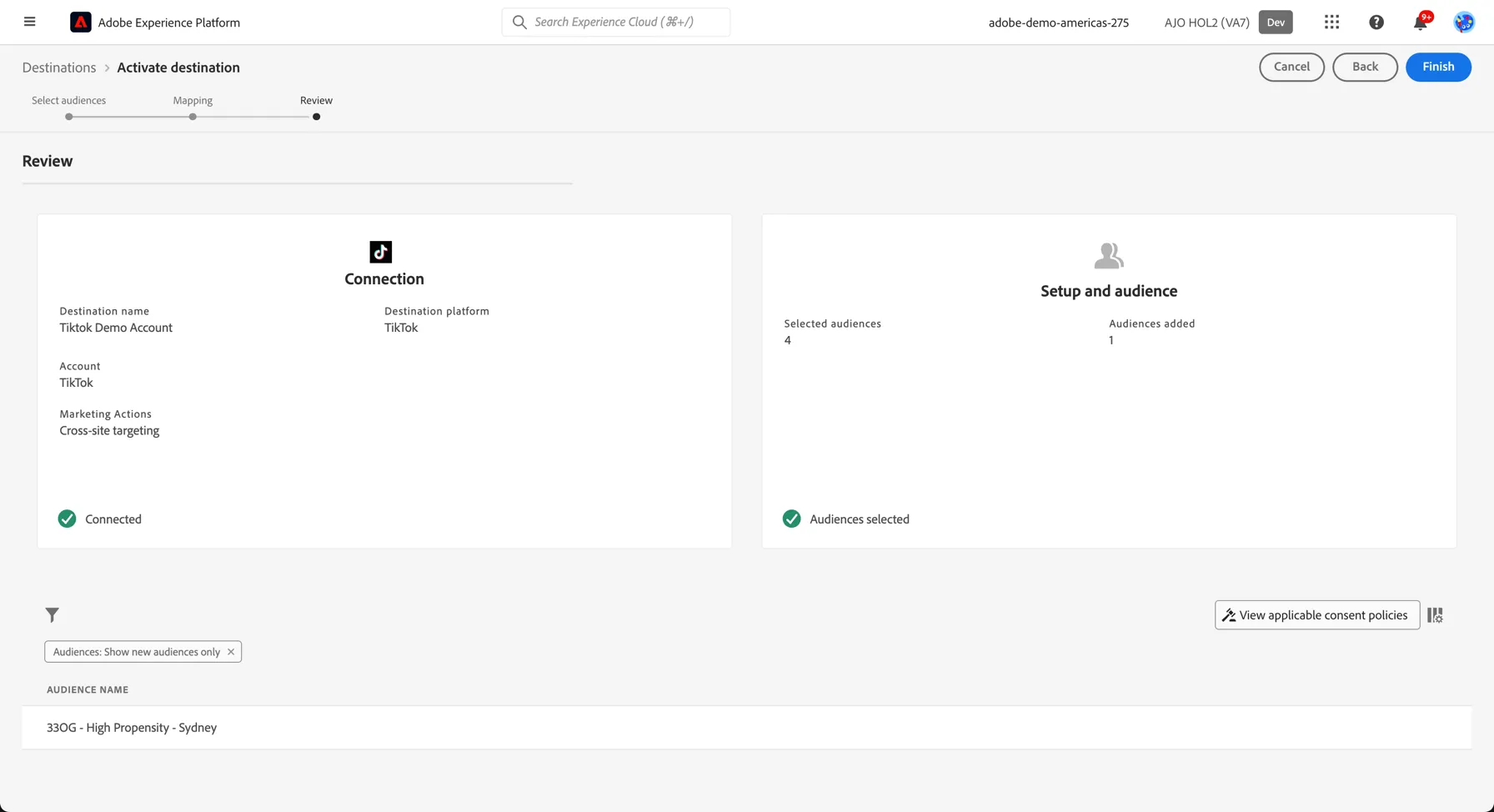
Your segment is now activated to Tiktok
For Tiktok, a successful activation means that a Tiktok custom audience would be created programmatically. Segment membership in the audience would be added and removed as users are qualified or disqualified for the activated segments.
The integration between Adobe Experience Platform and Tiktok supports historical audience backfills. All historical segment qualifications get sent to Tiktok when you activate the segments to the destination.
Activate to Meta
Activate profiles to Meta for ad targeting, personalization, and suppression based on hashed email and phone number.
You can use this destination for audience targeting to reach and re-engage with your customers across Meta owned properties like Facebook and Instagram.
Tiktok supports the activation of identities:
- GAID - Google Advertising ID
- IDFA - Apple ID for Advertisers
- phone_sha256 - Phone numbers hashed with SHA256 algorithm
- email_lc_sha256 - Email addresses hashed with SHA256 algorithm
- externalId - An external customer defined id
Export Type = Segment Export
Meta requires that no personally identifiable information (PII) is sent in clear. Therefore, the audiences activated to these destinations can be keyed off hashed identifiers, such as email addresses or phone numbers.
Go to the Adobe Experience Platform.
- There are a few destinations already configured for this HOL. Click on browse on the top menu to see the list. Click on the 3 dots and select to Activate audiences
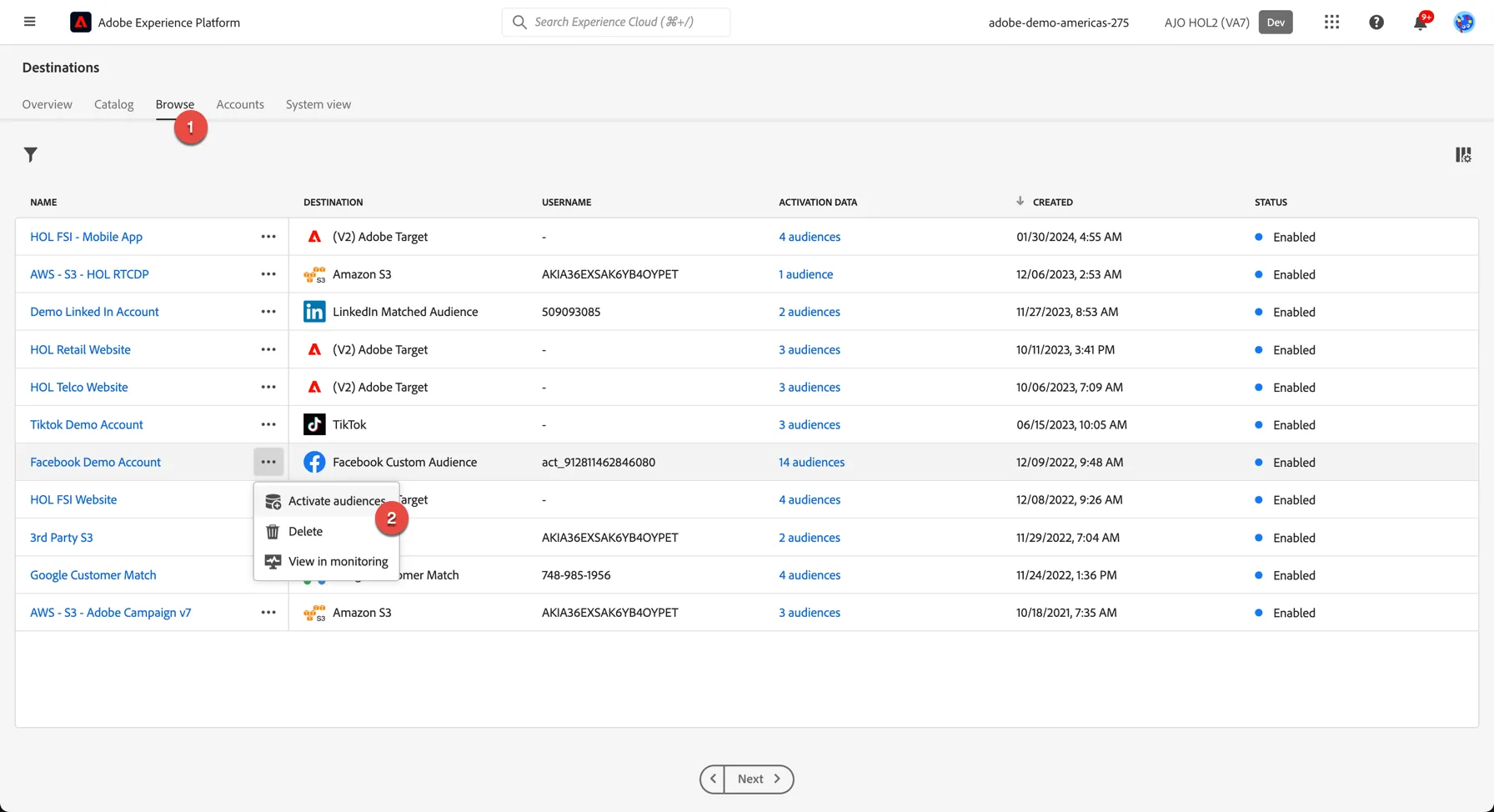
2. In the list of available segments, select the segment you created in the previous exercise.
3. The mapping step only needs to be completed once, after that every segment will use the same set of mapping identifiers to match customers between Adobe Experience Platform and your destination. For Tiktok we use hashed email and phone number. Click Next to proceed to the next step.
4. Meta requires that you declare where the audience data has come from, on the audience schedule step, select that the audience data has come directly from Your Customers.
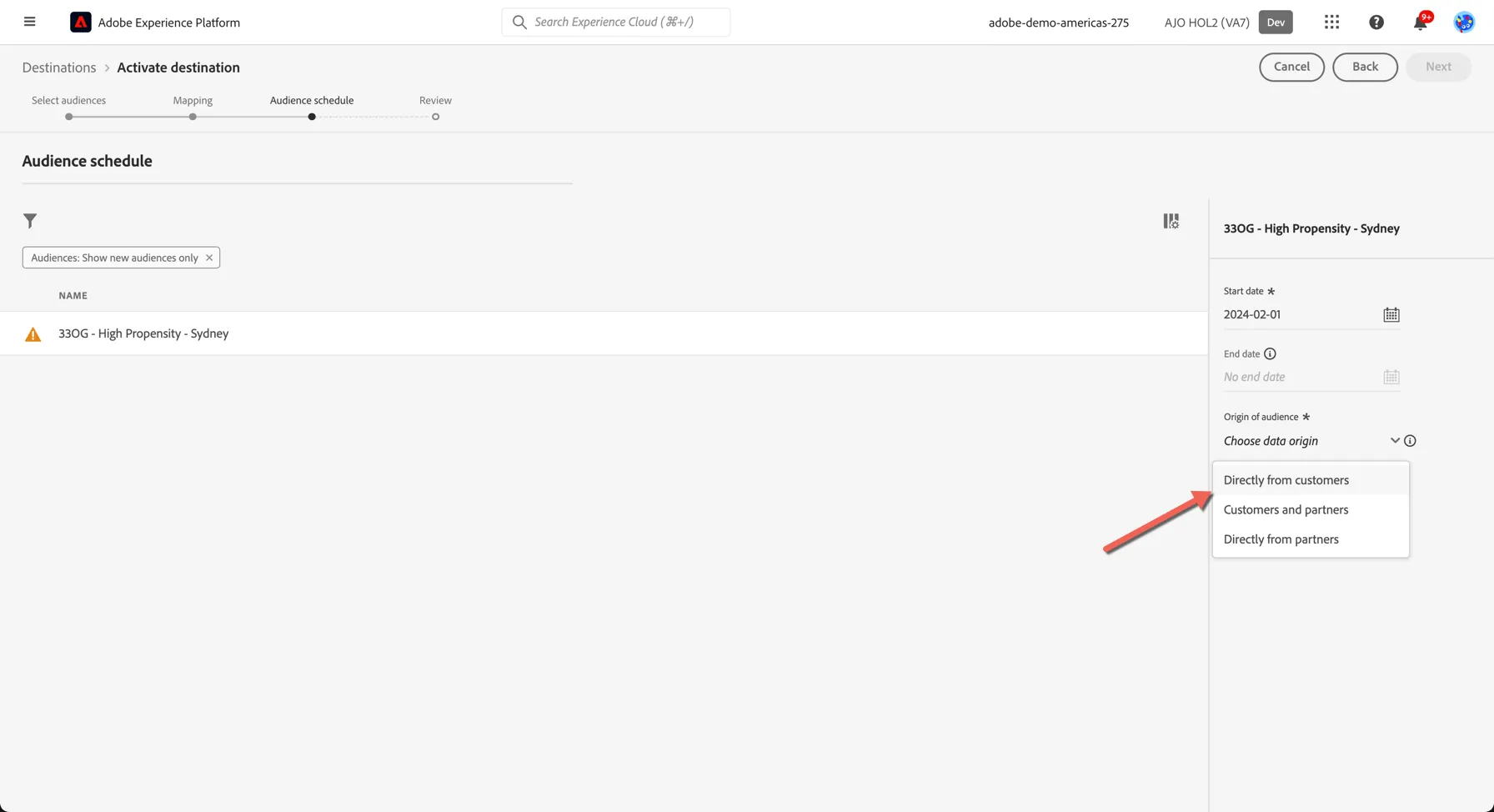
5. Finally, on the Review page, click Finish.
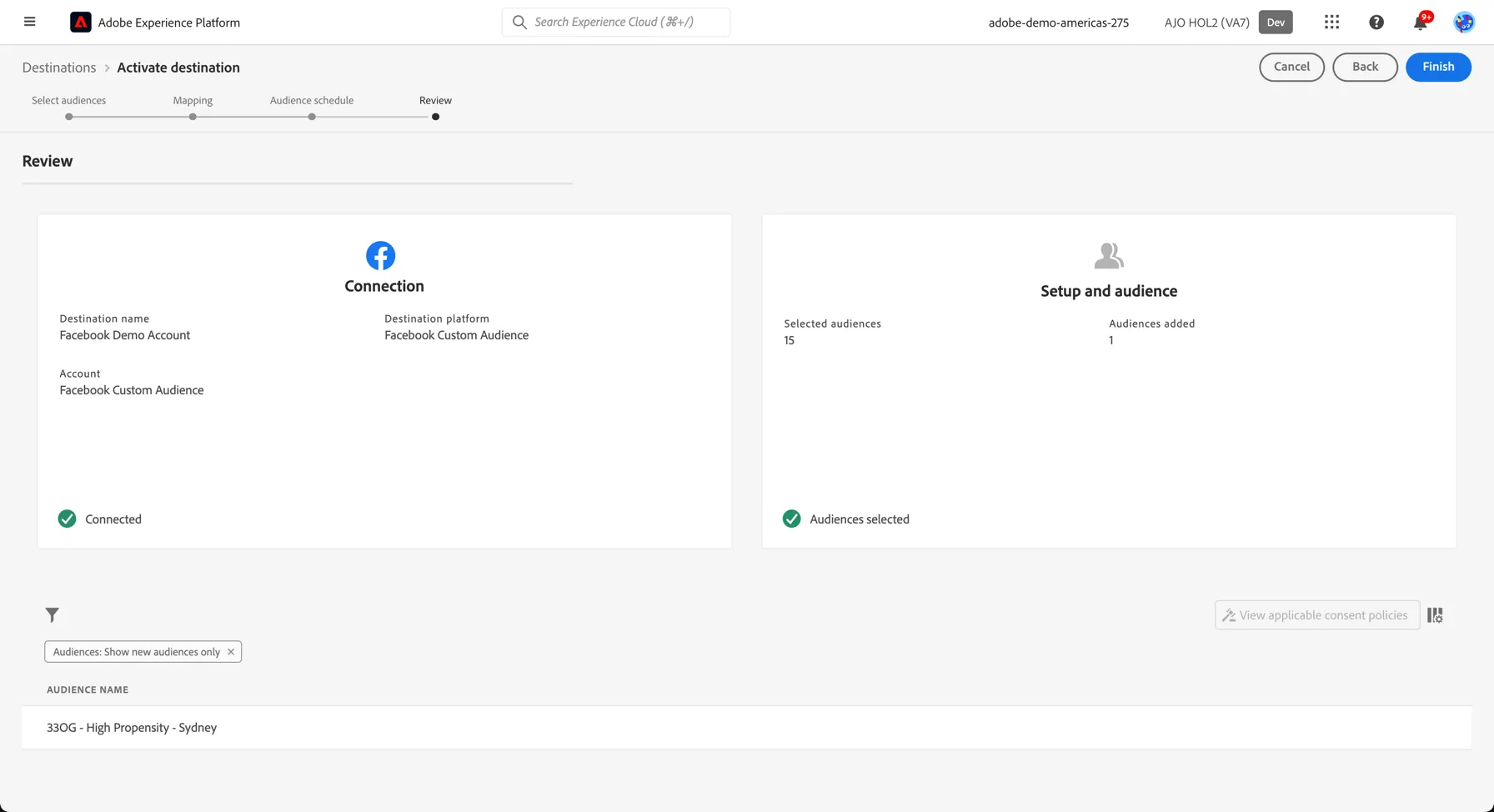
Your segment is now activated to Meta
For Meta, a successful activation means that a Meta custom audience would be created programmatically. Segment membership in the audience would be added and removed as users are qualified or disqualified for the activated segments.
The integration between Adobe Experience Platform and Meta supports historical audience backfills. All historical segment qualifications get sent to Meta when you activate the segments to the destination.
Activate to Google
Activate profiles to Google Customer Match for ad targeting, personalization, and suppression based on hashed email and phone number.
You can use this destination for audience targeting to reach and re-engage with your customers across Google’s owned and operated properties, such as: Search, Shopping, Gmail, and YouTube.
Google Customer Match supports the activation of identities:
- GAID - Google Advertising ID
- IDFA - Apple ID for Advertisers
- phone_sha256 - Phone numbers hashed with SHA256 algorithm
- email_lc_sha256 - Email addresses hashed with SHA256 algorithm
- extern_id - Custom user IDs
Export Type = Segment Export
Google and Facebook both require that no personally identifiable information (PII) is sent in clear. Therefore, the audiences activated to these destinations can be keyed off hashed identifiers, such as email addresses or phone numbers.
Go to the Adobe Experience Platform.
- There are a few destinations already configured for this HOL. click on browse on the top menu to see the list
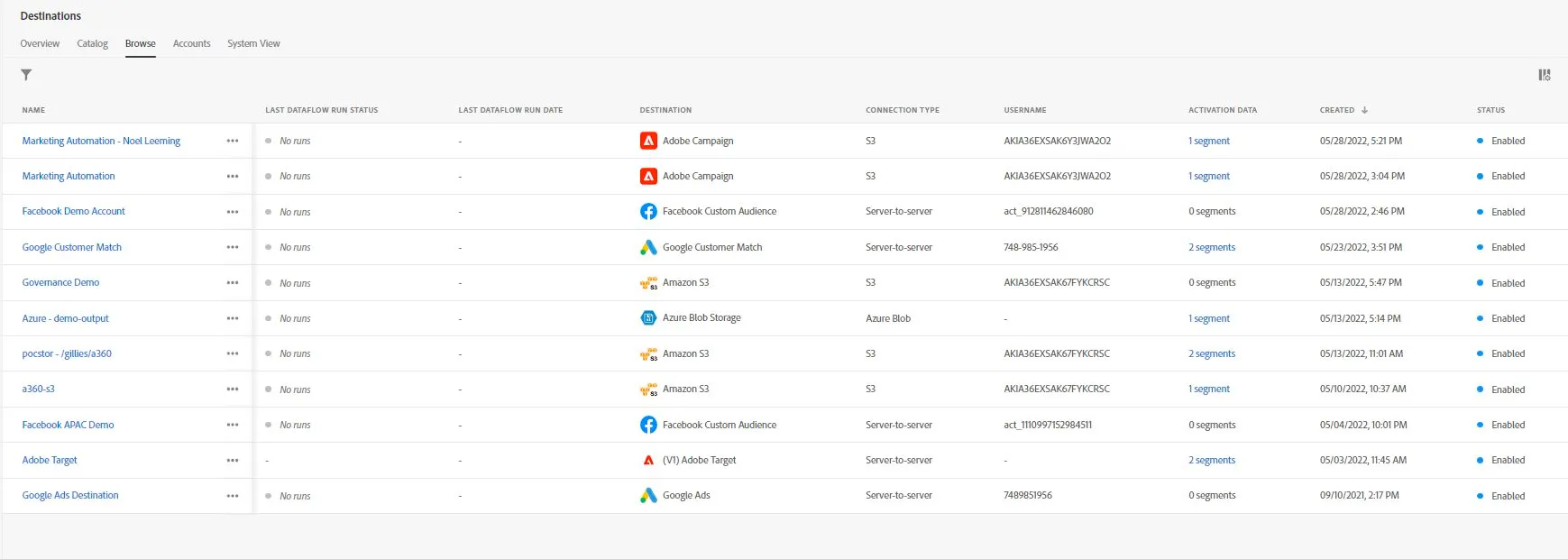
3. In the list of available segments, select the segment you created in the previous exercise.
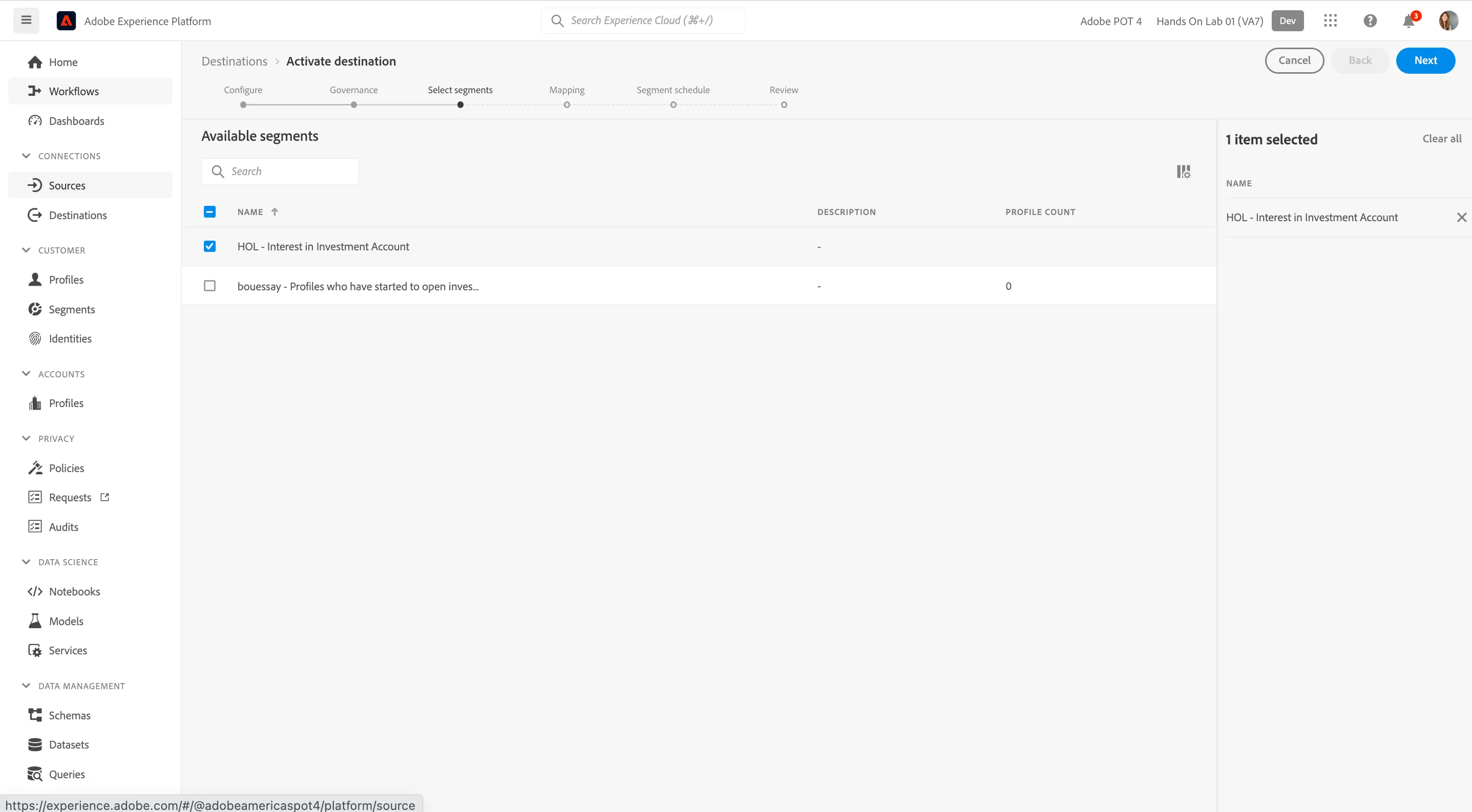
4. You need to specify your mapping identifiers between Adobe Experience Platform and your destination. These will be used to match the profiles in your segments between platforms.For this lab, the mapping has already been defined, we use email and phone number.Click to the Next step.
5. On the Segment Schedule step, We don't have anything to do. click next again
6. Finally, on the Review page, click Finish.
Your segment is now activated to Google
For Google, a successful activation means that a Google custom audience would be created programmatically. Segment membership in the audience would be added and removed as users are qualified or disqualified for the activated segments.
The integration between Adobe Experience Platform and Google supports historical audience backfills. All historical segment qualifications get sent to Google when you activate the segments to the destination.
Activate to Cloud Storage
Adobe Experience Platform supports a number of Cloud Storage Destinations. This enables you to send audiences and their profile attributes to your internal (or external) systems, via CSV files for Amazon S3, Azure Blob, Azure Data Lake Storage Gen2, Data Landing Zone, Google Cloud Storage, and SFTP. For Amazon Kinesis and Azure Event Hubs destinations, data is streamed out of Experience Platform in JSON format.
In this module, you’ll configure such an activation by making use of an AWS S3 bucket. We will use a shared S3 bucket for this Lab exercise.
AWS S3 destinations don't require any specific Identity Namespace to be shared.
You can also append additional profile attributes from the Real-time Customer Profile.
Export Type = Profile
Go to the Adobe Experience Platform.
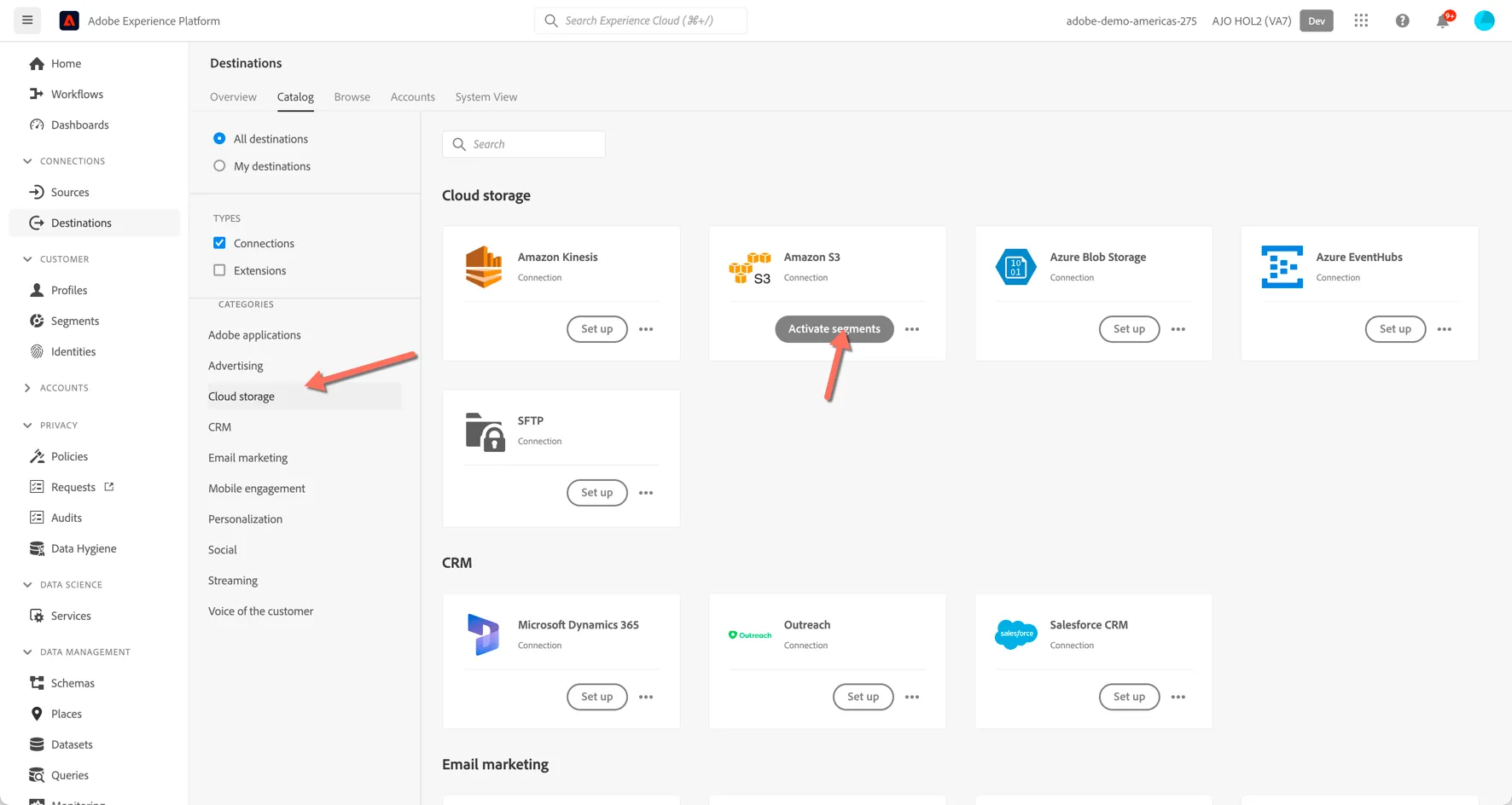
- Go to Destinations, then go to Catalog. You’ll then see the Destinations Catalog.
- Click Cloud Storage, then click the Activate Segments button on the Amazon S3 card.
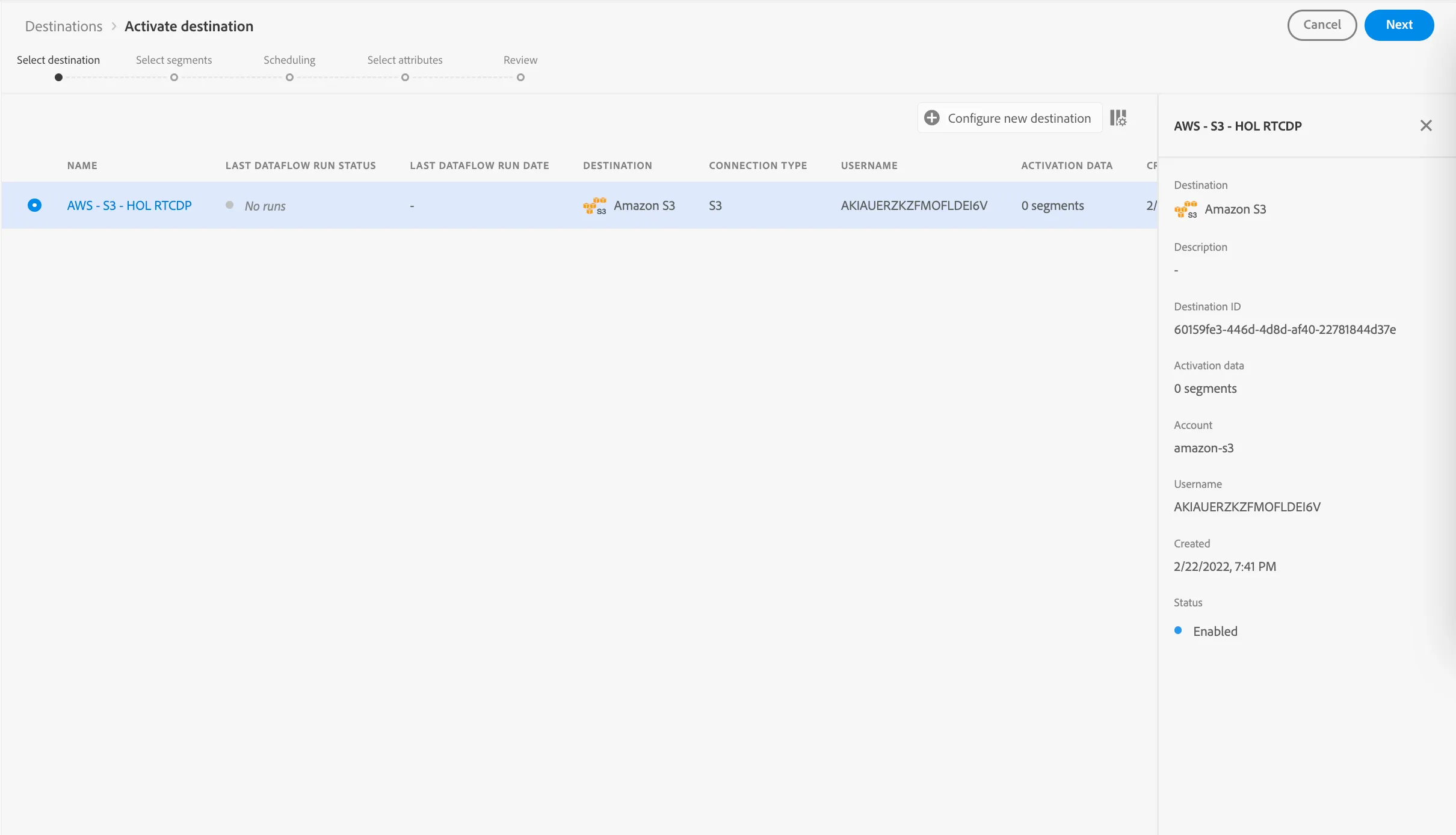
3. Select the Destination AWS - S3 - HOL RTCDP that has been previously configured.
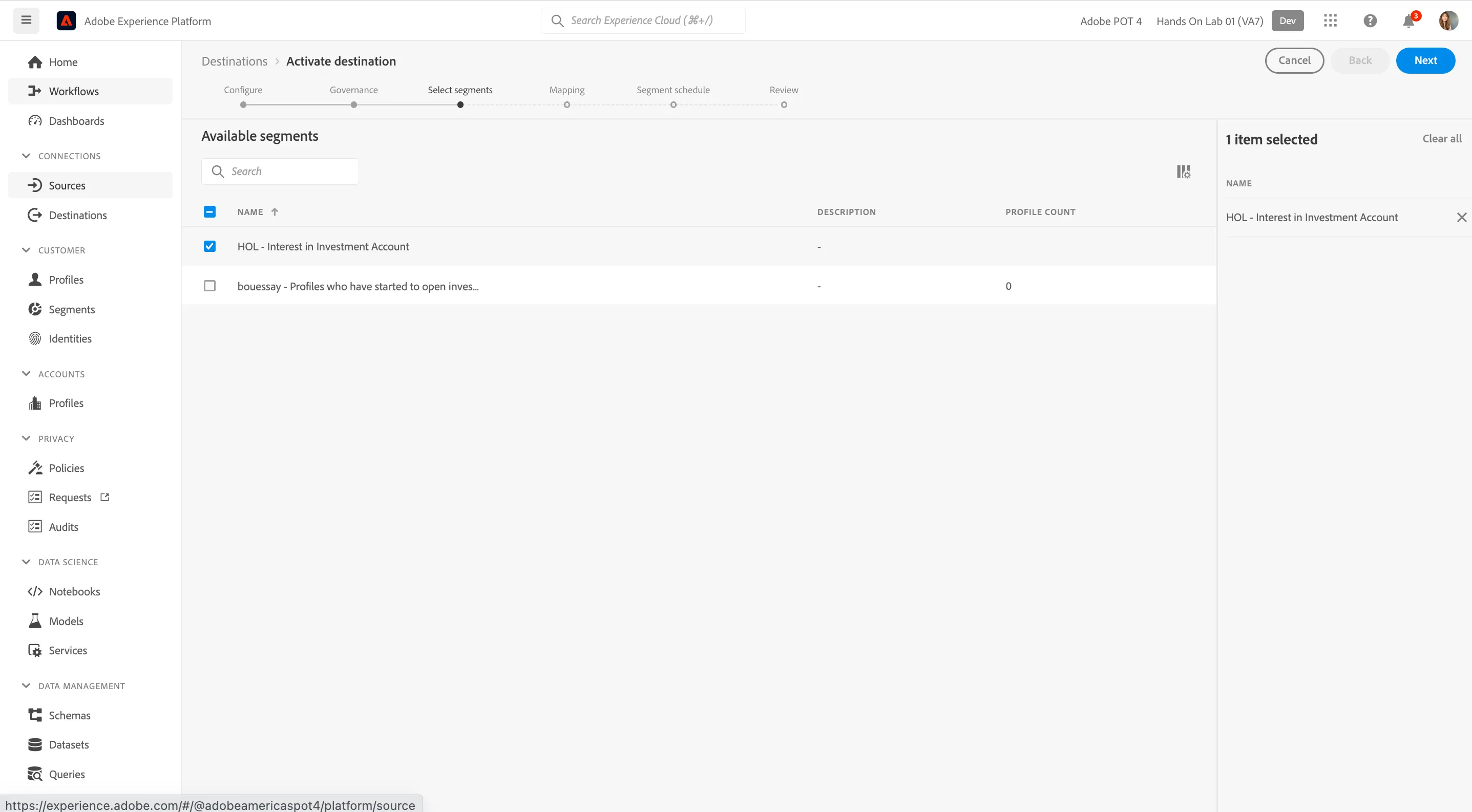
4. Search for a segment you created in the last module and select it.
5. Click Next.
Unlike the previous destinations, Amazon S3 is a batch based destination. As such you need to create a schedule and specify a file name for your csv file. You can choose to export the full segment on a daily basis or the incremental changes to the segment (entries and exits) with a higher frequency.
- Select Create Schedule.
- Select Export Incremental Files
- For this lab, change the Frequency to 3 hours.
- Select a Start and End Date for the activation
- Click Create
- Optionally, you can update the file name as well but fine to leave this as default.
- Click Next.
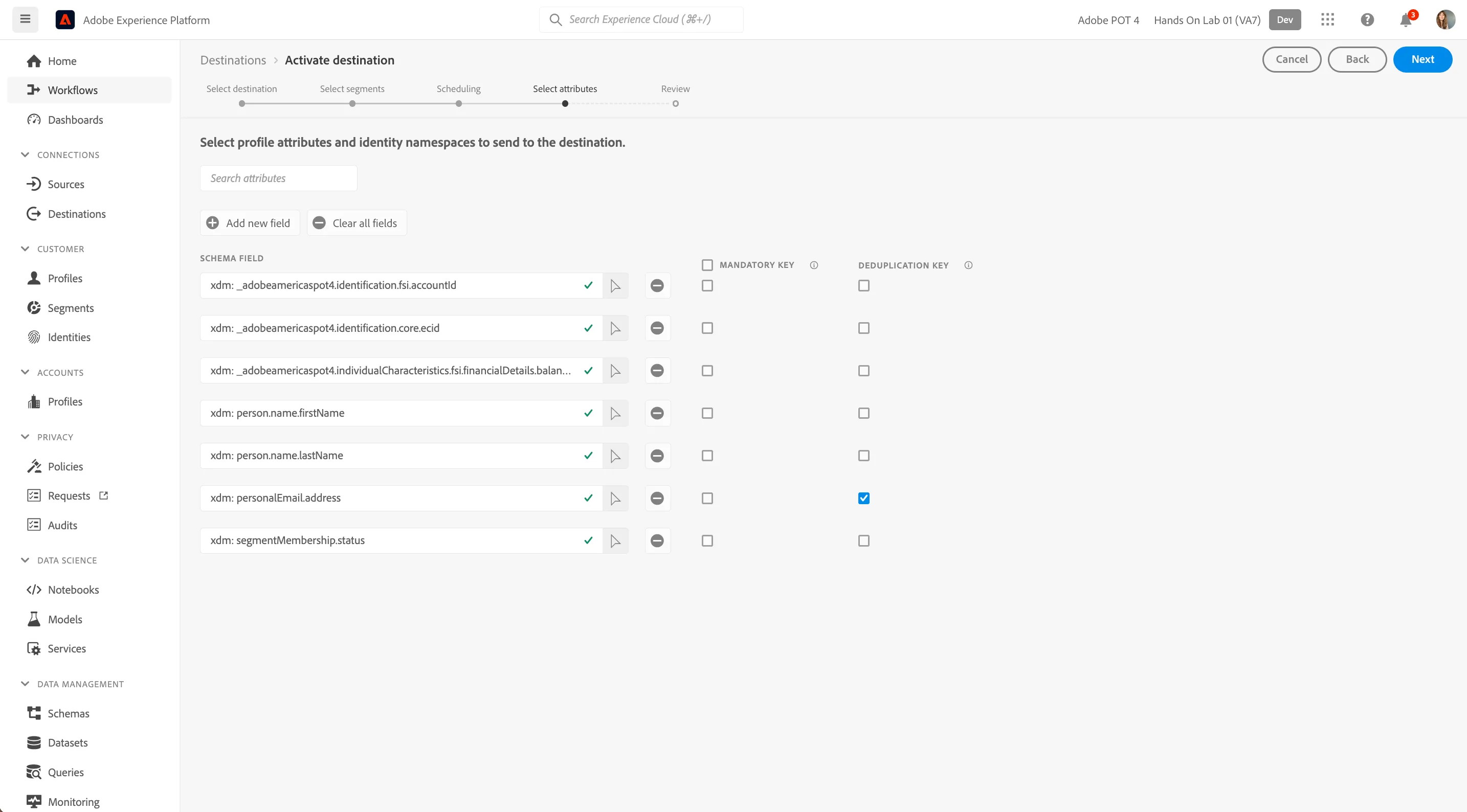
You can now select attributes for the export towards AWS S3. AWS S3 is considered a Profile Export Destination which means you can share additional information about the profile with the destination, not just the identifiers.
- Click Add new field and ensure the field _adobedemoamericas275.identification.ECIDis added. Optionally, you can add as many other fields as required.
- Check the Deduplication key box next to xdm: personalEmail.address
- Once you’ve added all fields, click Next.
4. Review your configuration. Click Finish to finish your configuration.
Your segment is successfully mapped to the Amazon S3 Destination
If you’d like to add more segment exports, you can click Activate Segments to restart the process and add more segments.