Analyzing the Journey
Customer Journey Analytics (CJA) can analyse the omni-channel data that you've collected into Adobe Experience Platform.
Omni-channel data
- Click into the Company Folder, this is where you will find pre-built dashboards that are accessible to everyone. If you want to create a private dashboard you can store it outside of this folder.
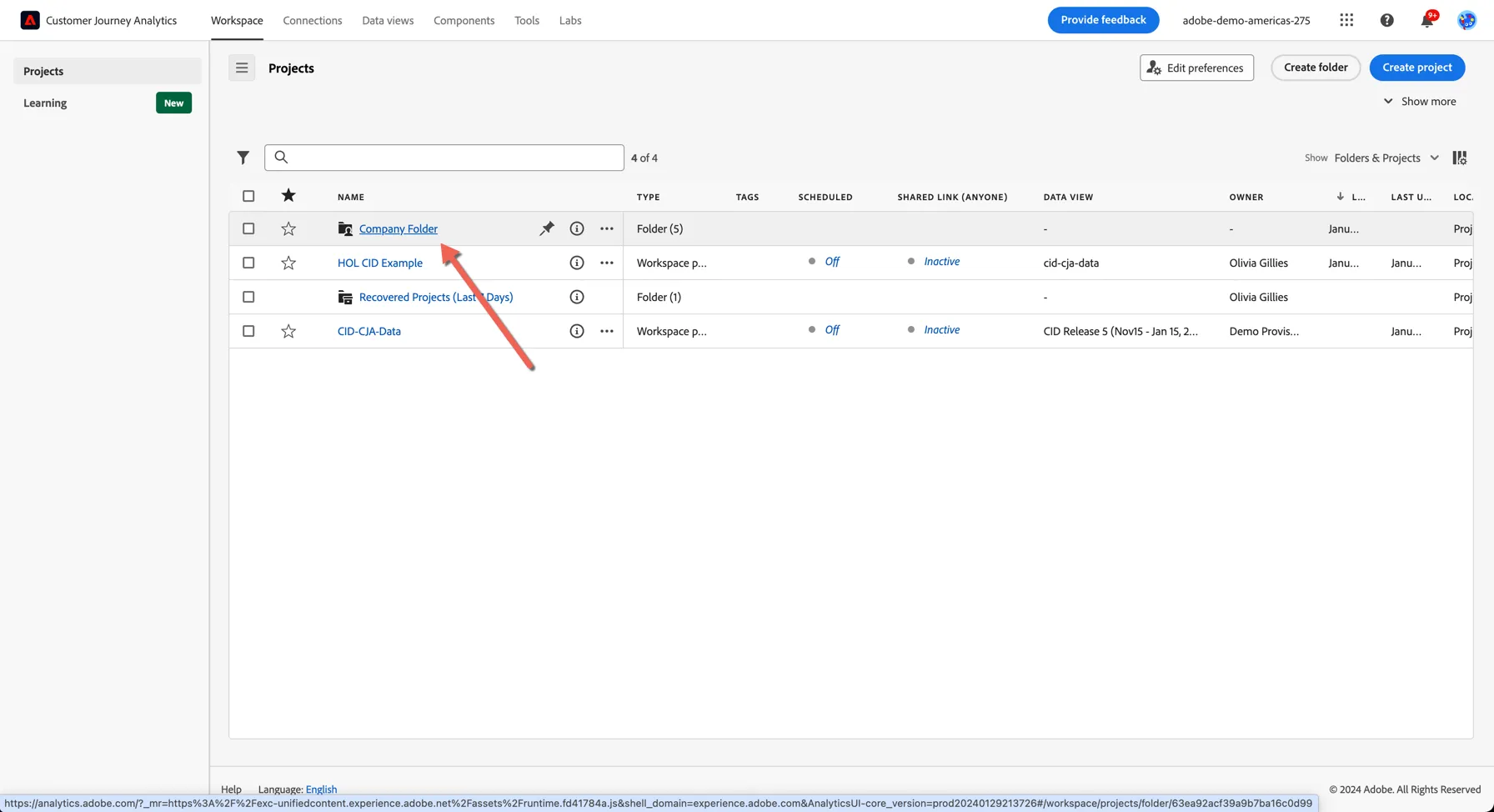
2. Open the dashboard called Bangkok 2024 - HOL Dashboard
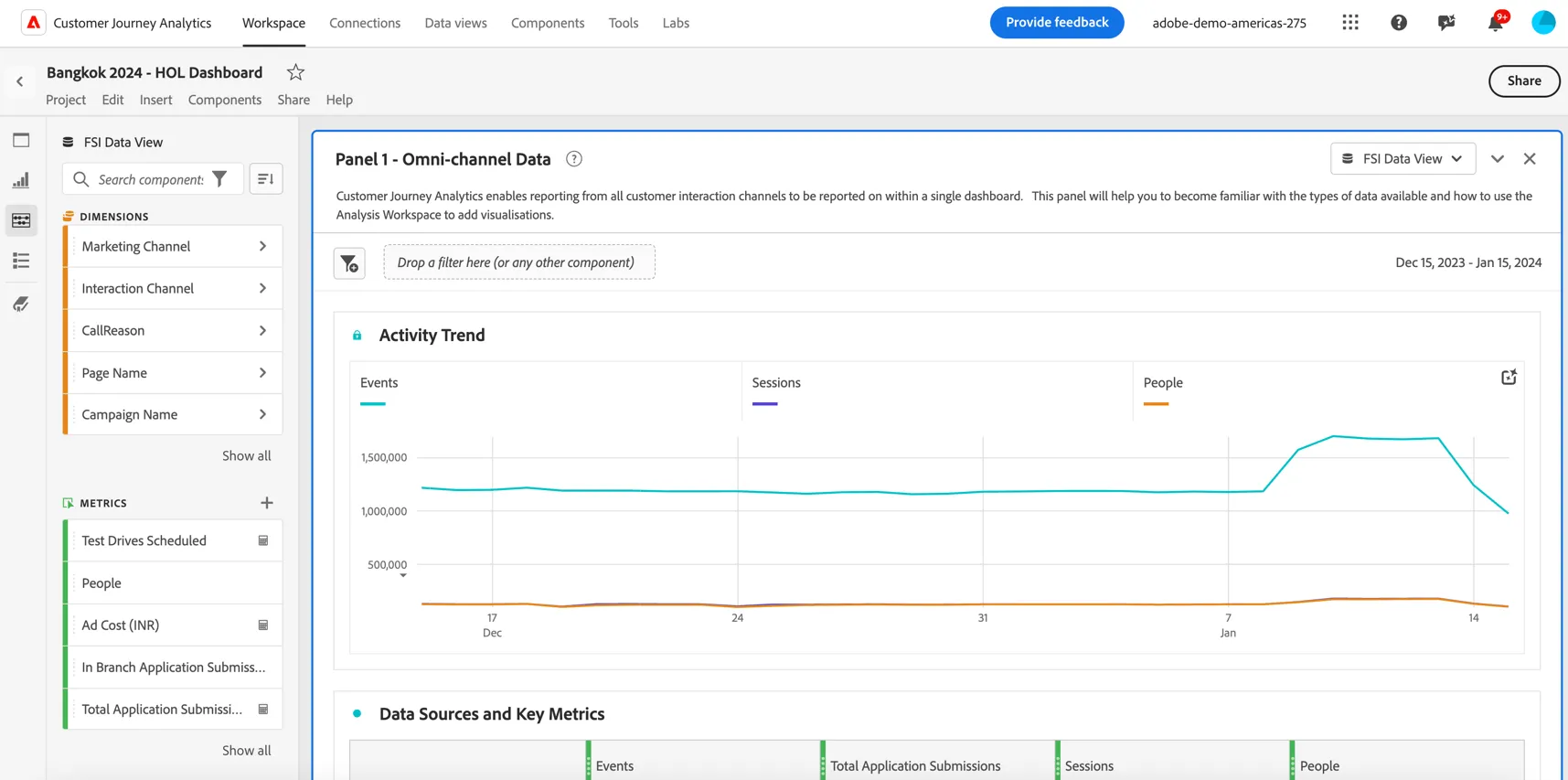
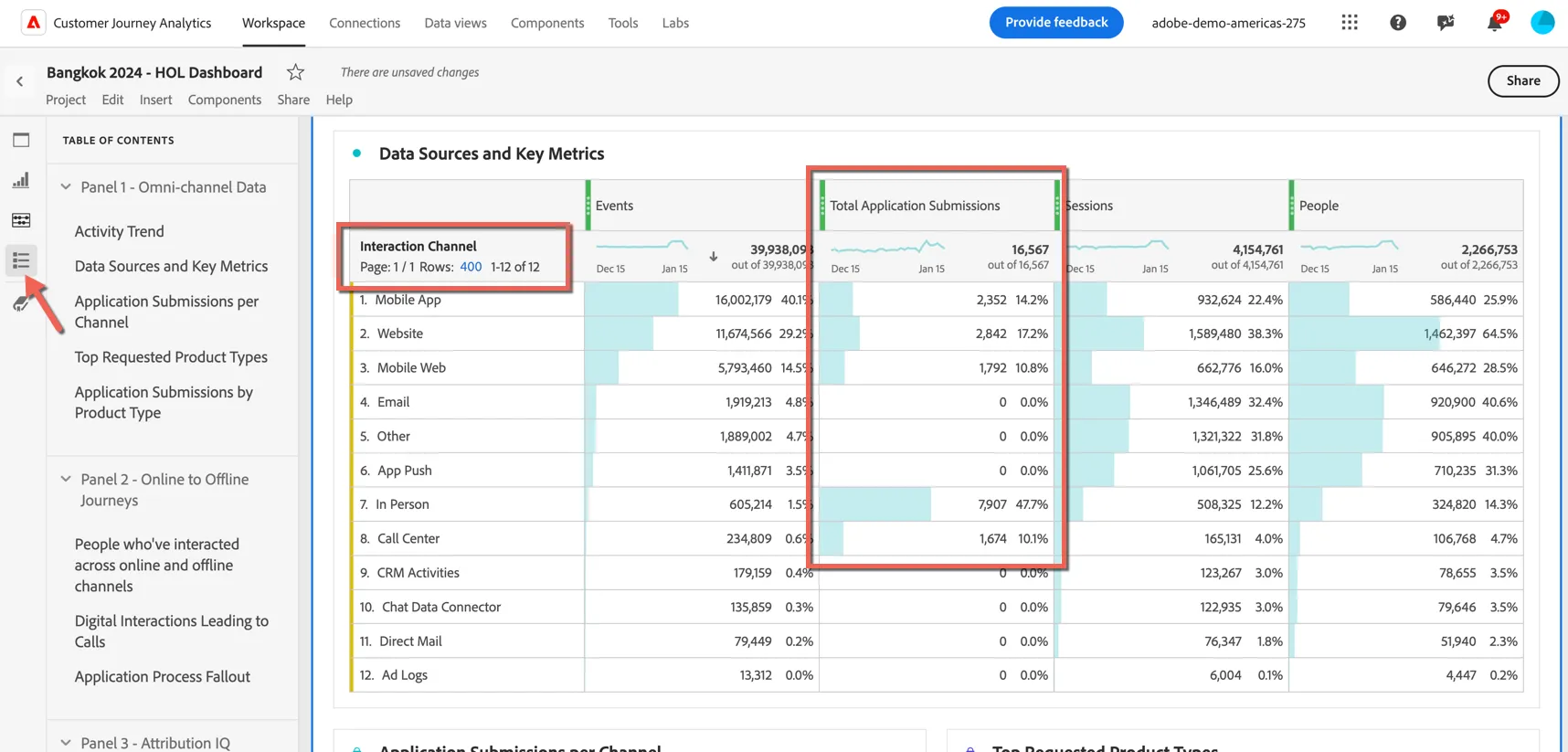
Here you can see an overview of the events that have been ingested into Adobe Experience Platform, along with how many people initiated those events and across how many separate sessions.
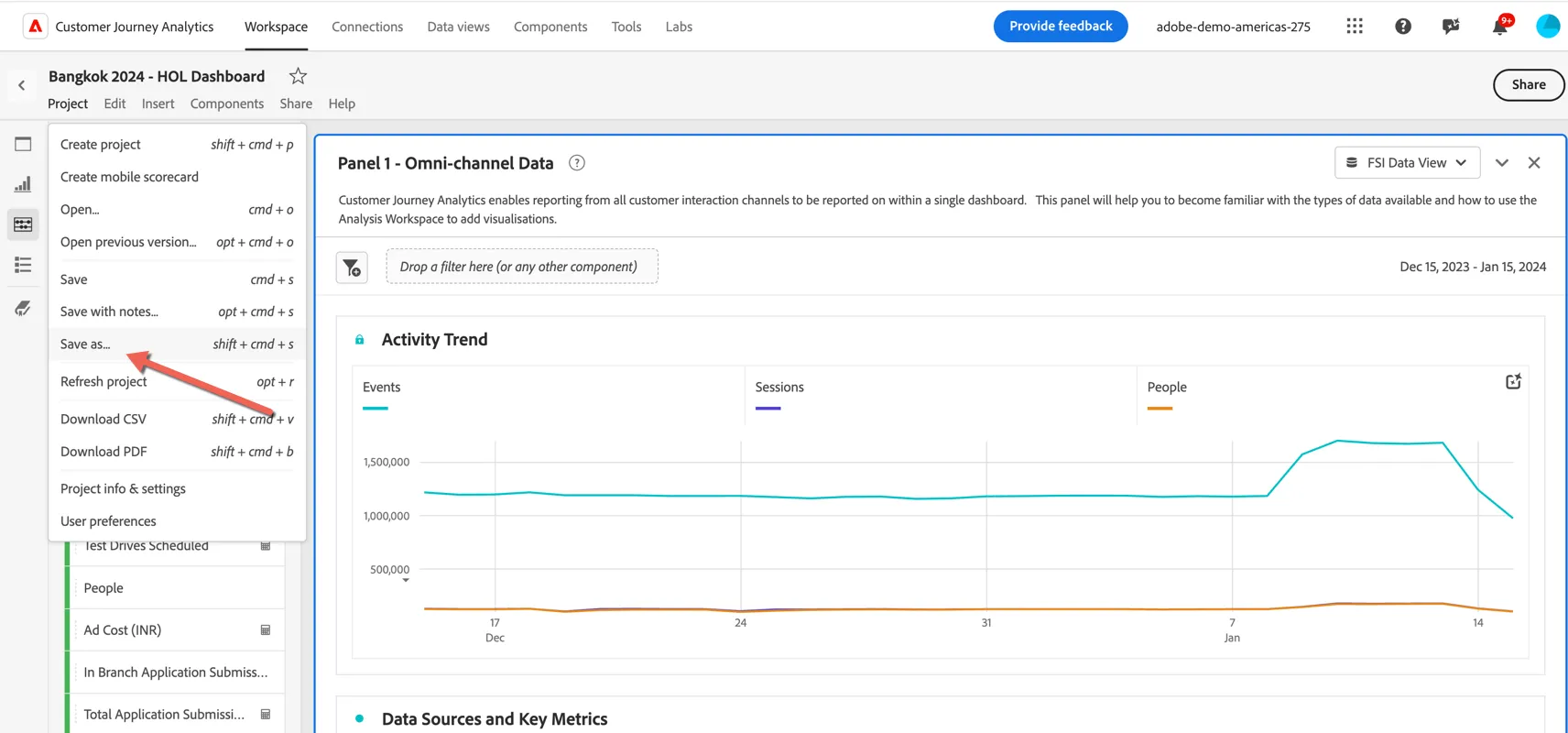
3. Before we start modifying the dashboard let's save it as a new copy, click on Project menu and select Save as
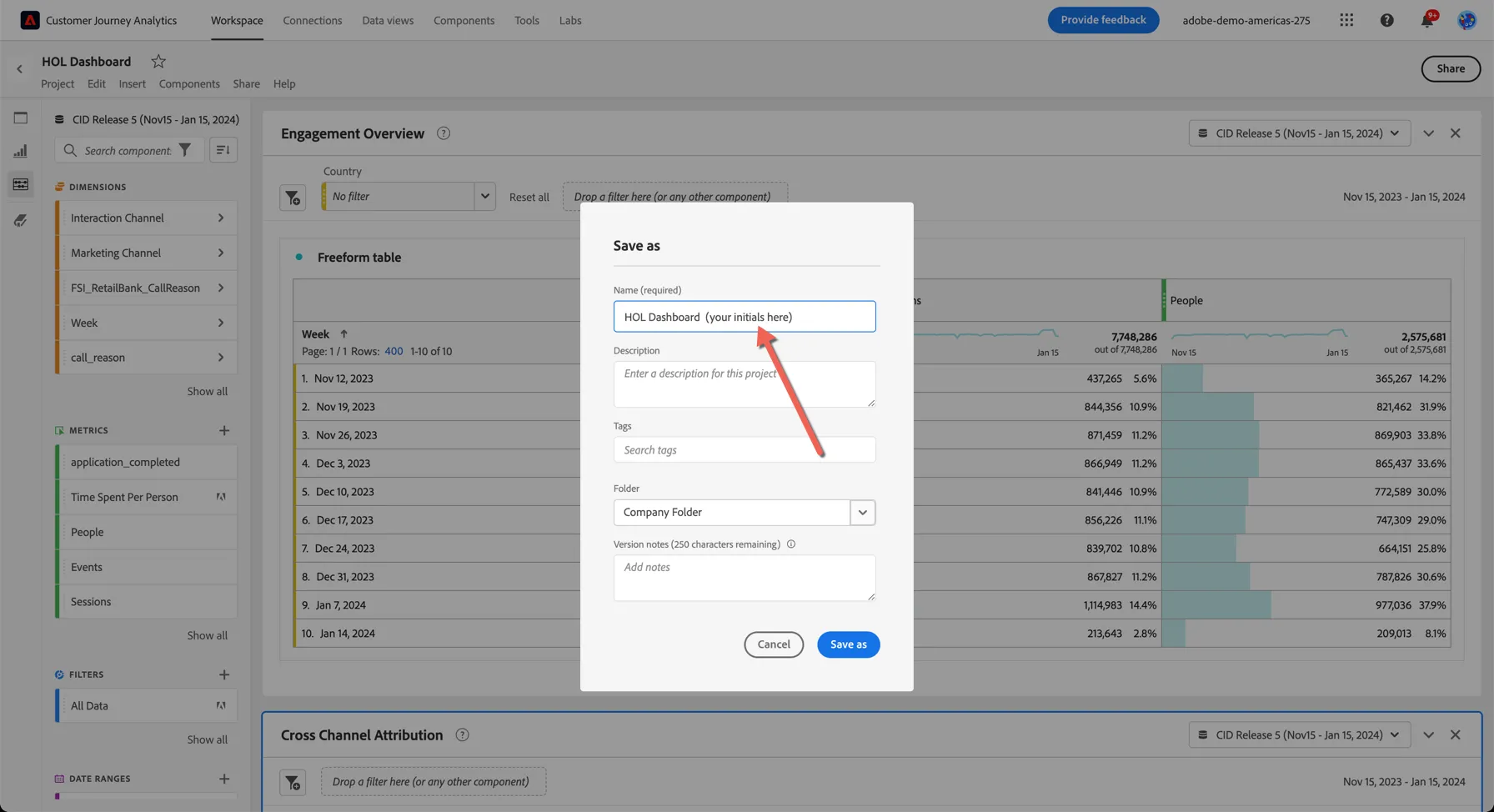
4. Add your initials to the project name so you can recognise it as yours and click Save As.
5. Use the Table of Contents to see what visualisations are available in the dashboard. Scroll to Data Sources and Key Metrics. Notice that the Application Submissions have been received across multiple Interaction channels: mobile app, website, mobile web, in person and through the call center.
6. During our journey Adobe Journey Optimizer was also used to send reminder emails and push notifications. We can report on those here as well. Return to the components menu and drag the metrics for Emails Sent and Push Notifications into your table.
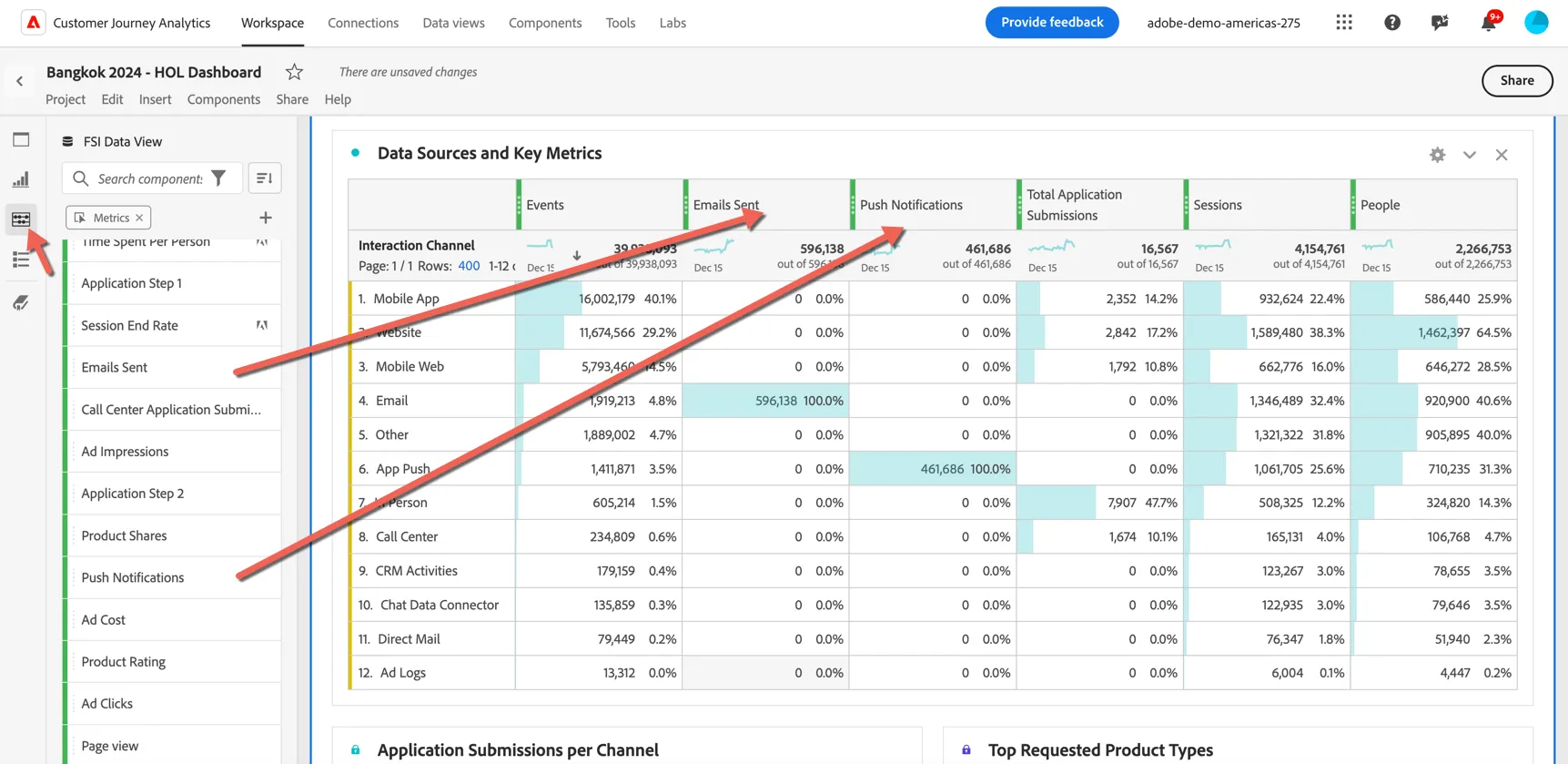
Click Crtl/Command S to save your project again.
Online to Offline Journeys
We've shown now how we have data from all of our channels available in CJA, let's look now at the cross over between channels. How many customers are interacting on multiple channels, how many customers are researching online then converting offline?
1. Scroll down to Panel 2 (or use the Table of Contents to go straight there). You can see in our venn diagram how many customers have interacted across online, call center and have visited a branch. Hover over the intersection to see the count of people.
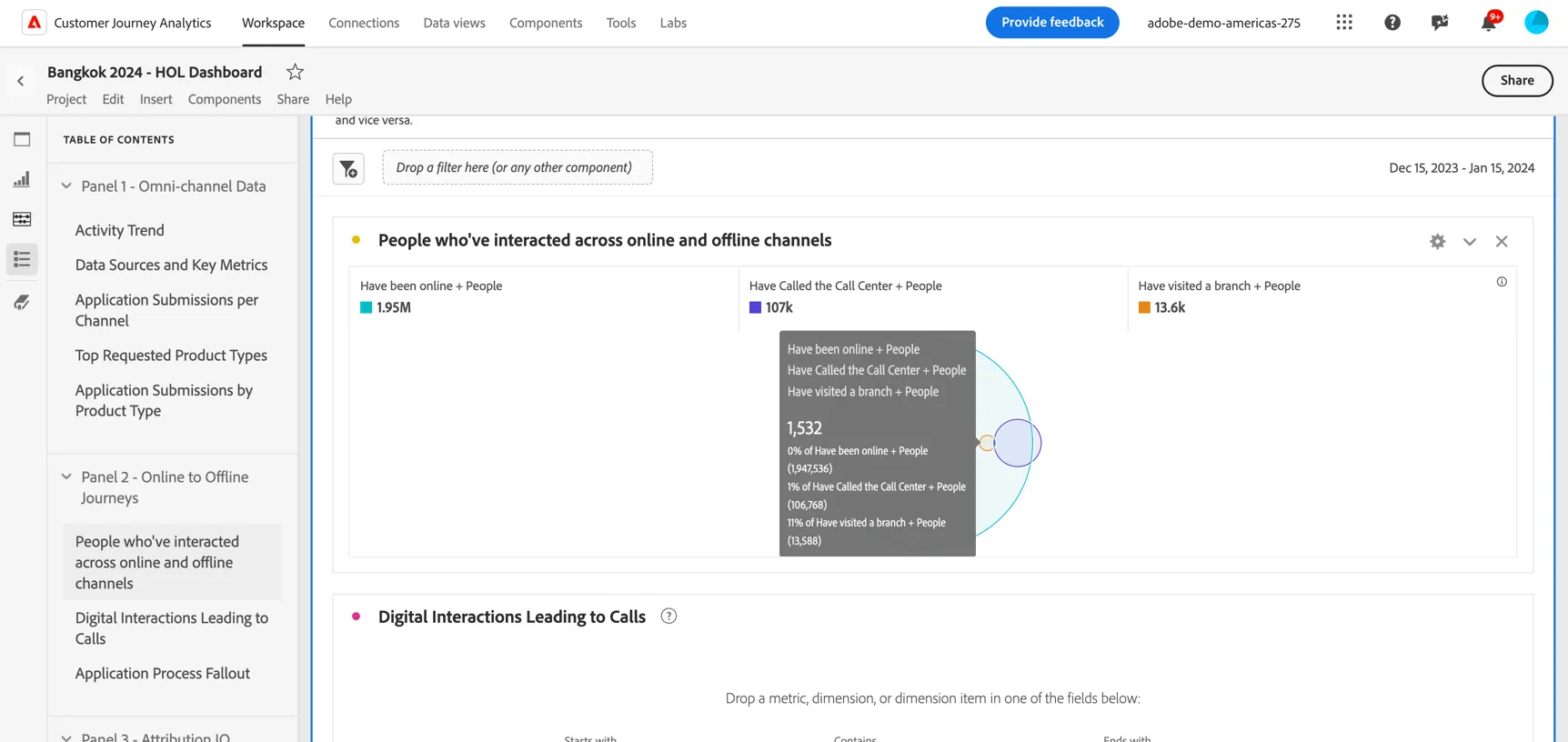
The Flow visualisation is a powerful way to understand customer journeys through your website or app. Now with CJA you can leverage the same visualisation to discover the journey your customers are taking across all of your channels. In the journey we covered previously, our user call the call centre during the application process. Let's try to understand how many people are doing the same, and why they're calling. That will help us to understand if we need to optimize the application form.
2. Drag a Flow visualisation from the visualisations panel. Drop it under the venn diagram.
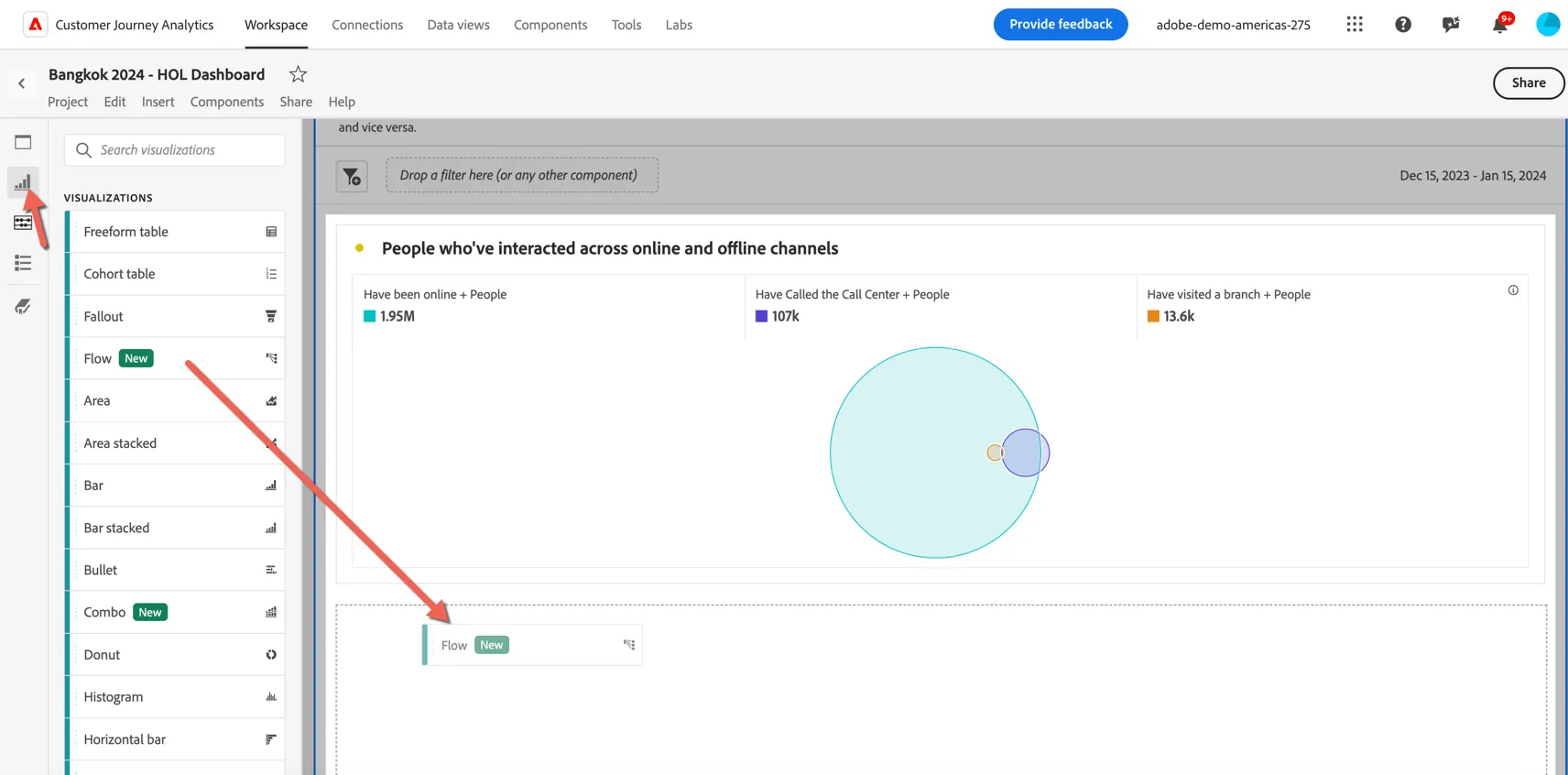
3. Search for Call Reason in the components menu and click on the arrow to see the values available in this dimension
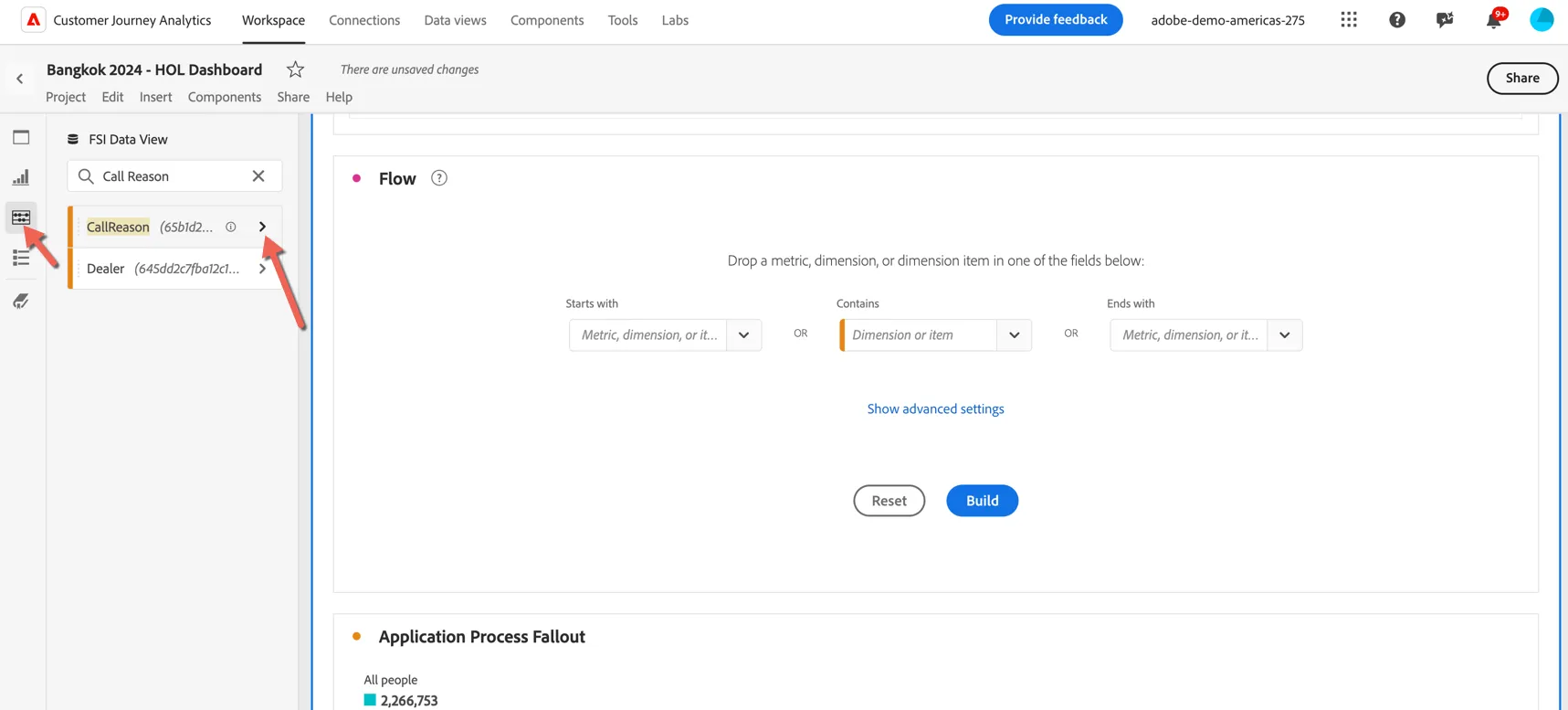
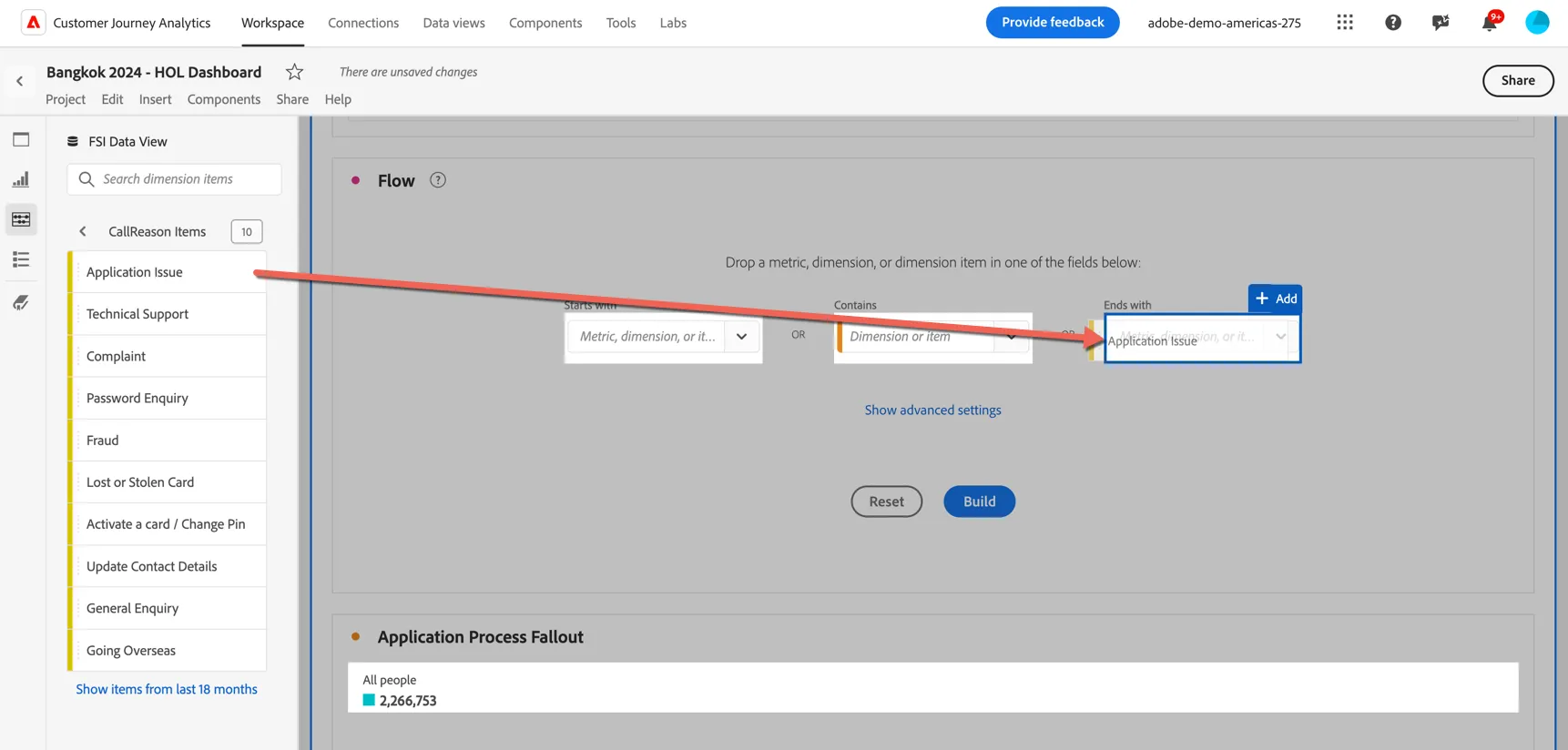
4. we can see that Application Issue is one of the reasons recorded for customers calling into the call center. Drag this into the ends with dropdown of our Flow.
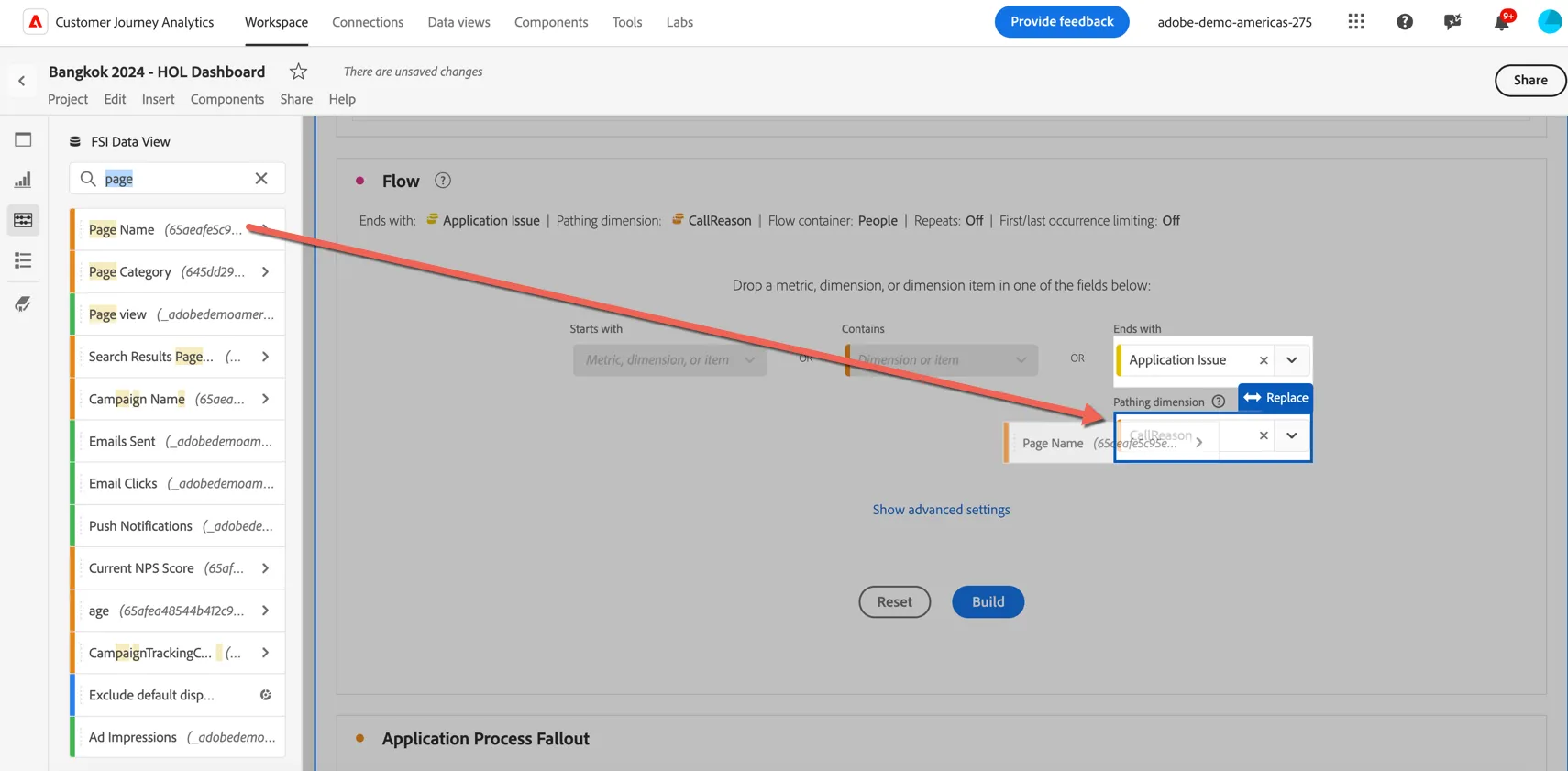
5. We want to see what customers are looking at online before calling the call center so change the pathing dimension from CallReason to Page name
6. Your panel should look like this.
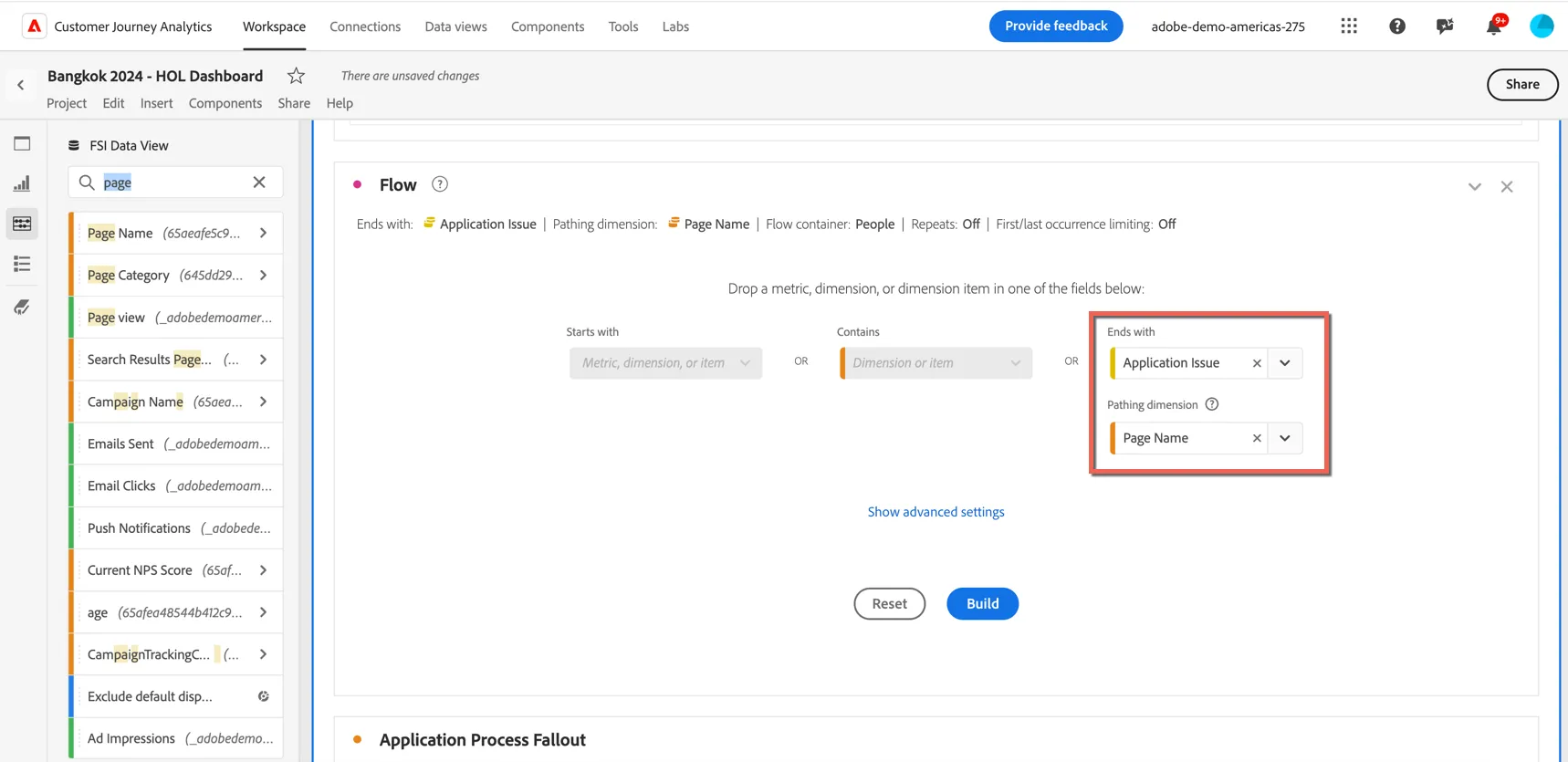
7. Click Build.
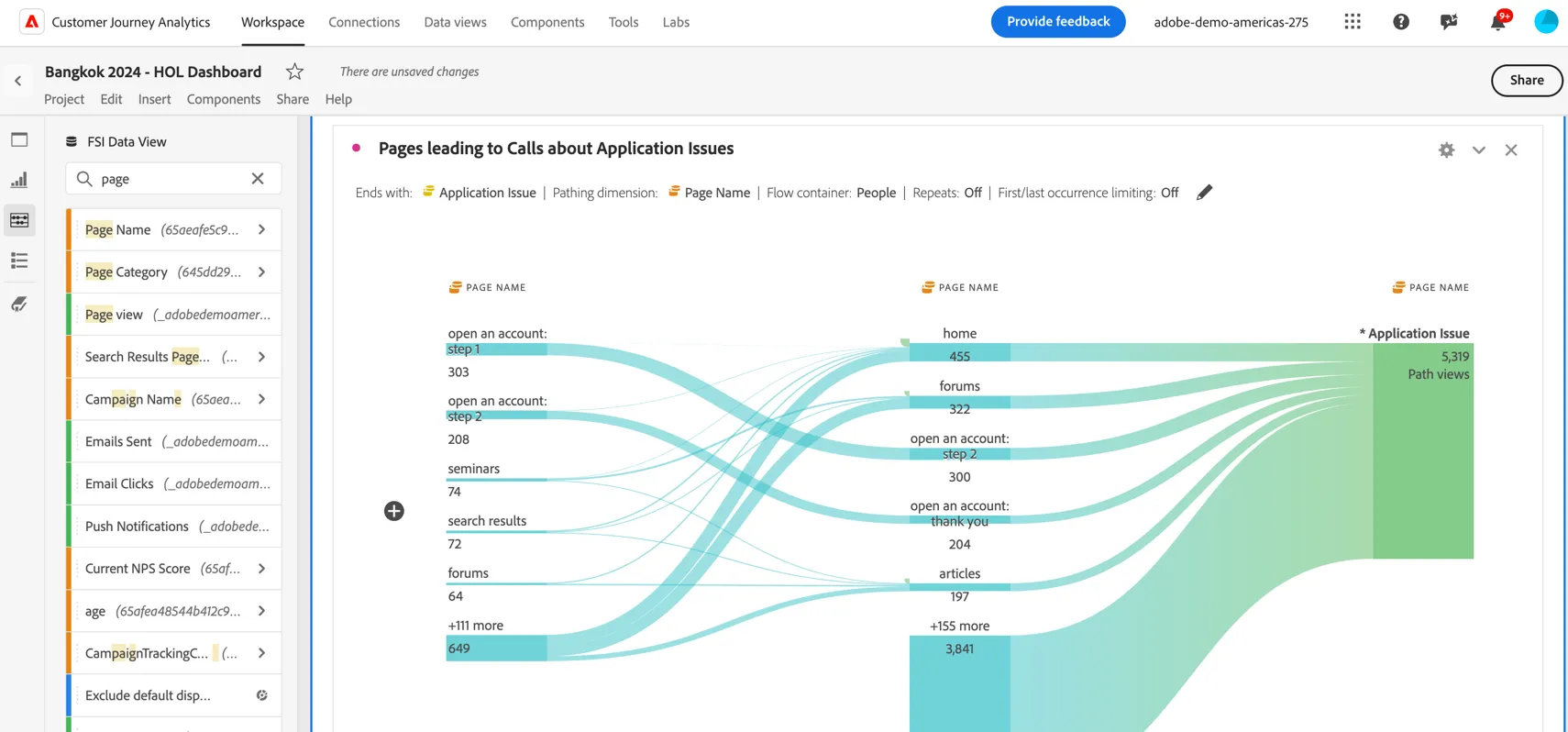
You can now explore what the customer was doing before on the website before they called the call center.
Click Crtl/Command S to save your project again.
Attribution IQ
Attribution modelling is used to measure the influence of marketing touches on driving conversions. In traditional analytics tools this attribution is limited to digital conversions only. With CJA we can now use any of the available attribution models to understand the impact of digital marketing on offline conversions. In our lab journey our customer ended up submitting the application via the call center. Let's see how we can analyze which campaigns influenced that conversion.
1. Scroll to Panel 3 > Top 10 Campaigns impacting Application Submissions. You can see that digital application submissions is already listed.
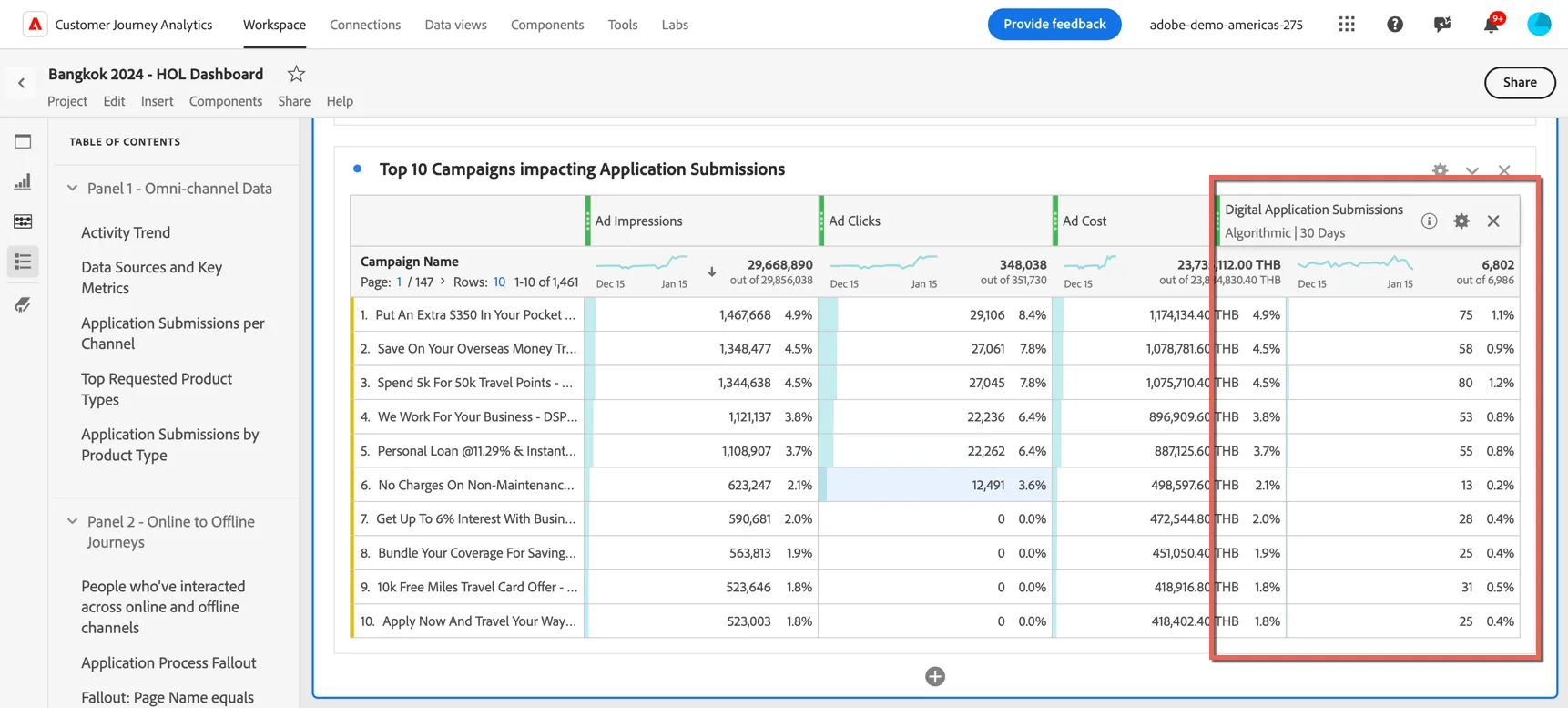
2. Drag the Call Center Application Submissions metric into the table.
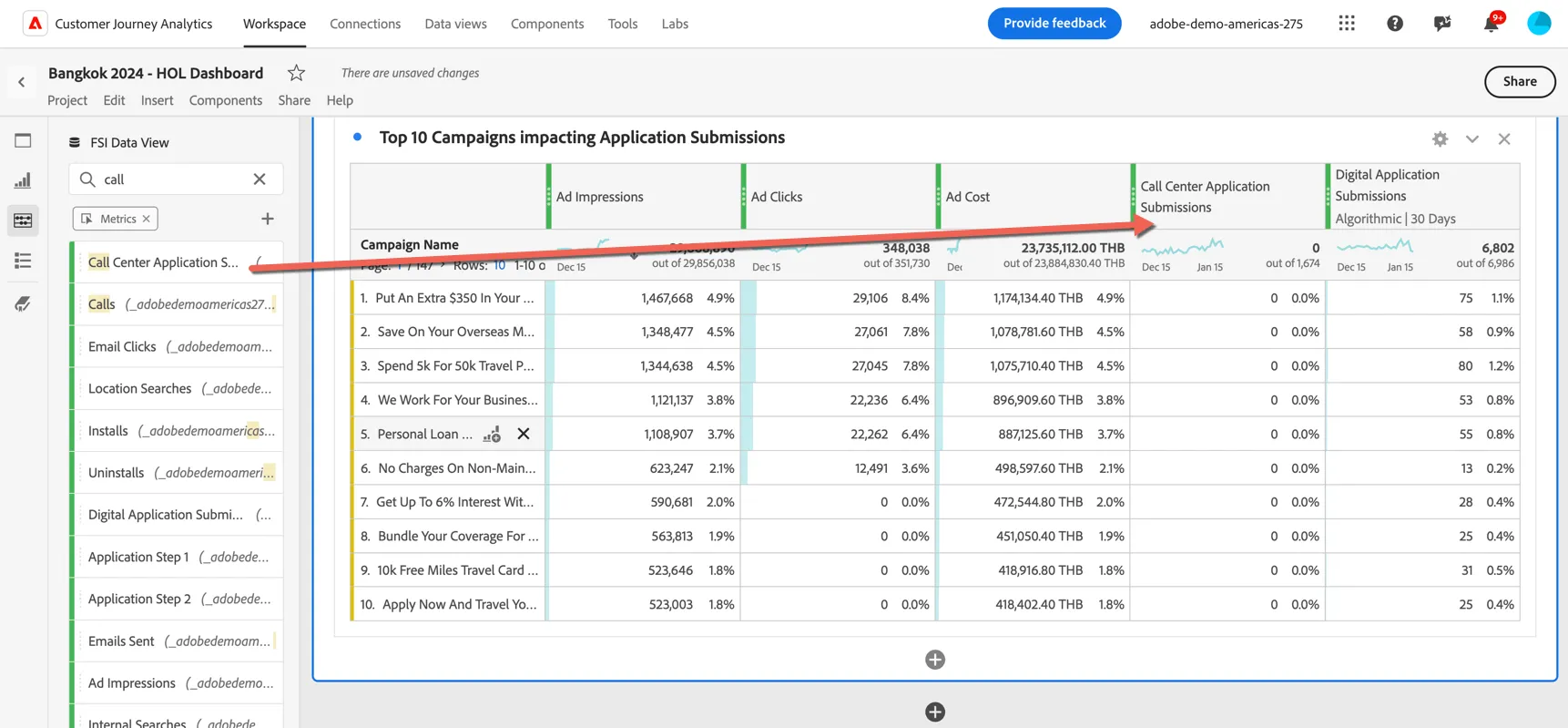
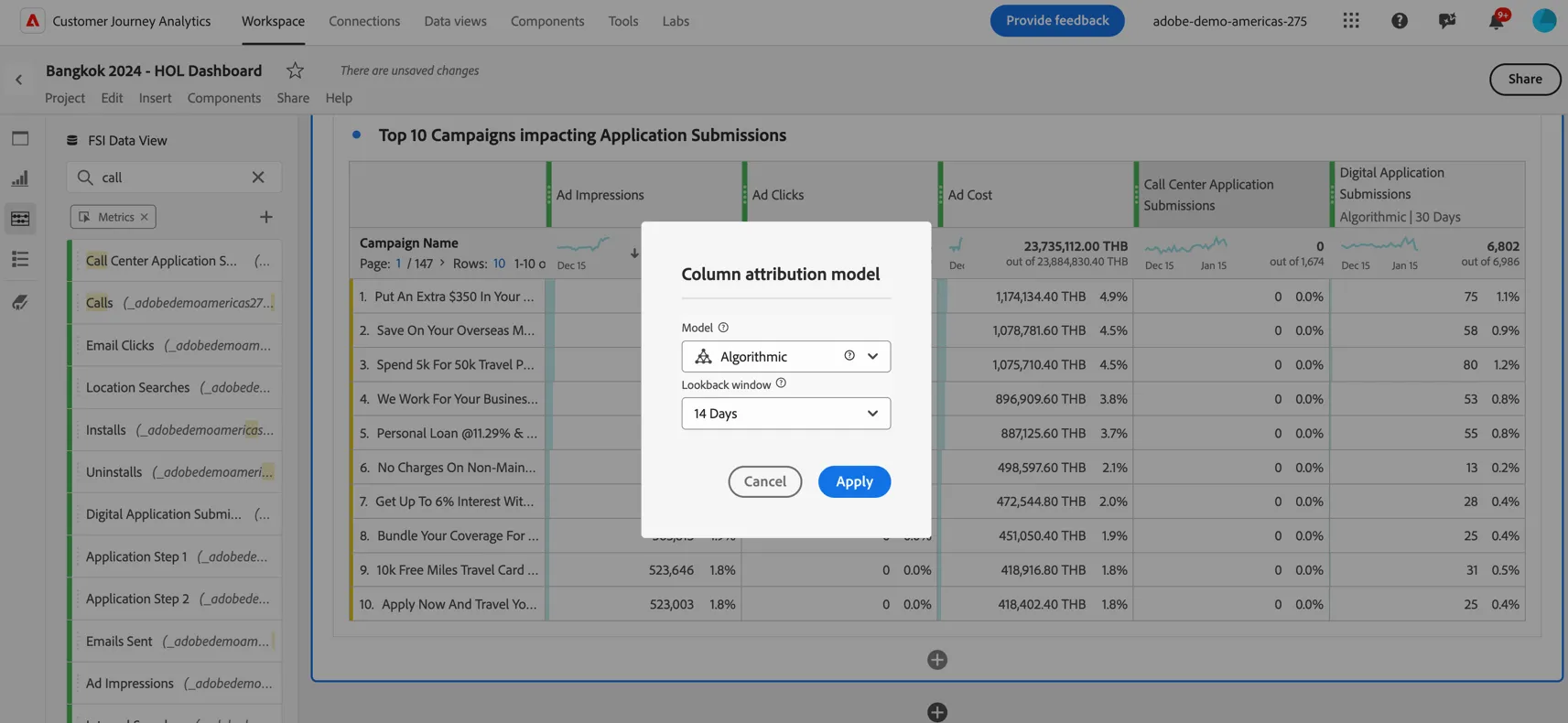
3. You'll notice the value is 0 for all records. This is expected because calls are always going to be separate events detached from the campaign and currently there is no attribution model set. Right click on the heading and select Modify attribution model.
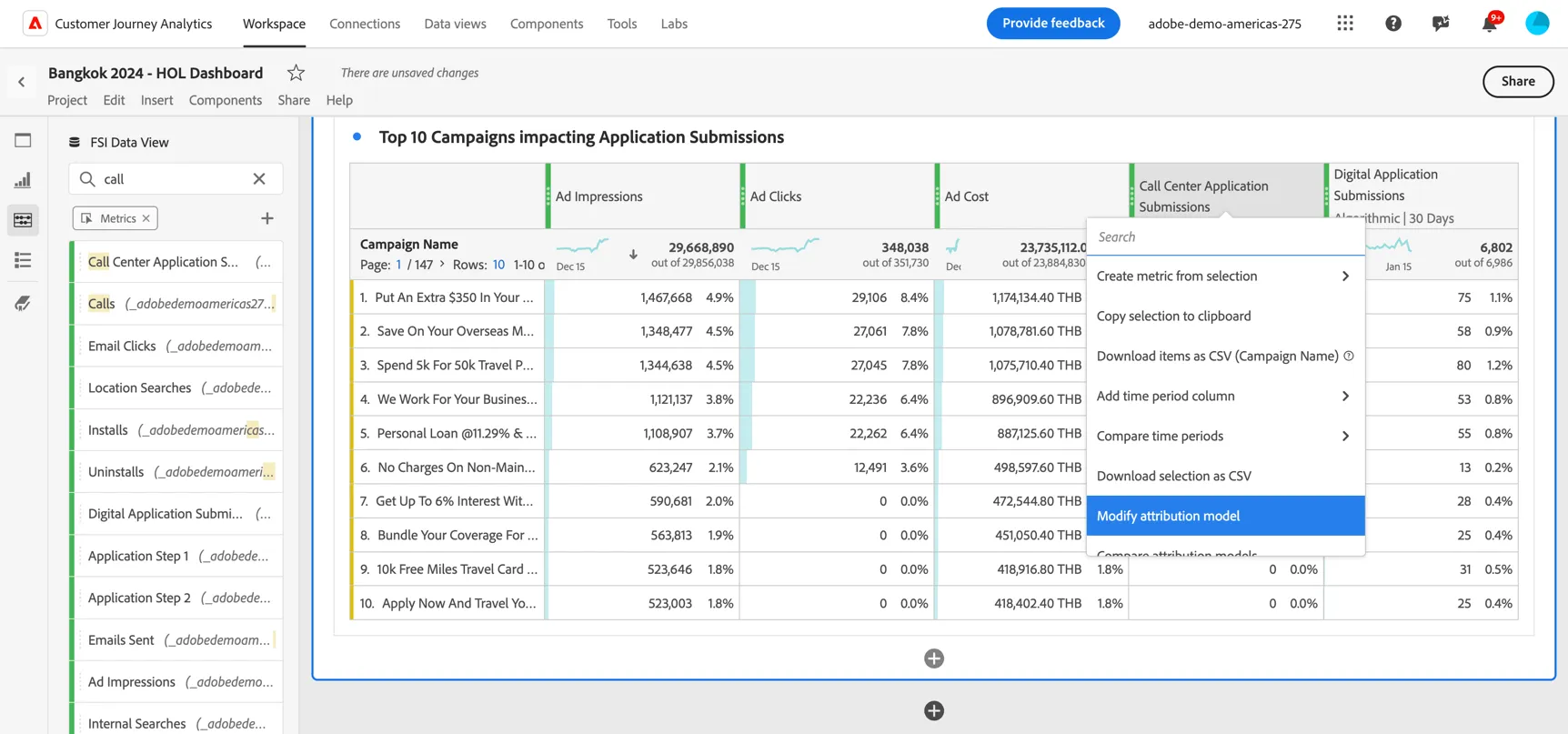
4. Select to use Adobe's Algorithmic multi-touch attribution model with a lookback window of 14 days.
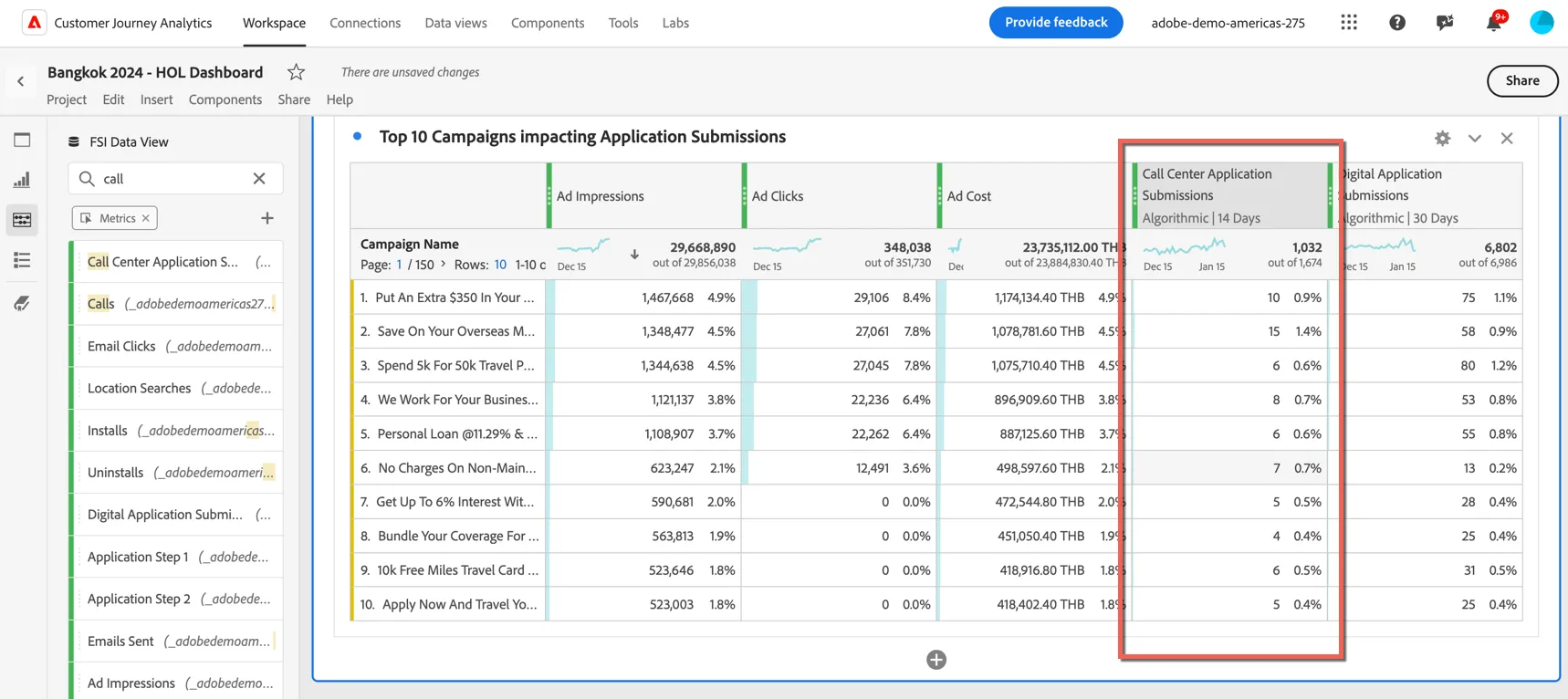
You can see now the influence those digital campaigns have had on conversions not only online but offline as well.
This concludes the exercise for Customer Journey Analytics.