Lab 1: Introduction to Adobe Experience Platform (AEP)
Before you build anything, take a few minutes to understand the platform underneath every application in this lab. Your instructor will walk through this section with you.
One platform, many applications
- Go to experience.adobe.com and sign in if you haven't already.
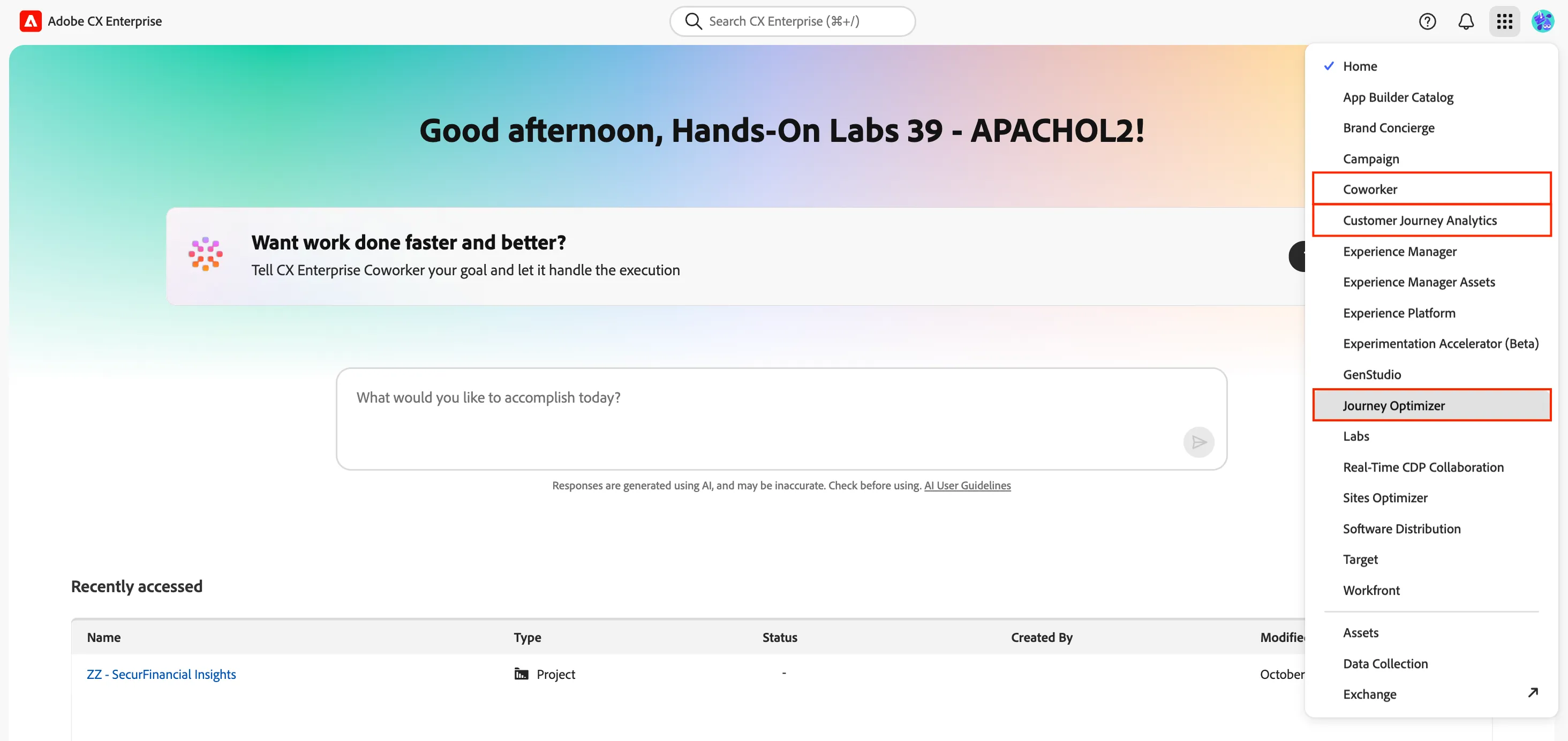
- Click the app switcher (the 9-dot icon in the top-right corner).
- Look at the list of applications. In this lab you only use three of them: Journey Optimizer, Customer Journey Analytics and Coworker.
All three run on Adobe Experience Platform. They share the same customer profiles, audiences and data, so an insight in Customer Journey Analytics can become an audience and a journey in Journey Optimizer without exporting or copying anything.
Real-Time Customer Profile
A profile is one complete view of a customer. AEP joins data from every source (website, app, call centre, CRM, core banking) into one profile, using identities such as email, phone or customer ID.
A profile has two kinds of data:
- Attributes: facts about the customer, such as name, age, number of children, products held and preferred channel.
- Events: things the customer does, with a time stamp, such as "started a life insurance application" or "opened an email".
Why it matters: when the profile is complete and updated in real time, every message can be relevant to what the customer has and what they just did.
Audiences
An audience is a group of profiles that share traits or behaviour, for example "over 35 with children". AEP can evaluate audiences in three ways:
Method | How fast | Good for |
|---|---|---|
Streaming | Within seconds, as data arrives | Reacting to behaviour, such as an abandoned application |
Batch | Once a day | Large, stable groups used for planned campaigns |
Edge | In milliseconds, on Adobe's edge network | Personalising the web or app page the customer is on right now |
Why it matters: many marketing tools only update audiences once a day, so customers get messages about things they did yesterday. With AEP you choose the right speed for each use case, on the same profile.
Sources: bringing data in
AEP is open to data from anywhere. You don't need to use Adobe products to collect data.
- Sources catalog: ready-made connectors for cloud storage, databases, CRM, marketing tools and more, including systems from other vendors.
- Streaming: send events in real time with the HTTP API or the Adobe Web and Mobile SDKs.
- Files: upload files (for example CSV or JSON) for one-off or scheduled loads.
Destinations: sending audiences out
AEP sends audiences and data to the places where you engage customers:
- Destinations catalog: ready-made connections to advertising, social, email, CRM and analytics platforms.
- Extensible: if a connection doesn't exist, you can build your own destination or use a generic streaming or file-based destination.
Why it matters: you build an audience once and use it everywhere, so every channel tells the same story to the customer.
Intelligence
AEP can enrich profiles with AI. For example, a propensity score predicts how likely a customer is to take an action, such as buying a product. Scores can come from Customer AI in AEP, or from your own data science team's models loaded into the profile. You will see a propensity score on the sample profile in Exercise 2.
How this lab uses the platform
Exercise | Application | Platform capability |
|---|---|---|
1. Insights | Customer Journey Analytics | Analyse the same data that is in the profile |
2. Audience | Journey Optimizer | Real-Time Customer Profile and audiences |
3. Journey | Journey Optimizer | Real-time events and journeys |
4. Content | Journey Optimizer | Generative AI content, brands and assets |