Event Program - Webinar
3 min
Create Event Program
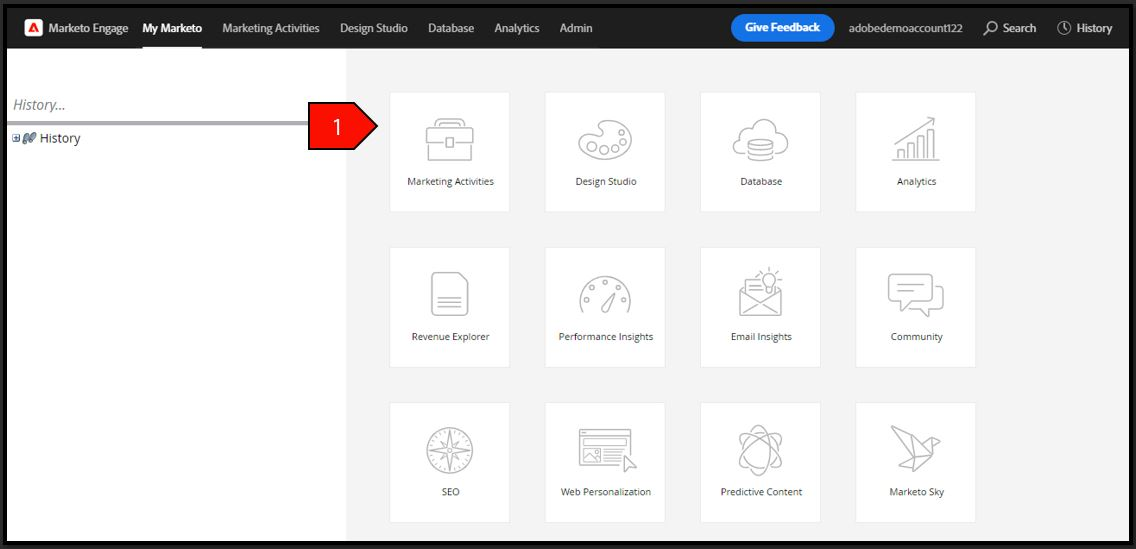
Navigate to Marketing Activities
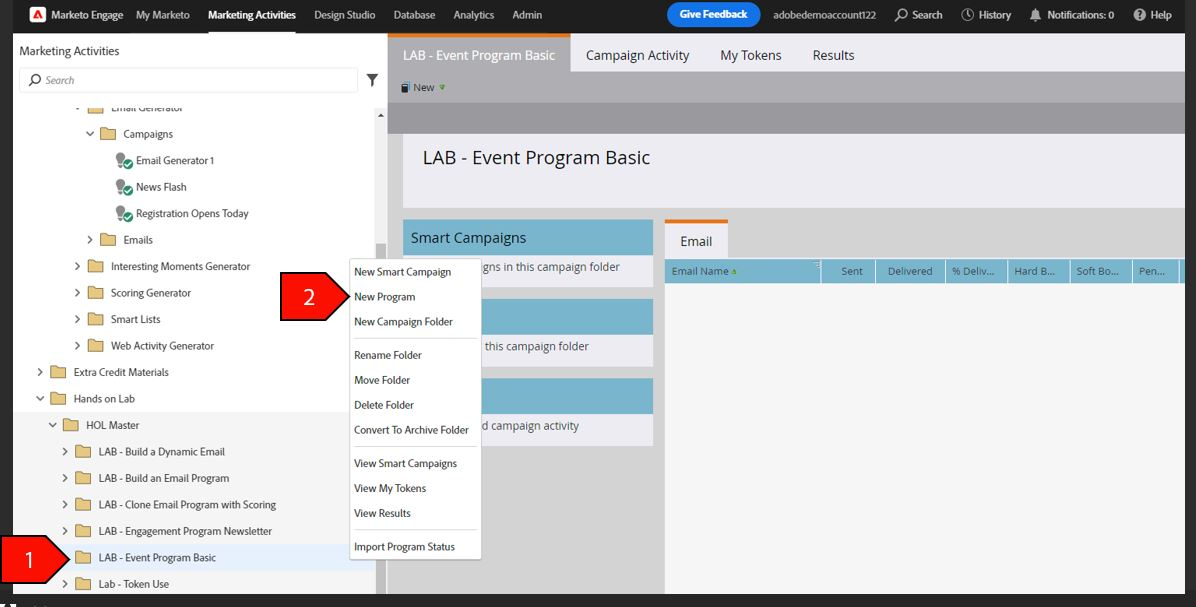
Right-click on the Event Program folder from the navigation tree, select New Program
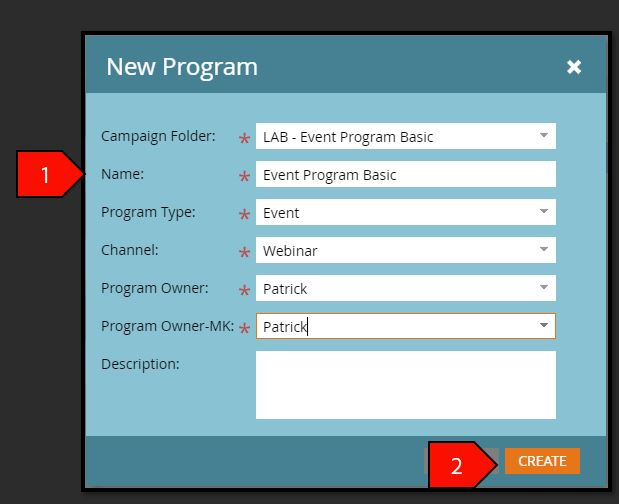
- Click Create after the following fields have been filled out:
- Campaign Folder: LAB - Event Program Basic
- Program Name: Event Program Basic - Your Name
- Program Type: Event
- Channel: Webinar
- Program Owner: Patrick
- Program Owner: Patrick
Description: Leave blank
- Select the new Event Program Basic in your folder
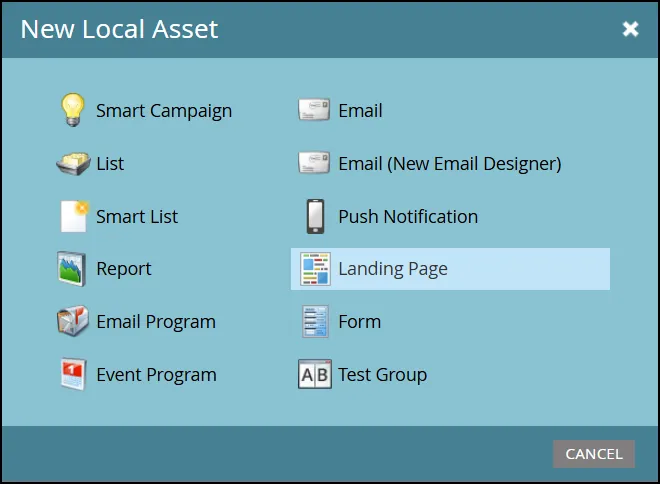
- Select New, then New Local Asset
- Select Landing Page
- Click Create after the following fields have been filled out:
- IG Program: Event Program Basic
- Name: Event Program Basic Landing Page
- Page URL: This value will auto-populate
- Description: Leave blank
Template: AIG Landing Page Template
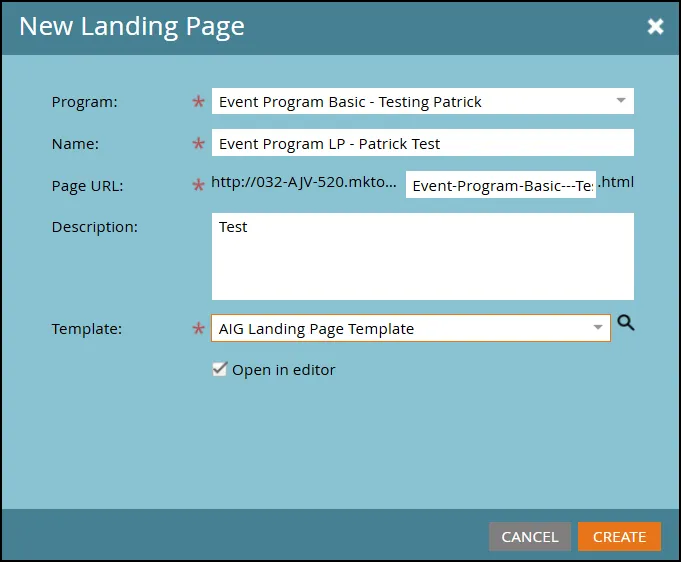
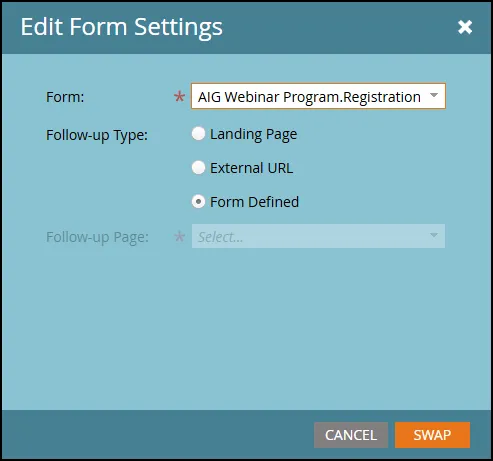
- Double Click on the Form Element
- Select the AIG Webinar Program Form
Click Swap
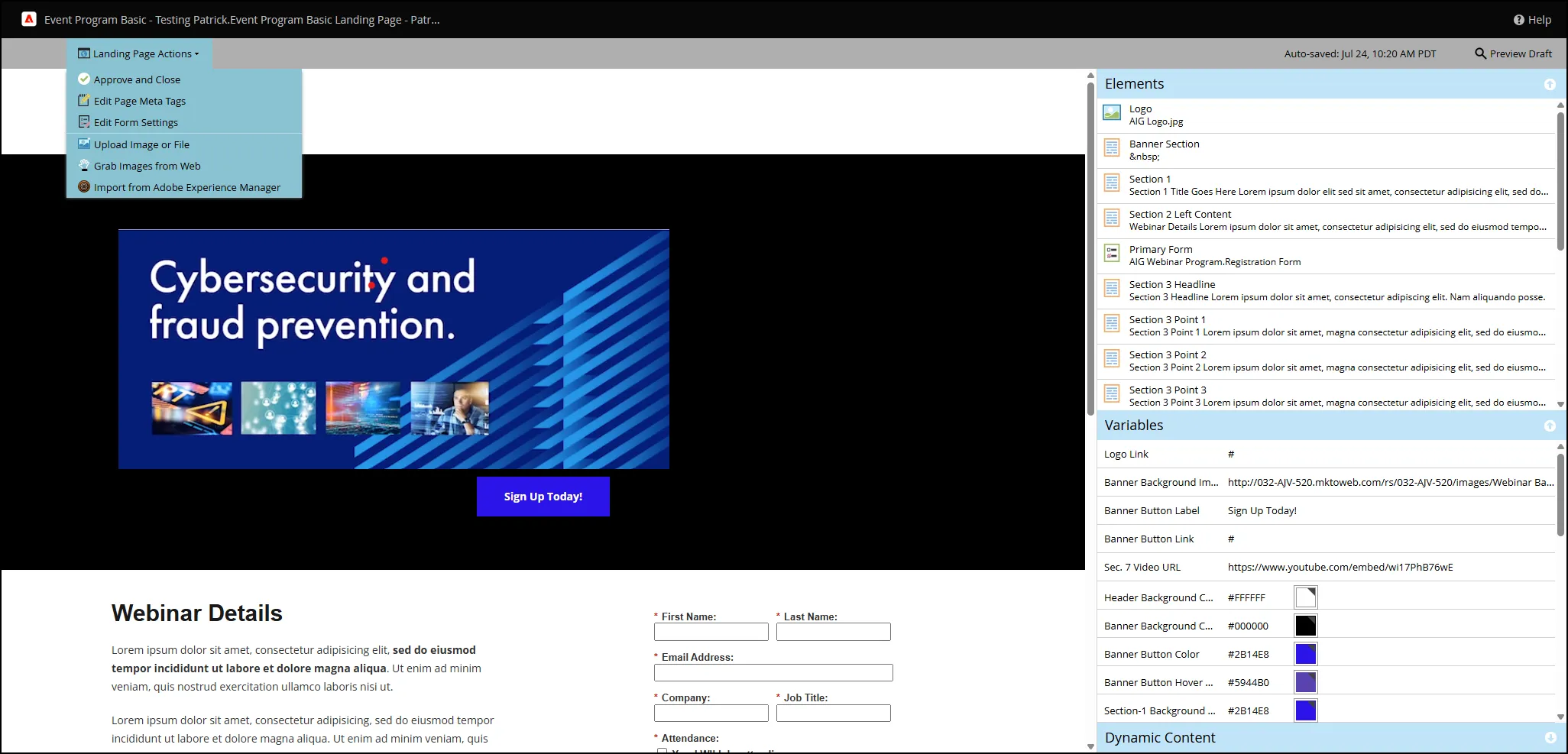
Using the editing functions on the right side, make any changes you would like in the appearance of the Landing Page. Select Landing Page Action then Approve and Close.
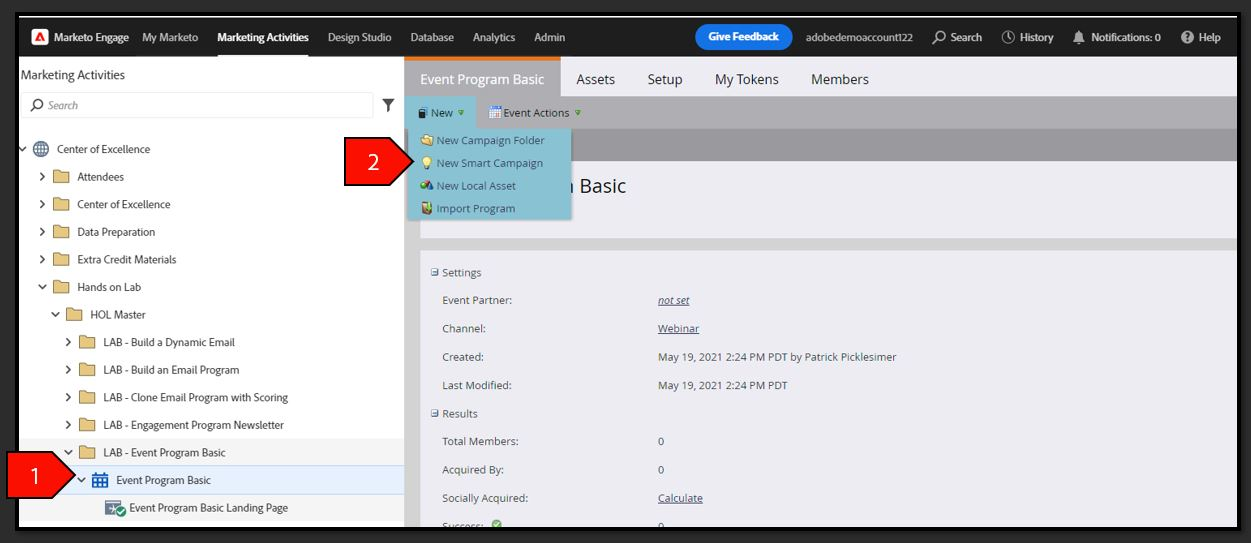
Create Nested Smart Campaign
- Select Event Program Basic in your folder
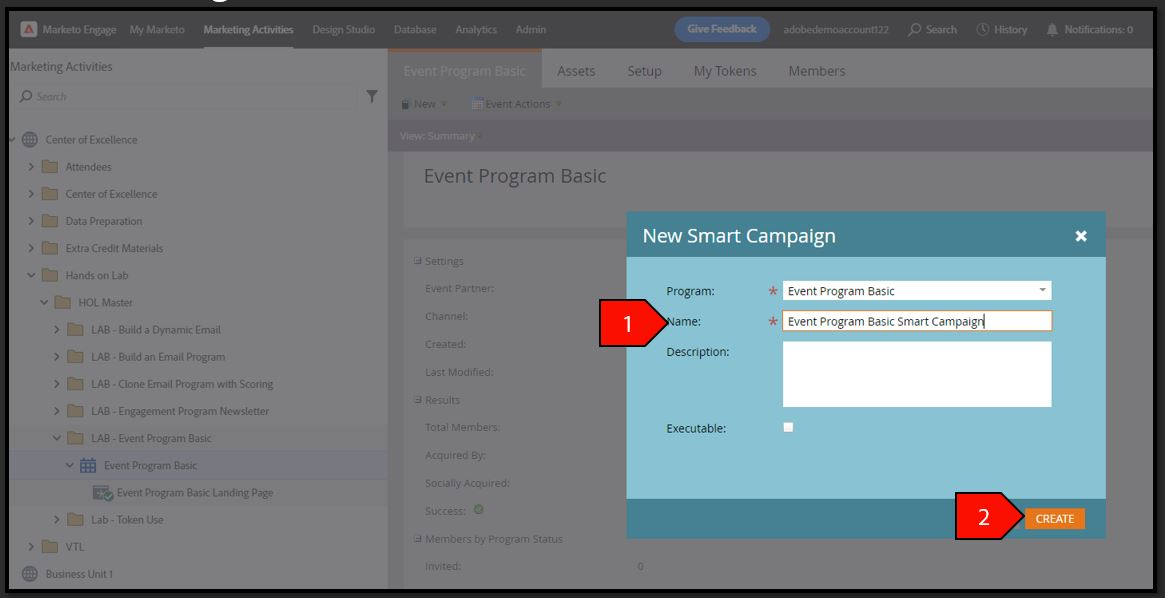
Select New, select New Smart Campaign
- Click Create after the following fields have been filled out:
- Program: Event Program Basic
- Name: Event Program Webinar - Your Name
Description: Leave blank
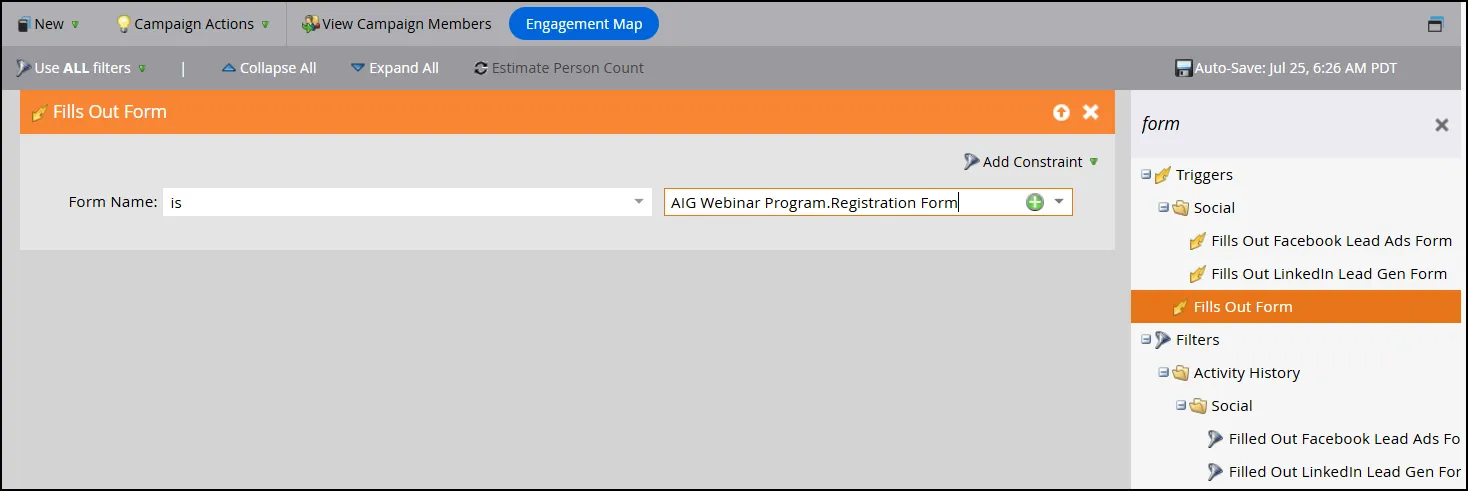
- Select the Smart List tab
- Type form in the search filter and drag out the Fills Out Form filter with the following criteria:
Form Name is AIG Program Webinar Form
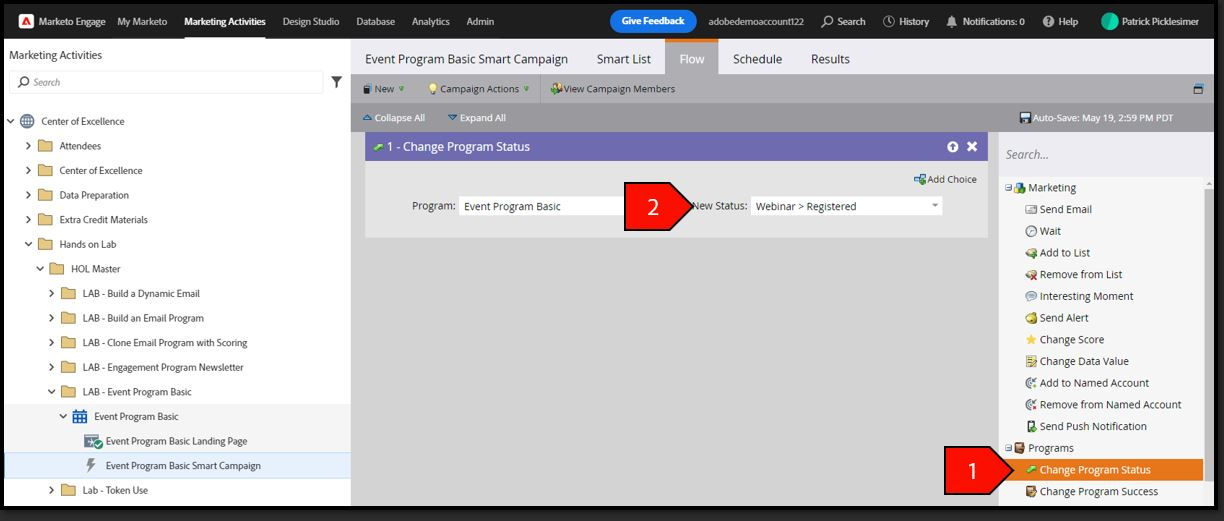
- Select the Flow tab
- Type Change Program Status in the search bar and drag out the Change Program Status filter with the following criteria:
- Program: Event Program Basic
New Status: Webinar > Registered
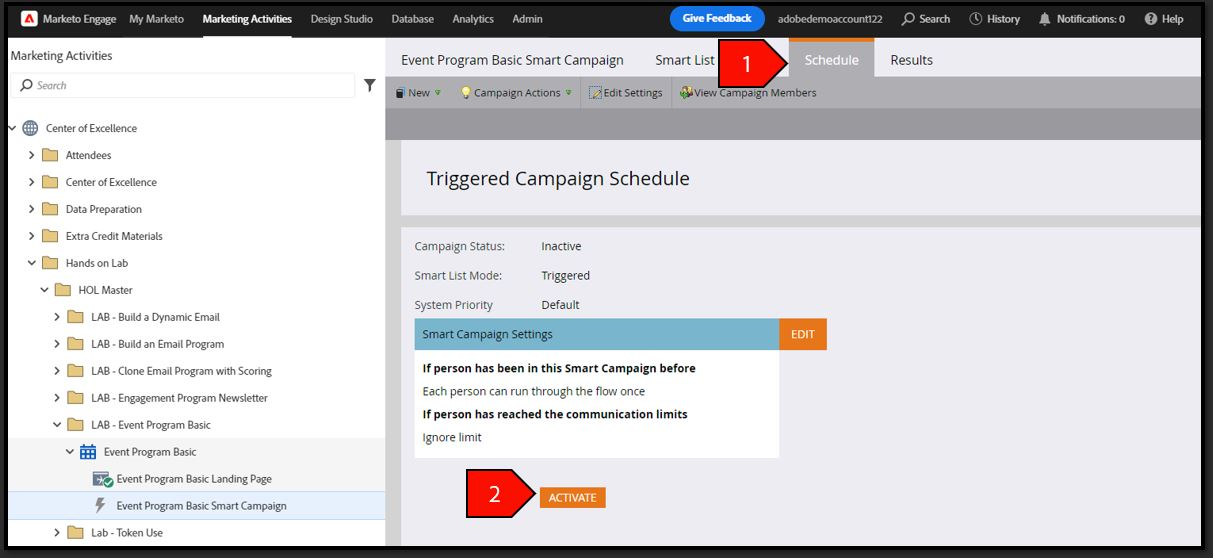
- Select the Schedule tab
Click the Activate button
Creating the Invitation Email
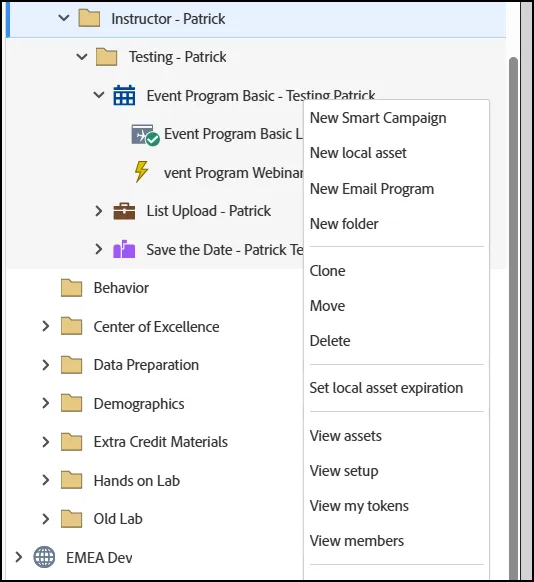
- Right Click on your Webinar Program and select "New Local Asset":
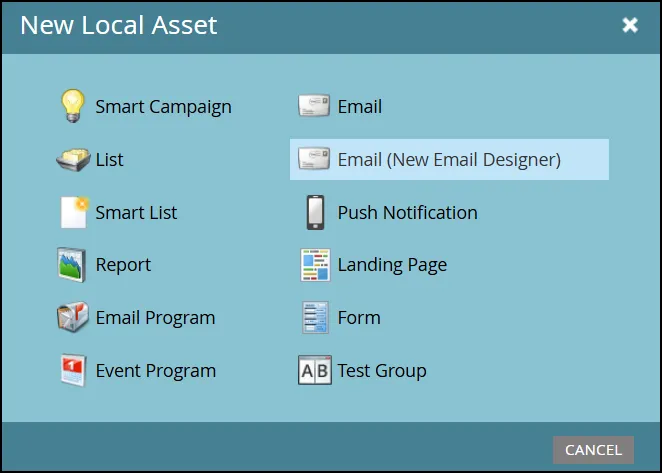
- Select Email (New Email Designer)
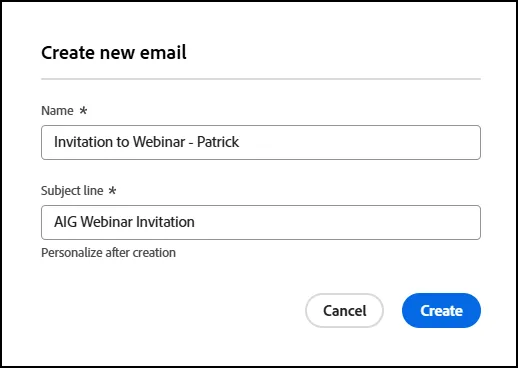
- In the Create New Email window, give your email a name and a subject line and then click "CREATE":
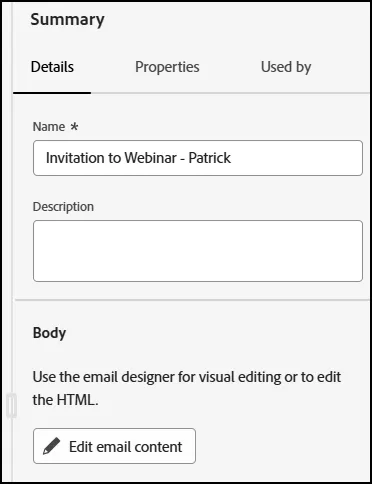
- Click on "Edit Email Content":
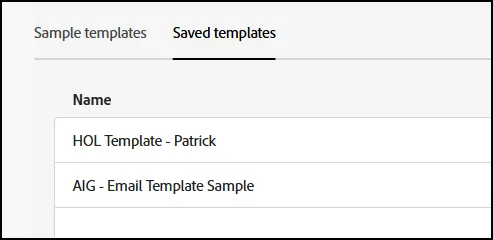
- To save time, use the "AIG - Email Template Sample":
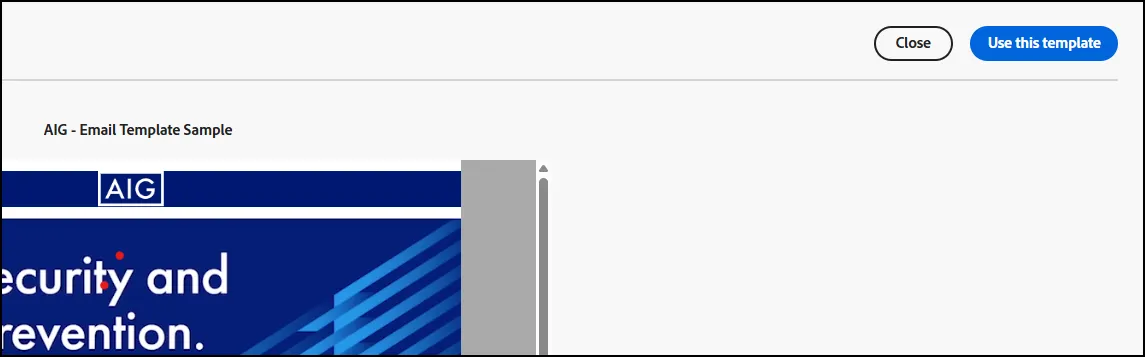
- Click on "Use this Template", when prompted:
- Click Save and Close.
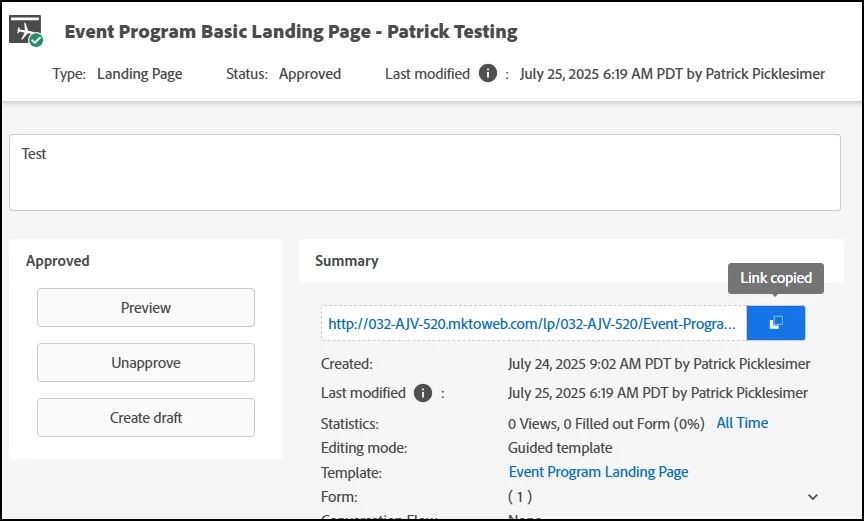
- Click on the Landing Page you created and copy the Landing Page hyperlink:
- Return to your Invitation to Webinar email.
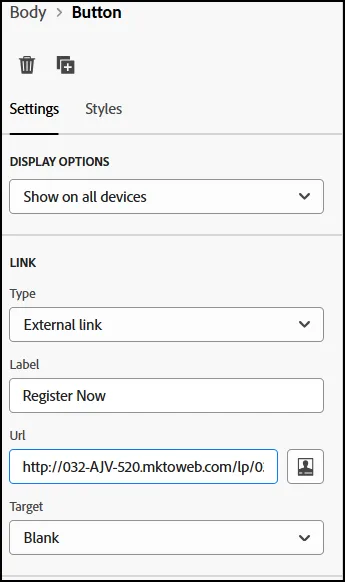
- On the button link URL, paste in the address of your Landing Page:
- Click "Save and Close" on your email.
- End of Lab.