Journey Nodes
1. From the menu, select "Account Journeys" on the left navigation bar and click "Create Account Journey".

2. Name your journey "Solid Tires - <your initials>"
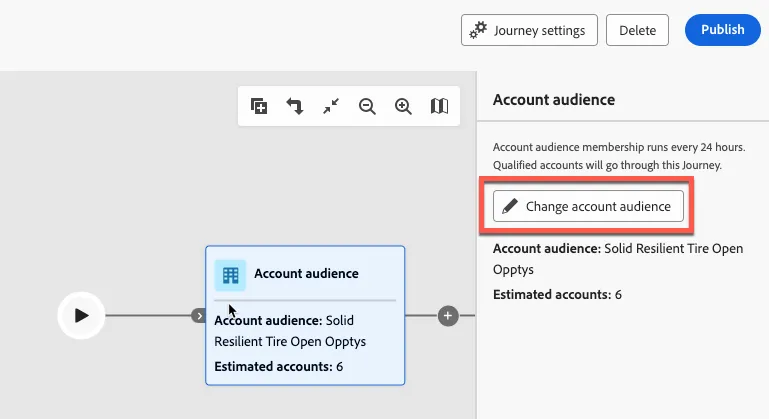
3. Select your account audience to start the journey.

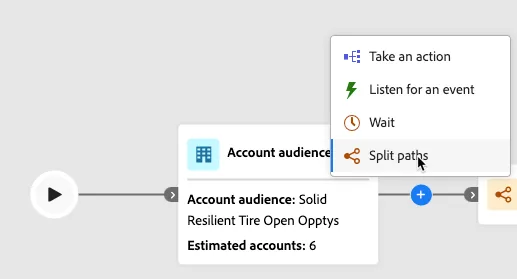
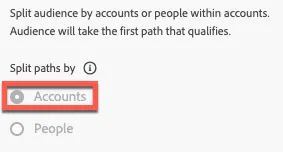
4. Add a Split Paths node and select the Split paths by Accounts radio button
5. Create two paths for different market regions
- North America & EMEA
- Asia Pacific
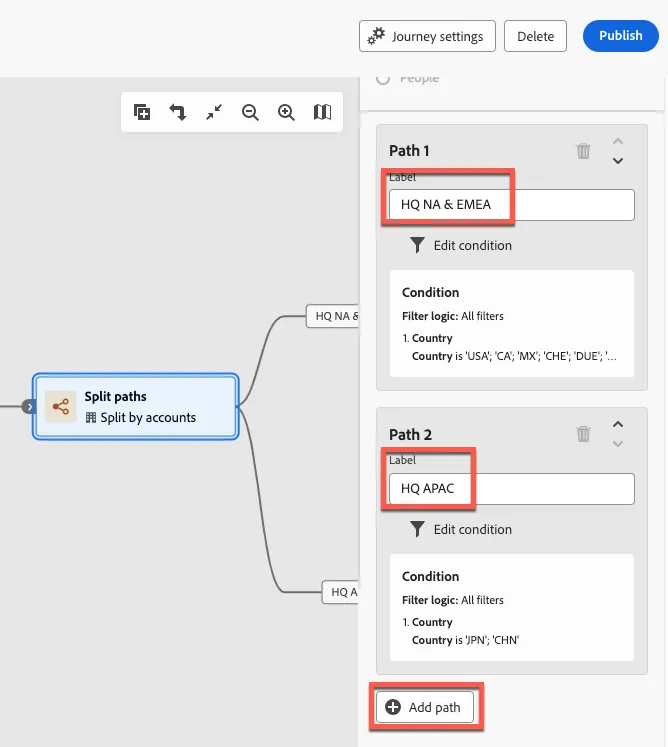
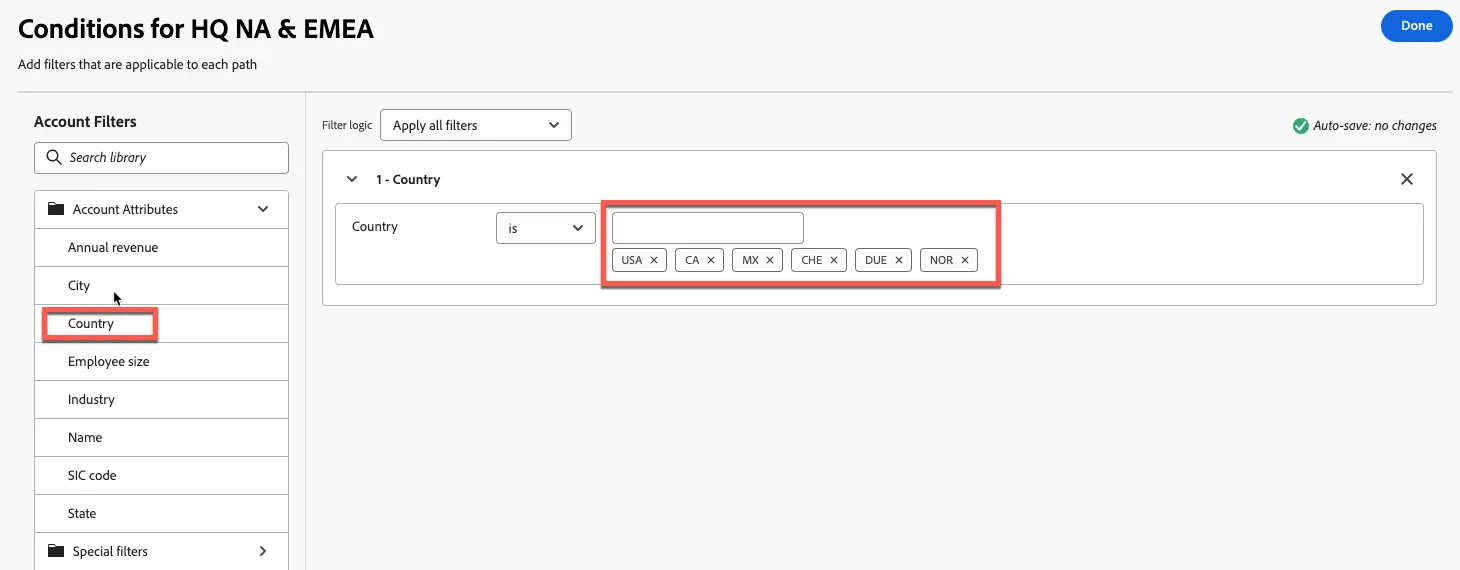
6. Add the filter Country to each path condition and add the following country codes to their corresponding region
NA & EMEA
- USA
- CA
- MX
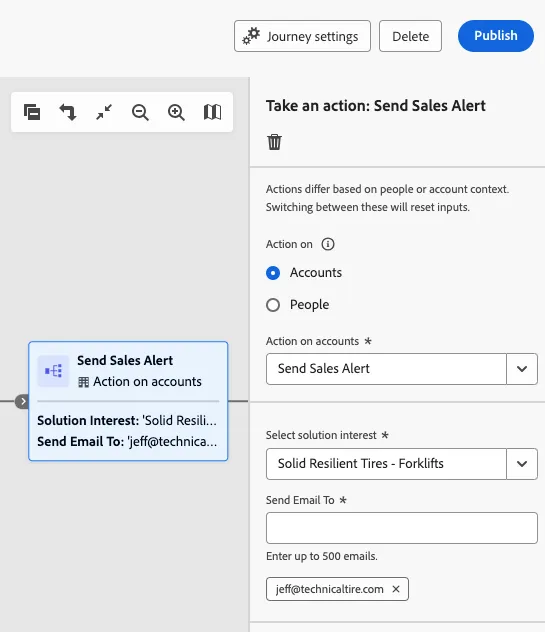
- CHE
- DUE
- NOR
APAC
- JPN
- CHN
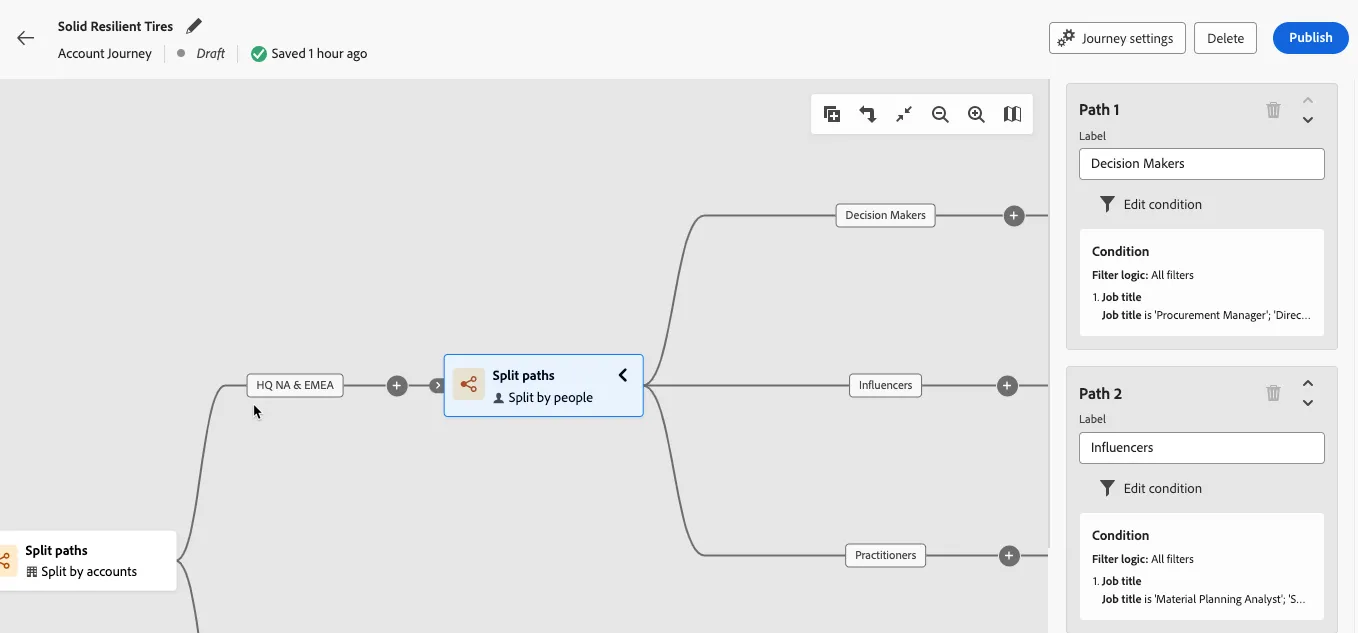
7. Split paths again at both nodes and select the by People radio button. Create 3 paths for each split account node and add the Job Title condition for each new path. These new paths will target the individual roles in buying groups. Use the following job titles as filters:
Decision Makers
- Procurement Manager
- Director of Heavy Lift Operations
- Chief Procurement Officer
- Director of Material Planning
Influencers
- Material Planning Analyst
- Supply Chain Planning Engineer
- Senior Production Manager
- Quality Engineer
Practitioners
- Field Service Technician III
- Field Service Technician II
- Production Assembly Manager
- Manufacturing Engineer II
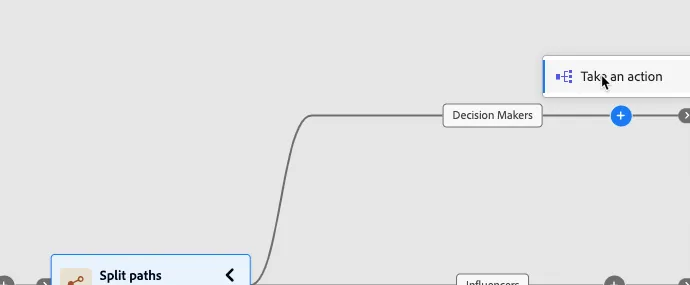
8. Add a Send email action at the end of each node. We will create emails in a later exercise.
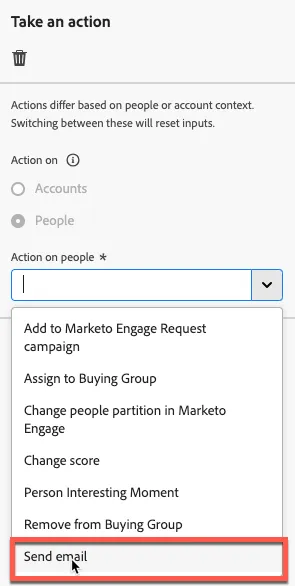
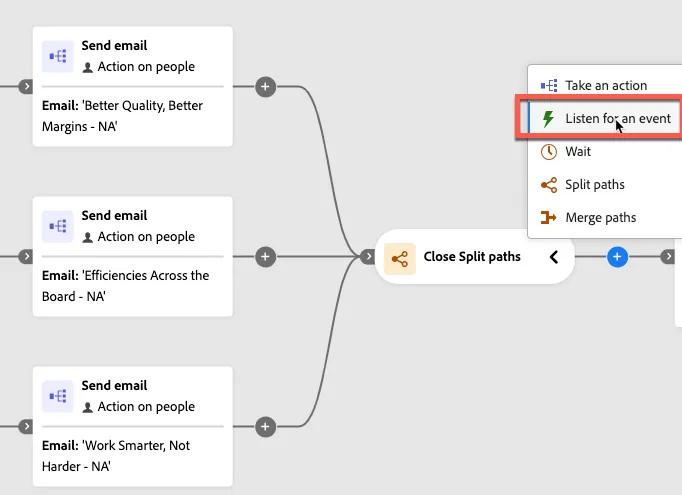
9. Add a Listen for an event node after the Send email nodes converge.
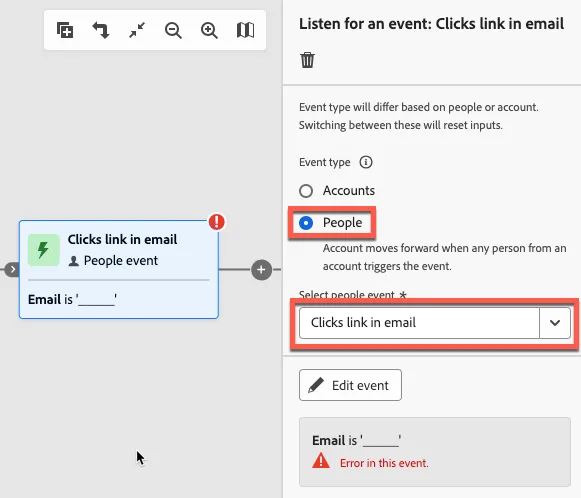
10. Select the People radio button and select the Clicks link in email event. Enable the timeout toggle at the bottom. This will split the path. We will edit the event in a later exercise.
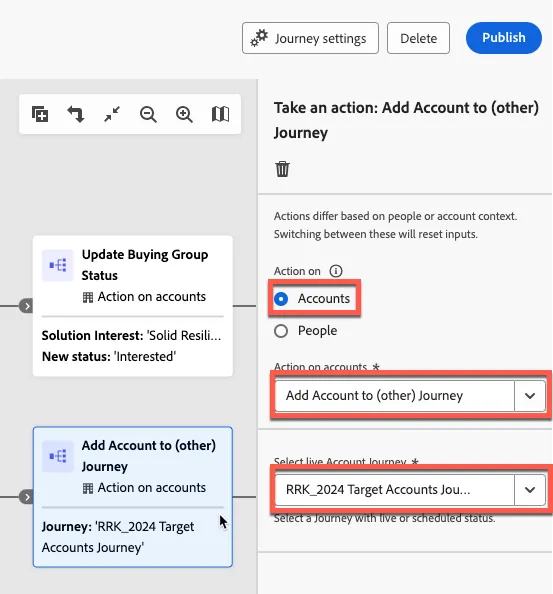
11. Add a Take an action node to each new path. For the top path select the Account radio button and Update Buying Group Status action from the dropdown. Set the status as Interested
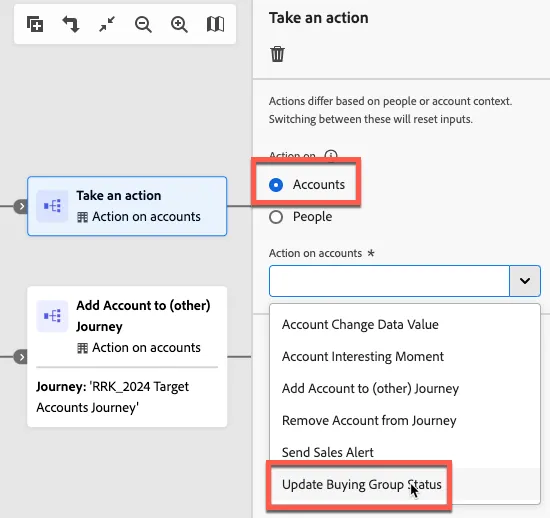
12. For the timeout path, add a Take an action node and select the Add Account to (other) Journey option. Select the Account radio button and select an Account Journey from the dropdown.
13.On the top path, add a Take an action node, select the Account radio button, select the Send Sales Alert action, select the Solid Tires solution interest, and enter a sales' person email address.