Account Audience
As part of this exercise, we will build an audience that uses Account data
Goal: Build an audience that contains top-tier retail accounts for ABM campaigns or executive outreach - High-Value, Engaged, Retail Accounts
To build such an audience, you would likely use account attributes such as the ones listed below:
- High Value: Account Annual Revenue > $10M
- Engaged: Have an engagement score > 80
- Specific Industry category: Industry = Retail
Building an Account based audience using the RTCDP B2B UI
- Click on Audiences under the Accounts section in the left navigation panel
- In the top right corner of the screen, click Create Audience

3. Explore the segmentation canvas. The XDM Business Account, People and Opportunities directories are available to select the required attributes from. Note that these were the relationships defined on the Account Schema
4. Since our segment definition includes only direct Account attributes, for this exercise, we will be using the XDM Business Account directory
5. Click and expand the directories to drill down as below
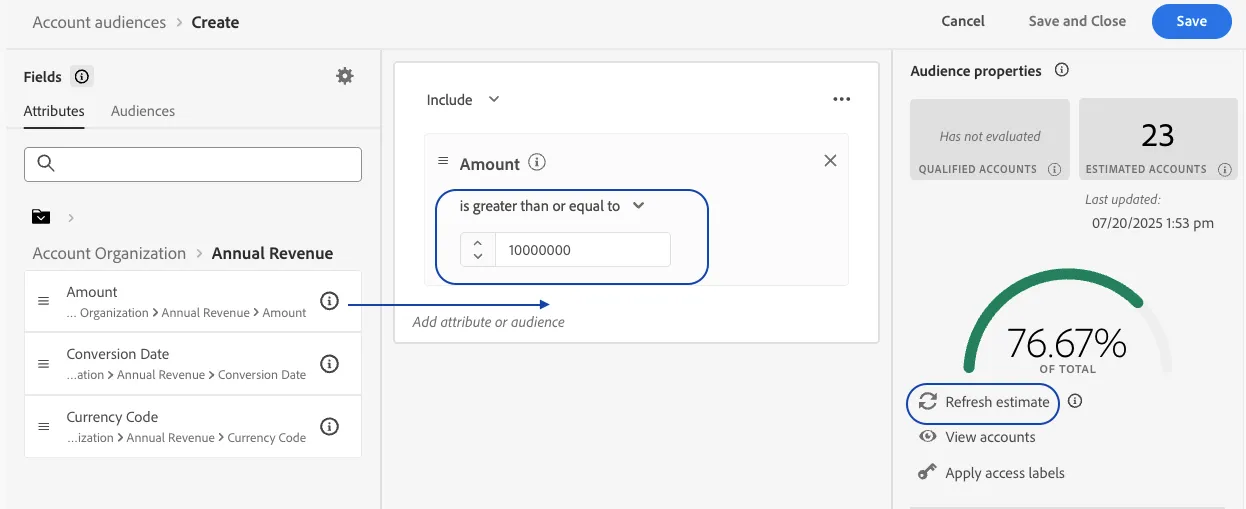
XDM Business Account -> Account Organization -> Annual Revenue -> Amount
6. Drag that attribute to the central canvas
7. Change the math operator to is greater than or equal to
8. Enter 10000000 as the value
9. Click on Refresh Estimate on the right panel to get an idea about how many accounts qualify for the criteria specified
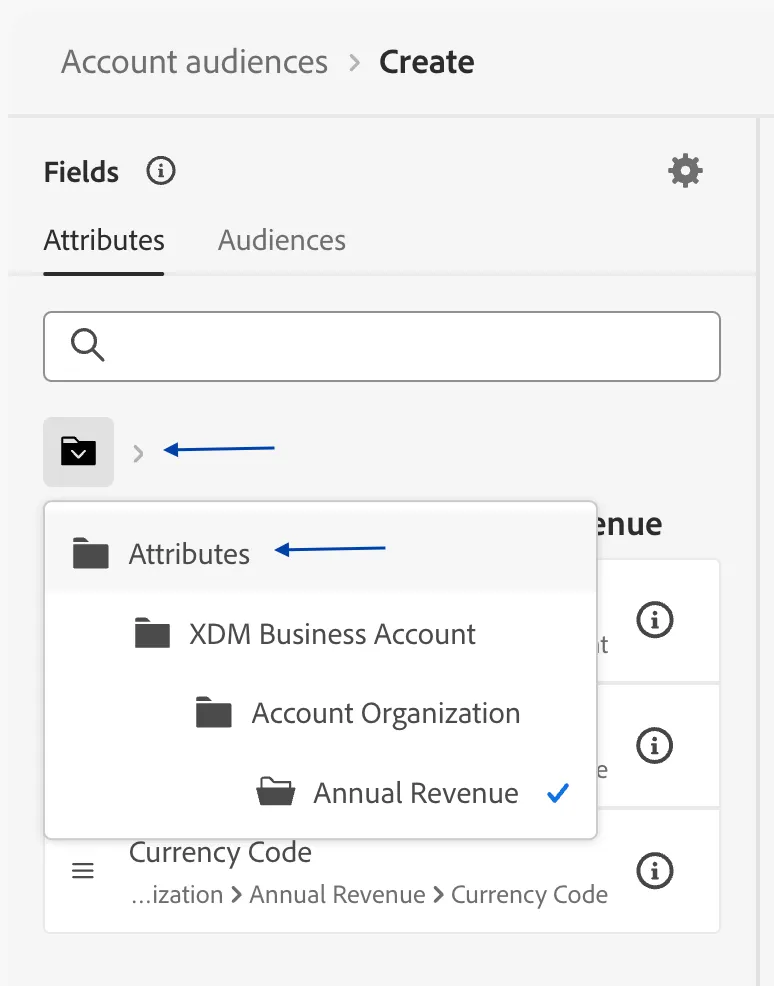
10. Now to move on to the the next attribute, drill out of the sub directories by clicking on the directory icon and then clicking on Attributes as shown below
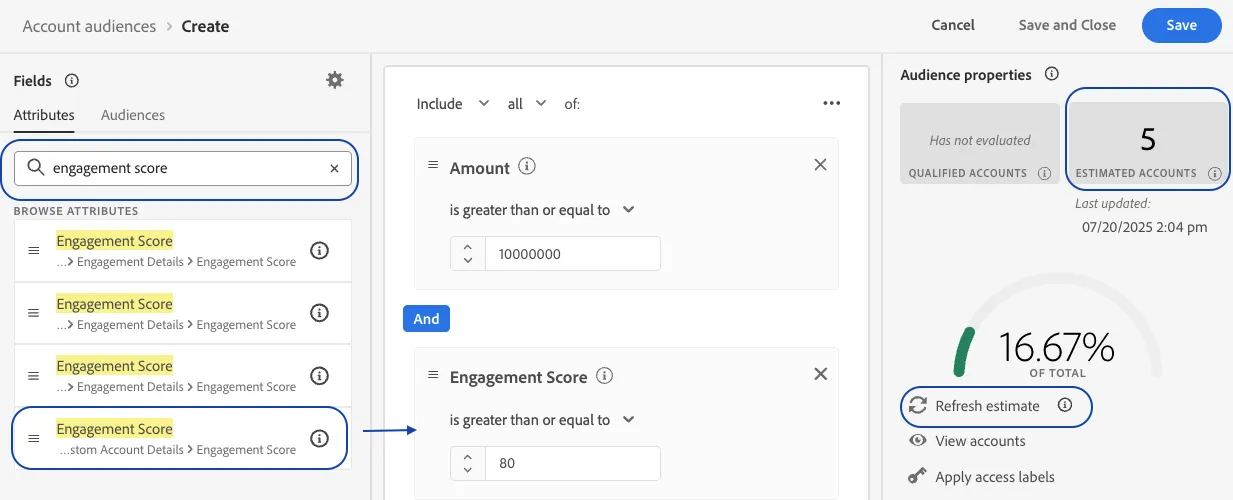
11. Search for engagement score in the search box
12. Ensure you pick the Account Engagement Score (last on the list) as shown below. Clicking on the i icon will expose the full path for the attribute
13. Drag it to the central canvas below the previously added attribute. Use the And operator as is between the two attributes
14. Change the math operator to is greater than or equal to
15. Click on Refresh Estimate on the right panel to notice the change in the estimate
16. Clear out the searchbox and this time, search for and add Account Organization -> Industry as the third and final attribute
17. Set the logic to Industry equals 'retail'
18. Validate your audience logic by reviewing the simple english definition at the bottom of the right panel
19. Name your audience - High-Value, Engaged, Retail Accounts + {your initials}
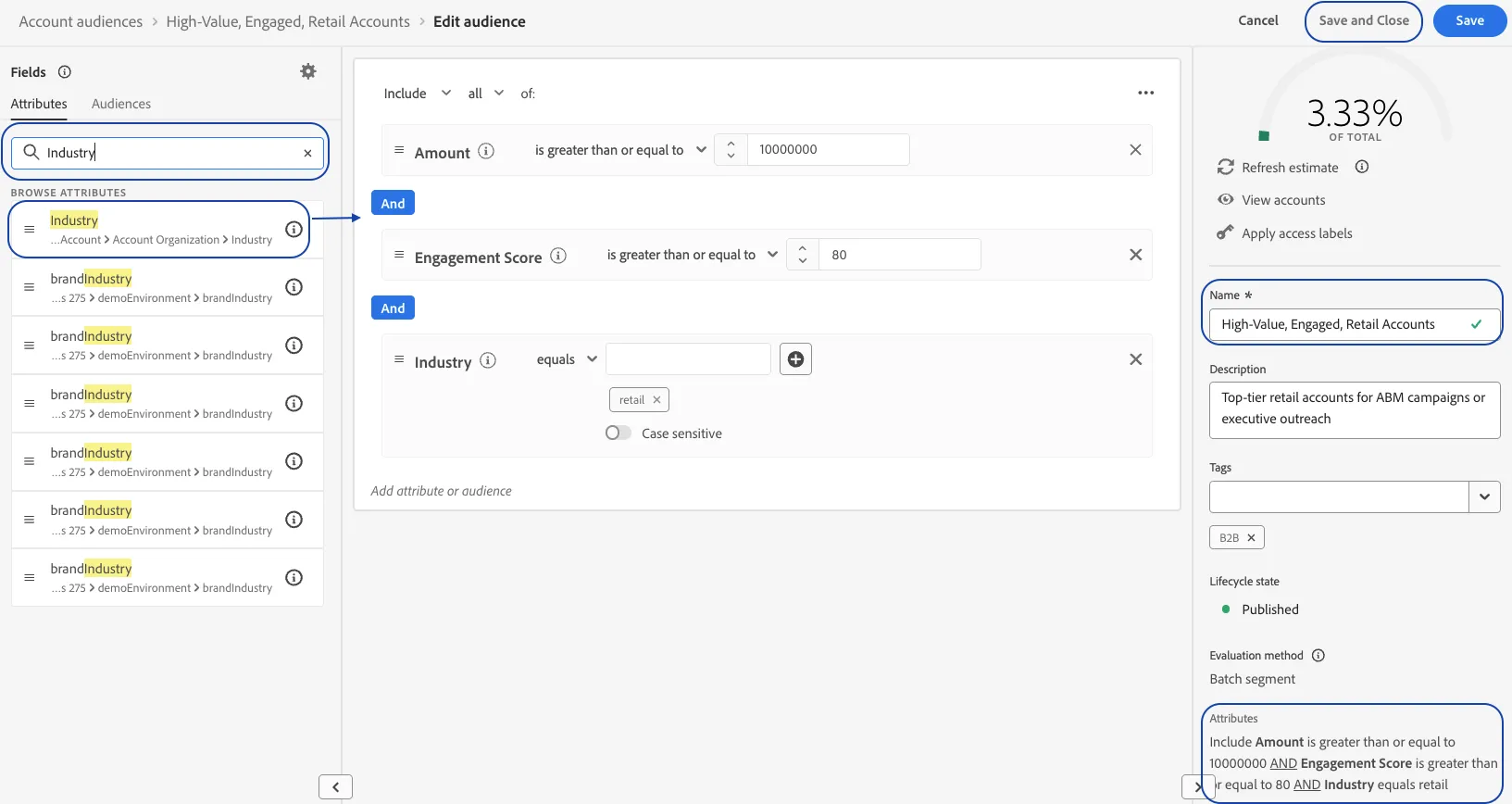
15. Click Save and Close