Engagement Program – Additional Streams
1 min
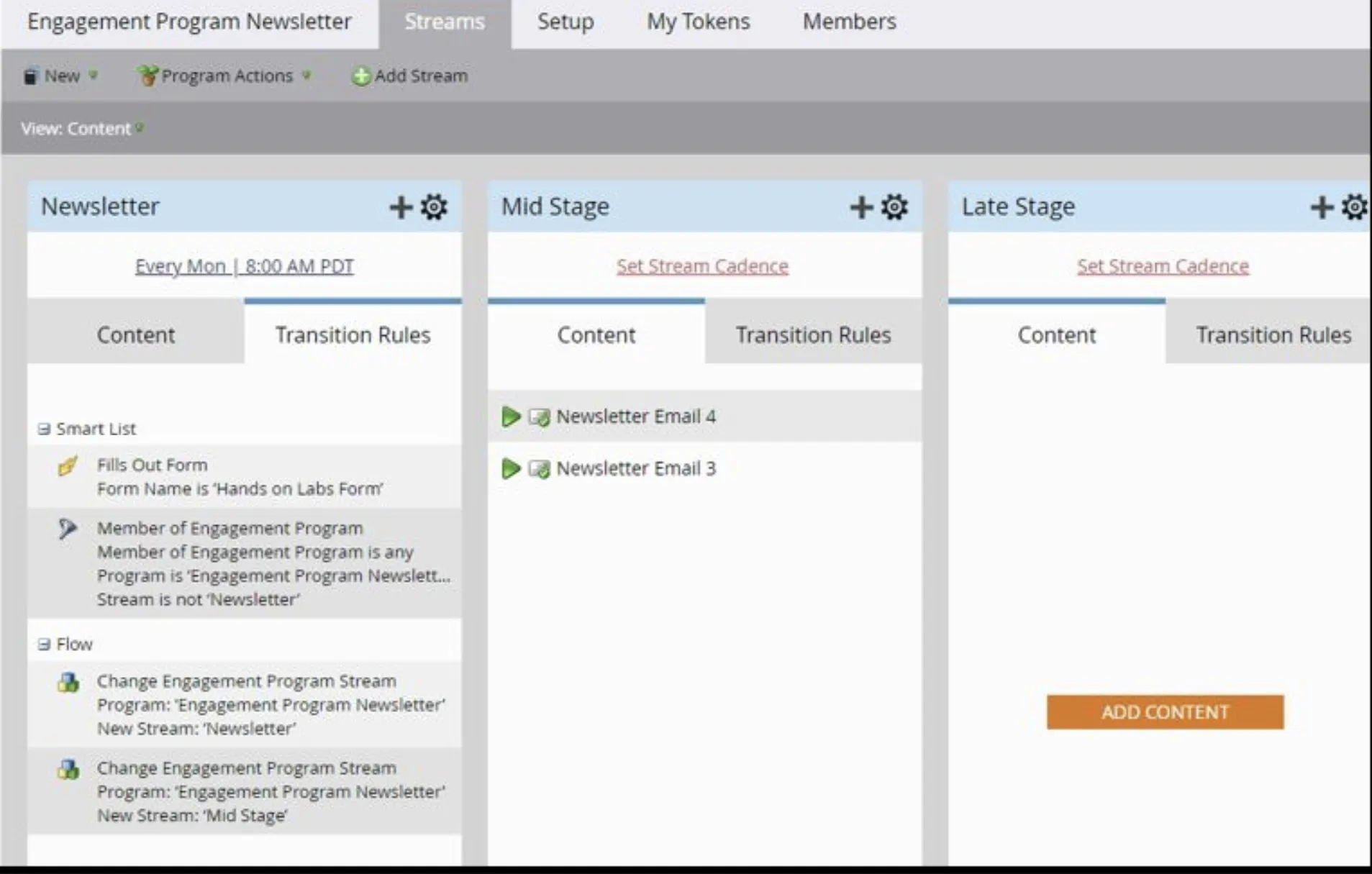
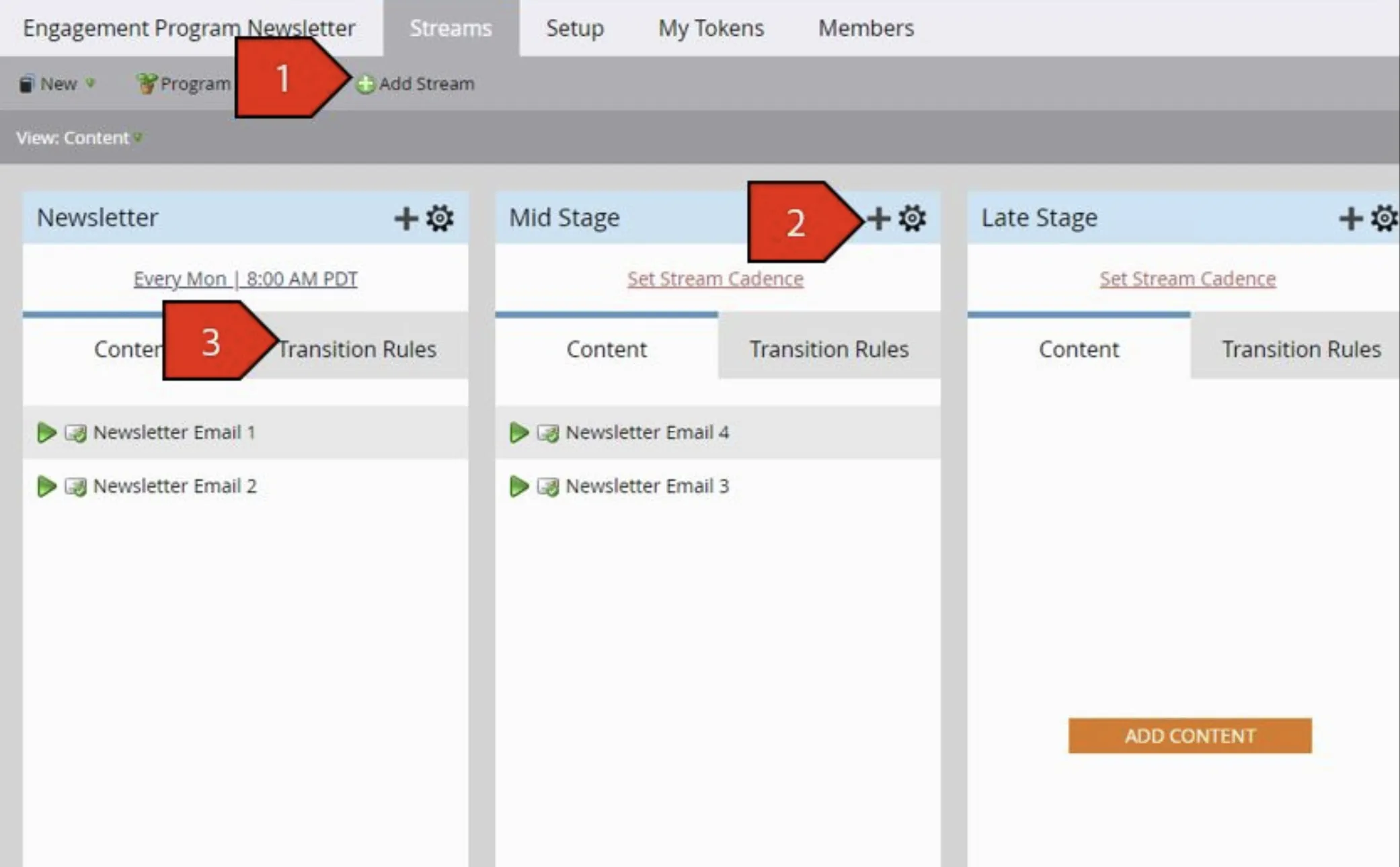
- Leaving off from our previous lab, add 2 more streams. Rename them all as follows. Use the gear icon to rename the stream.
- Newsletter
- Mid Stage
- Late Stage
- Drag and drop emails into the Mid Stage and Late Stage streams
- At the top of the stream, select the Transition Rule tab and click Edit Transition Rules
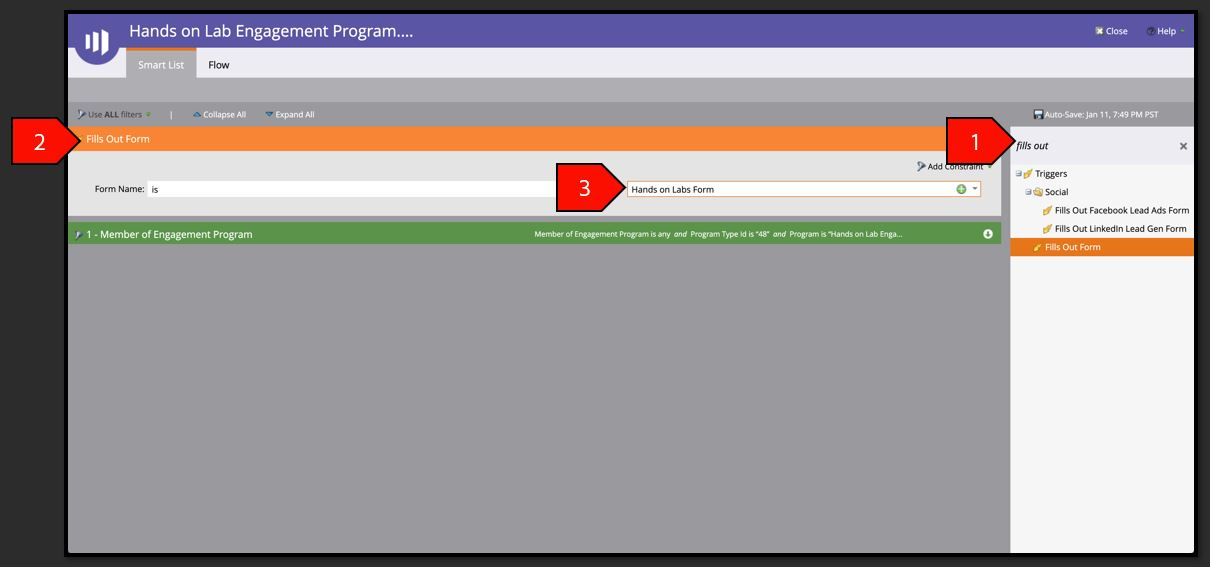
- In the search bar on the right, type Fills Out to limit the Triggers shown. Drag the Fills Out Form trigger on the canvas, select Form Name: Hands-on Lab Form v1
- Click the Flow tab. Drag and drop the Change Engagement Program Stream from the list on the right with the following criteria:
- Program: Engagement Program Newsletter - ##
- Stream: Mid Stage