Engagement Program -Newsletter
3 min
- Navigate to Marketing Activities

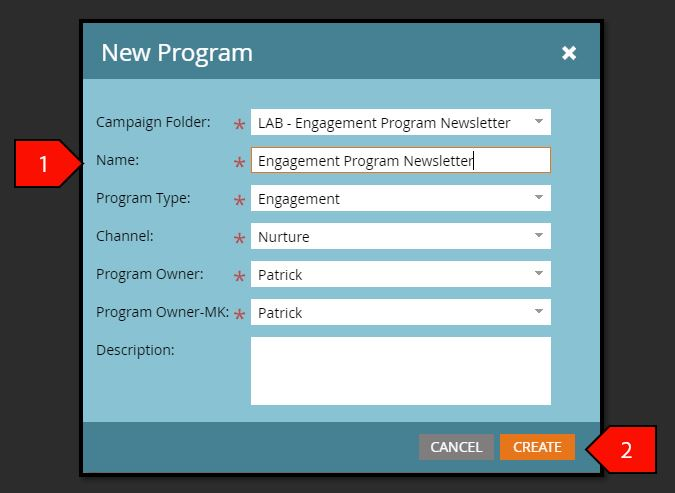
2. Go to your respective folder under Hands-on Lab Attendee Right-click and select New Program

3. Name the new program “Engagement Program Newsletter - ##” (Note: replace ## with your attendee number
Click Create after the following fields have been filled out:
- Campaign Folder: Attendee ## Folder
- Name: Engagement Program Newsletter
- Program Type: Engagement
- Channel: Nurture
- Program Owner: Patrick
- Program Owner-MK: Patrick
- Description: Leave blank
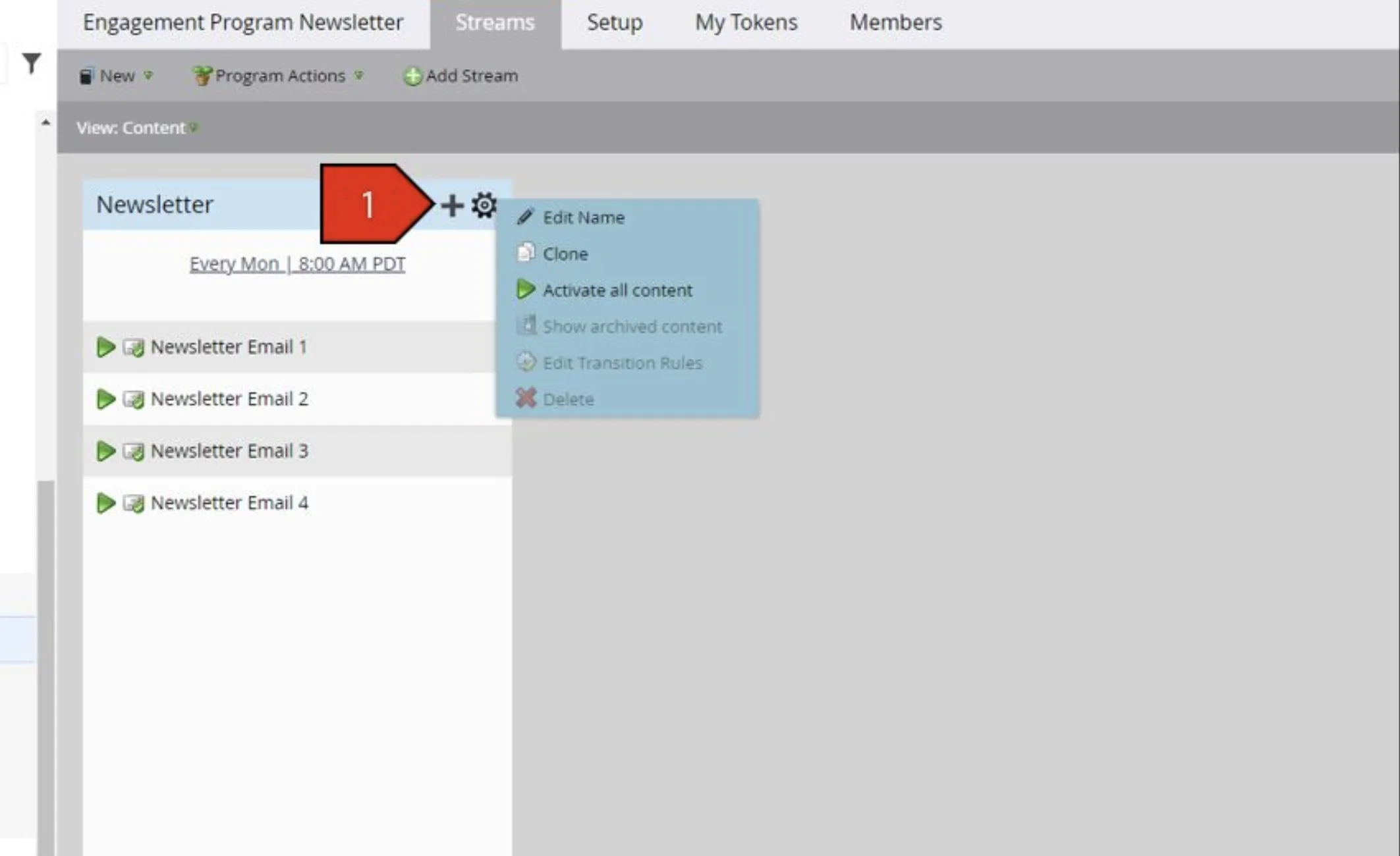
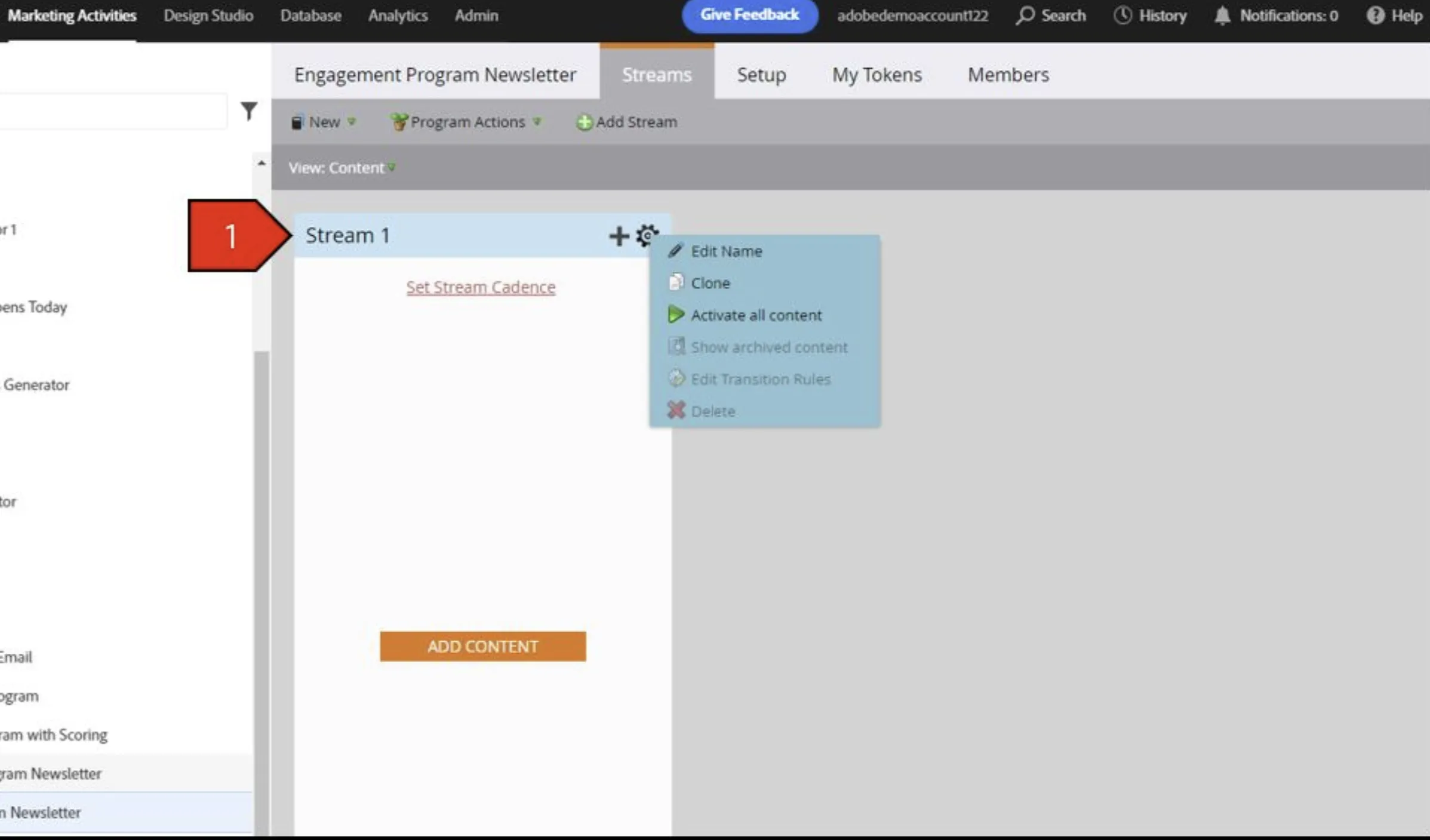
- Click the gear and rename the stream to Newsletter, Add a new folder in the engagement program labeled Emails
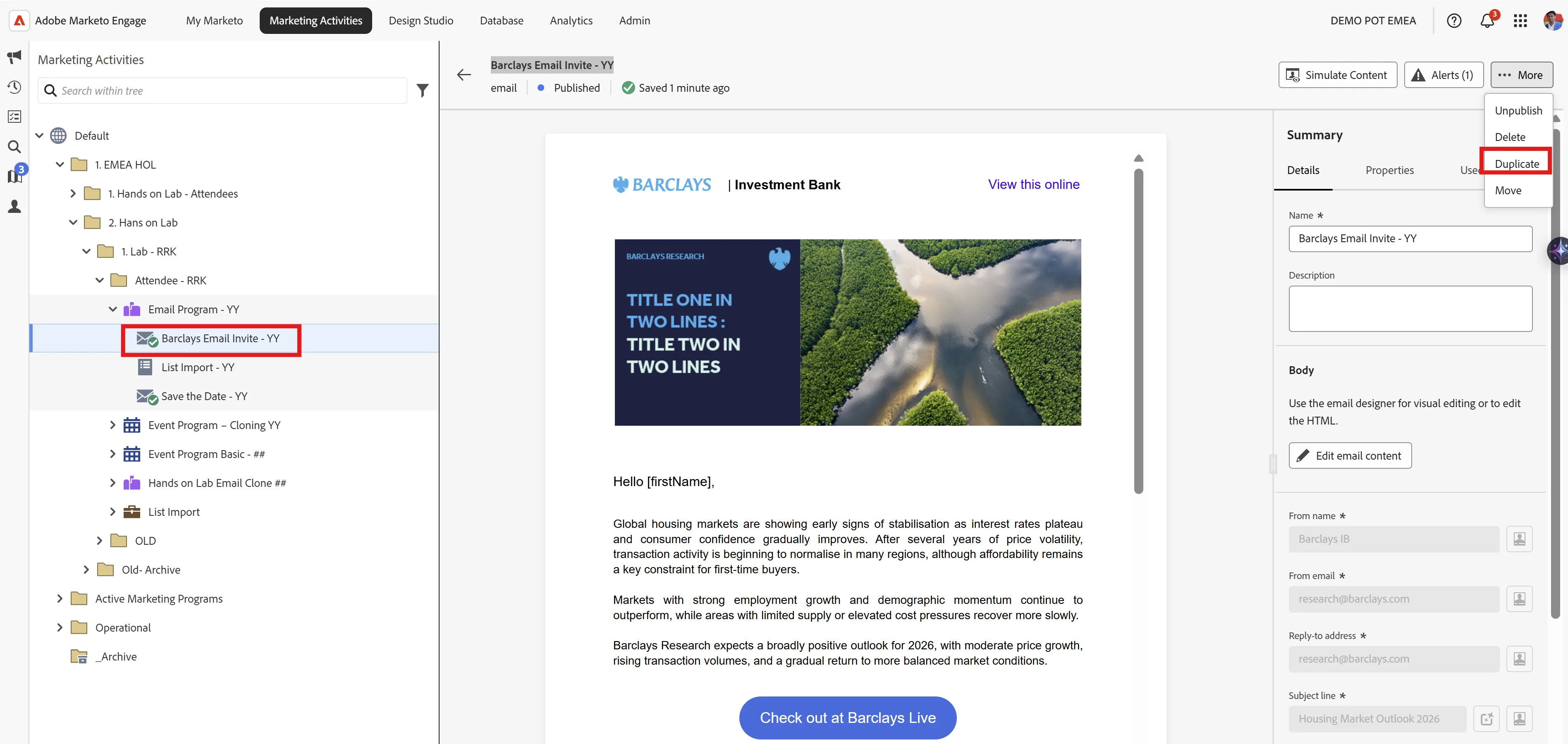
- Click on the Barclays Email Invite - YY email you created in the previous sessions (your Hands-on Lab Email Clone ## program), select More and click Duplicate.
- In the Program Field, select the Engagement Program Newsletter-## Program
- Click Create after the following fields have been filled out:
- Name: Barclays Newsletter Email 1
- Program: Engagement Program Newsletter - ##
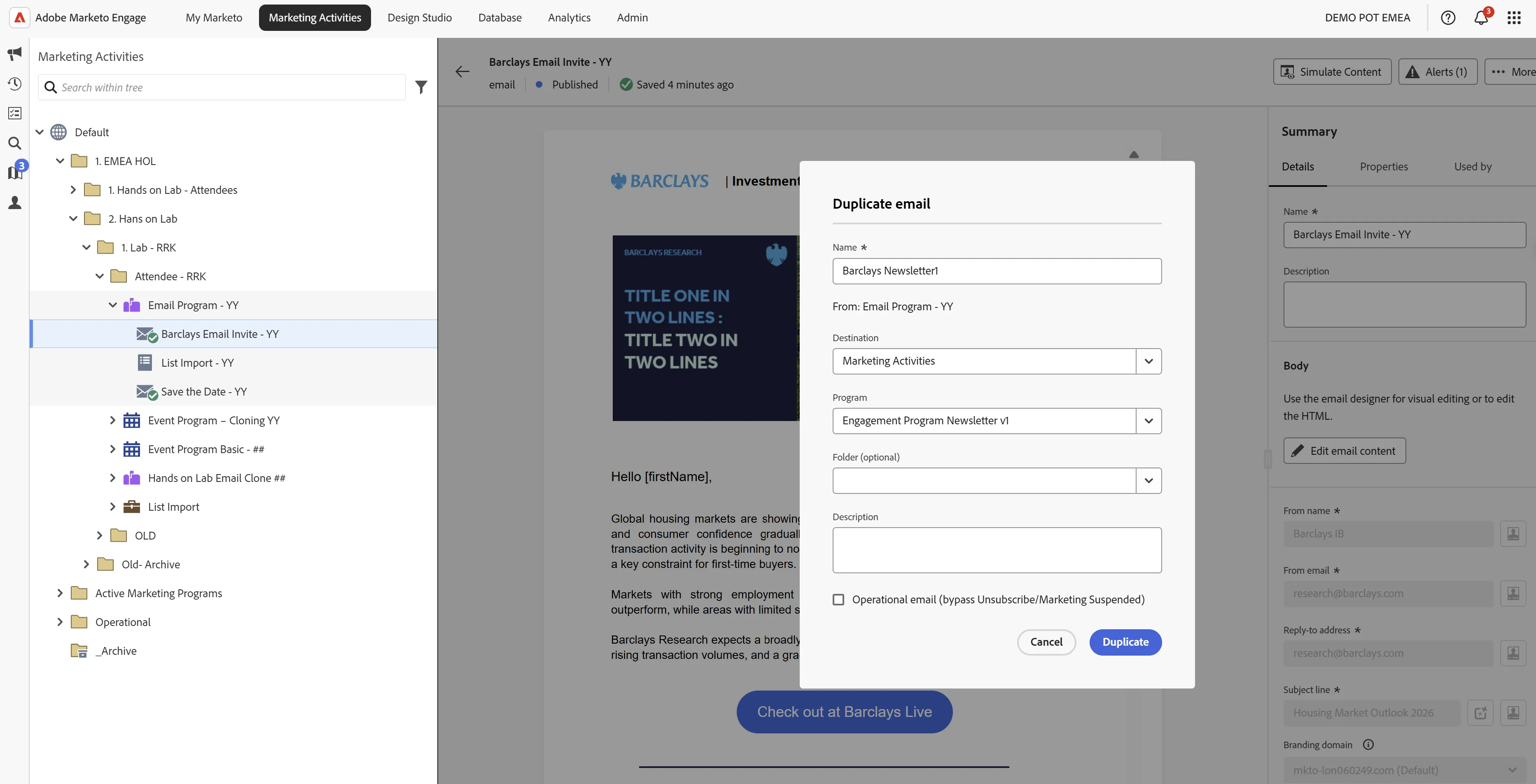
- Save and Close, Publish. You will repeat this process so that you have cloned 4 emails to your Lab Engagement Program. Repeat for Emails 2-4;
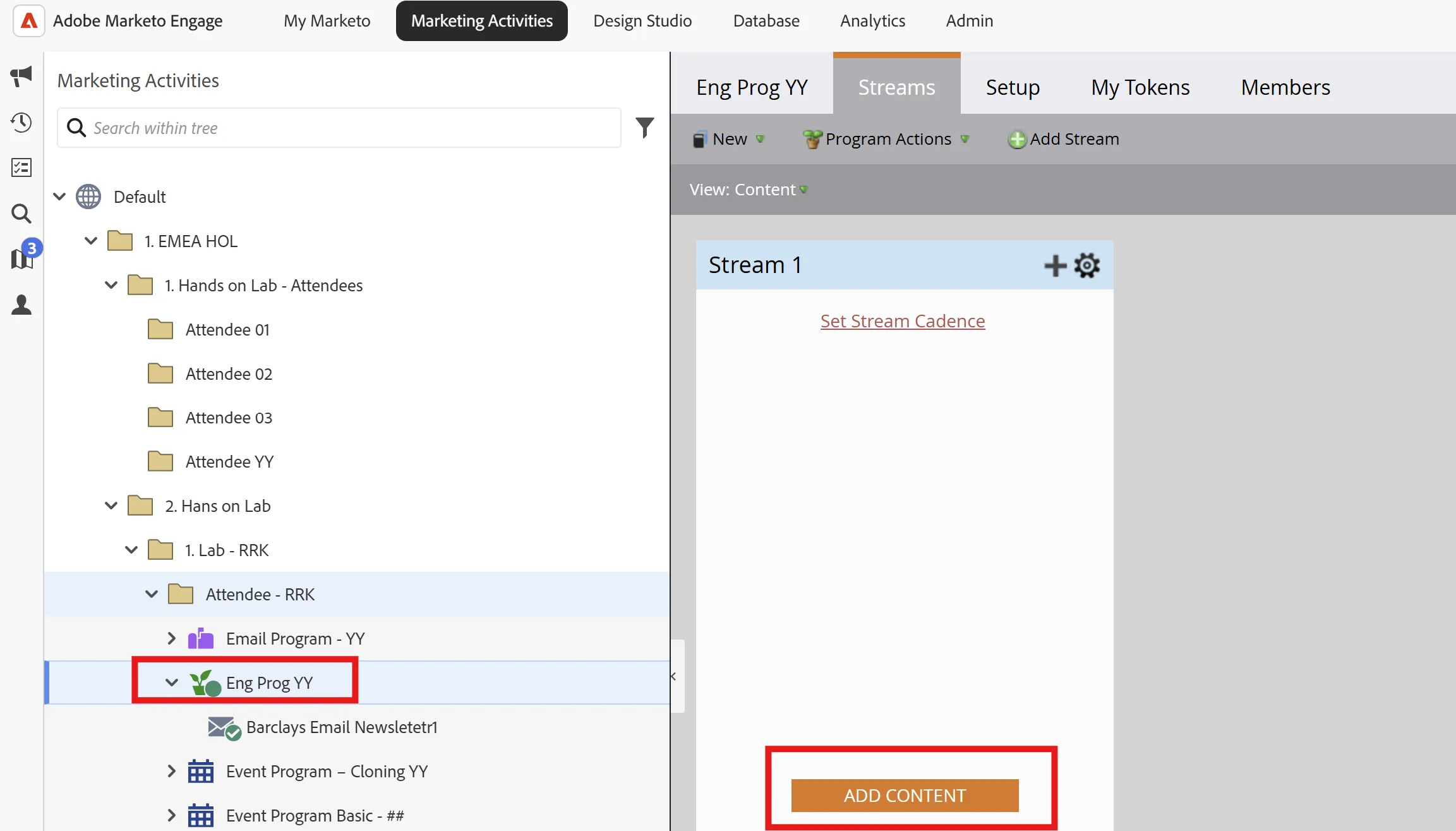
- Add all these 4 emails to the Newsletter stream by clicking Add Content.
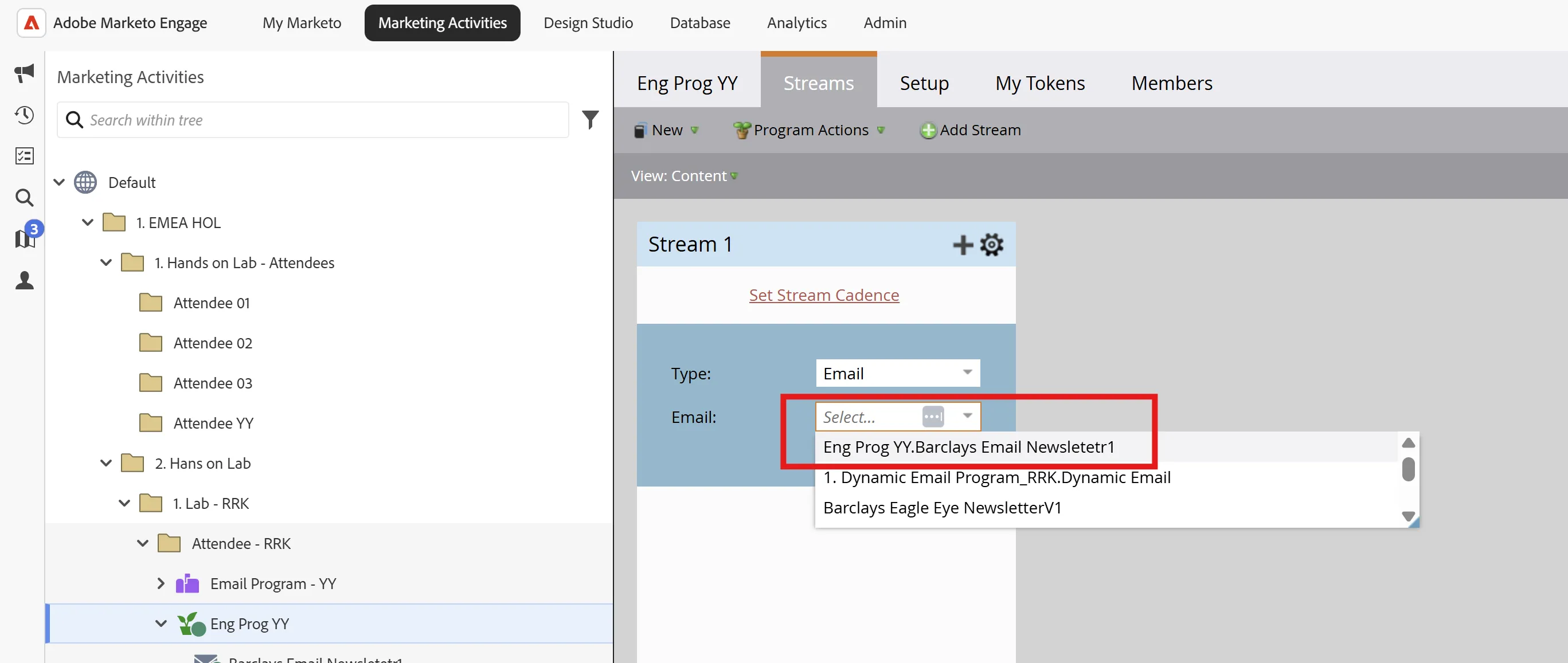
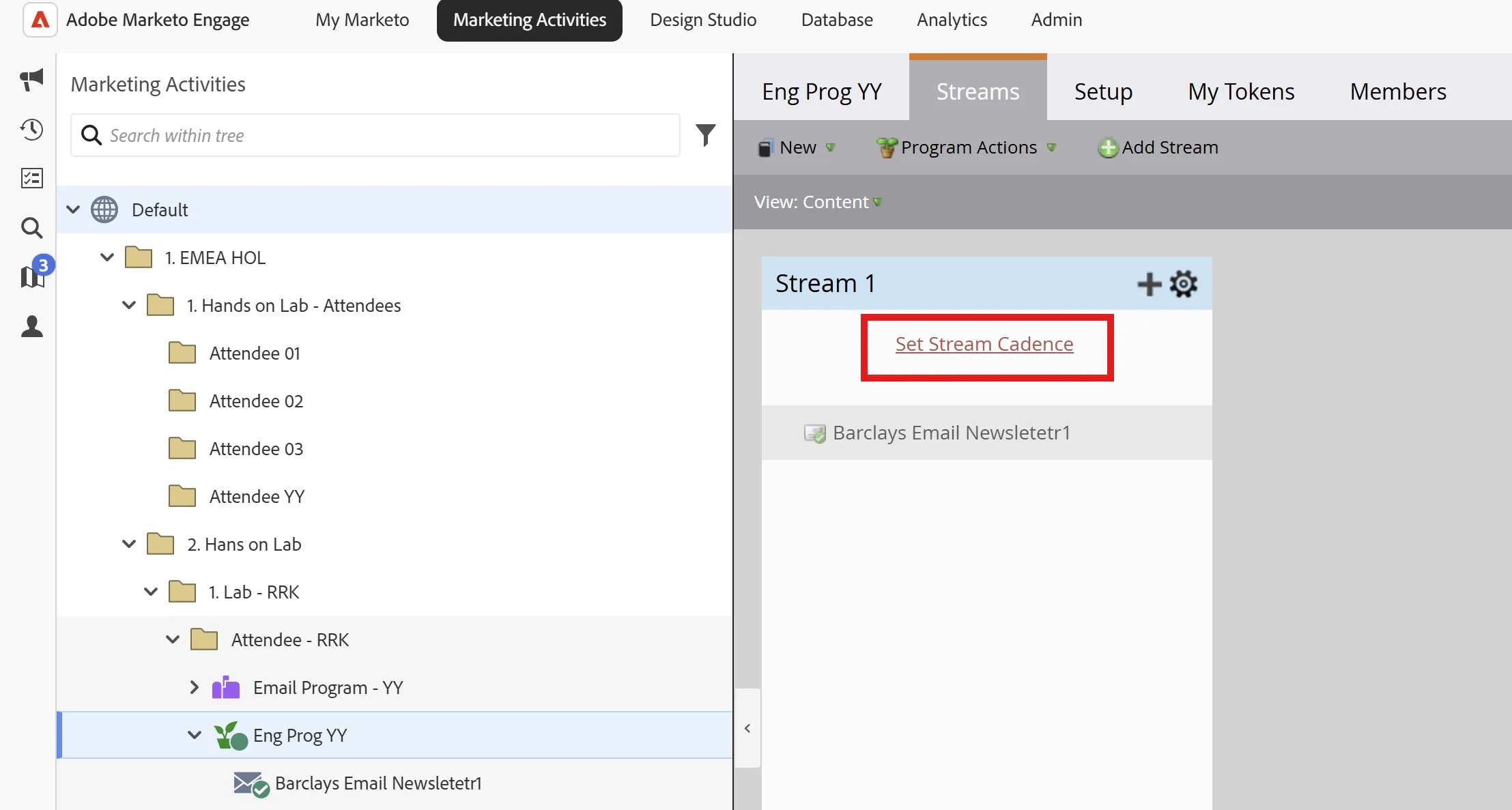
- Select the date at the top of the stream to set a cadence for the email sends
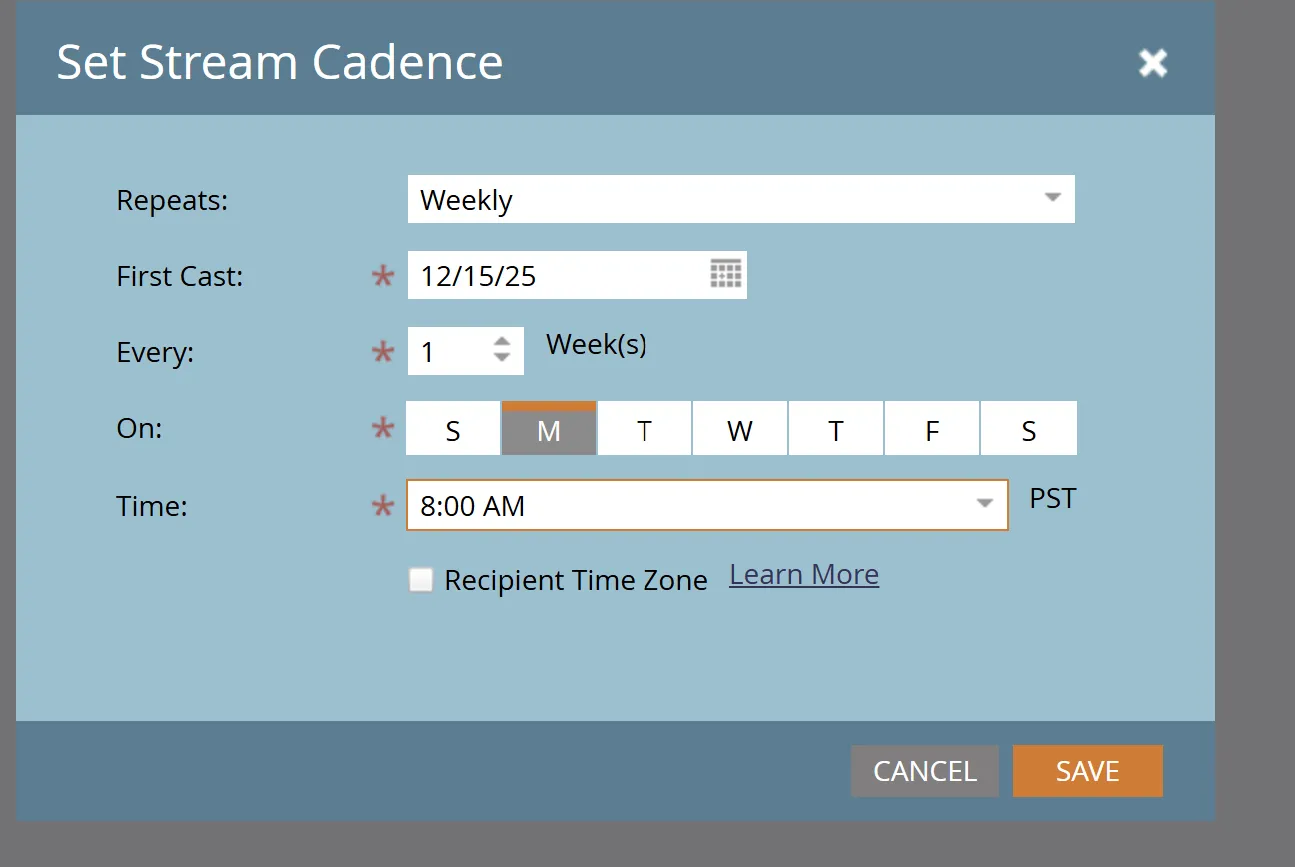
- Activate the content by selecting the gear on the right corner of the stream