Audiences
Audiences overview
To get an overview of available audiences in Adobe Experience Platform:
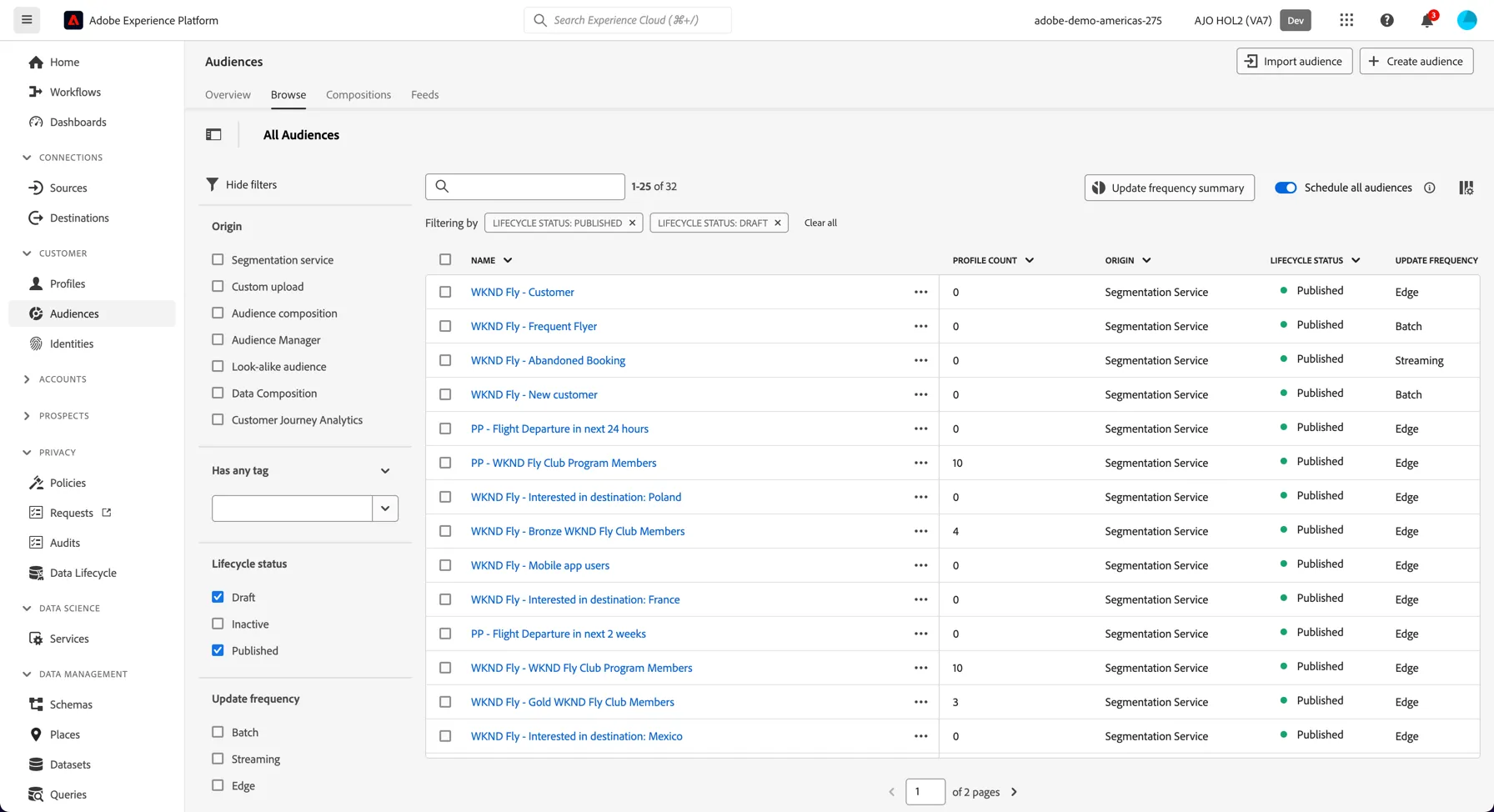
- In the menu on the left side, click on Audiences. You will see a dashboard overview with information on a specific audience.
- Click on Browse at the tab bar. You will see an overview of all existing audiences. You can use the search bar or the filters on the left to find specific audiences.
Sequential Segmentation
Adobe's Segment engine lets you create segments based on a customers behaviour (captured by experience events). We can create simple segments based on a single event, or complex segments which follow a sequence of events, ie. customer did this... then that. This capability is referred to as Sequential Segmentation.
In this exercise we're going to create a Segment to identify individuals who have started the Application process have progressed through at least one step but have not completed the application in the last 24 hours. These customers are should be considered high priority for contact.
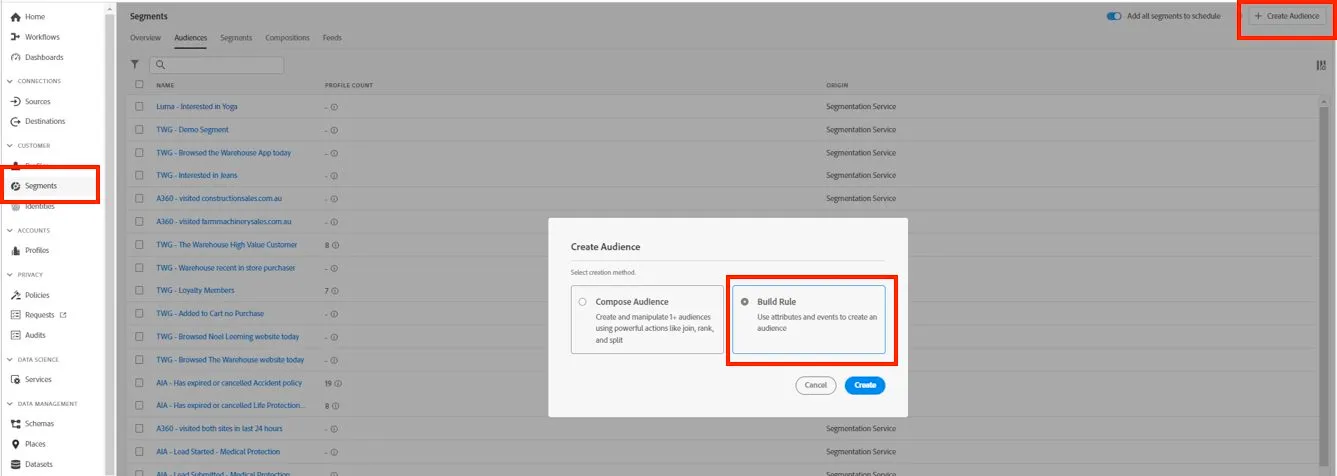
- Click on + Create Audience, then select build rule.
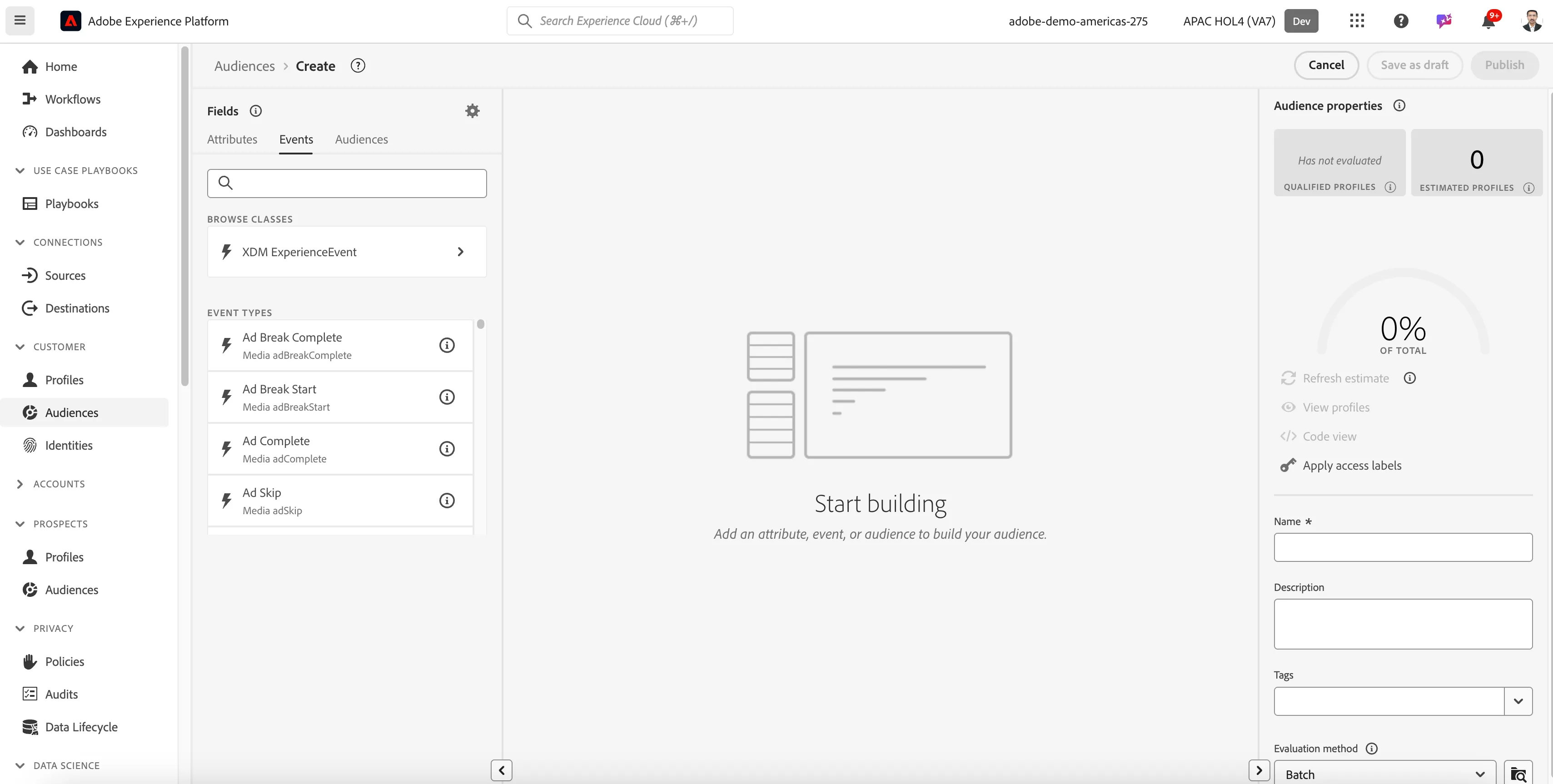
2. You will end up in the new segment builder. Change from Attributes tab to the Events tab as we'd like to create a segment based on the customers behaviour.
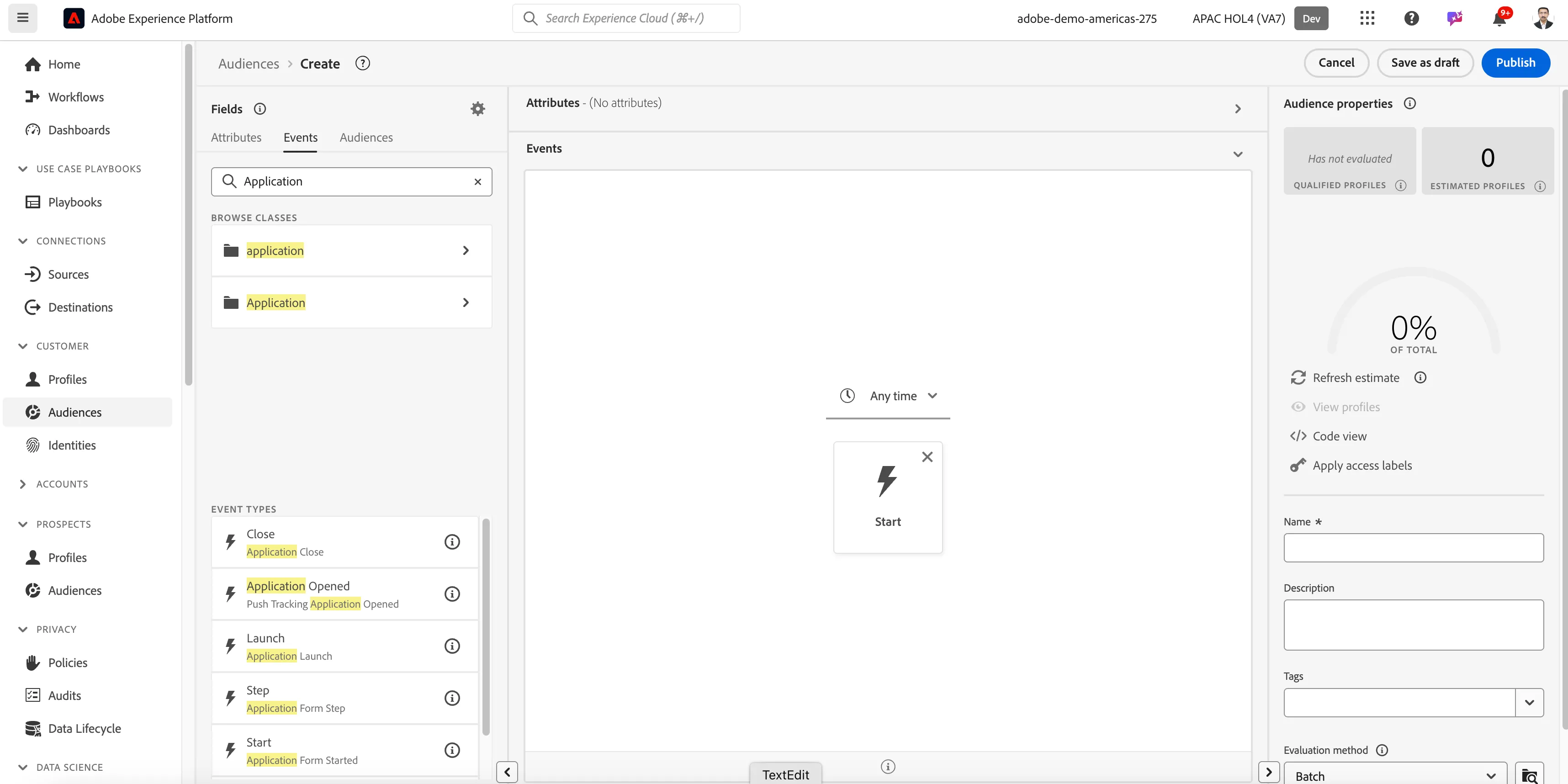
3. Search for Application. You should see a list of Event Types which include the word Application in them.
4. Drag the Application Form Started event type onto the canvas
5. Drag the Application Form Step event onto the canvas and add it to the right of the start event. Note: you need to hover over the right side of the Start event to drop the Step event in sequence
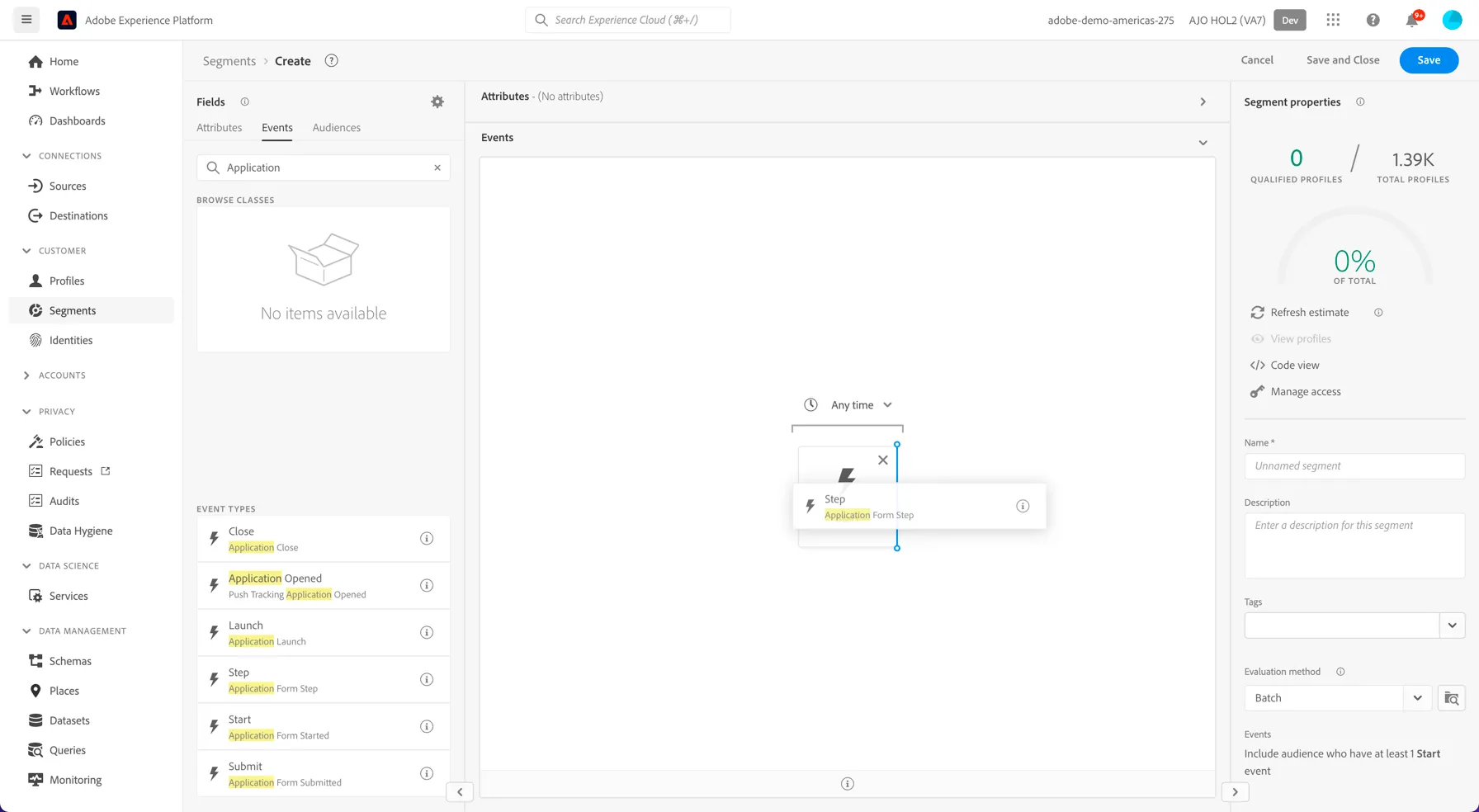
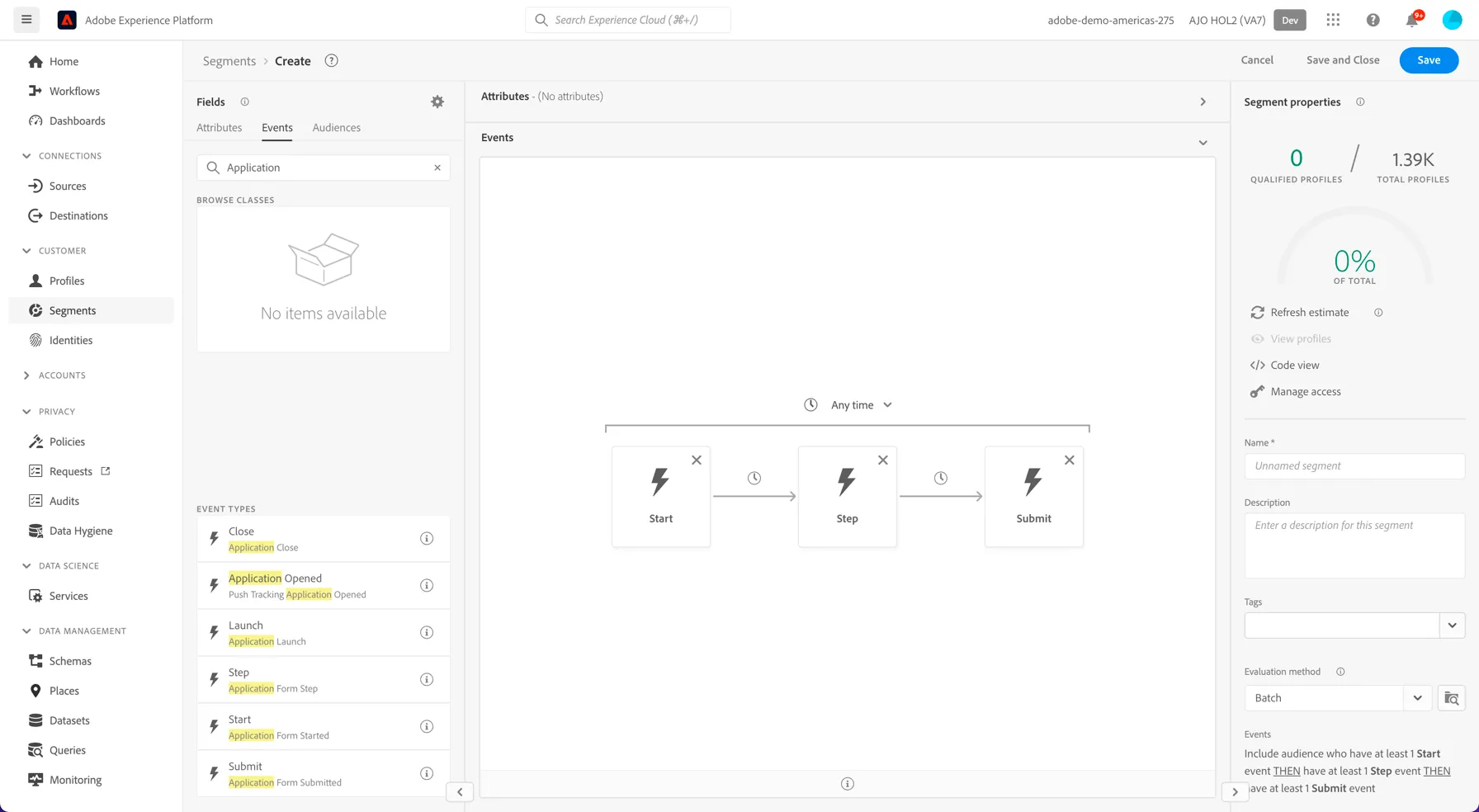
6. Drag the Application Form Submitted event onto the canvas and add it to the right the step event. Your segment should look like this:
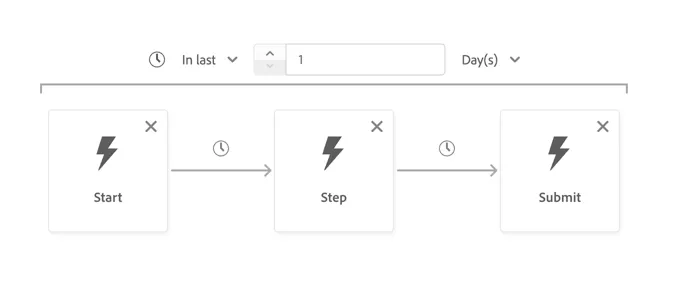
7. Change the overarching time period Anytime to In Last.. 1 day.
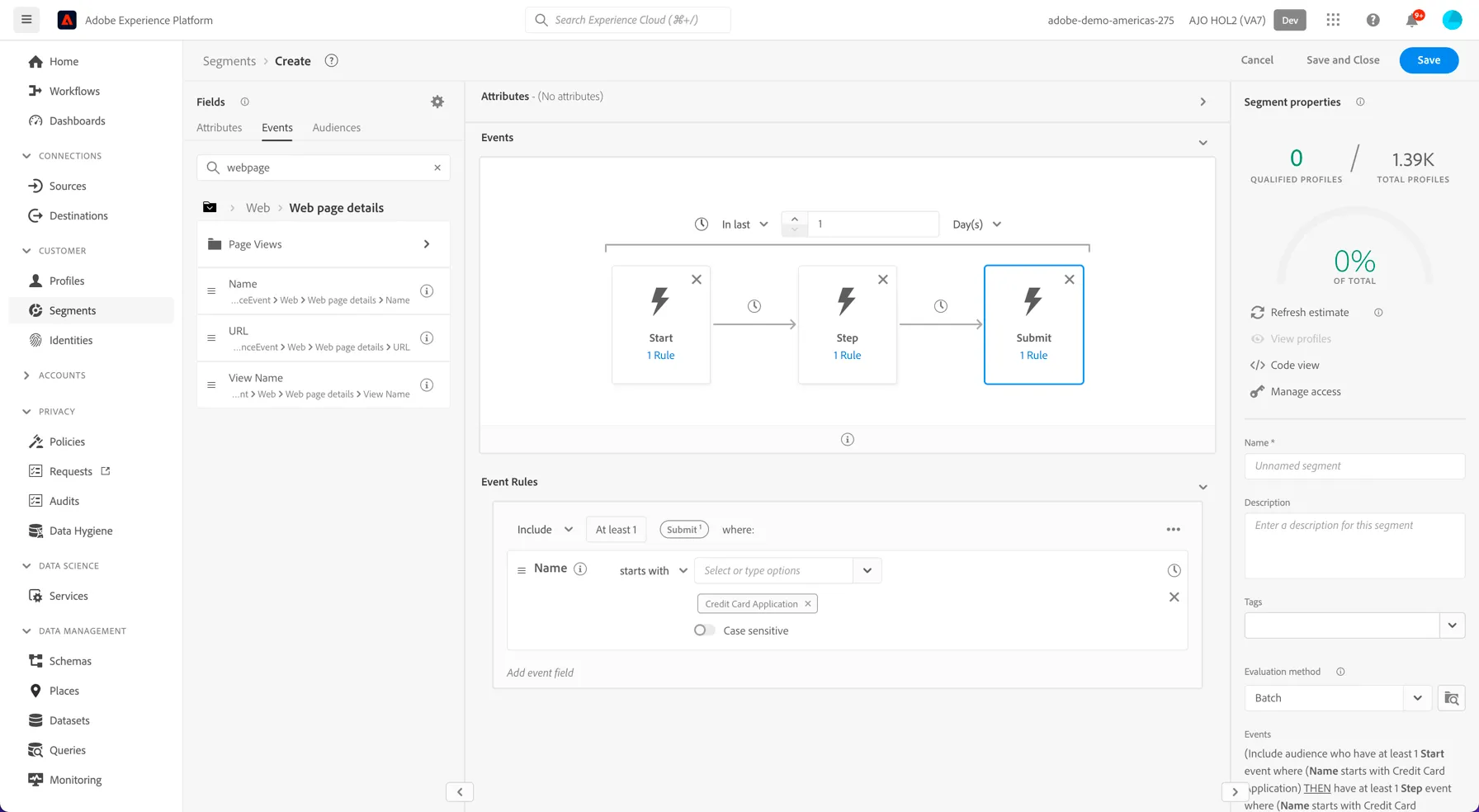
8. Now we want to add some additional filtering to each of the events to ensure we're looking that the same form. Click on the Start event to bring up the event rules.
9. Search for webpage in the Event fields
10. Click on Web page details > and drag the Name attribute into the Event Rules section
11. Change the operation to starts with and type Credit Card Application into the value dropdown and hit enter.
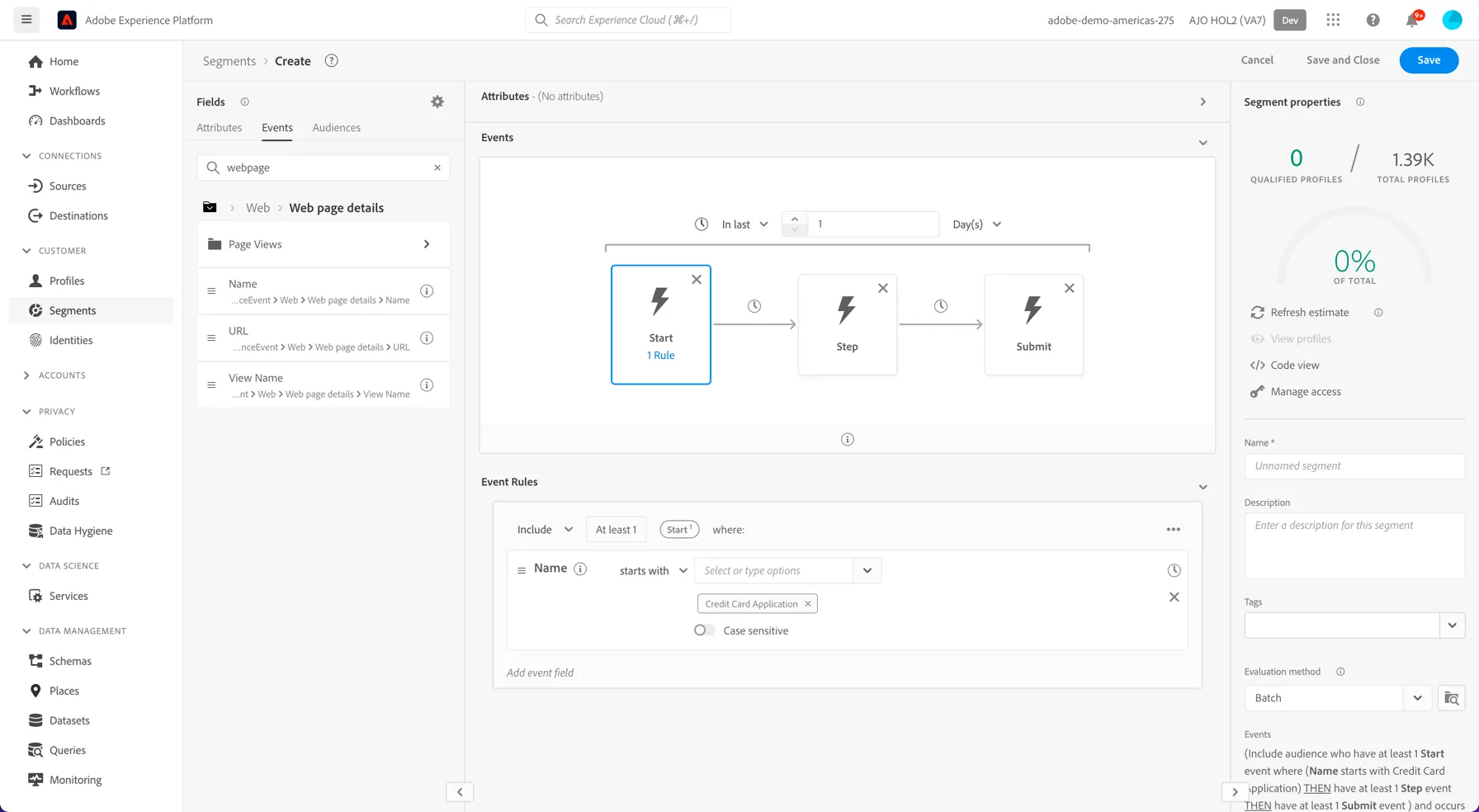
12. Repeat the same for each of the events.
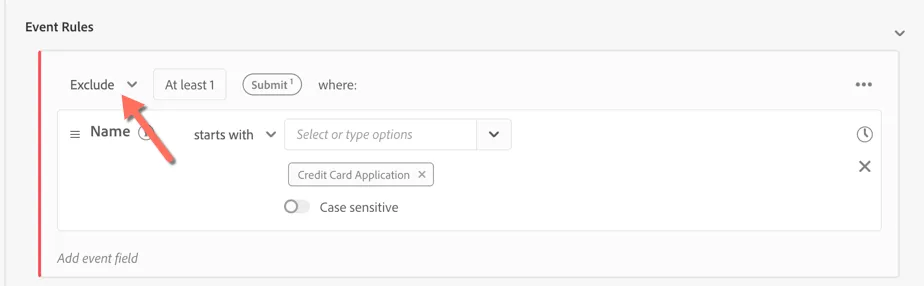
13. Lastly we want to exclude the people who completed the Application. Click on the Submit Event and change the Include drop down in the event rules to Exclude.
14. Your segment should look like:
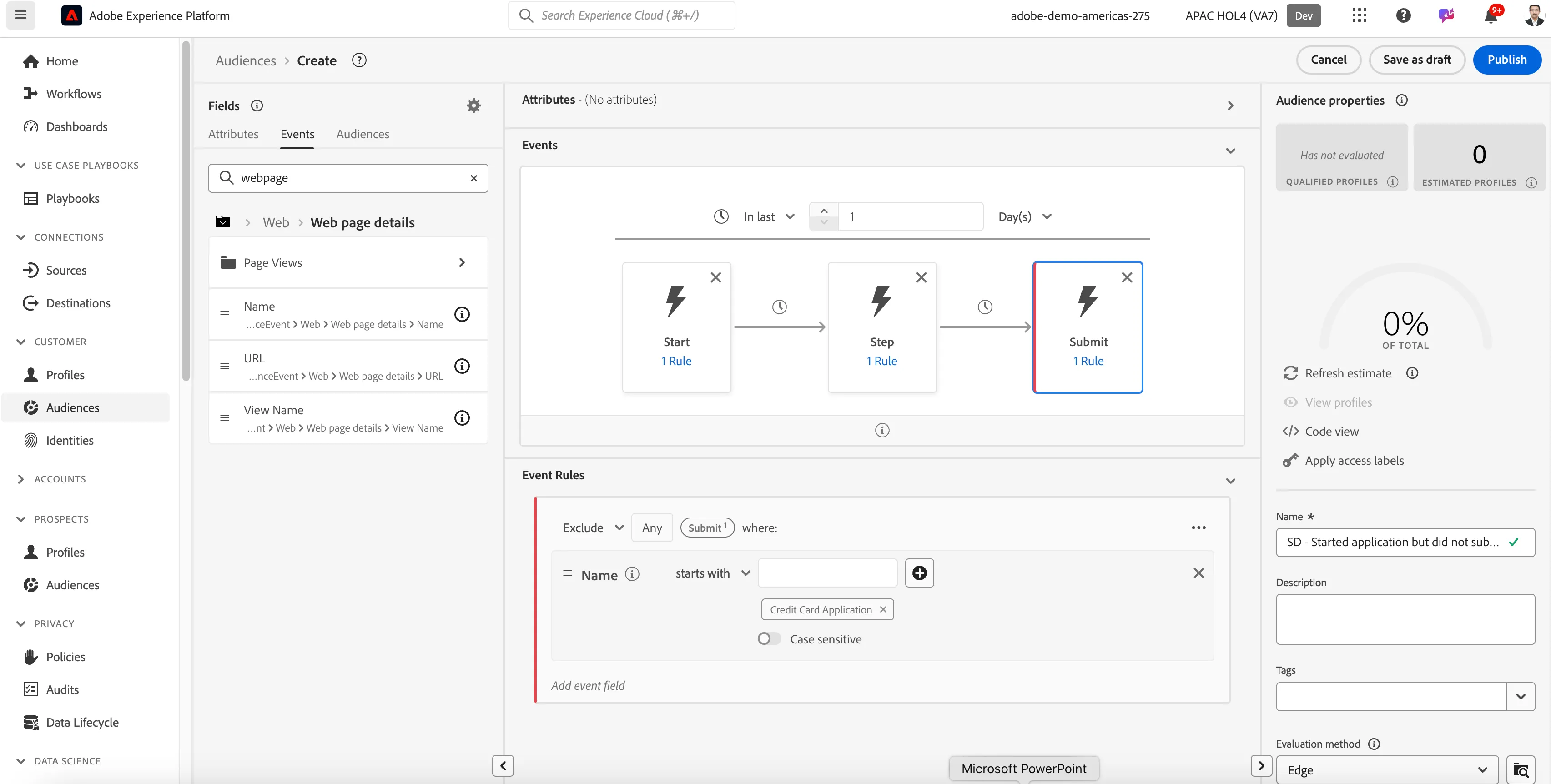
15. Give your Segment a name. E.g. your initials - Started application but did not submit
16. Select Publish.
You have successfully created a Sequential Segment.
Audience Composition
Rule based audiences are great but have limits. Imagine if you want to limit the number of profiles that can exist within an audience at any time or if you want to enrich the audience with attributes that are stored in a separate dataset? This can be achieved using AEP's Audience Composition. For this exercise, we'll create an audience composition workflow to take the top 50 profiles with the highest propensity from your retargeting segment. These will be shared to the contact team to be prioritized for outbound calls.
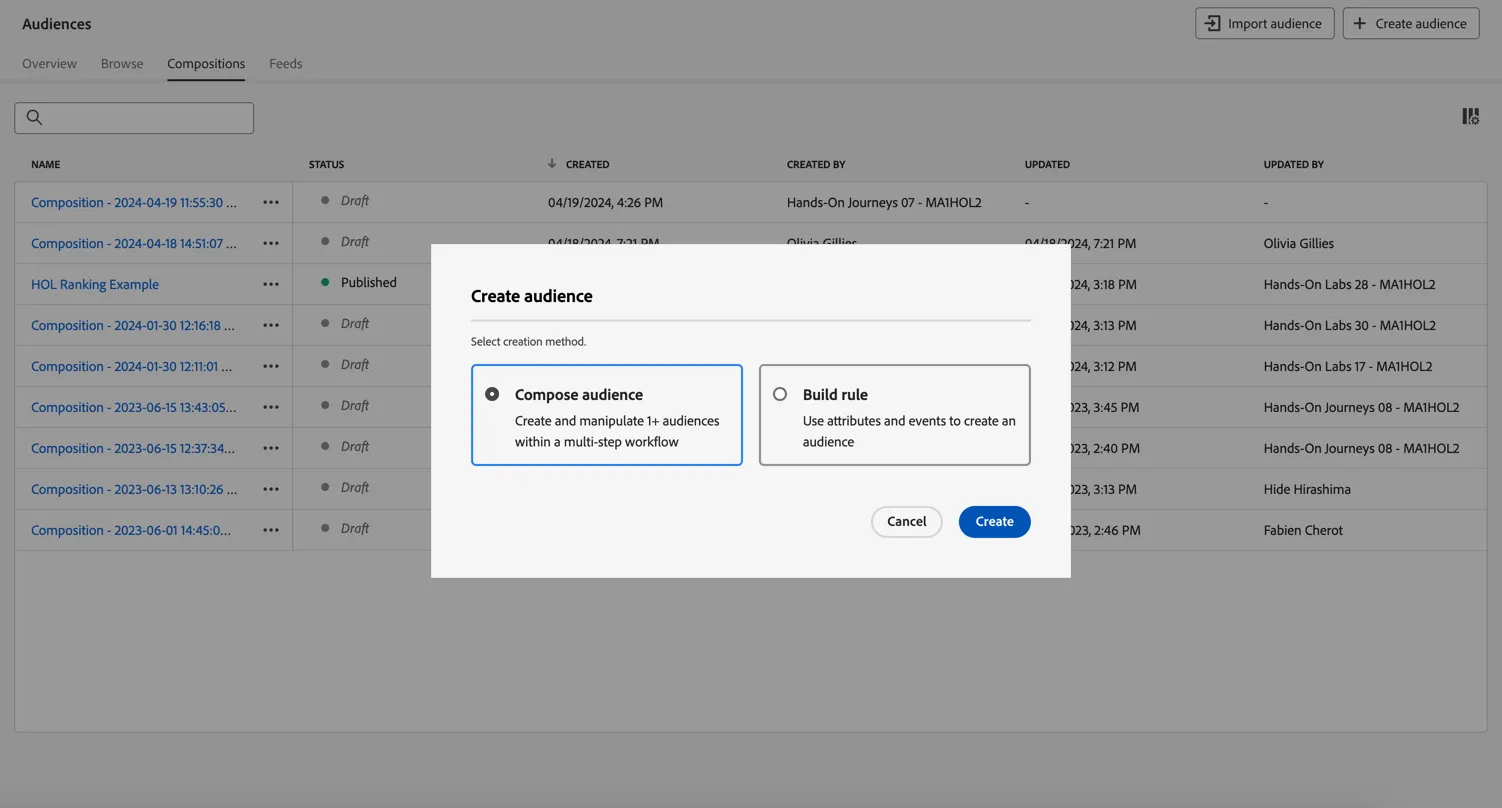
- Go to Audiences and click to + Create Audience. Select Compose Audience and click Create.
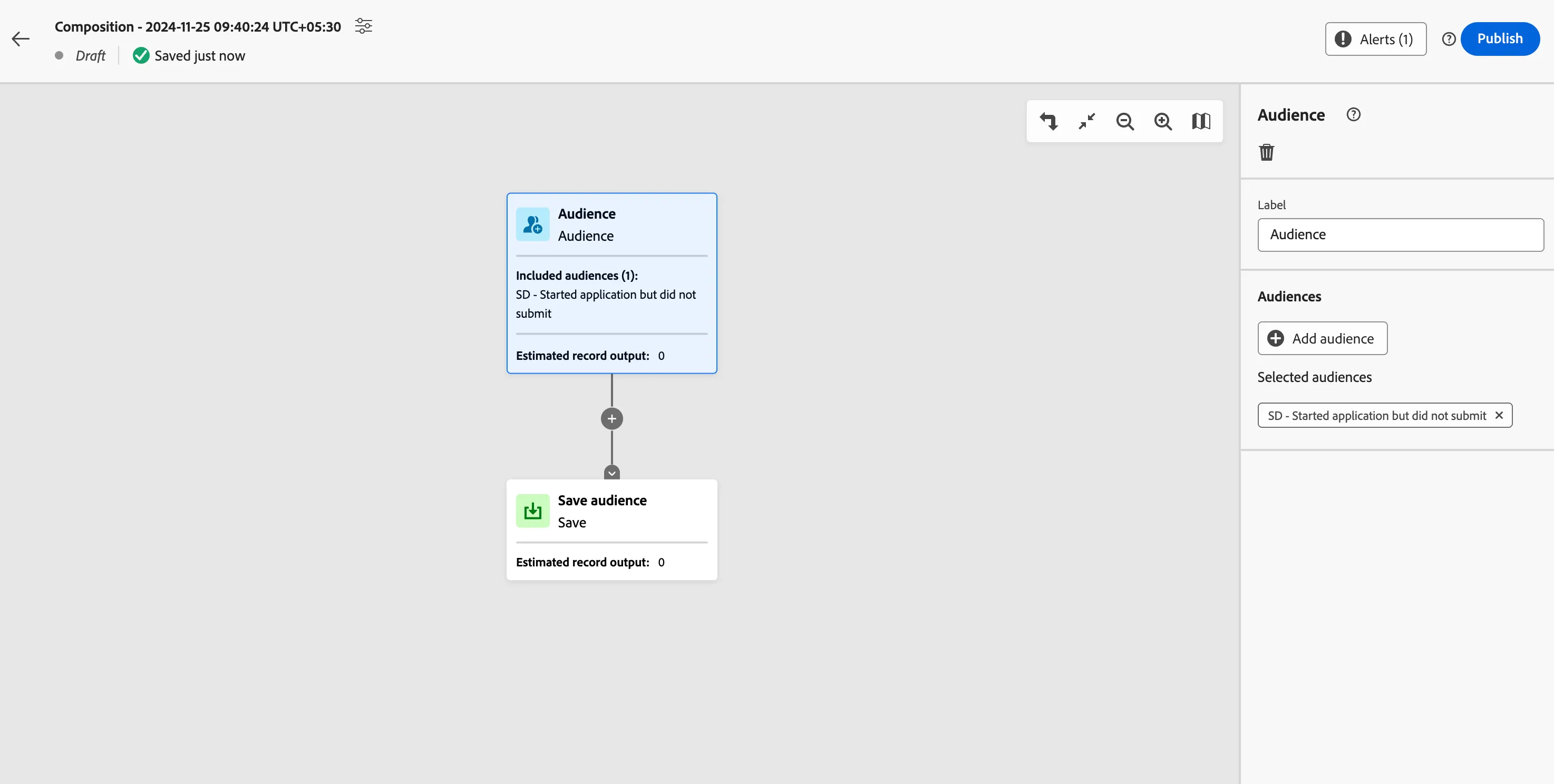
2. Select the Audience activity that starts the composition. Click to Add Audience and select your retargeting segment from the previous exercise.
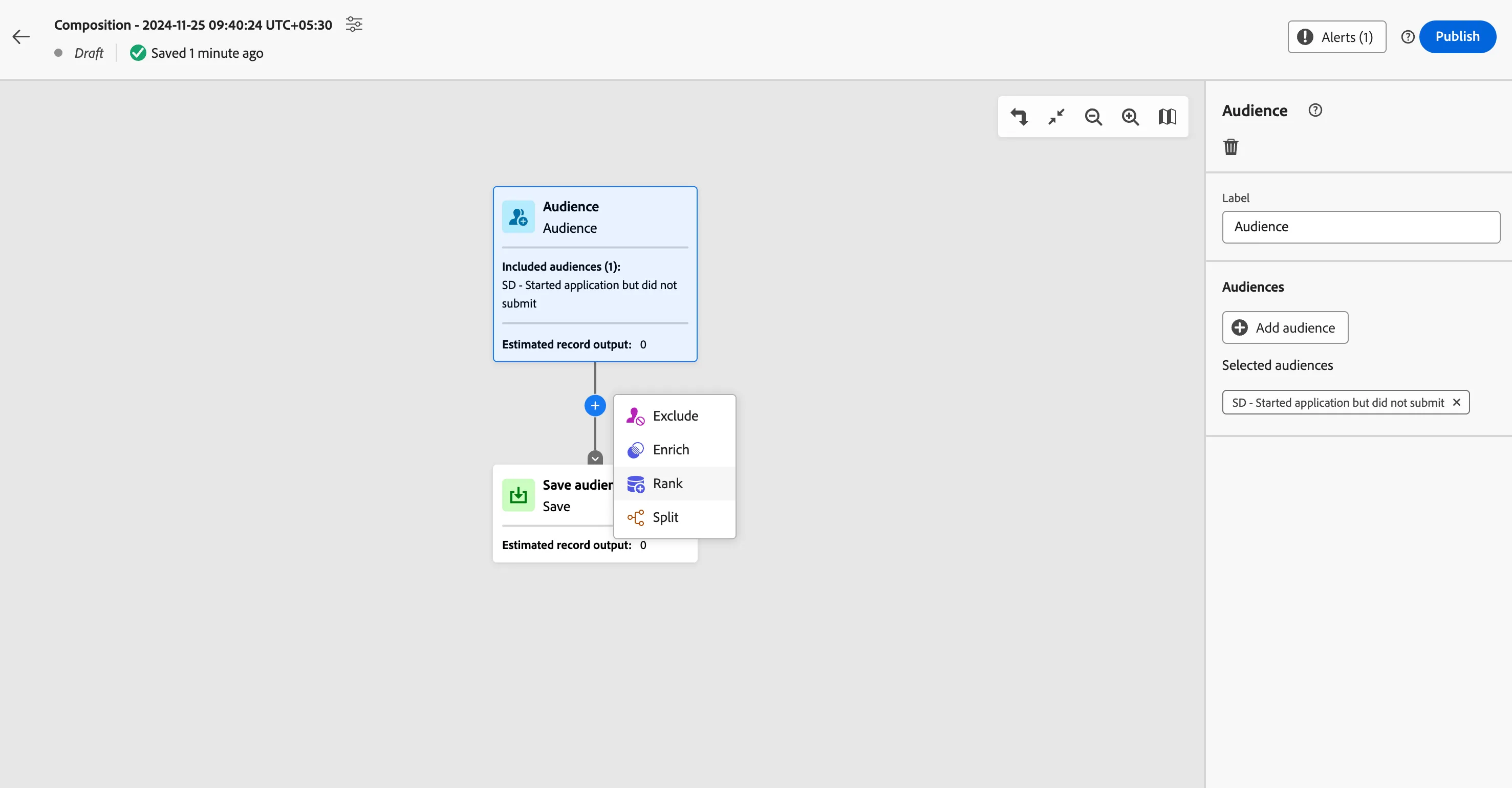
3. Click on the plus after the audience activity and select to add a Rank activity.
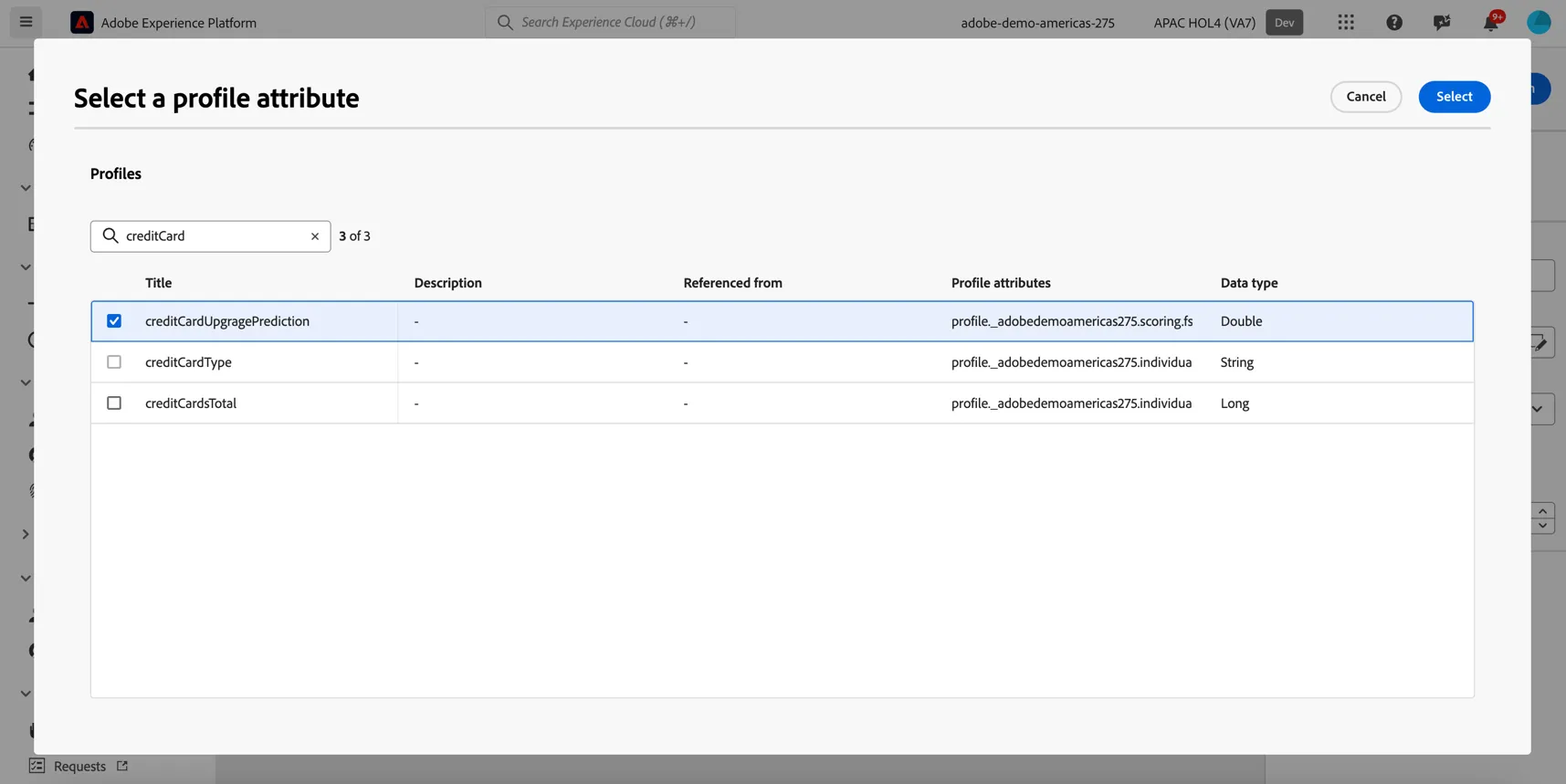
4. Select the adobedemoamericas275 -> scoring -> FSI -> creditCardUpgradePrediction as the attribute to use for ranking
5. Change the Ranking order from Ascending to Descending - we want the profiles with the highest propensity. And add a limit of 50.
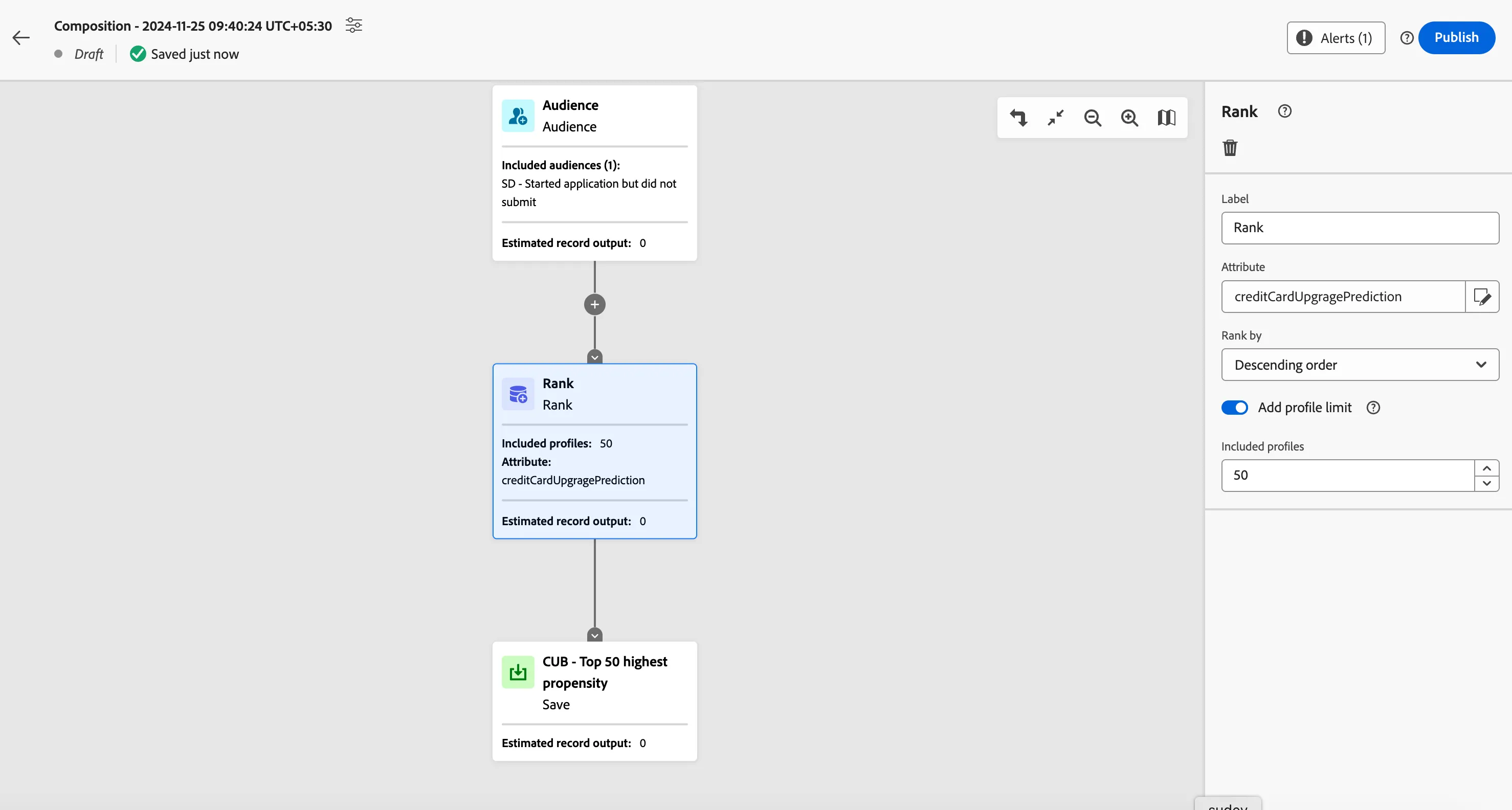
6. Give the output audience a name.
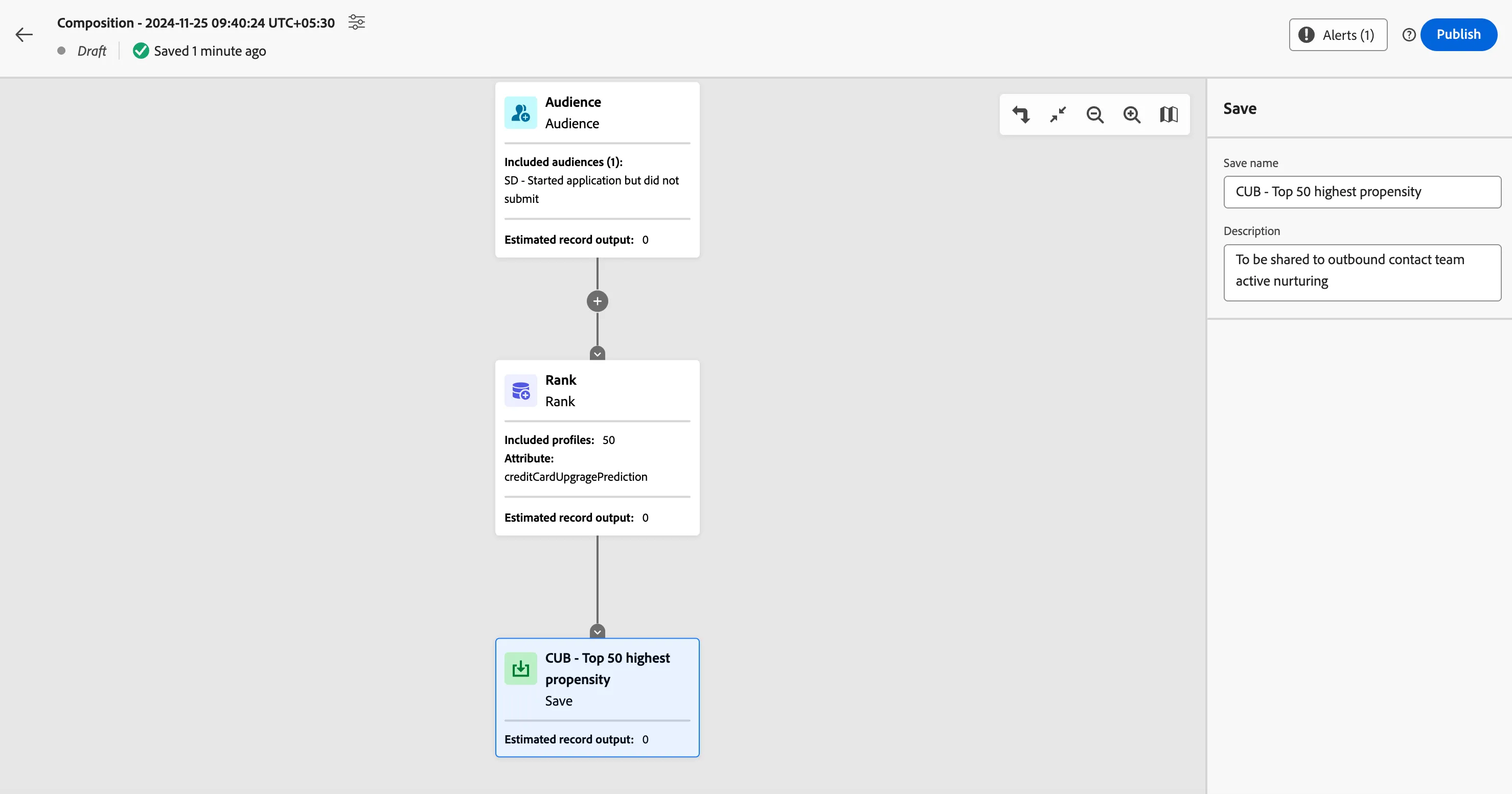
7. Lastly give your composition a name by clicking on the settings at the top left. Make the name unique so you can identify it easily.
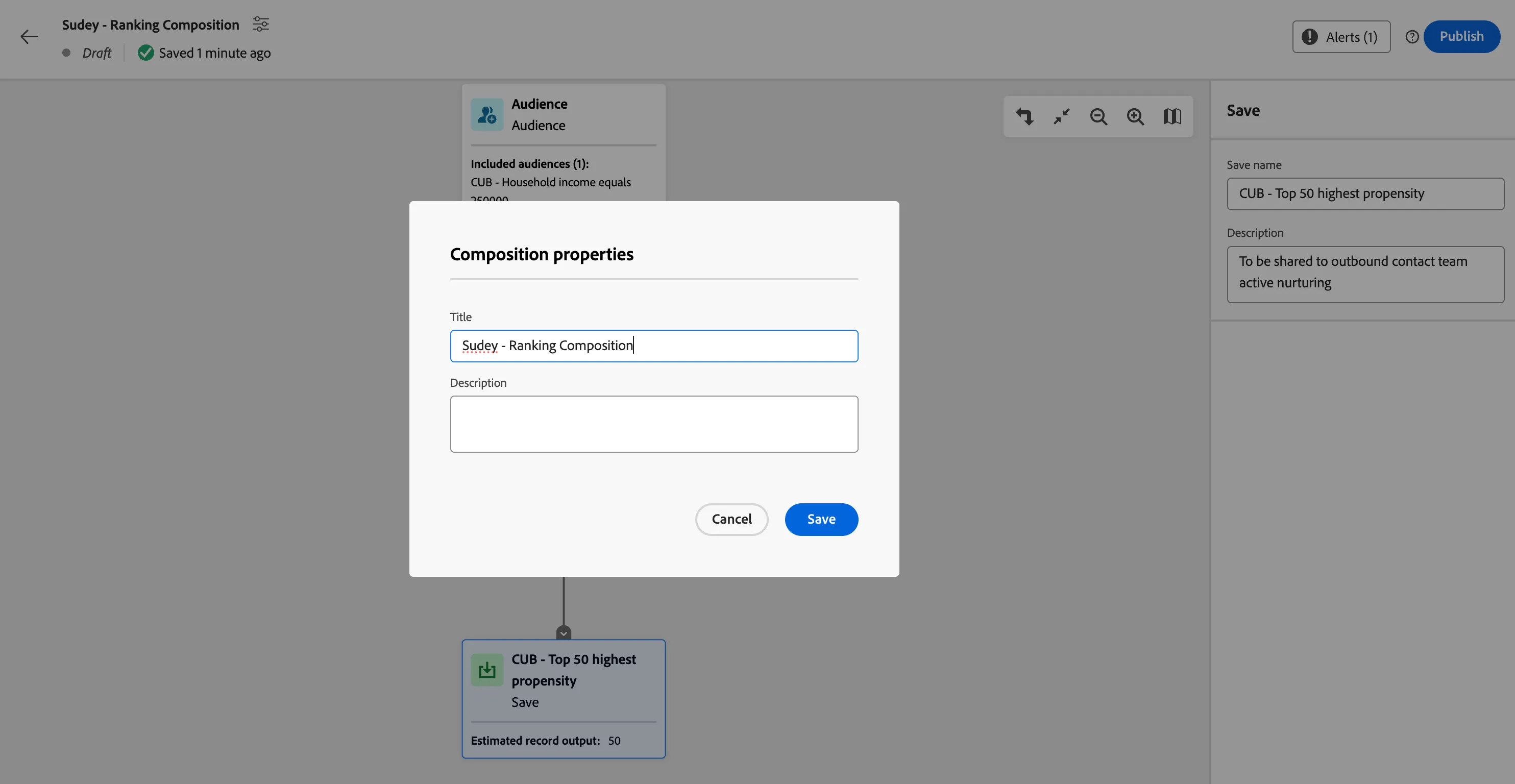
Congratulations you have successfully created an audience composition workflow. Once published the workflow will execute once per day to populate the audience with the top 100 highest ranked members.