Event Program - Basic
2 min
Create Event Program
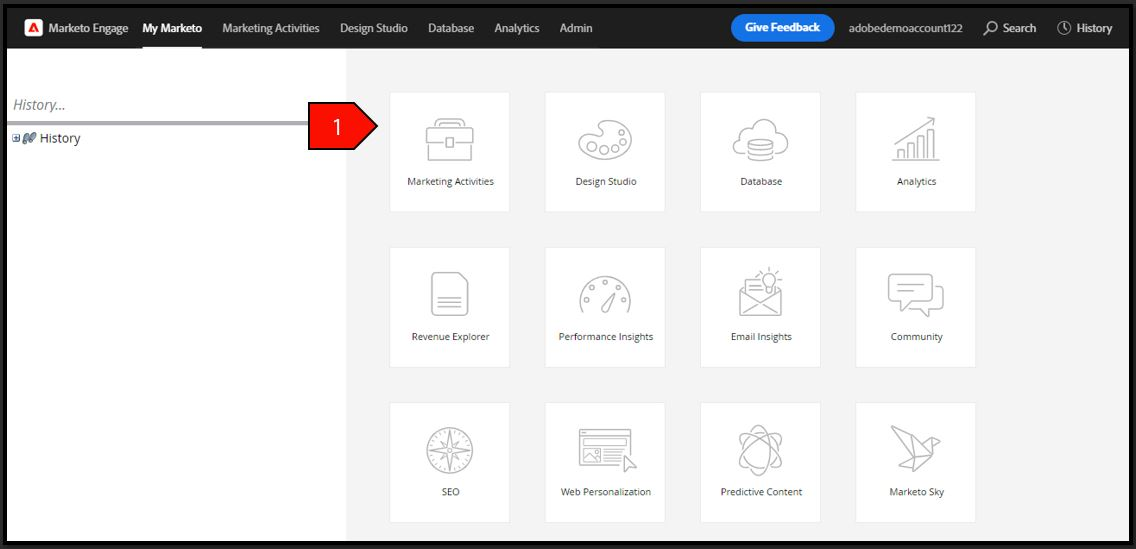
Navigate to Marketing Activities
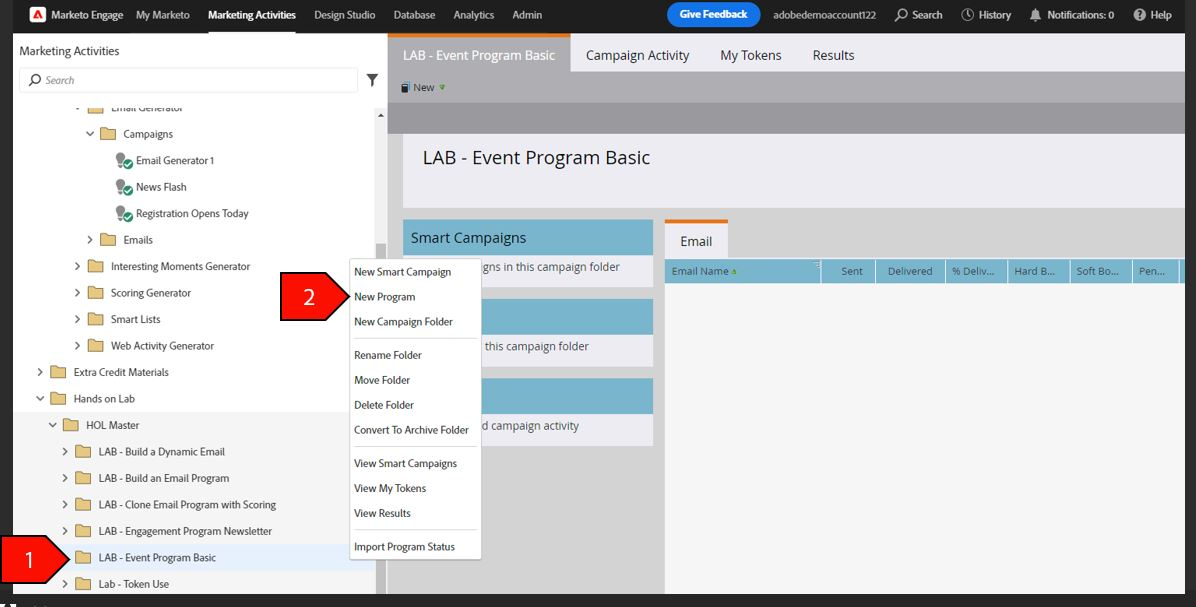
Right-click on the Event Program folder from the navigation tree, select New Program
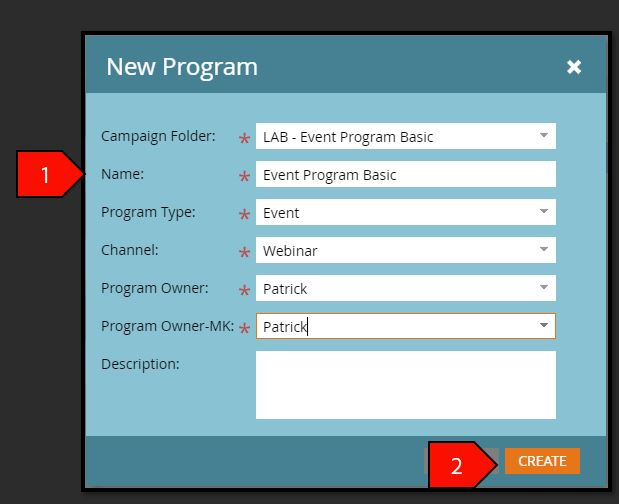
- Click Create after the following fields have been filled out:
- Campaign Folder: LAB - Event Program Basic
- Folder Name: Event Program Basic
- Program Type: Event
- Channel: Webinar
- Program Owner: Patrick
- Program Owner: Patrick
Description: Leave blank
- Select Event Program Basic in your folder
Select New, then New Local Asset
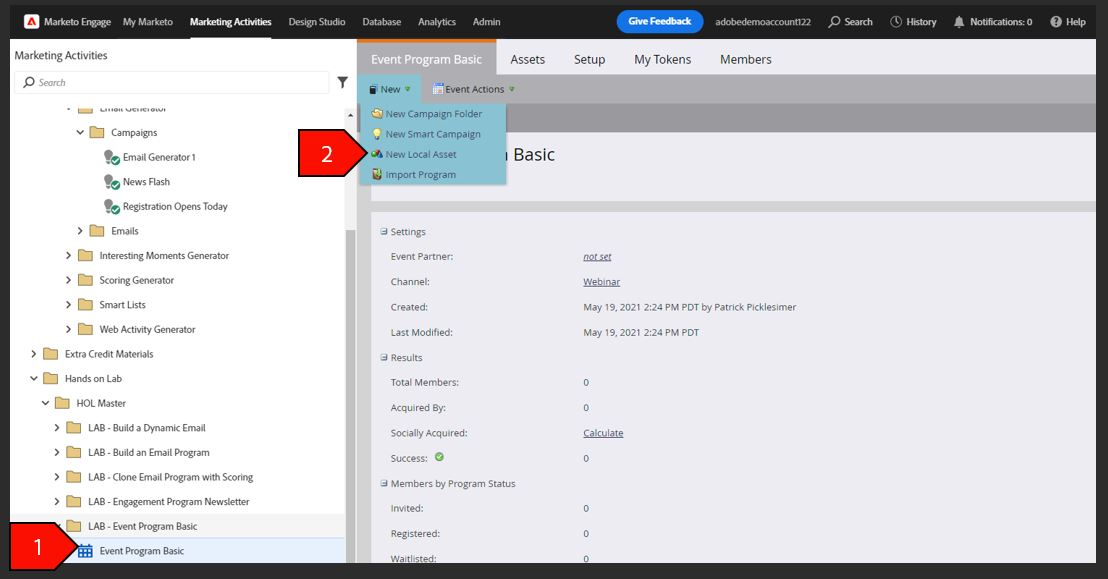
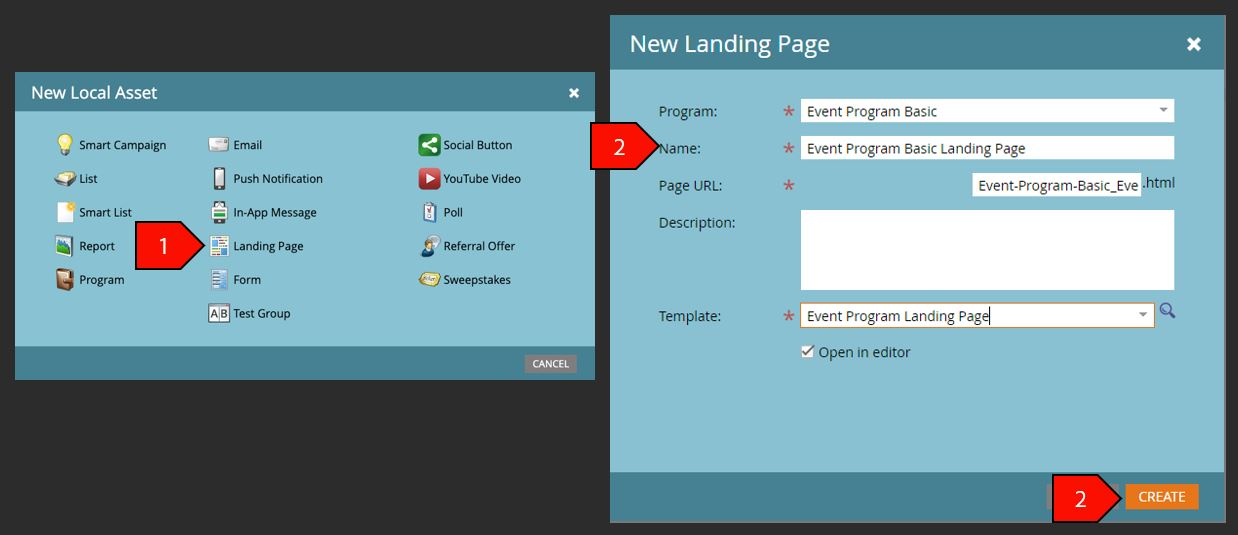
- Select Landing Page
- Click Create after the following fields have been filled out:
- Program: Event Program Basic
- Name: Event Program Basic Landing Page
- Page URL: This value will auto-populate
- Description: Leave blank
Template:
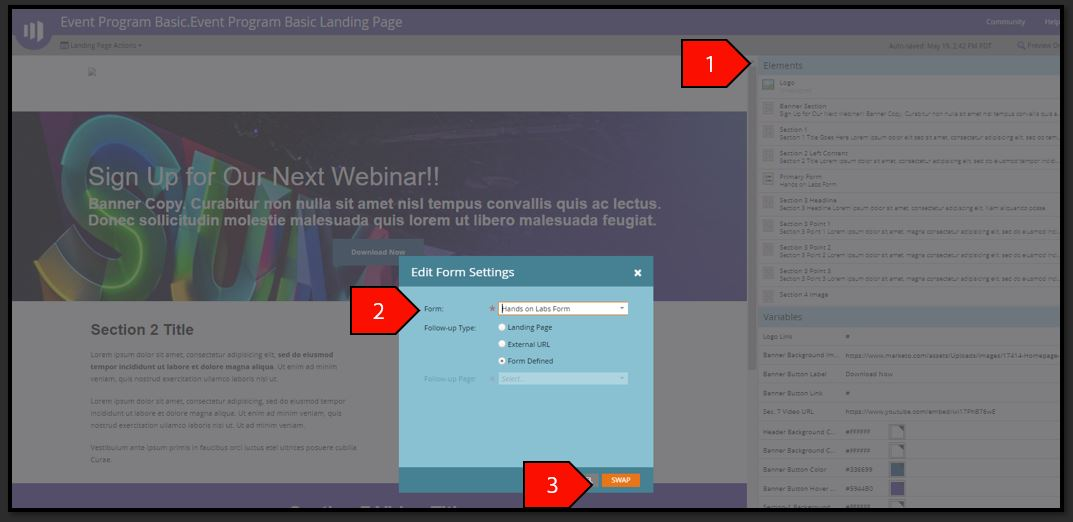
- Double Click on the Form Element
- Select the Hands-on Lab Form
Click Swap
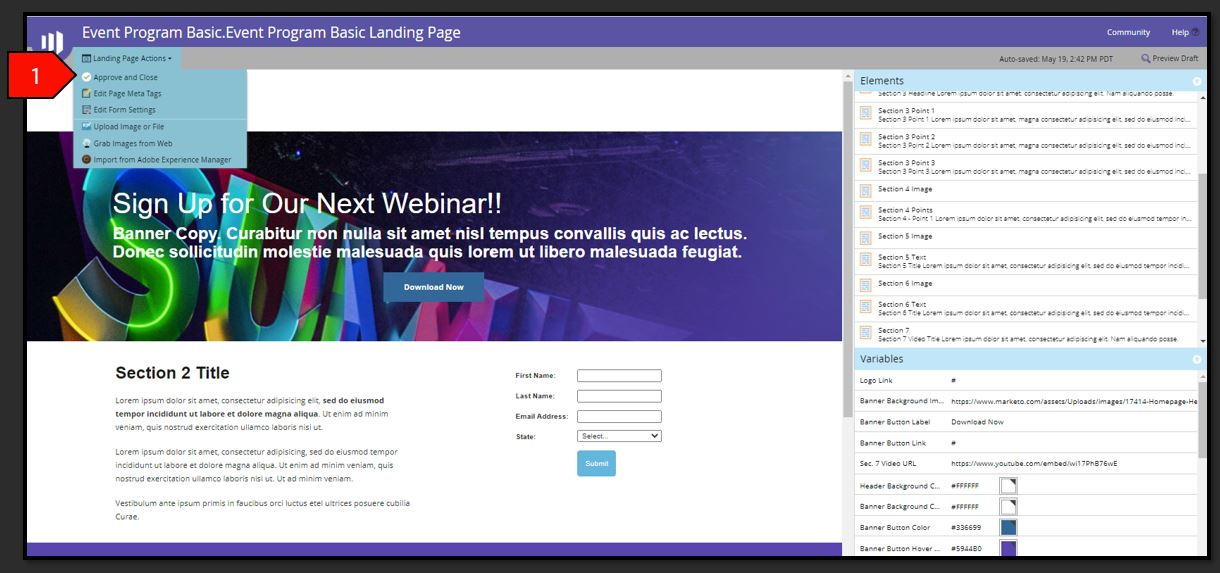
Select Landing Page Action then Approve and Close
Create Nested Smart Campaign
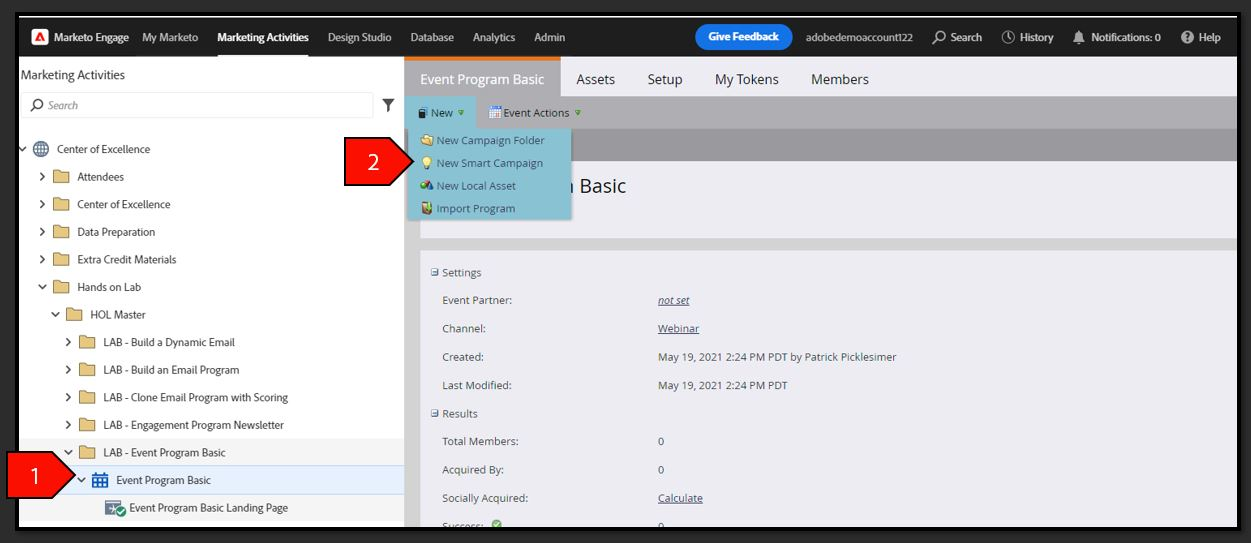
- Select Event Program Basic in your folder
Select New, select New Smart Campaign
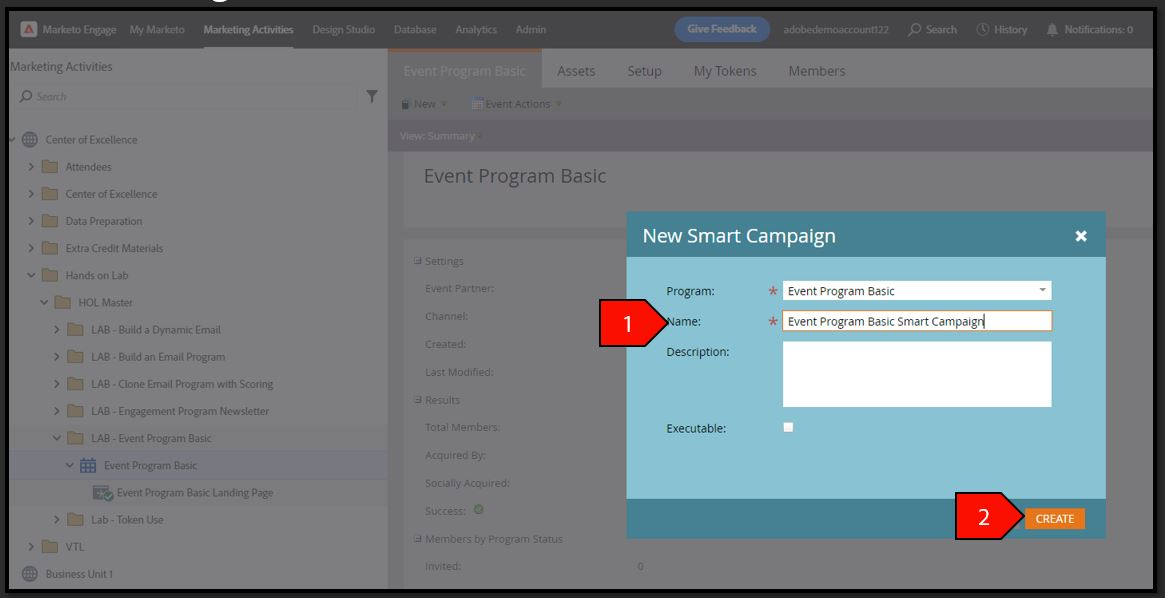
- Click Create after the following fields have been filled out:
- Program: Event Program Basic
- Name: Event Program Basic Smart Campaign
Description: Leave blank
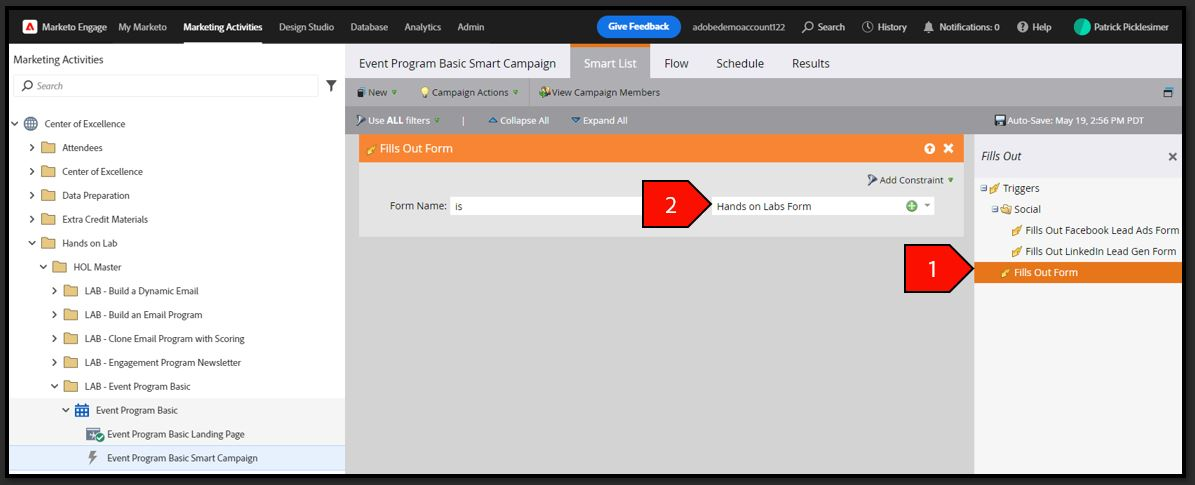
- Select the Smart List tab
- Type form in the search filter and drag out the Fills Out Form filter with the following criteria:
Form Name is Hands-on Lab Form
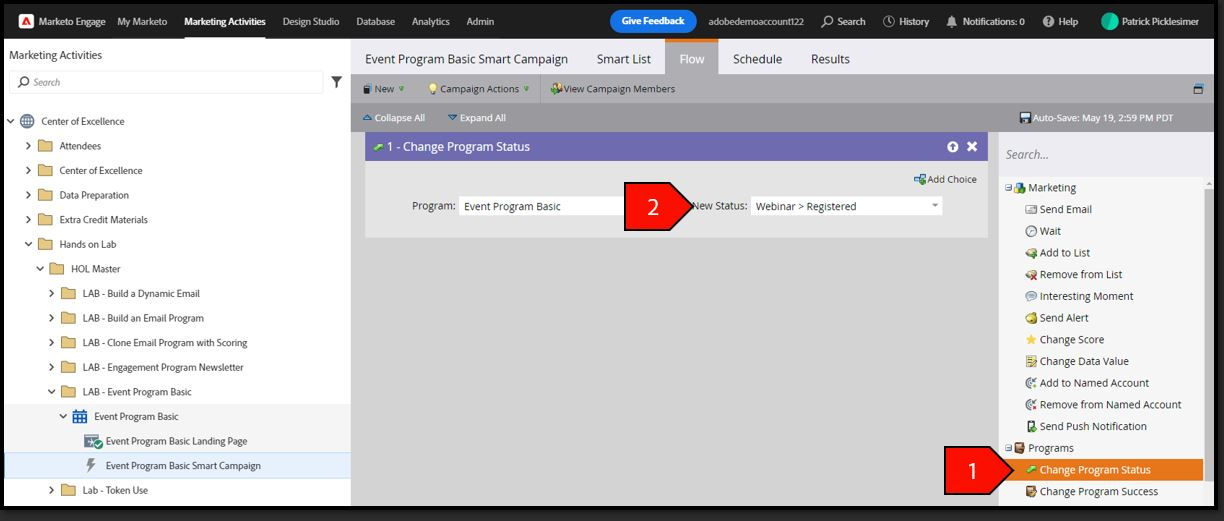
- Select the Flow tab
- Type Change Program Status in the search bar and drag out the Change Program Status filter with the following criteria:
- Program: Event Program Basic
New Status: Webinar > Registered
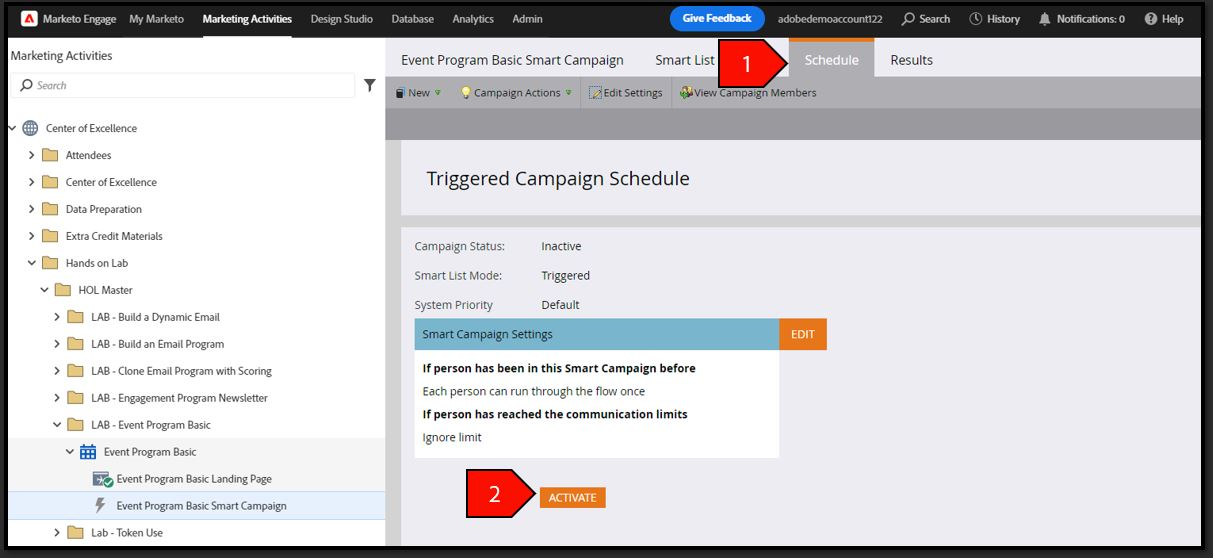
- Select the Schedule tab
Click the Activate button