Guided Analysis
Guided analysis enables users to self-serve high quality data and insights about the customer journey through guided workflows, built on the cross-channel data of Customer Journey Analytics. Cross-functional teams, from marketing to product, can connect in real time to use and understand these reports.
In this exercise you'll learn how to leverage guided analysis to understand user growth.
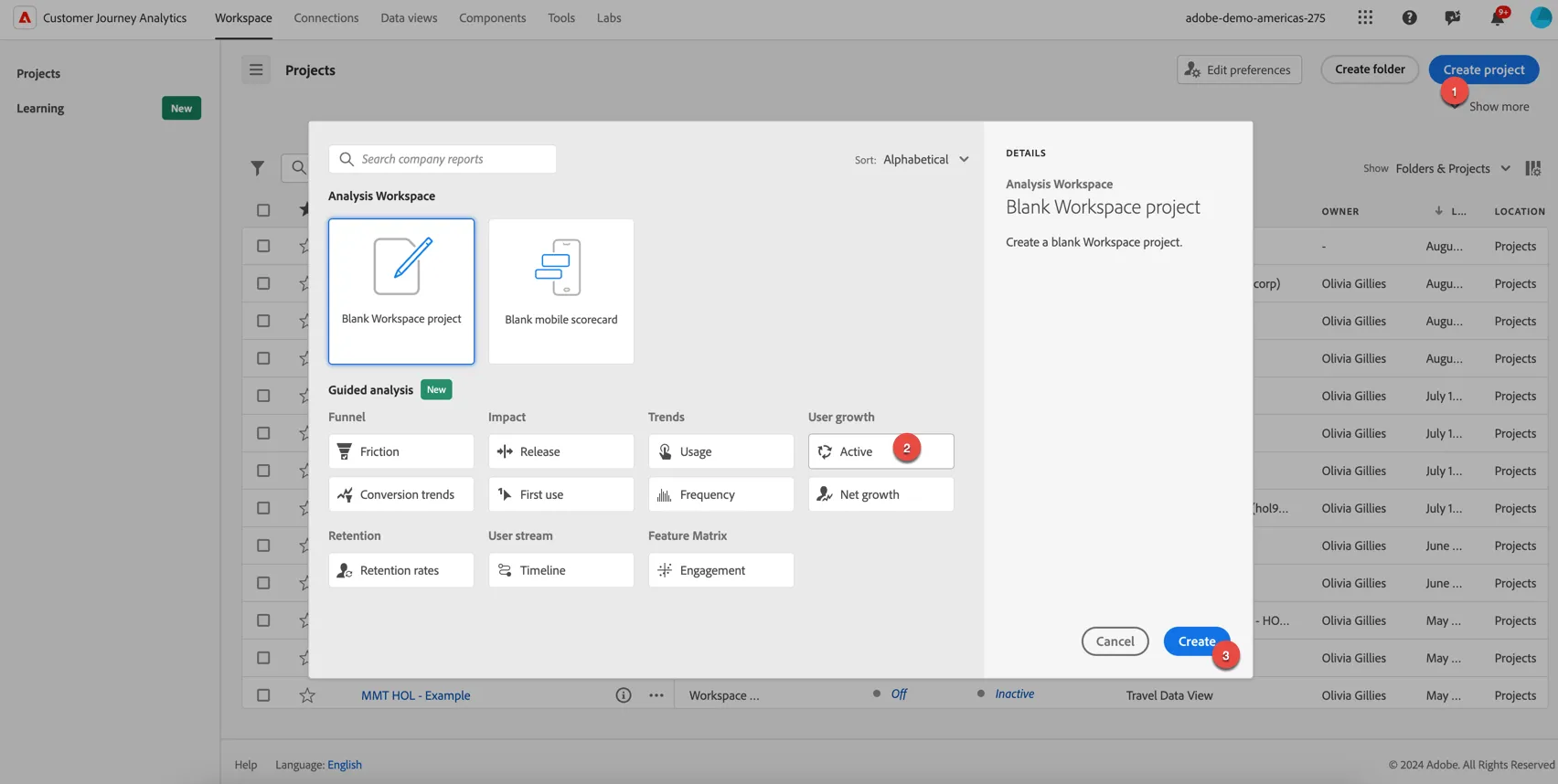
Go to Workspaces, click to create project. Select the User Growth Active option from the Guided Analysis list and click Create.
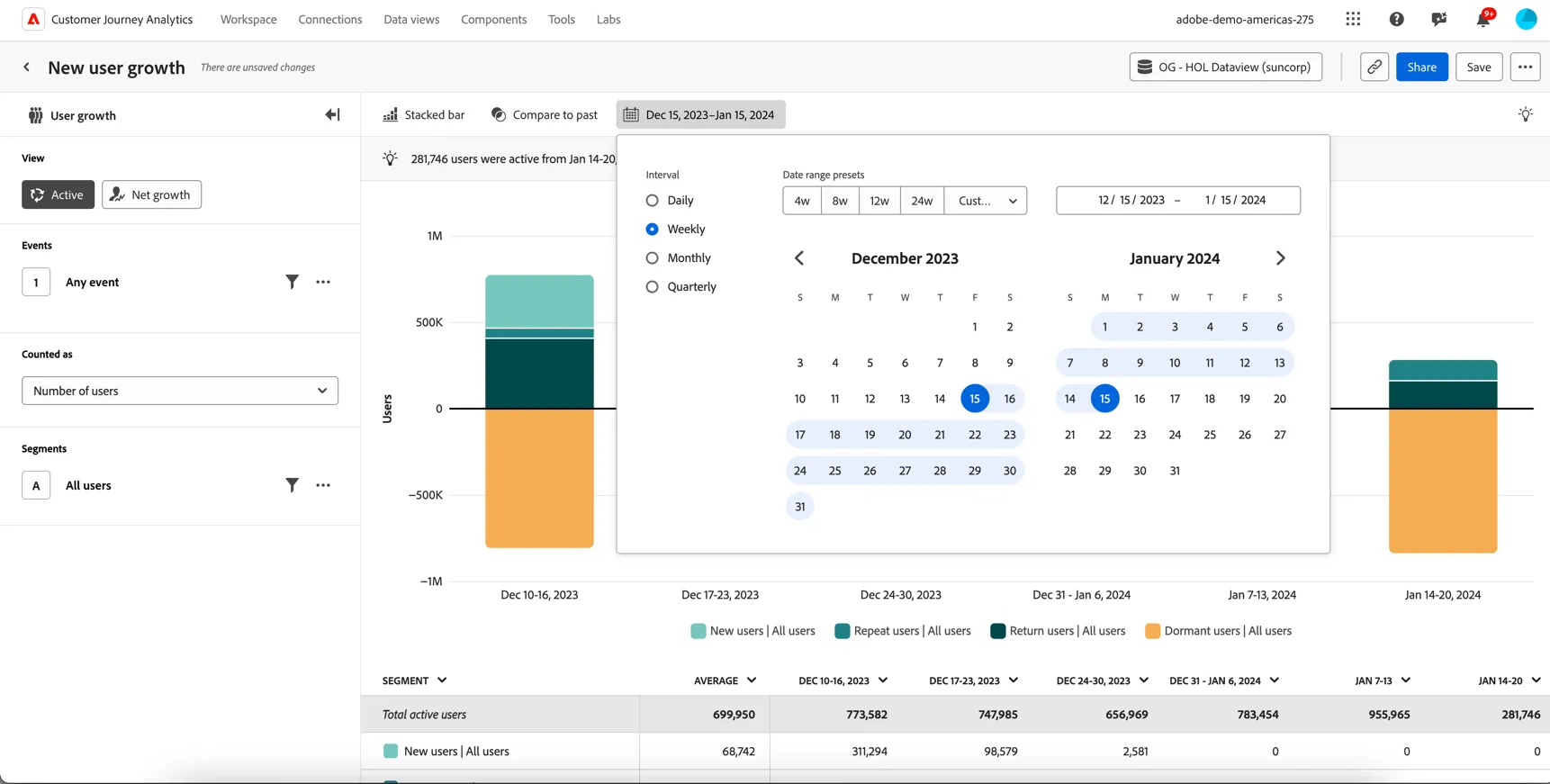
Make sure the correct data view is selected FSI Data View (or the data view you created earlier in the lab). Change the reporting date range to Dec 15 2023 - Jan 15 2024.
Change the Interval to Weekly.
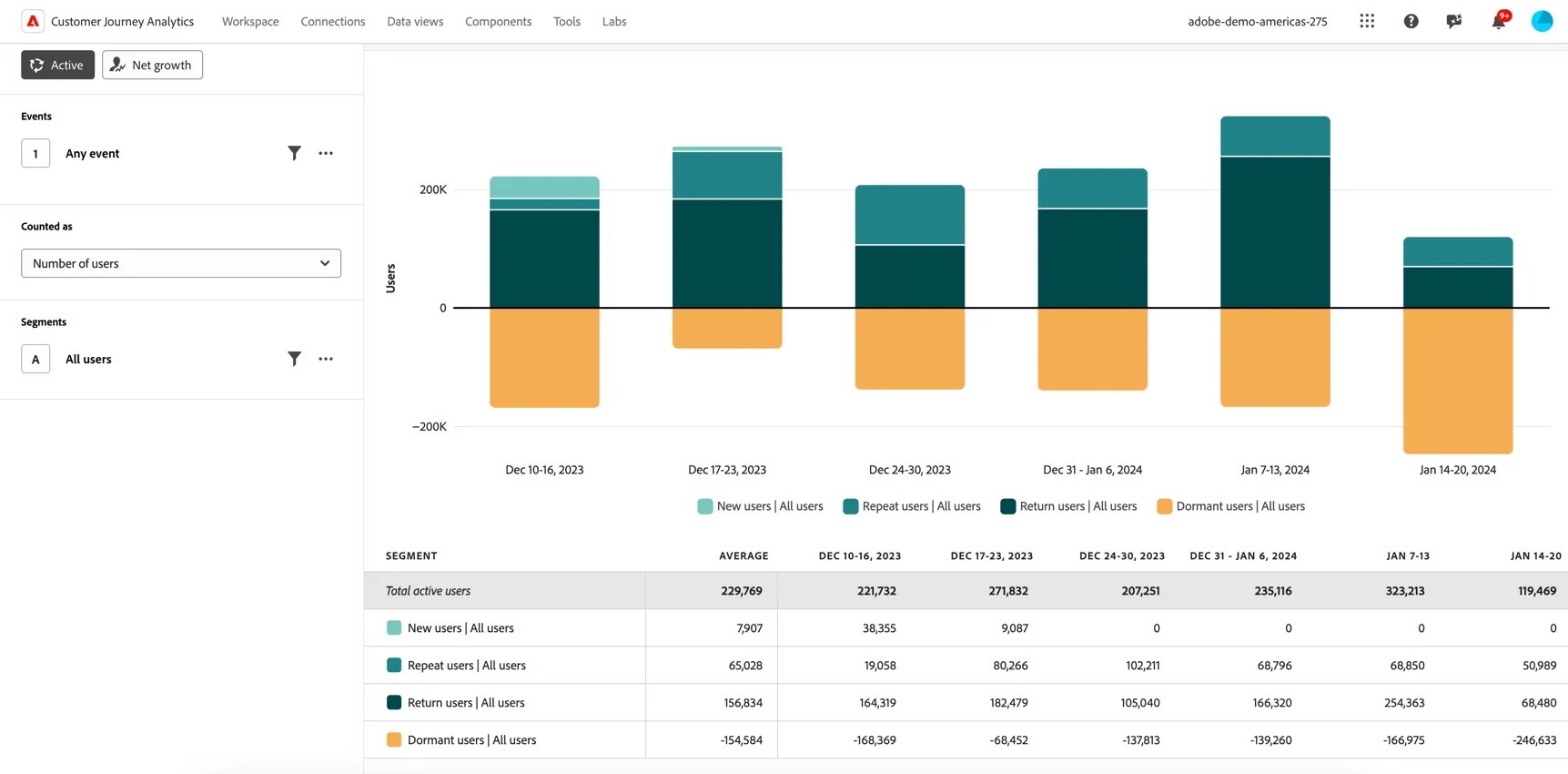
We can see a breakdown of new, repeat, returning and dormant users for each week.
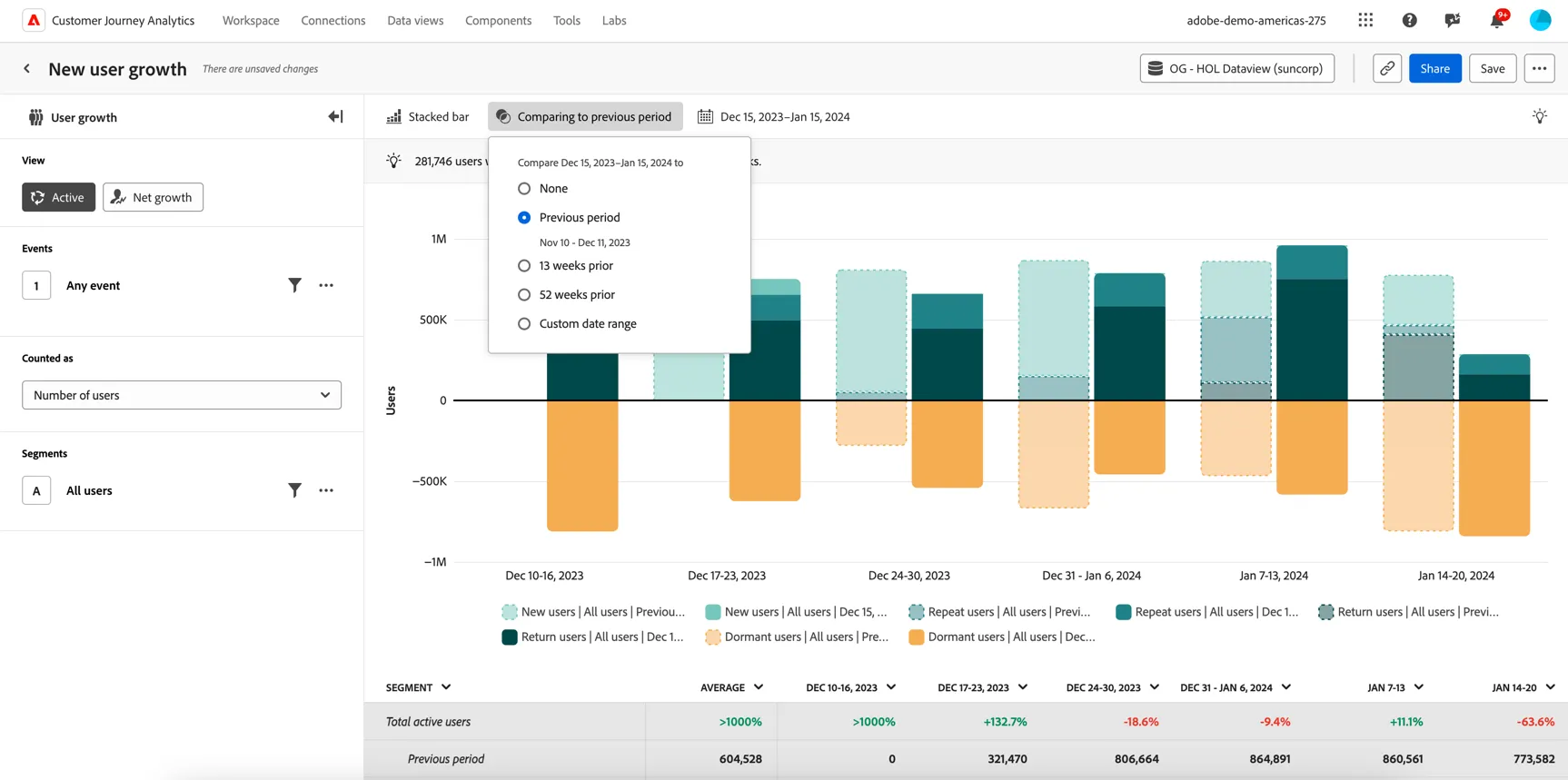
Quickly compare this analysis to the previous reporting period, by selecting the comparing to previous period menu item.
This is a global data view so let's now add a segment condition to limit the analysis to just data from the mobile app. Click on the filter icon next to all users, select Interaction Channel equals Mobile App.
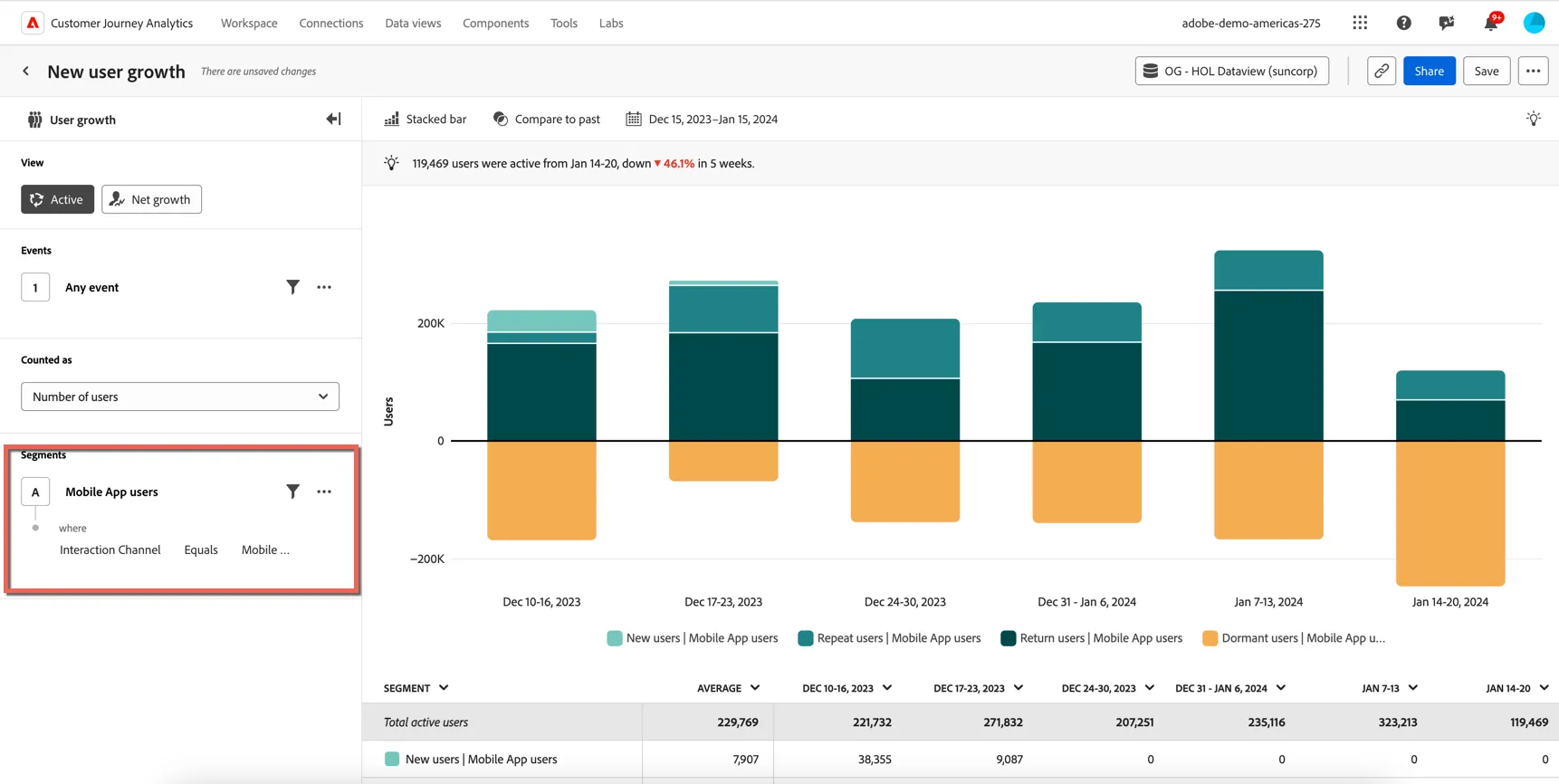
Lastly save your analysis to review later or share with others, add your name to the label so you can easily find it again.
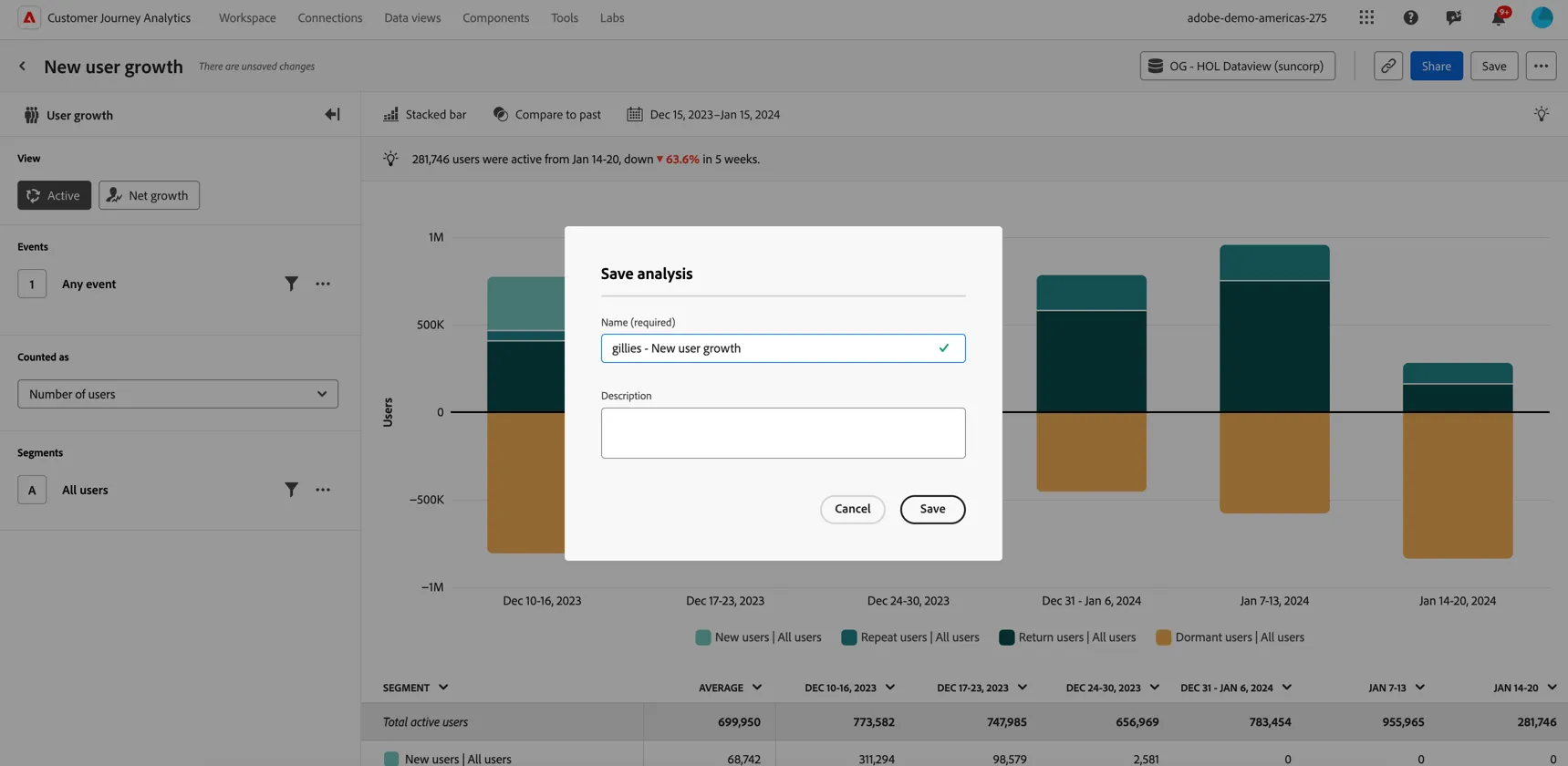
Congratulations, you've completed your first guided analysis.