Create a Collection
1 min
This lab will walk through the steps to create a Collection in Adobe Journey Optimizer.
NOTE: Some exercise steps may differ from lab presentation content.
Creating a Collection
- Navigate Decision Management --> Offers --> Collections Tab
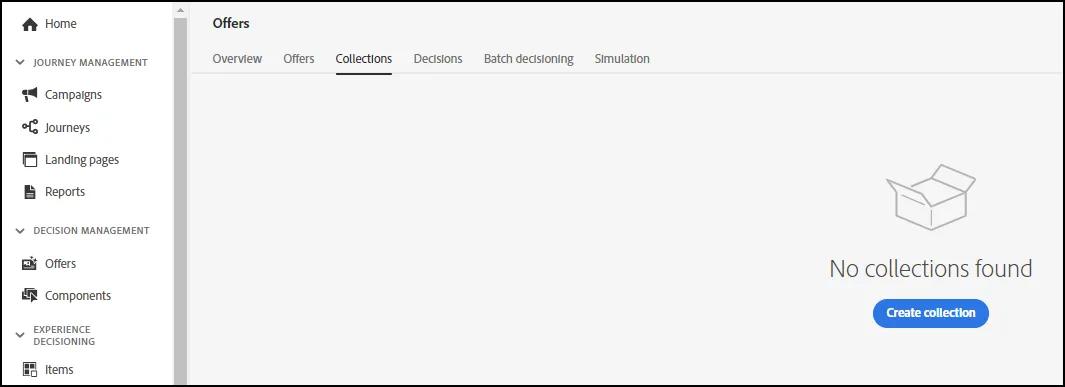
- Click "Create Collection".
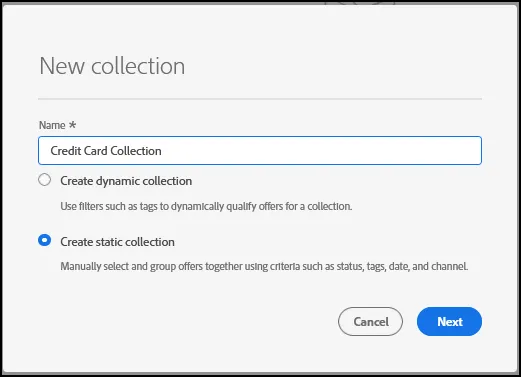
- Click on "Create Static Collection" and give your Collection a Name. Click Next.
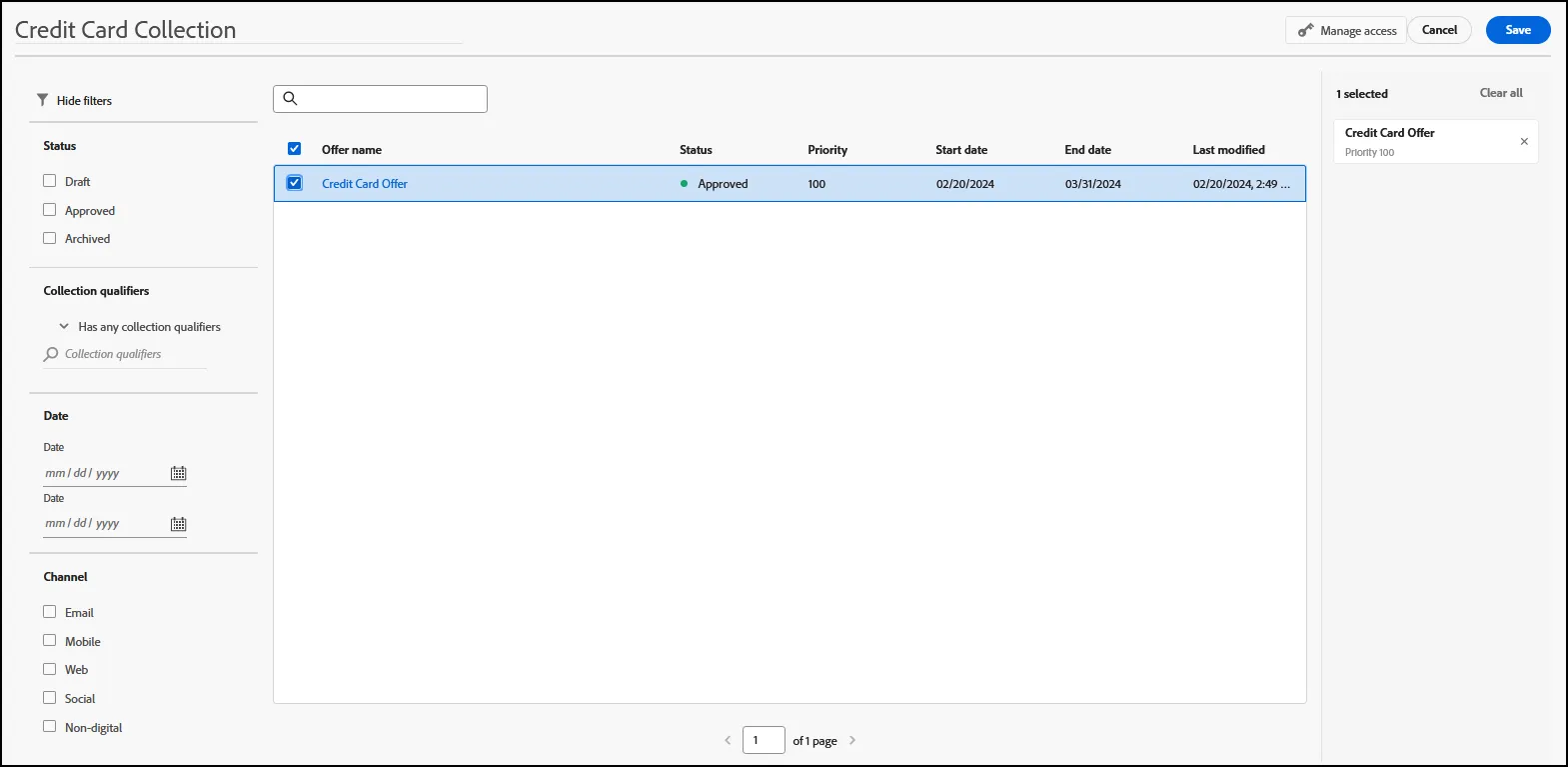
- On the next screen, select the offers that are part of your collection. Click Save.
- End of Lab