Query Service
2 min
In this exercise you'll learn how to use Query Service to run SQL queries on the ingested datasets, this can be helpful for debugging purposes.
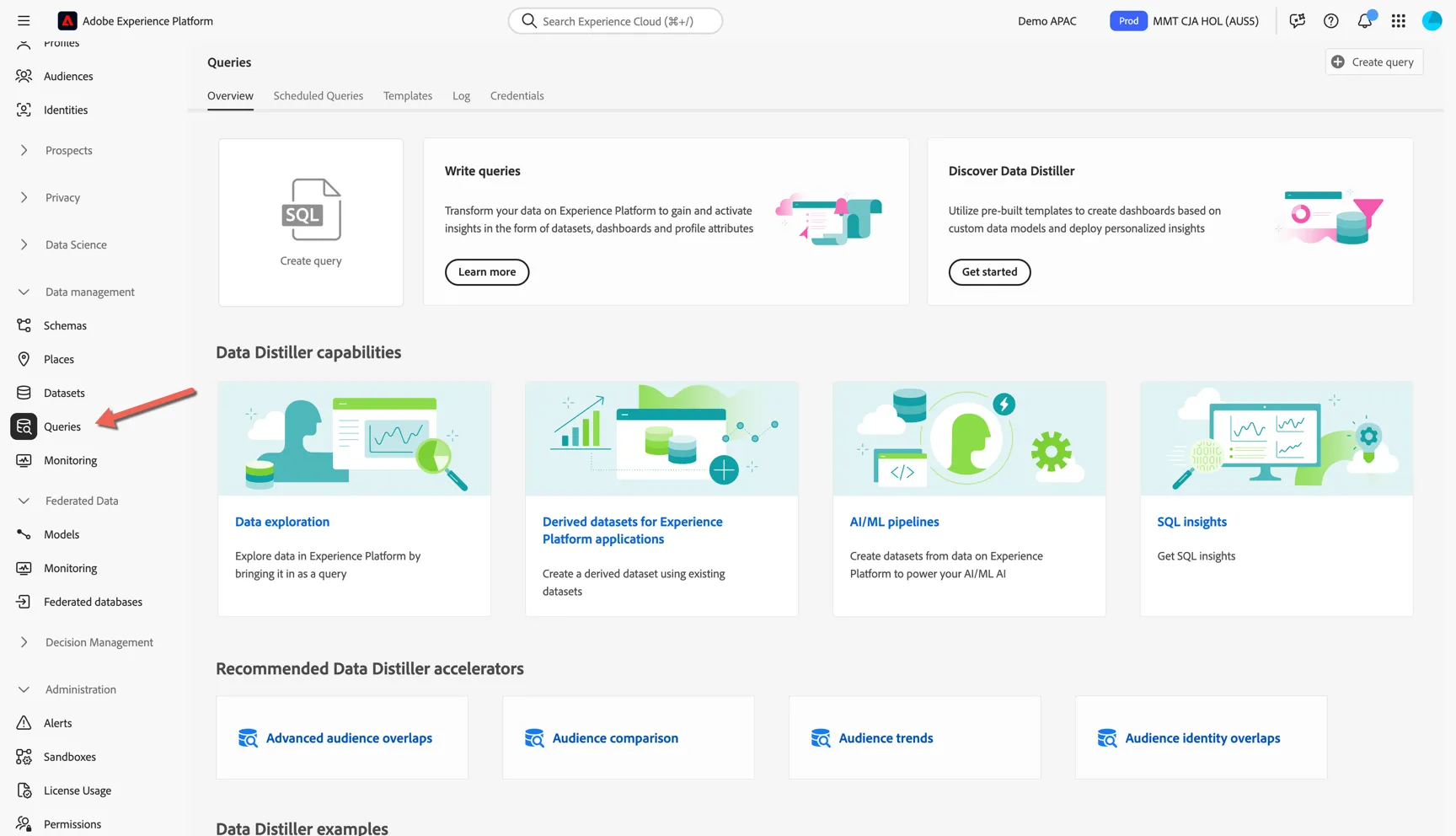
In Adobe Experience Platform, Navigate to Data Management -> Queries
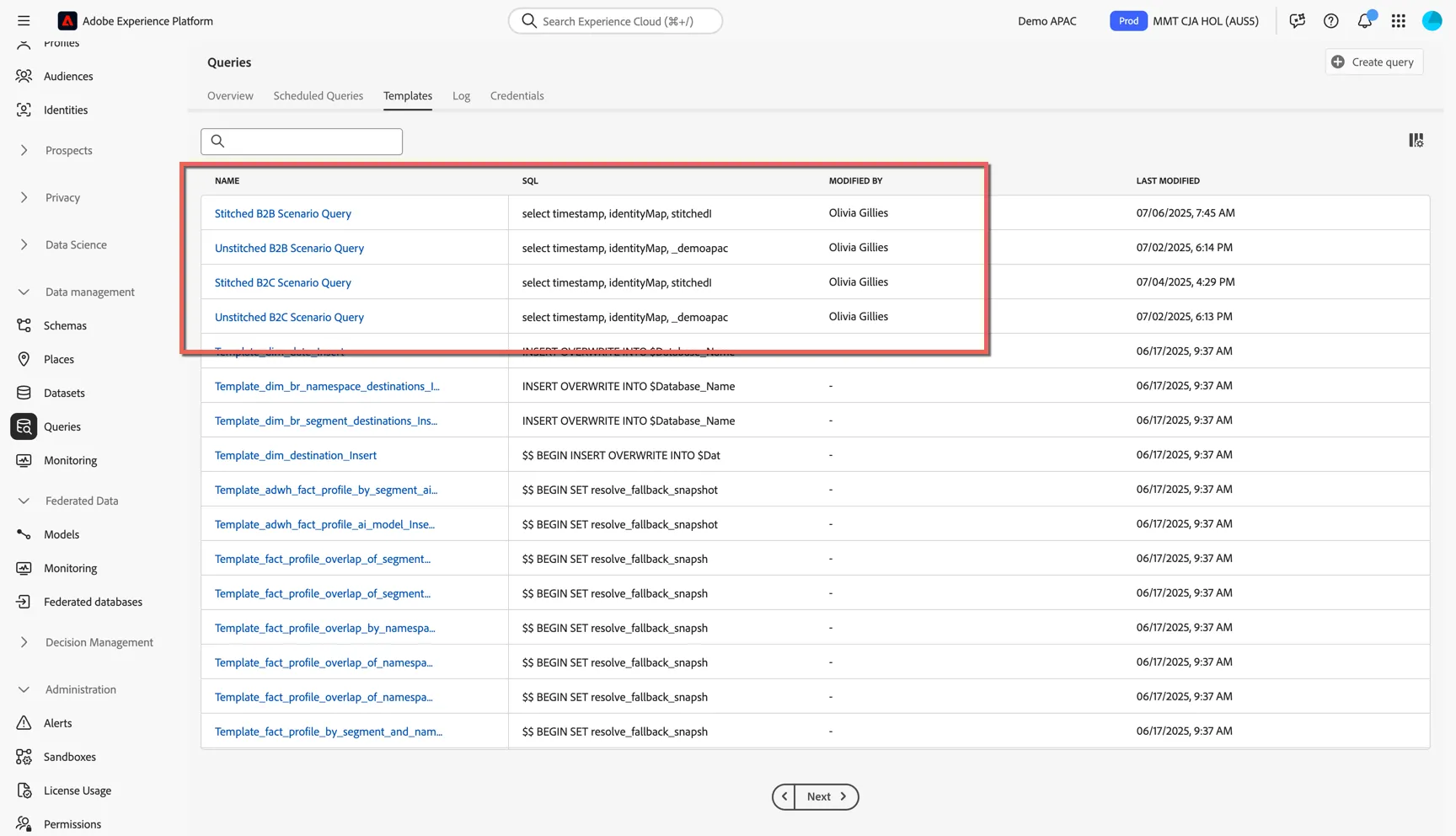
We've created some saved query templates to get you started, click to open the Templates tab.
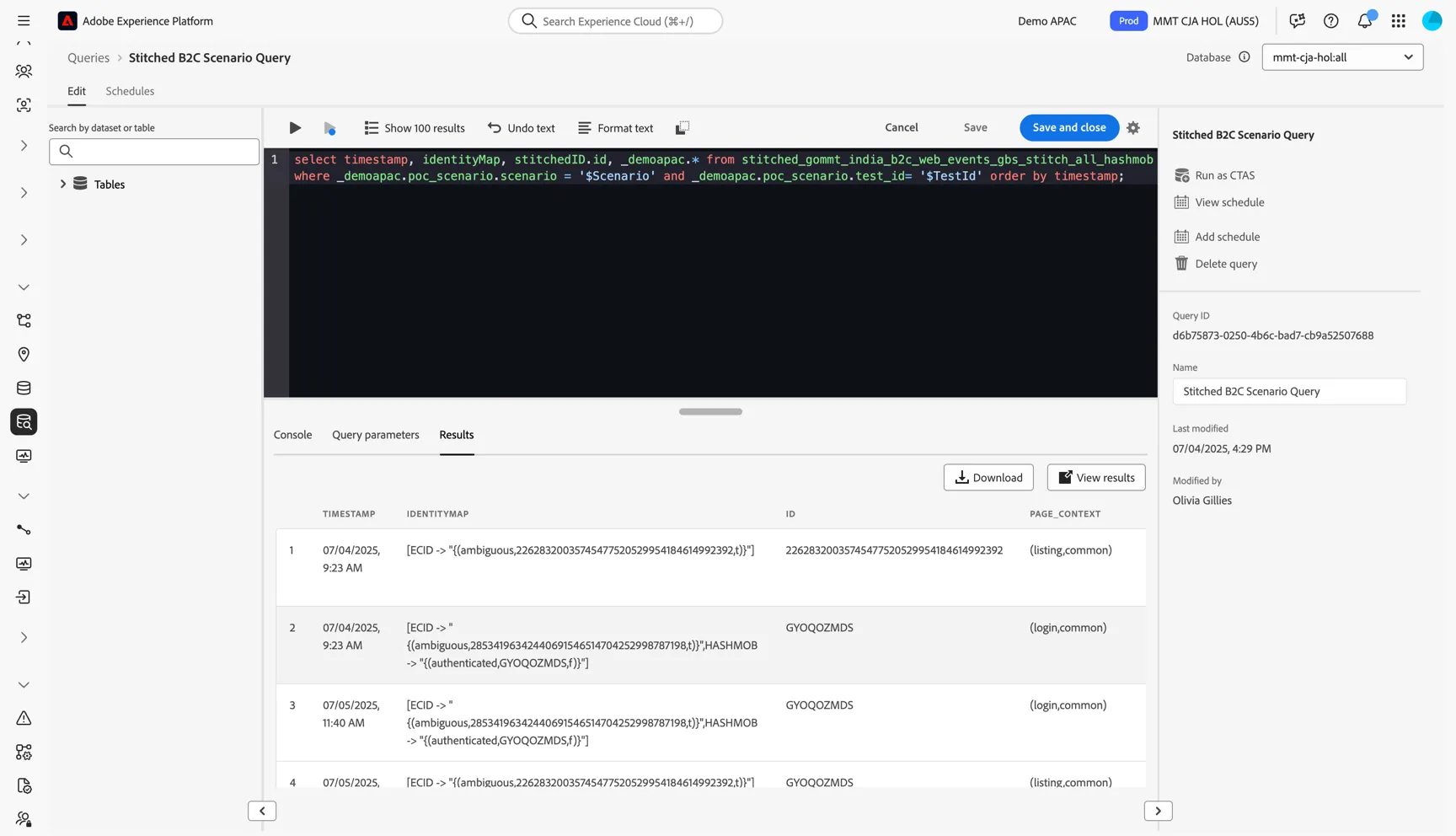
Click to open the Stitched B2C Scenario Query. The query has been defined to read from the stitched B2C dataset and retrieve records for a particular POC Scenario and Test iteration using query parameters.
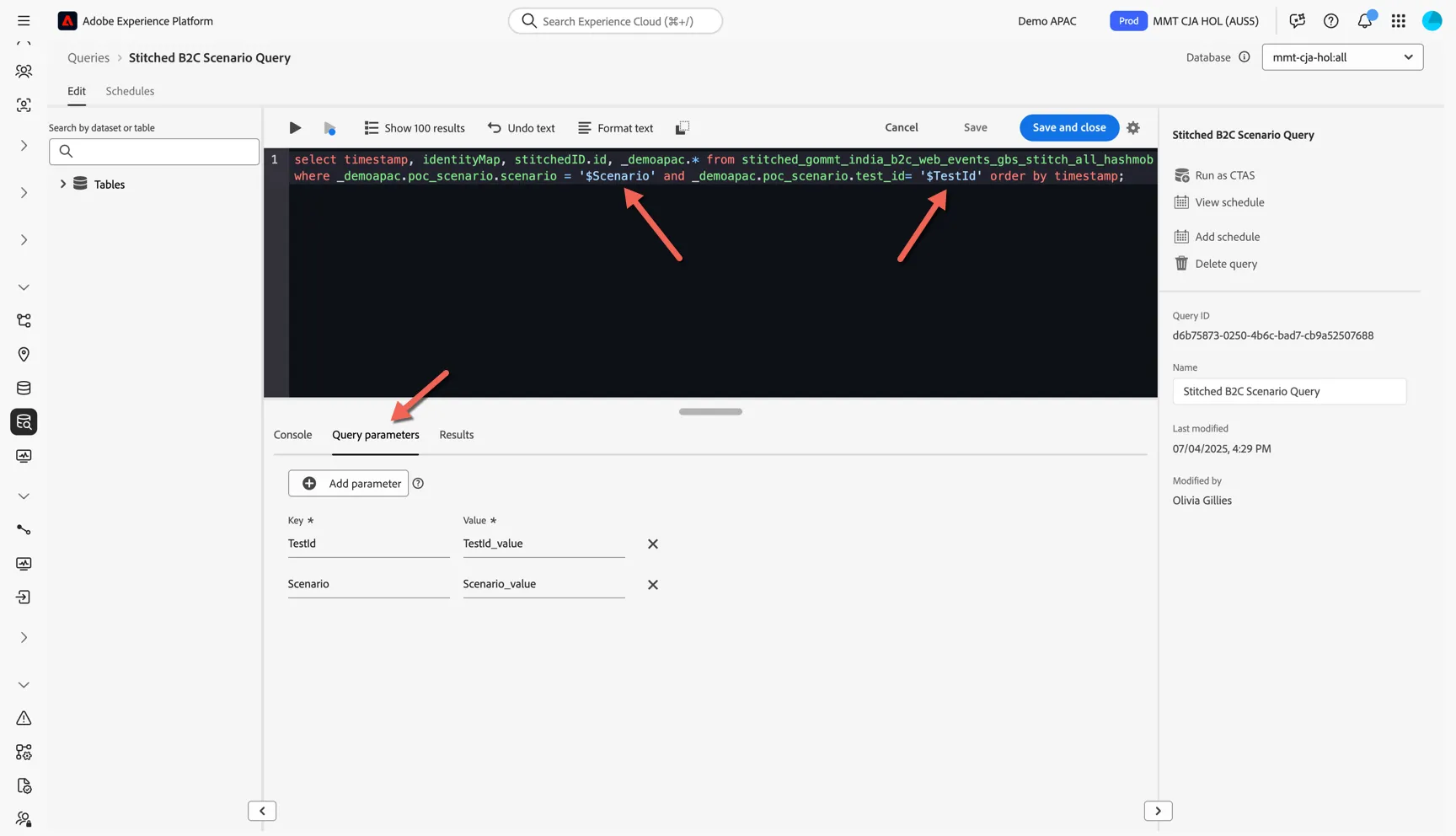
Update the Query Parameters for the test you want to query, then click the play icon to run the query.
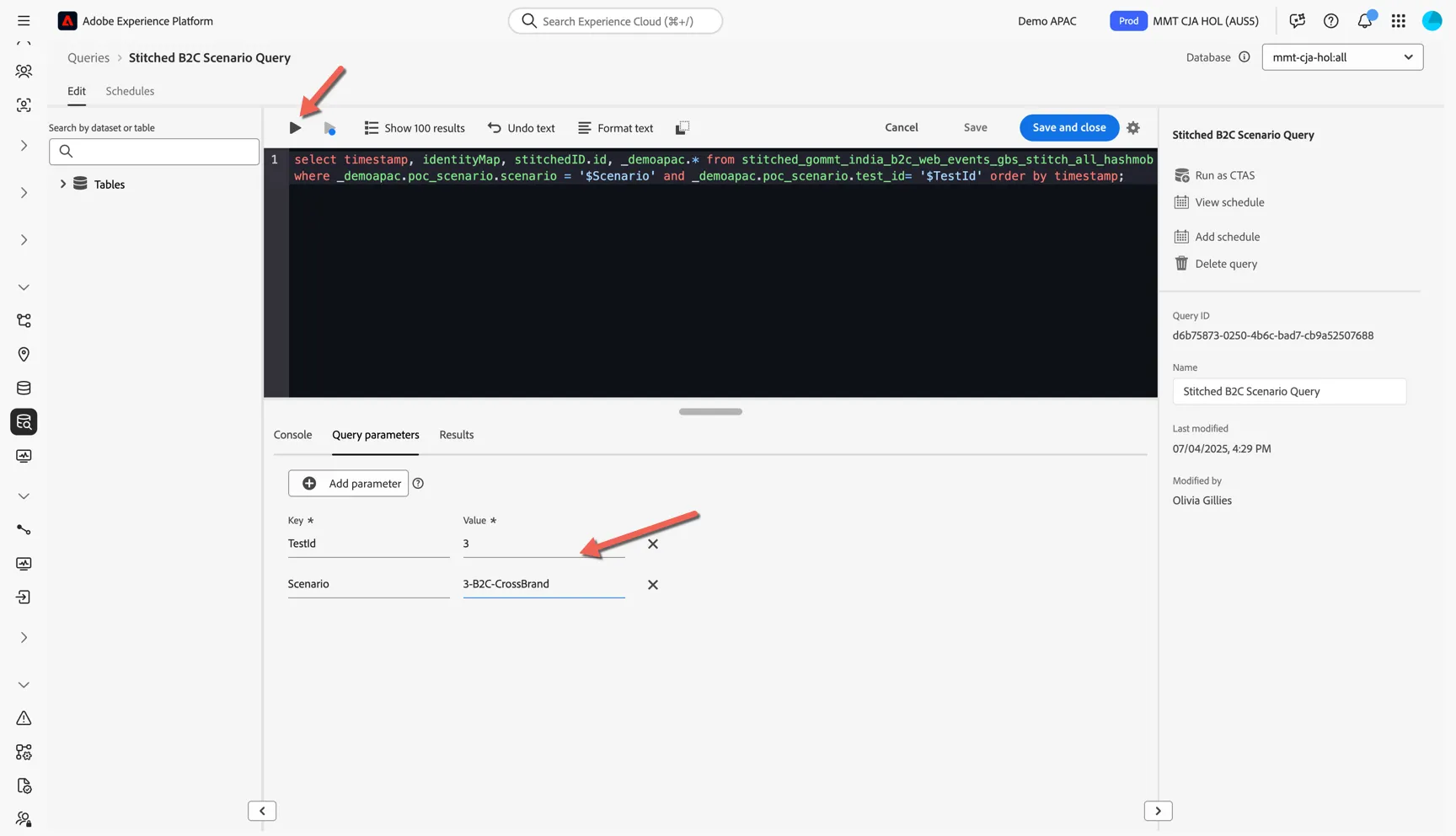
You can view the results directly in the UI or download them for further analysis.