Synthetic Events for POC
In order to send synthetic data to Adobe Experience Platform for the POC Adobe Team used a PostBuster collection combined with CSV files to load data via the Adobe Experience Platform Edge Network API.
Having Postman installed on your laptop is a pre-requisite for this exercise.
Import collection and environment files
Download the following 2 files to your laptop
Open postman and click to Import
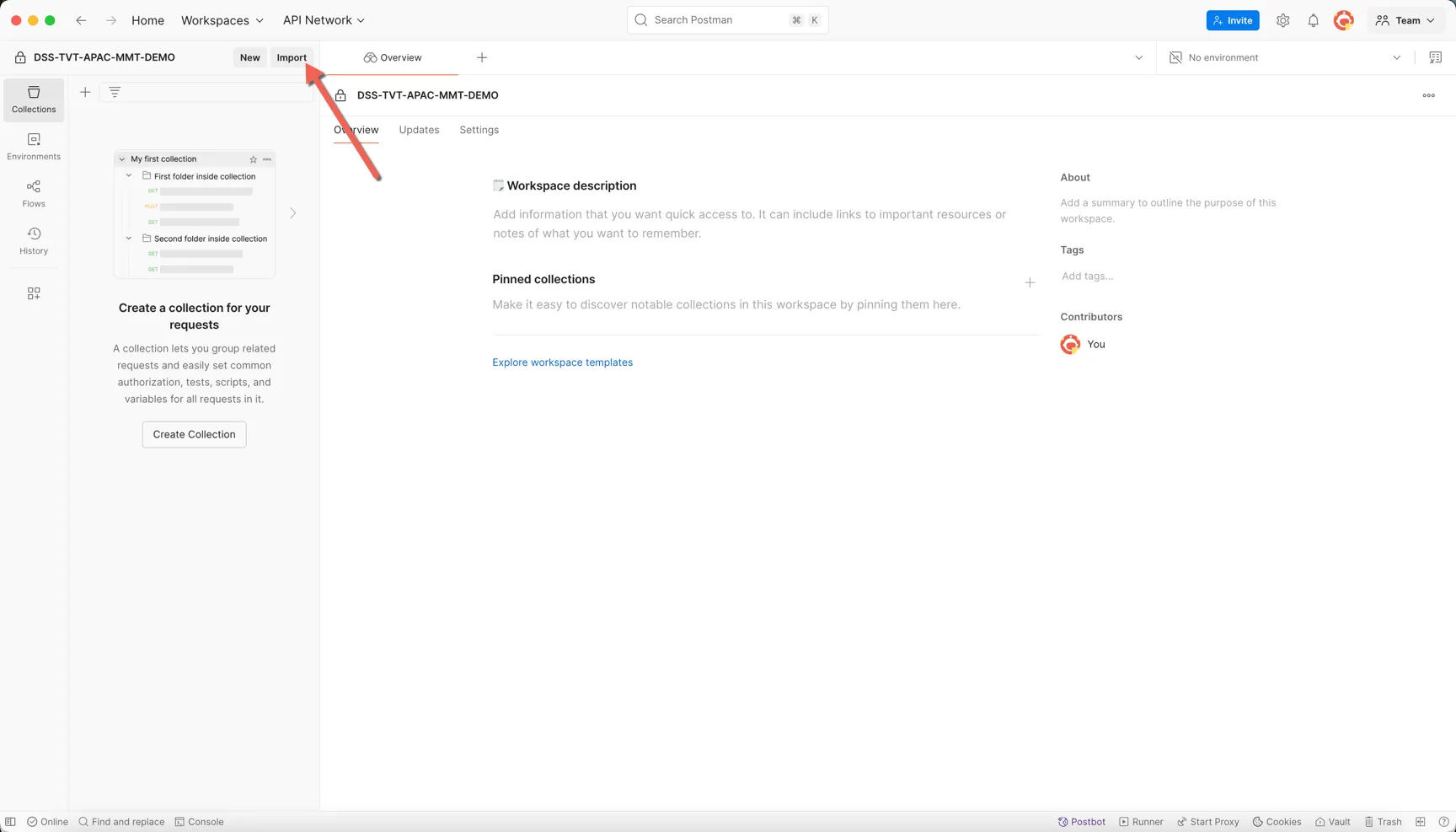
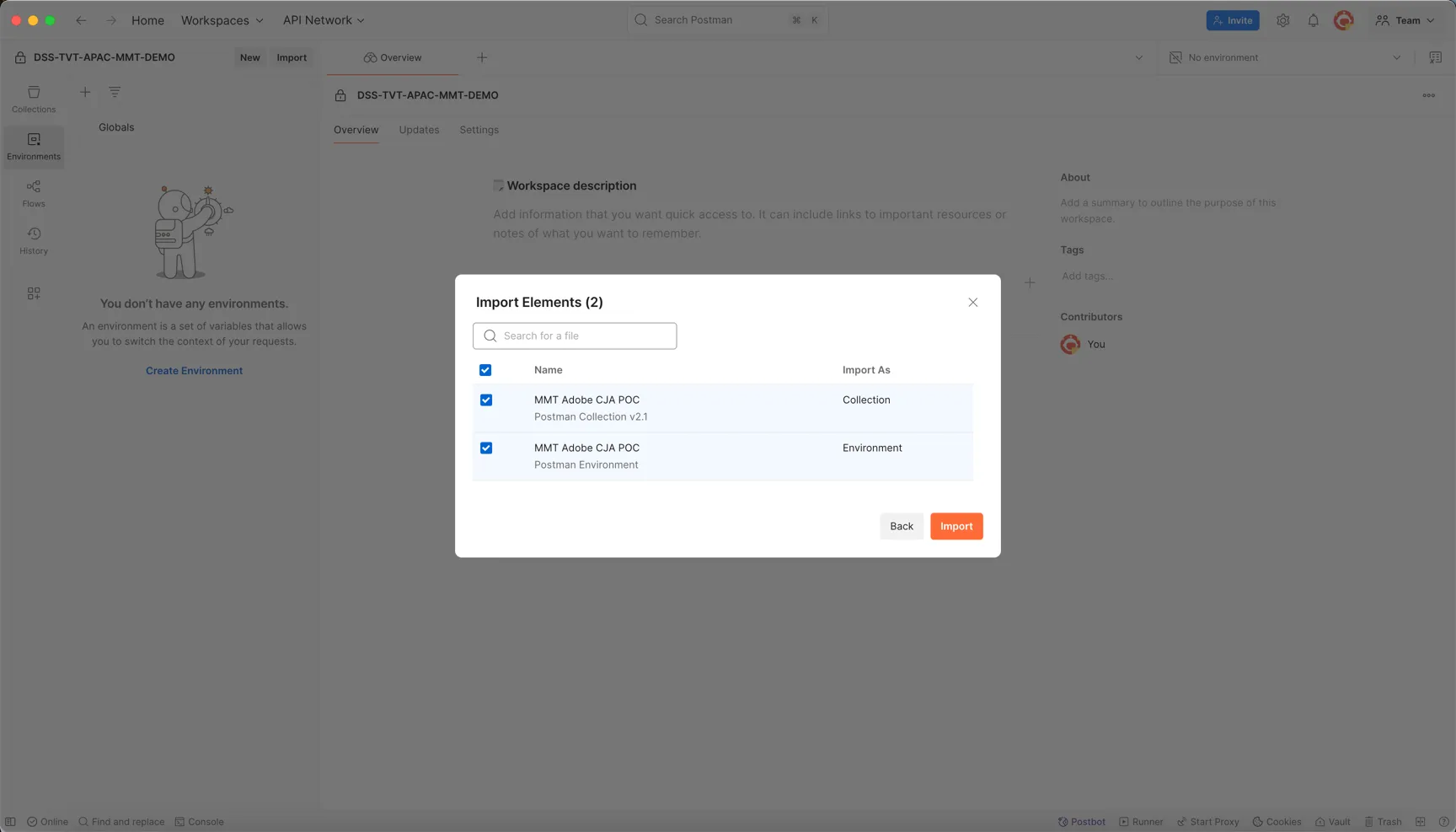
Select or drag both files from your laptop, then click to Import
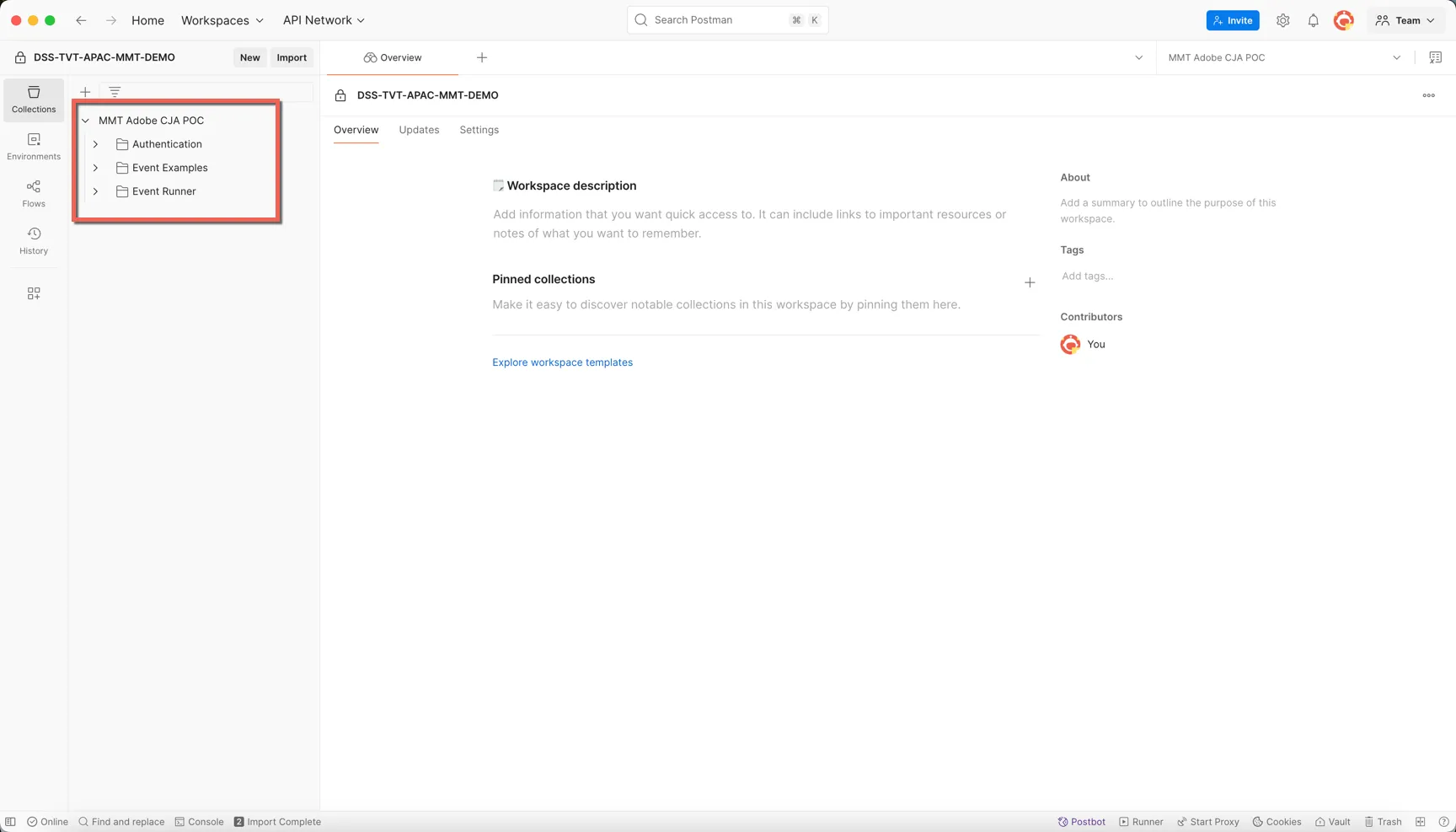
You should now see a new collection named MMT Adobe CJA POC. It should have 3 folders within it.
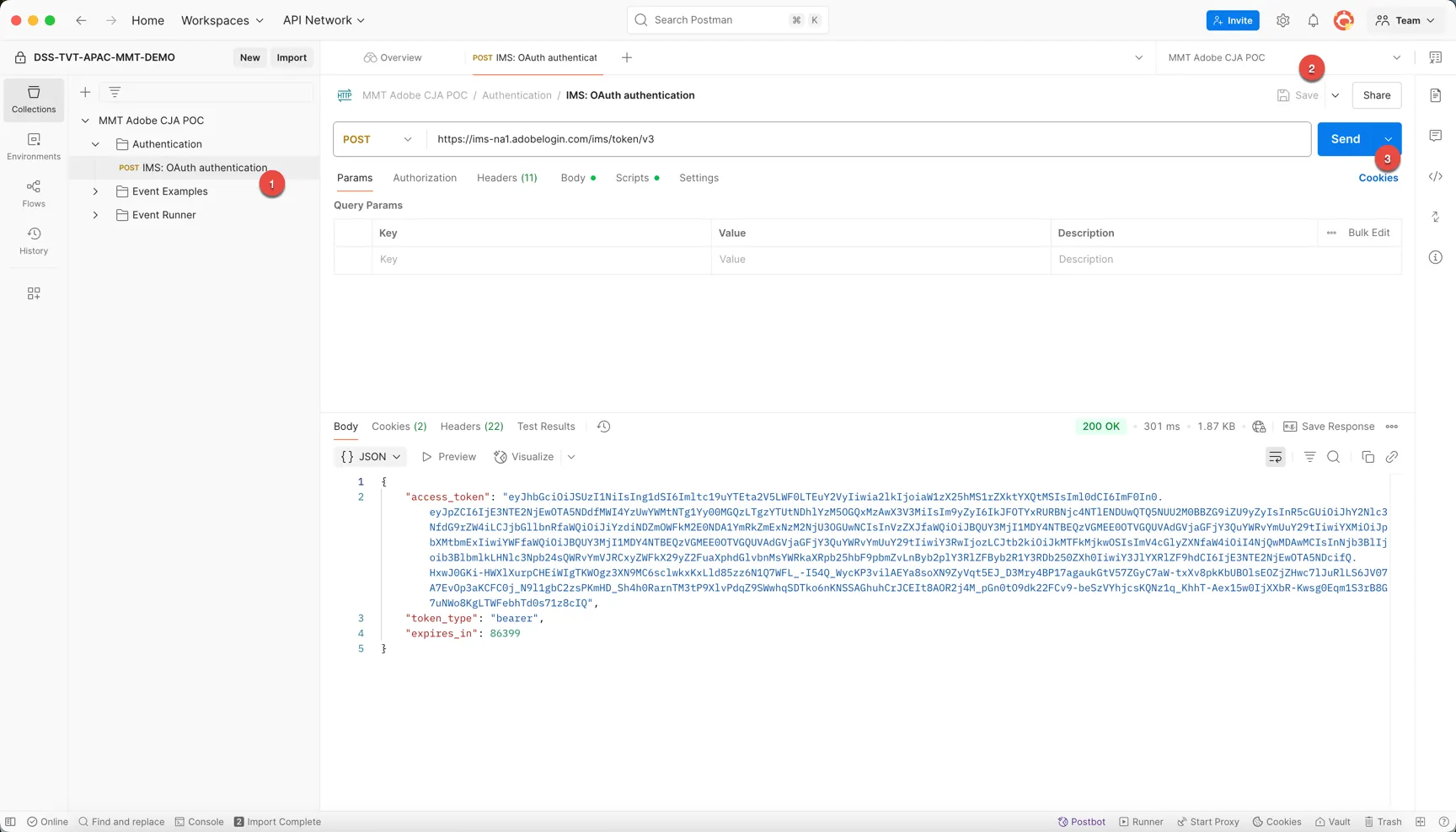
Generate Access Token
In postman:
- Open the API request in the Authentication folder
- Set the environment file to MMT Adobe CJA POC
- Send the request
You'll see an access token returned - this will be automatically added to the environment file for re-use in the other API calls by the post script.
Run a sample request
An example API request is provided for each of the 3 business units included in the POC - MMT India, Go Ibibo India and MyBiz.
Open any of the requests in the Event Examples folder.
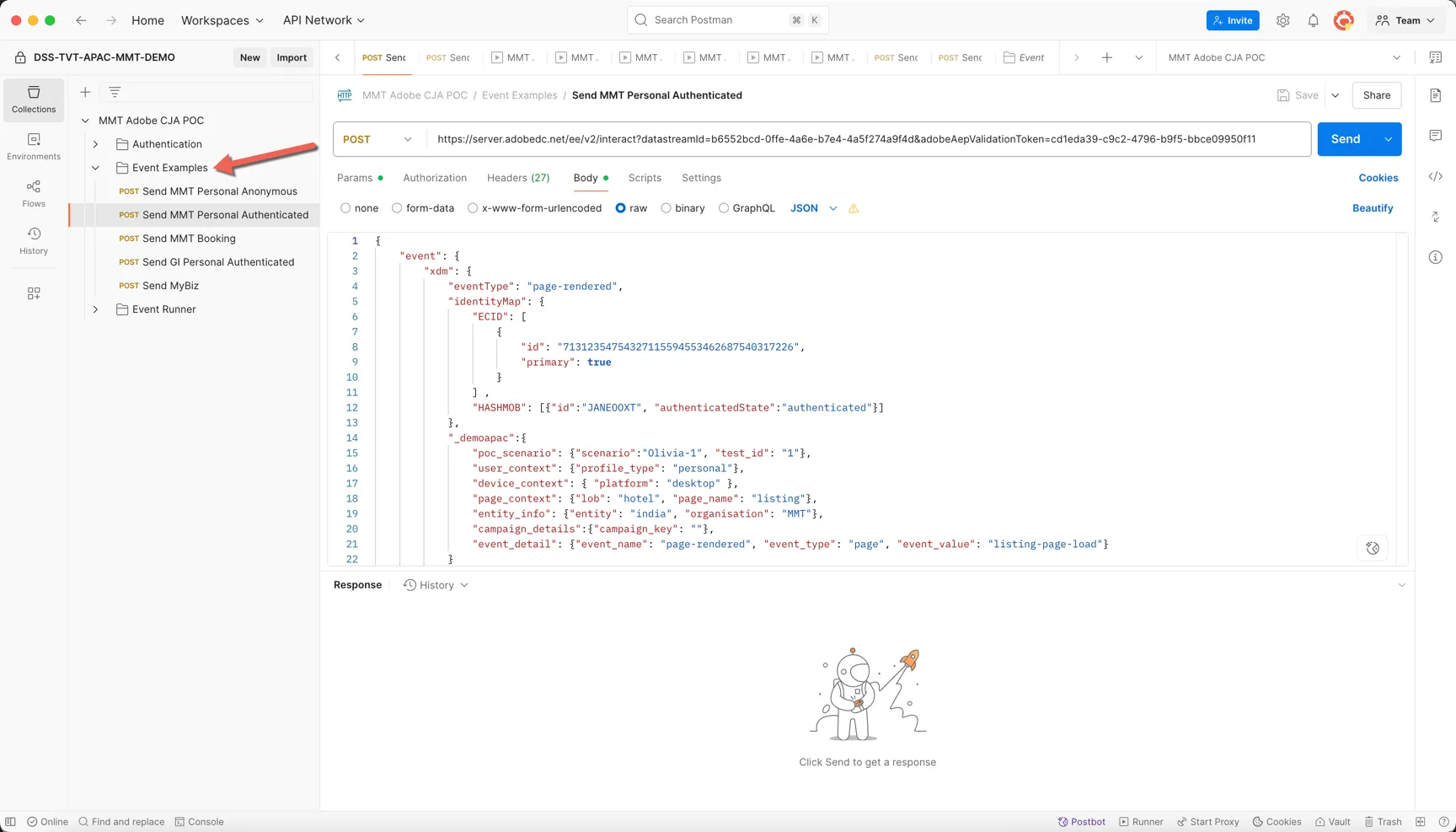
Take note of the identityMap object, this is where we define the customer id's that the event will be attached to. Update the ECID and the mobile or email identity on an authenticated request to make yours unique.
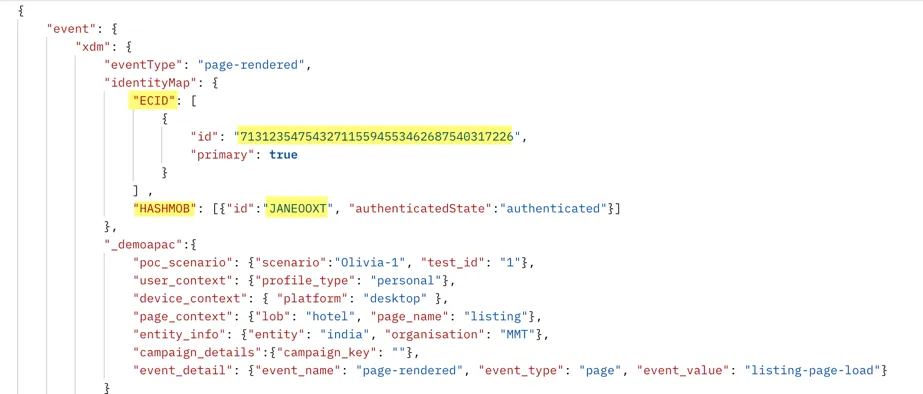
Update the Scenario name and Test Id to also be unique to you. Use your firstname for example as scenario. This will let you find your test events again easily.
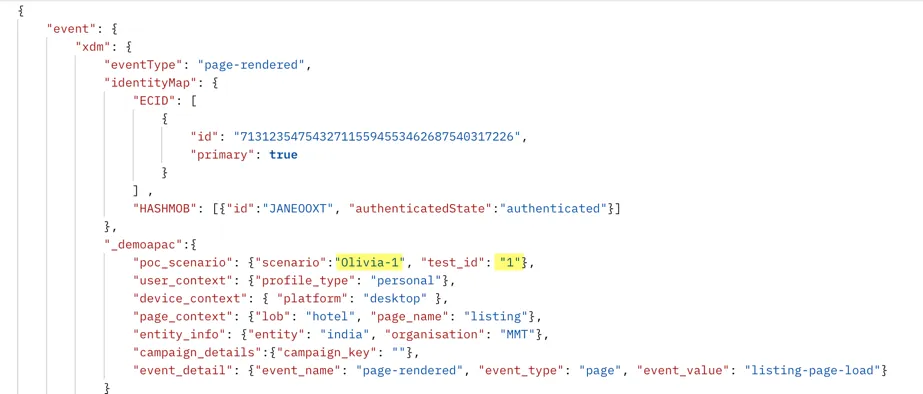
Click Send, the API should return a 200 status to indicate the event was successfully received by the edge network.
Use Assurance
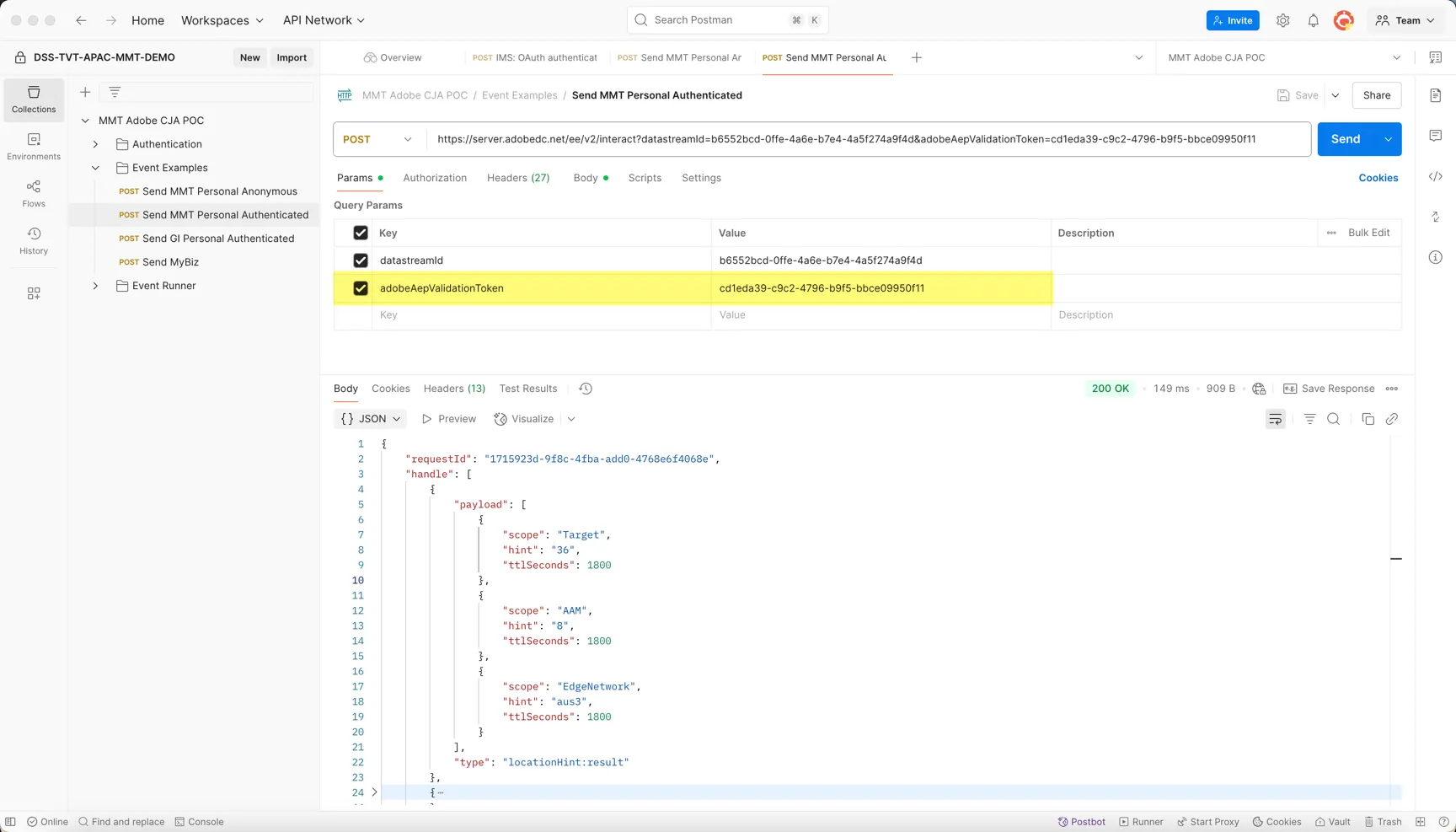
Processing of the event happens asynchronously on the edge, we can view how the edge has processed the event using Adobe's Assurance system. There is an adobeAepValidationToken parameter you can send in the API request to attach the event to an active assurance session.
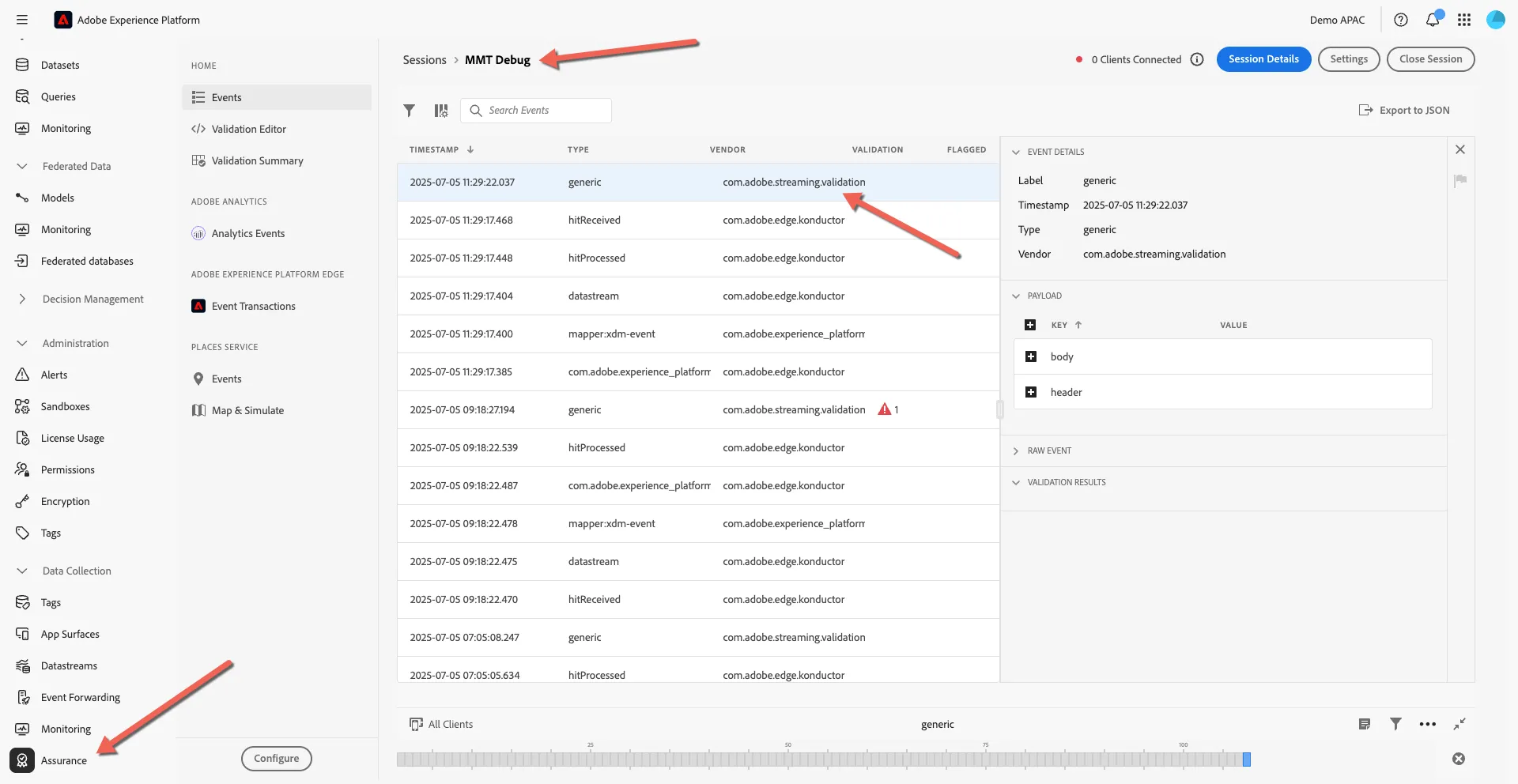
When used, you can view the event and the processing through the Adobe Experience Platform UI. Navigate to Data Collection -> Assurance and open the connected session.
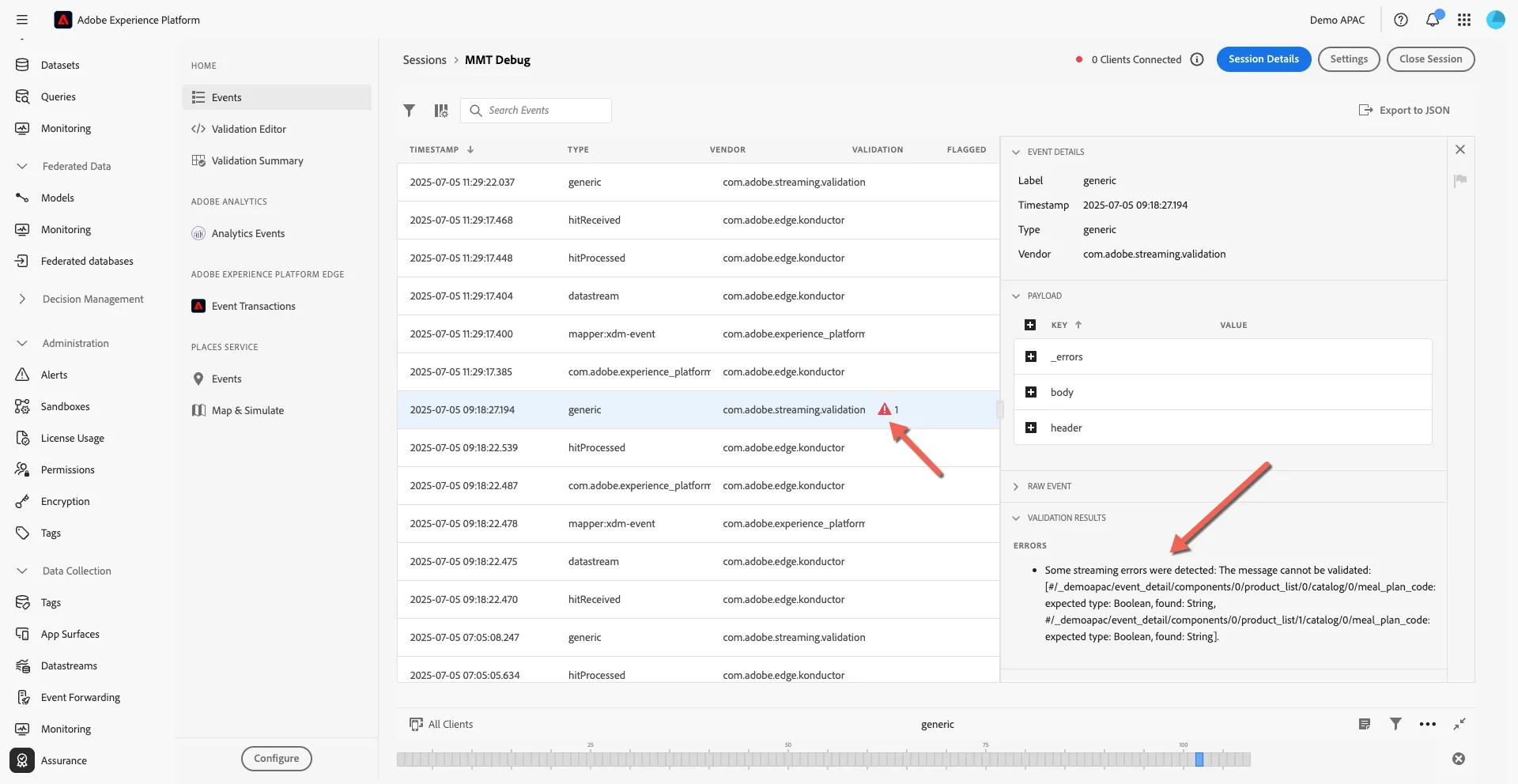
If the event fails validation you will be able to see the error here:
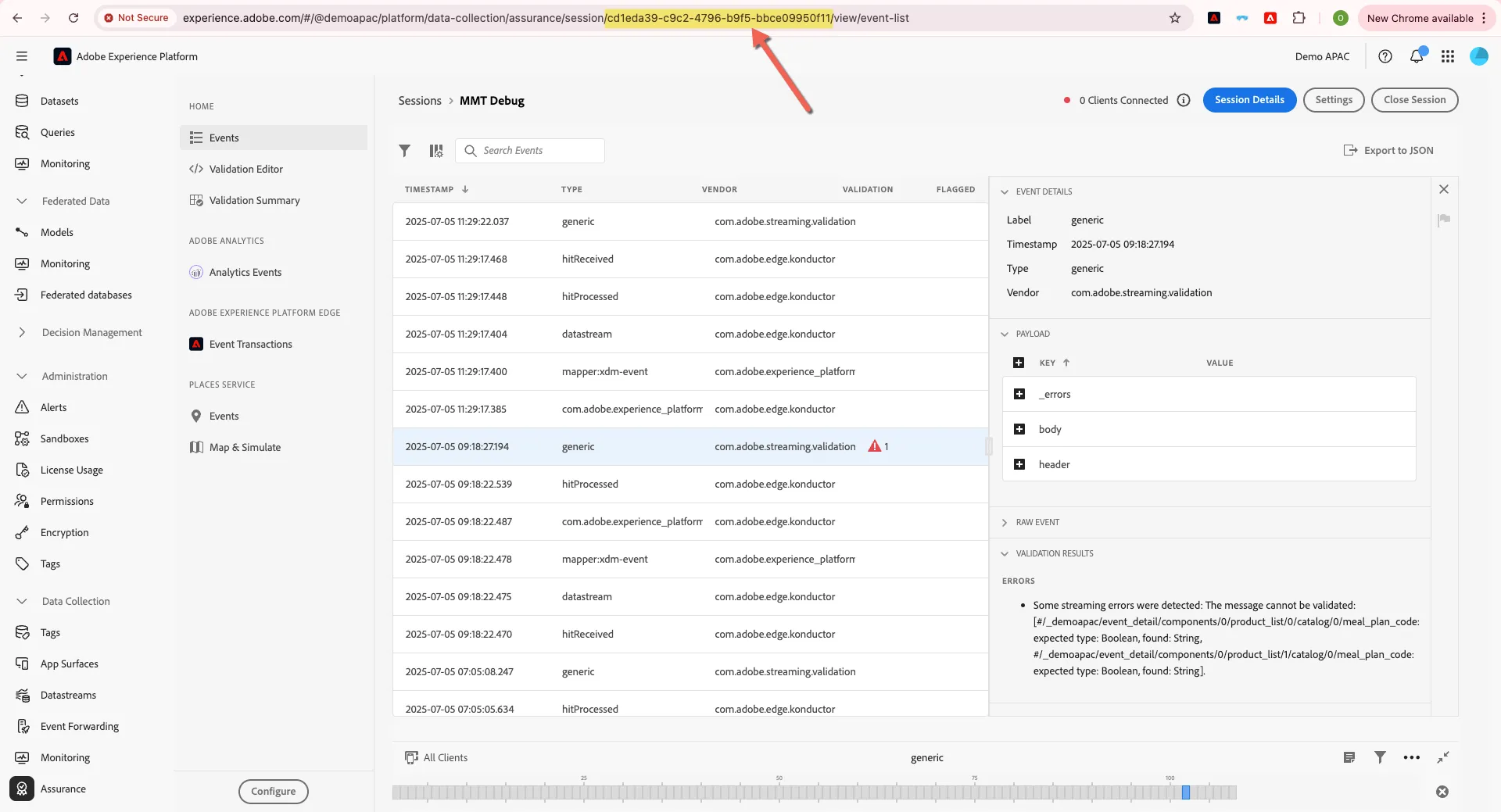
If you start a new session you can retrieve the session id to add to your request parameter from the browser URL:
Run Collection
The next step is to generate a series of synthentic events in a CSV that we will load using the event runner through postman.
The variables for each event are defined in the CSV:
Column Name | Example | Description |
|---|---|---|
Scenario | 1-B2C-CrossDevice | Name of the POC Scenario the event is part of |
TestId | 1 | Numeric iteration number of the POC scenario |
ECID | 36993999287663910406866681670210752371 | Value for Adobe's cookie ECID - synthetic for POC. Must be 38 character string of numbers. |
iousjdloqwer | Value for hashed mobile - synthetic for POC | |
Mobile | STOV10IAFRR | Value for hashed mobile - synthetic for POC |
BU | MMT | expected values MMT, GI or MyBiz. If MyBiz requests are routed to secondary dataset. |
UserContext | personal | expected values personal, business |
CampaignKey | CRM | marketing channel |
Platform | desktop | expected values desktop, pwa, app, mobile |
LOB | hotel | only hotel used for POC. |
PageName | listing | |
EventType | page | |
EventName | page-rendered | Added to custom event name field as well as adobe's default eventType |
EventValue | listing-page-load | |
Entity | india | |
BookingId | BMMT3123 | If populated an order event will be recorded. Bookings are deduplicated using this id. |
BookingStatus | success | |
BookingPrice | 1400 | Numeric price of the booking |
You can download a sample file here:
Edit the variables in your file as desired.
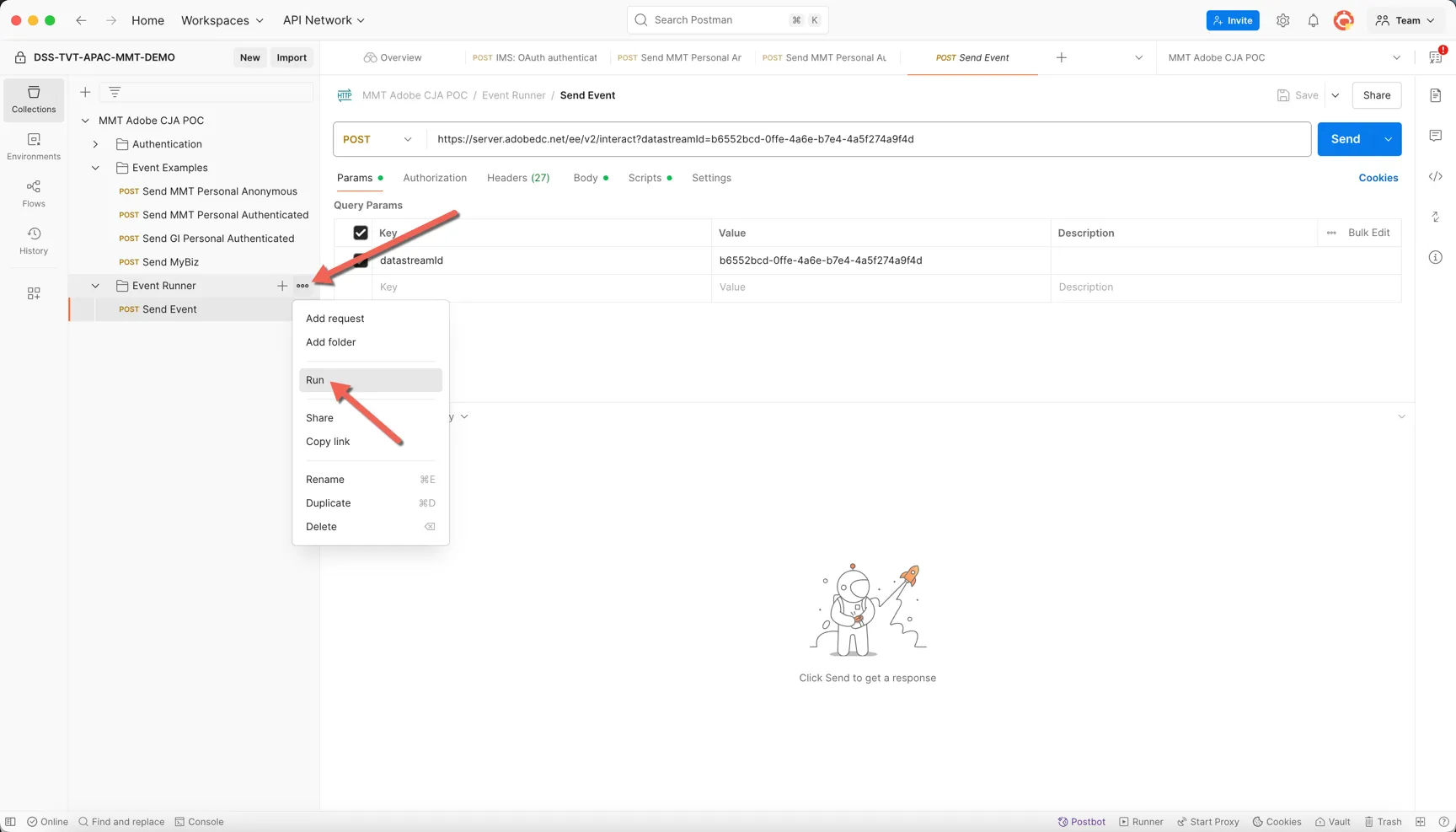
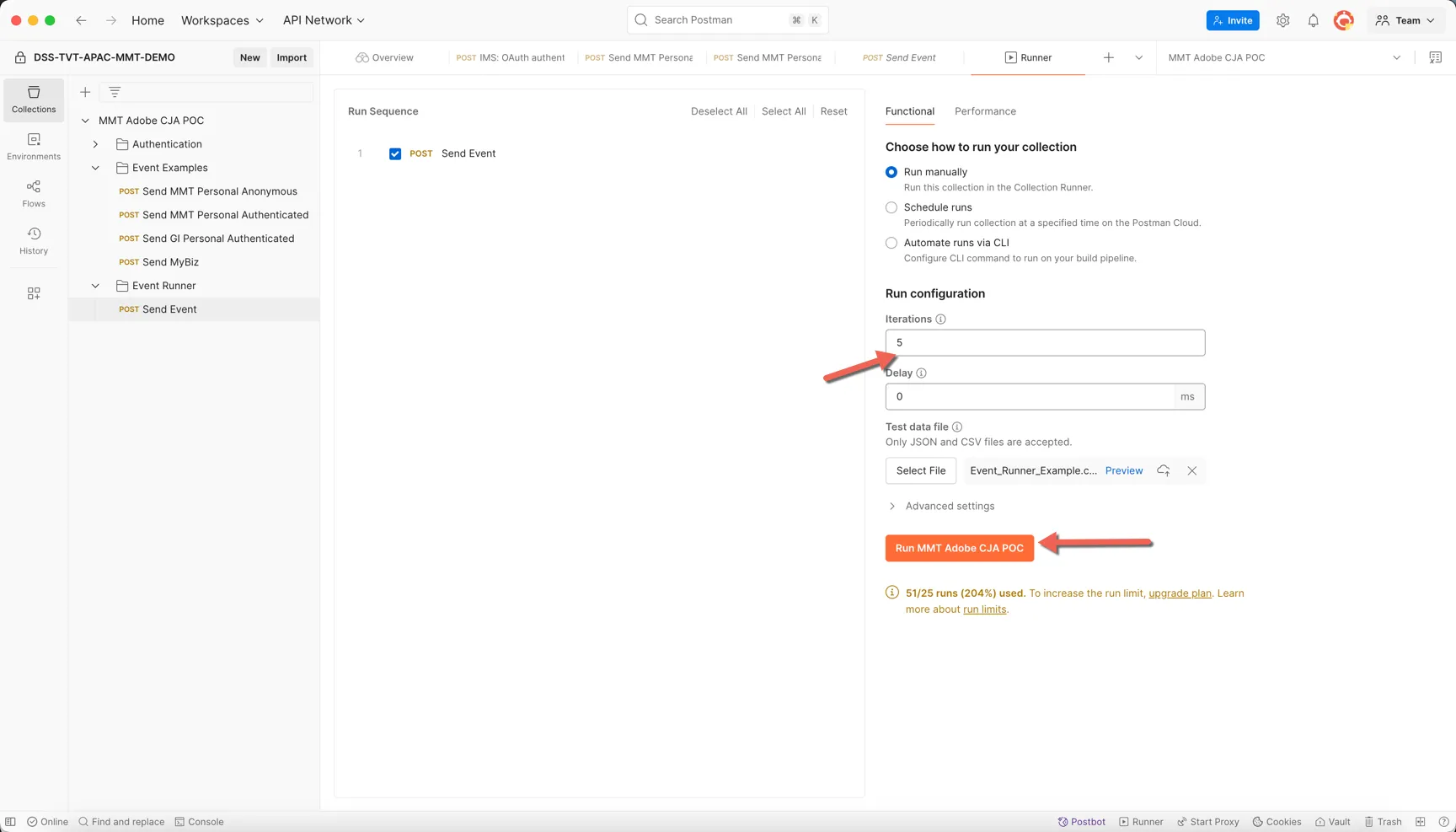
To ingest the list of events you've defined, right click on the three dots to the right of the Event Runner folder in your postman collection. Then select Run.
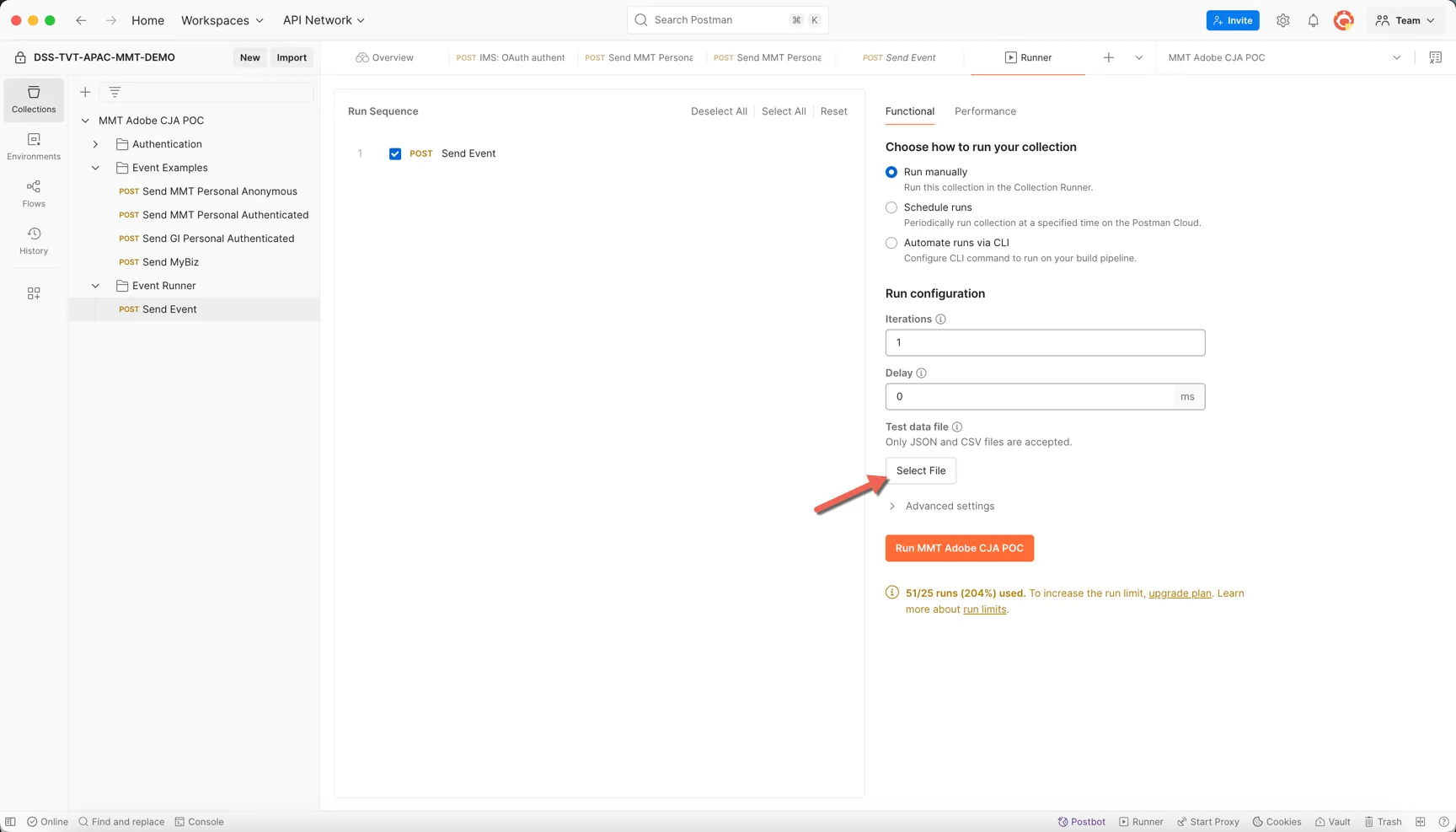
In the event runner, click to Select File.
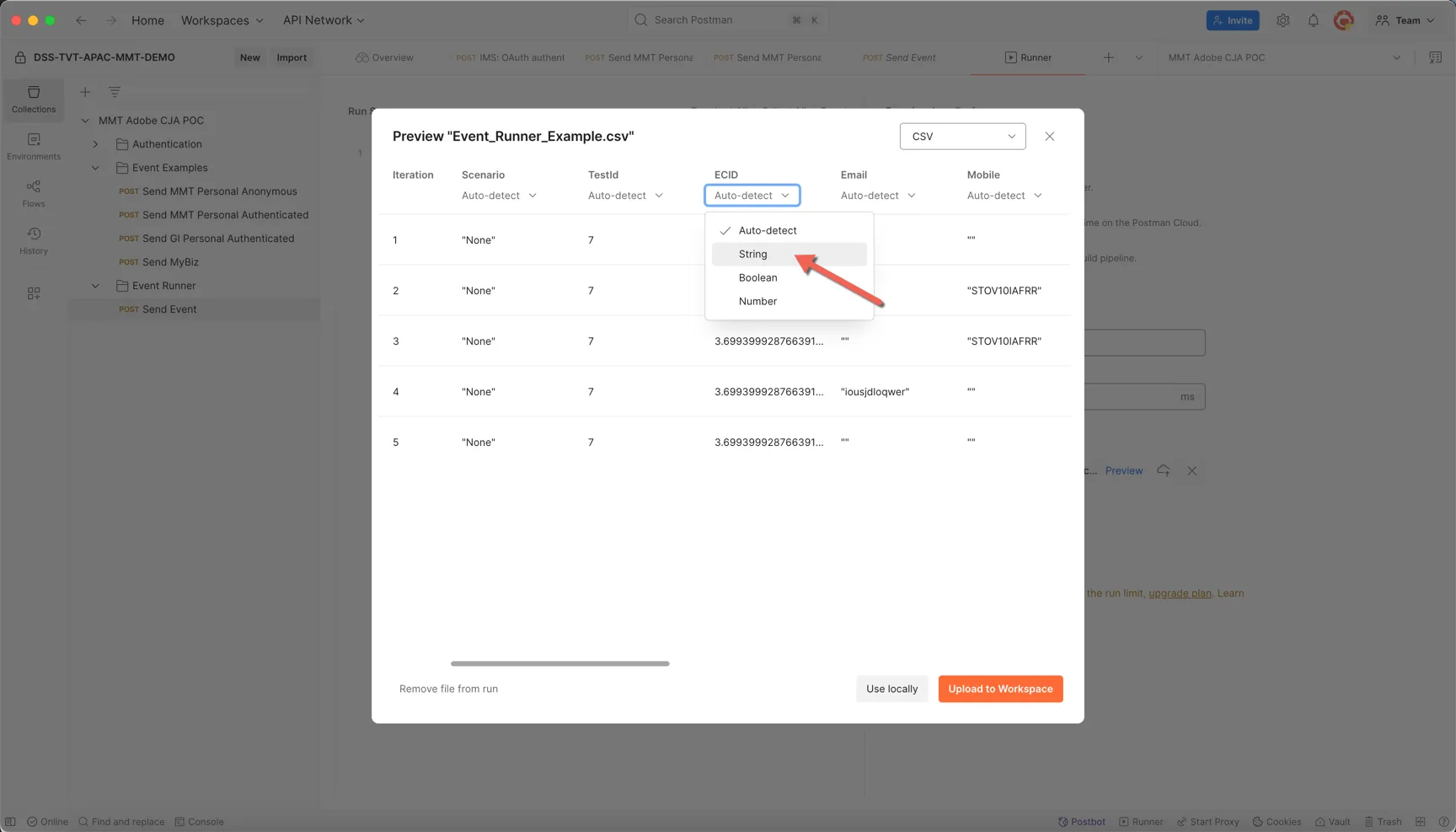
Add your CSV file, in the Preview change the data type for the ECID column from Auto-detect to String.
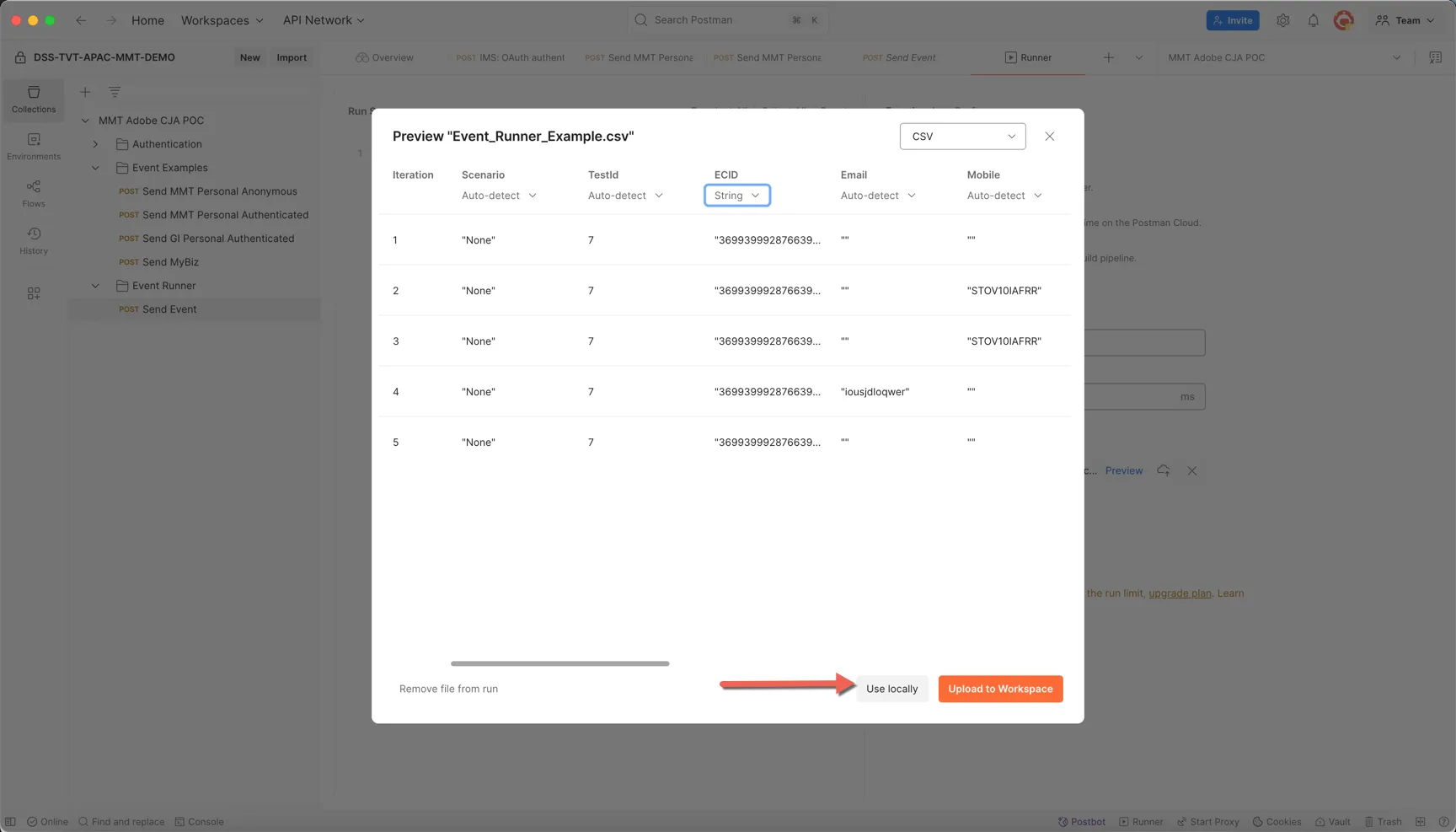
Select to Use locally.
The iteration number will increase to the number of rows in your file. Check this and then click to Run the collection.
Each iteration should show a 200 response code. You can expect the response and the populated request in the panel on the right.
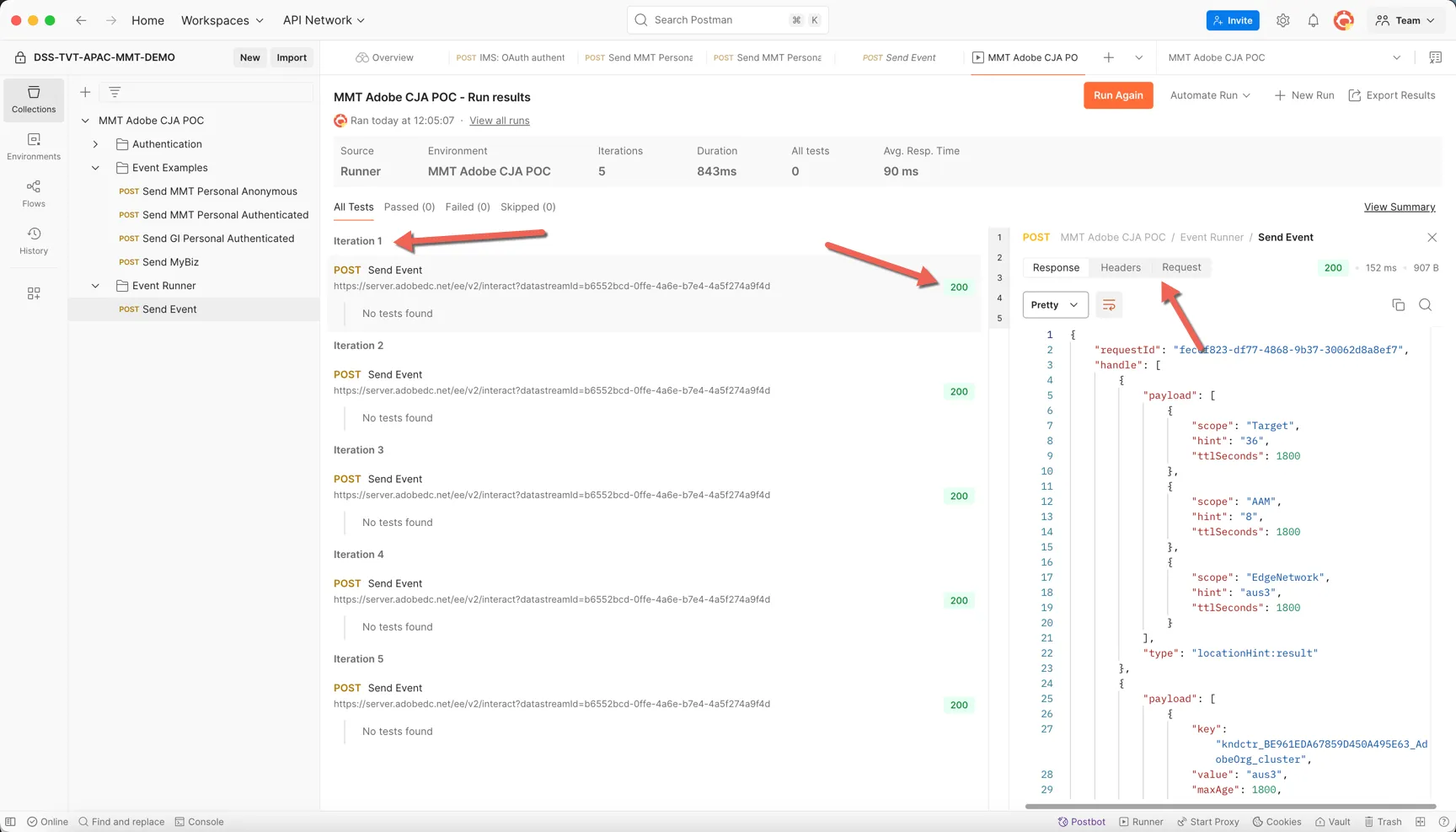
Congratulations you've ingested your first sequence of synthetic events for CJA. You can start to design new sequences and ingest them when desired using the same approach over the next few days.