Create a Ranking Formula
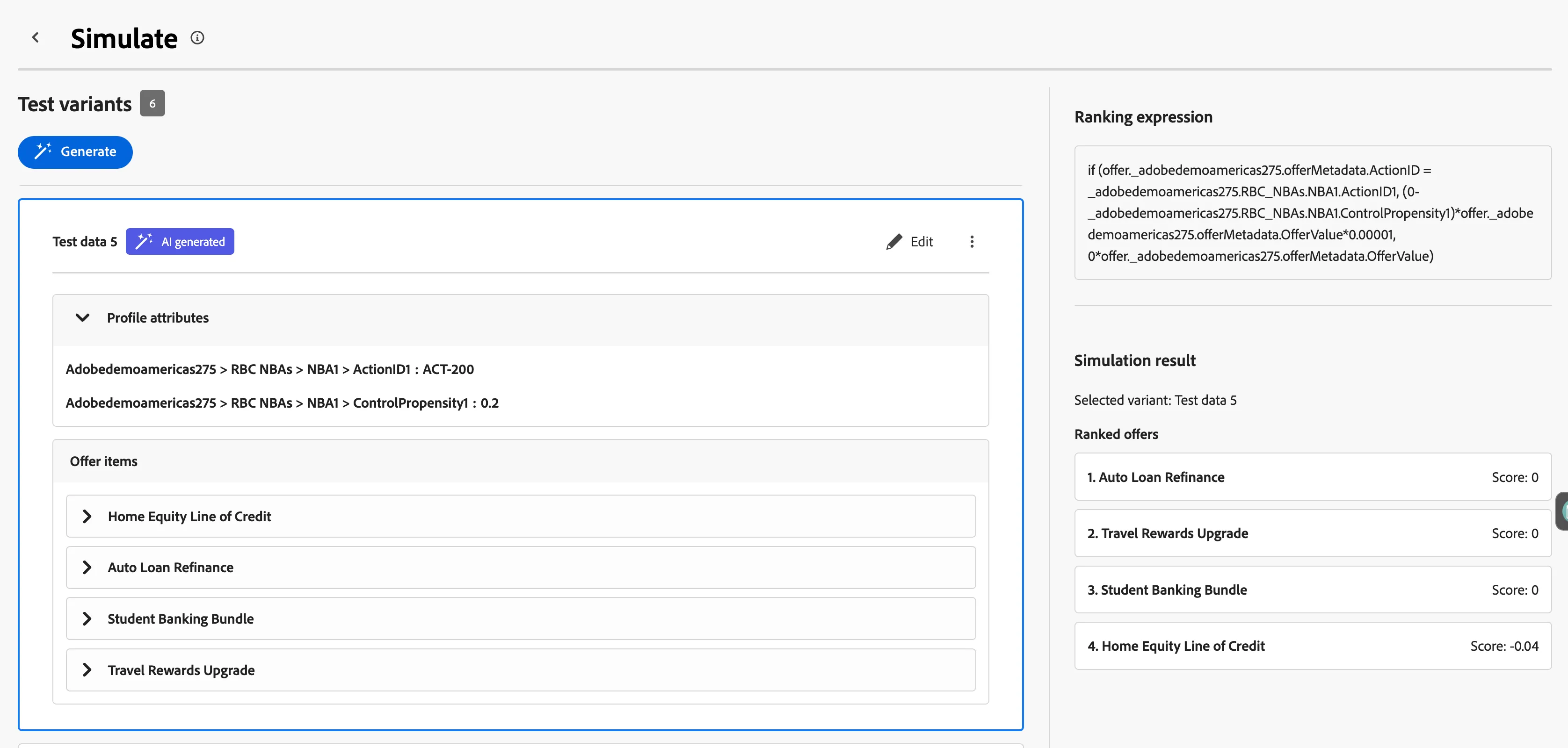
Ranking Formulas are the final step of selected eligible items from a collection. Formulas can use profile, context data, offer item data, audience data, owned Adobe Model score, or a business determined priority score. We are going to create a formula that allows to deprioritize an action the customer is already likely to take without intervention. —for example, avoid spending an incentive or prominent placement where it may not change the outcome. The formula as written calculates a negative penalty.
We will be using the Offer Control Propensity on our profile's NBA scores and the Offer Metadata field Offer Value
Navigate to Formulas
- From the Strategy Setup menu click Ranking Formulas
- Click create formula
- Provide a name to your formula: RBC | Boosted Interrupt - INITIALS
Add a Formula Criteria
Specify decision items (This determines which items will be ranked):
- Click where it says: Click to create a decision item...
- Click Select Attribute: Offer Metadata/Classification > ActionID
- Click the Magnifying Glass button
- Similarly to the rule, select on profile attributes > _adobedemoamericas275 > RBC NBAs > NBA1 > ActionID1
In English: This just matches any offer available with the profle's NBA. If we have a match, then we move down below to assign the ranking score.
Create Expression to assign a ranking score (This determines the final ranking score to use)
- Copy this expression:
(0-_adobedemoamericas275.RBC_NBAs.NBA1.ControlPropensity1)*offer._adobedemoamericas275.offerMetadata.OfferValue*0.00001In English:
- 0 - ControlPropensity1 makes the propensity value negative.
- × OfferValue (From Offer Metadata) weights that negative value by the offer’s value.
- × 0.00001 divides the result by 100,000.
Create expression for items that don't meet any of the criteria
- Copy and paste this expression into the editor:
0*offer._adobedemoamericas275.offerMetadata.OfferValueIn English: If no match, then just use whatever is denoted on the OfferValue as the score.
- Click Create.
Simulate a Ranking Formula
- Click on Simulate button
- Click on the Generate button
- Click Done