Schemas
Our goal is to create a schema to model the data we would ingest from a data source (Snowflake).
To do so, we will
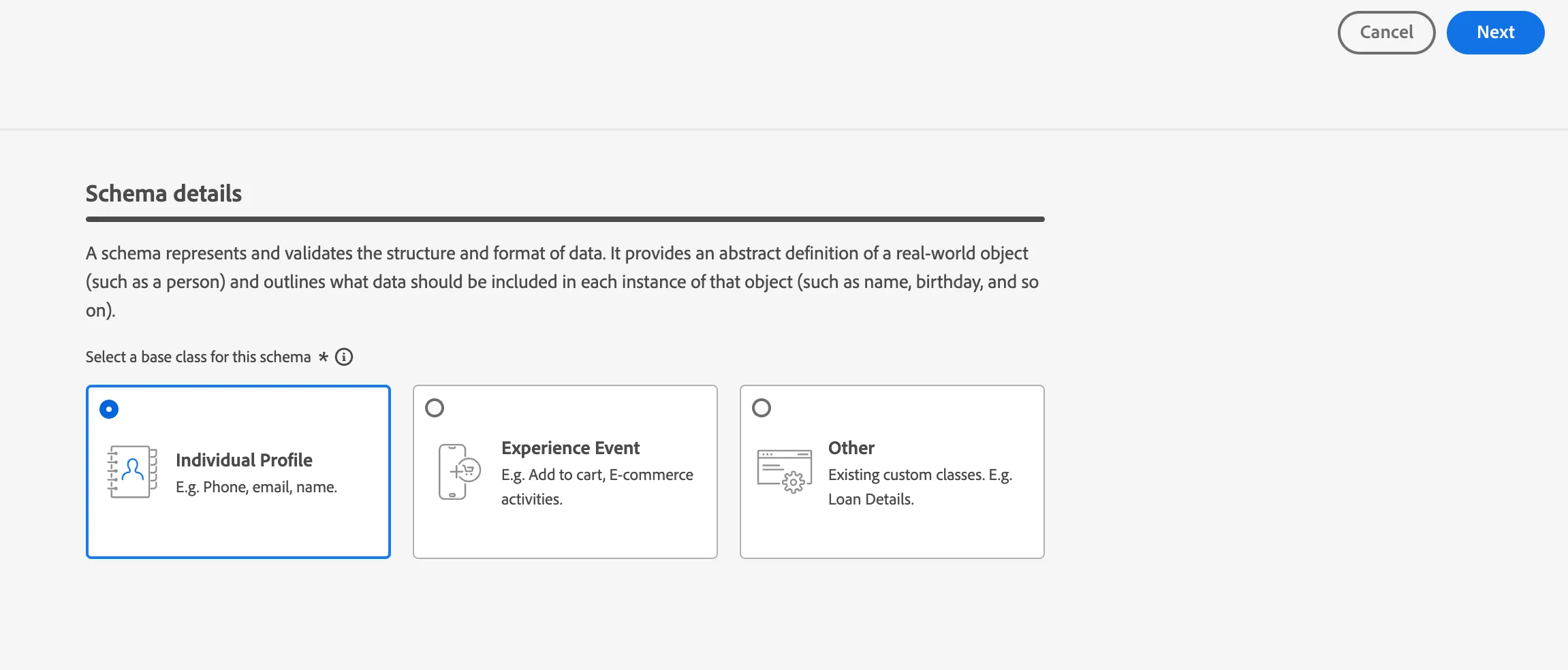
- Create a new schema using the Individual Profile class
- Add out-of-the-box field groups to the new schema
- Use custom field group to the schema which might reflect your NBA scores!
- Mark specific fields for identity
WARNING about using unique names {initials} in the following exercises!!!
Create an Individual Profile Based Schema
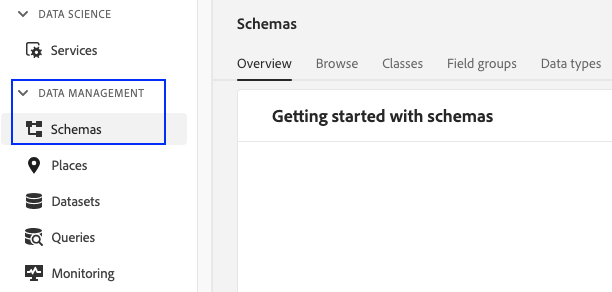
- Navigate to Schemas under Data Management in Adobe Experience Platform UI
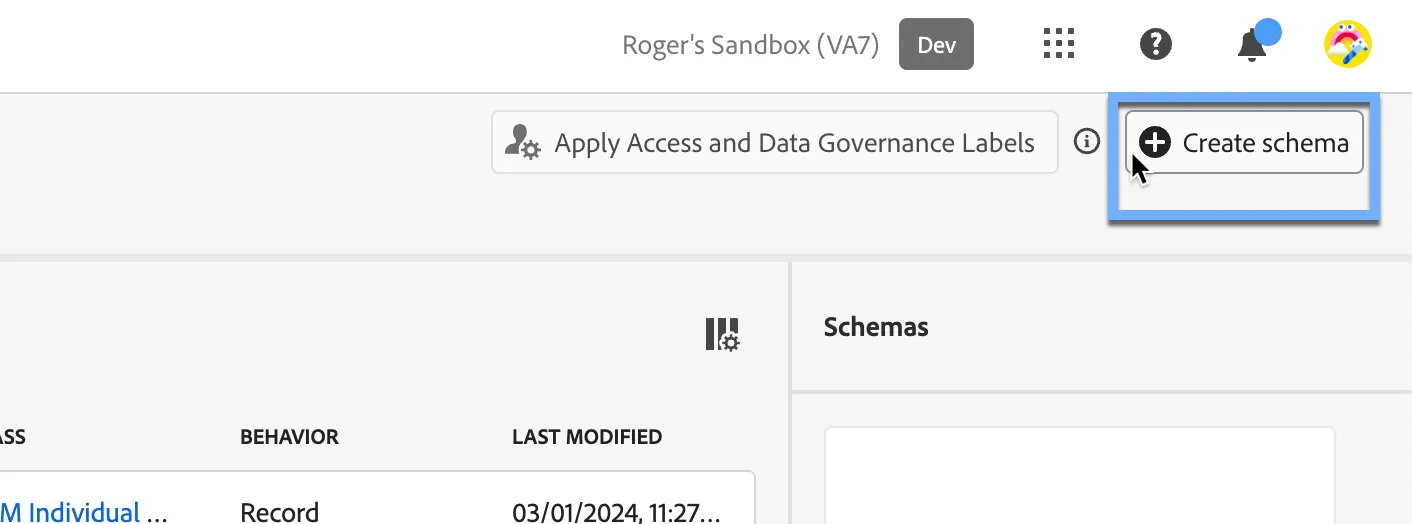
2. Click on Create Schema on the top-right of your screen. Choose "Standard" schema type. Select the Manual radio to proceed.
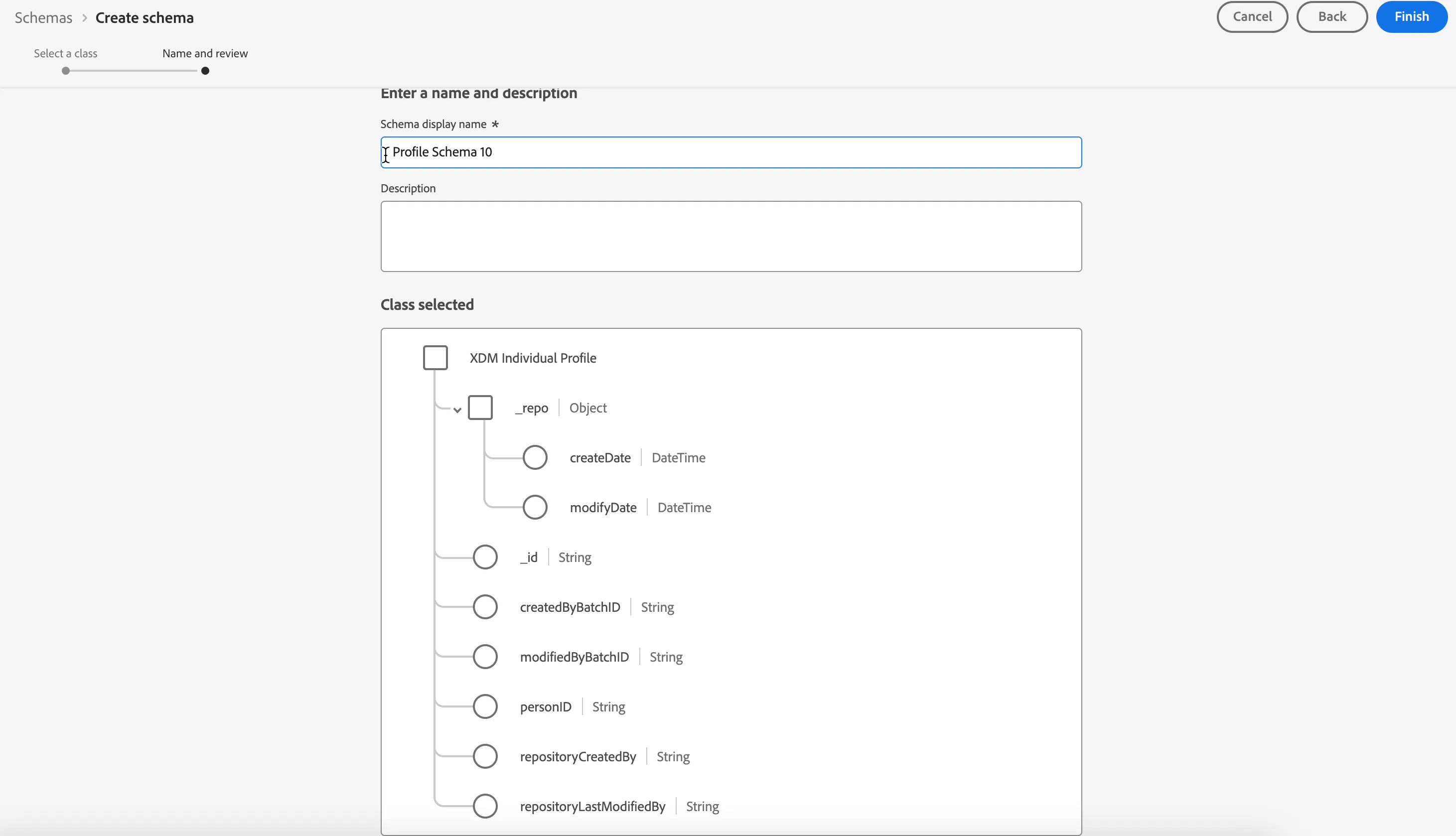
Select the XDM Individual Profile class which will introduce some basic fields to the newly created schema and click Next
Adding field groups
Extending your schema to add more custom fields requires creating or adding field groups.
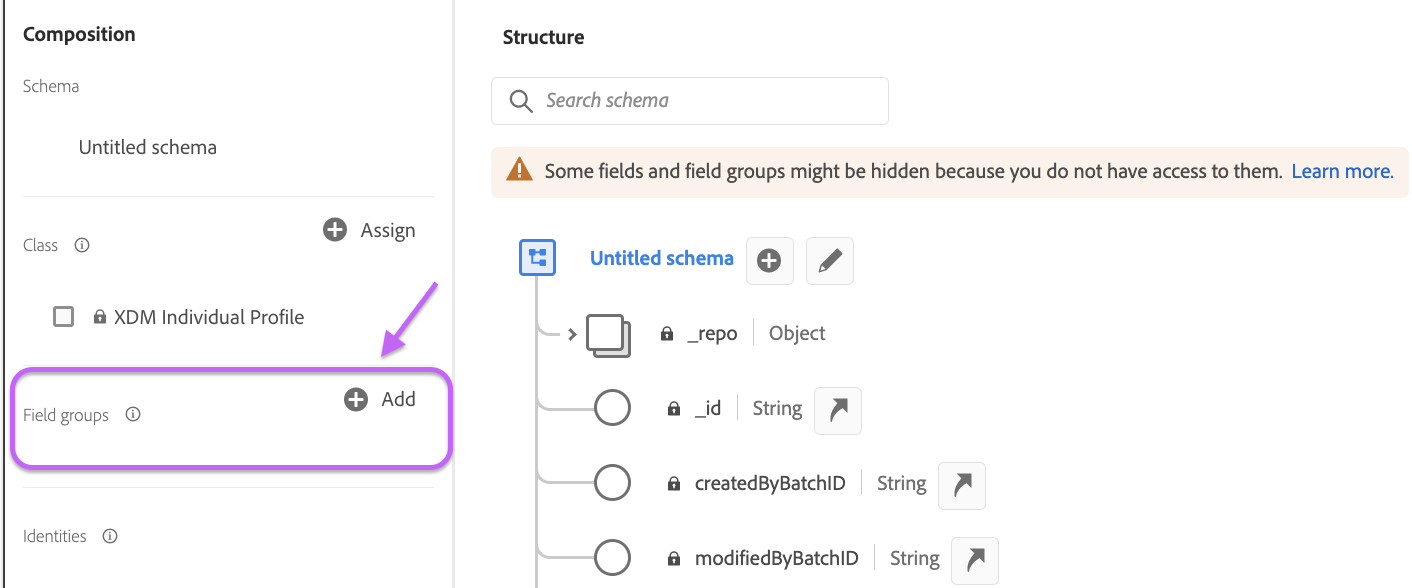
- Click on the Add icon within the Field groups section under Composition
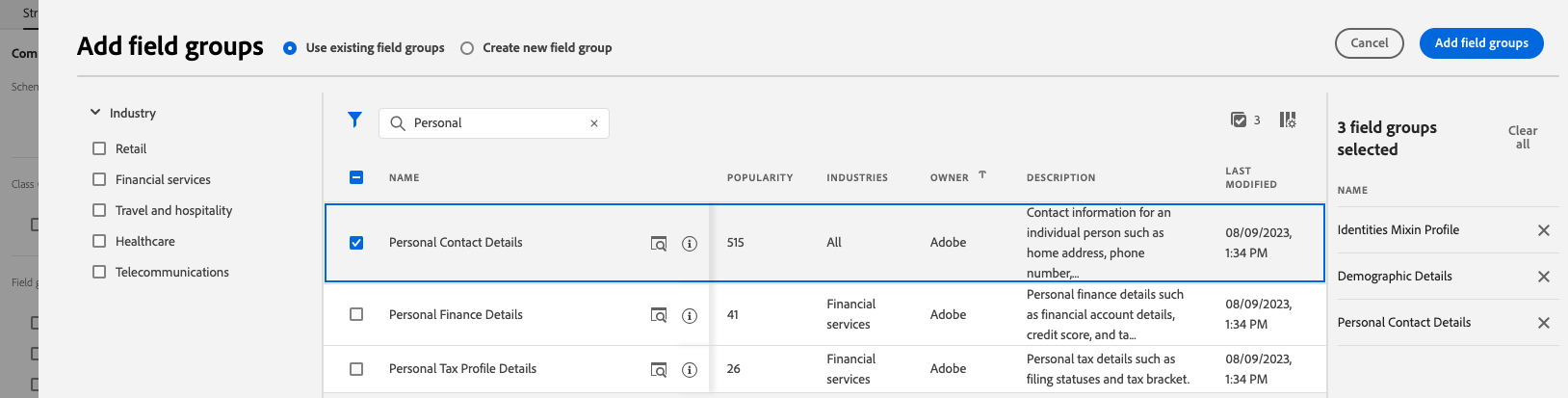
- Add these out-of-the-box field groups
- Demographic Details (search of Demo in search box)
- Personal Contact Details (search of Personal Contact in search box)
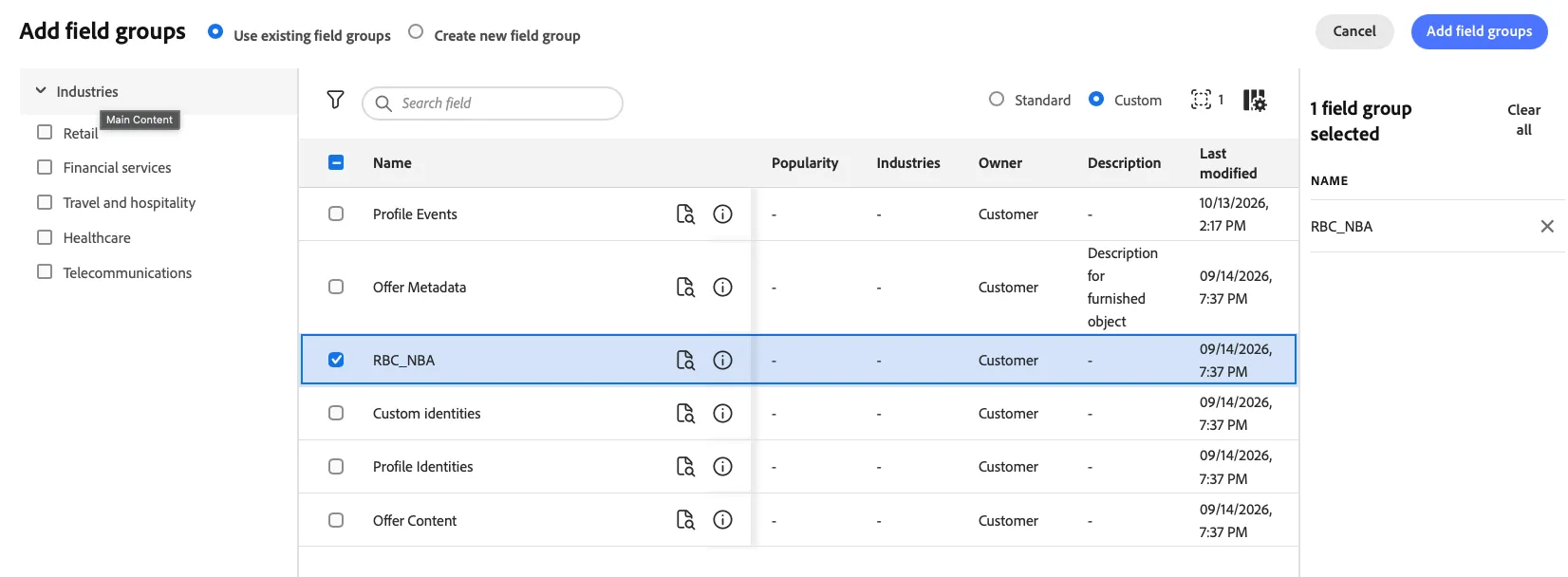
Custom field group
- Click on the Add icon within the Field groups section under Composition.
- Select RBC_NBA field group
- Repeat and Add the existing custom field group called: Profile Identities
Identities
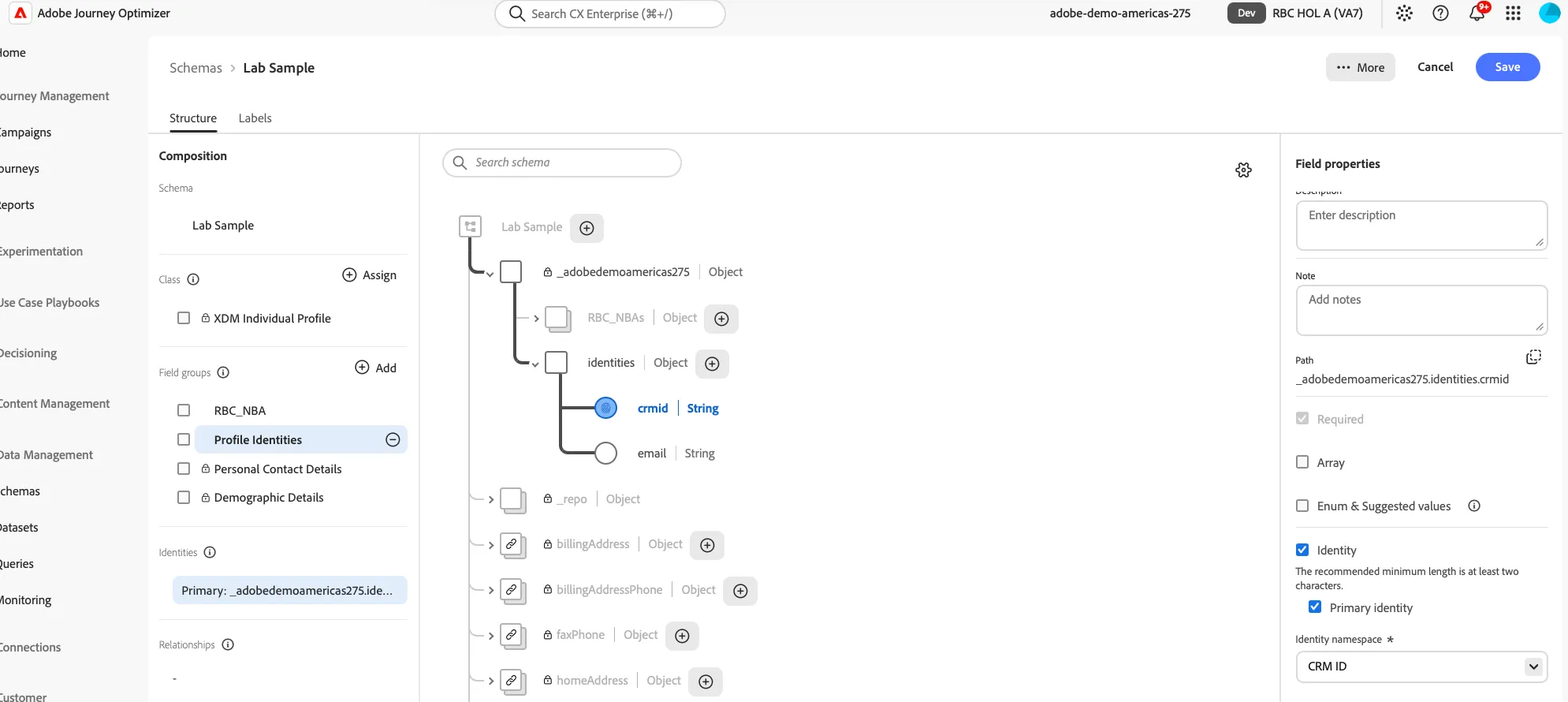
Decorating fields as identity namespaces is an important part of defining a Profile Schema. These namespace identities are utilized to create an identity map that grows as you connect multiple sources. For now, we will only work with a generic CRMID and an Email as an example for the lab.
- Click the Profile Identities field group you just added (under Field groups in Composition).
- Select the crmid attribute
- Scroll to the bottom from the right hand side configuration pane.
- Click the box Identity
- Click the box Primary Identity
- Then search for the CRM ID (At the top of the list under custom.)
- Click Apply.
- Optional: Do the same for the email.
- Click Save.
Congratulations! You have completed the Schemas exercise.