Audiences
During this exercise, we will be creating a couple of audiences. You'll be able to use some of them for a few exercises during the Journey Optimizer section.
High Wealth Customers
This first segment will utilize only Profile Attributes and different data types and operands.
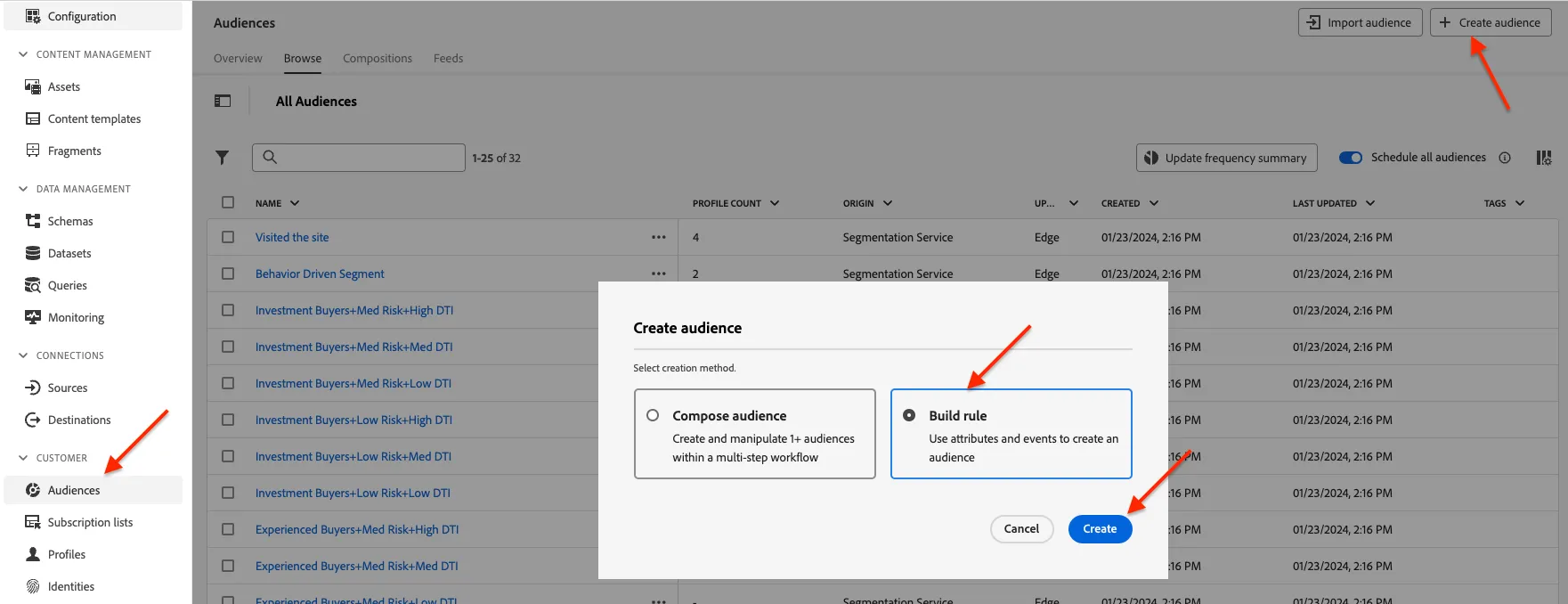
- From the main menu, select Audiences on the left navigation bar and choose "Create audience".
On the dialogue, Click the method "Build Rule". Then click the button "Create":
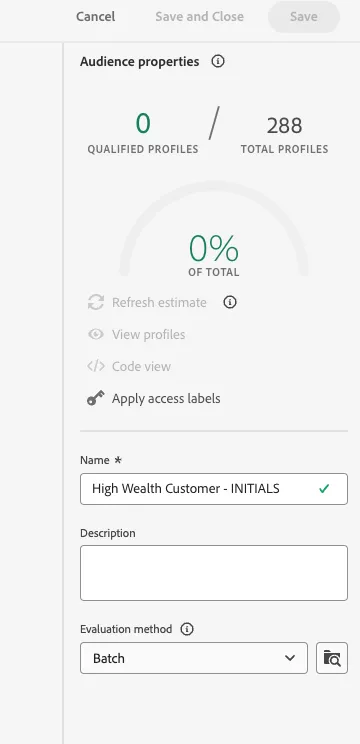
- Provide a name to your audience: "High Wealth Customer - INITIALS"
Leave the evaluation method as is (Batch).
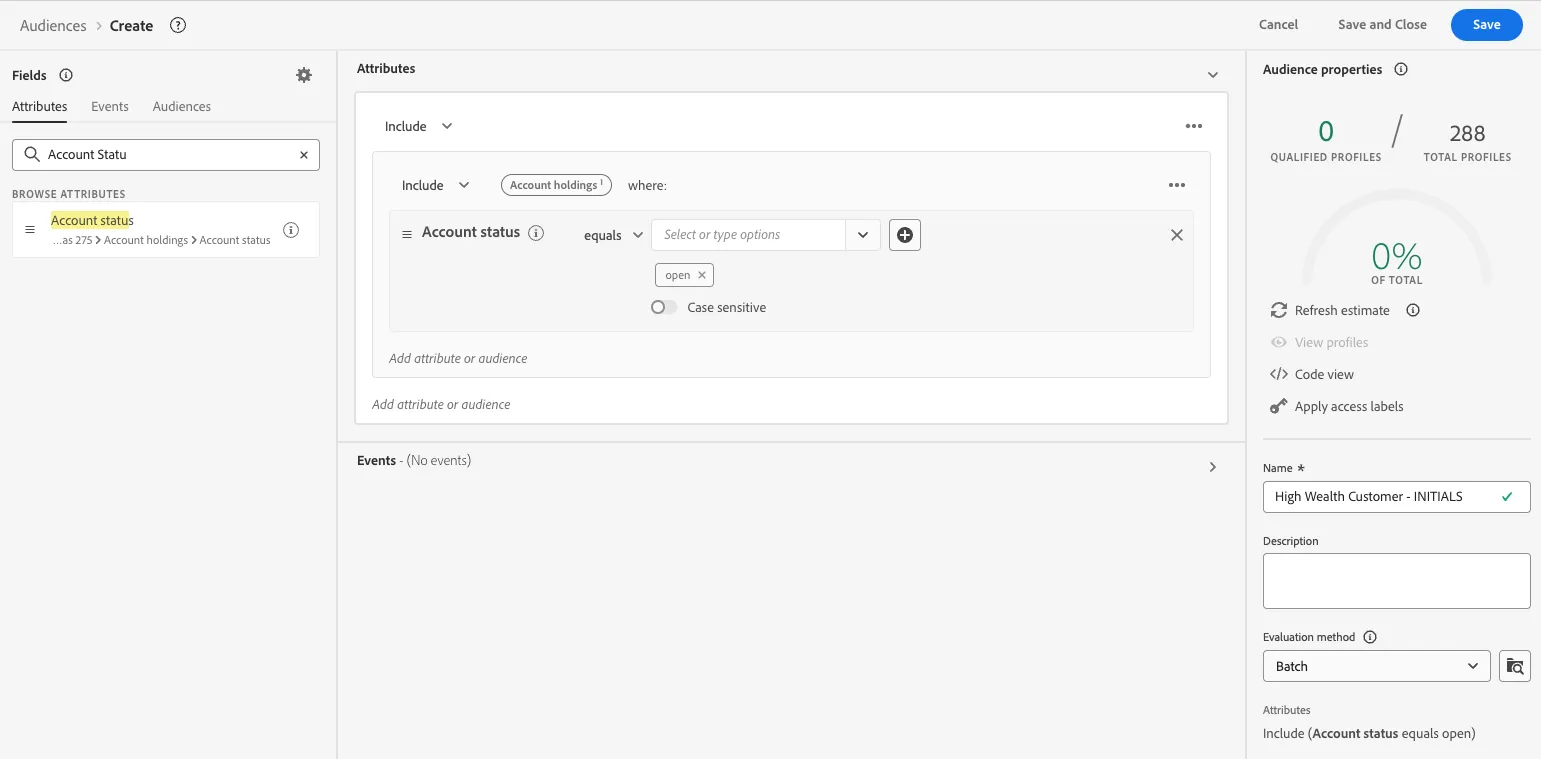
- On the left hand side of your canvas, under the attributes tab, search for the attribute: "Account Status".
- Drag and drop the attribute into the center of the canvas.
- Then "Account status" must "Equal" to the string/text "open"
Leave the Case sensitive Toggle off.
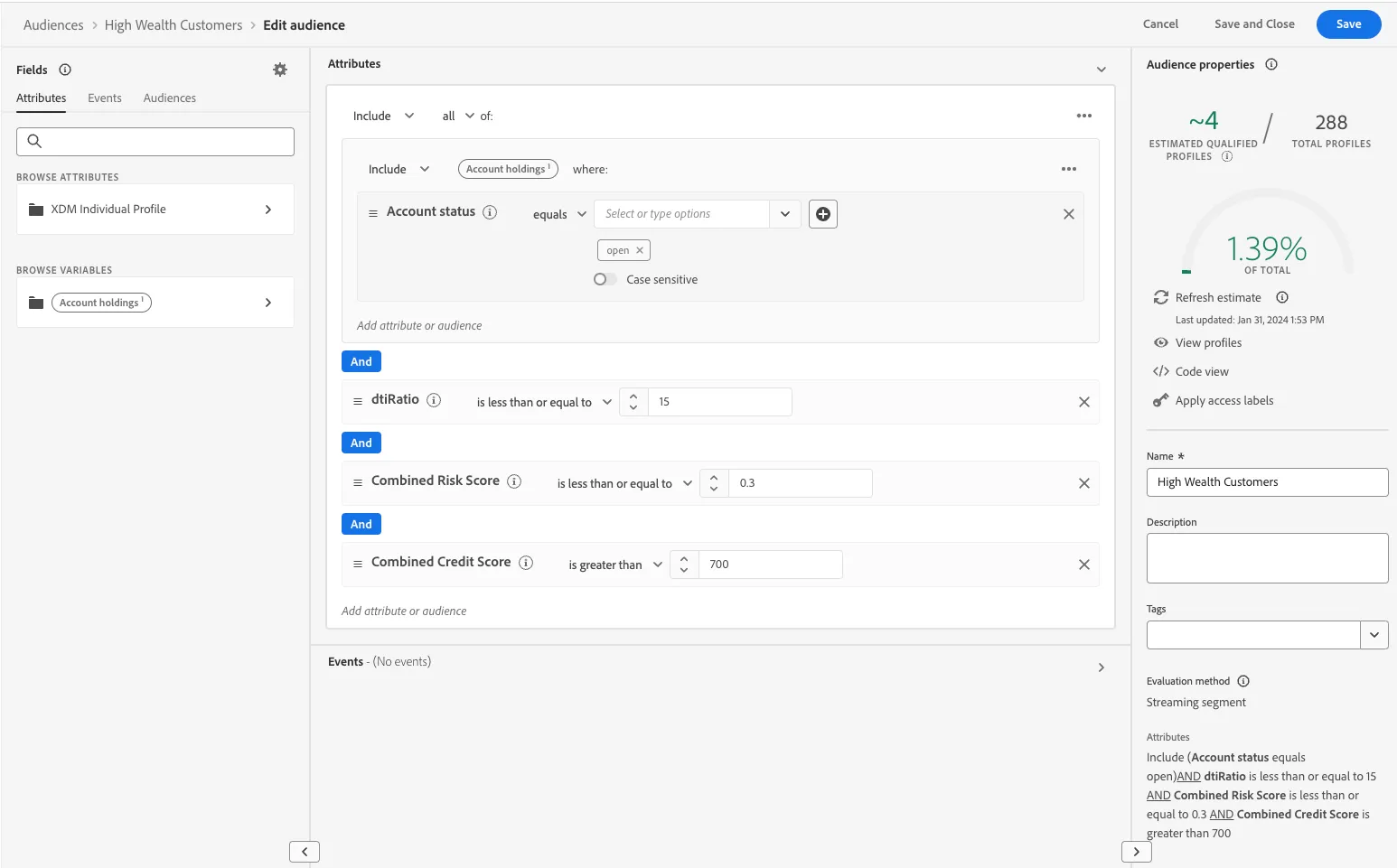
- Then, go back to the search bar and search for: "dtiRatio" (Debt to Income Ratio).
- Drag and drop below the "Account Status" to form an "AND".
- "dtiRatio" is a number, so it must be "less or equal" 15.
- Repeat 9 to 10 2 more times. Each time for attribute "Combined Risk Score" and "Combine Credit Score". Set the former as "less or equal" .3. Then the latter "greater than" 700.
Your audience must look like this. Click Save and Close at the top right corner.
First Time Buyers - Low Risk Low DTI
This audience will allow you to see how can you build an Edge evaluated audience.
- From the main menu, select Audiences on the left navigation bar and choose "Create audience".
On the dialogue, Click the method "Build Rule". Then click the button "Create":
- Provide a name to your audience: "First Time Buyers - Low Risk Low DTI - INITIALS"
Set the evaluation status as Edge.
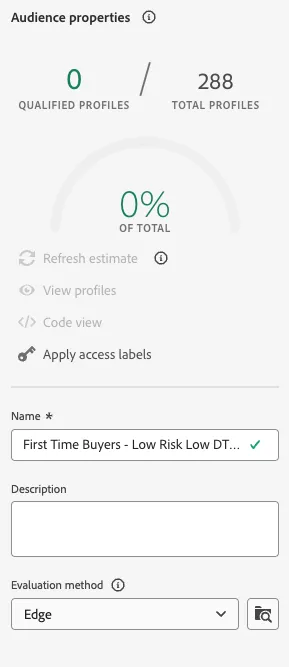
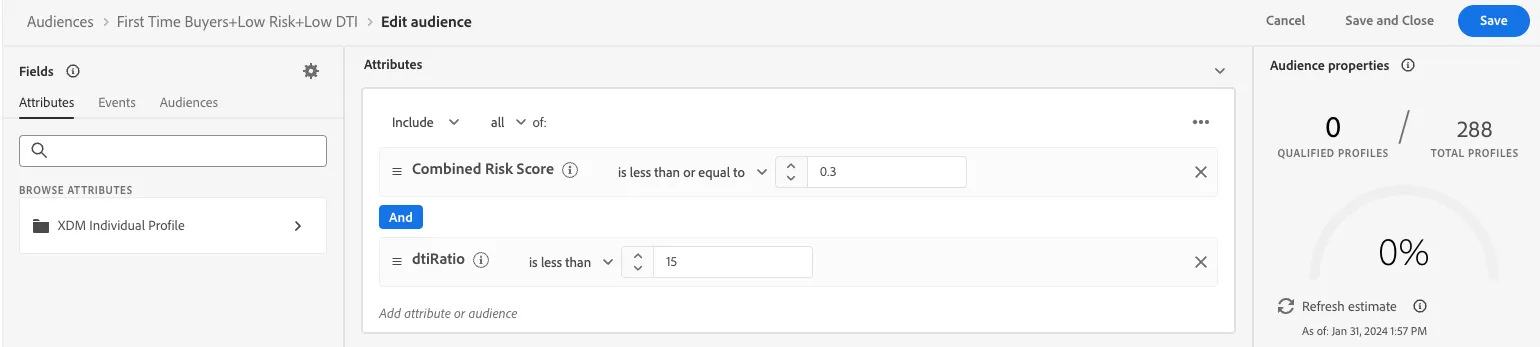
Search for the following attributes and drag and drop them into the canvas: "Combined Risk Score" and "dtiRatio". Respectively, set "is less or equal to" .3 and "is less than" than 15.
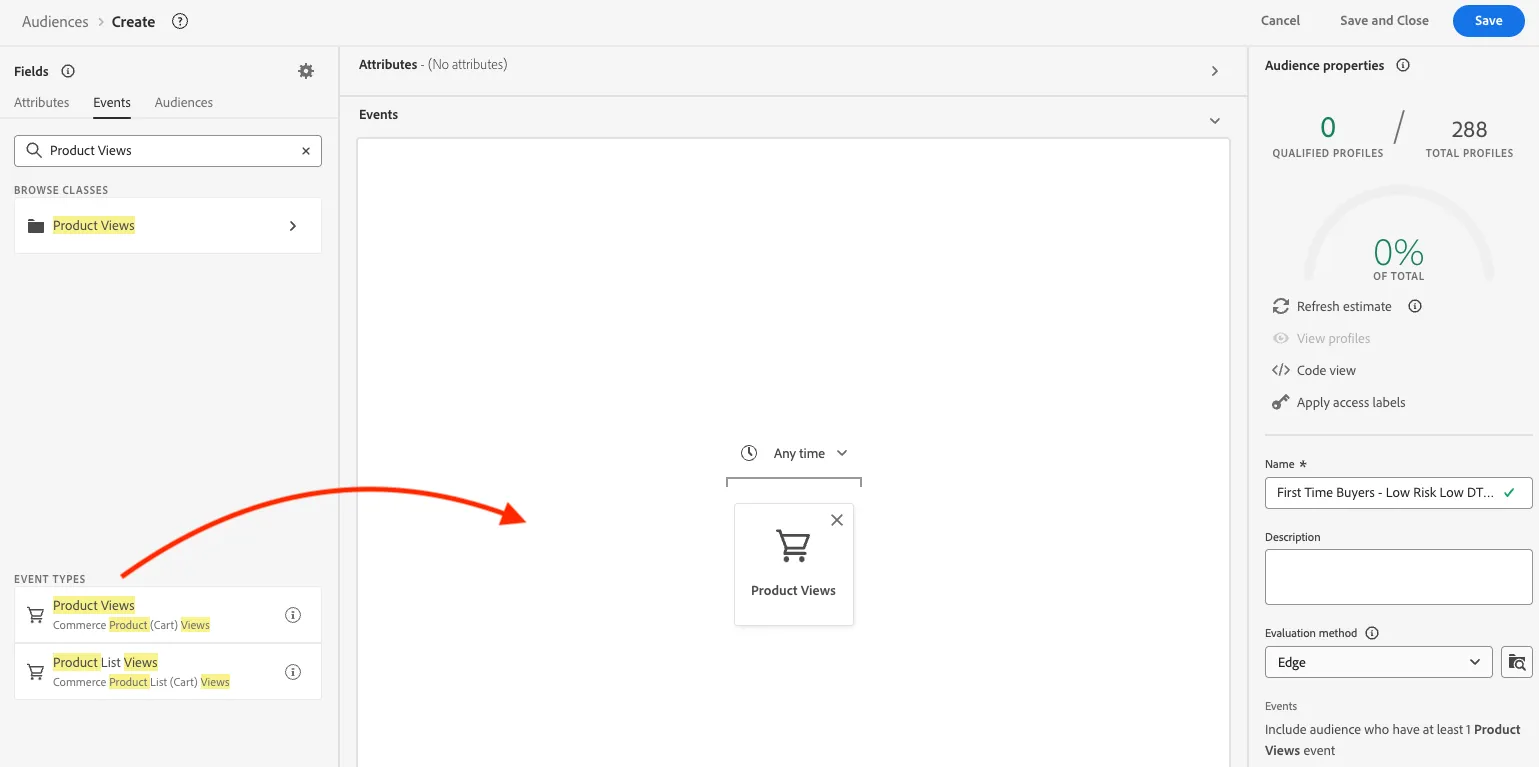
- Then, on the left side, click the "Events" tab. Search for "Product Views". Drag and Drop the field under Event Types.
-
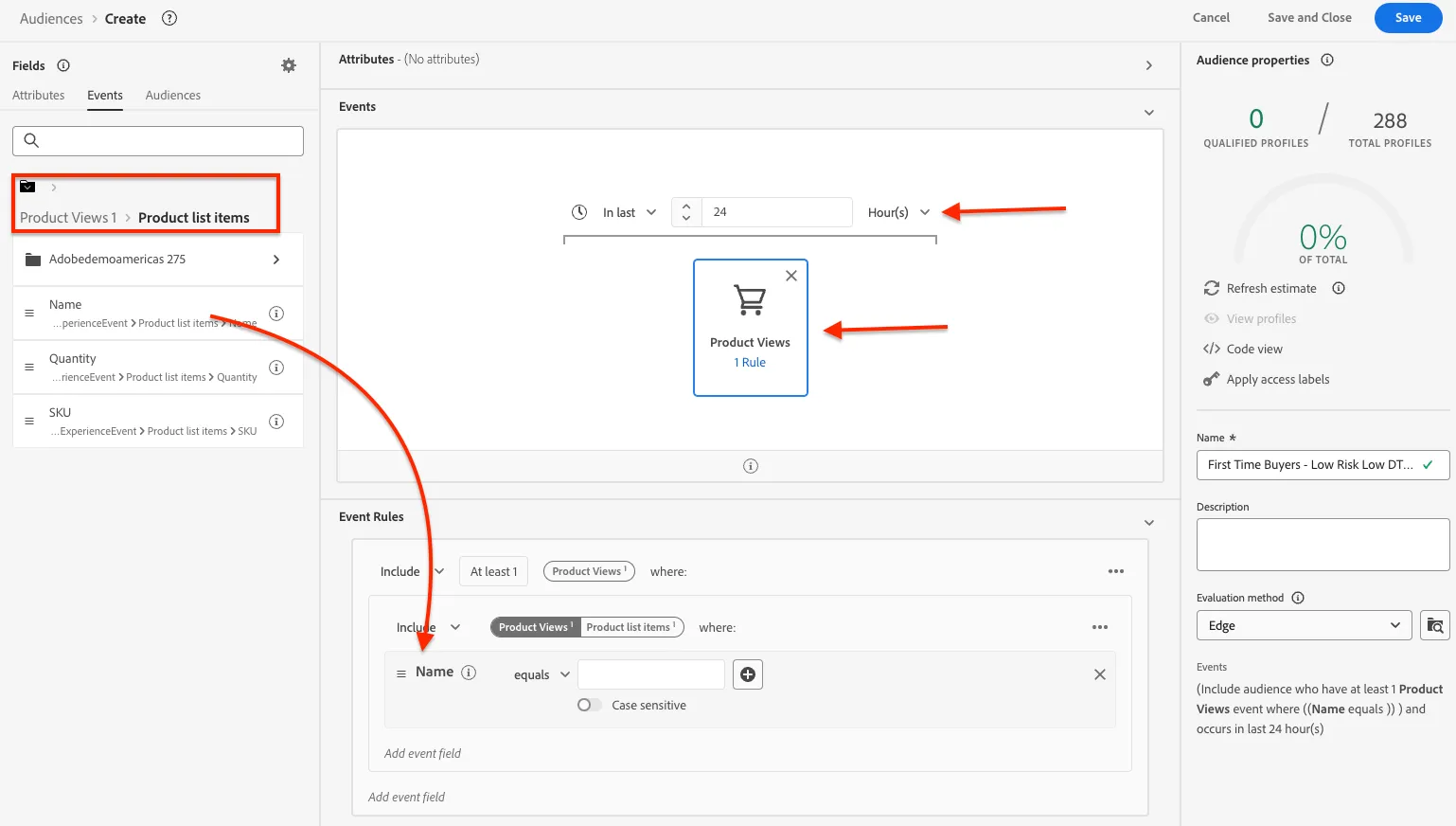
- Click on the Any Time dropdown and select "In the last" and set it to 24 hours.
- Then click on the "Product View" Event underneath we will now give it a rule.
- Clear your search bar search. This will allow you to see "Browse Variables". Click on the Product Views 1 --> Product List Items --> Drag and Drop Name into the Add event Field.
-
- Set the Name Equals to "SecurFinancial Home Loan"
- Click Save and Close.
Congratulations! You have completed your first lab of the day!