Account Profiles
3 min
Recap
- B2B Accounts table is directly related to the B2B Persons table
- B2B Accouts table is directly related to the B2B Opportunity table
Exploring an existing B2B Account profile in Adobe Experience Platform
- Navigate to Profiles under the Accounts section from the left-hand navigation bar
- Click on the Browse tab
- Set the field values as listed below
Browse by: Others
Sourcename: salesforce
Source instance: 765-PRG-871
Account ID: 0013600001SZ59CEO9
4. Click on View
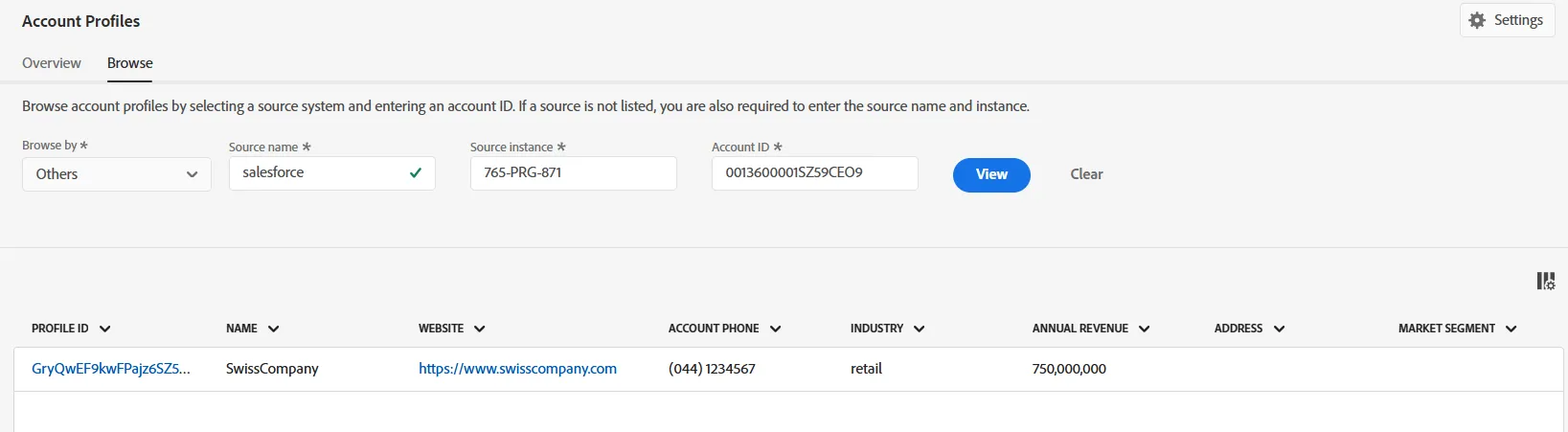
5. Click on the Profile Id link
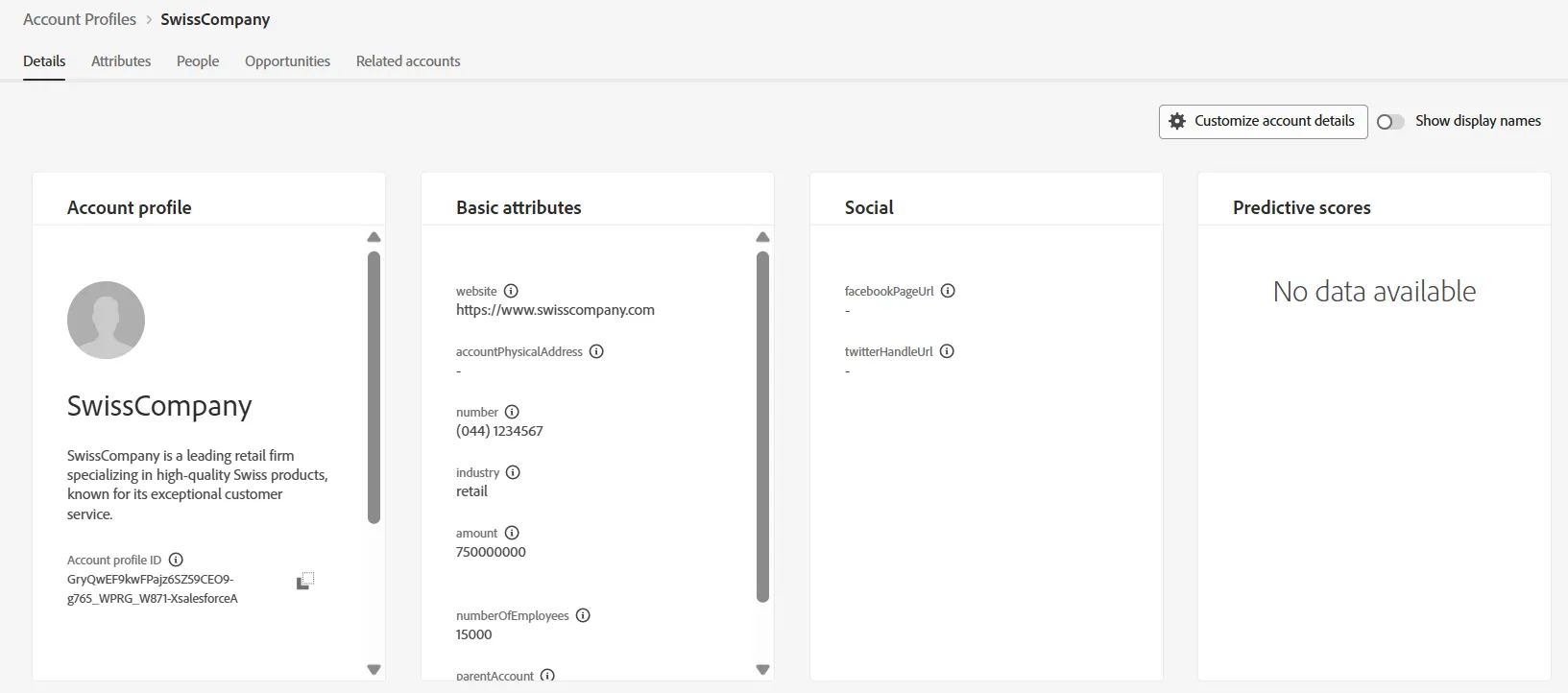
6. Review the following tabs
- Details - All Widgets
- Attributes
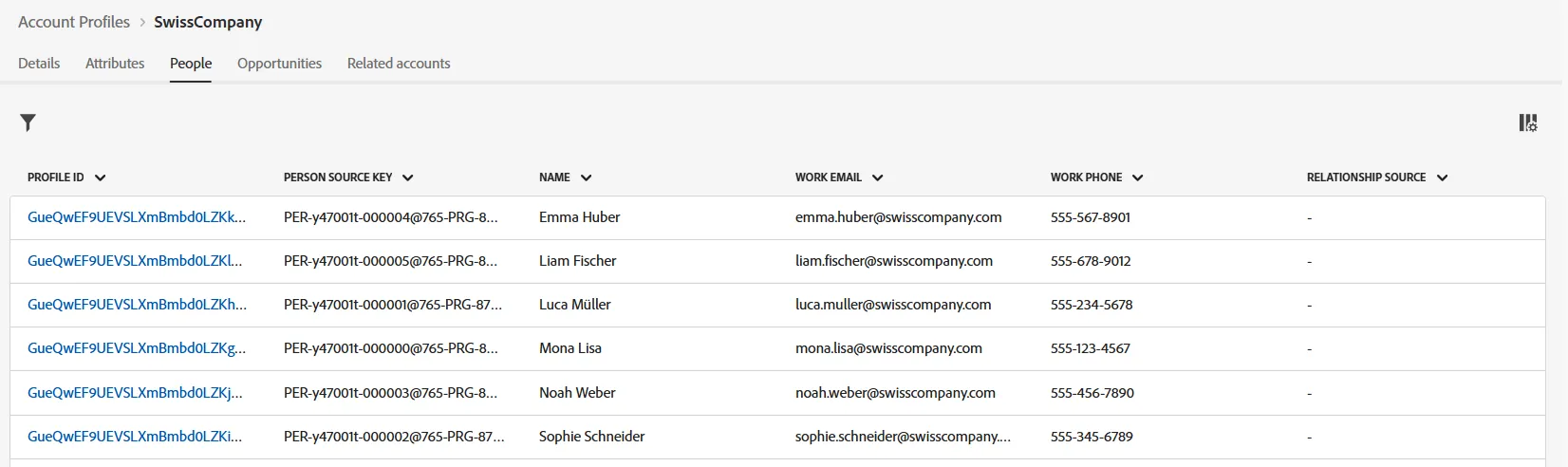
- People - Recognize the Person Profile you reviewed earlier
- Opportunities - Click into the AdCore Opportunity and review details of the opportunity
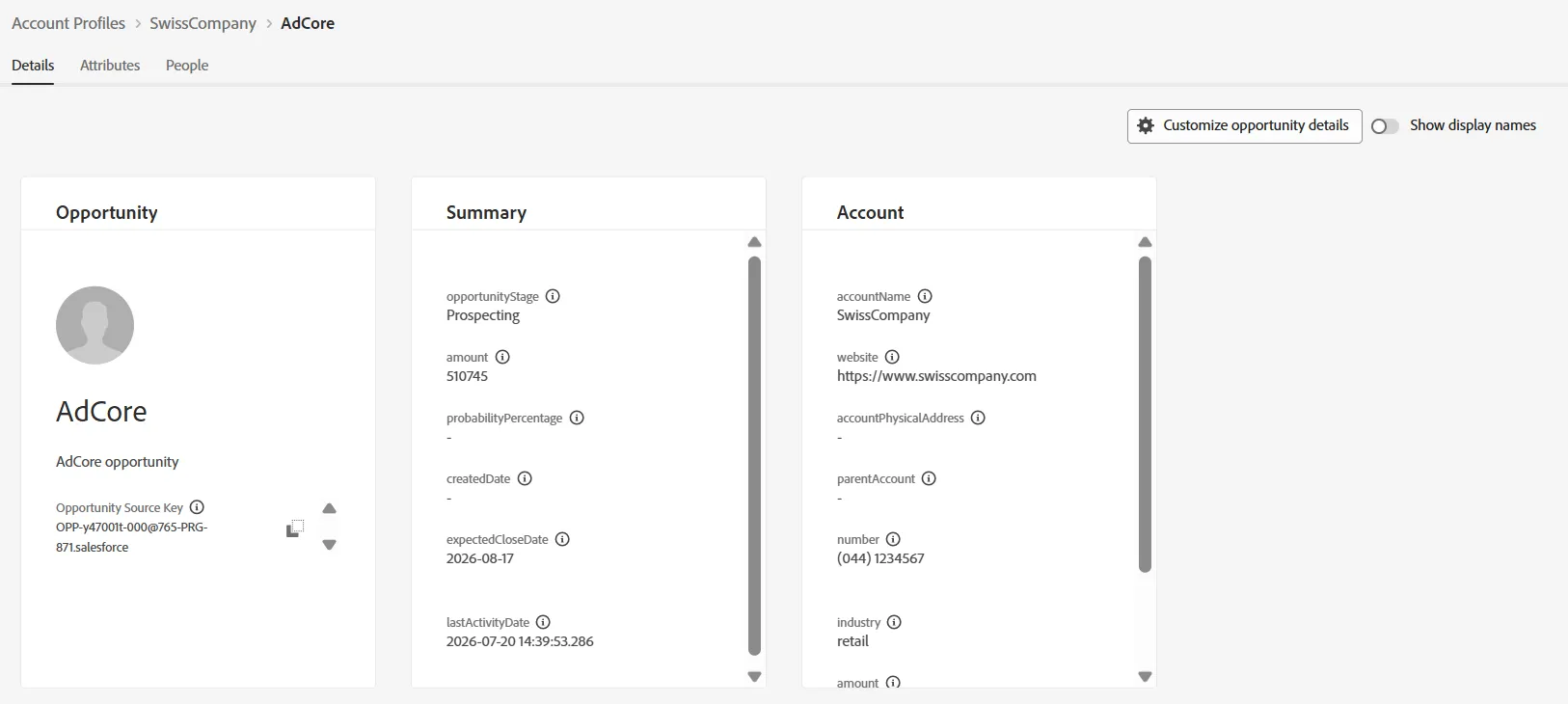
This is what an Account profile with associated opportunities would potentially look like