Asset automation
3 min
Introduction
For the campaign, we want to build 2 different variants of offer banners to be used in multiple channels. We want to generate banners based on Hot weather and cold weather for various channels like web, email and in-app. We will use the power of Photoshop APIs behind the scenes to automate this creation.
Trigger the automation
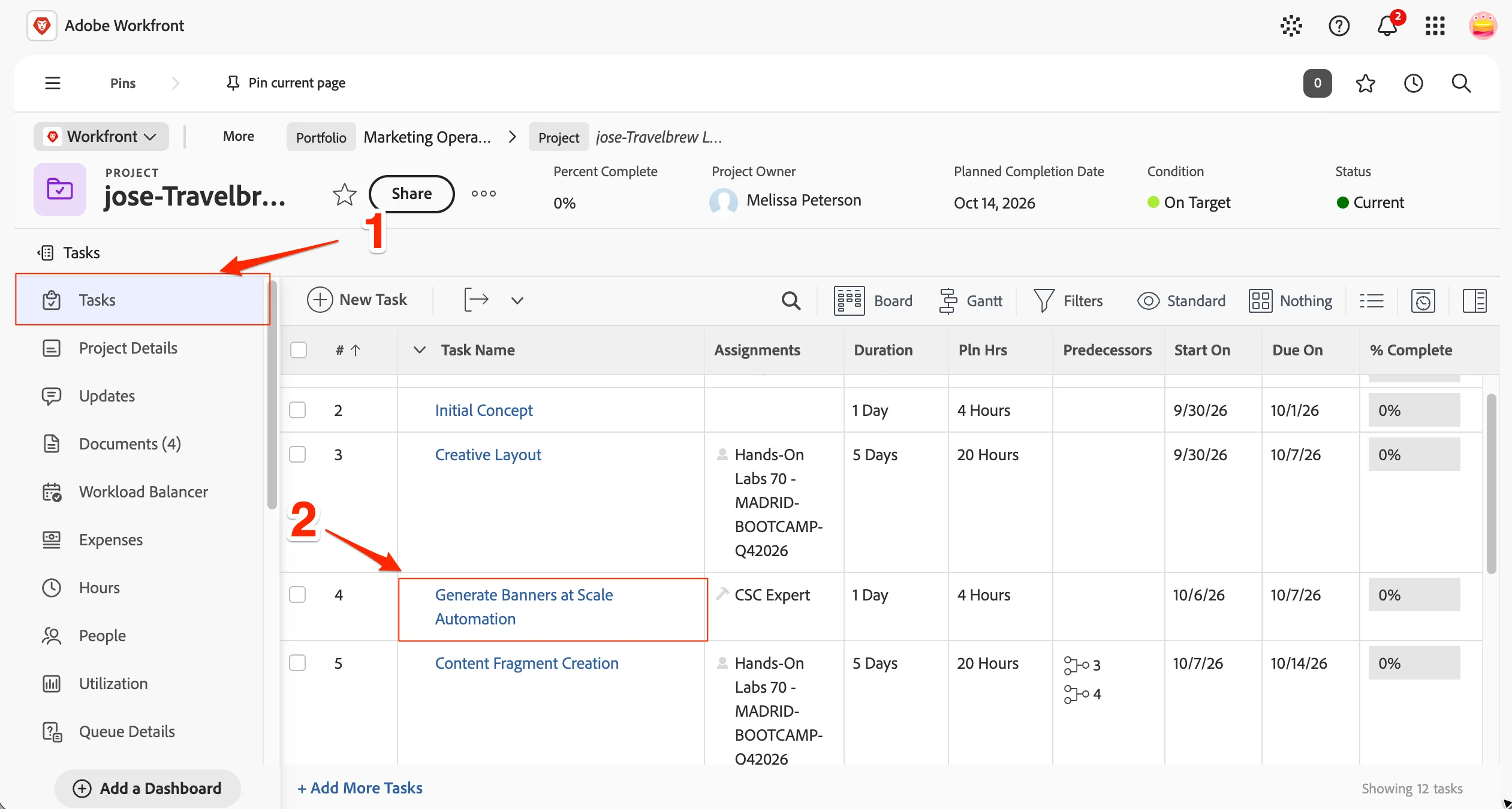
- Go back to Workfront task list by clicking of Tasks from the left side menu of your Workfront project.
- Go inside Generate Banners at Scale Automation task by clicking on the Task Name.
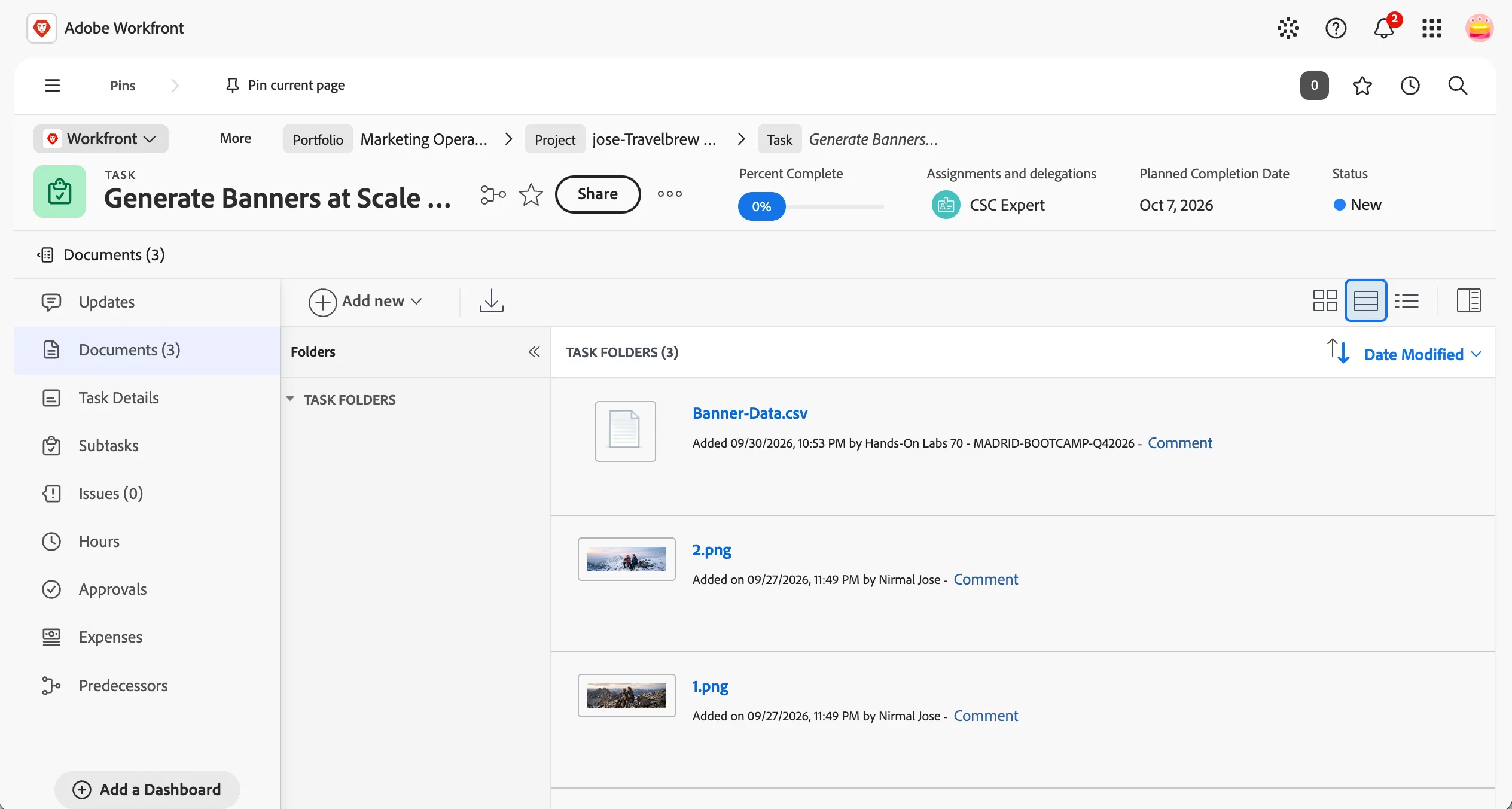
- Go to Documents section and see the various asset backgrounds we want to use. There is also a CSV file holding the copy variants for each background.
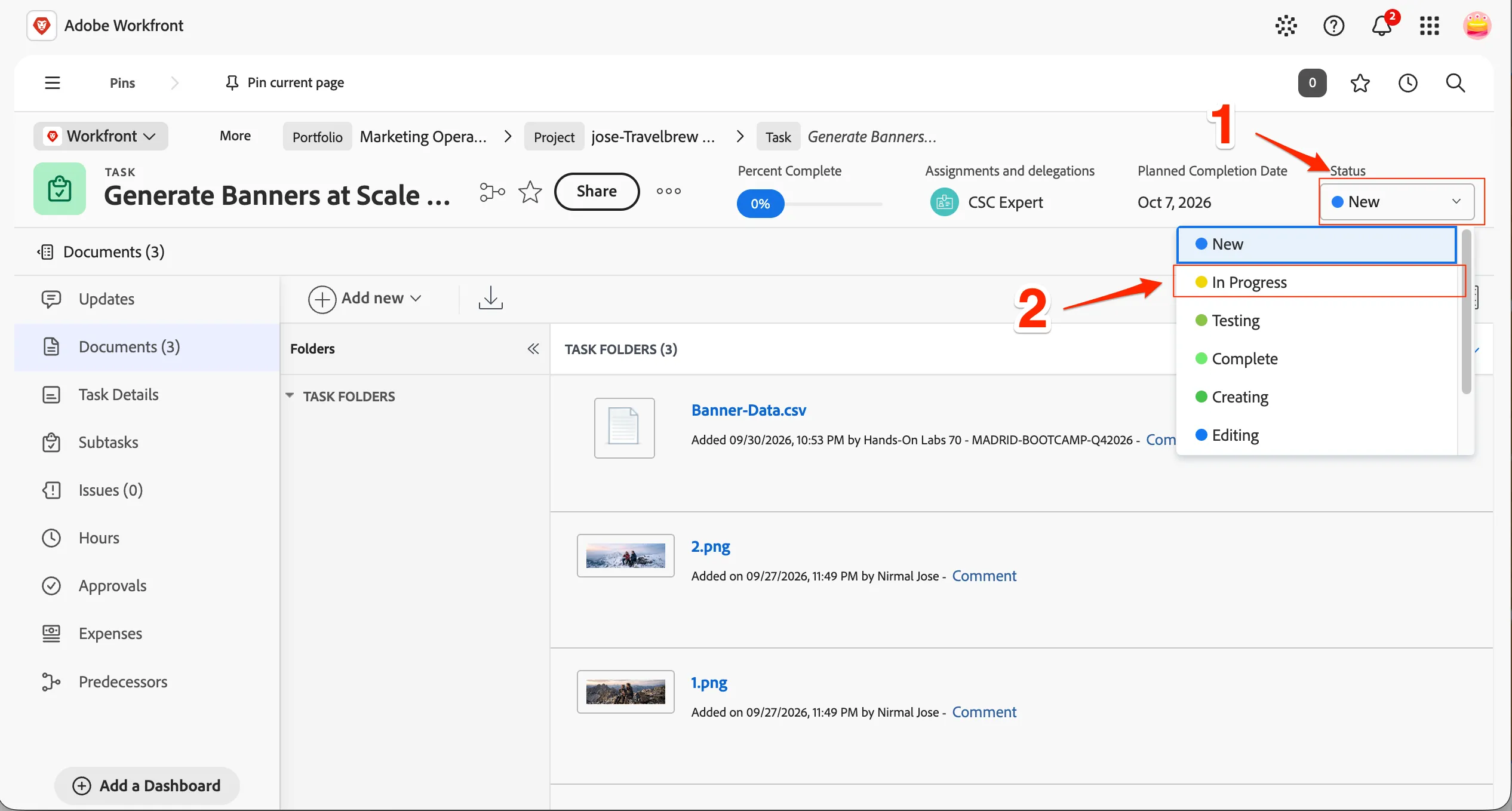
- Change the Status of the task from New to In Progress to trigger the automation.
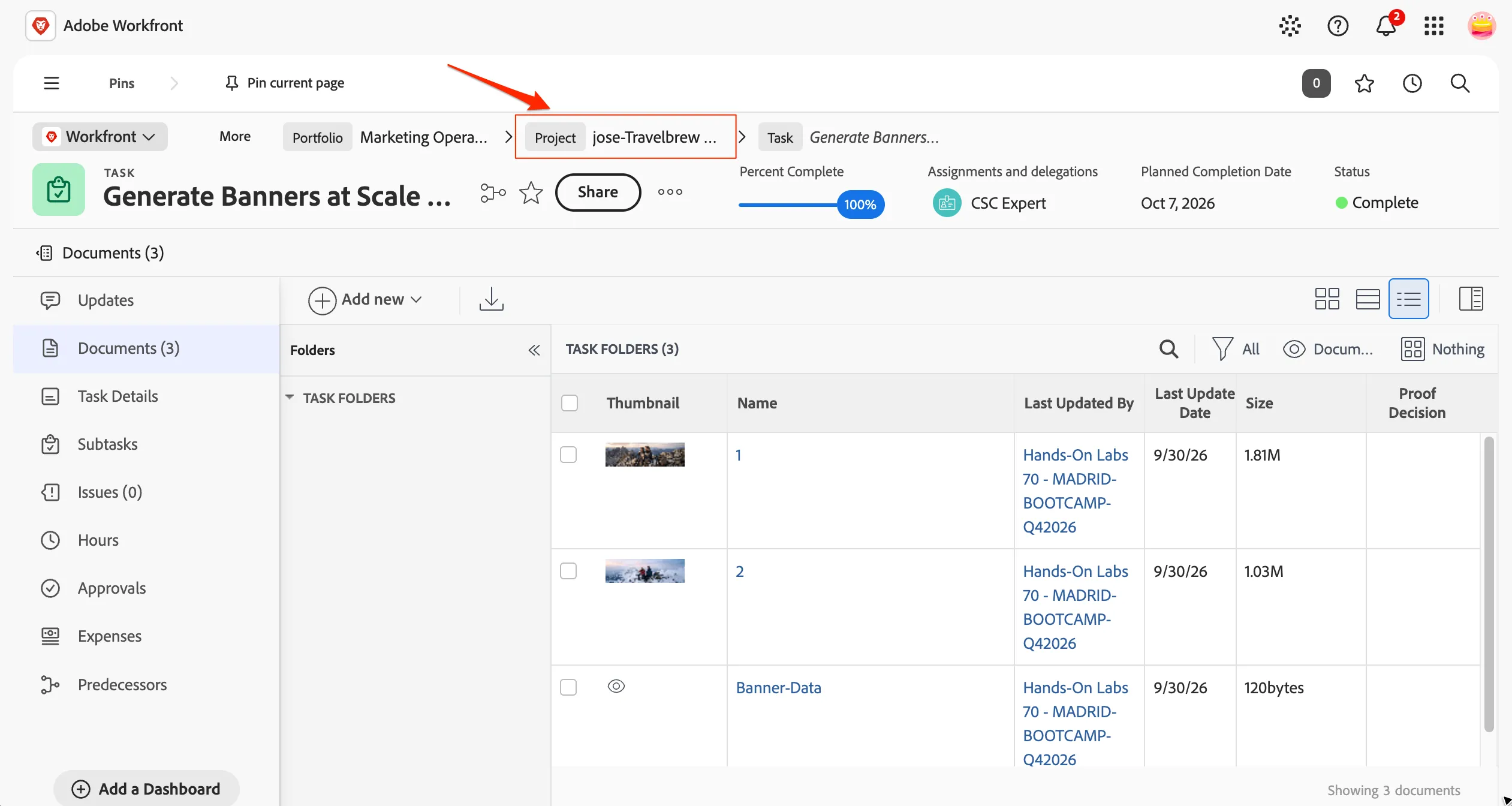
This invokes the automation in the background and in a few minutes 8 different variants will be generated and available in the task documents section. Once the process is complete, the Status wil be marked as complete automatically. Please note it will take a few minutes to complete and you need to refresh the page to see all the assets when they are complete.
- Go back to the project tasks by clicking on the Project name in breadcrumb menu.
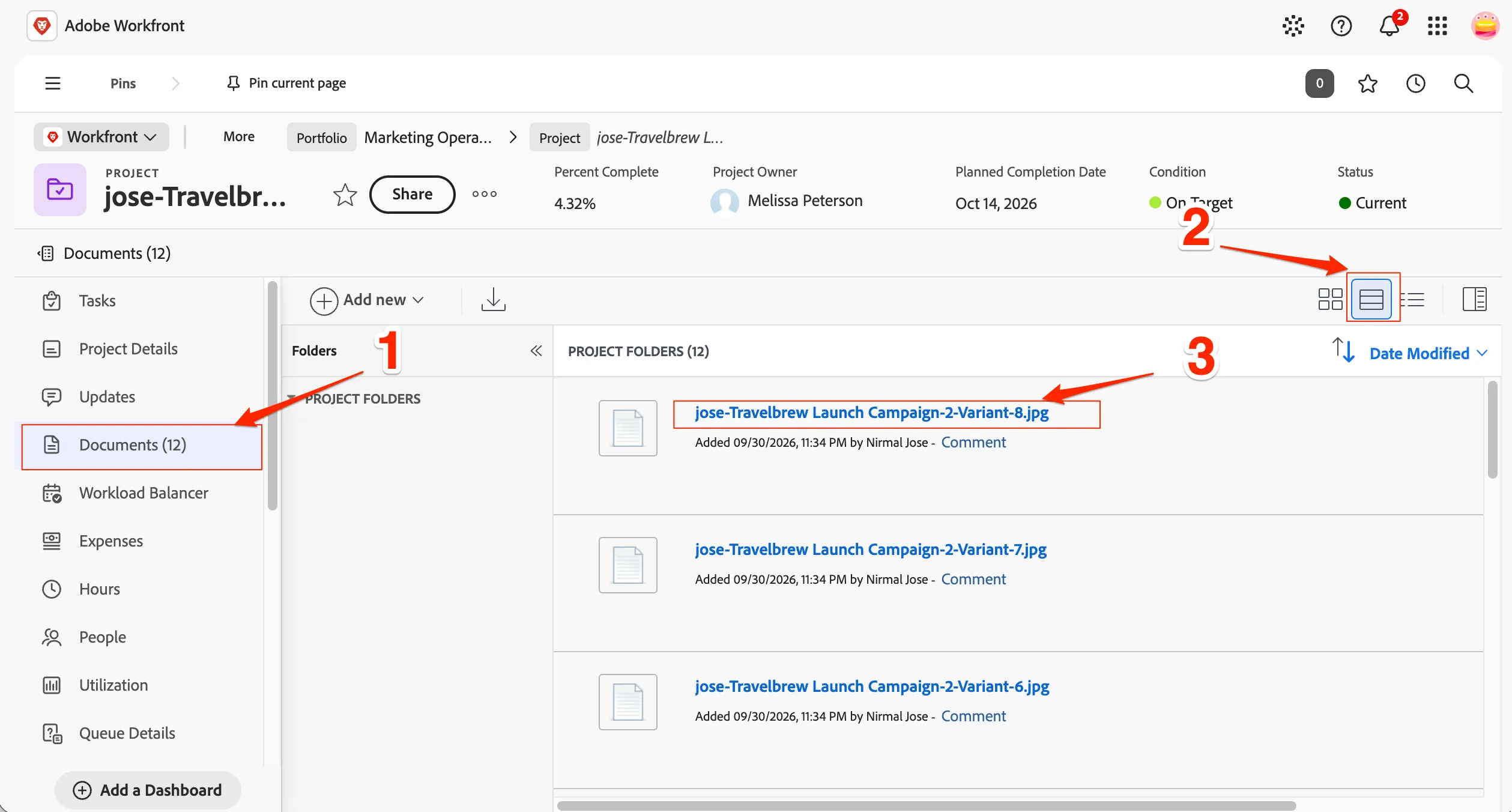
- The documents section will show 12 assets in total once the task is complete. Go to Documents menu and see the 8 variants created for the banner. Switch to standard view and clicking of the title of the page will open the image preview in a seperate tab..
You have now successfully completed the banner automation process.