Multi site management
In this section, you will roll out the change you made on your Frescopa home page to four regional English variants using Multi Site Manager (MSM). You'll first confirm the regional pages do not have your change, then roll it out with a single click and see it appear everywhere.
Business Context
Frescopa operates in multiple markets, and every regional site needs to stay aligned with the central content. Rebuilding the same change on each regional page is slow and leads to inconsistency.
MSM (Multi Site Manager) solves this with a single source of truth: edit the master page once, then roll the change out to every regional live copy. Each region stays connected to the master, so updates flow through without recreating the page.
Objective
Understand how a change made once on the master page is rolled out to all regional English variants through MSM, without editing each regional page individually.
What This Proves
- A single source of truth can drive multiple regional sites
- Changes made centrally can be propagated to every live copy in one action
- Regional pages stay connected to the master through live copies
- Teams avoid duplicating effort and keep content consistent across markets
Check a regional page before the rollout
- Open AEM Sites in a new tab.
- Navigate to any one of the four regional English variants of your home page. eg. Frescopa > Spain > English > bootcamp > user{{USER_NUMBER}}
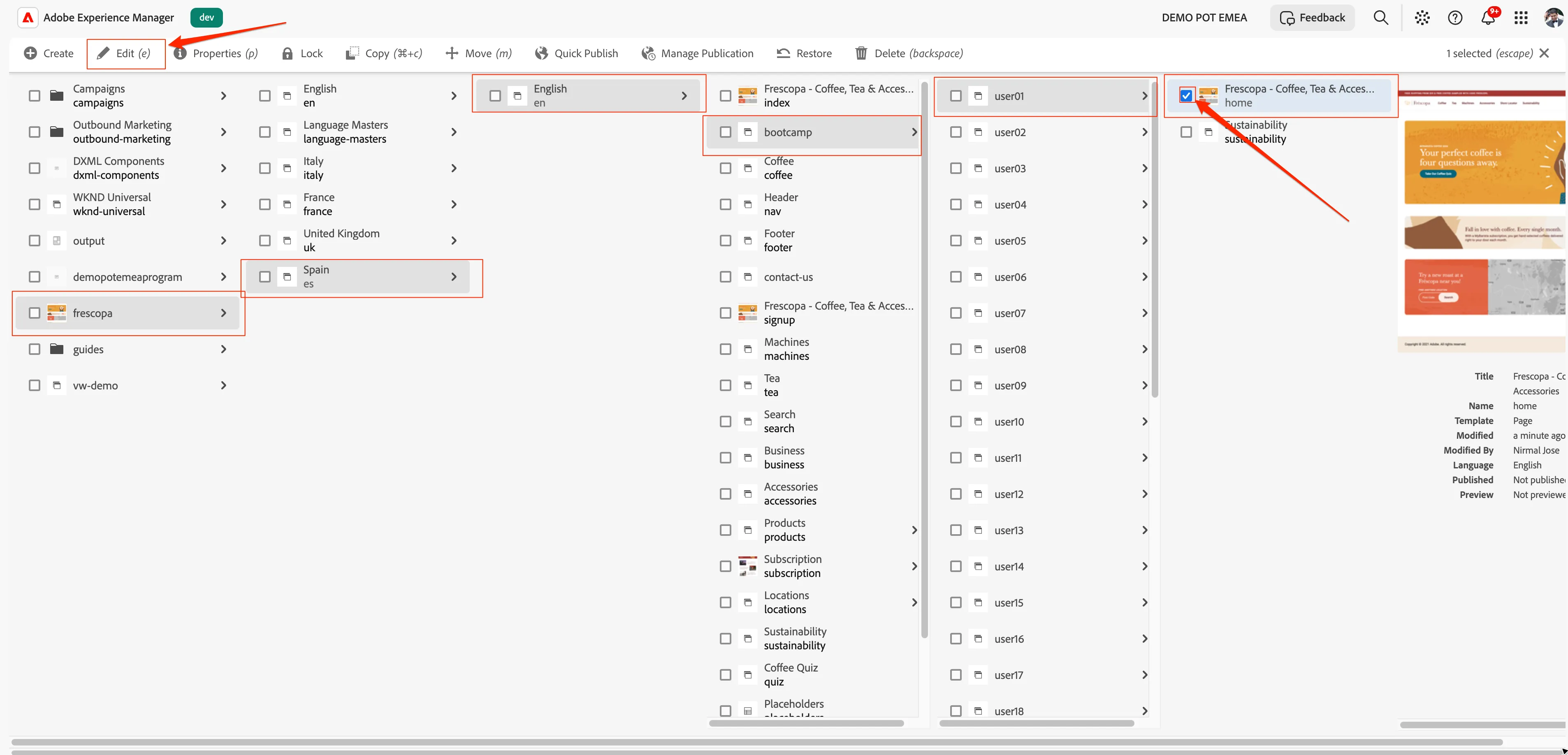
- Select the home page checkbox and click on edit button on the top menu rail.
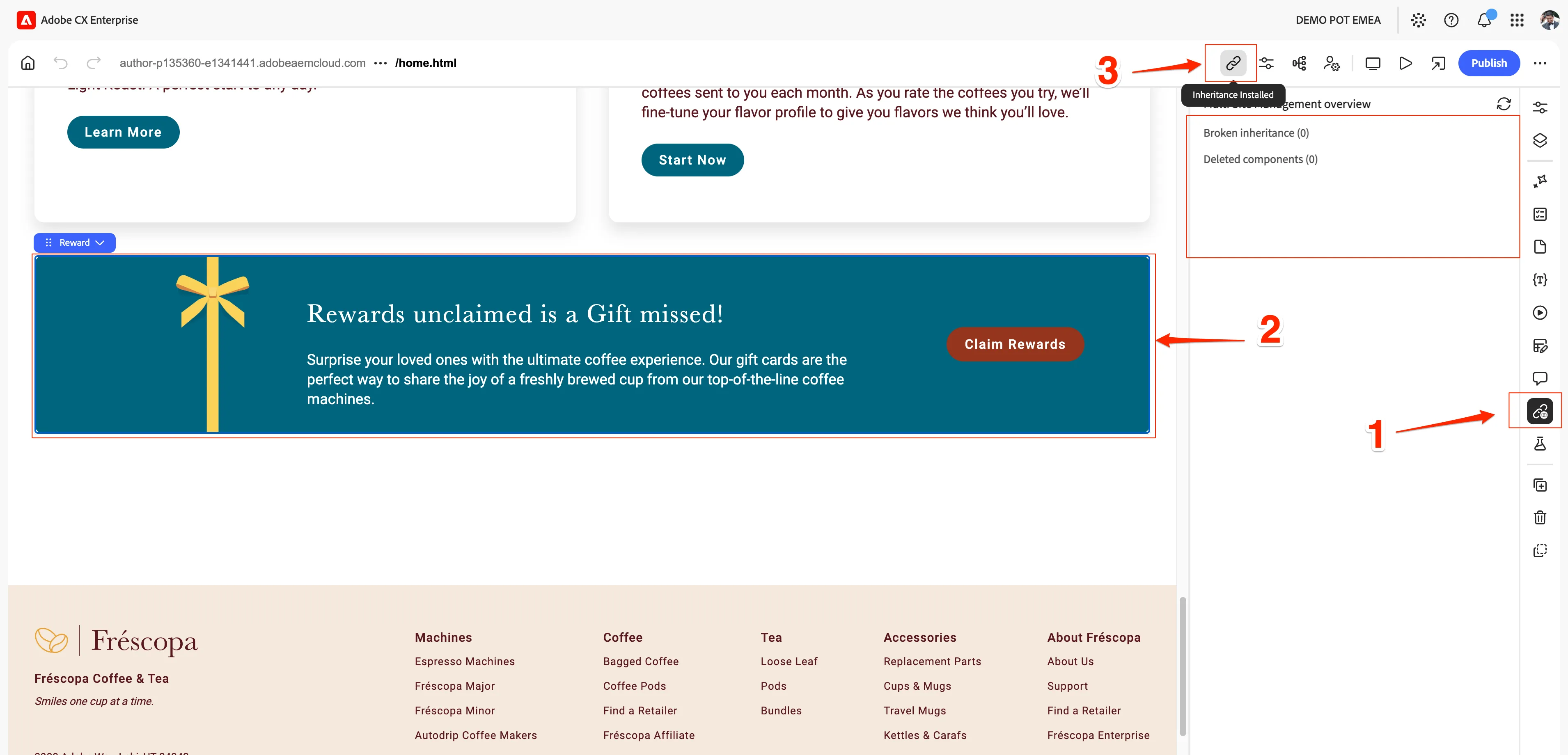
- Look for the Teaser block you added to the master.
- Confirm it does not exist on the regional page. The change has only been made on the master so far, and the regional page is still showing the earlier version.
- Also, switch to MSM Details menu of the right hand side menu rail.
- Click on Reward block and see the inhertiance status at the top.
Roll out the change
- Go back to your master home page.
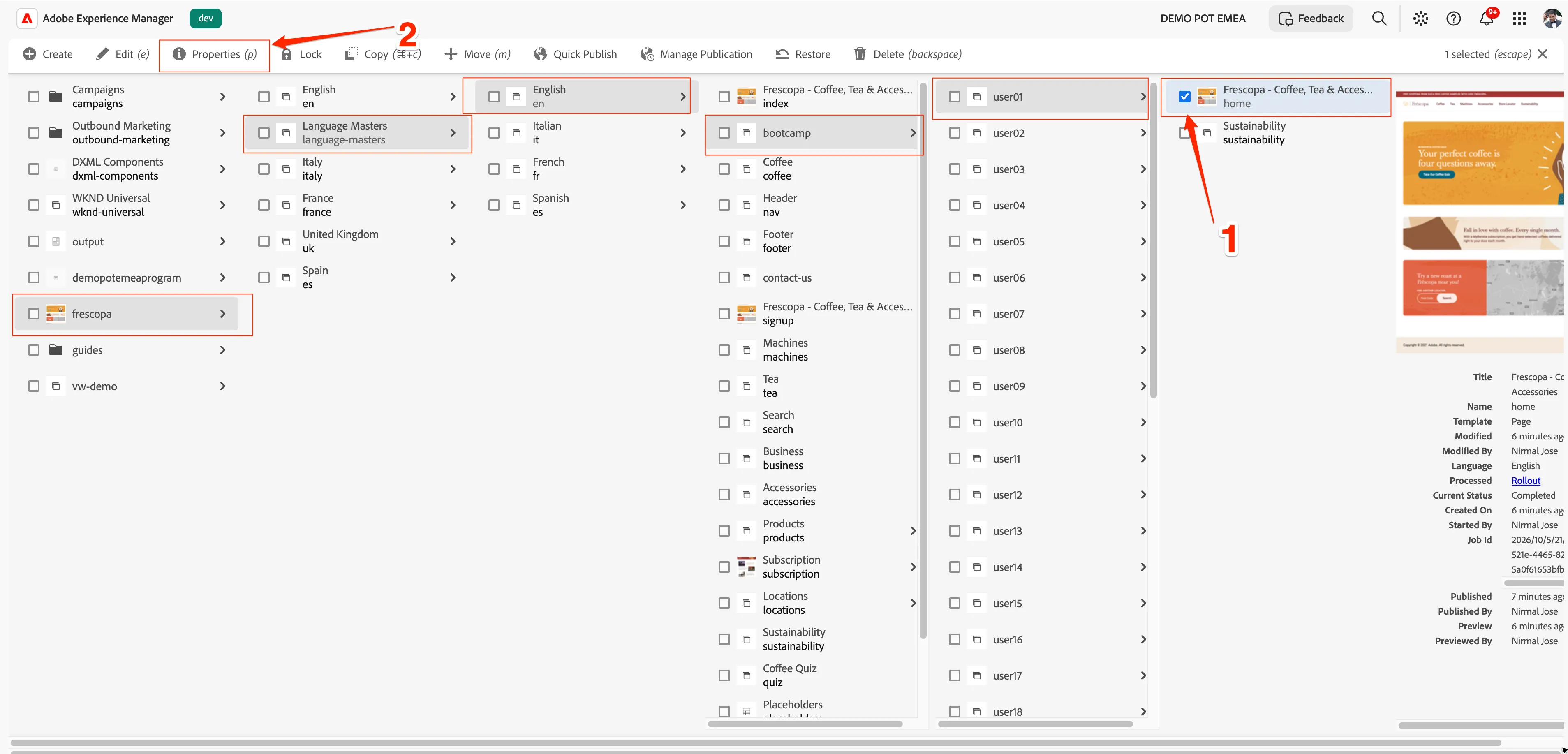
- From Page Properties, go to the Blueprint tab and click Rollout.
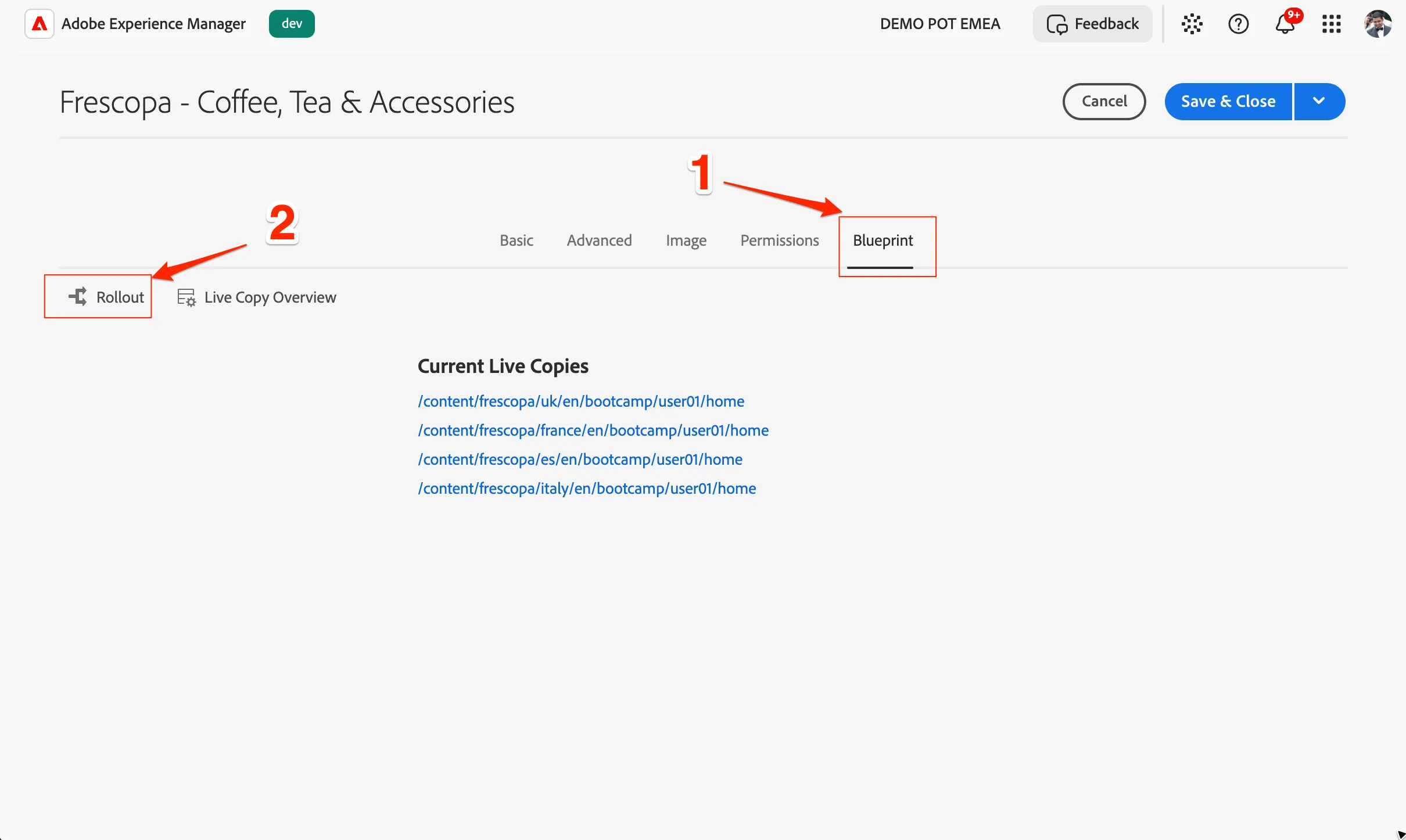
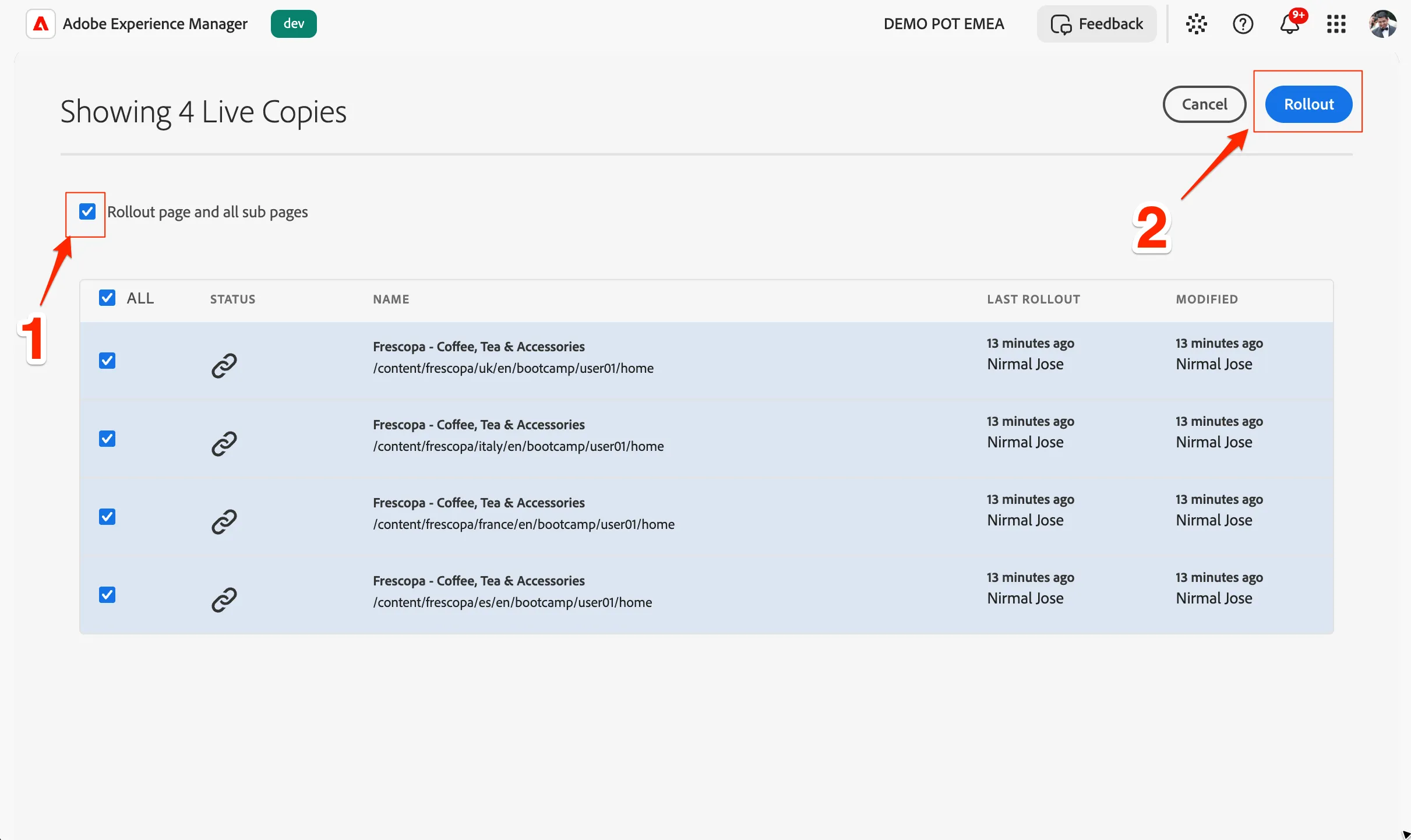
- Confirm the rollout targets: the four regional English variants should be listed.
- Select Rollout page and all subpages.
- Click Rollout and select Now.
Verify the result
- Reopen the regional page you checked earlier and refresh it.
- Confirm the new Teaser block now appears, exactly as on the master.
- Optionally, open another regional variant and confirm the same Teaser is there too.
You have to open the page once again by browsing through the folders and click on edit. Already opened tab will not get this change.
What you learned
You should have:
- ✅ Confirmed your master home page contains the new Teaser block
- ✅ Verified that a regional page did not have the Teaser before the rollout
- ✅ Rolled out the change to all four regional English variants from the Blueprint tab
- ✅ Confirmed the Teaser now appears on the regional pages, from one single source of truth