AJO Analysis
Journey analysis behond email
We will now focus on AJO Journey reporting to understand what people are doing after receving an email.
Create a new pannel, selcet the dataview JPMC - DV, date range last 53 weeks.
Create a new form and drag and drop Journey Name dimension, break Luma - Exclusive sale program per Journey Action name. Add people metrics
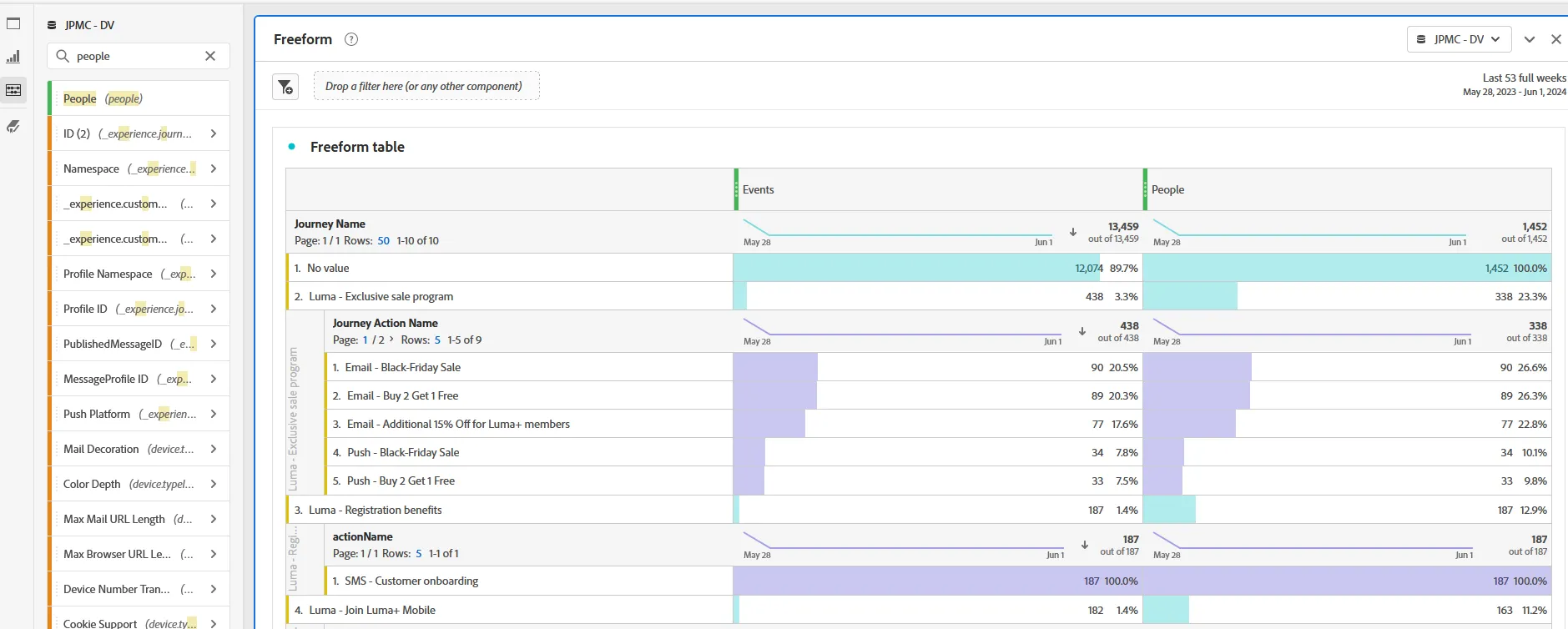
We can see how many people received the different communicatoin of this journey.
Let's try to see that in a more graphical way.
Create a flow visualisation, And add "Email - black friday Sale" value from journey action Name as a start of your flow.
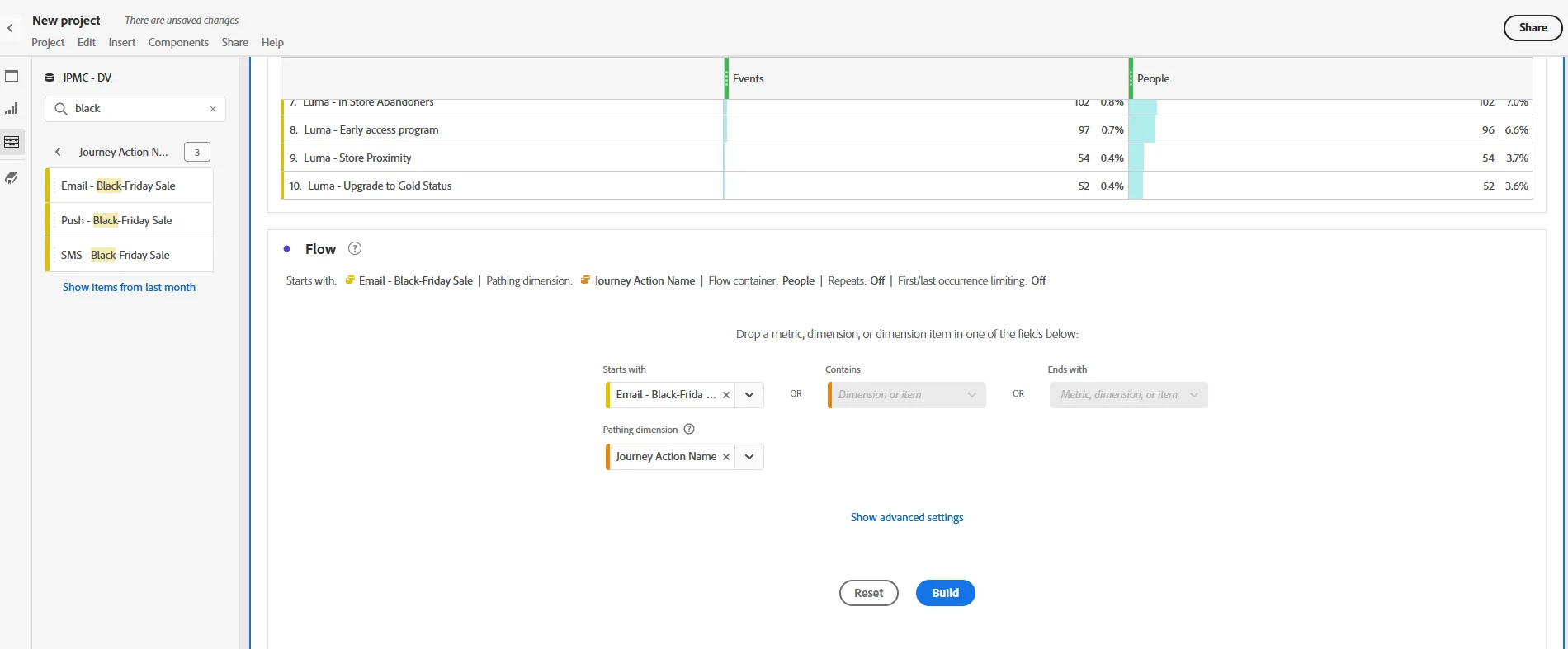
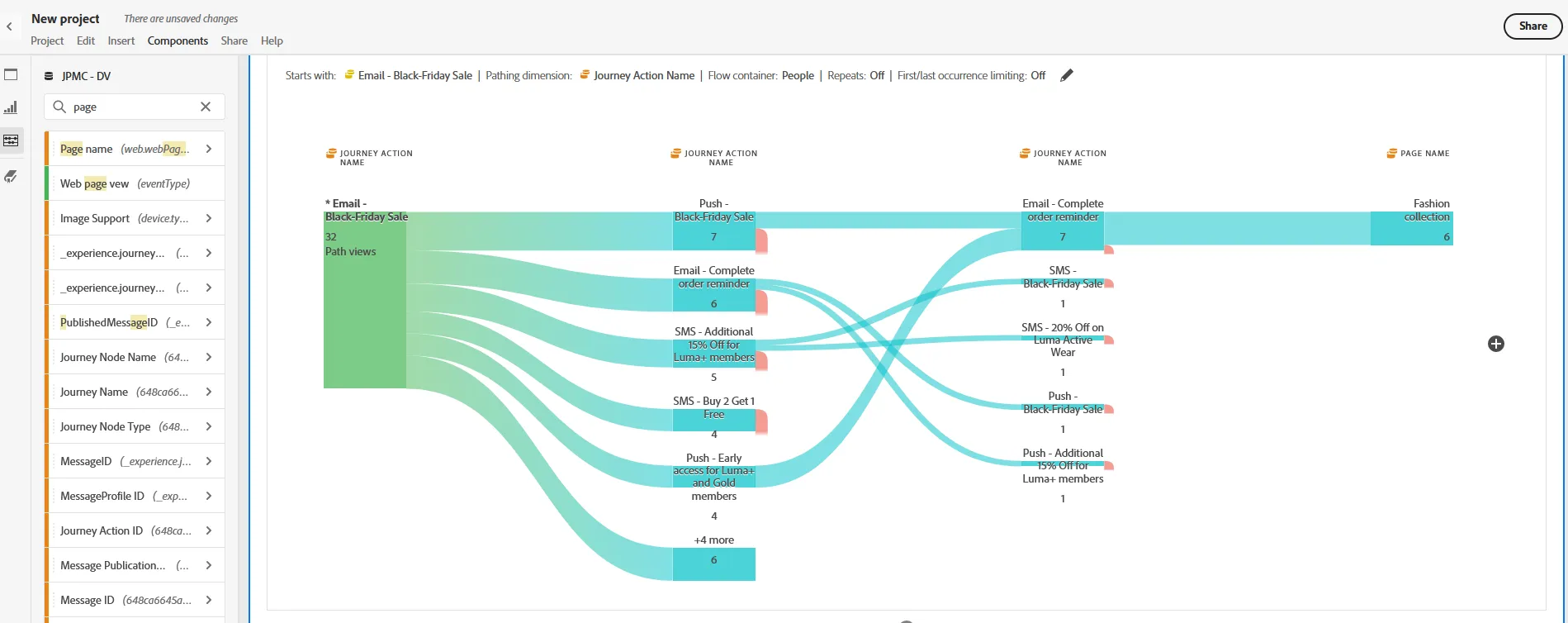
Click on Build. You will see how many people move from one stage of the journey to the other.
Now select the Page name dimesnio, add it in your flow on the right of journey action name. We can now see to which page customer navigate too.
Congratulations, this completes the AJO exercise