First wave
Go to the Journeys menu
Create a new journey and name it your_last_name - iphone_multi_waves_promotion
Drag&drop the Read audience activity and select the audience named CitiSignal - Newsletter subscribers
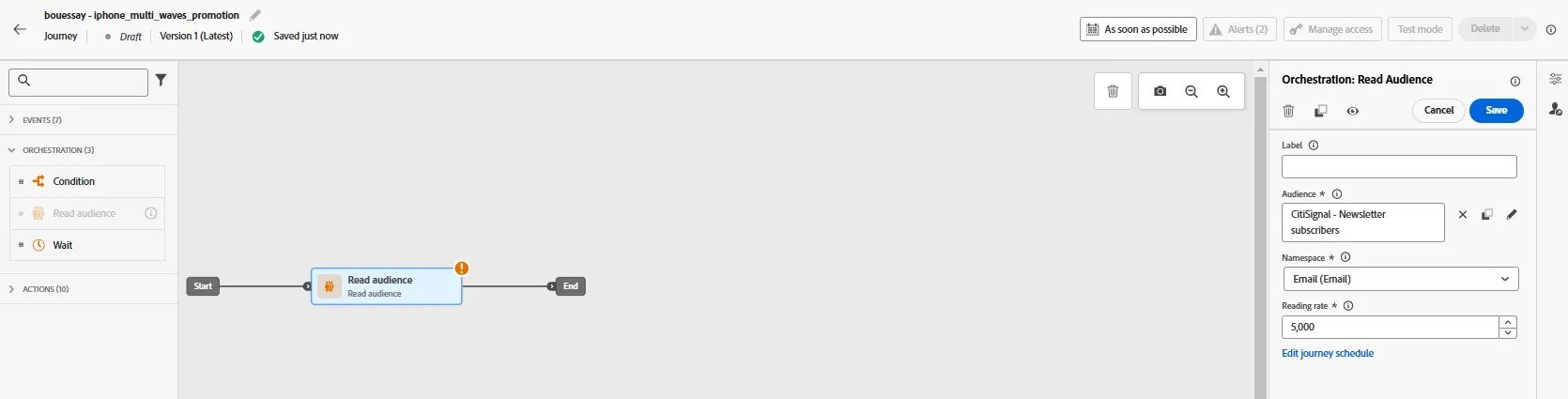
Click on the Edit journey schedule and set it to Once, the 9th of December
Drag&drop an Email action
Set the Email configuration to config-email-marketing
Click on Edit content button
Set the subject line
{{profile.person.name.firstName}}, a new iPhone is born!Click on Edit email body button, go to Saved templates tab and select CitiSignal - iphone promotion
Add a personalization field for the first name and check the opt-out link.
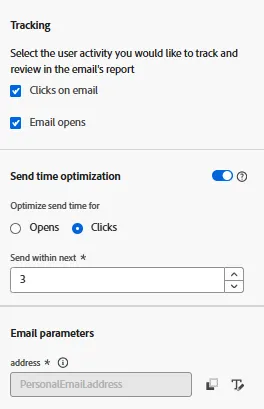
Enable both the Tracking and the Send Time Optimization:
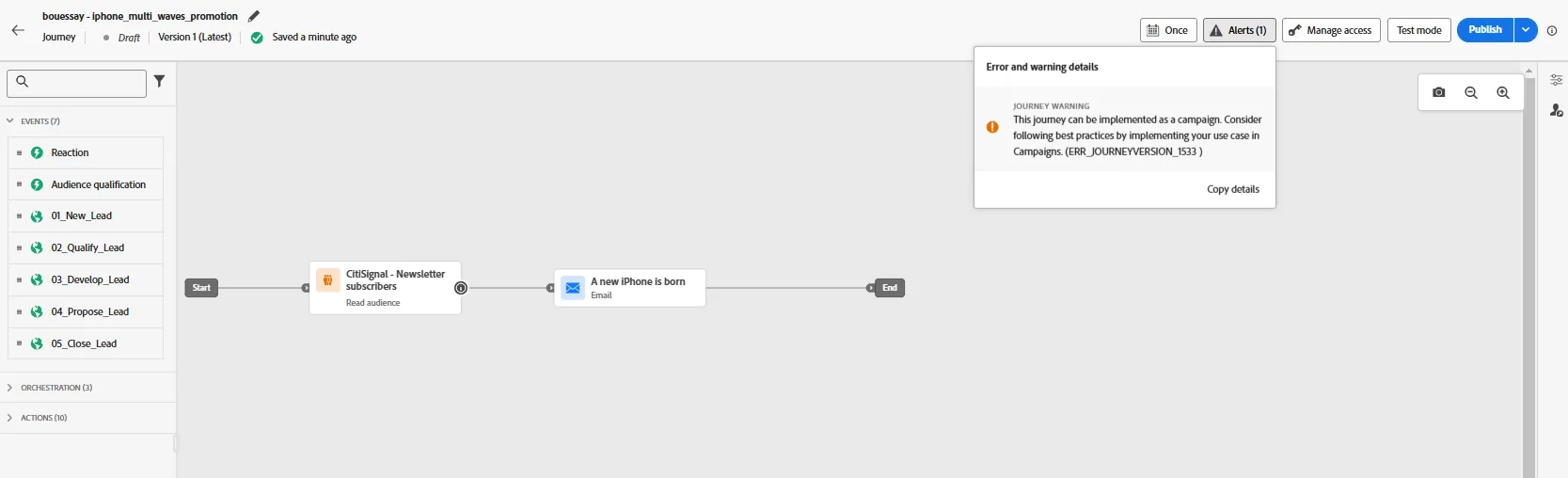
There is an alert:
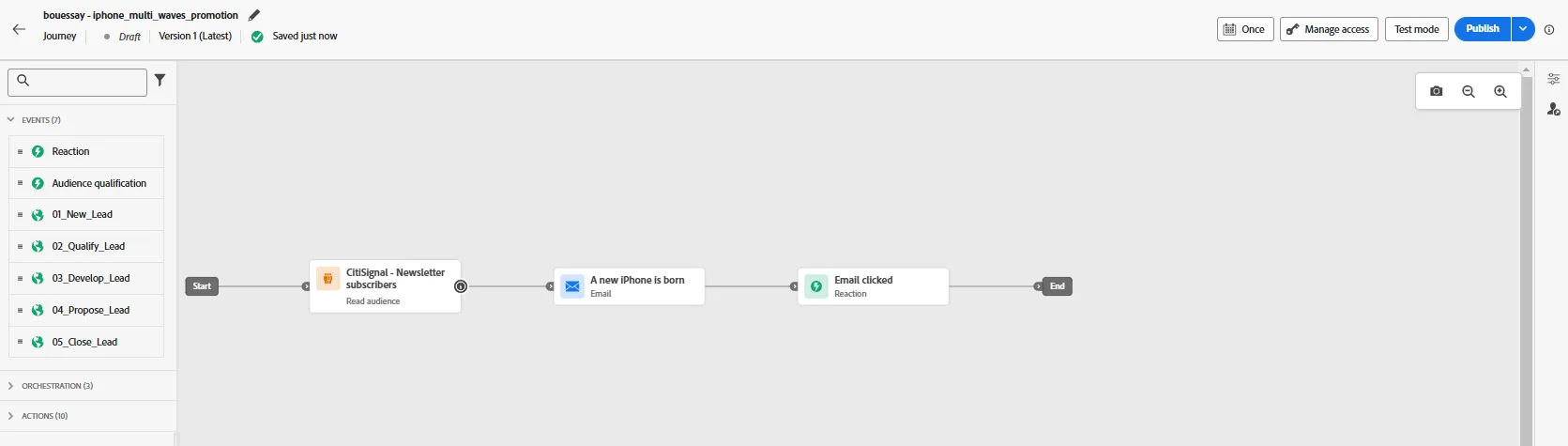
Add the Reaction activity just after:
Define the Timeout path and set it to 5 days:
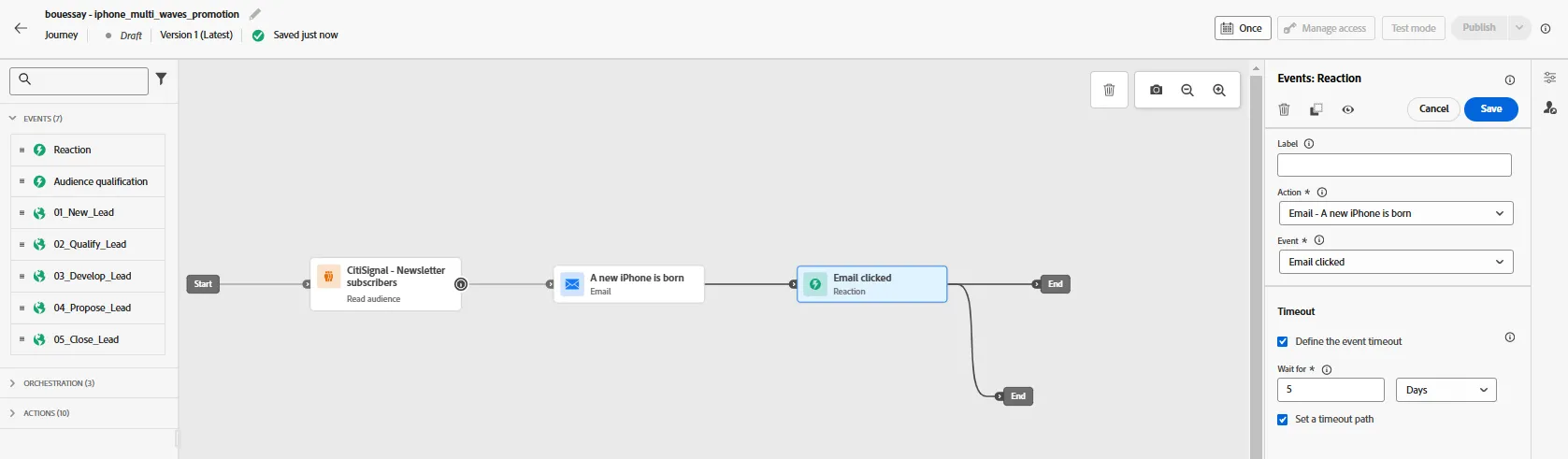
Check also that the previous alert has disappeared.
The product has understood that we are doing more than one unique action Campaign.
The first wave our Campaign has been designed and the recipients have 5 days to click on the links delivered by this email.