Visit the CitiSignal Website
This section describes a typical user journey in the context of Adobe's real-time customer profile.
The journey from unknown to known is one of the most important topics amongst brands these days, as is the customer journey from acquisition to retention.
Adobe Experience Platform (AEP) plays a huge role in this journey. AEP is the brains for communication, the “experience system of record.”
AEP is an environment in which the word customer is broader than just the known customers. An unknown visitor on the website is also a customer from AEP's perspective and as such, all of the behaviour as an unknown visitor is also sent to AEP. Thanks to that approach, when this visitor eventually becomes (identified as) a known customer, a brand can visualise what happened before that moment as well. This helps from an attribution and experience optimisation perspective.
Customer Journey Flow
Access the CitiSignal Demo Website.
If you are prompted to allow cookies, please do so.
To go through the customer journey flow:
- On the homepage, and any other page, you can get access to the Real Time Customer Profile panel.
- Click the Adobe logo icon on the top left corner of your screen to open the Real Time Customer Profile panel.
- Have a look at the panel:
- Notice the EXPERIENCE CLOUD ID within IDENTITIES. This is the so-called Experience Cloud ID (aka ECID).
- Click on ATTRIBUTES to see all details (none, at the moment...) of this currently unknown customer.
- Click on Events to see the experience events that were collected based on the customer’s behaviour. The list is currently empty but that will change soon.
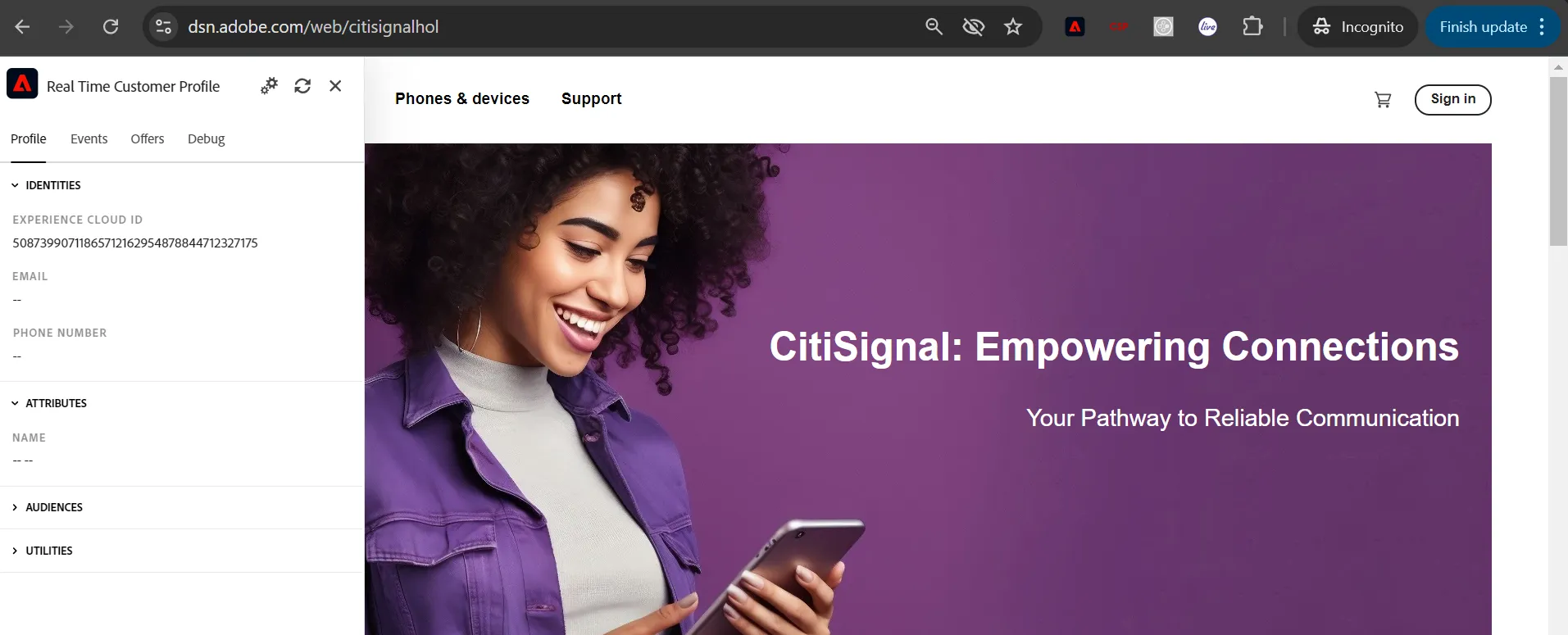
Let's behave as a typical customer now, we will search for a product:
- In the top level menu click on the page Phones & devices
- Click on one phone
You’ll then see the product page. Experience events of type Page View and Product View have been sent to AEP. To inspect this event:
- Open the Real Time Customer Profile panel.
- Take a look at the Events.
You will see the interactions you have had with the website.
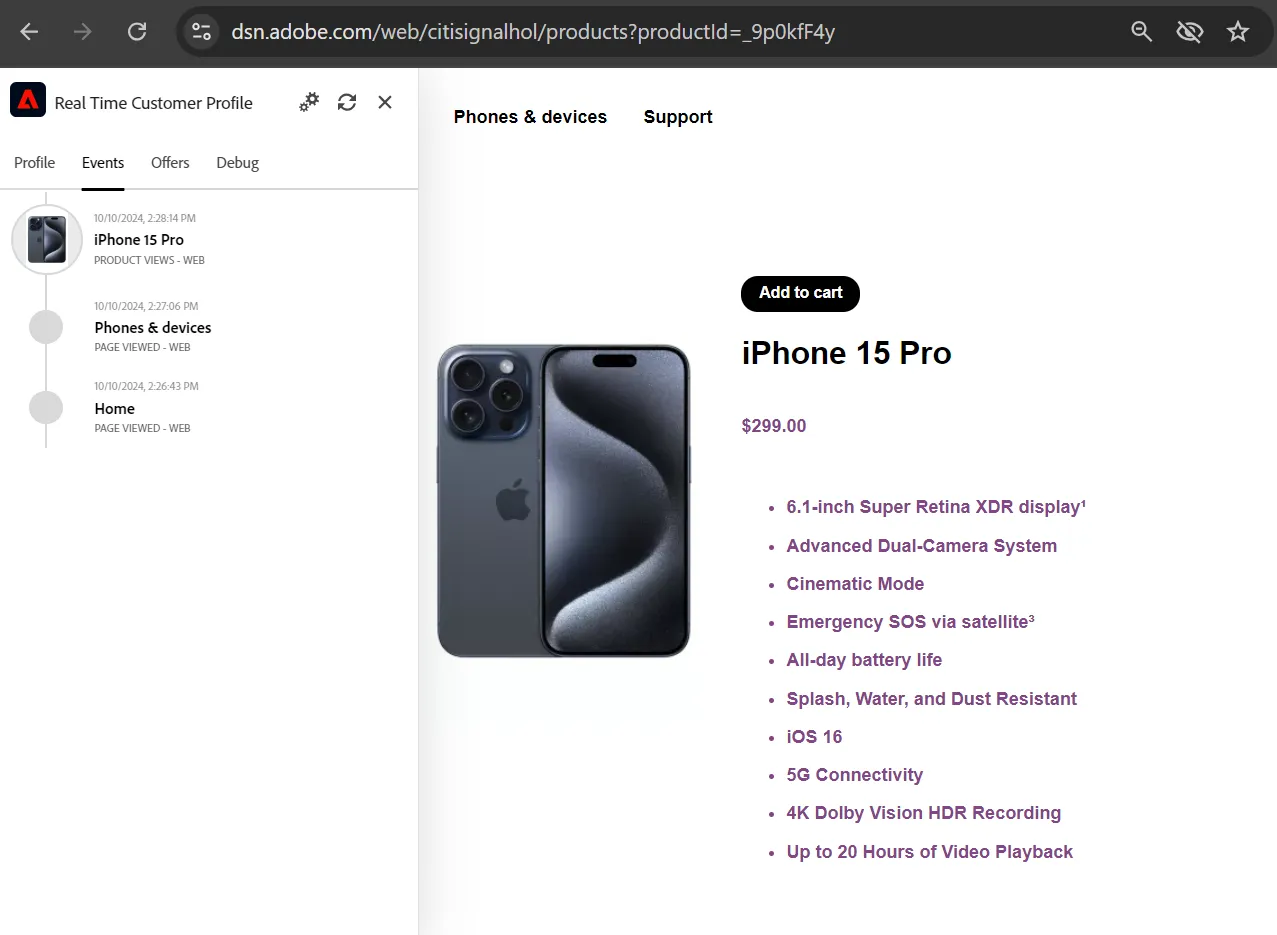
While the behaviour is anonymous, we’re able to track every click and store it in Adobe Experience Platform. Once the anonymous customer becomes known, we will be able to merge all anonymous behaviour automatically to the known profile.
We will now register where we will provide more information and become a known customer:
- In the top right hand corner of the website, click on Sign In
- Click on the link Don't have an account? Register
- On the Registration page, fill the form
If you would like to receive the emails in the following labs, fill in the personal information email field with your email address.
- Click on Register account to submit your registration.
Let's have a look at the Attributes now stored in AEP:
- Refresh your browser;
- open the Real Time Customer Profile panel. You will see potential additional identities displayed, like your email address and phone number.
- click on Attributes. You will see additional profile details, like NAME, ADDRESS...
- click on Events. You’ll see all products that you viewed before. All these (initially anonymous) events are now also connected to your new created profile.
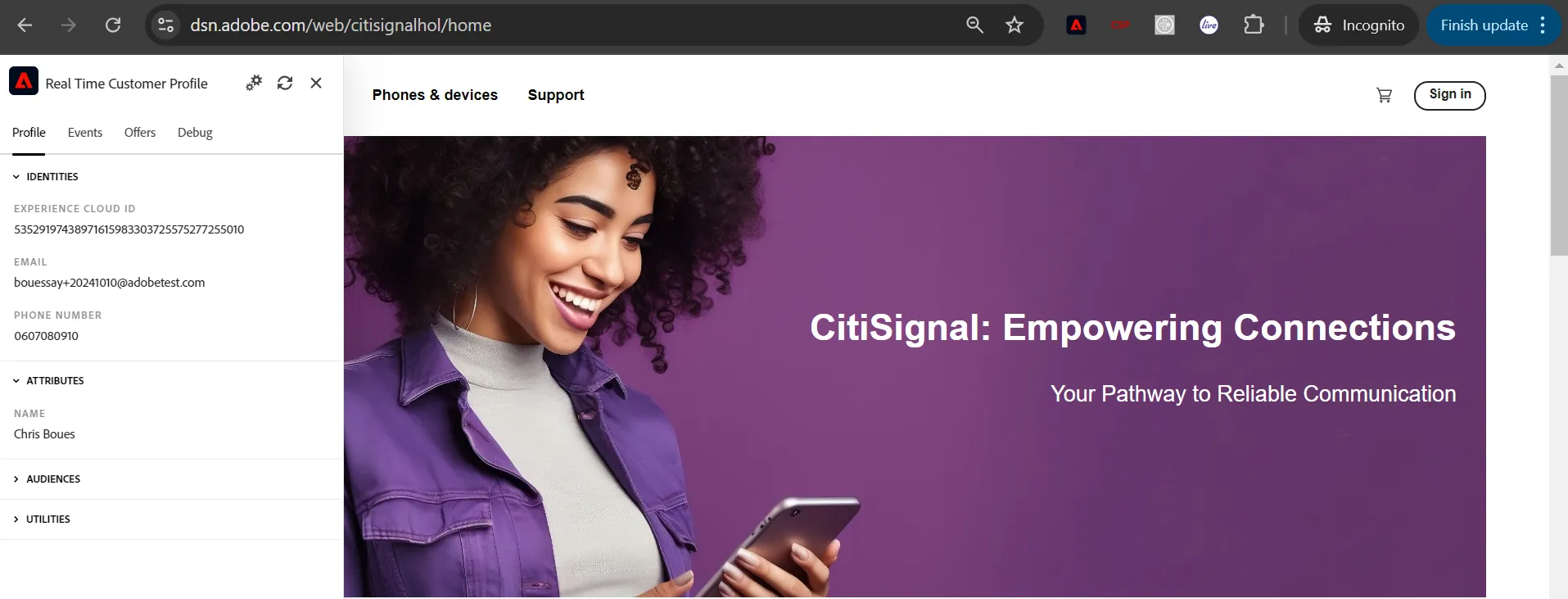
You’ve now effectively seen a real-time, customer profile being created, first anonymous, then as a known profile, and continuously being enriched with experience events.
In the next exercise, you’ll go ahead and visualise your profile in Adobe Experience Platform.