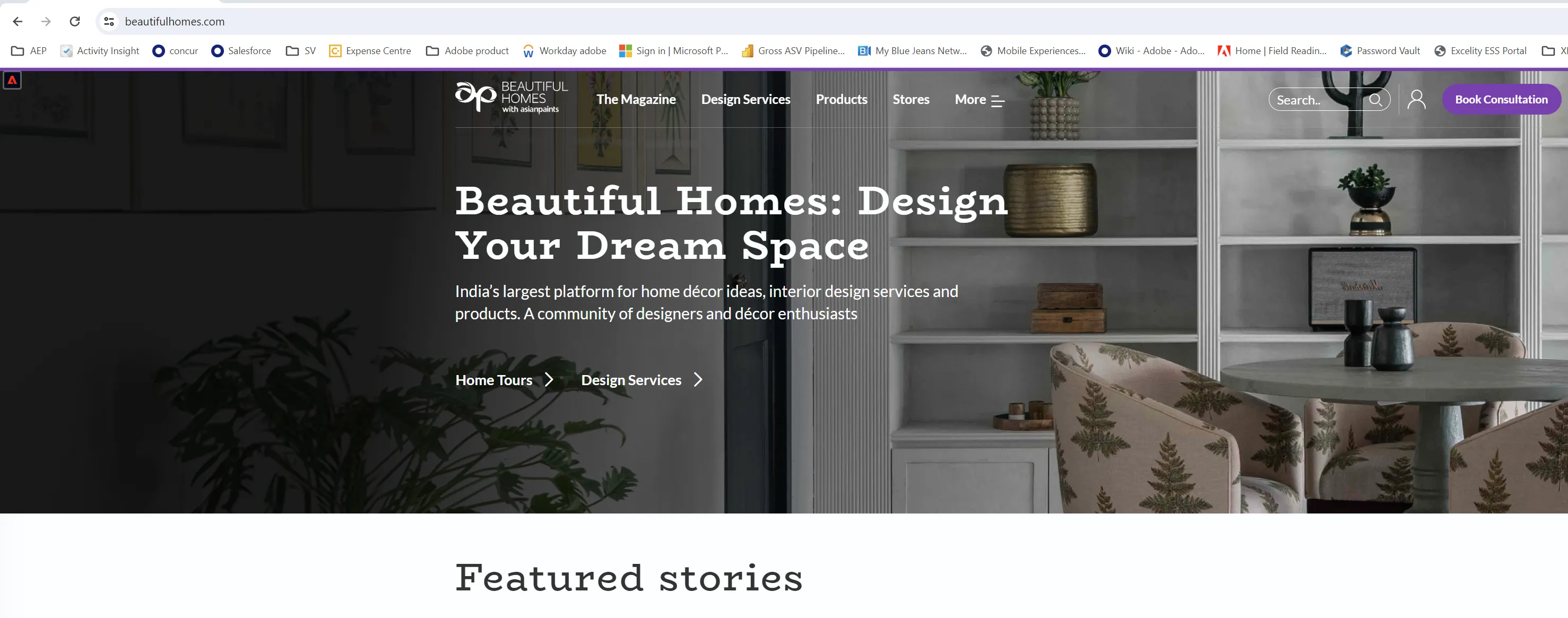
Website
For the lab, you need access to a demo website.
If you haven't done it yet, install Adobe experience platform debugger chrome extension https://chromewebstore.google.com/detail/adobe-experience-platform/bfnnokhpnncpkdmbokanobigaccjkpob
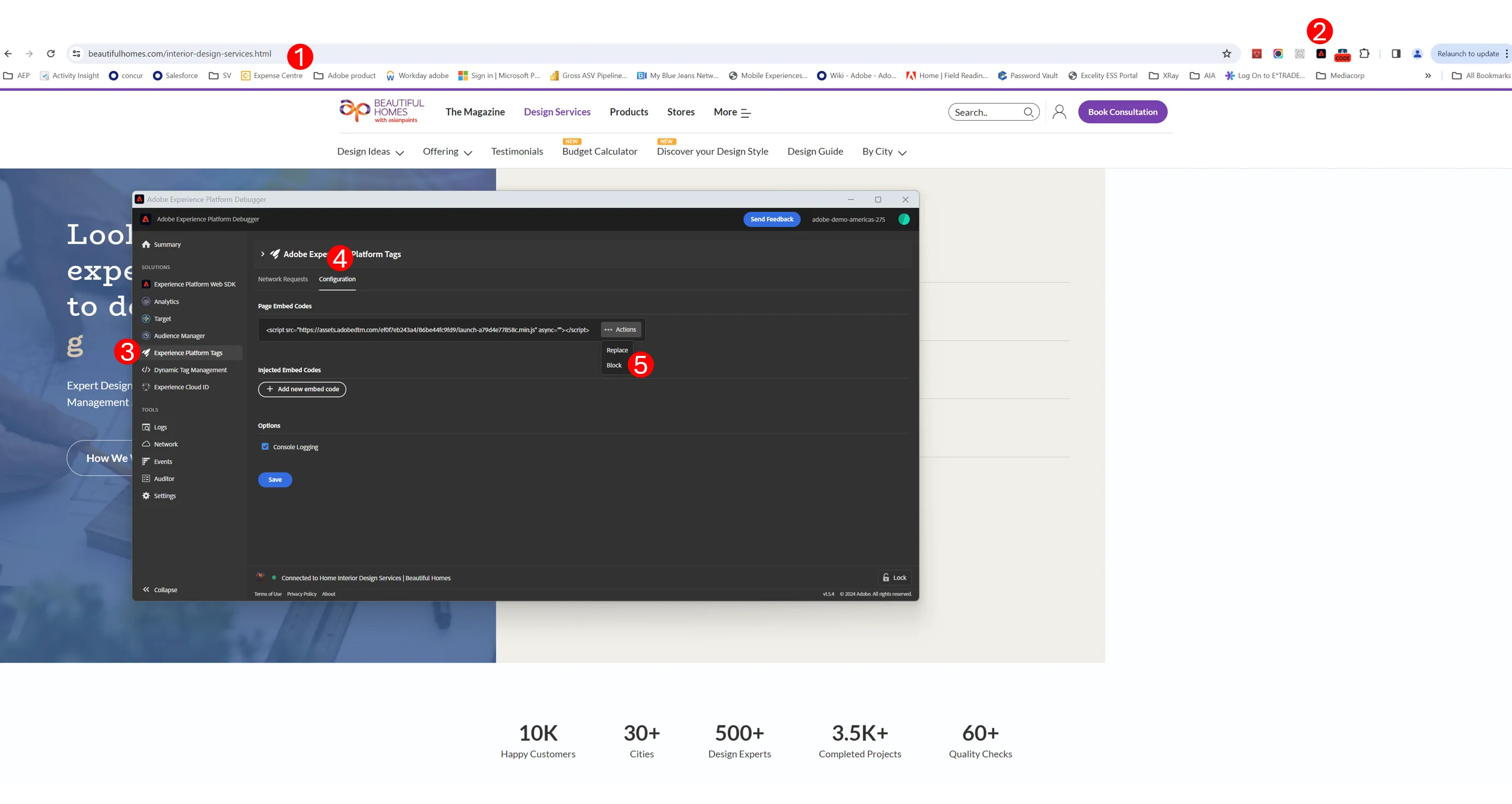
We need to change the data collection that is happening on your web site to send your web behaviour to our HOL instance instead of your production Adobe Analytics. To do that:
- Click on the adobe debugger extension
- Click on experience platform on the left menu
- Go to configuration tab
- Block the current data collection, as shown in the screen shot below
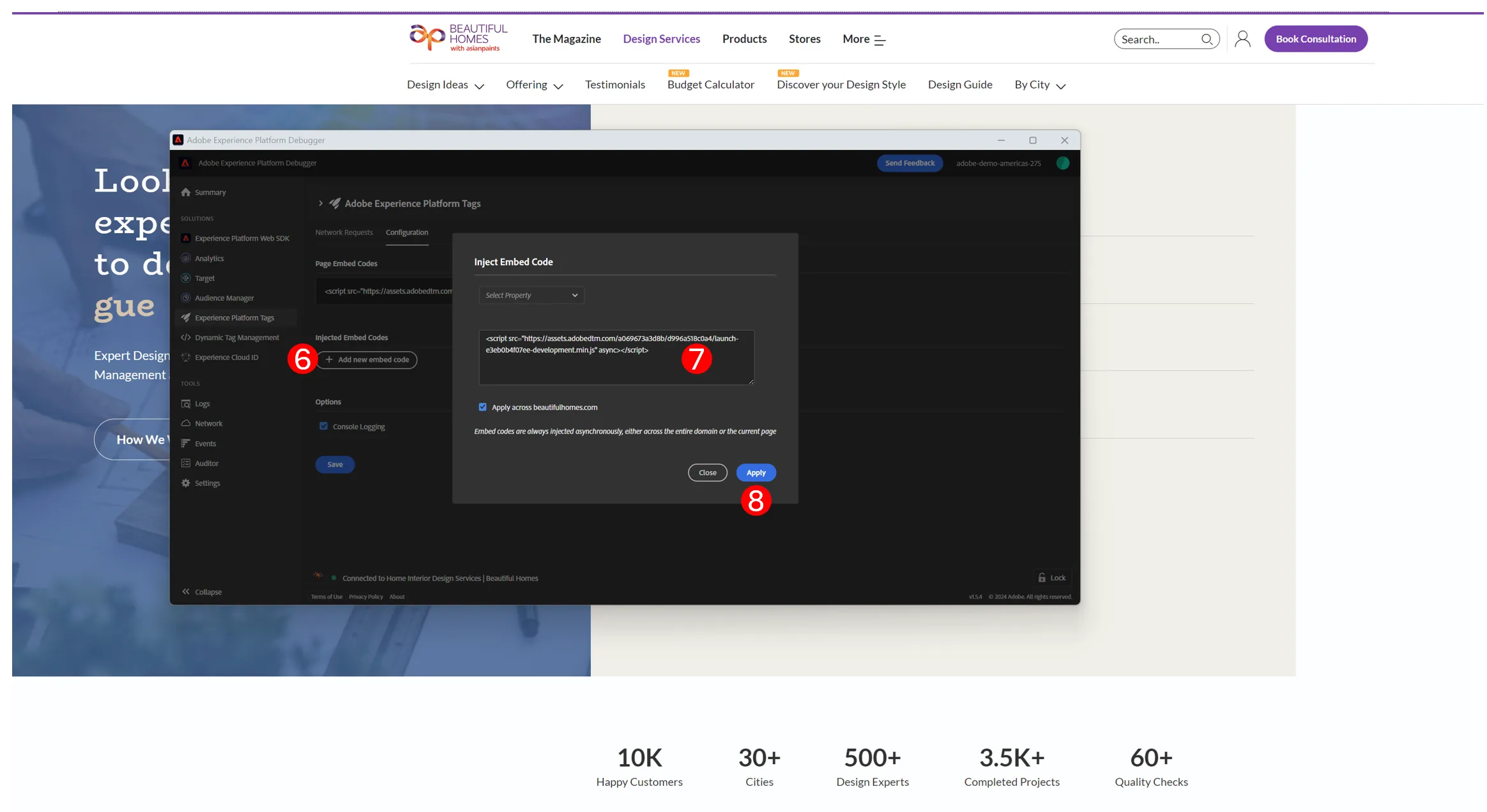
6. Still in adobe debugger, click on add new embed code
7. copy and paste this code : <script src="https://assets.adobedtm.com/a069673a3d8b/d996a518c0a4/launch-e3eb0b4f07ee-development.min.js" async></script>
8. click Apply
9. Save and close Adobe debugger
You should see a new Adobe icon on the top left of your web site. This give you access to the helper we will use during this hands on lab