Additional Template Options
3 min
Step-by-Step Instructions for Display Ad creation
Step 1: Create a Display Ad
- Click "Display" in the Paid media section
- The template picker opens, showing available templates organized by source
Step 2: Choose the Express template
- Select "Express templates" to browse templates shared by the creative team
- Locate the "Sevoi_Display_Campaign_Layouts" template.
- To focus on copy generation only, choose "Sevoi_Display_Message_Layouts"
Step 3: Follow ad creation process
- Repeat processes described in Meat ad creation to create Display Ads
- Outline parameters
- Identify Content
- Generate output
Step-by-Step Instructions for Email creation
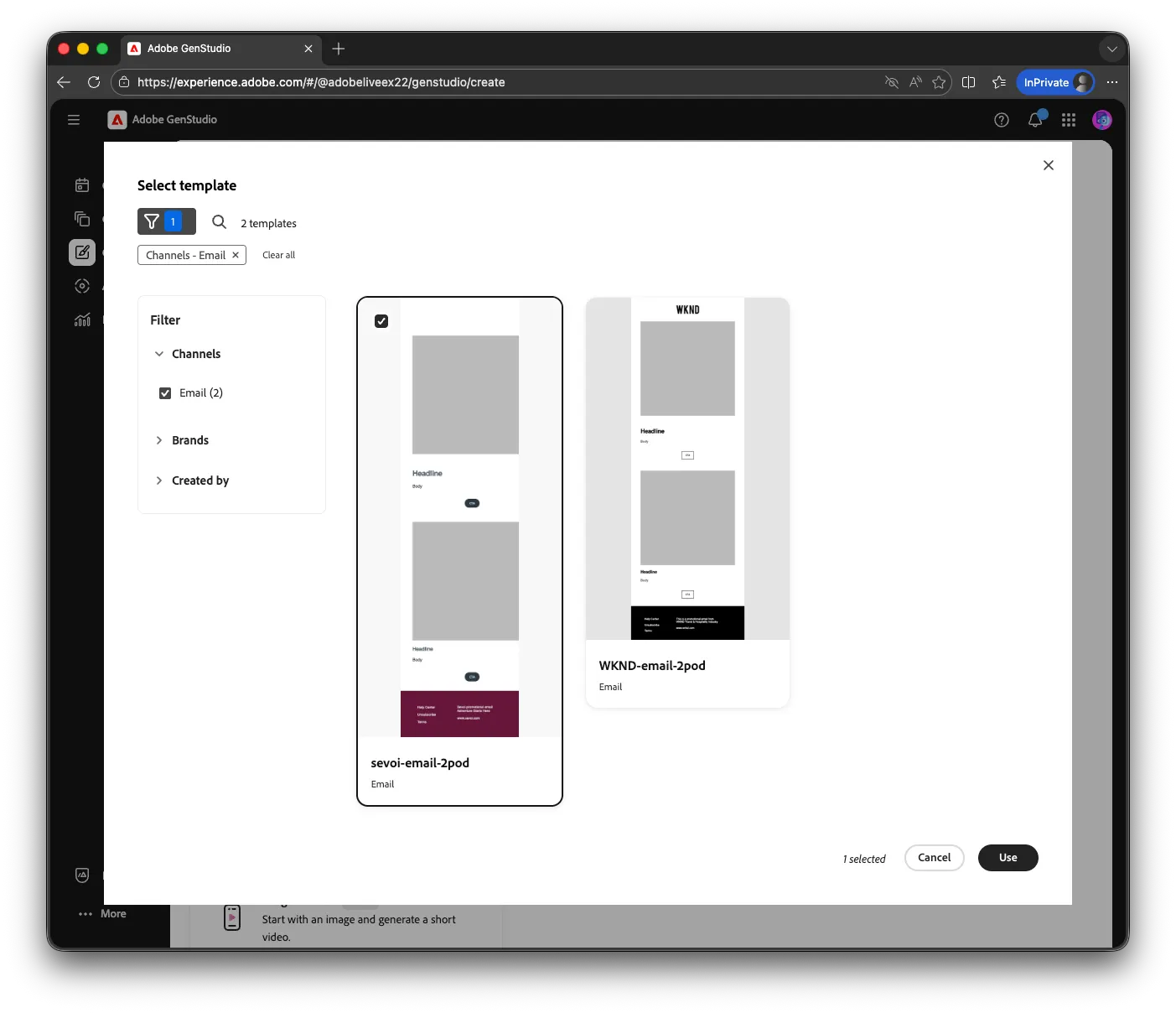
Step 1: Create a multi-pod email
- Click "Email" in the Owned media section
- The template picker opens, showing available templates organized by source
Step 2: Choose the Express template
- Locate the "sevoi-email-2pod.html" template and activate
Step 3: Follow ad creation process
- Repeat processes described in Meat ad creation to create Display Ads
- Outline parameters
- Identify Content
- Generate output
Step-by-Step Instructions for Video Ad creation
Step 1: Create a Video Ad
- Click "Meta" in the Paid media section
- The template picker opens, showing available templates organized by source
Step 2: Choose the Video template
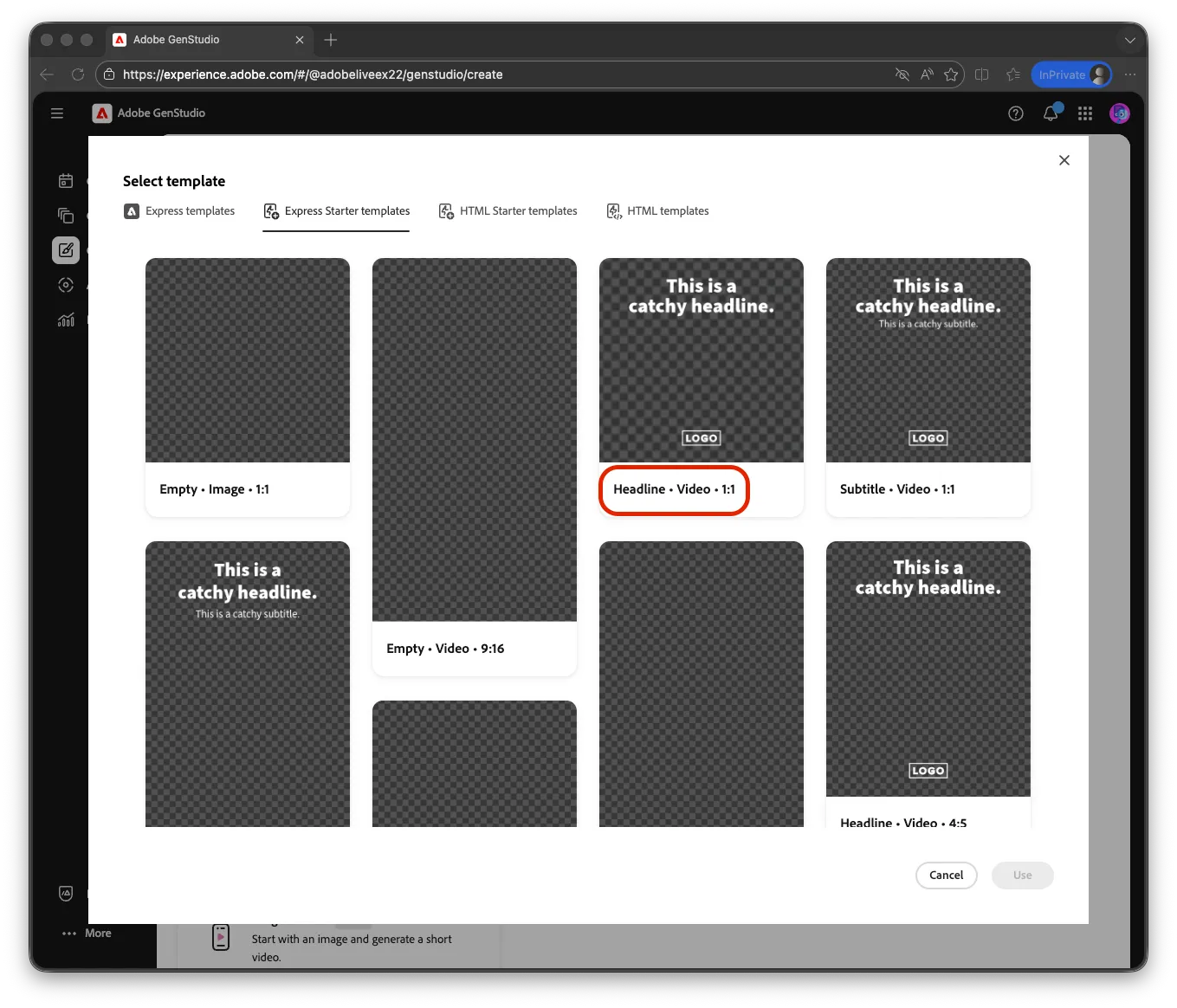
- Select "Express Starter templates" or "HTML Starter templates" to browse templates shared by the creative team
- Locate the templates labeled with "Video"
Step 3: Follow ad creation process using video assets
- Repeat processes described in Meta ad creation to create Video Ads
- Outline parameters
- Identify Content. Note content is filtered to video assets.
- Generate output