2. Edge Data Collection
Introduction
Adobe Experience Platform offers a suite of technologies that enable you to collect customer experience data from client-side sources and send it to the Adobe Experience Platform Edge Network. Here, the data can be enriched, transformed, and distributed to Adobe or non-Adobe destinations within seconds.
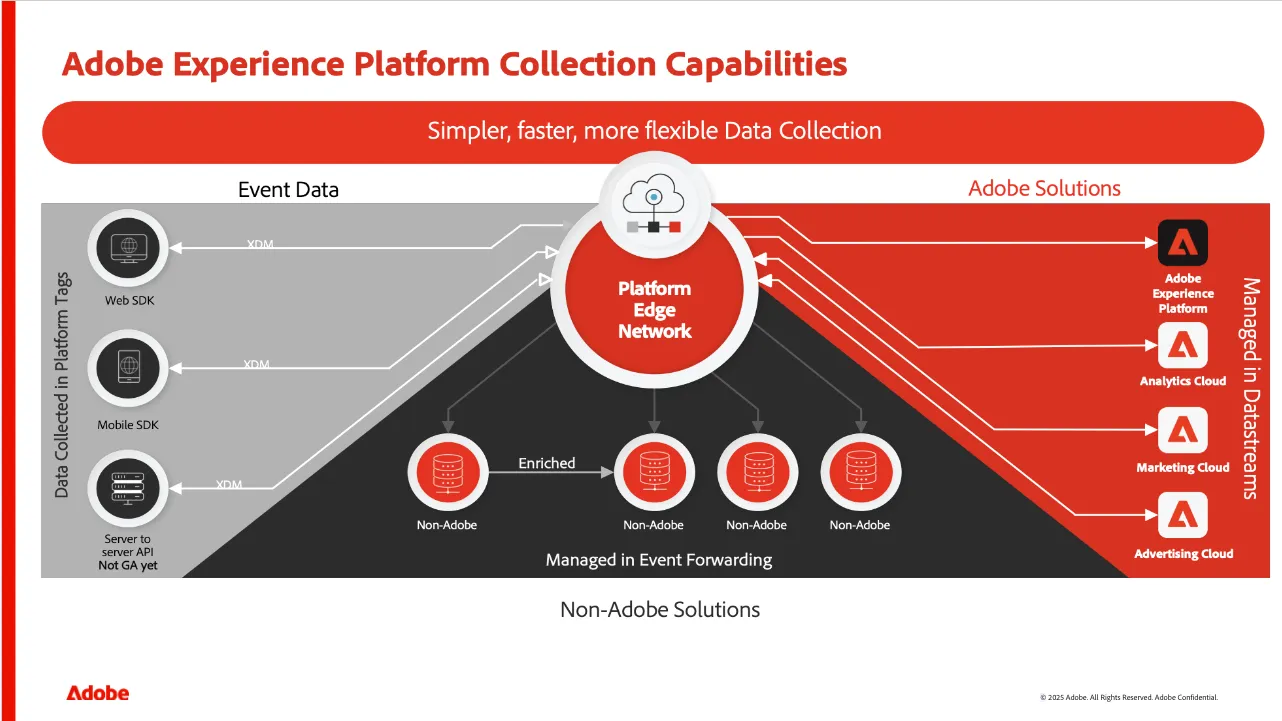
Any user interface—whether a website, app, or other platform—needs to respond in real time to customer behaviour. For this reason, requests made via the Edge Network receive a comprehensive response, including information such as segment qualification and personalised experiences, allowing the customer journey to be tailored instantly.
In this exercise, you will explore how data can be collected from a website in AEP, how the payload is constructed, and what information is included in the response.
Adobe Experience Platform Web SDK
Let’s see how data is collected from a website using the AEP Web SDK.
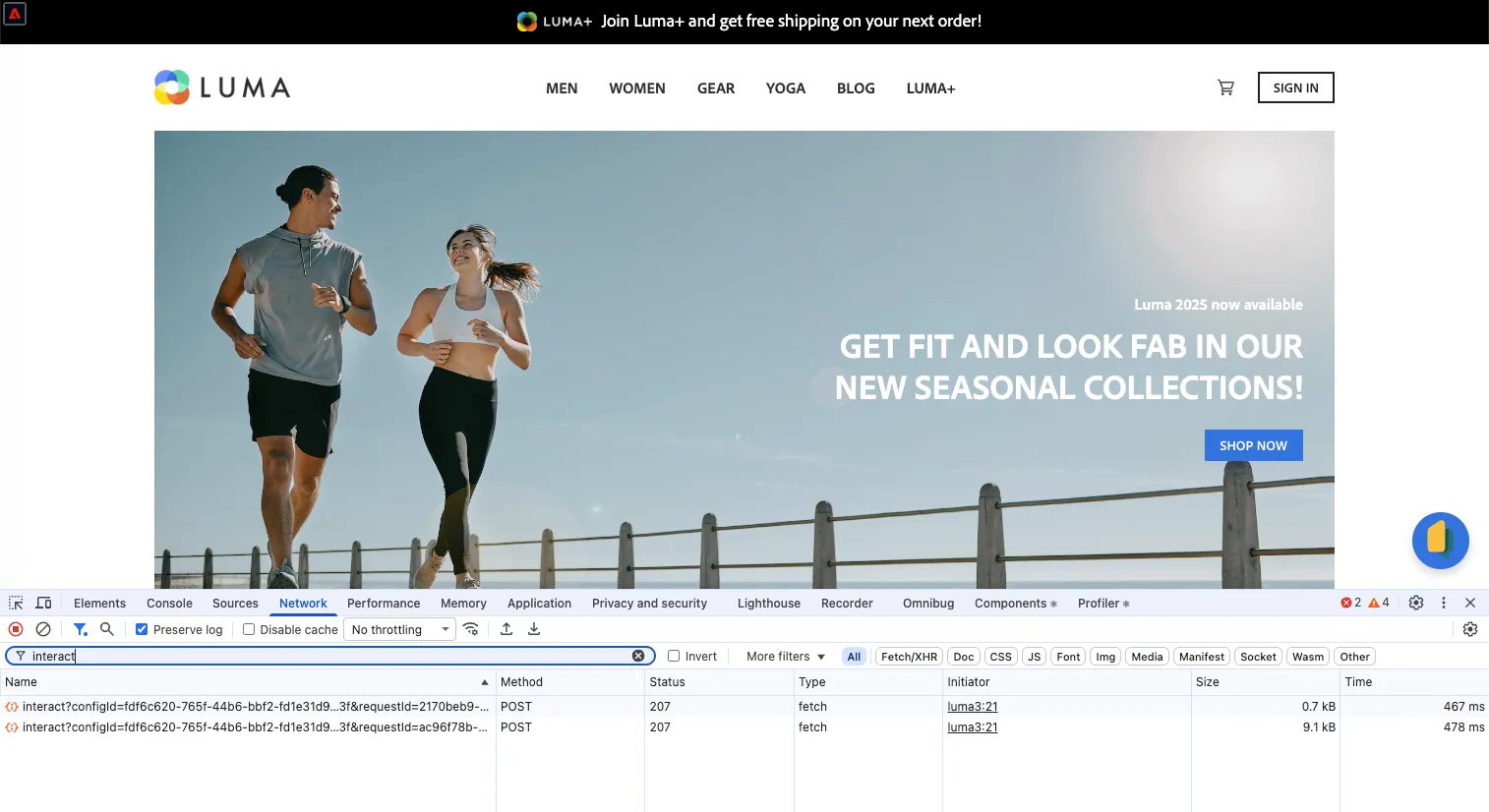
- Open the Luma Retail website.
- Open your browser’s Developer Console.
- Go to the Network tab and filter requests using the keyword interact.
- Reload the page.
You should see two requests:
Exploring the payload
- Click on the on one of the requests, then select the Payload tab.
The payload is a JSON object containing a wealth of information about the interaction. Expand the nodes events > 0 > xdm, and explore the content:
- The eventType field indicates the type of event.
- The web node contains information about the page visited.
- The _demosystem4 node includes the visitor’s identification and other details.
The structure follows a schema defined in AEP (similar to what you may have created in previous exercises). These values will flow into AEP and then into Customer Journey Analytics (CJA) for reporting.
Exploring the response
- Click on the request where eventType is web.webpagedetails.pageViews.
- Click on the Response tab.
As you scroll, you’ll notice the response contains a significant amount of information. Focus on the content related to personalisation:
- In the payload search for this keyword #TopRibbonto find the object containing the content used to personalise the homepage.
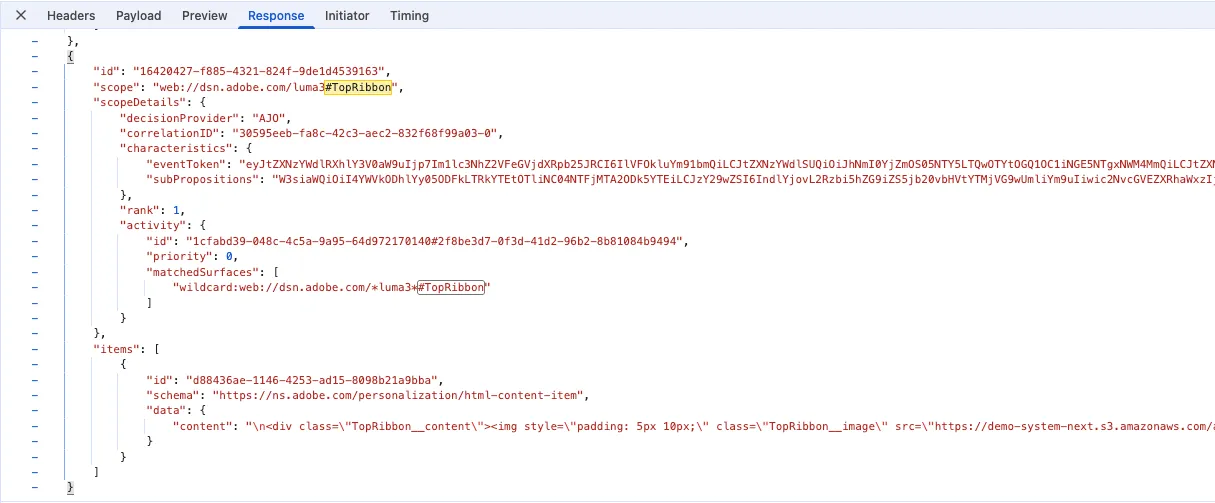
By analysing the content node, you will find the HTML used to personalise the top ribbon on the homepage. This is because, in AEP, personalised content has been defined for users belonging to a specific audience. When you visit the website and qualify for that audience, you receive a tailored experience.
Great, you’ve just completed a hands-on exploration of real-time data collection.