Audiences
Audiences overview
To get an overview of available audiences in Adobe Experience Platform:
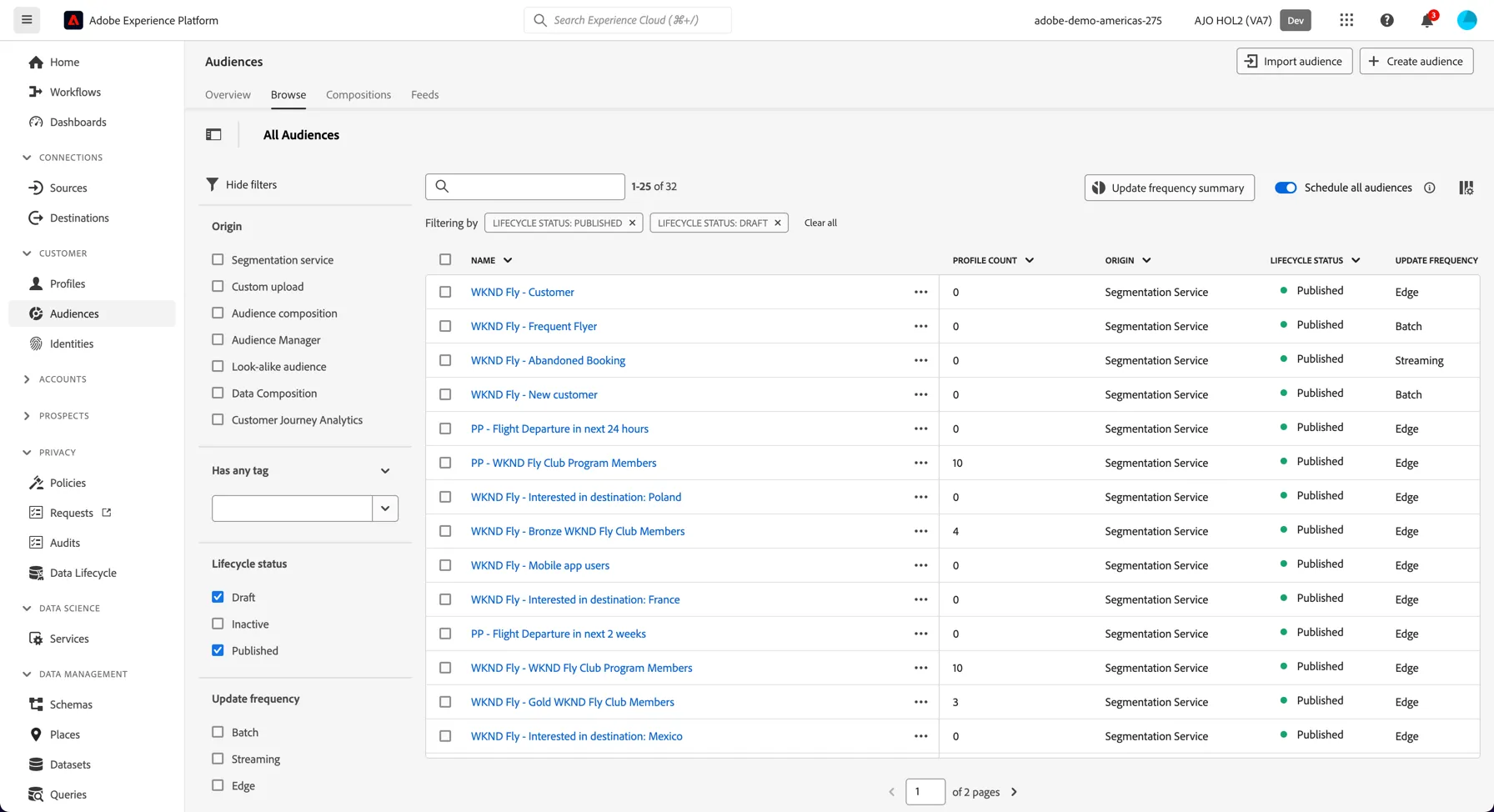
- In the menu on the left side, click on Audiences. You will see a dashboard overview with information on a specific audience.
- Click on Browse at the tab bar. You will see an overview of all existing audiences. You can use the search bar or the filters on the left to find specific audiences.
Create a Real-time Audience
Edge audiences are designed for real-time personalisation use cases occuring on your website or app. The open day banner appearing on the home page was controlled by an Audience evaluated on the Edge. This exercise will show you how to create one.
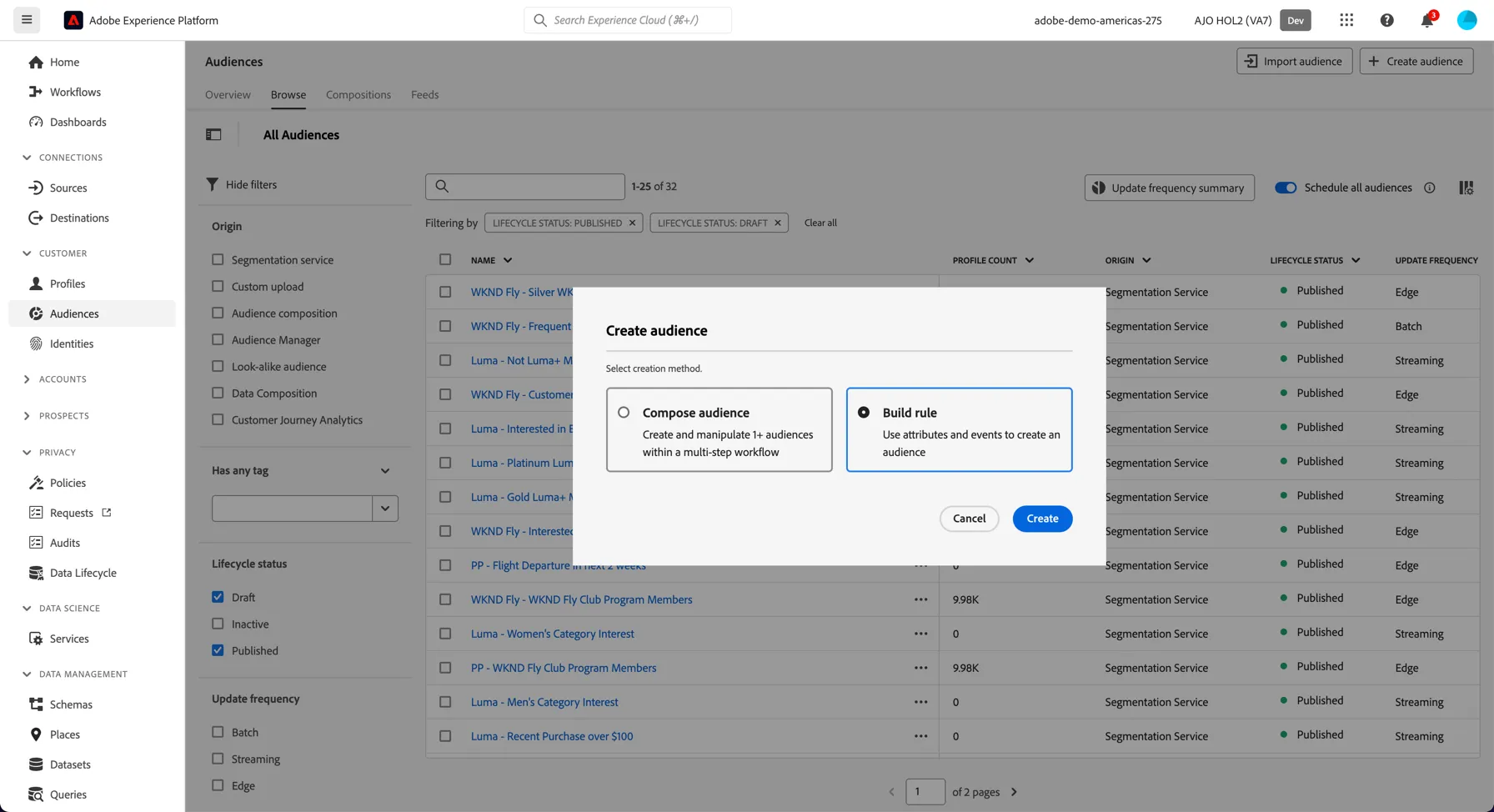
Select to build a rule based audience:
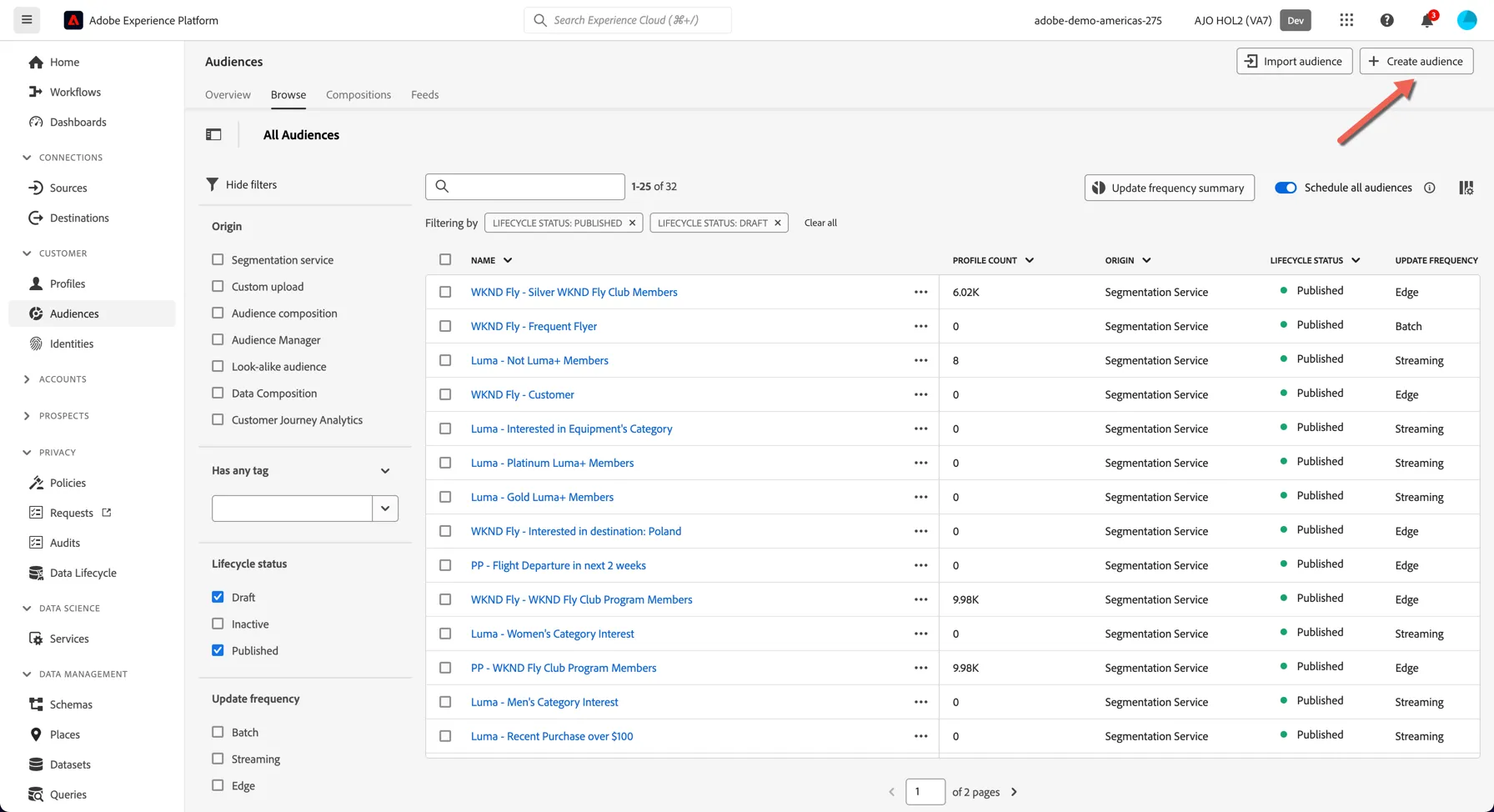
Browse to the Audiences page in the left hand navigation and click to Create Audience.
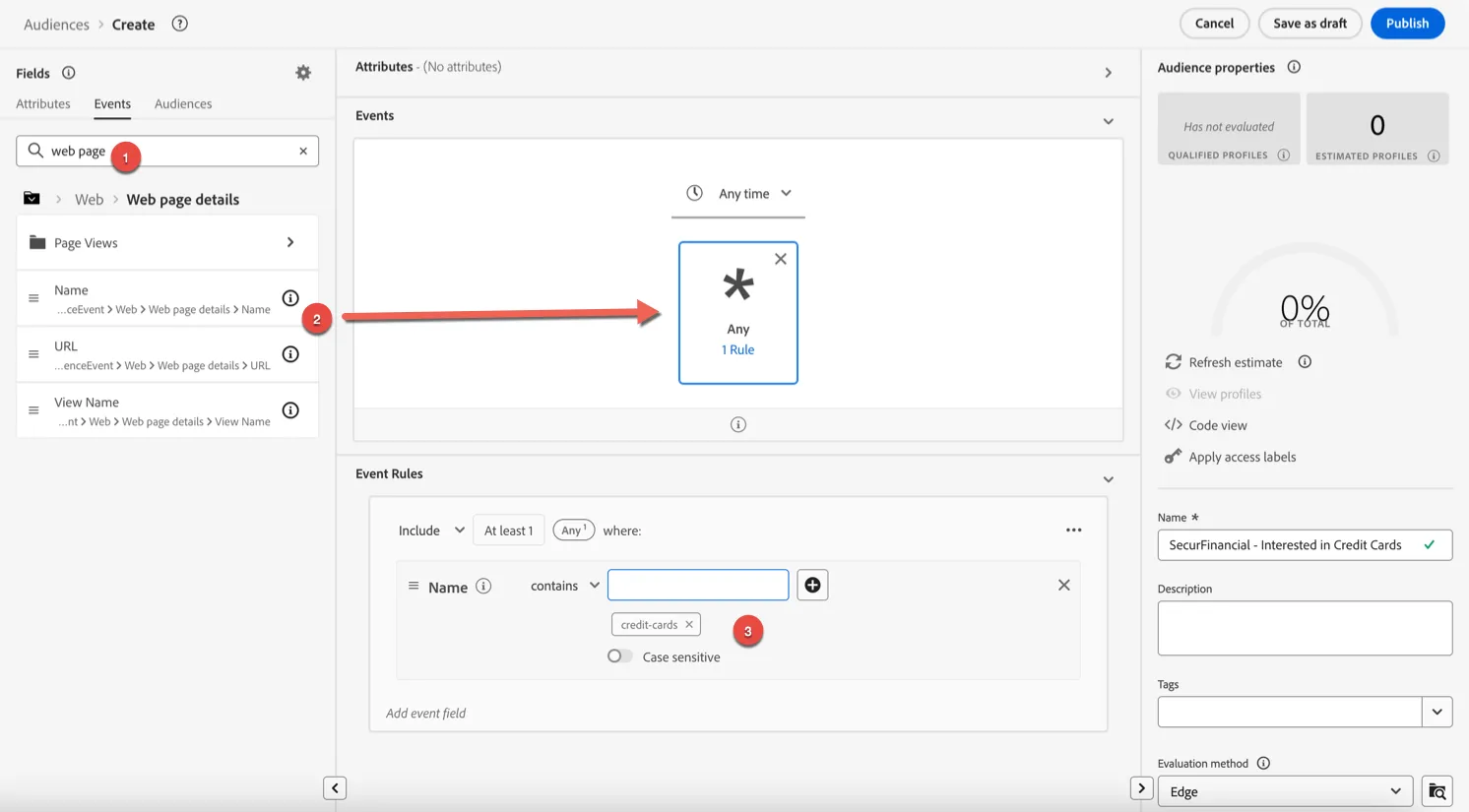
In the audience builder you have access to all of the profile attributes and events.
- Change to the events tab to create an audience based on a real time event.
- Search for web and drag the name attribute into the canvas.
- Set the rule to contains value credit-cards
Add a timeframe for your qualification to In last 7 days.
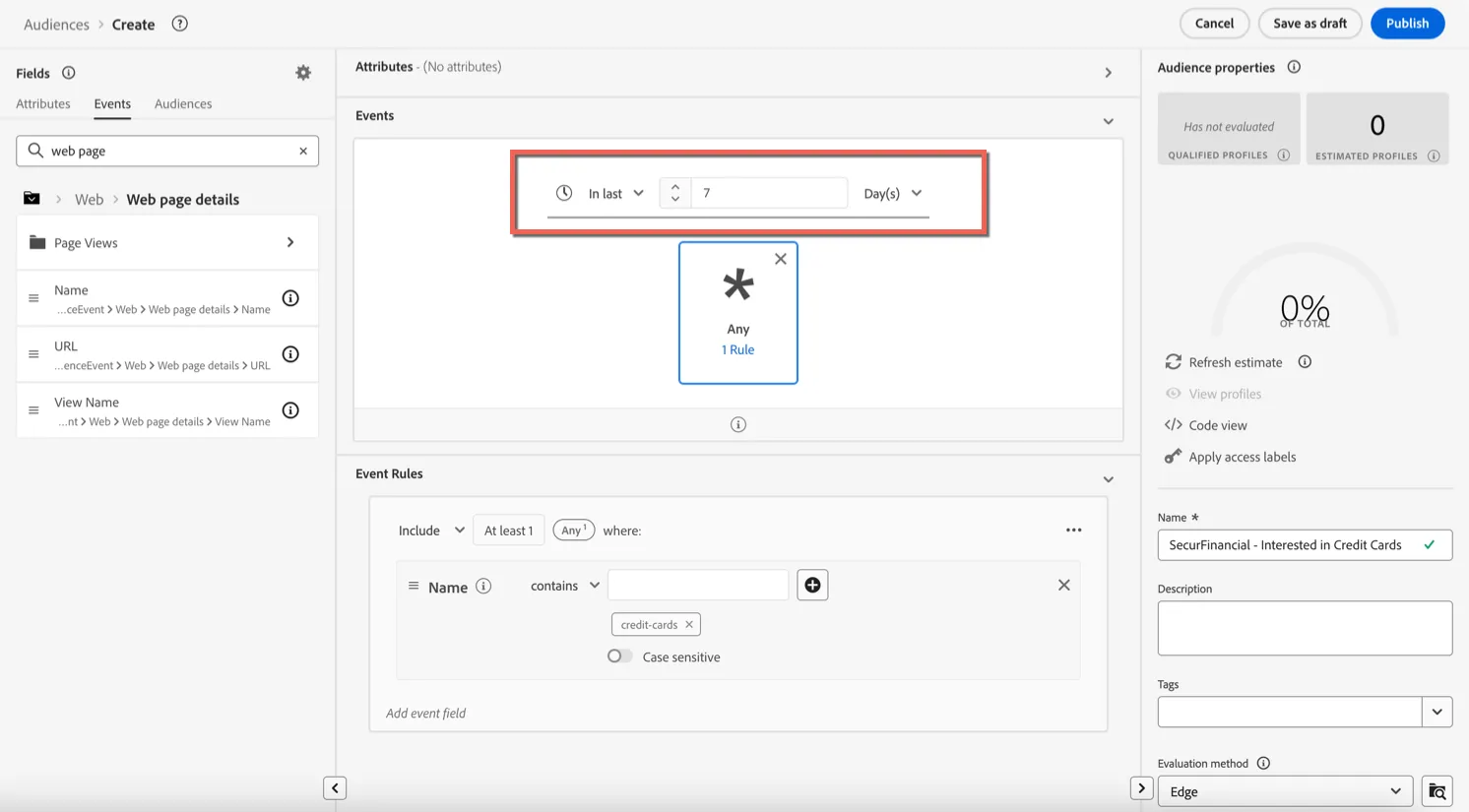
Now let's give your audience a Name - add a prefix, something unique to distinguish your audience from everyone else's like your last name Eg. [last name] - Interested in Credit Cards
Add a description to help others quickly understand your audience logic.
Now set the Evaluation method to Edge. This specifies that the audience can be calculated on the edge for qualification within milliseconds.
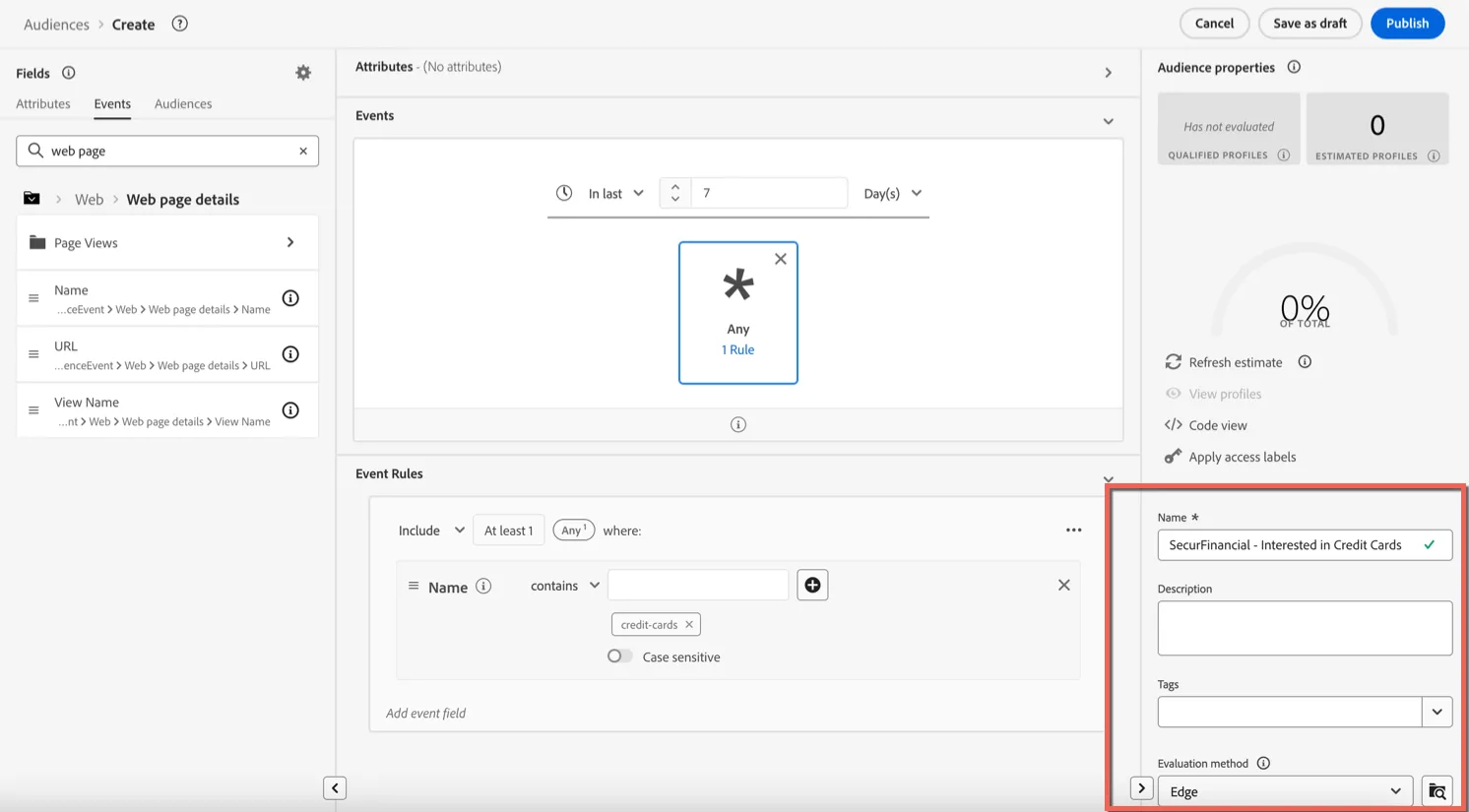
Click Publish. To save your audience and enable it for further use.
Audiences must be published before they are included in any kind of evaluation (edge, streaming or batch).
Congratulations you've created your first real-time Audience!