Audiences
Scenario
Based on our analysis we identified that offline sales are trending down with customers in melbourne and sydney. It's agreed that we need to:
- Run a retention campaign targeting at risk subscribers with limited time offers
- At the same time we'll run a brand recognition campaign
As part of the Marketing Operations team at Frescopa you have been tasked to define the target audiences for the planned campaigns. We shared an audience created from our analysis already but this is focusing on past behaviour, in this lab we will create an real-time Audience in Adobe Experience Platform to identify at risk subscribers when they land on the website, this audience will be used for same page personalisation by Adobe Journey Optimizer and Promotion qualification by Adobe Commerce.
Of course, we also support non Adobe solutions for real-time personalisation and e-commerce use cases, these are enabled through the Custom Personalisation destination connector. If you want to know more, ask one of the solution consultants nearby and we'll be happy to run you through it.
Access
Switch to Adobe Experience Platform using the solution switcher:
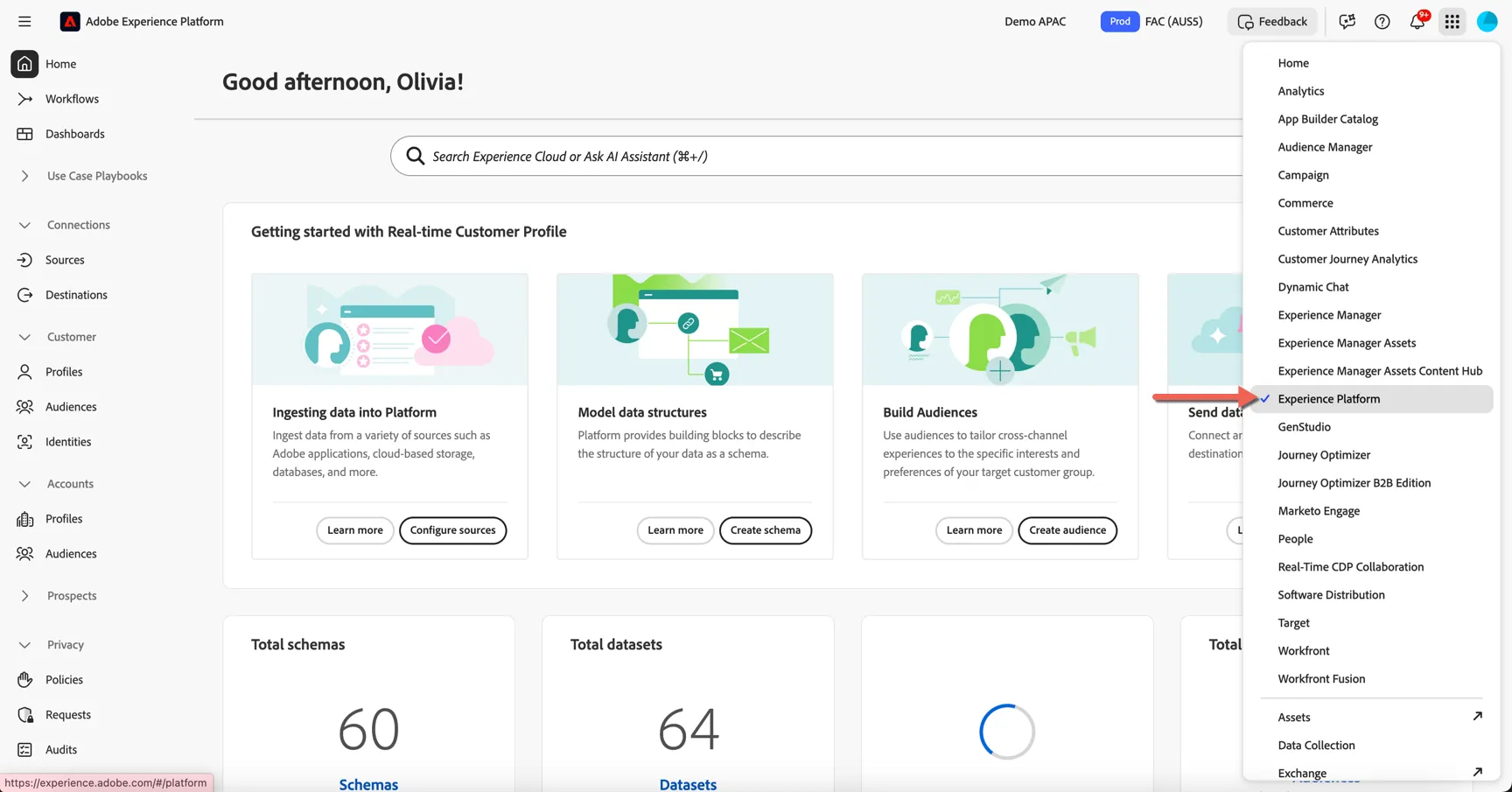
For this exercise we will use the FAC (AUS5) sandbox. Change to this sandbox if you are not already in there.
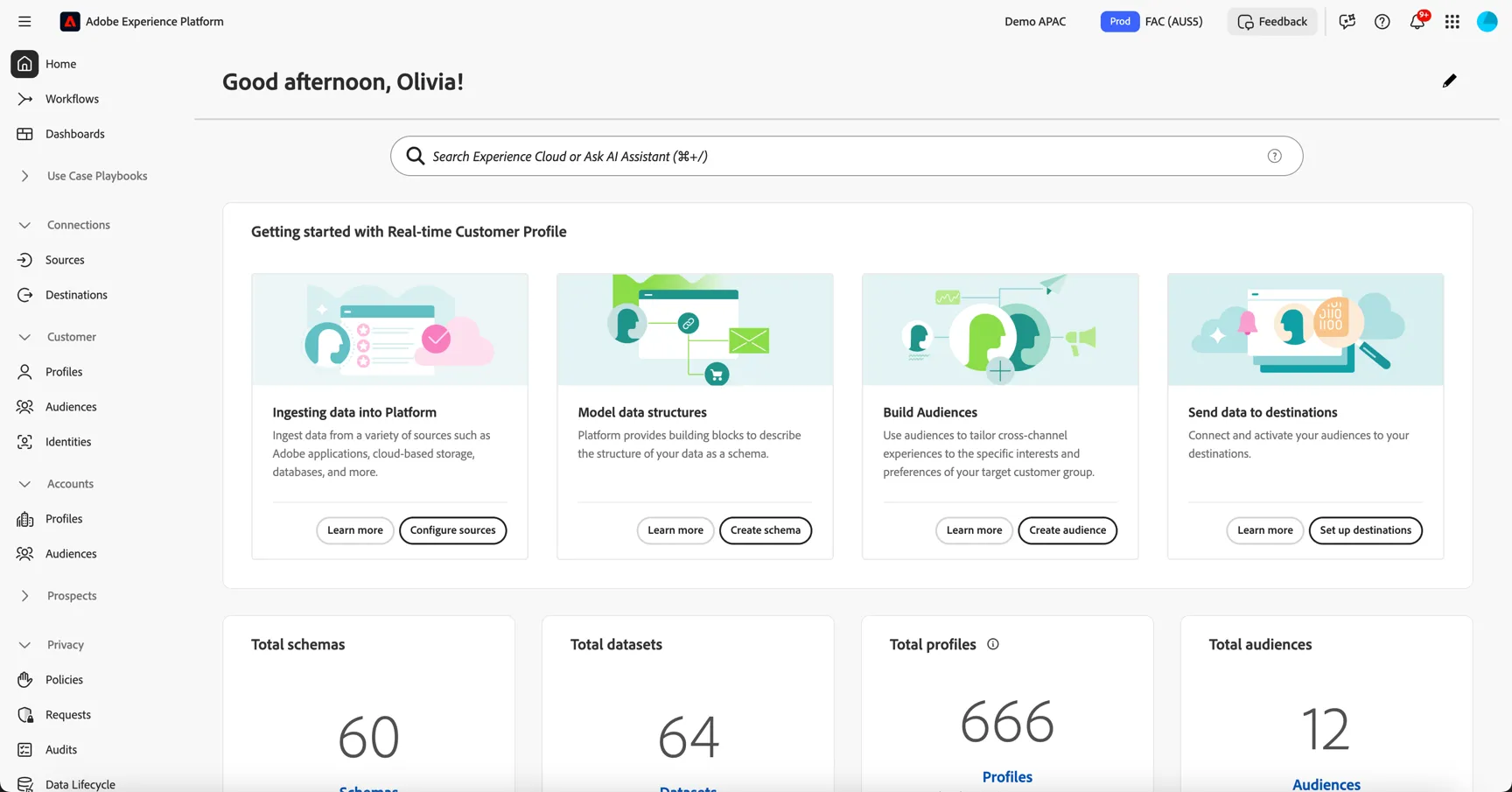
AI Assistant
In this exercise you can explore how the AI Assistant can support you across your workflows. Including:
- Product knowledge to understand concepts on the fly
- Operational Insights to gain insight on objects you or your team have built
The Assistant is also how you access the Audience Agent, it can provide insights on your profiles and audiences. This can be helpful for audience maintenance and for planning new audiences.
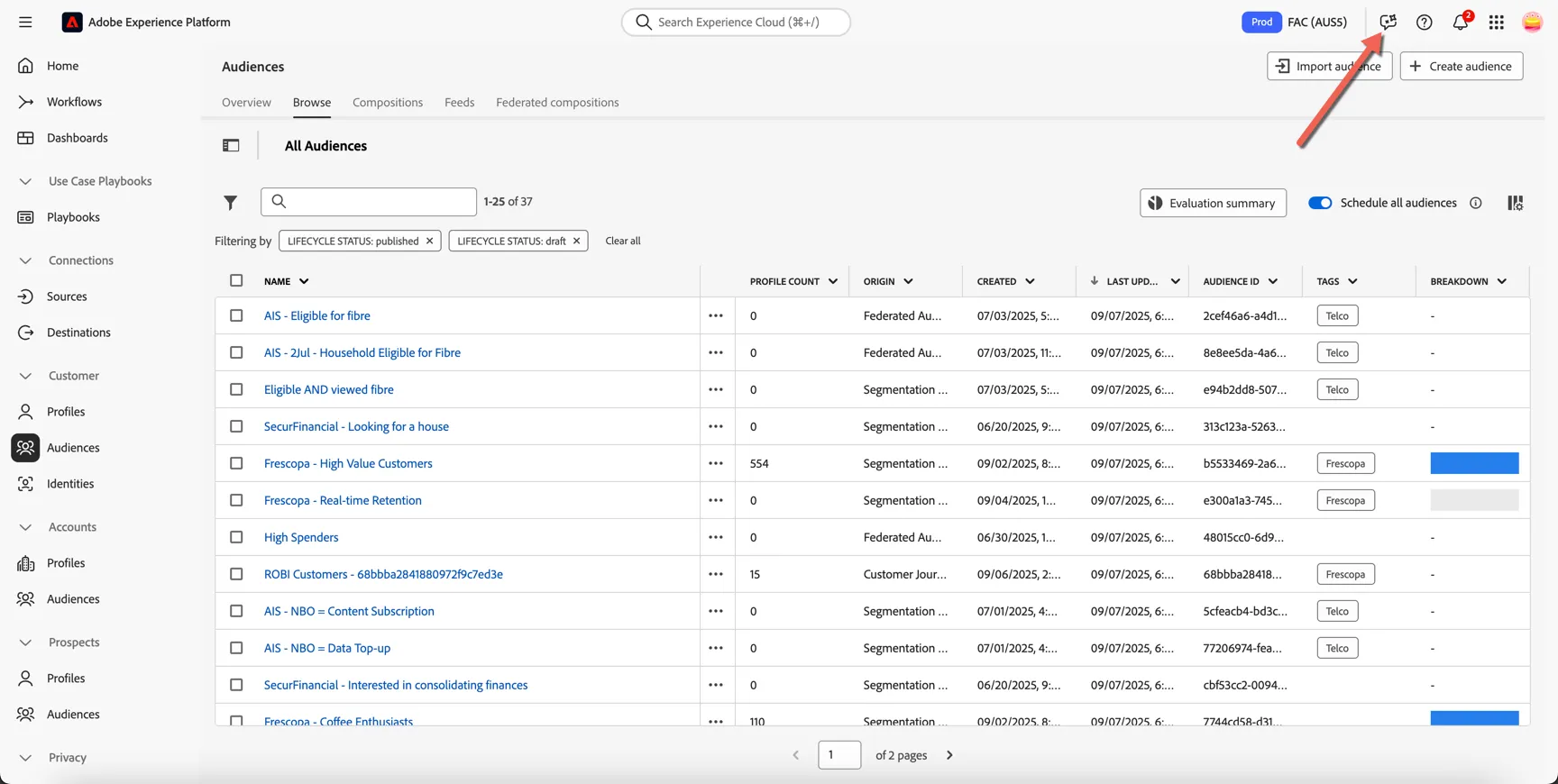
Click to open the AI Assistant in the top right corner.
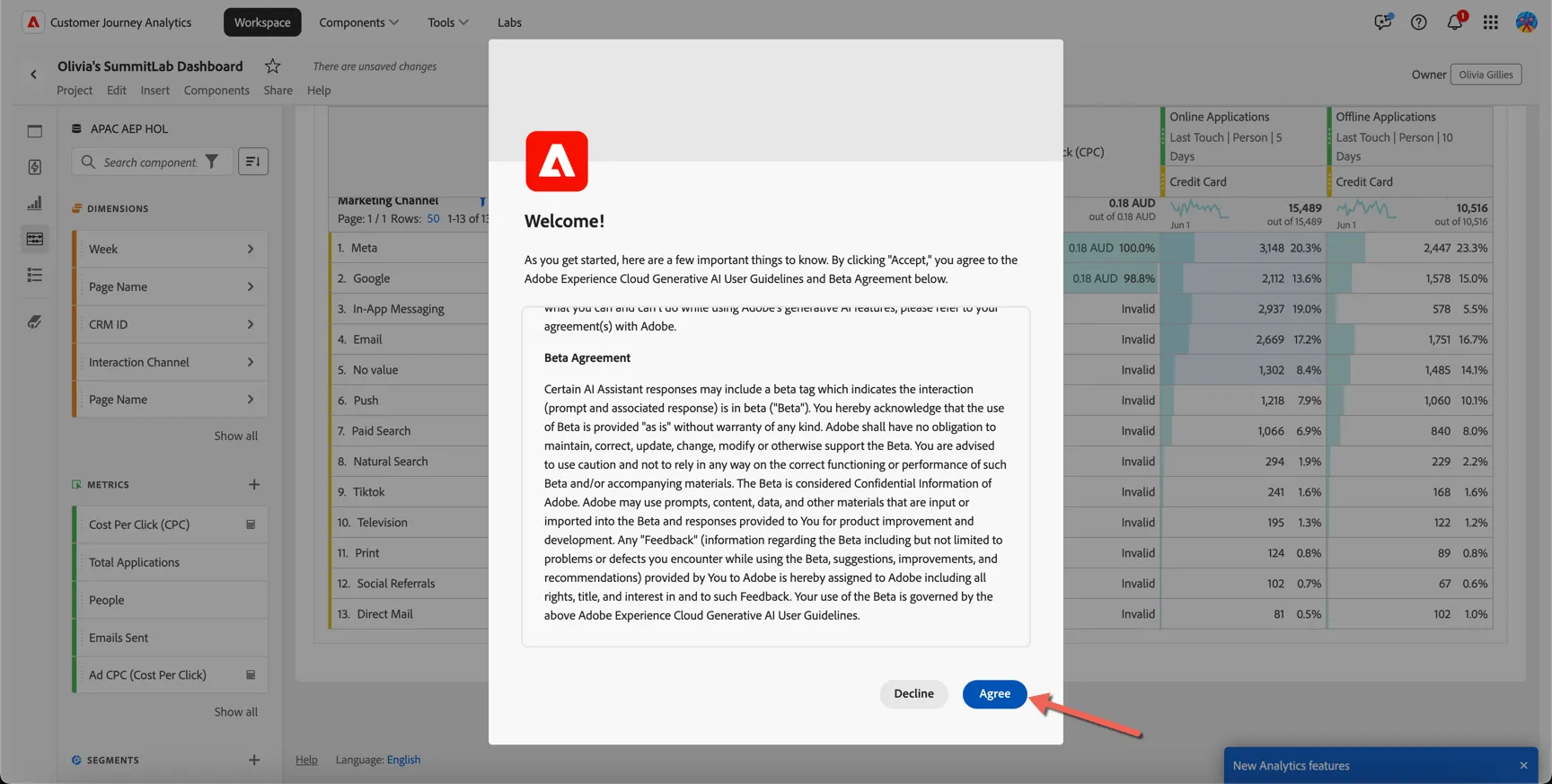
You might be asked to accept the Generative AI User Guidelines and Beta Agreement, you can safely do this in our demo environment.
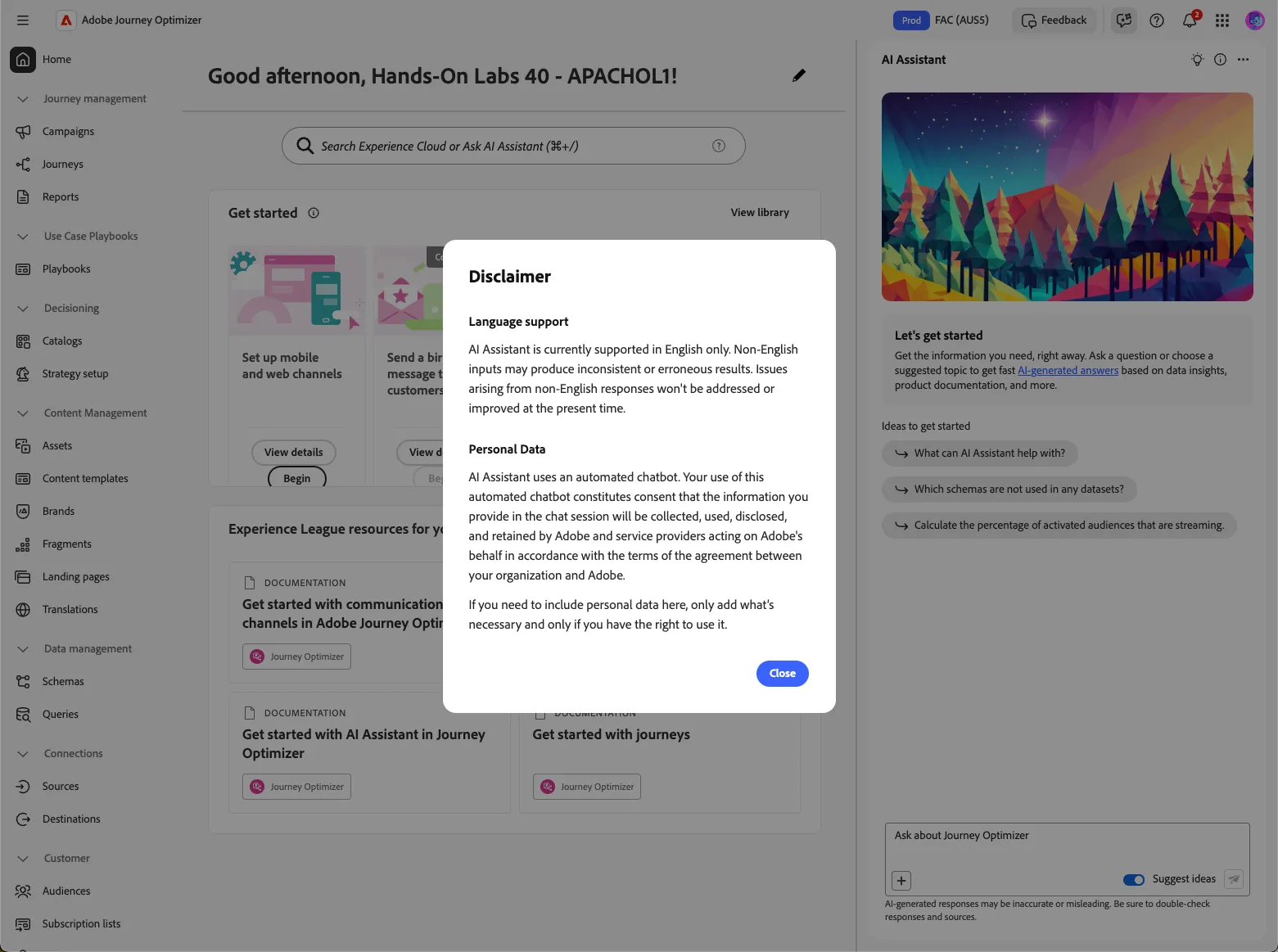
Following the license agreement there will be a disclaimer, you can safely close this also.
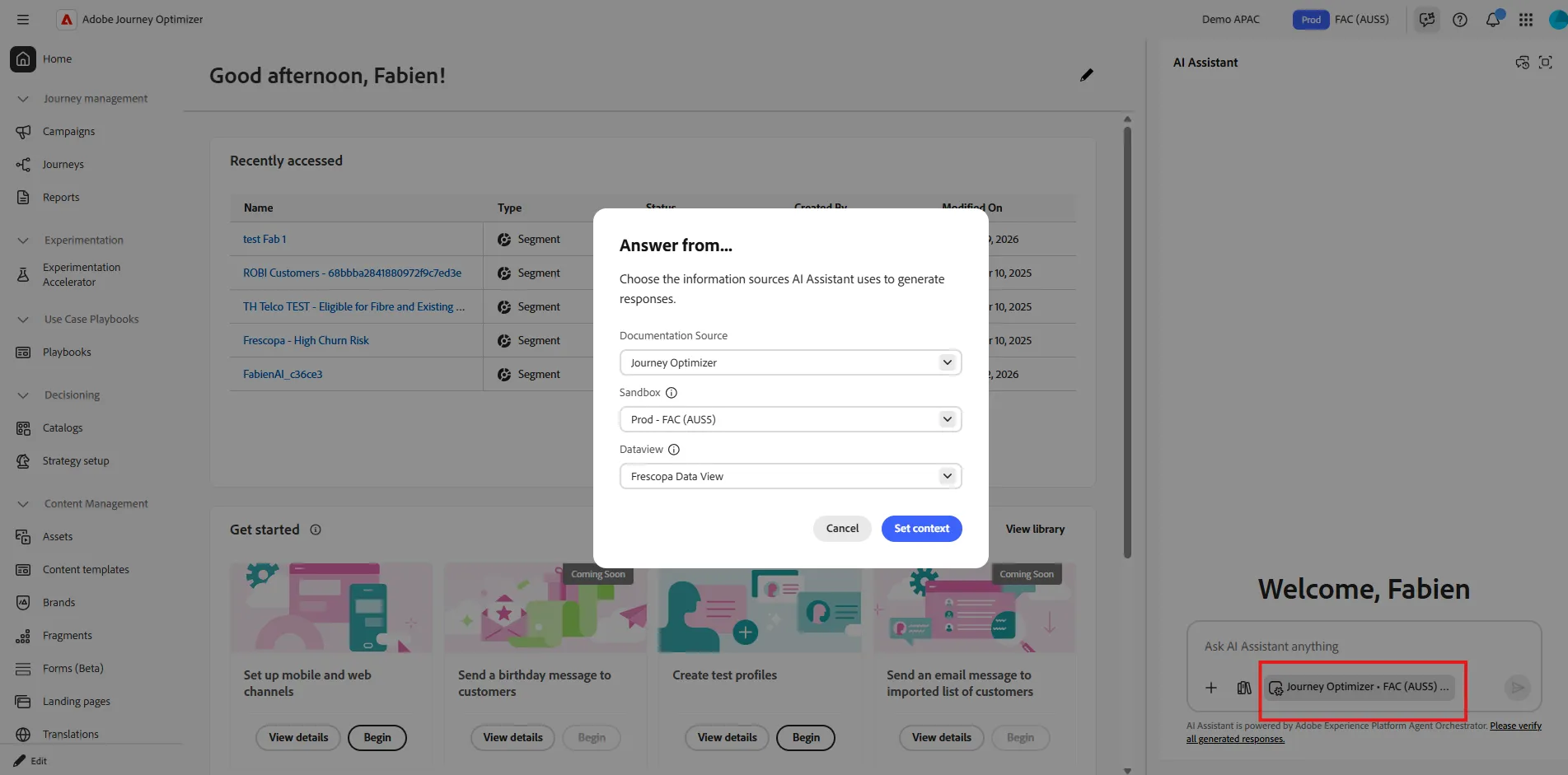
Before asking any question, let's check if our AI Agent as the right context. As you may have access to multiple product, environement, reporting suite, we need to check we are asking question about the right one. Click on the context option (check red square in the screenshot below) and ensure those options are selected :
- Documentation source : Experience Platform
- Sandbox : Prod - FAC (AUS5)
- Dataview : Frescopa Data View
If not , change it and click on set context.
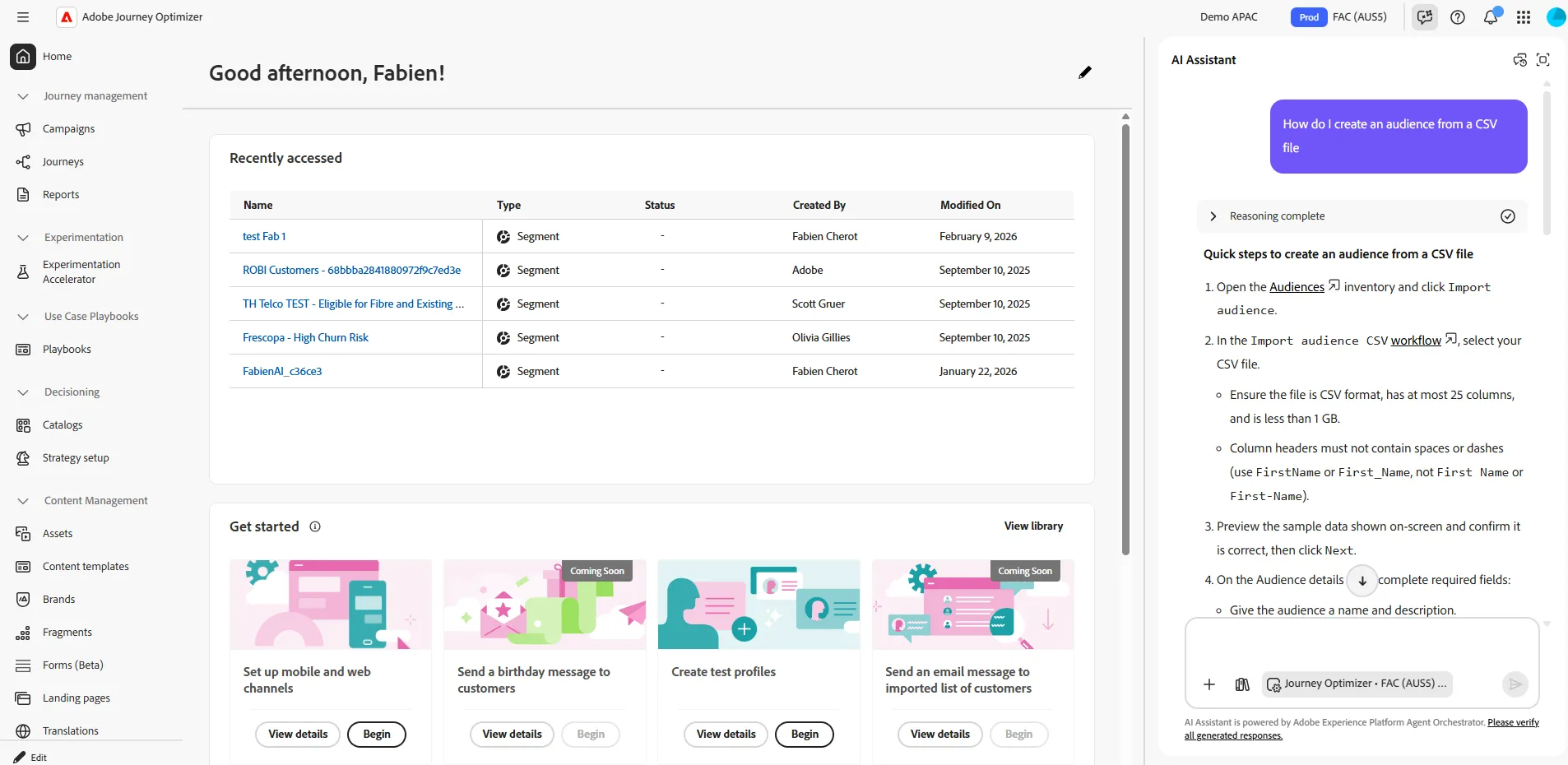
We can now start to ask question. the agent can propose a library of prompt, but you can type your own. Try :
Hit Cancel on the recommendation.
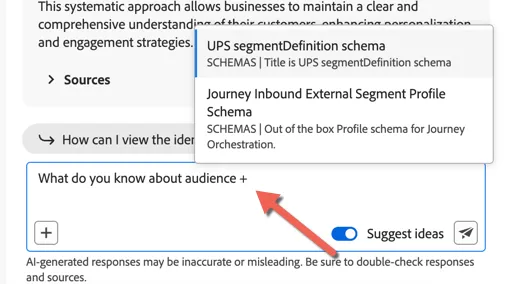
AI Assistant is also able to help with Operational Insights based on what is configured within your sandbox. In the AI Assistant input field, begin typing “What do you know about audience +”, the + will open the object selector.
Start typing Frescopa and you'll see the objects list update as you type. Select Frescopa - Active Subscriber audience from the drop down.
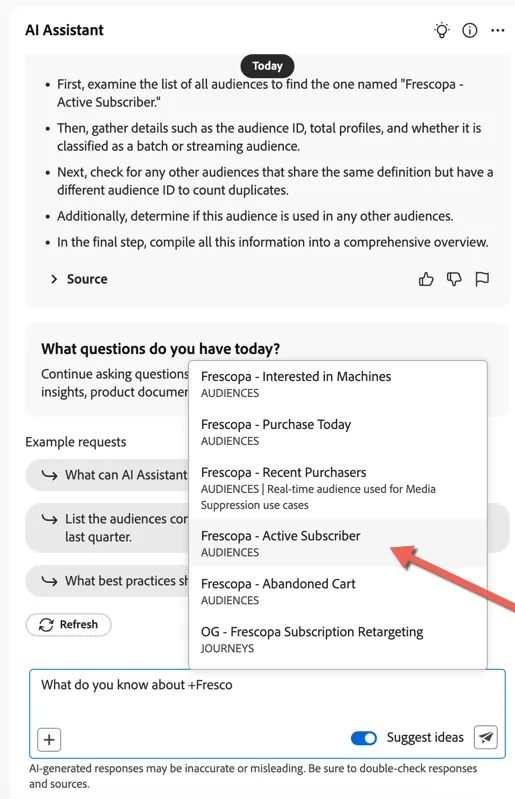
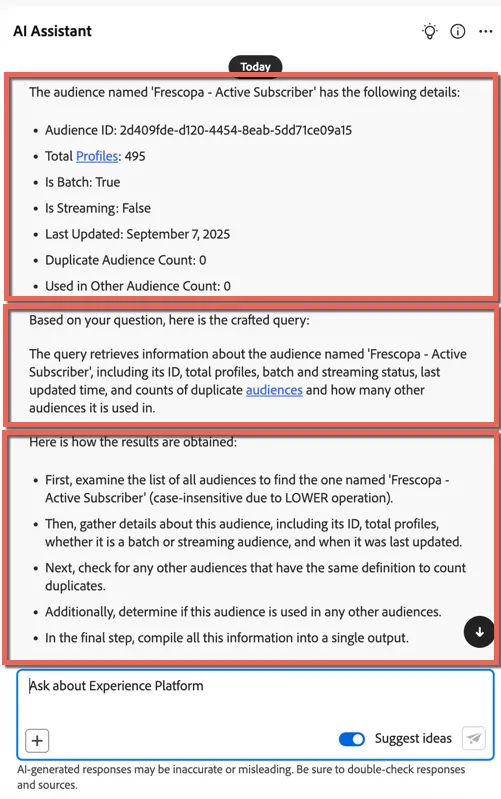
Once AI Assistant provides a response, take note of the structured output, which consists of three key sections:
- Actual response and data – The primary insights retrieved from Adobe Experience Platform.
- How AI Assistant interpreted your question – Explanation of AI Assistant’s reasoning.
- How the answer was derived – The logic and steps behind the response.
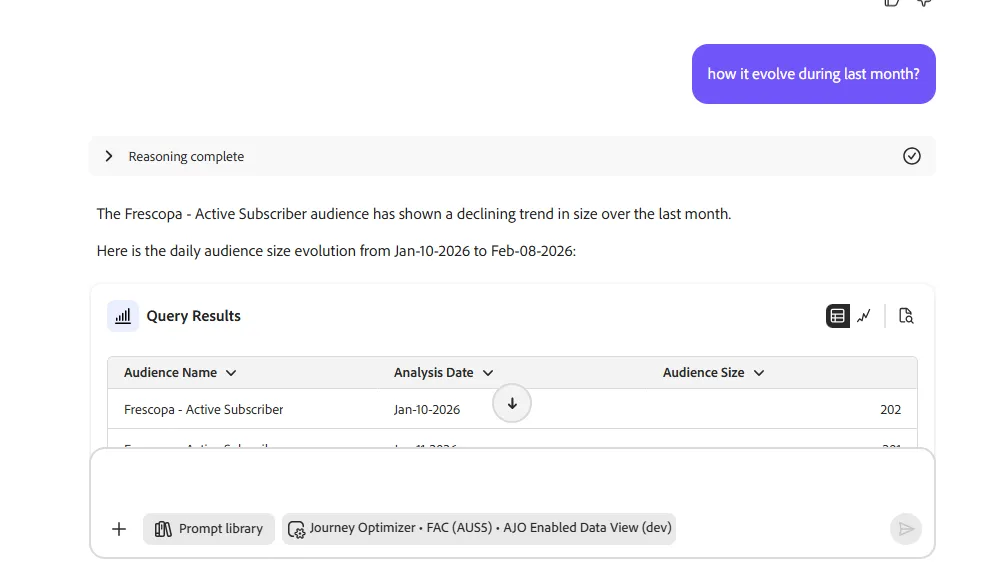
Continue by asking the agent how it evolves during last month?
You should see the trends. If it declines, maybe it't time to retraget people with churn risk.
We will see that in Demo. This concludes our exercices.
Create an Audience
Now the fun part, let's create an audience with AI. Enter this prompt:
The Audience Agent will come up with a plan. Say yes to it.
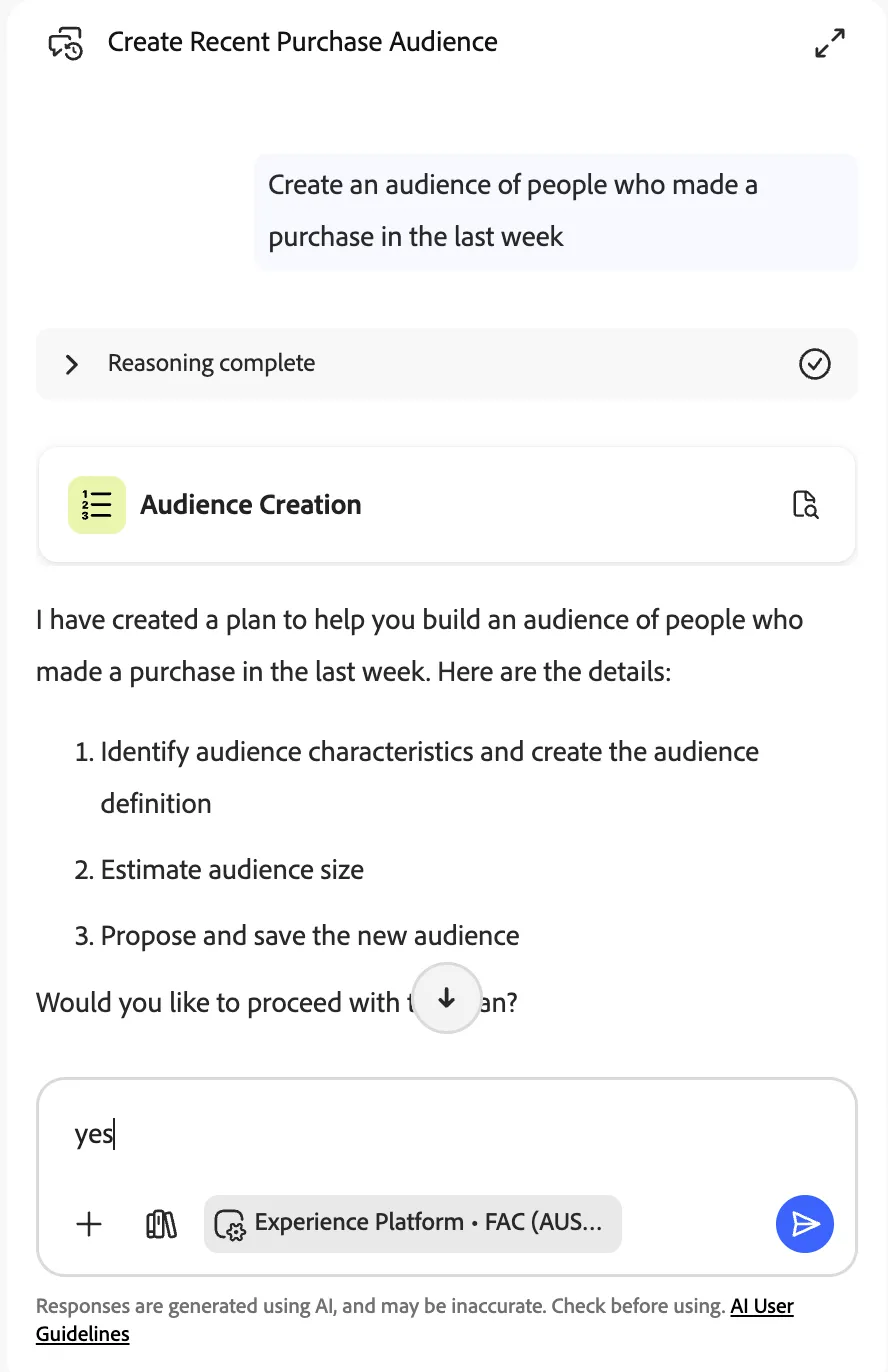
It should ask if you want to proceed to phase 2 to estimate the audience size. Say yes again.
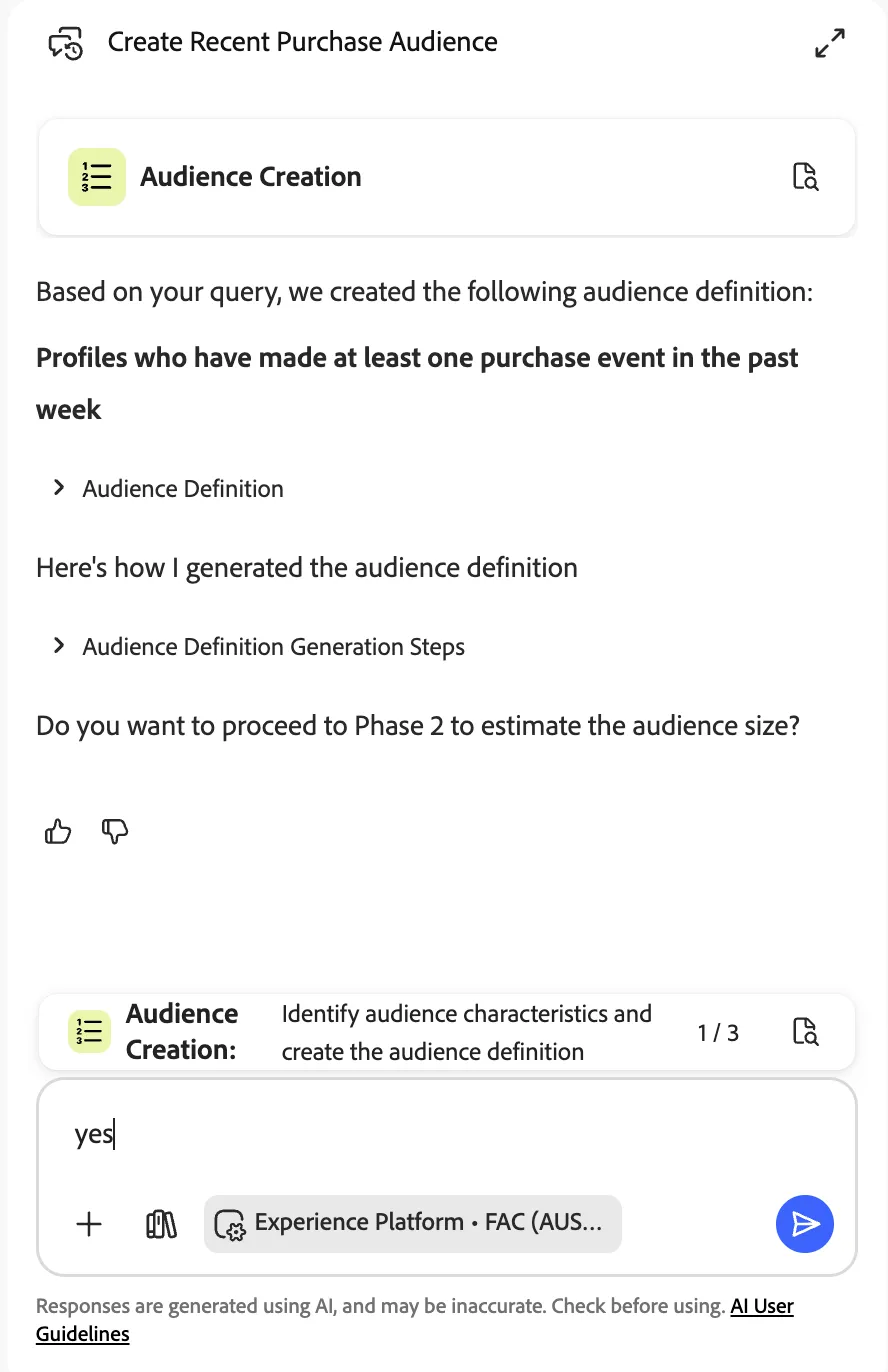
Because we're using a demo environment, there might not be representative data, so you might get an audience size estimate of zero. That's ok, the main thing is you see the logic the agent has applied to build the audience:
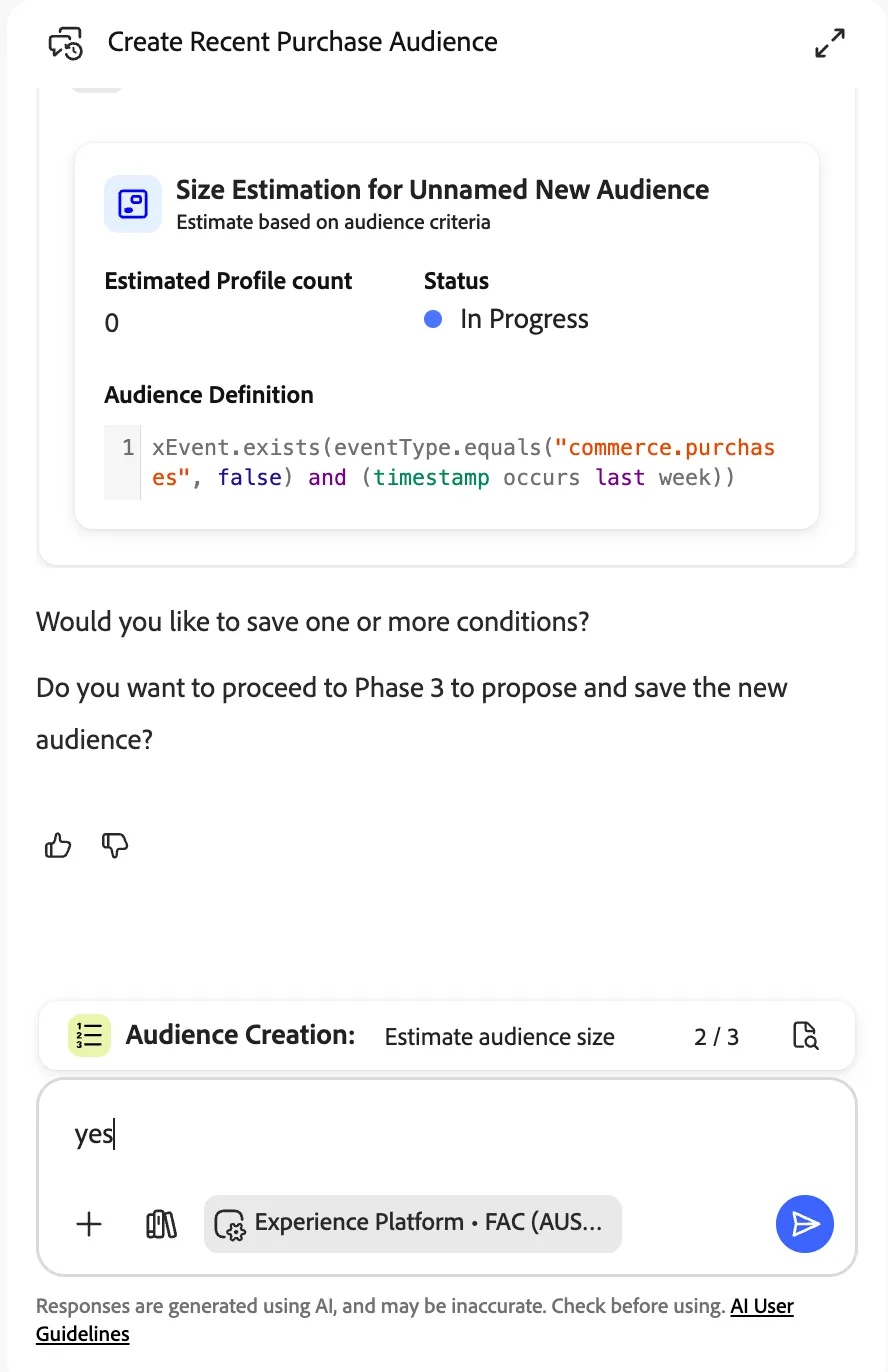
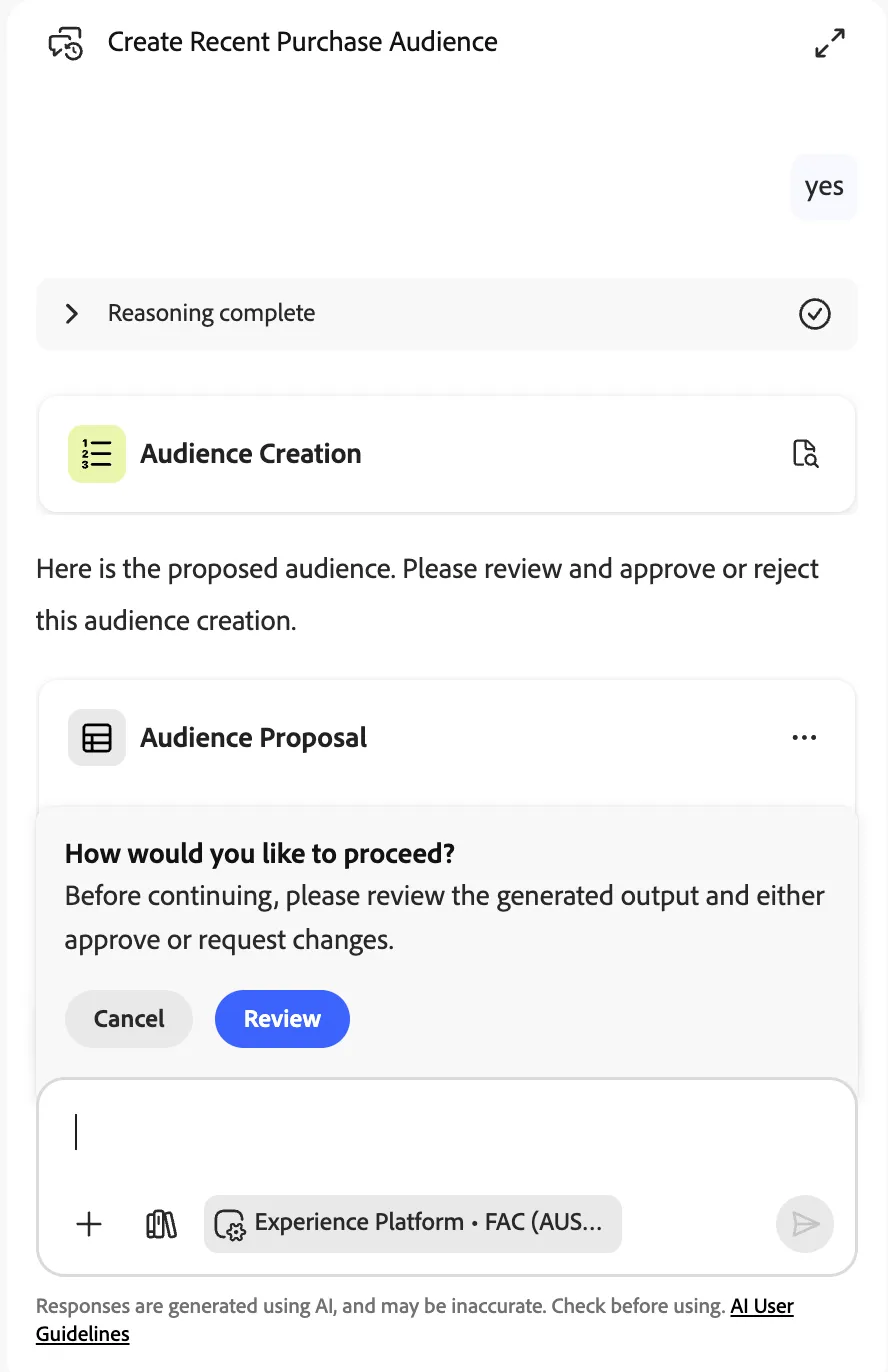
Once again say yes. Then click on Review if you like or you can end here. There's no need to save the audience as we won't use it later.
Summary
Congratulations! You have now successfully used AI Assistant and Audience Agent to:
- Ask product and operational questions
- Explore existing audiences and trends
- Generate and refine audience definitions using natural language