Insights
Scenario
As an Analyst at Frescopa you are tasked to leverage to look for insights on how the new competitor is impacting the Frescopa business across channels.
Access
Your login credentials should be available on your desk including your lab participant number.
Login via https://platform.adobe.com
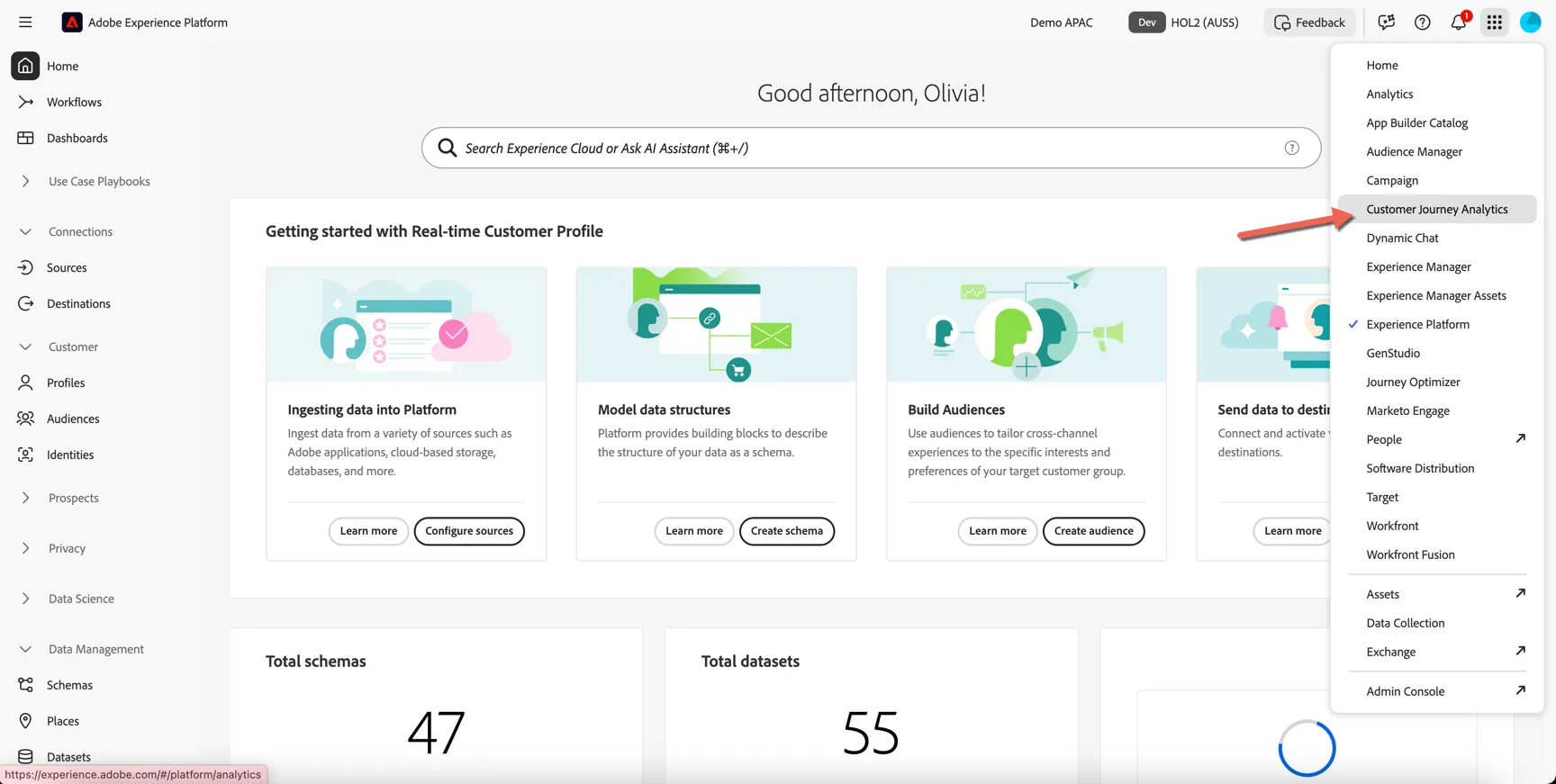
Once authenticated switch to Customer Journey Analytics using the solution switcher:
CJA Introduction
First we'll start by creating a new project from a pre-built template. This will provide you with some initial insights while giving you an isolated area to explore the data further.
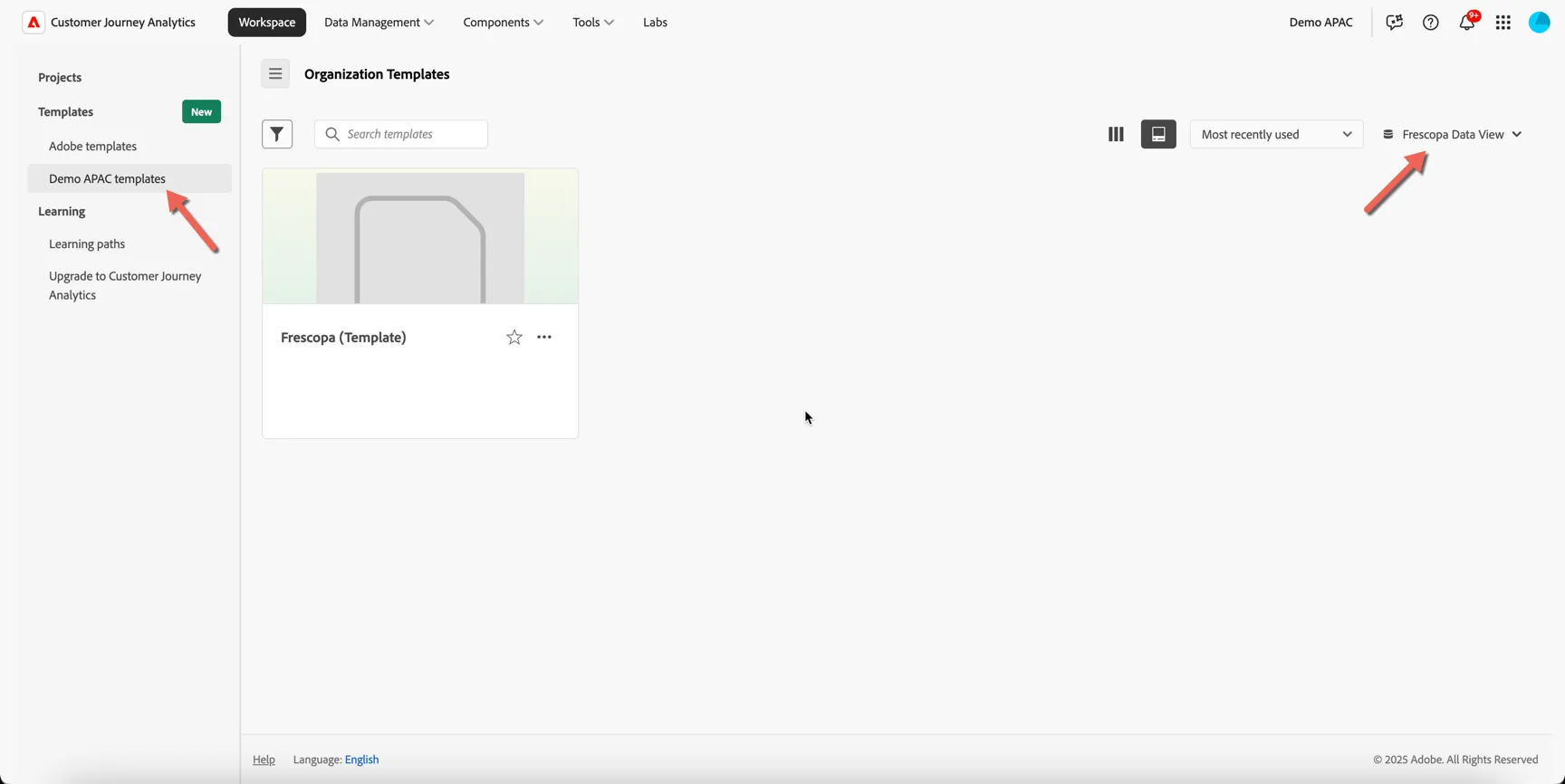
Under Workspace -> Templates -> Demo APAC templates and select the Frescopa Data View on the right side.
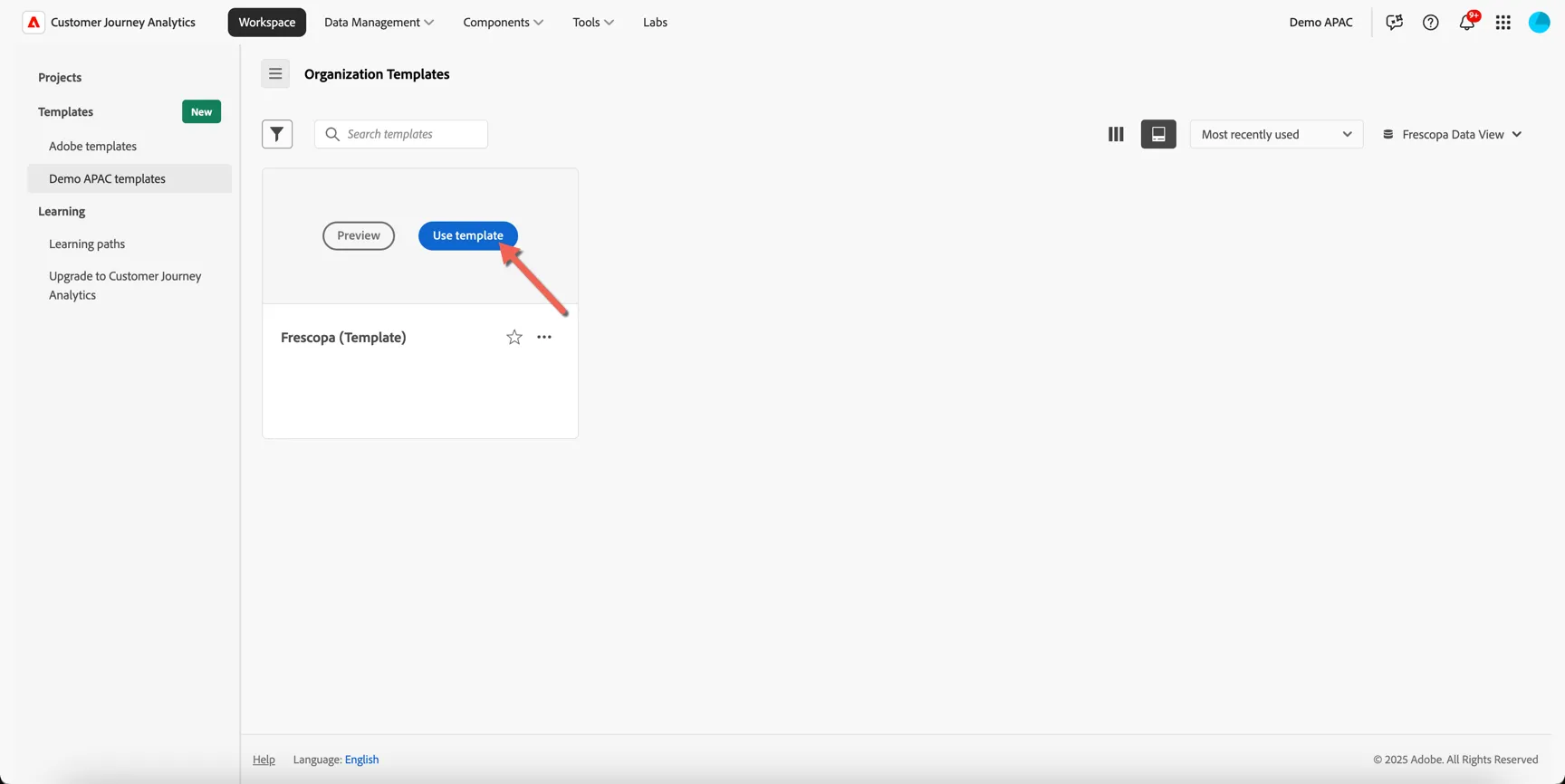
Hover over the Frescopa (Template) card and click to Use template
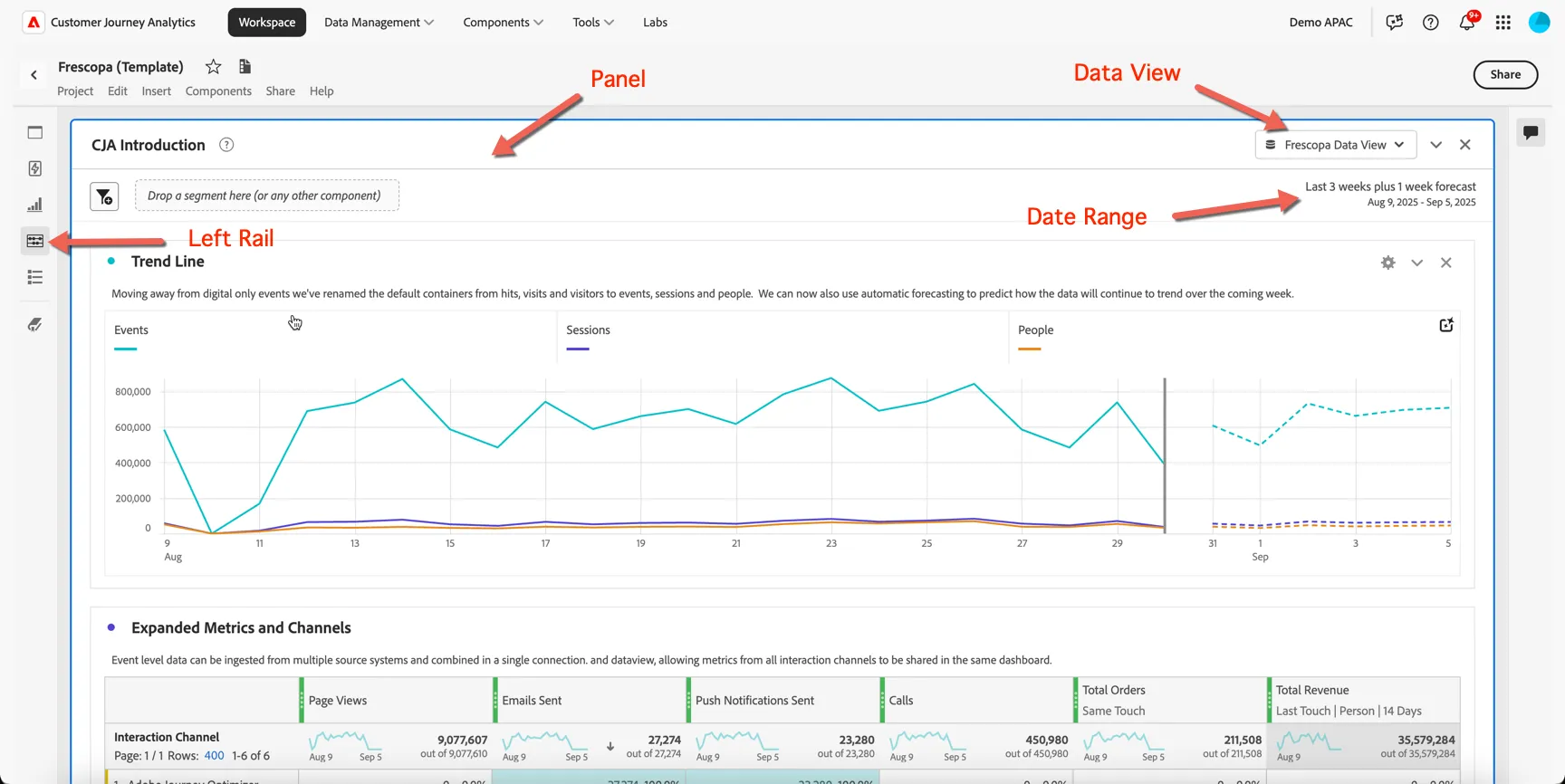
Take note of the following UI components:
Panel - Each dashboard/project is made up of one or more panels
Data View - Controls what data is available to the report - keep in mind this includes multiple datasets that can span multiple channels and data sources.
Date Range - The date range controls what data is displayed in the panel
Left Rail - Provides access to all of the components required to build your reports. You will find menu's for panels, components, visualisations, guided analyses and a table of contents for the current dashboard.
For this exercise we will walk through the first panel together.
You can see in the first Trend Line visualisation the new containers used by CJA: Events, Sessions and People. If you're familiar with Adobe Analytics you can think of these as being equivalent to Hits, Visits and Visitors - but remember in Customer Journey Analytics we're grouping data based on a person identifier, not a device (or cookie).
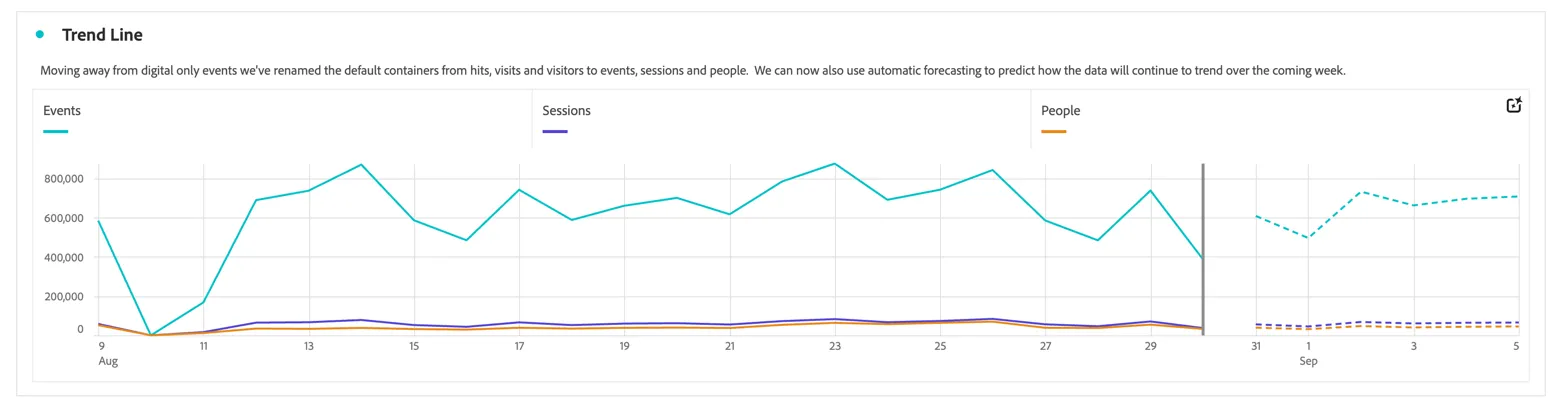
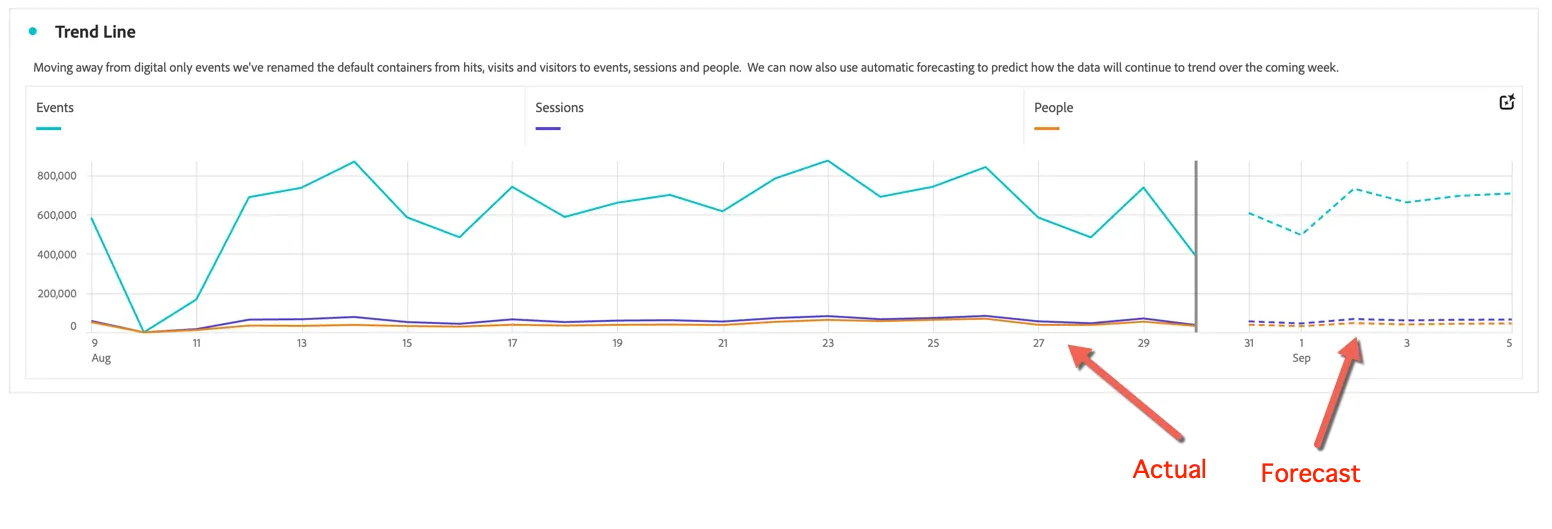
Based on the forward looking date range defined for this panel, Customer Journey Analytics has provided some automatic forecasting to predict how the data will continue to trend over the coming weeks. You can leverage forecasting for:
Planning: By analyzing trends and predicting future outcomes, you can identify potential opportunities and threats and adjust your strategies accordingly.
Budgeting: By forecasting future revenue and expenses, you can ensure that teams have adequate funds to cover their costs and invest in growth opportunities.
Risk management: By anticipating future events and trends, you can take proactive steps to mitigate risks and minimize potential losses.
Resource allocation: By predicting future demand, you can ensure the necessary resources are available to meet customer needs and avoid stock-outs or overstocking.
Performance evaluation: By comparing actual results to forecasted results, you can identify areas for improvement and make necessary adjustments.
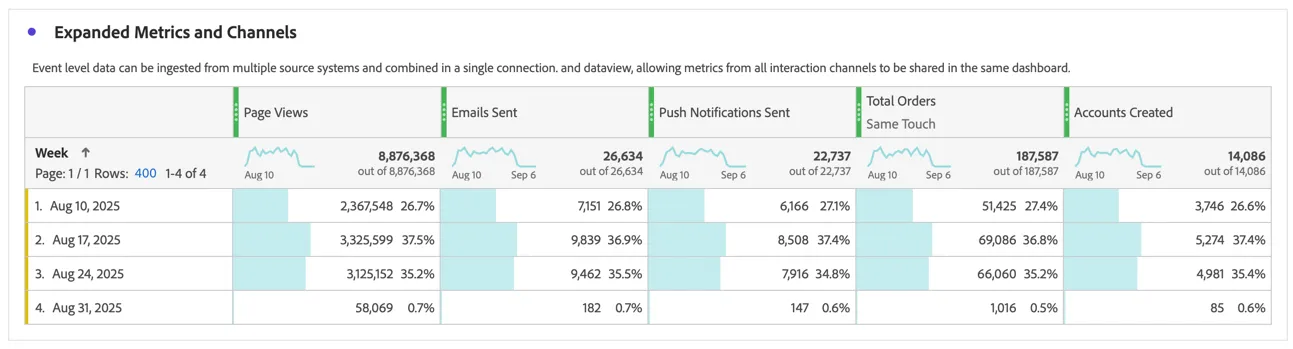
Since the event data ingested to CJA comes from multiple sources not just your website and app we can combine many different types of metrics into the same dashboard. Scroll down to the expanded metrics table.
Manual Analysis
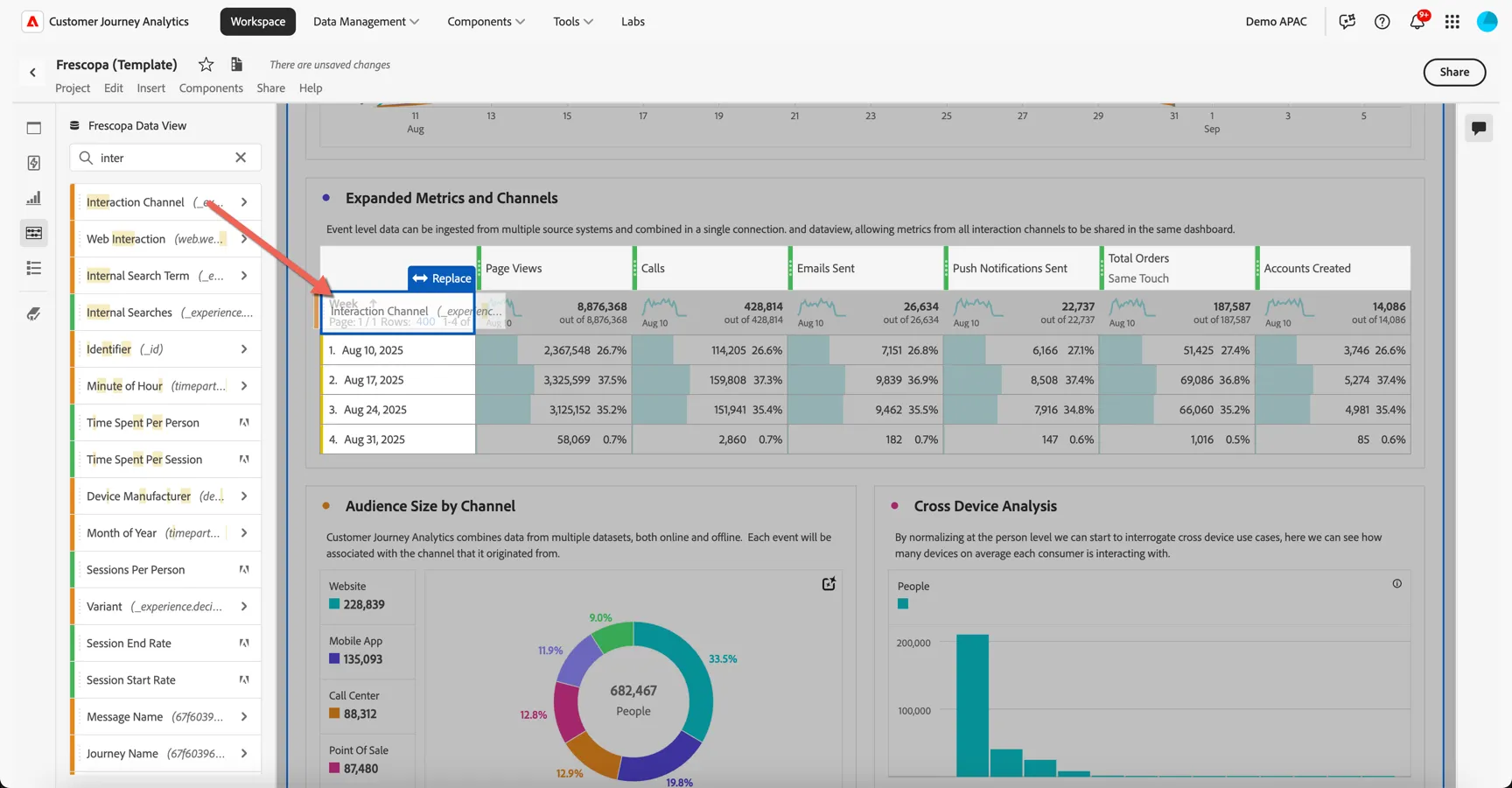
First let's have a go at manually working with the Analysis Workspace. Open the components menu on the left and drag the Calls metric to add it to your tables columns.
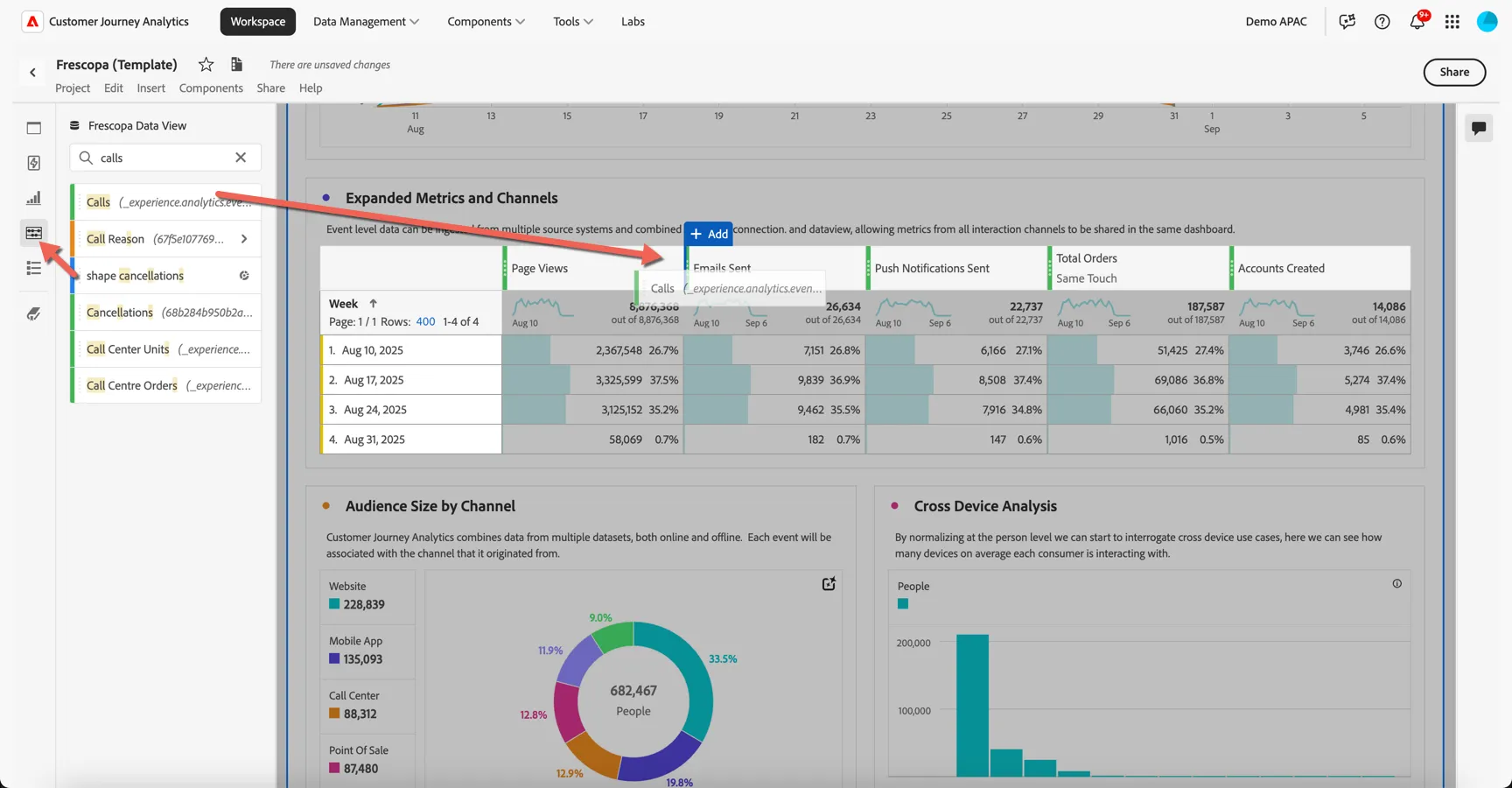
Each of these metrics come from one or more source systems. Search for interaction channel in the components menu and drag it onto the table to replace the week dimension.
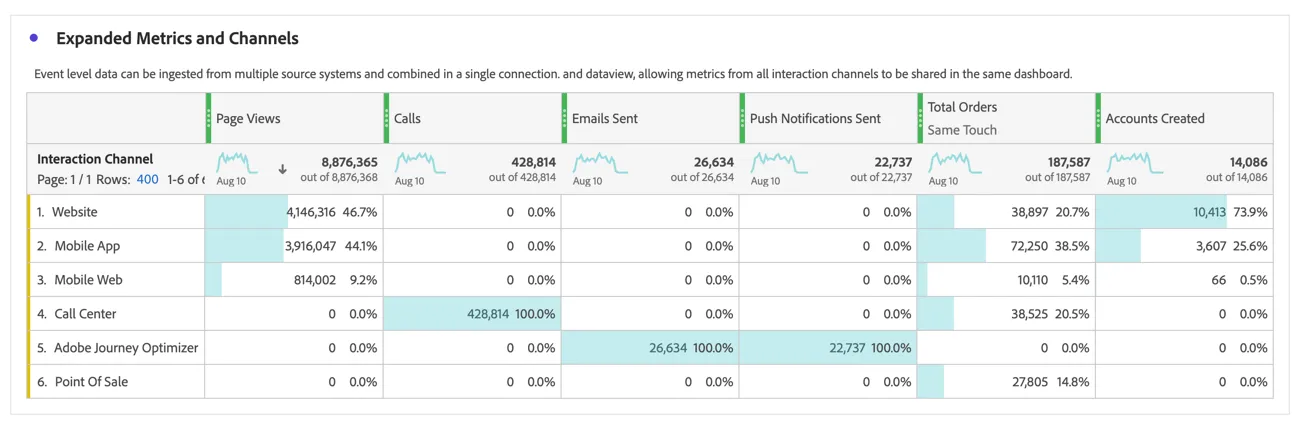
Some metrics will be specific per channel, for example the Calls metric comes from the Call Center dataset, others will be shared across multiple source systems, for example the business metrics for Total Orders and Accounts Created.
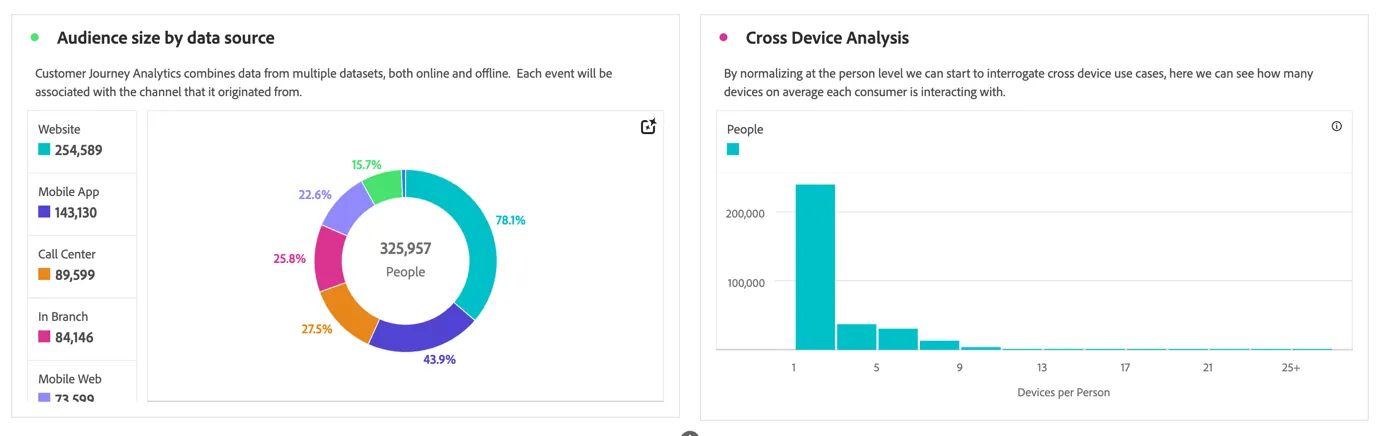
Since each of these source datasets are stitched at the person level, we can start to analyze things like audience size per channel and devices per person.
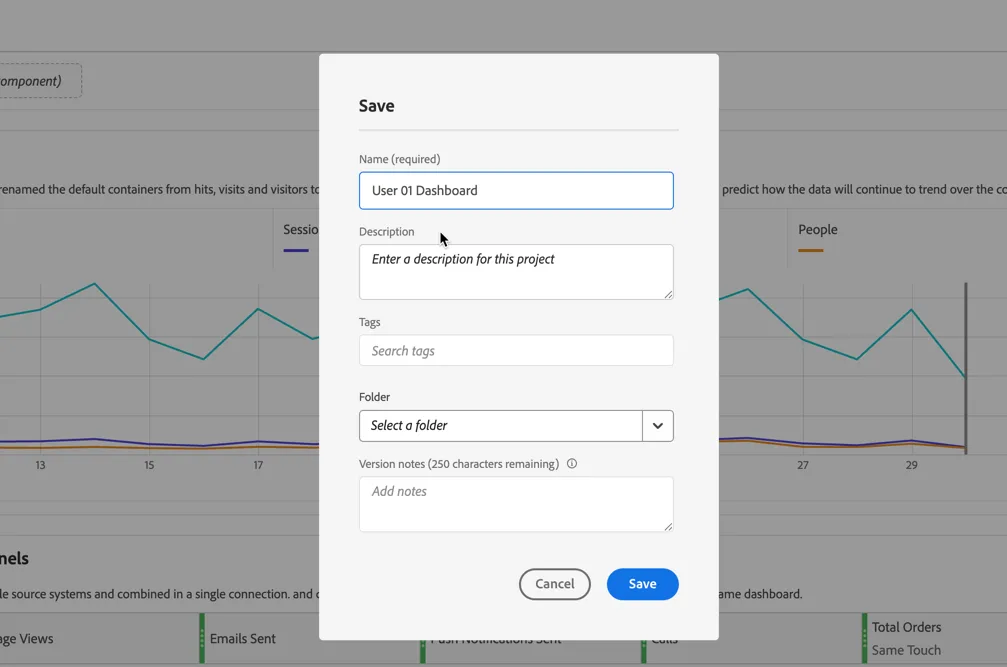
Now before we start our adhoc analysis let's save the project. Click on Project -> Save.
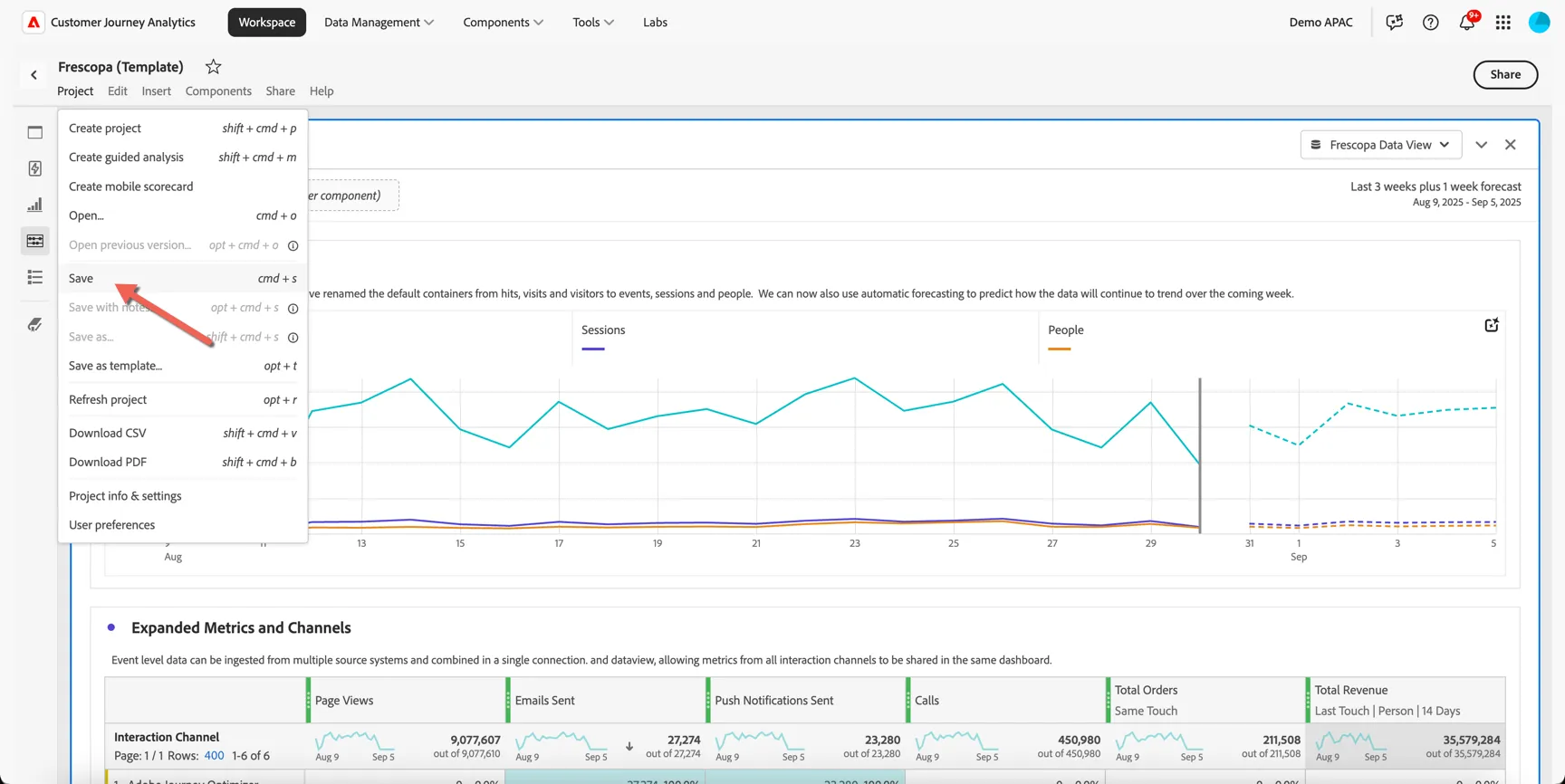
Give your project a unique name by including your lab number or name. Then click Save.
Now we've covered some basics, let's take a closer look at Frescopa's recent results and check whether we can see any changes to customer behaviour since the competitor launched last month.
Data Insights Agent
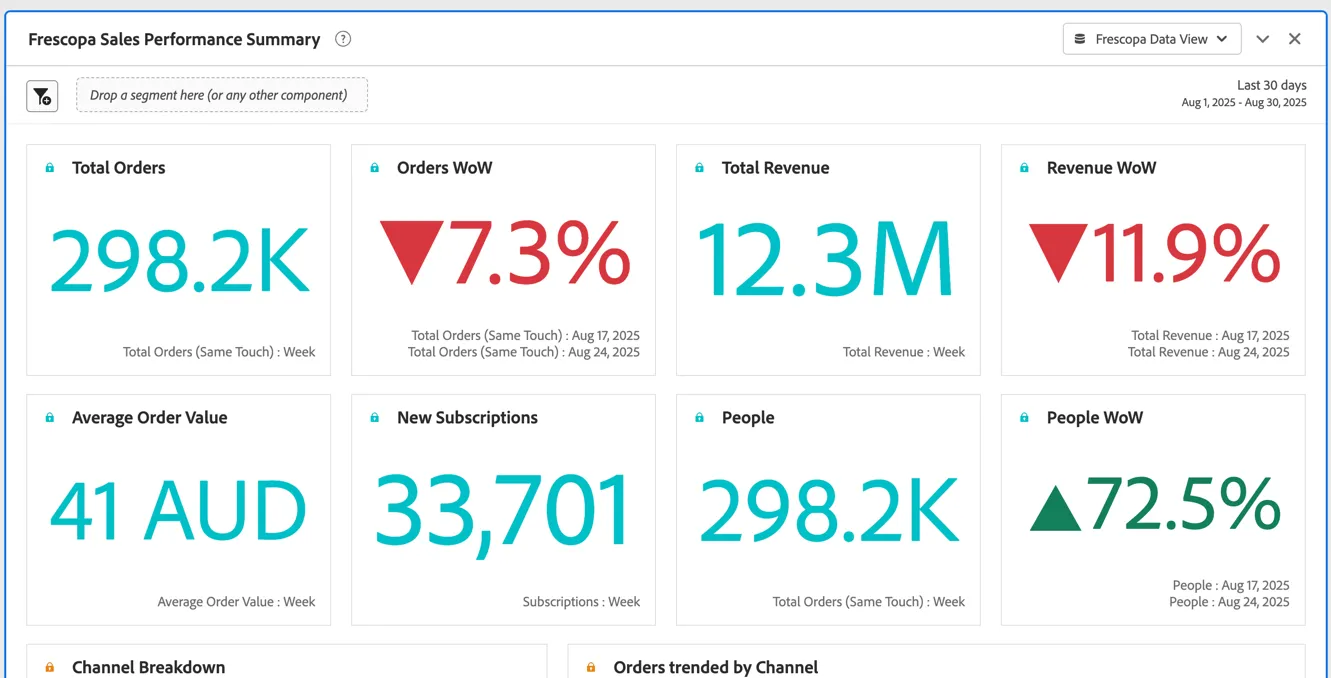
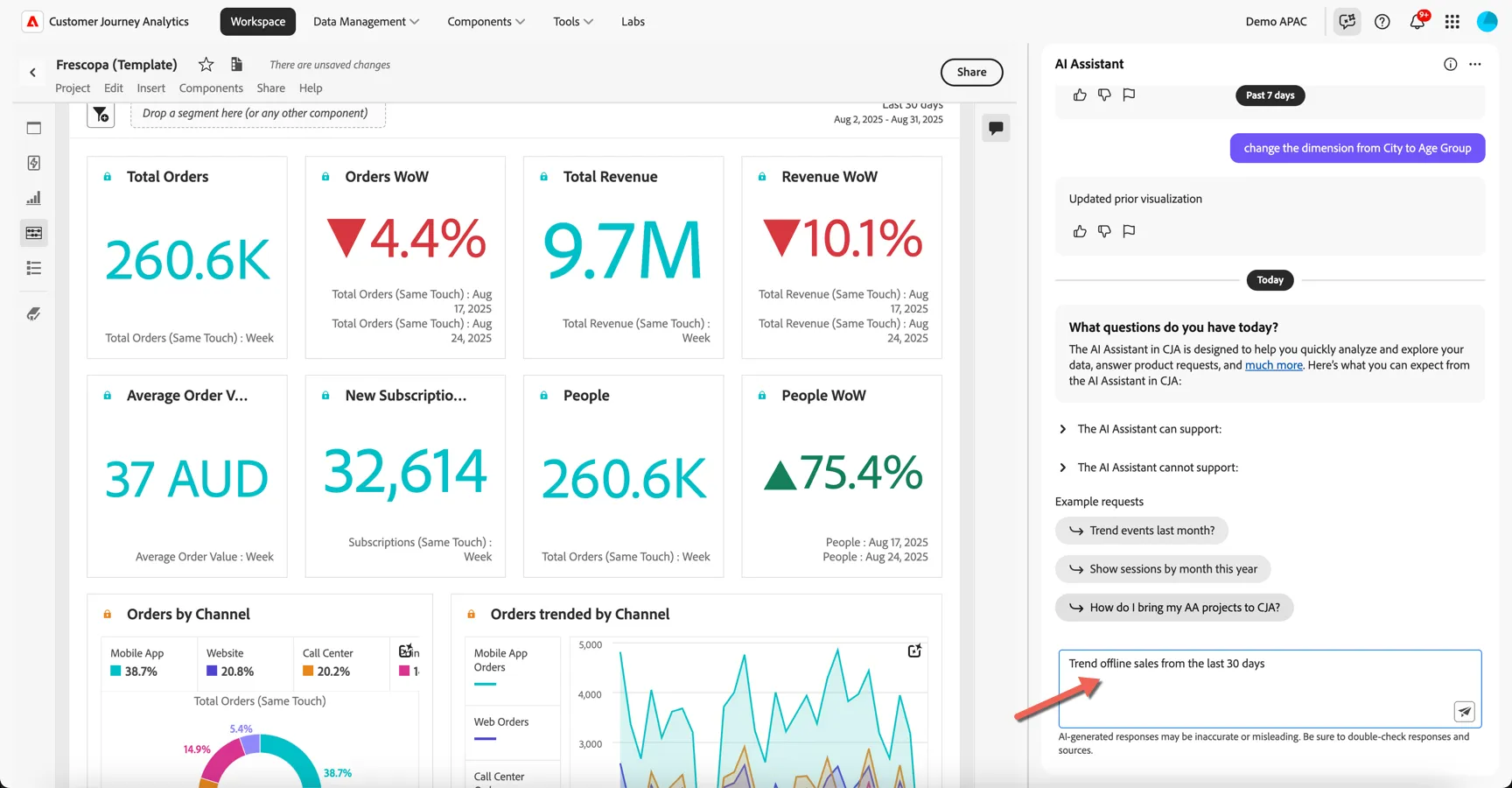
Scroll down to the next panel Frescopa Sales Performance Summary to see some of Frescopa's key performance metrics summarized.
We can see from this report that orders and revenue are trending down week on week, but the total number of people has increased, it would seem we're successfully driving traffic but having trouble converting that traffic.
Let's use CJA's Data Insights Agent to analyse how the in offline (ie. in store) sales are performing and whether there have been any recent changes.
Open the AI Assistant by clicking the icon in the top right.

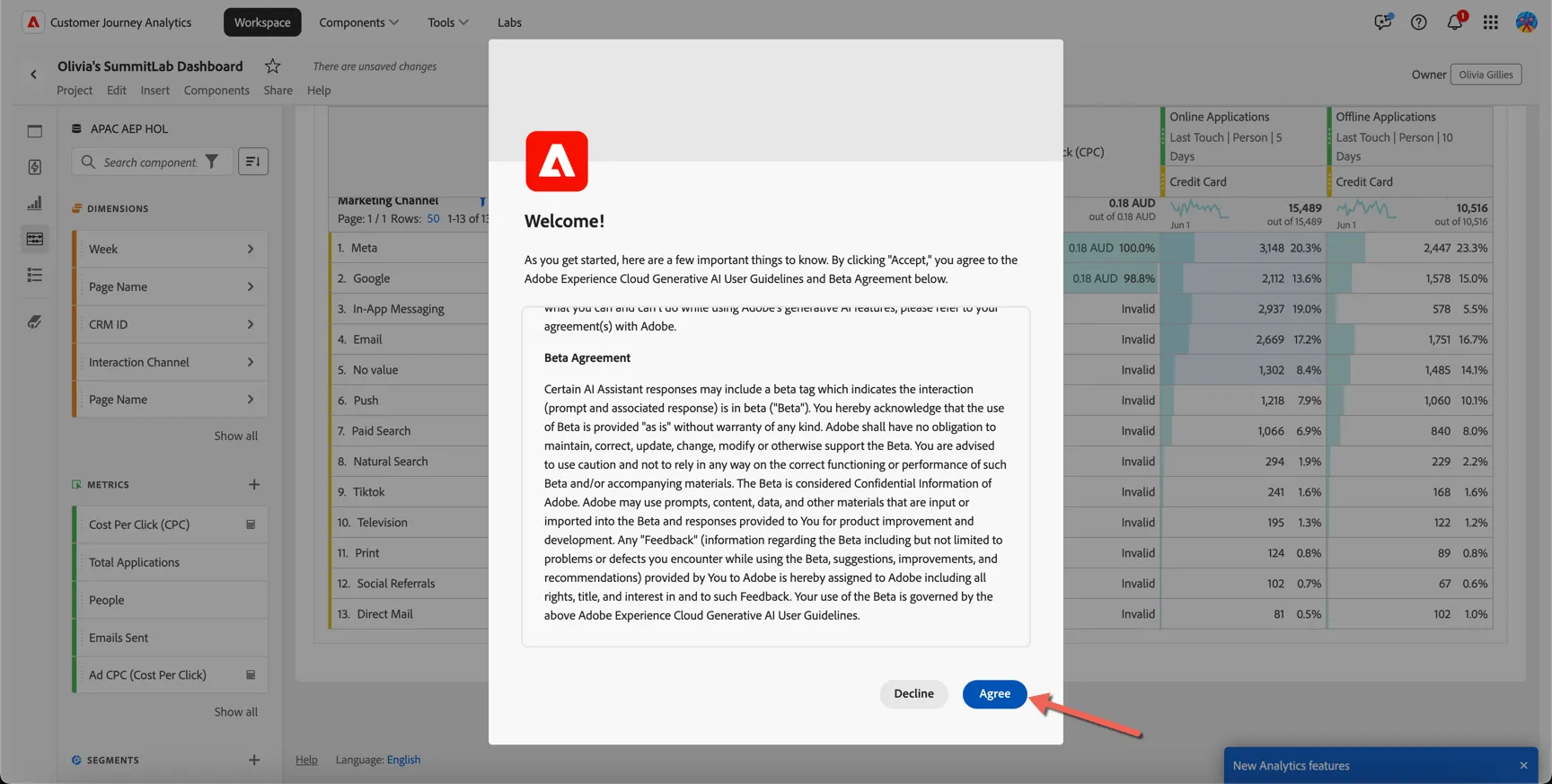
You might be asked to accept the Generative AI User Guidelines and Beta Agreement, you can safely do this in our demo environment.
Click on the Context Settings and set it as follows:
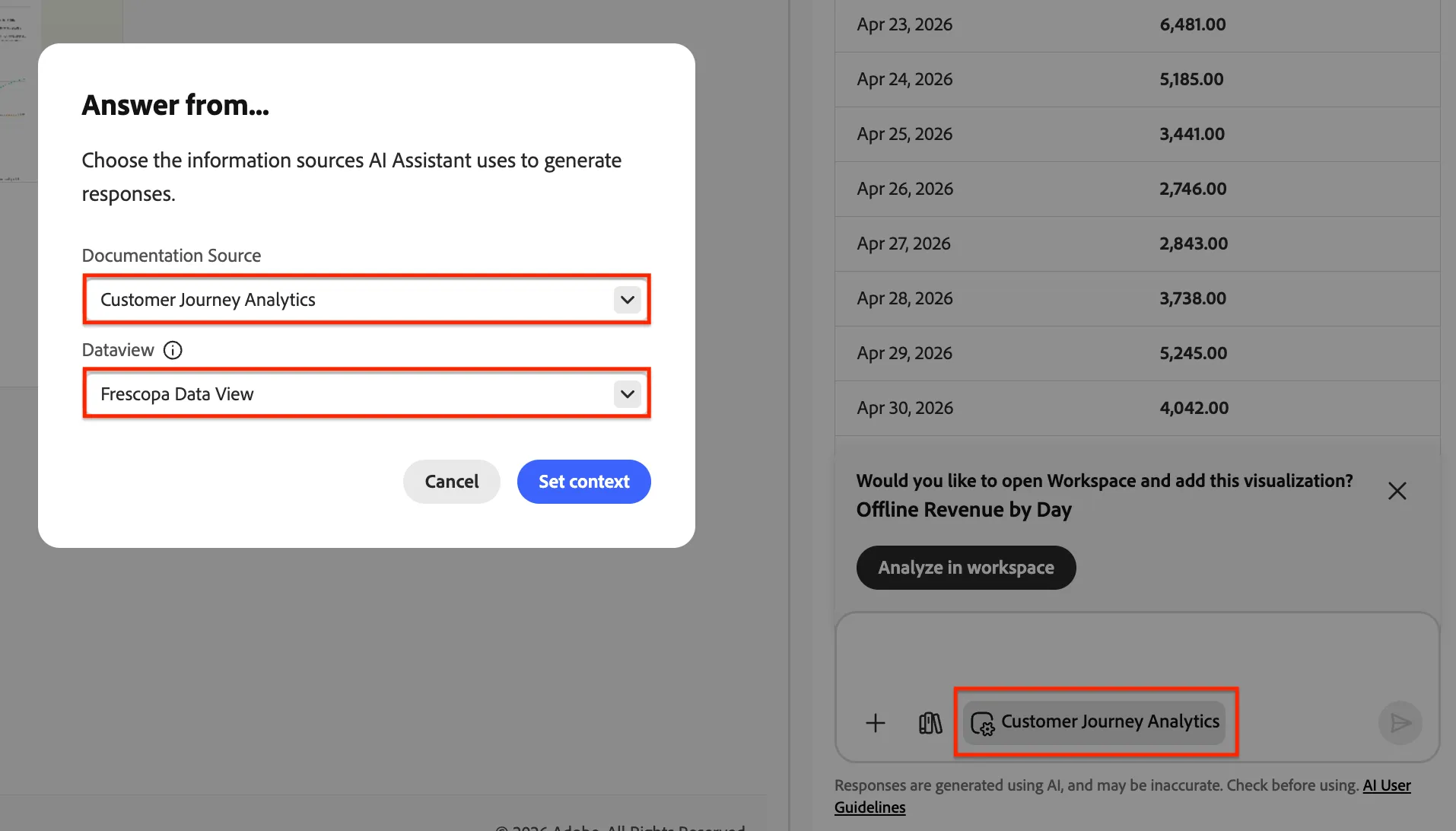
Ask AI Assistant to: trend offline sales from the last 30 days and hit enter.
The assistant has added a new panel to our project and added a line visualisation and freeform table.
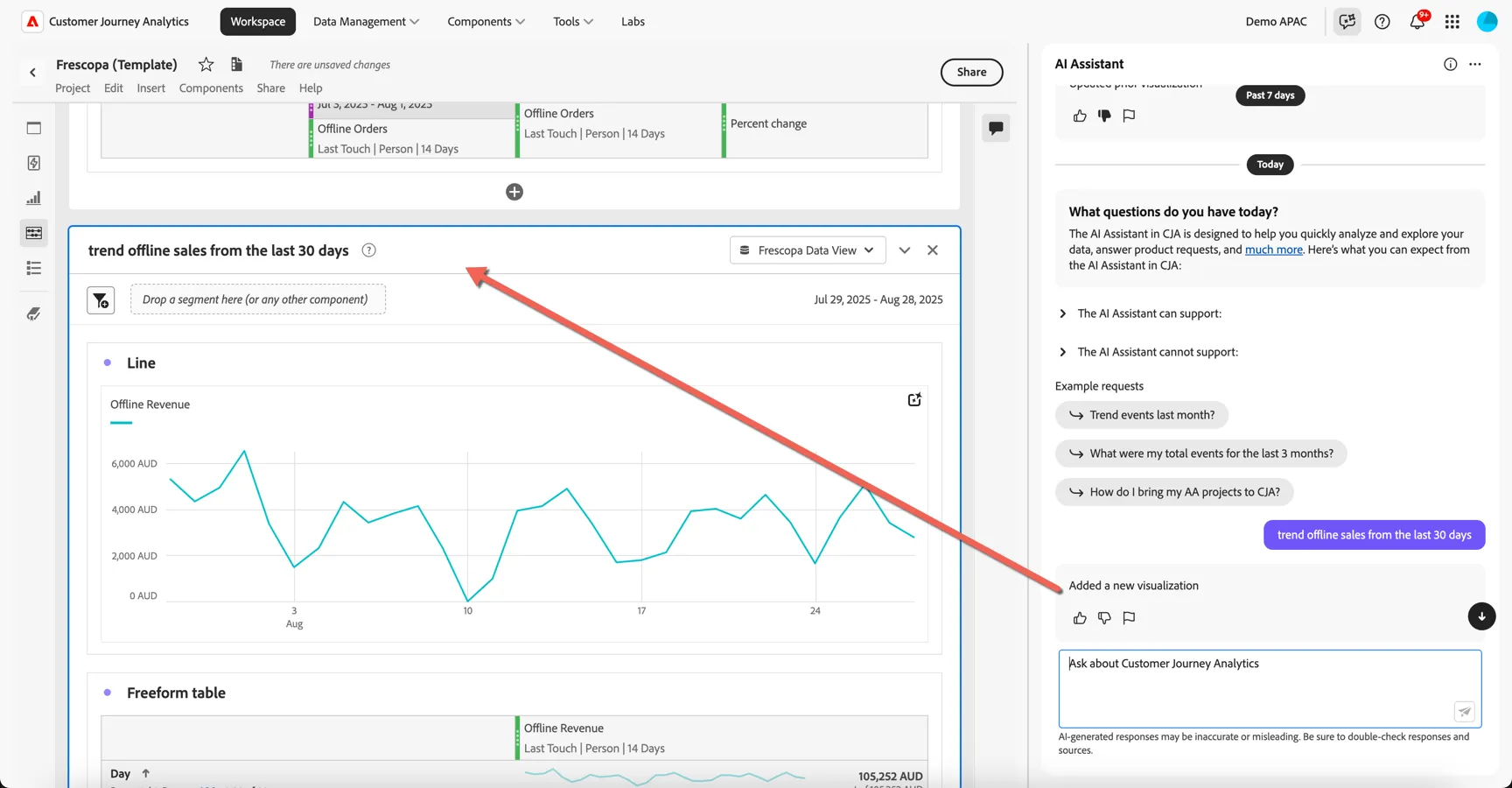
I actually want to look at order numbers though not revenue.
- Ask AI Assistant to: replace "Offline Revenue" with "Offline Orders"
The data in the generated visualisation is updated to use offline orders metric not revenue. This metric represents our instore orders.
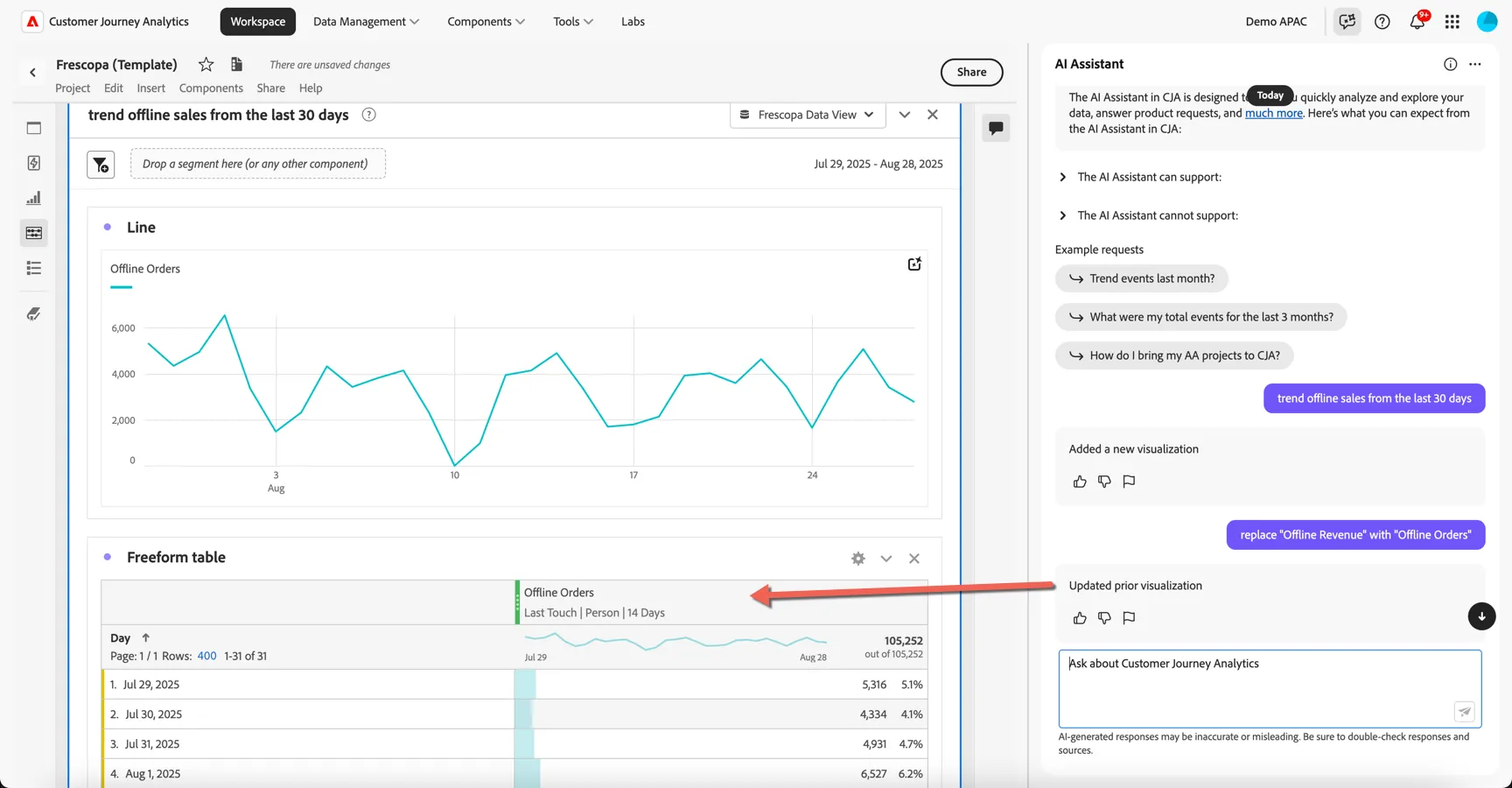
We're looking for changes in recent purchasing behavior so let's see how the orders compare to last month.
- Ask AI Assistant: compare this with the previous 30 days
The visualisation has been updated with a new column showing the previous time period.
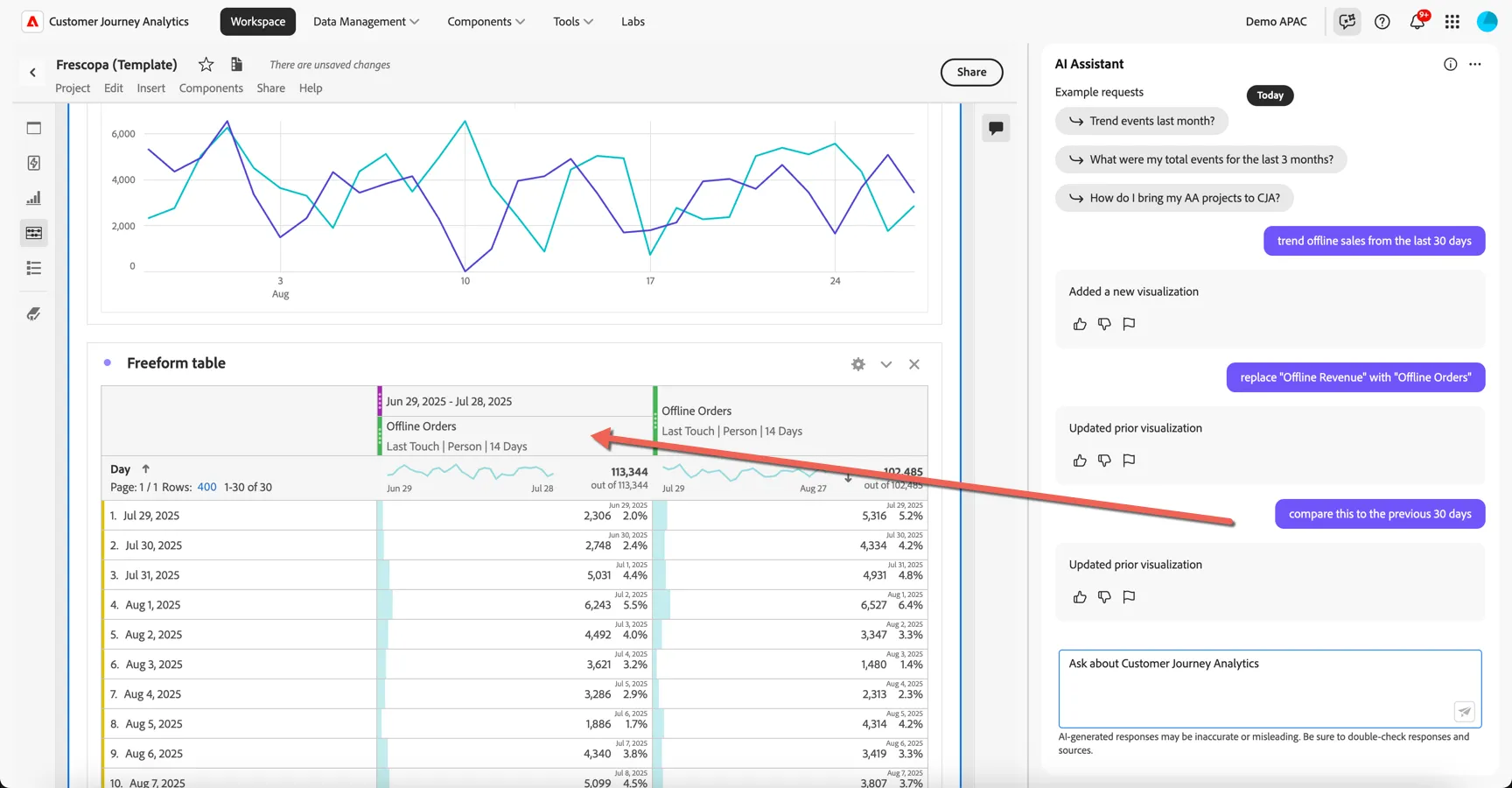
It's important to keep in mind that the agent might not always interpret your question correctly. If you see a result that's unexpected, use the thumbs up and thumbs down feedback buttons to provide context on what went wrong and help us to improve the accuracy of the agents results.
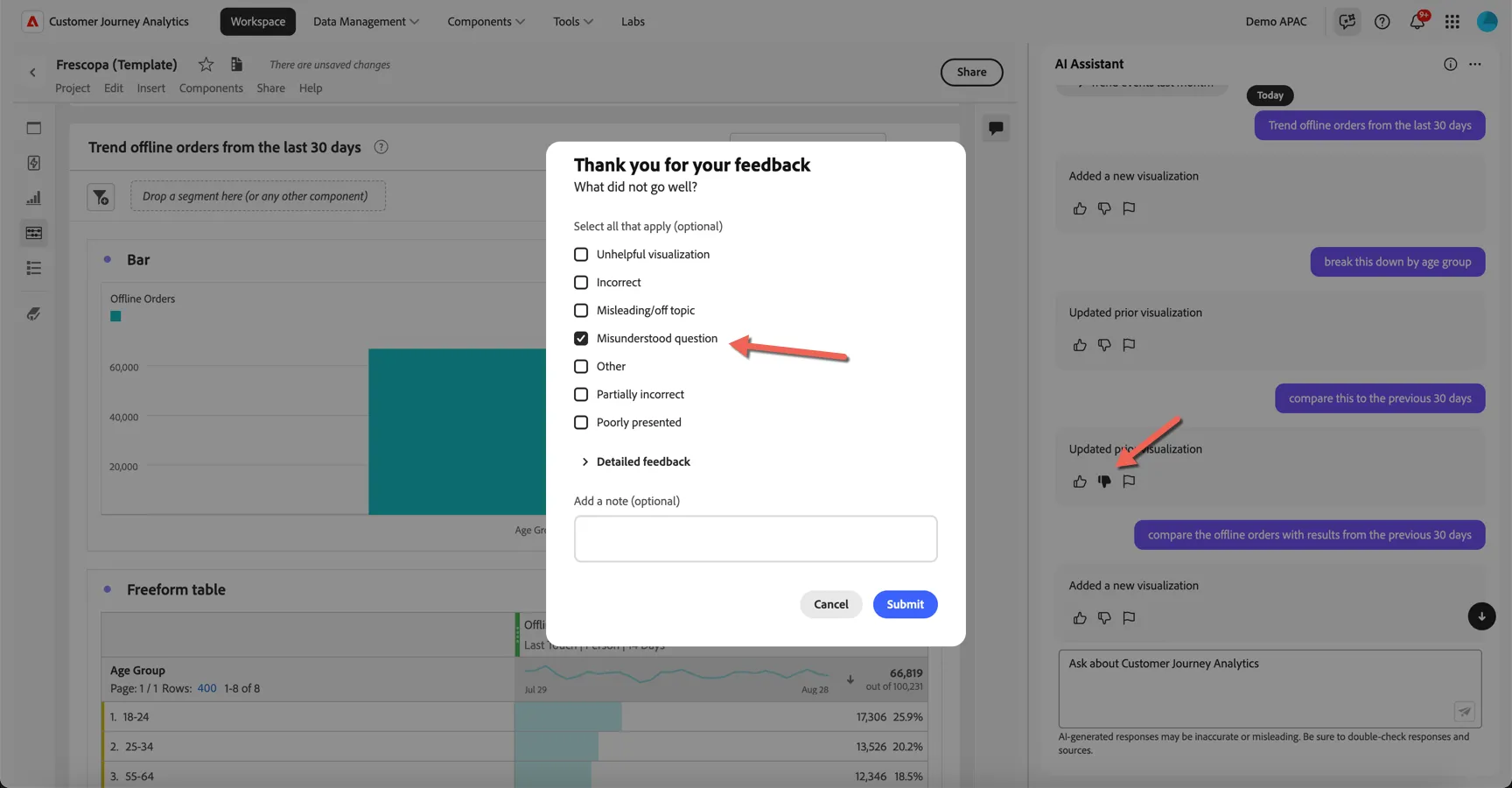
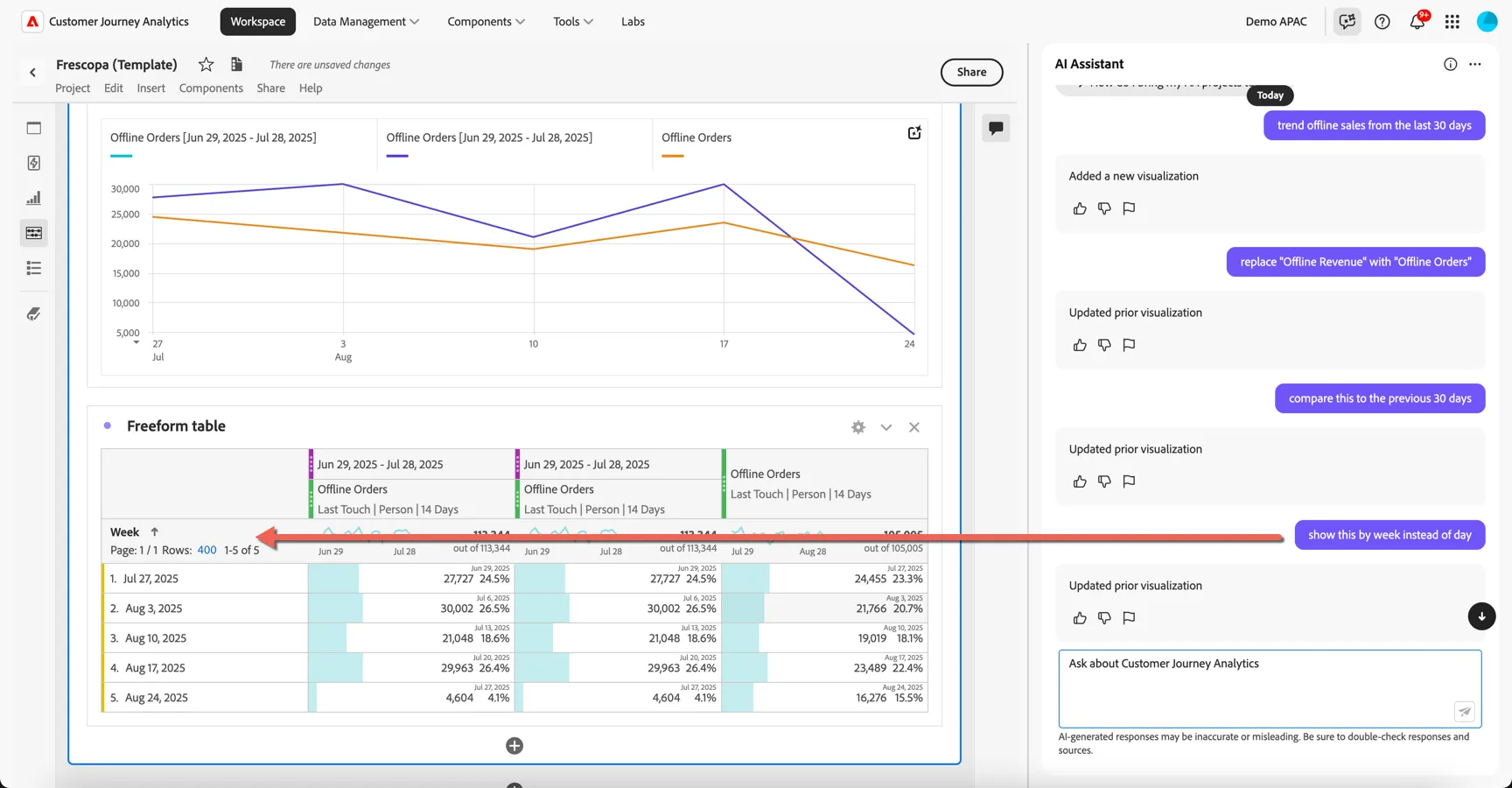
I want to reduce the granularity in my table from daily to weekly.
- Ask AI Assistant to show this by week instead of day
Let's check now whether these numbers vary depending on the location or age group of the customer.
- Ask AI Assistant to change week to city
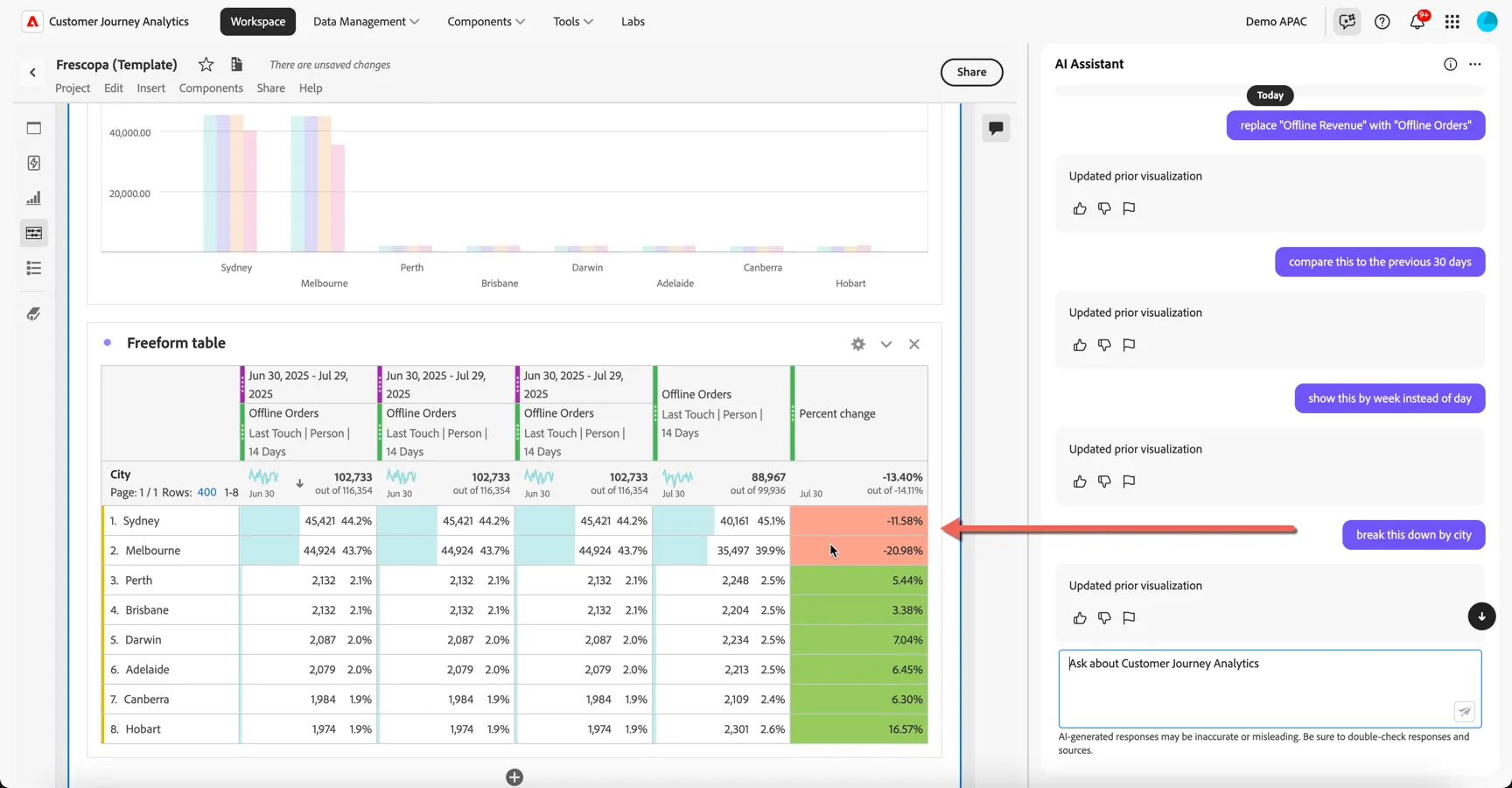
We can see that yes, offline orders are down month on month in Sydney and Melbourne, let's take a look at age group now instead.
- Ask AI Assistant to change the dimension from City to Age Group
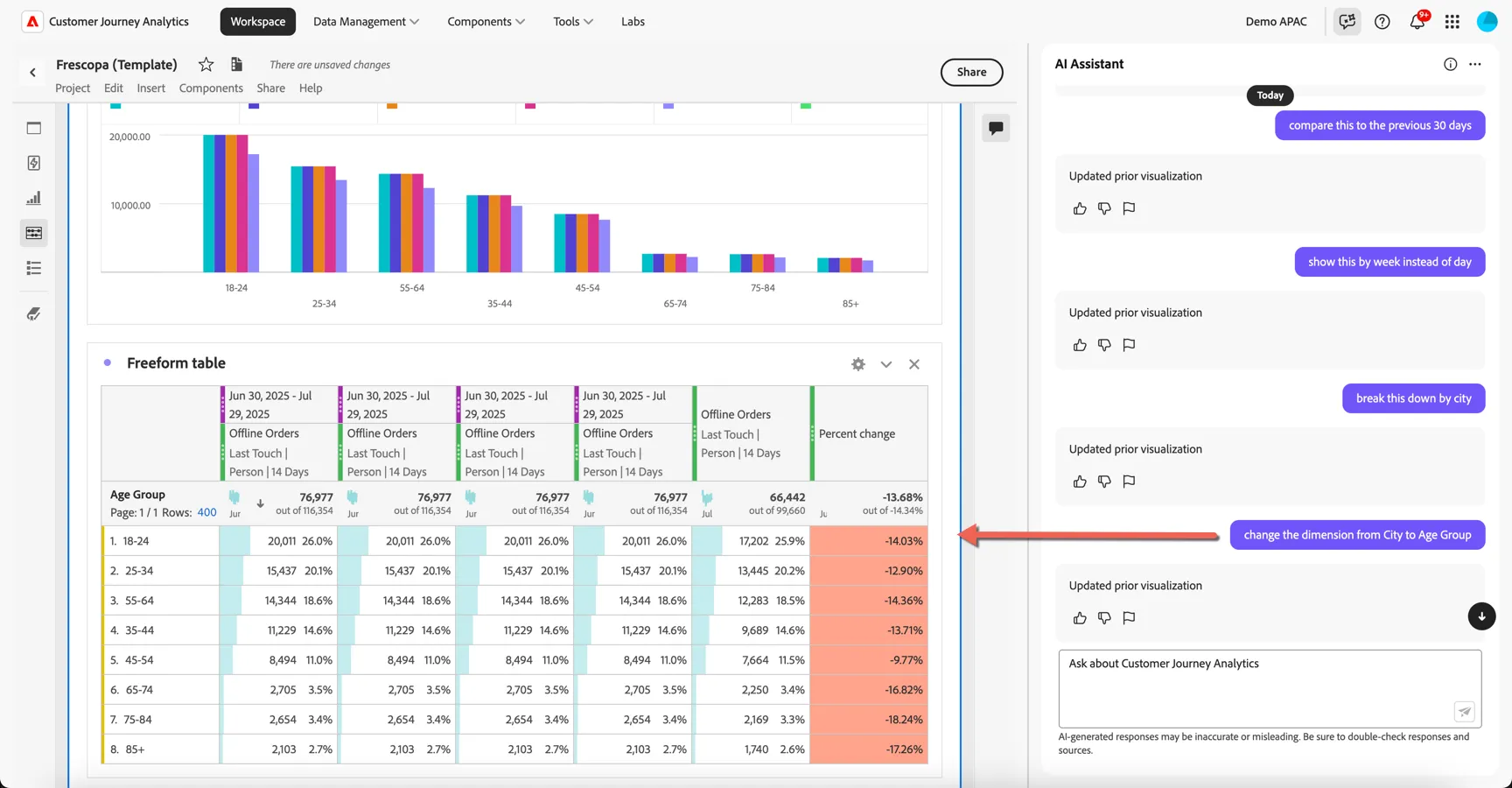
The visualisation is again updated to show the offline order percentage change month on month broken down by age group.
With Data Insights Agent, business users can use natural language prompts to quickly and efficiently answers questions about their data. It builds relevant visualizations in Analysis Workspace using components and data from the currently active data view. This can save time and effort building out new visualisations as well as reducing the dependency on skilled analysts for simple tasks, freeing their time for deeper analysis.
Summary
Customer Journey Analytics empowers organisations to see the full customer journey across every channel - online and offline. CJA unifies fragmented data into a single, intuitive interface, enabling even non-technical users to uncover deep, actionable insights with drag and drop ease.
With Data Insights Agent we're democratising access even further building reports through natural language prompts. Whether you're optimising campaigns or troubleshooting customer pain points, CJA delivers clarity, agility, and precision that traditional analytics tools simply can't match.
Congratulations, you've completed the exercise to gather Insights using Customer Journey Analytics!