Data Distiller
In this module you'll learn how to use Adobe's Query Service and Data Distiller to query the data that has been ingested into Adobe Experience Platform.
Use the solution switcher to return to AEP.
Run a simple query
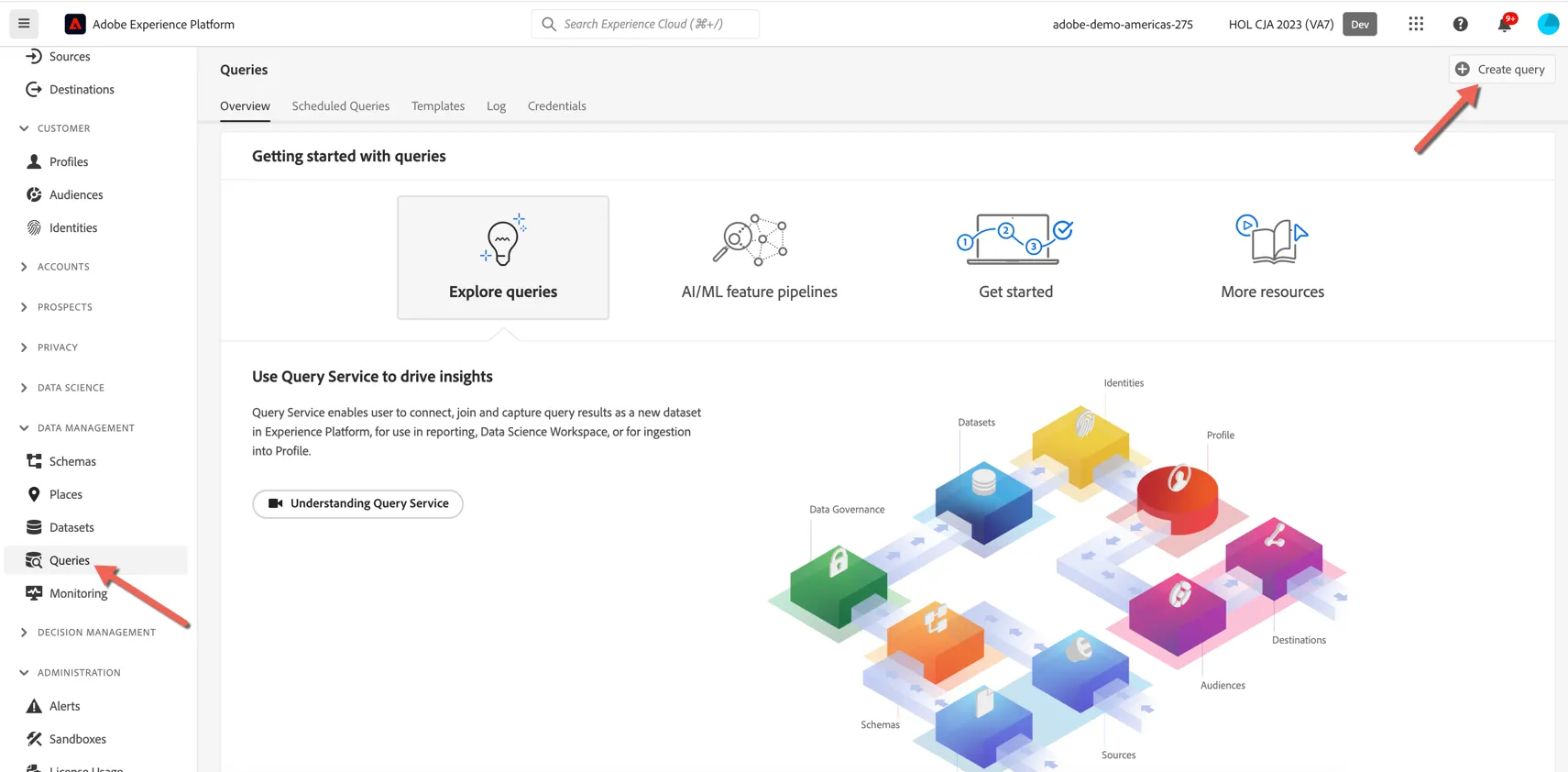
Browse to Queries under Data Management. Click to Create Query.
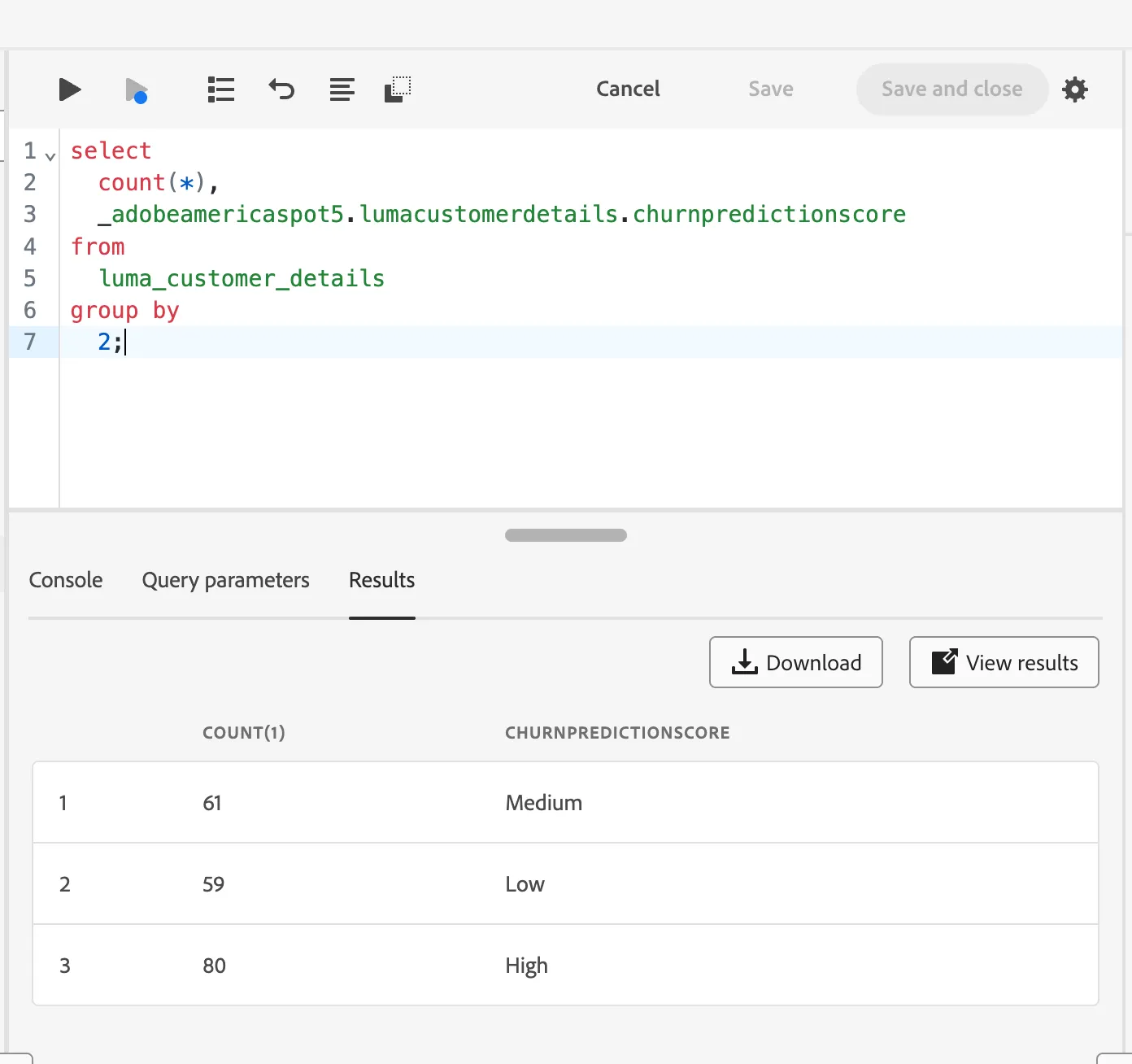
For this exercise we'll use a query to count how many profiles we have per loyalty tier. Use the following SQL:
select
  count(*),
  _adobeamericaspot5.lumacustomerdetails.churnpredictionscore
from
  luma_customer_details
group by
  2;
Click the play button to run the query >.
Journey Analysis Query
Adobe has added a set of Adobe Defined Functions to the standard SQL Syntax that allow you to better understand customer experience data by querying the sequence of events.
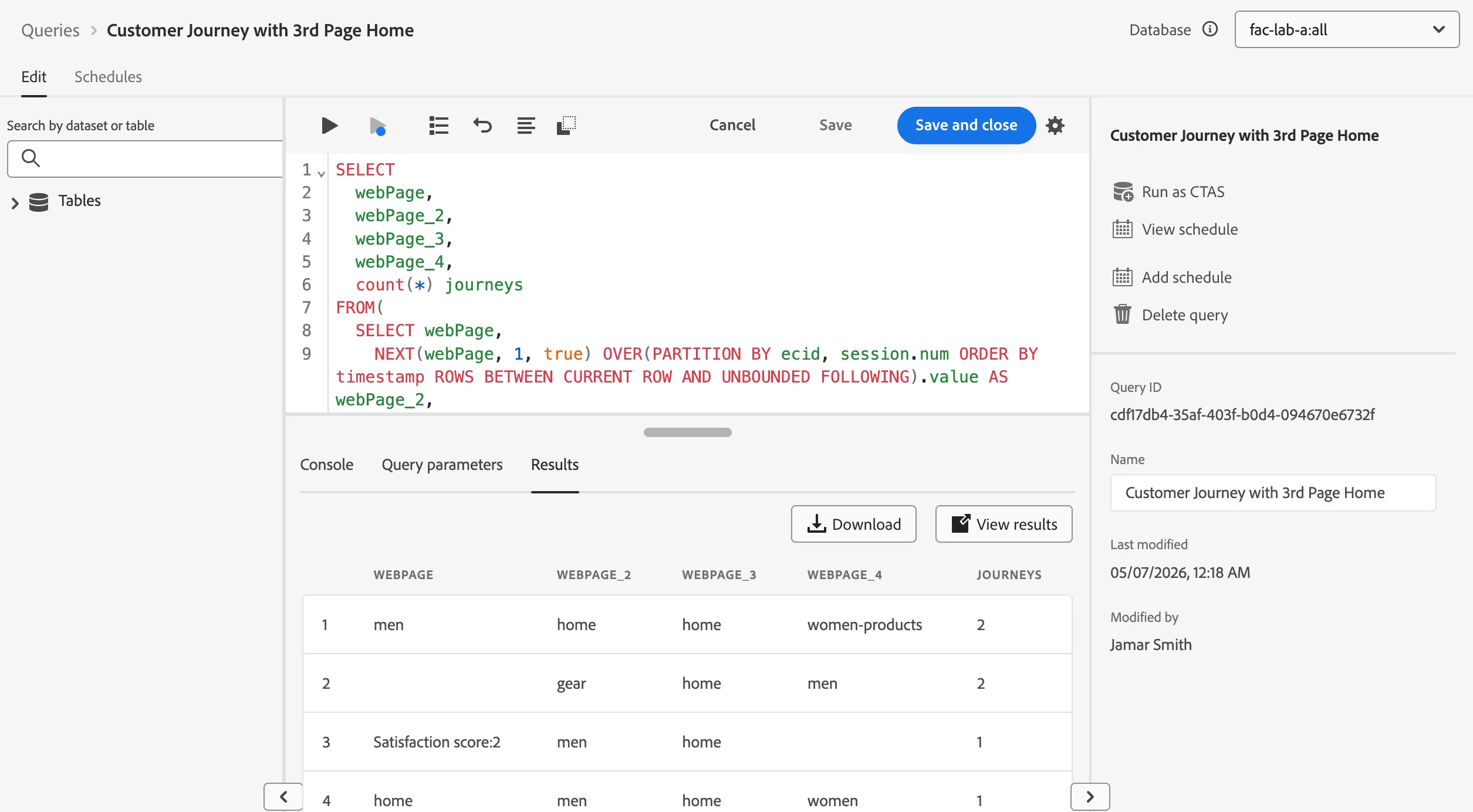
In this query we will answer, what do people do on the site before reaching the "Home" page, and what do they browse next?
With this query you will discover the first two Adobe Defined Functions SESS_TIMEOUT and NEXT. The SESS_TIMEOUT() reproduces the visit groupings found with Customer Journey Analytics. It performs a similar time-based grouping, but customizable parameters. NEXT() and PREVIOUS() help you to understand how customers navigate your site.
SELECT
  webPage,
  webPage_2,
  webPage_3,
  webPage_4,
  count(*) journeys
FROM(
  SELECT webPage,
    NEXT(webPage, 1, true) OVER(PARTITION BY ecid, session.num ORDER BY timestamp ROWS BETWEEN CURRENT ROW AND UNBOUNDED FOLLOWING).value AS webPage_2,
    NEXT(webPage, 2, true) OVER(PARTITION BY ecid, session.num ORDER BY timestamp ROWS BETWEEN CURRENT ROW AND UNBOUNDED FOLLOWING).value AS webPage_3,
    NEXT(webPage, 3, true) OVER(PARTITION BY ecid, session.num ORDER BY timestamp ROWS BETWEEN CURRENT ROW AND UNBOUNDED FOLLOWING).value AS webPage_4,
    session.depth AS SessionPageDepth
  FROM (
     SELECT a._adobeamericaspot5.identification.core.ecid as ecid,
        a.timestamp, web.webPageDetails.name as webPage,
        SESS_TIMEOUT(timestamp, 60 * 60 * 168) OVER (PARTITION BY a._adobeamericaspot5.identification.core.ecid ORDER BY timestamp ROWS BETWEEN UNBOUNDED PRECEDING AND CURRENT ROW) AS session
     FROM demo_system_event_dataset_for_website_global_v1_1 a
     WHERE a._adobeamericaspot5.identification.core.ecid IN (
         SELECT  b._adobeamericaspot5.identification.core.ecid
         FROM demo_system_event_dataset_for_website_global_v1_1 b
         WHERE web.webPageDetails.name = 'home'
         and b._adobeamericaspot5.identification.core.ecid IS NOT NULL
       )
     )
   )
WHERE SessionPageDepth=1 and webpage_3 = 'home'
GROUP BY webPage, webPage_2, webPage_3, webPage_4
ORDER BY journeys DESC
LIMIT 10;
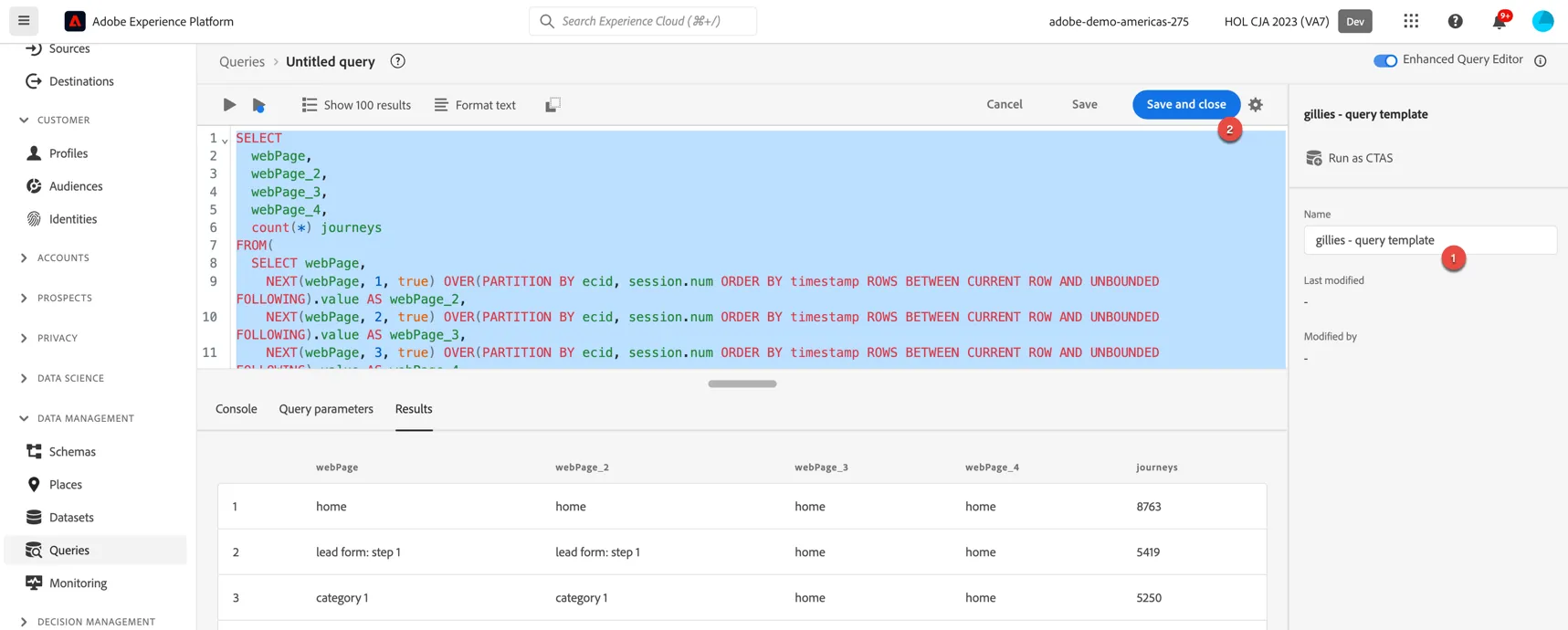
Create a new query and run this sql to see the results:
If I want to export the results of this query I must first add them to a dataset. I can use the Create Table As Select (CTAS) feature to do that. Click Run as CTAS, give your dataset a name and click Run.
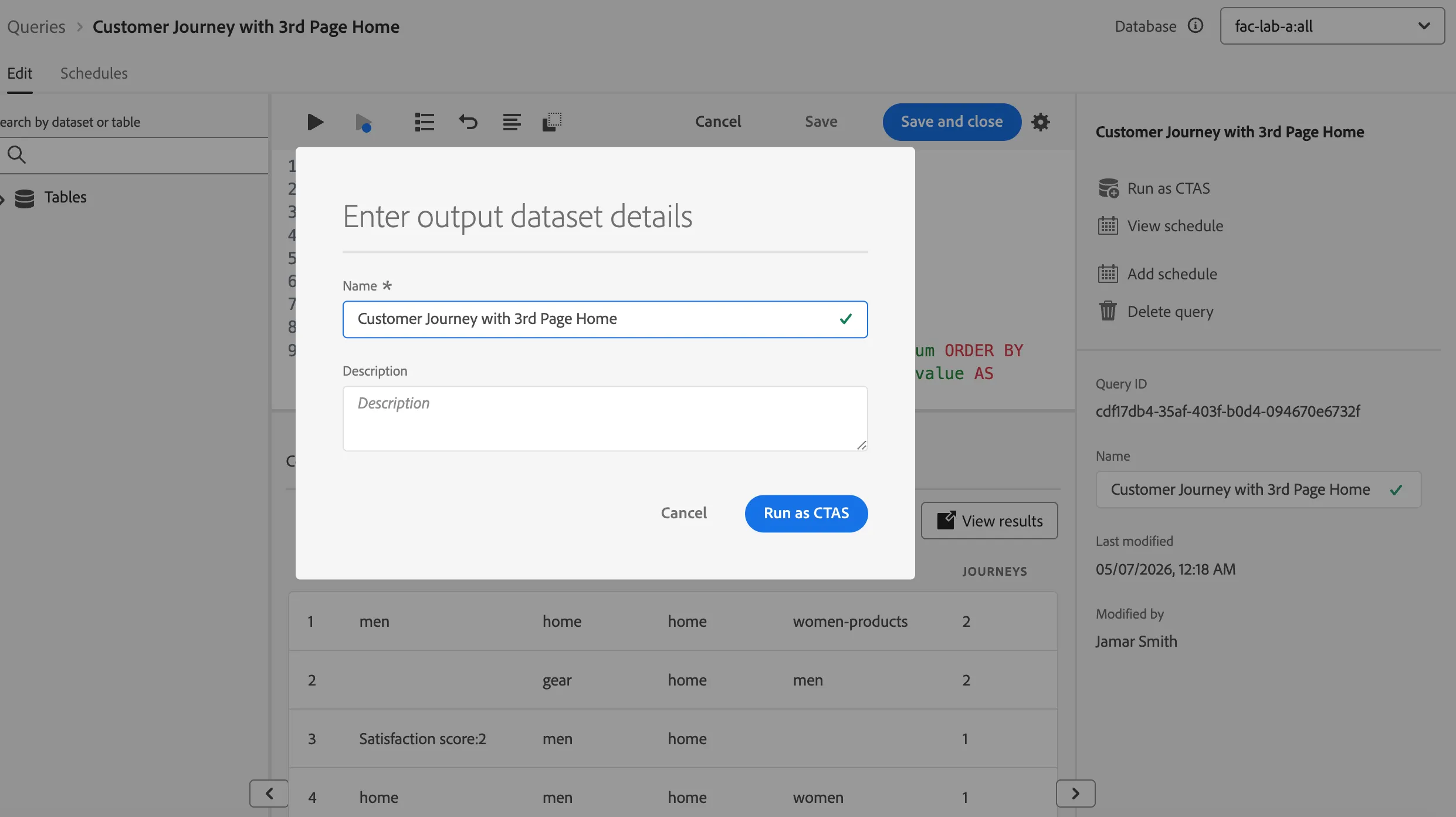
This will create a job in the background to create a new dataset with the results from your query. You can then export that dataset using the destinations service. We will cover this piece tomorrow.
Create a scheduled query
What if you need to configure some transformations to happen on a recurring basis? You can do this by first turning your adhoc query into a query template. Add a name to the query from the previous exercise. Then click Save and Close.
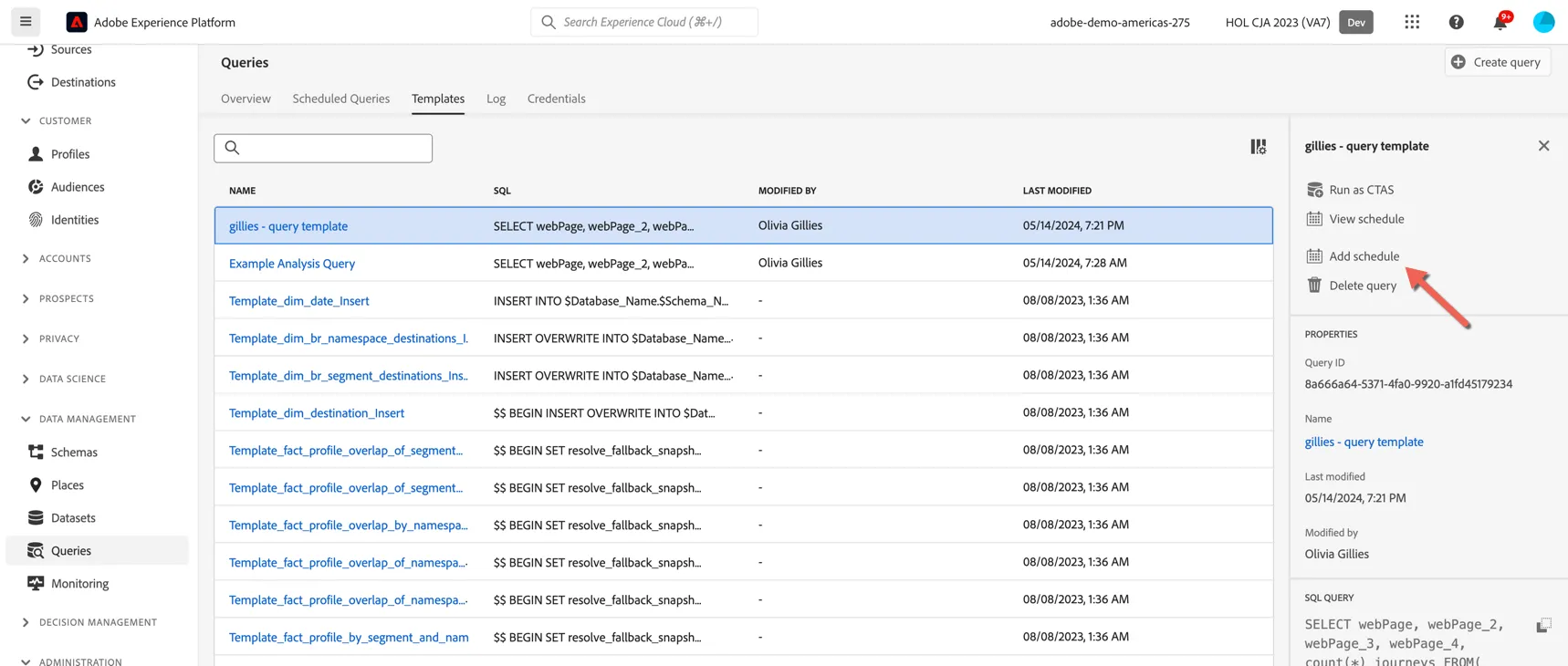
Your query now appears in the template list. If you select the query you can choose to Add Schedule.
From here you can set up the schedule to execute the query as frequently as every hour and to append the data from each execution into a dataset.
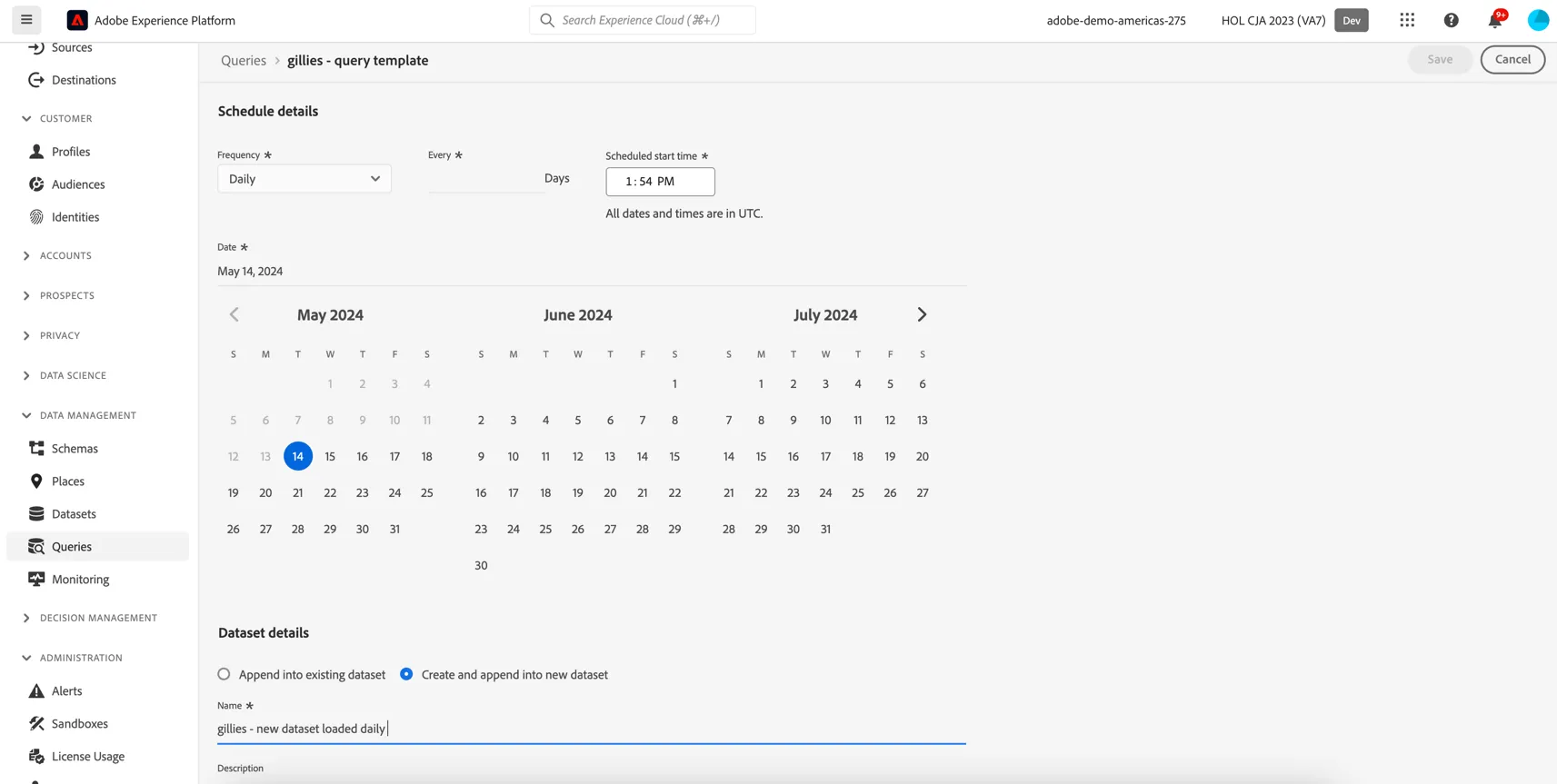
In this way we can quickly set up transformation jobs to execute on a recurring basis which can be particularly useful prior to ingesting data into Customer Journey Analytics.
The snapshot clause is another query service feature that can be useful when setting up these automated processes. You can read more about it here: https://experienceleague.adobe.com/en/docs/experience-platform/query/sql/syntax#snapshot-clause
Congratulations, you've completed the module on Data Distiller