Creating an audience
In this exercise we'll be creating an audience that we can use in our journey.
If you do not want to create your own audience, you can reuse the audience aleady created for you. Feel free to skip this exercise and proceed to Creating the journey.
Audience overview
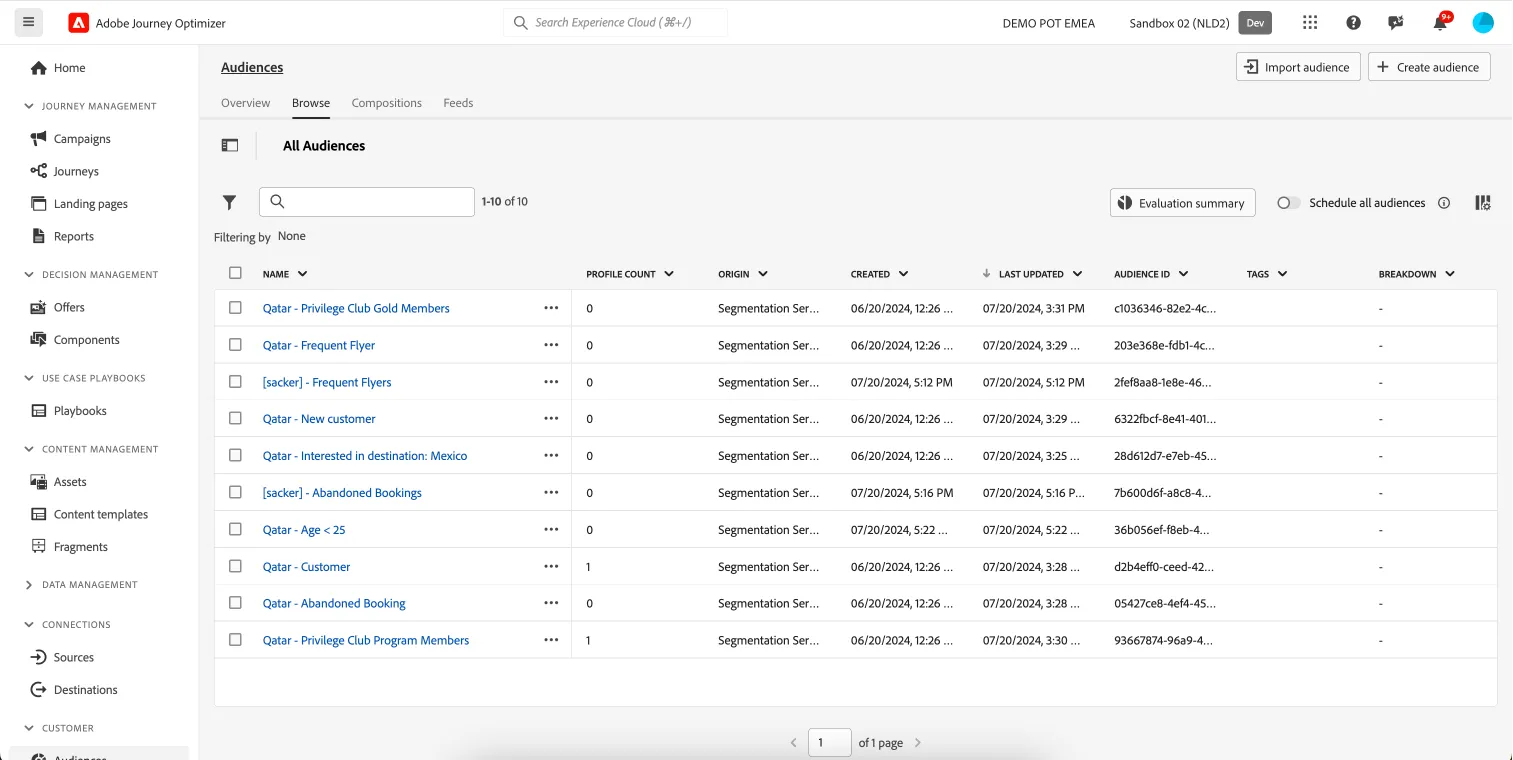
To get an overview of all audiences in Adobe Journey Optimizer:
- In the menu on the left side, under Customer, click on Audiences. You will see a overview with all existing audiences.
Creating an audience
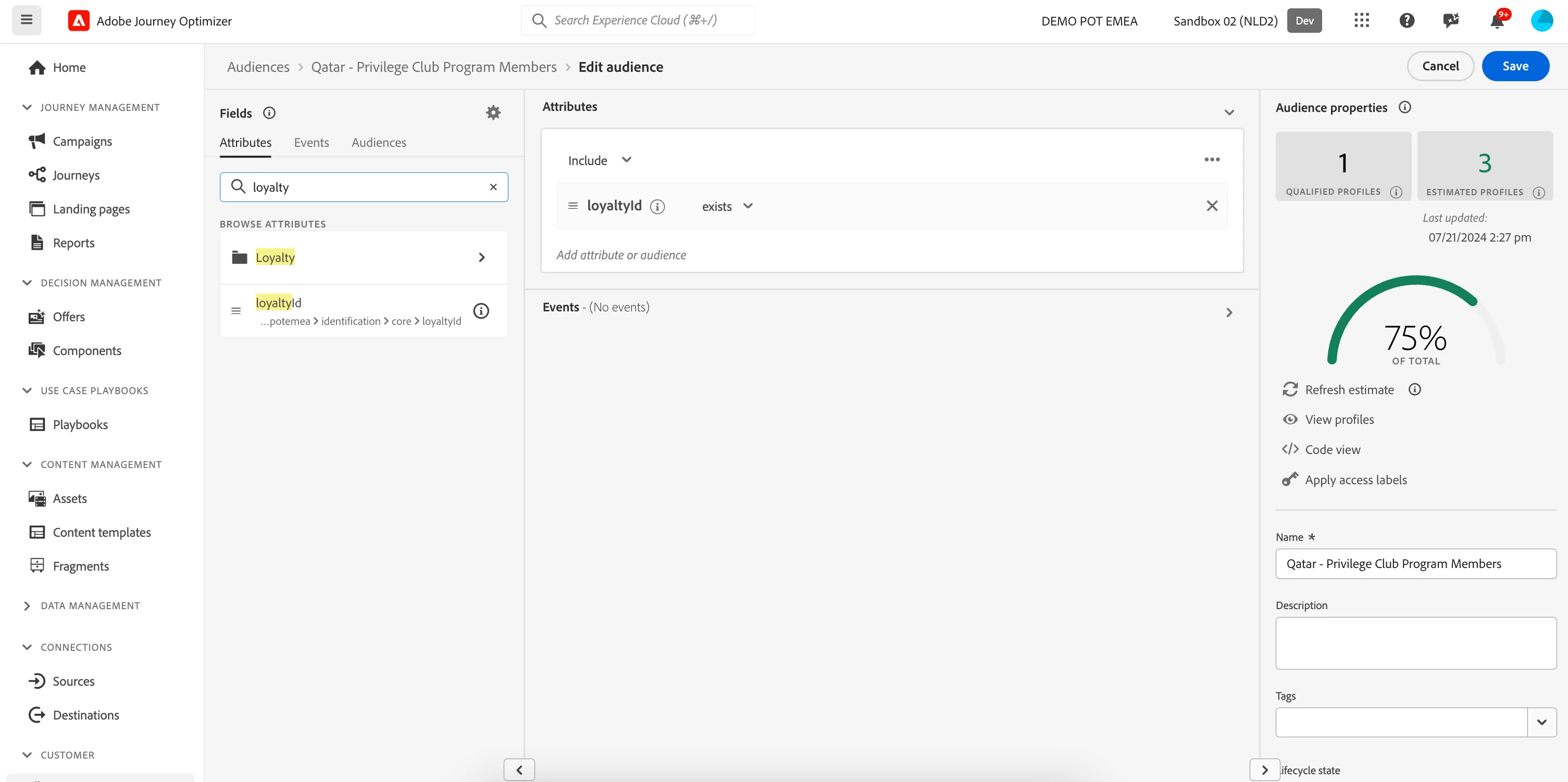
We'll be creating an audience that contains all customers that are part of the Qatar Airways loyalty program. We can determine this by checking if a customer has a loyalty ID.
- Click on Create audience. A pop-up will open, choose Build rule and click Create.You'll be taken to the Audience builder.
- Set the name to [your name] - Privilege Club Members.
- Set the evaluation method to edge.
- In the Attributes tab, search for loyalty. Drag the loyaltyId attribute to the middle of the screen.
- Change the expression to loyaltyId exists using the dropdown.
- Your screen should look like the image below. Click Publish to finish your audience.