CJA BI Extension
The Customer Journey Analytics BI extension enables SQL access to the data views that you have defined in Customer Journey Analytics. Your data engineers and analysts might be more familiar with Power BI, Tableau Desktop, or other business intelligence and visualization tools (further referred to as BI tools). They can now create reporting and dashboards based on the same data views that Customer Journey Analytics users are using when creating their Analysis Workspace projects.
Adobe Experience Platform Query Service is the SQL interface to data available in the data lake of Experience Platform. With the Customer Journey Analytics BI extension enabled, the functionality of Query Service is extended to see your Customer Journey Analytics data views as tables or views in a Query Service session. As a result, business intelligence tools that use Query Service as their PostgresSQL interface benefit seamlessly from this extended functionality.
Usage
To use the Customer Journey Analytics BI extension functionality, you can either use SQL directly or use the drag and drop experience available in the specific BI tool.
SQL
In this exercise we will use SQL directly. You can use the functionality in SQL statements using either the Query Editor or a standard PostgresSQL command-line interface (CLI) client. See the Data Distiller exercise for information on how to do this.
Functionality
By default, your data views have a table-safe name generated from their friendly name. For example, the data view named My Web Data View has the view name my_web_data_view. You can define a preferred name to use in your BI tool for your data view.
If you want to use the data view IDs as the table names, you can add the optional CJA_USE_IDS setting to your database name when connecting. For example, prod:cja?CJA_USE_IDS shows your data views with names like dv_ABC123.
List data views
In the standard PostgreSQL CLI, you can list your views using \dv
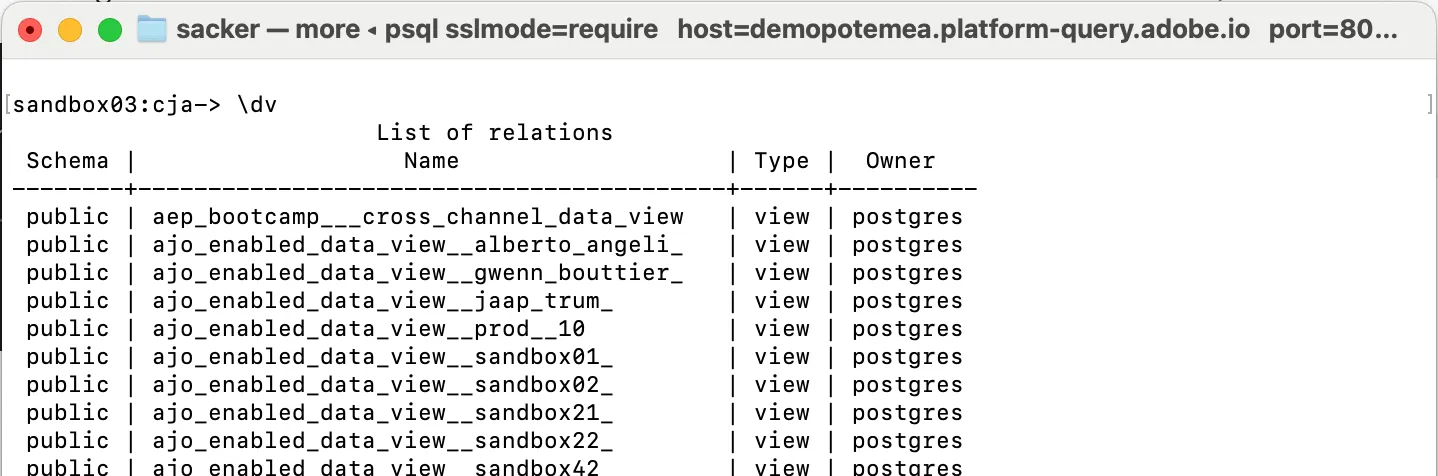
Nested versus flattened
By default, the schema of your data views uses nested structures, just like the original XDM schemas. The integration also supports the FLATTEN option. You can use this option to force the schema for the data views (and any other table in the session) to be flattened. Flattening allows for easier use in BI tools that don’t support structured schemas. See Working with nested data structures in Query Service for more information.
In this Lab we will not cover specific query examples, however if you want more information and examples, see Customer Journey Analytics Supported SQL for examples.