Foundational Components
4 min
One Offer. Every Surface
How Experience Decision Decides
Channel Configuration
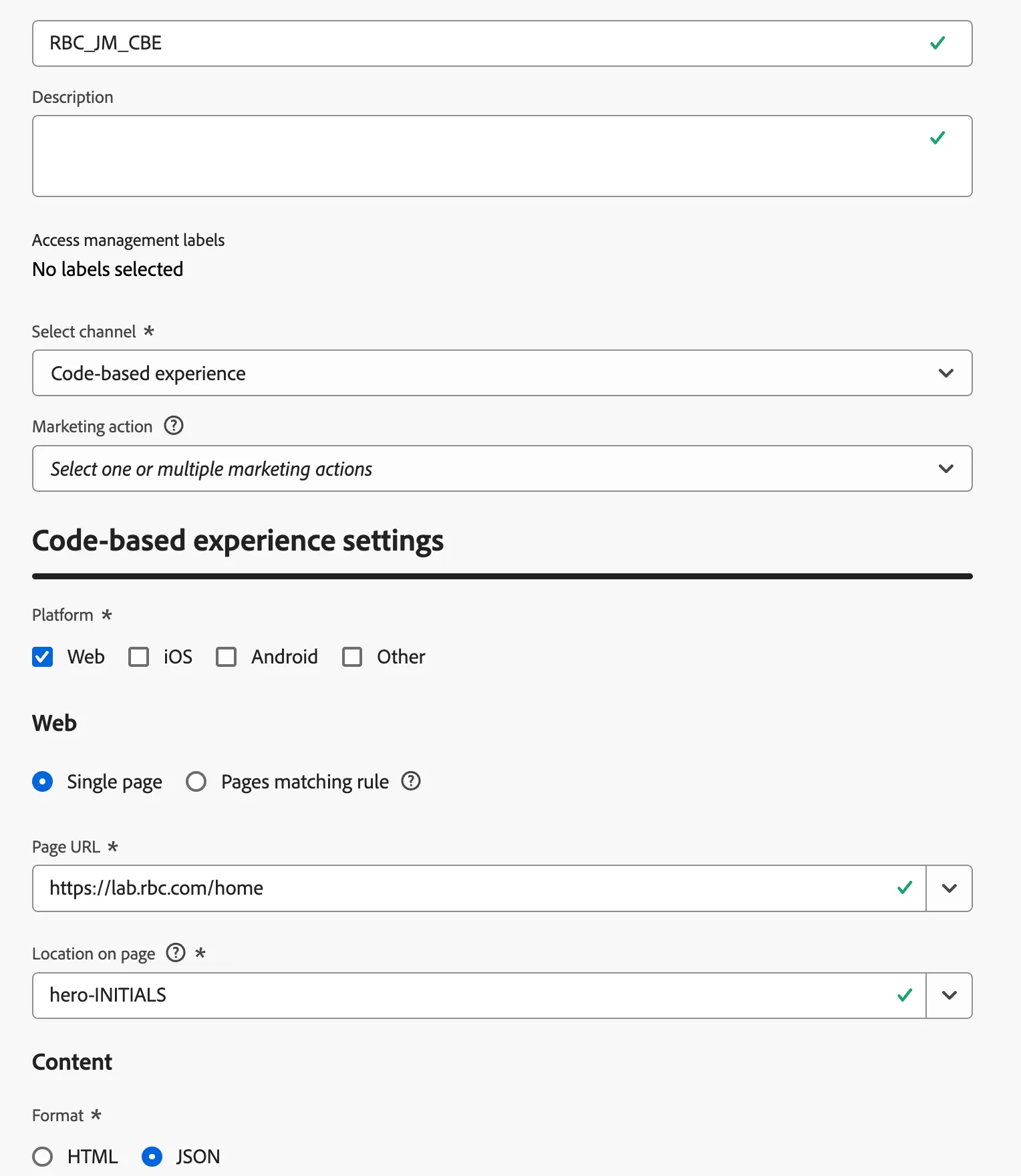
A code-based experience channel surface configuration tells AJO which app or web page and which specific location within it should receive the content.
- Under Administration click Channels from the navigation panel
- Click Channel Configurations
- Click Create Channel Configuration
- Set a name: RBC_INITIALS_CBE
- Select the channel: Code-base experience
- Select Web
- Use the Single Page Rule
- Select the option: https://lab.rbc.com/home
- Location on page enter: hero-INITIALS
- Set the format as JSON
- Click Submit
Note: You will use this when on the campaign you will be creating.
How Experience Decision Items are defined (Optional)
These are defined through a schema based catalog. Think of the catalog as the schema that holds all the fields that correspond to all your offers in all shapes.
- Navigate to Decisioning > Catalogs from the nav menu.
- Once in Catalogs, click Edit Schema.
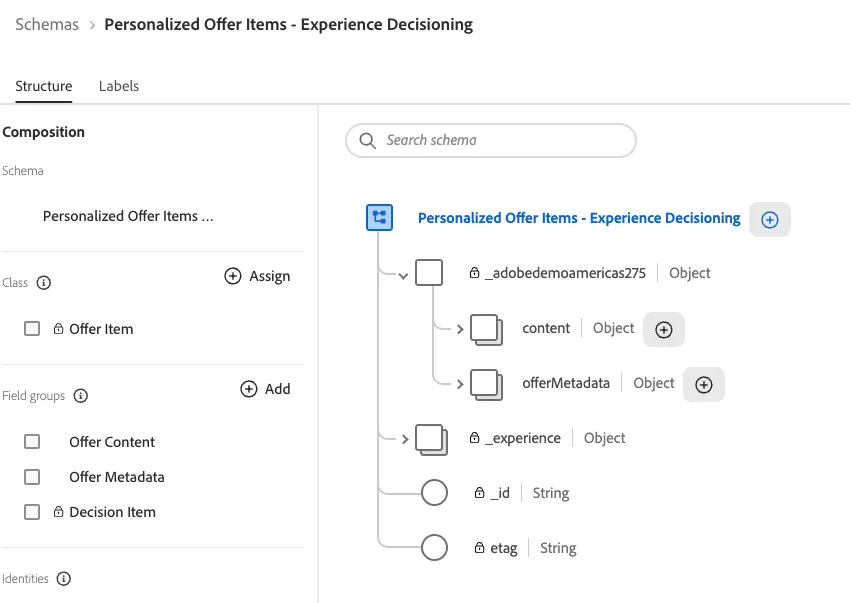
- Expand the _tenant field group and explore the content and offerMetadata objects.
- Click Cancel and go back to the previous page. (Or close the tab altogether).