Personalized Offers
4 min
Now you will create your first personalized offer. You will be utilizing some of the components that you already built thus far. This is a perfect example of the synchronisity within the platform. You will be using the offer components and some audiences as well as assets.
Creating a personalized offer
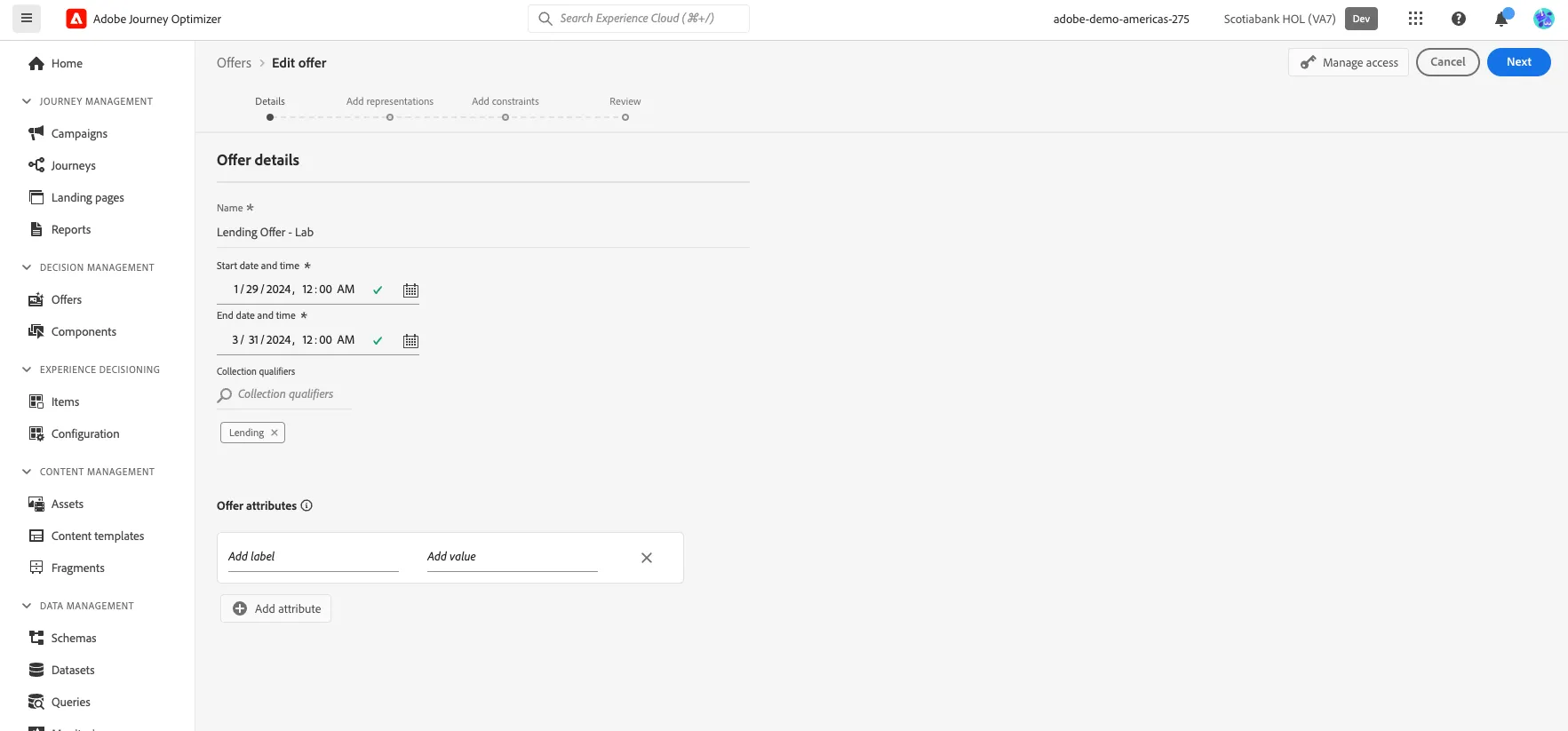
- Navigate Decision Management --> Offers --> Offer Tab
- Click on the top right corner button, "Create Offer"
- Give a name such as: "Lending Offer - Initials"
- Give a start and end dates.
- Search for your Initials on the Collection Qualifiers and click on it.
- Click Next
Adding Representations and Content
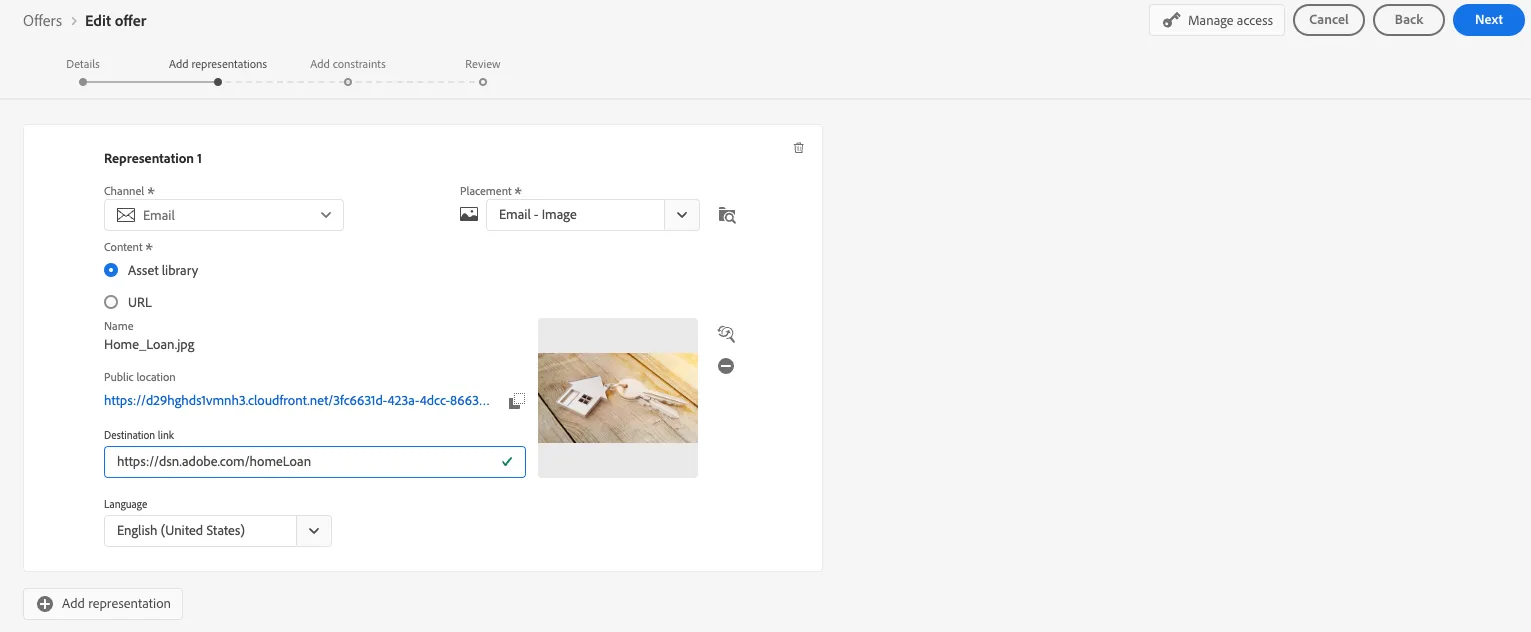
- Select Channel: Email
- Select Placement: Email - Hero Image - Your Initials
- Select Asset Library Navigate to FSI folder and select the Home_Loan.jpg
- Give a Destination URL: https://dsn.adobe.com/homeLoan
- Click Next.
Configuring Offer Constraints or Eligibility
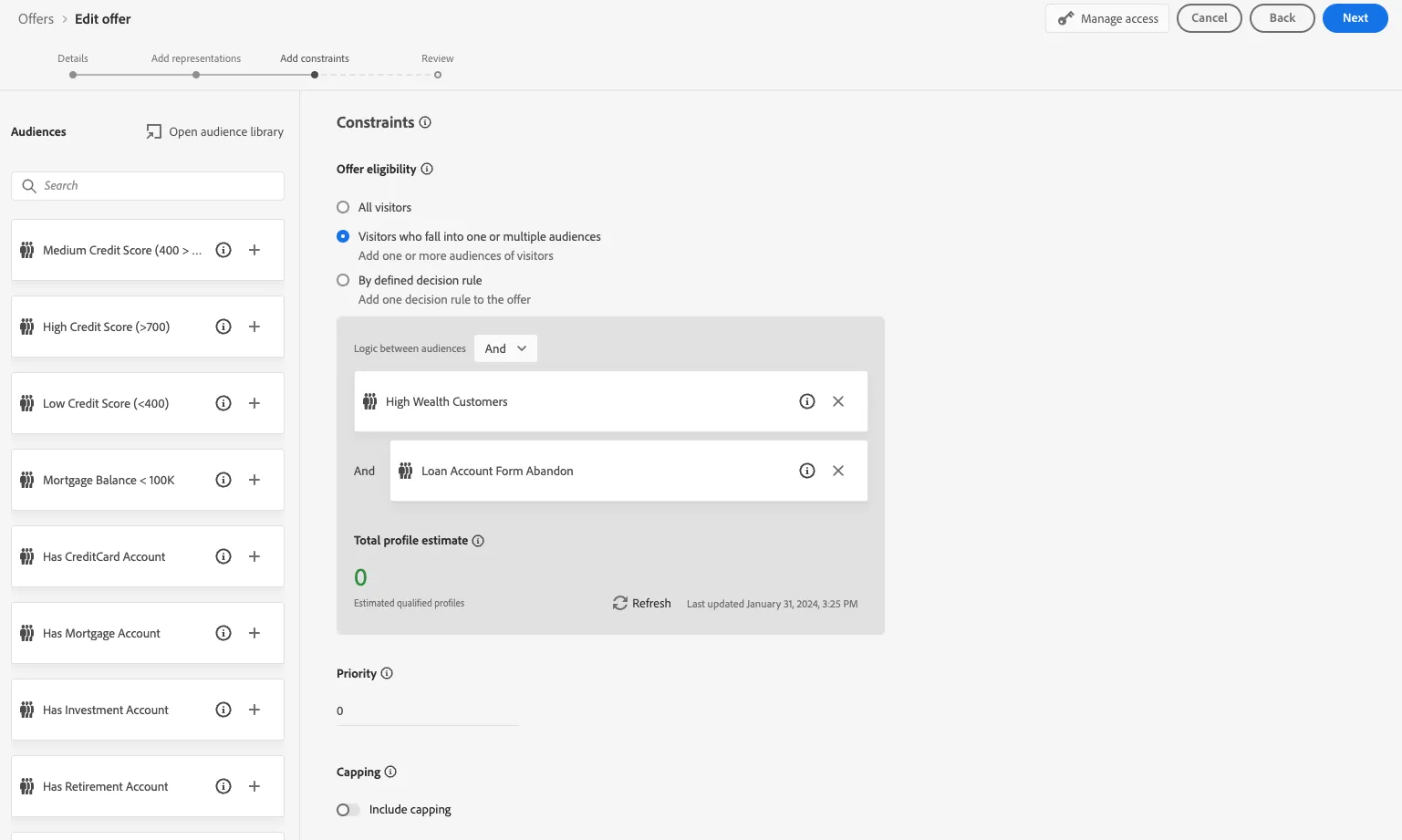
- Select Visitors who fall into one or multiple audiences
- Add the following segments: "High Wealth Customer - Your Initials", "Loan Account Form Abandon"
- Leave the Capping toggle off and Priority set as 0
- Click Next
- Click Finish.