Checking brand compliance for assets
Agent name: Brand Governance Agent
Agent capabilities: Manages permissions, detects expired assets, and ensures every piece of content stays on-brand and legally compliant — without manual oversight.
Documentation: Brand Governance Agent
Introduction
In this exercise, you'll use the Brand Governance Agent to score a generated image against Frescopa's brand guidelines and validate that it meets the required brand standards.
Prepare your image URL
Lets find an asset using discovery agent. Type in the prompt below and press send button.
find me an approved coffee machine in office
This displays the matching results.
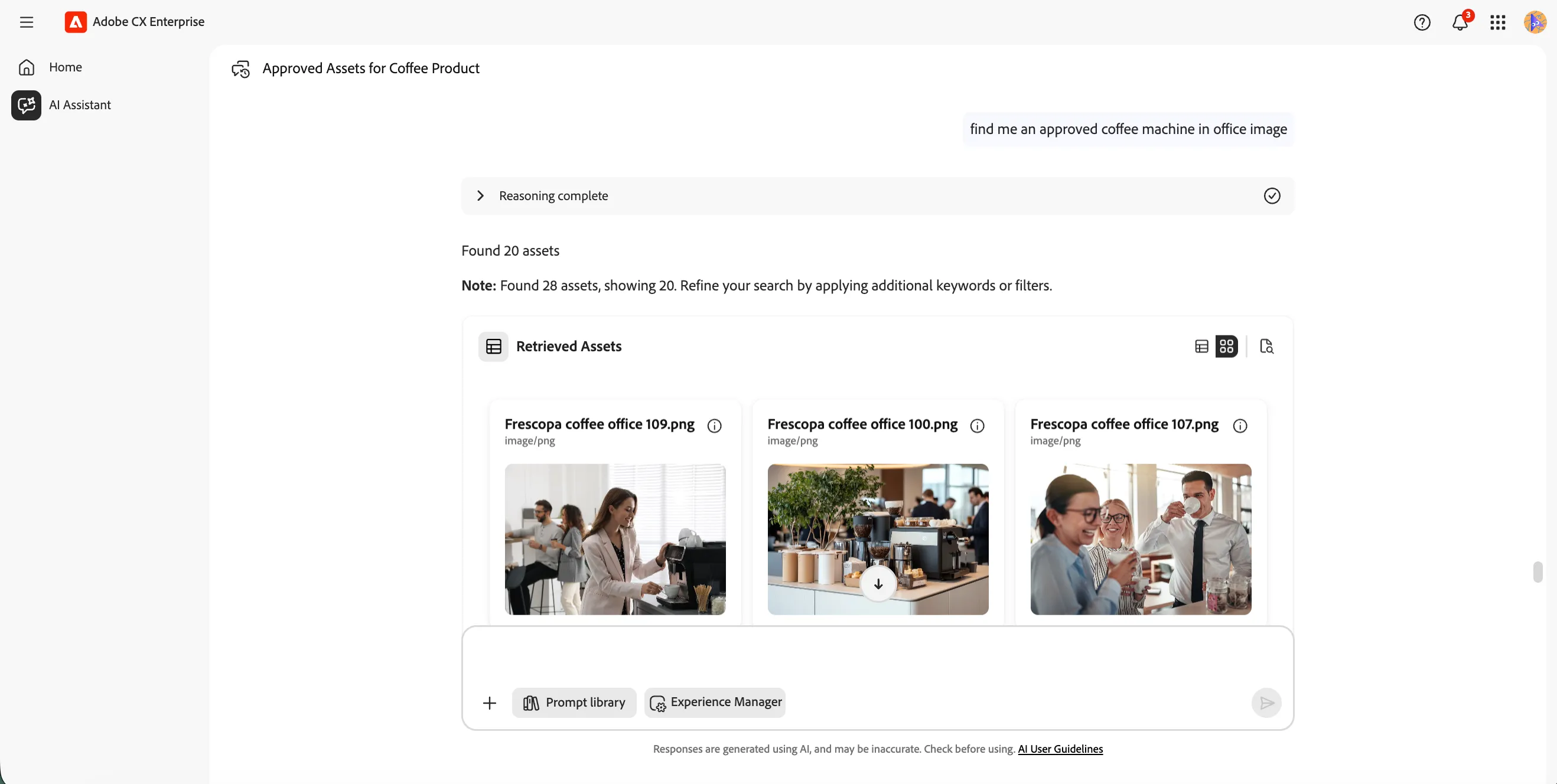
Let's do some image enhancement on the image. Type in the below prompt and press send button.
mirror the first image
The will flip the image horizontally and result will be shown as below.
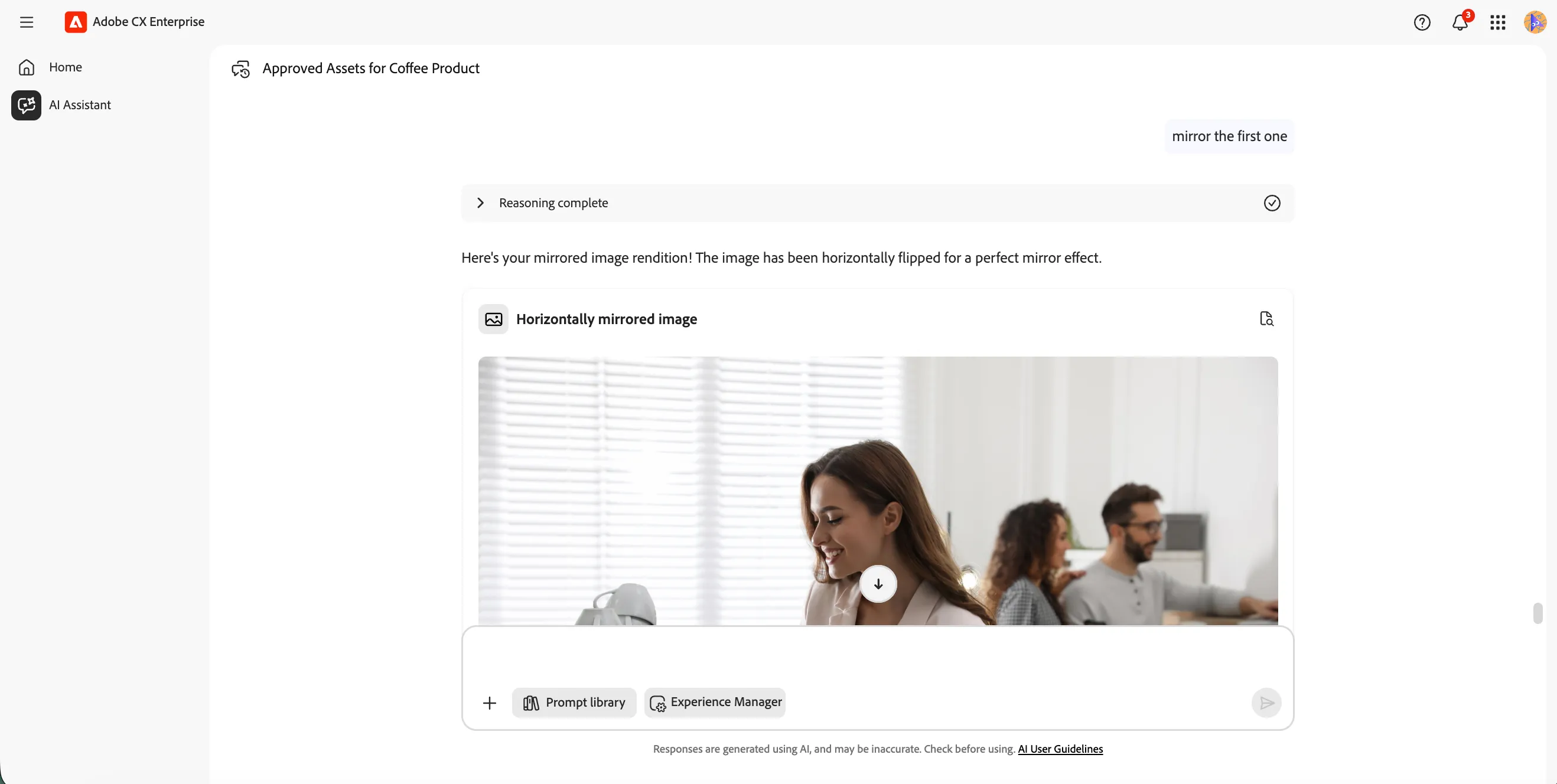
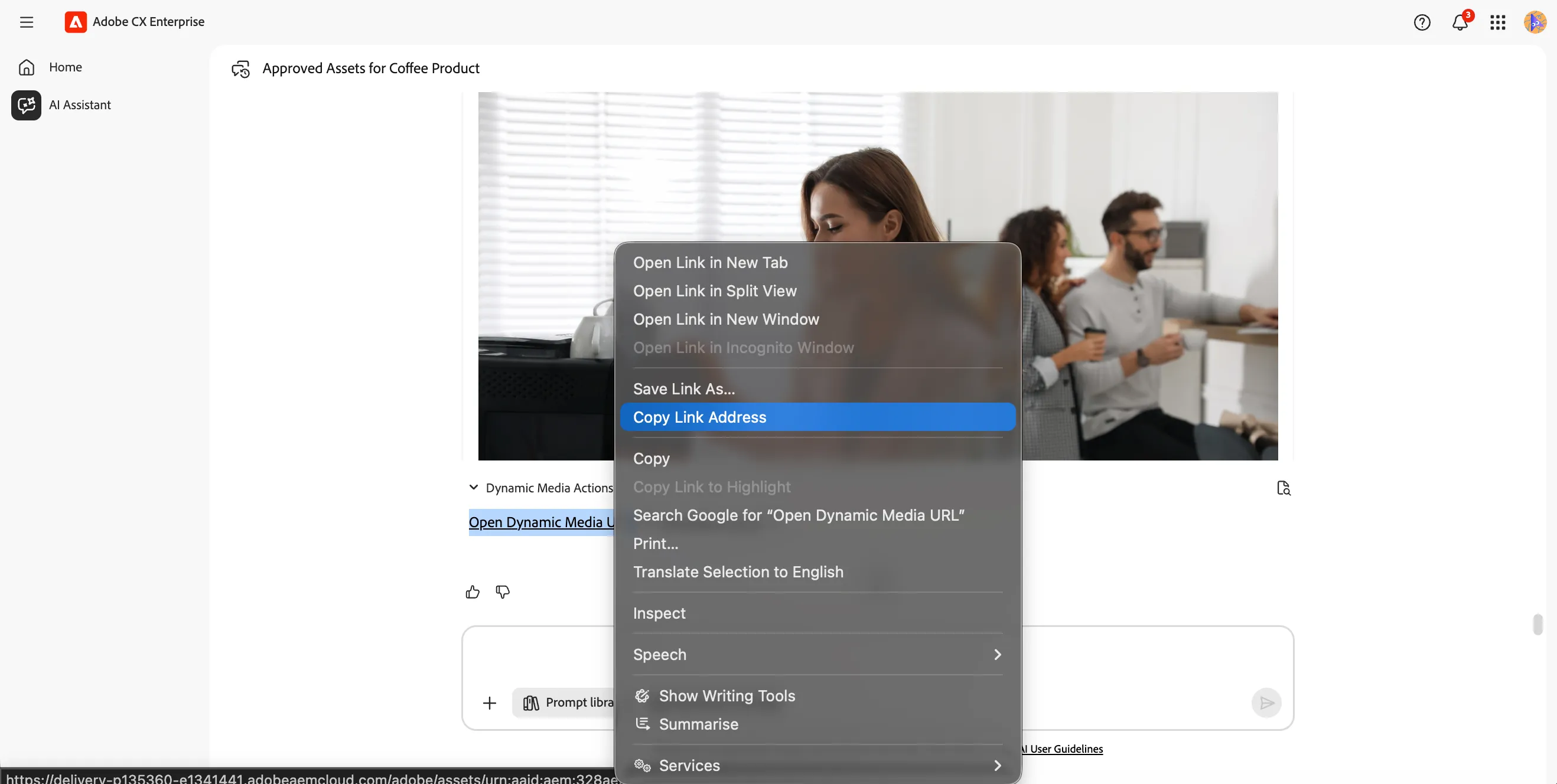
Now lets get the image URL for the updated image.
- Expand Dynamic media actions at the bottom of the image preview.
- Right click on Open Dynamic Media URL and select Copy Link address.
Check image brand adherence
Now we'll ask the Brand Governance Agent to analyse the image against the Frescopa brand guidelines.
- Type the prompt below into the AI Assistant, replacing <image URL> with your Dynamic Media URL, and click the Send icon.
Is the following image on brand using Frescopa guidelines? <image URL>
For example:
Is the following image on brand using Frescopa guidelines? https://delivery-p135360-e1341441.adobeaemcloud.com/adobe/assets/urn:aaid:aem:bbcf6d36-7b76-4199-a265-37693db88221/as/Frescopa%20coffee%20couple%20103.png?width=1080&height=1080&fit=crop
The Brand Governance Agent will analyse the image content against the configured brand guidelines and checks, and return a score with a detailed validation result.
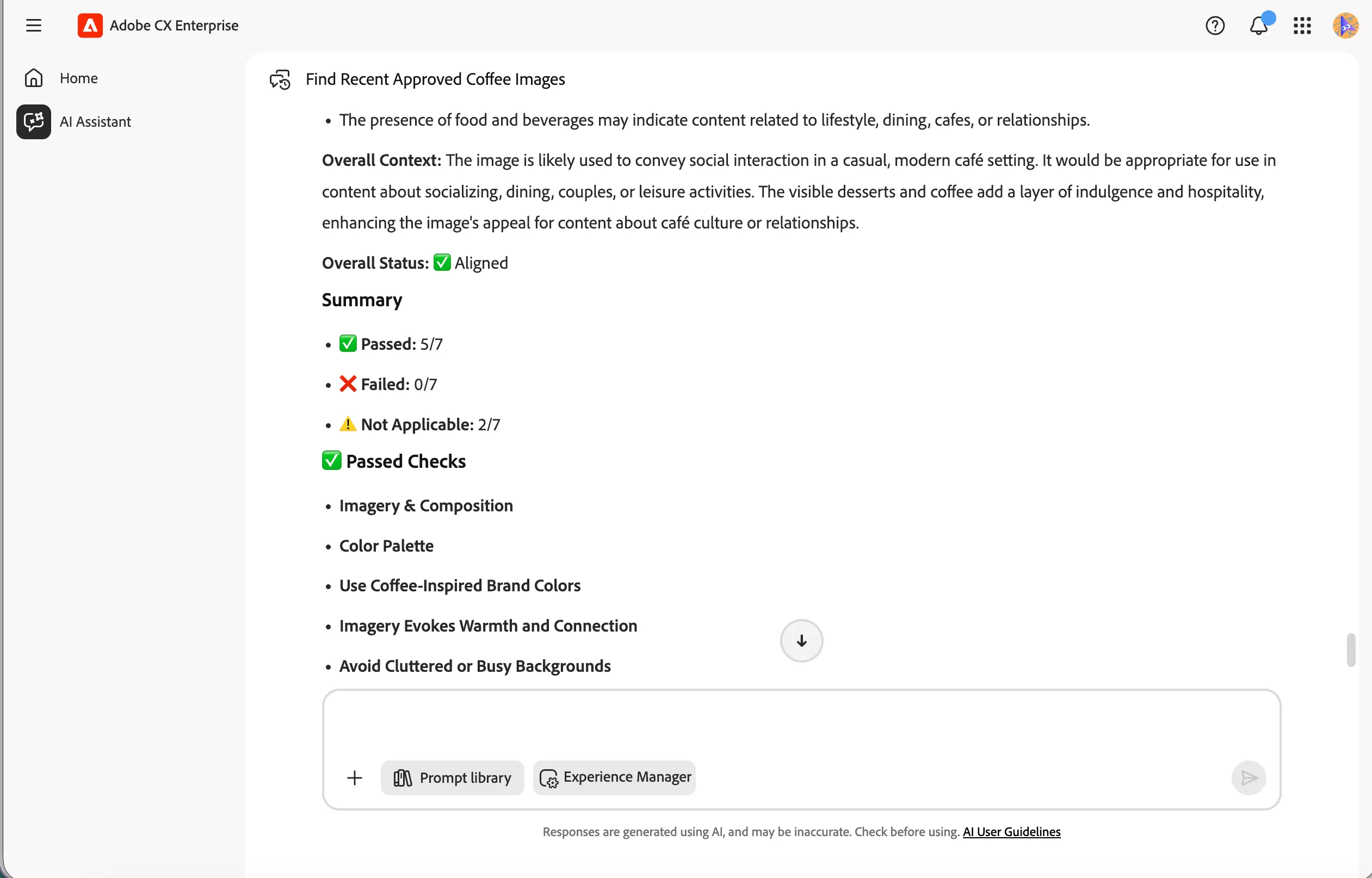
You have successfully used the Brand Governance Agent to validate an image against Frescopa's brand guidelines. The agent analysed the visual content and returned a brand score with a detailed breakdown of the results.