Discover approved assets at ease
Agent name: Discovery Agent
Agent capabilities: Interprets user intent, searches across AEM for the most relevant, approved content, and surfaces it for reuse, connecting the right assets to the right moment.
Documentation: Content Discovery Agent
Introduction
In this exercise, you'll use the Discovery Agent to find approved assets in AEM and surface them for reuse on the homepage.
We have identified that the Express coffee page is generating high interest. To improve brand visibility, we want to feature a direct link to it as a hero banner image on the homepage. We'll use the Discovery Agent to find the most relevant approved assets.
Search for assets
Type the prompt below into the AI Assistant and click the Send icon.
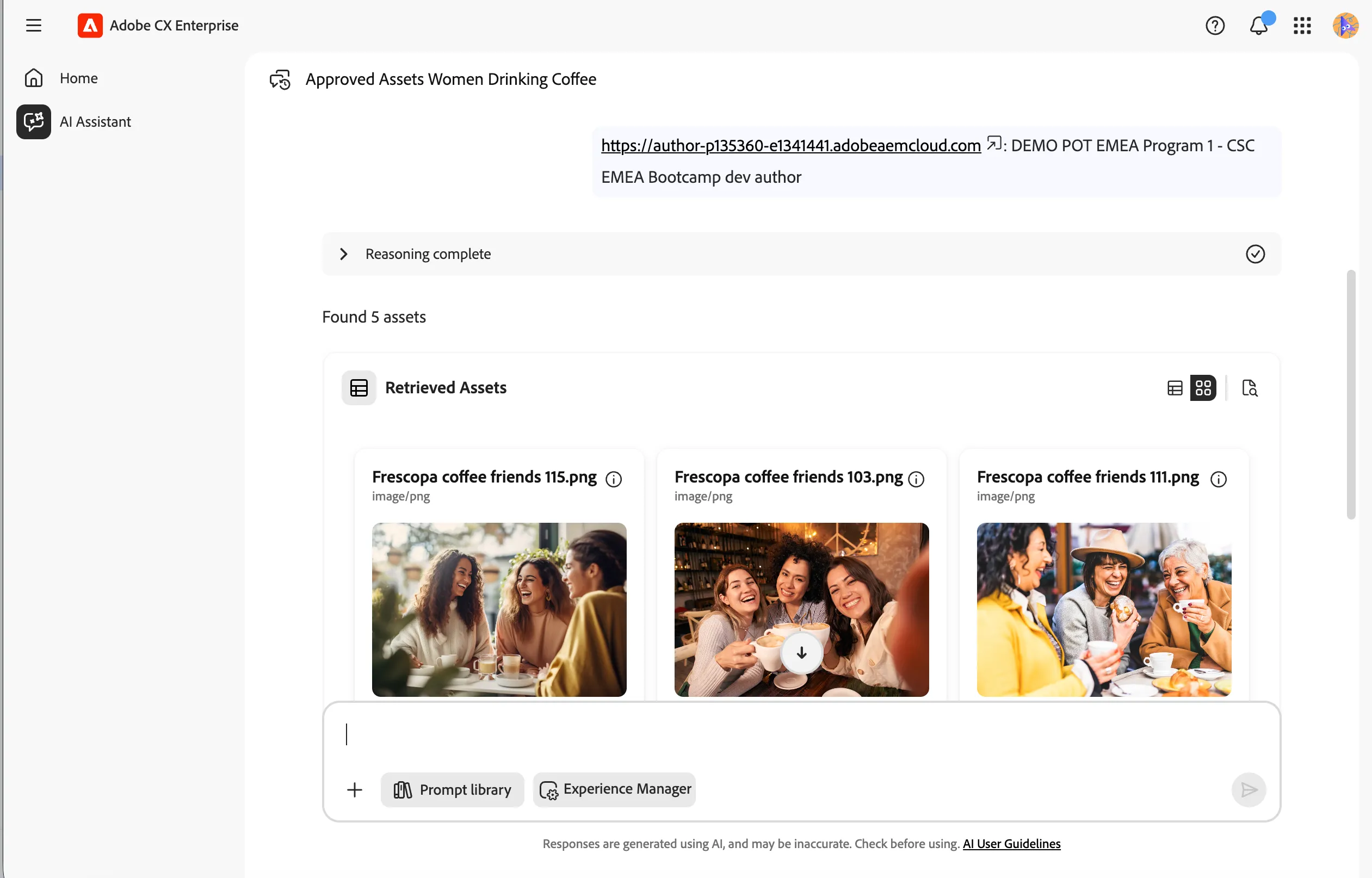
Show me 5 approved assets of women drinking coffee
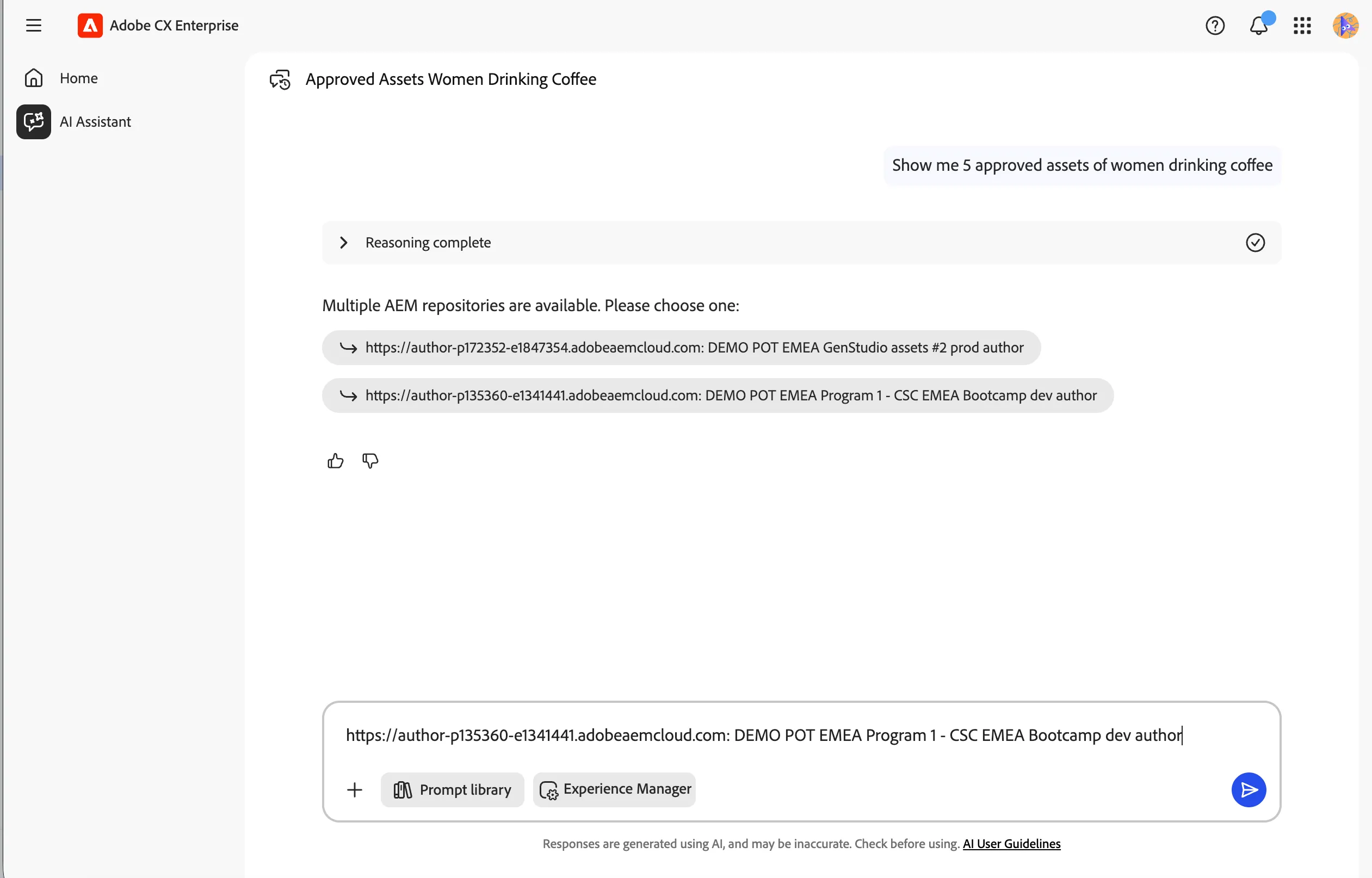
The agent will first check which AEM instance you have access to and ask you to select the correct one.
- Select https://author-p135360-e1341441.adobeaemcloud.com: DEMO POT EMEA Program 1 CSC EMEA Bootcamp dev author if prompted. This is our Experience Manager Assets repository.
- Click the Send icon.
The agent will perform a semantic search against asset metadata and return 5 approved assets matching your prompt.
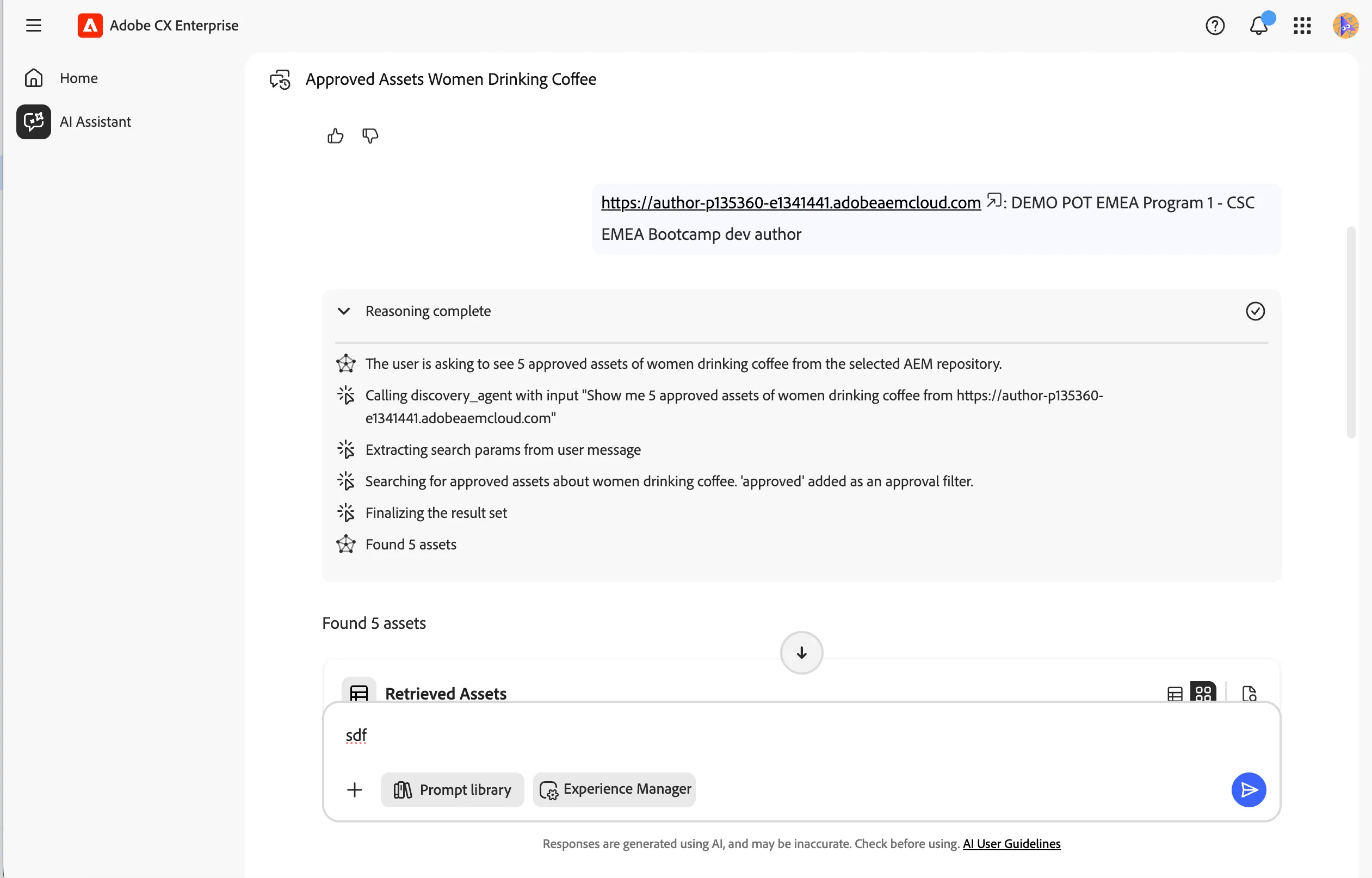
Review the agent reasoning
- Click on the Reasoning Complete accordion to expand it. This shows how the agent broke down your prompt and determined the steps needed to retrieve the results.
Feel free to try other prompts to search for different assets across your AEM instance.
You have successfully used the Discovery Agent to find approved assets in AEM using natural language. The agent interpreted your intent, searched semantically across asset metadata, and surfaced relevant results ready for reuse.