Tracking expired assets
Agent name: Discovery Agent
Agent capabilities: Interprets user intent, searches across AEM for the most relevant, approved content, and surfaces it for reuse, connecting the right assets to the right moment.
Documentation: Content Discovery Agent
Introduction
In this exercise, you'll use the Discovery Agent to proactively identify coffee-related assets that are approaching their expiry date.
As an asset management practitioner, staying ahead of expiring assets is critical to ensuring your website and campaigns never surface outdated or unlicensed content. Rather than manually auditing asset metadata, you can use the Discovery Agent to surface expiring assets instantly using natural language.
Search for expiring assets
Type the prompt below into the AI Assistant and click the Send icon.
Which of my coffee related assets will expire within the next 6 months?
Click the Send icon.
The agent will search across your AEM asset repository, applying a filter for coffee-related assets with an expiry date falling within the next 6 months, and return the matching results.
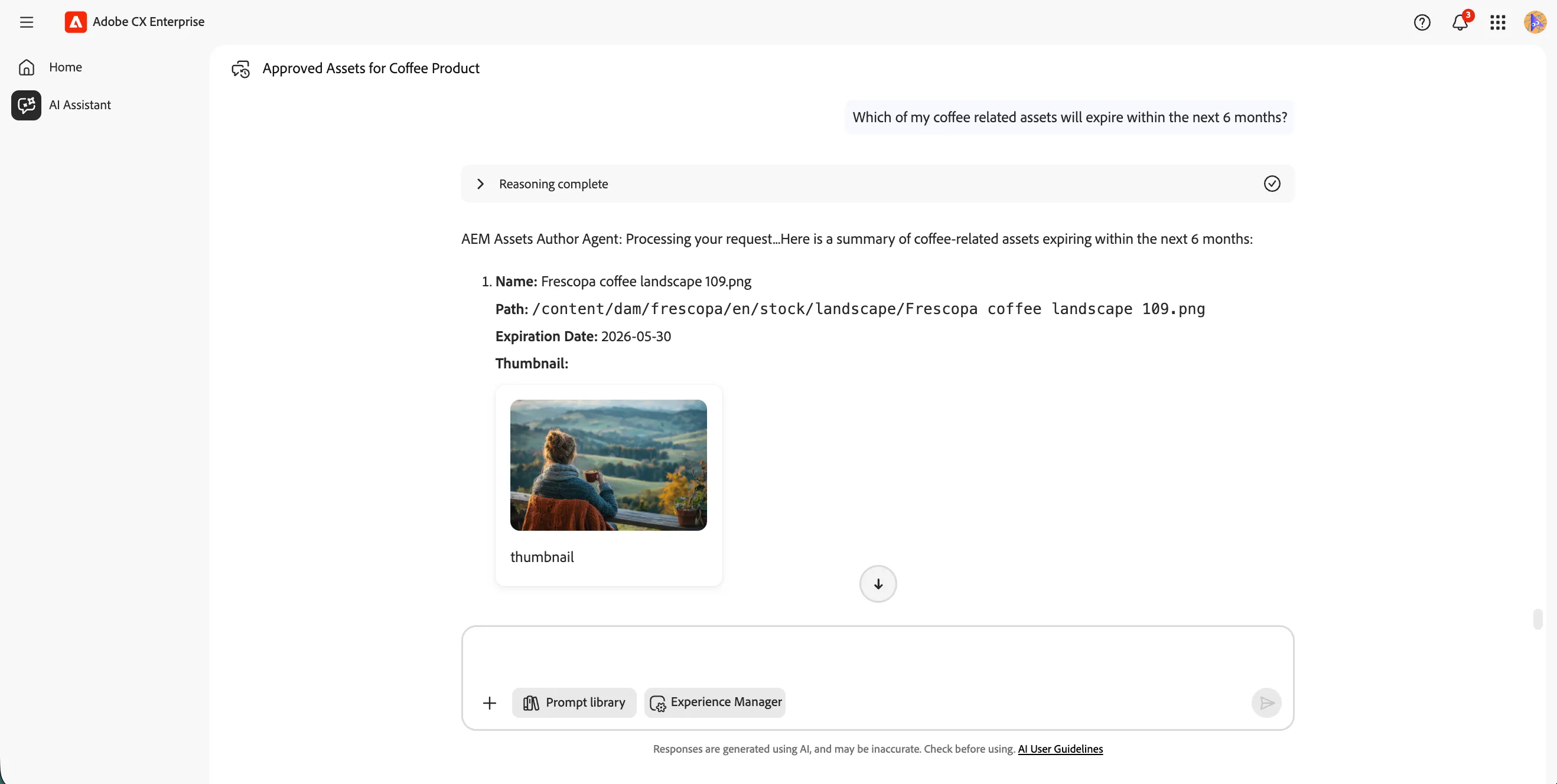
Review the agent reasoning
- Click on the Reasoning Complete accordion to expand it. This shows how the agent interpreted your prompt and determined the filters and steps needed to retrieve the results.
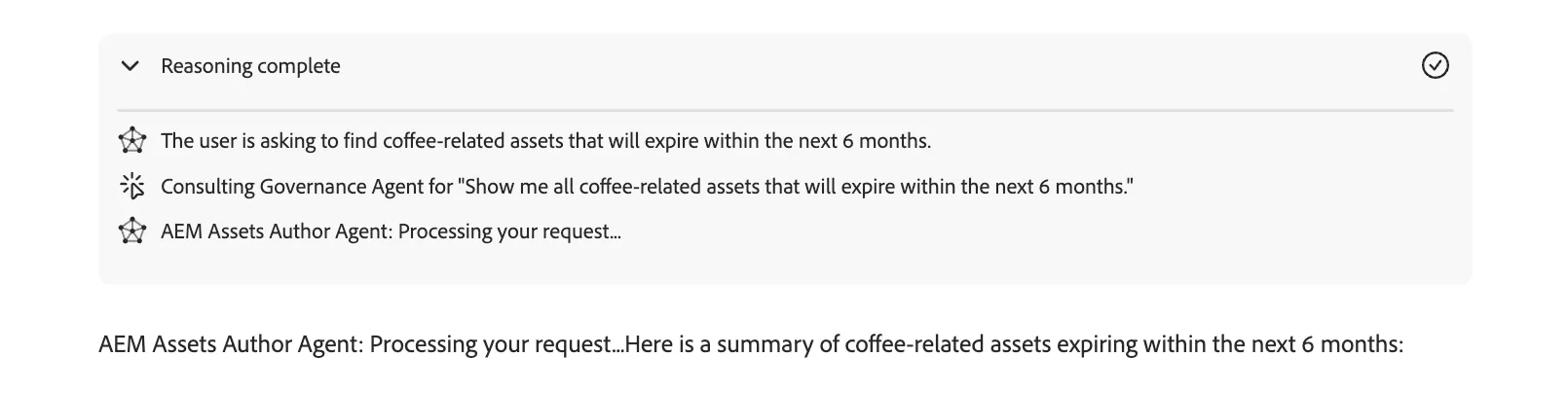
Feel free to try variations of this prompt to broaden or narrow your results. For example:
- Which assets across all categories will expire in the next 3 months?
- Show me expired assets in the frescopa folder
- Which approved banner images are expiring this quarter?
You have successfully used the Discovery Agent to identify coffee-related assets approaching expiry. The agent interpreted your intent, applied date and category filters against asset metadata, and surfaced the results so you can take action before content goes unlicensed or outdated.