Create asset variations
Agent name: Content Optimisation Agent
Agent capabilities: Personalizes and adapts visuals, images, and videos for different channels, improving engagement and conversion across the experience lifecycle.
Documentation: Content Optimisation Agent
Introduction
In this exercise, you'll use the Content Optimisation Agent to create channel-ready renditions of an approved asset using the power of Adobe Dynamic Media.
If you have not completed the previous exercise, follow the setup steps in Using AI AssistantUsing AI Assistant before continuing.
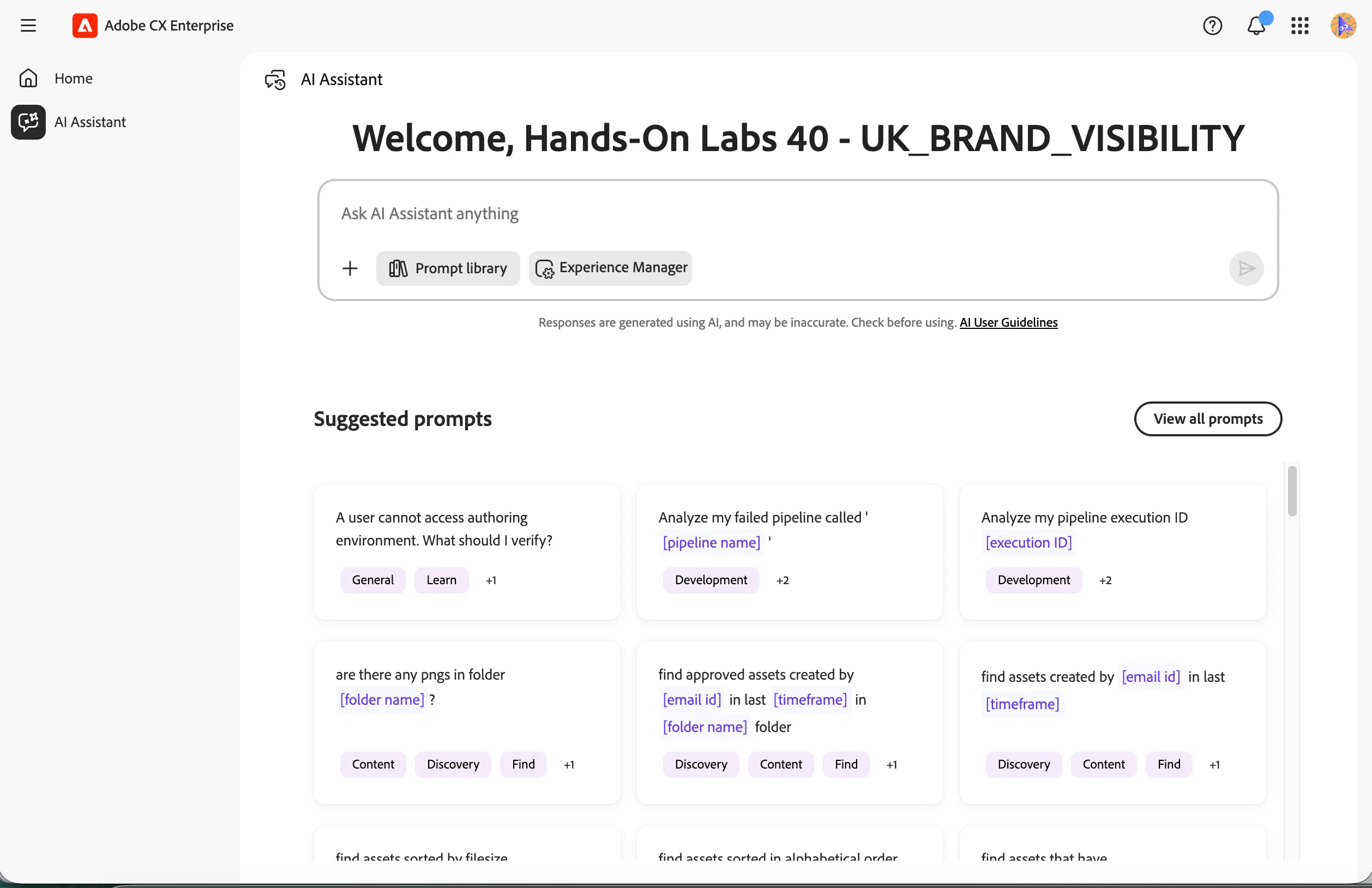
Once you have the AI Assistant open, you should see the screen below.
Find a campaign asset
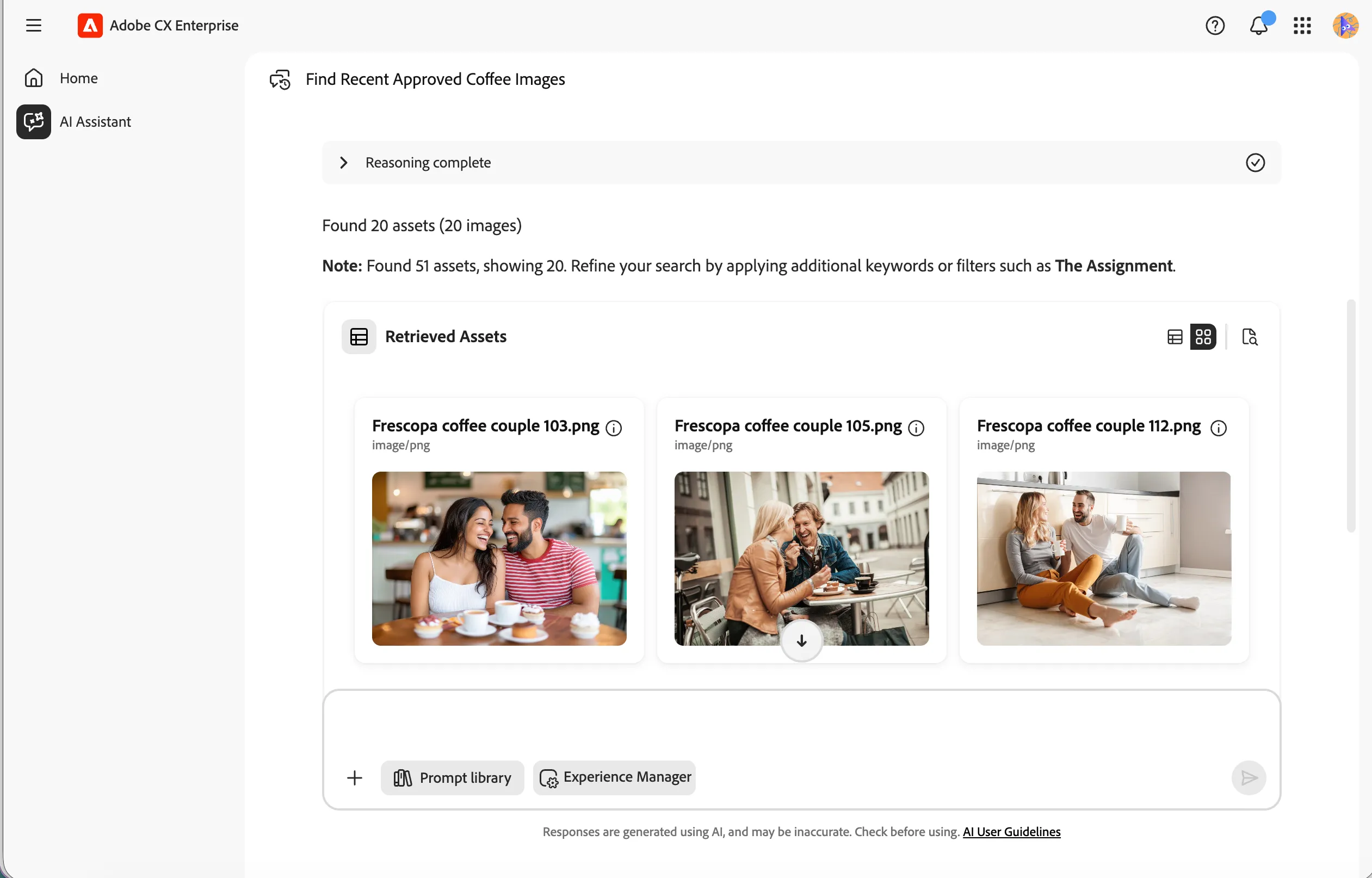
We'll first use the Discovery Agent to locate a suitable asset using semantic search. The Discovery Agent can filter by metadata, file format, asset type, approval status, creation date, folder name, and many other criteria via natural conversation.
- Type the prompt below into the AI Assistant and click the Send icon.
Find approved coffee images of a couple in PNG format that were modified in the last 30 days
The agent will apply the following filters to your search:
- Metadata match — searches for assets related to 'coffee' and 'a couple'
- Approval filter — returns only approved assets
- File type filter — returns images in PNG format only
- Date range filter — limits results to assets modified in the last 30 days
Create social media renditions
Now we'll use the Content Optimisation Agent to generate multiple channel-ready variants of the asset. The agent supports channel-optimised renditions, image enhancements, background colour adjustments, orientation transformations, and composite image generation.
- Type the prompt below into the AI Assistant and click the Send icon.
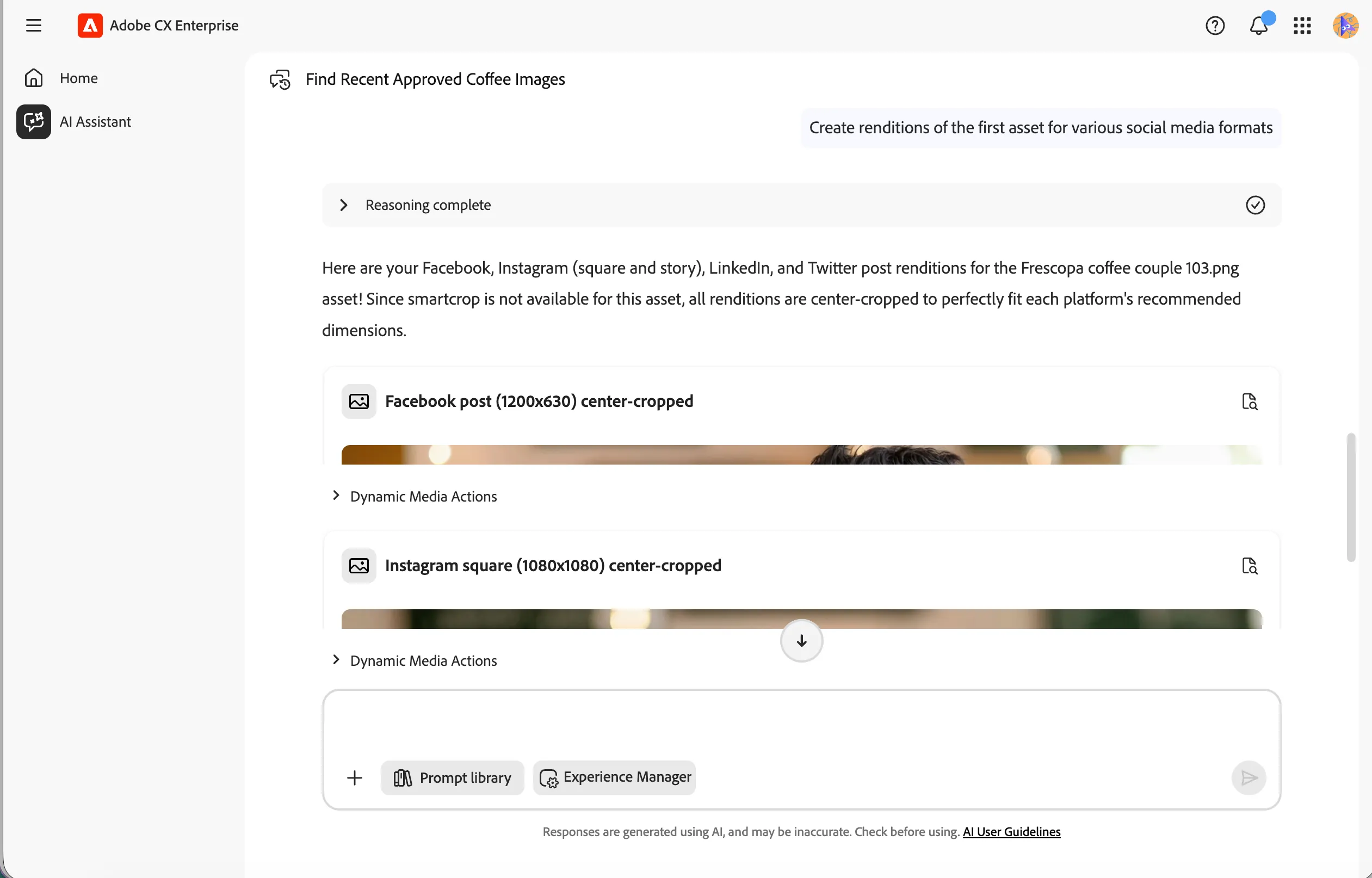
Create renditions of the first asset for various social media formats
The agent will generate all requested variants as shown below.
Review and use the renditions
- Click the Preview icon to view the full image.
- Click the Dynamic Media Actions accordion to expand and reveal the available options.
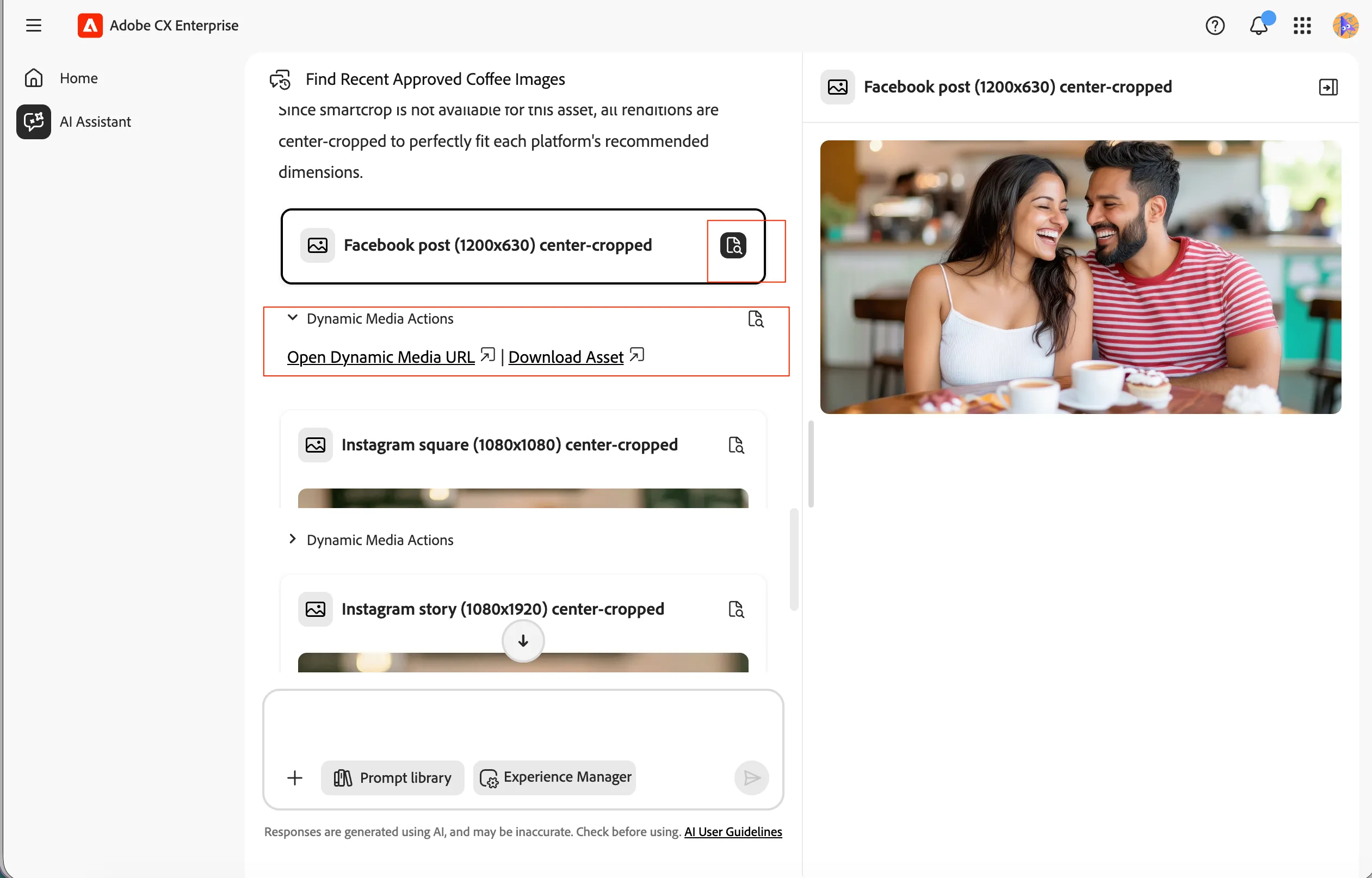
- Click Open Dynamic Media URL to open the asset directly in a new browser tab. This URL uses Dynamic Media parameters to deliver the optimised image.
You can try few more prompts for image optimisations
- Create a 2000px rendition as JPEG with 80% quality
- Sharpen the image
- Change background color of the PNG to #FF8932
- Mirror the image horizontally
- Create a rendition for an Instagram story
You have successfully used the Content Optimisation Agent to discover a campaign asset and generate channel-ready social media renditions using Adobe Dynamic Media.