Attribution
In this exercise we will use CJA to understand how your marketing channels (Email, Facebook, etc) and Campaigns (shared across multiple channels) impact not only your online conversions, but also offline conversions like bookings made via a partner or through the call centre.
Add a new Panel to your dashboard. Set the data view to Travel Data View and the date range to Nov 15 2023 - Jan 15 2024.
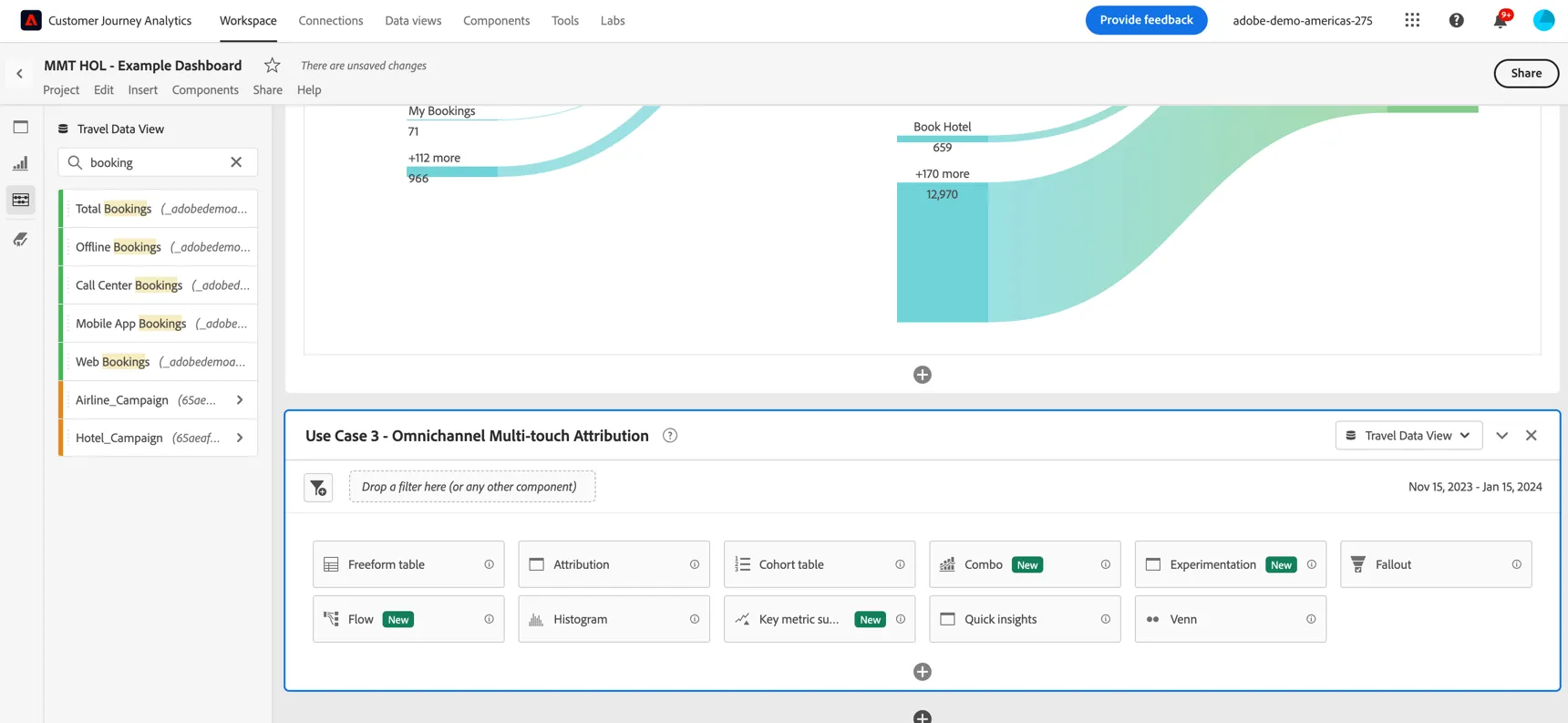
Add a new freeform table to your panel and pull across the Airline_Campaign dimension.
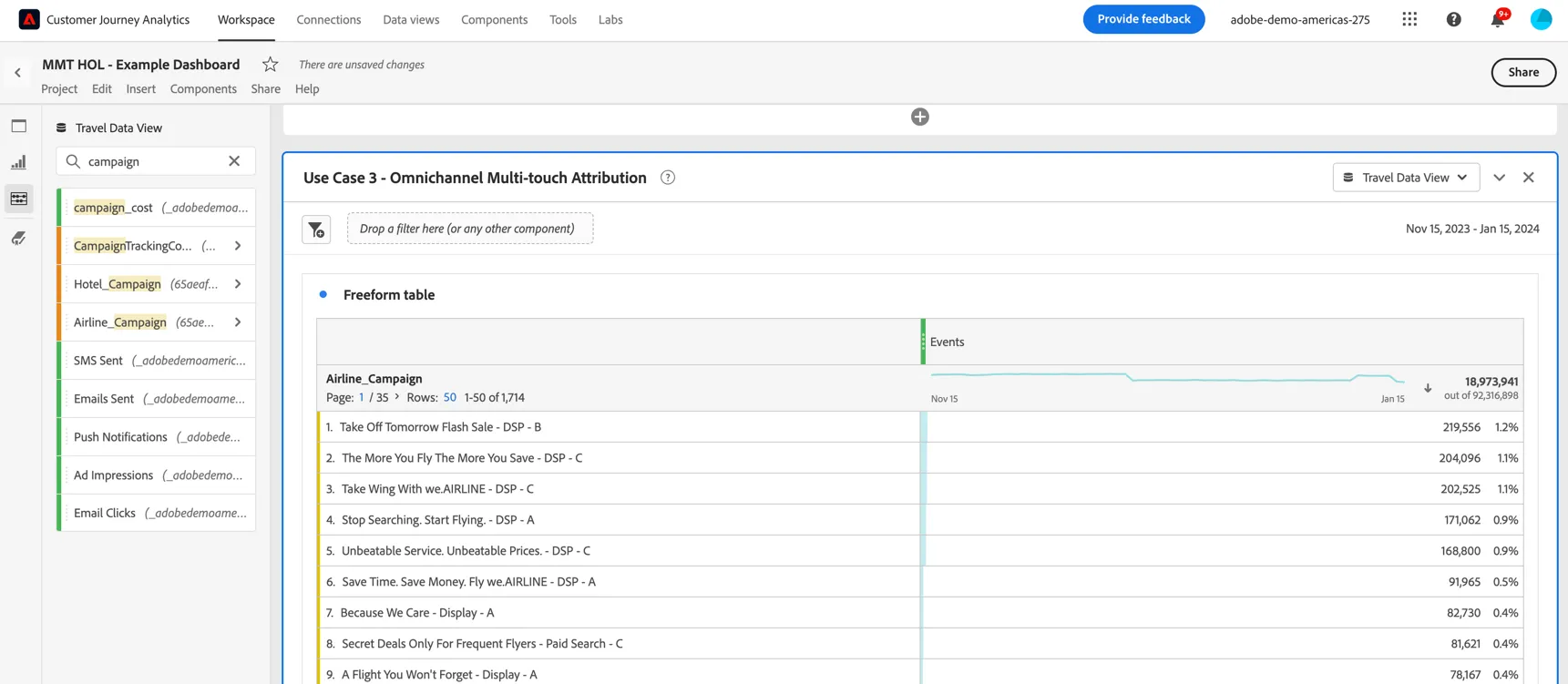
The campaign name is coming from a lookup table (previously known as classifications in Adobe Analytics). This lookup table is linked to multiple datasets:
- Web and mobile web datasets collecting tracking codes from clicks on ads or emails.
- Aggregated Ad Log datasets coming from the advertising sources like google and facebook.
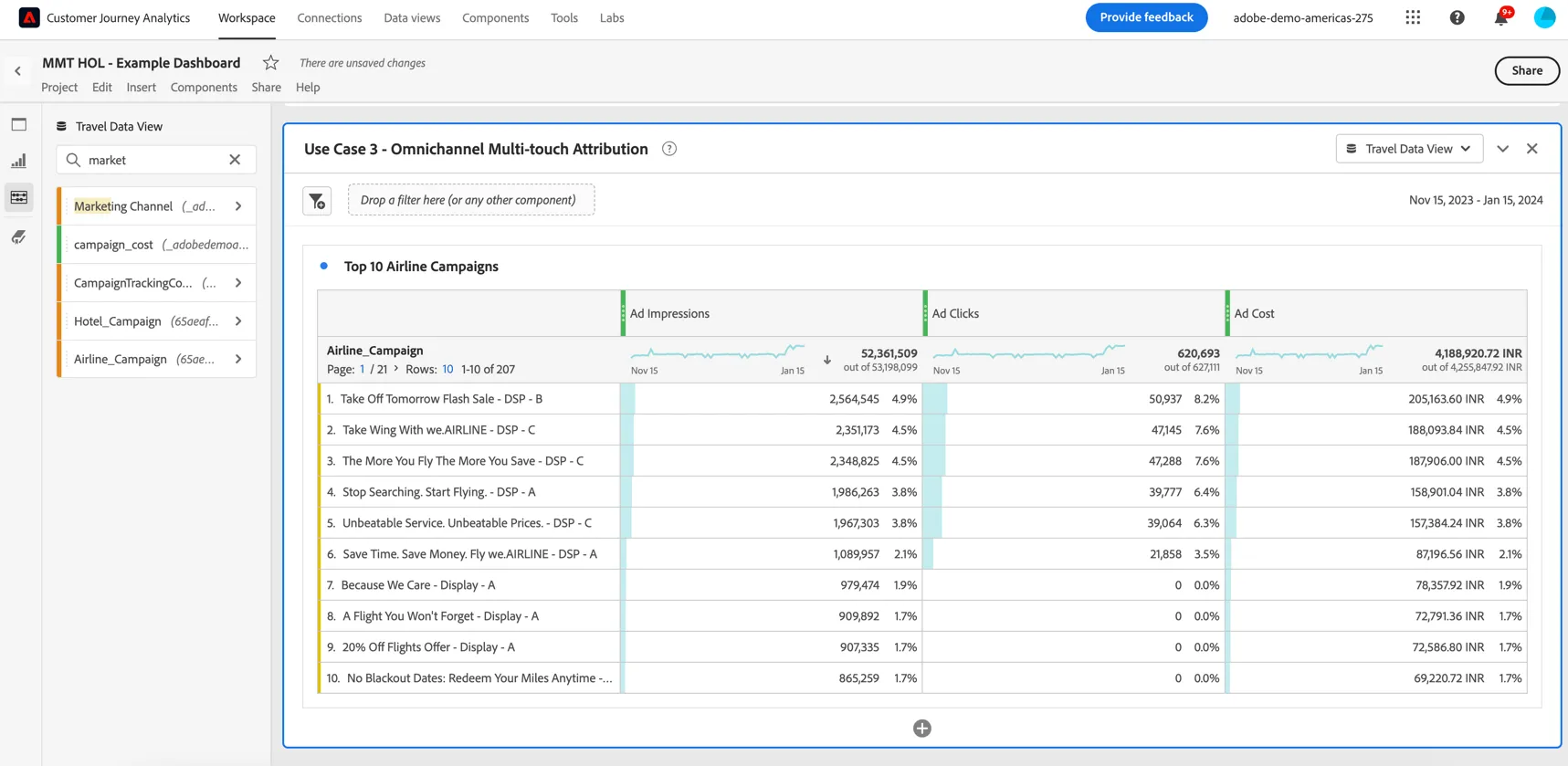
The Ad Log data provided by these sources is aggregated per day and cannot be reported on at an individual customer level. We can still ingest this data and show the totals per campaign and channel. Drag the Ad Impressions, Ad Clicks and Ad Cost metrics into your freeform table and replace the Events metric.
Since this data is aggregated daily we can also show it trended over time. Right click on the dimension heading and select to Visualise -> Line. We can see some anomalies in the number of impressions displayed throughout the date range.
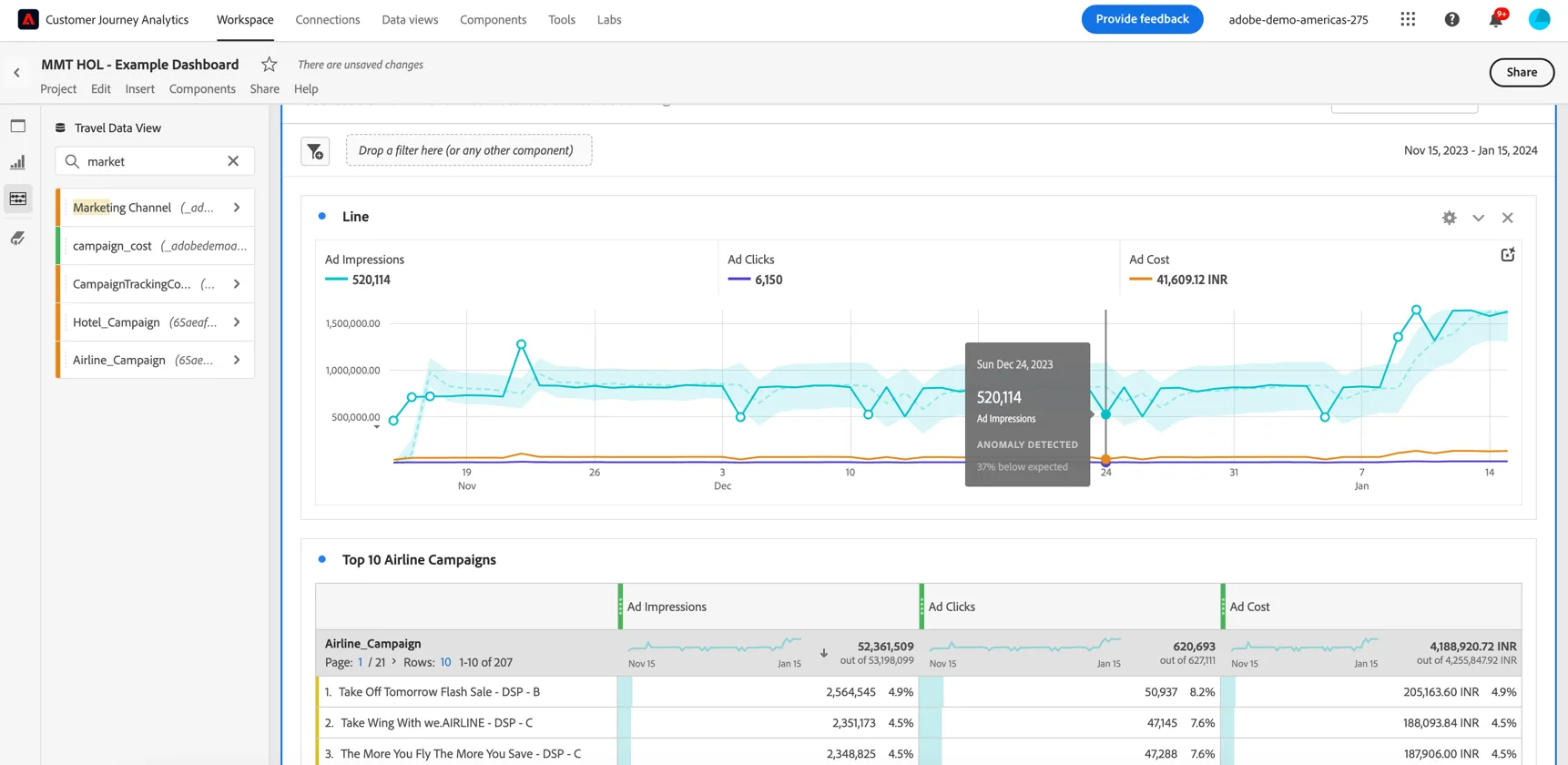
The demo data in our lab instance has separate campaign names pre marketing channel, but should the same campaign name be leveraged across multiple ad platforms and channels we could break down these results per vendor also.
Now let's try and attribute some conversion events to these campaigns, for example how many bookings were influenced by the campaign.
Drag the Total Bookings metric into your freeform, by default it's using Last Touch | Session attribution. This is a single touch attribution model, only attributing the booking to the campiagn if it was the last ad seen within the session window.
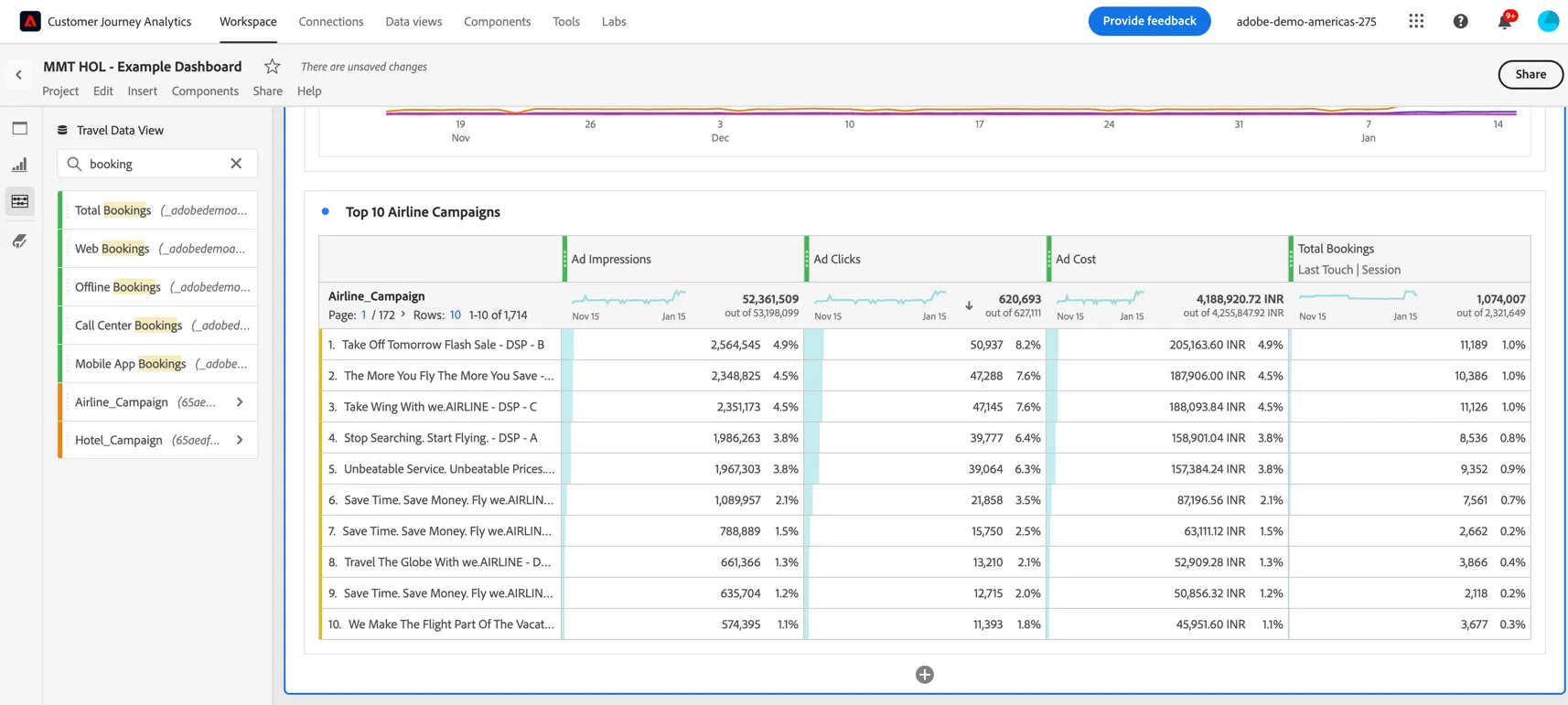
But what if your customer saw multiple ads and what if the consideration phase is longer than a single session? Right click the Total Bookings column heading and select to Compare attribution models.
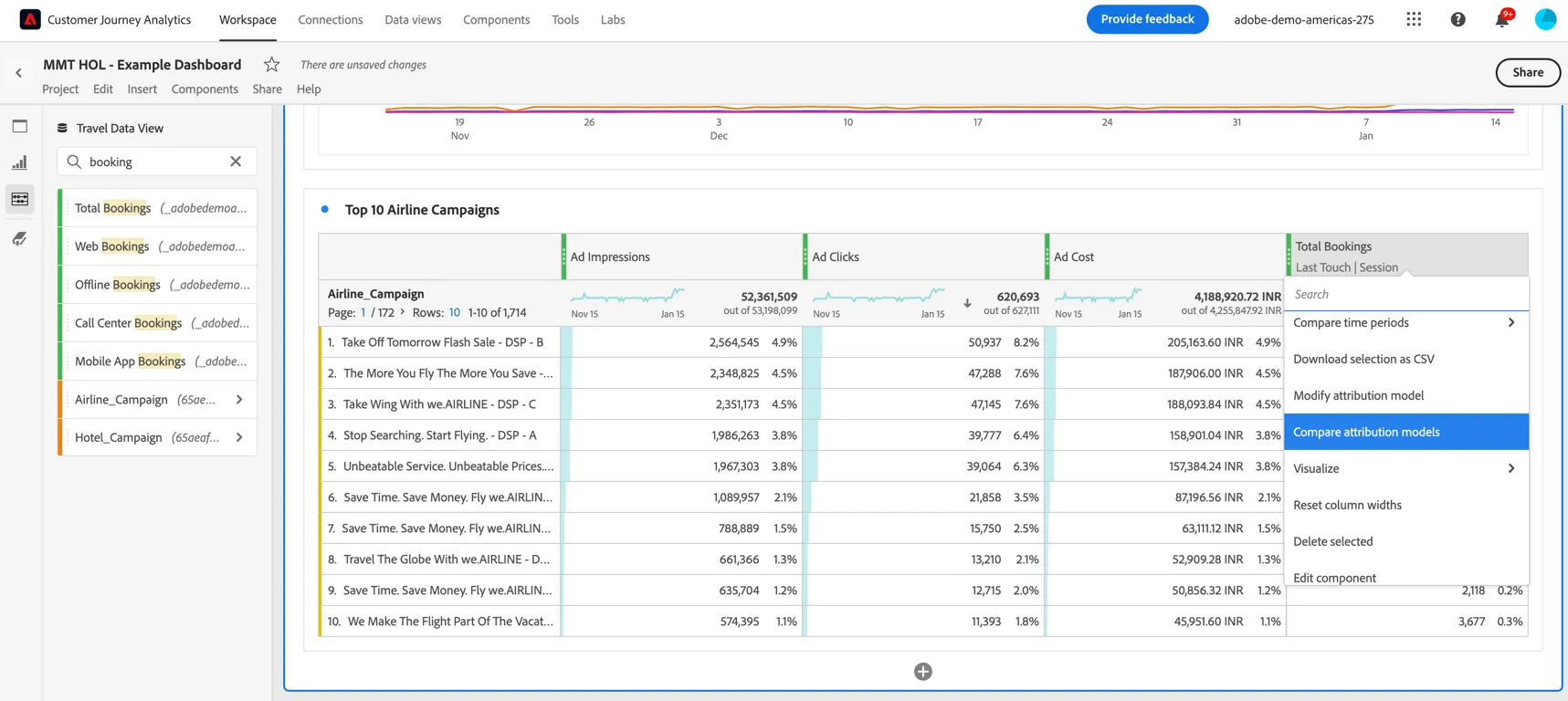
There are many multi-touch attribution models available but let's use Algorithmic attribution which uses statistical techniques to dynamically determine the optimal allocation of credit for the selected metric. Set the lookback window to 14 days.
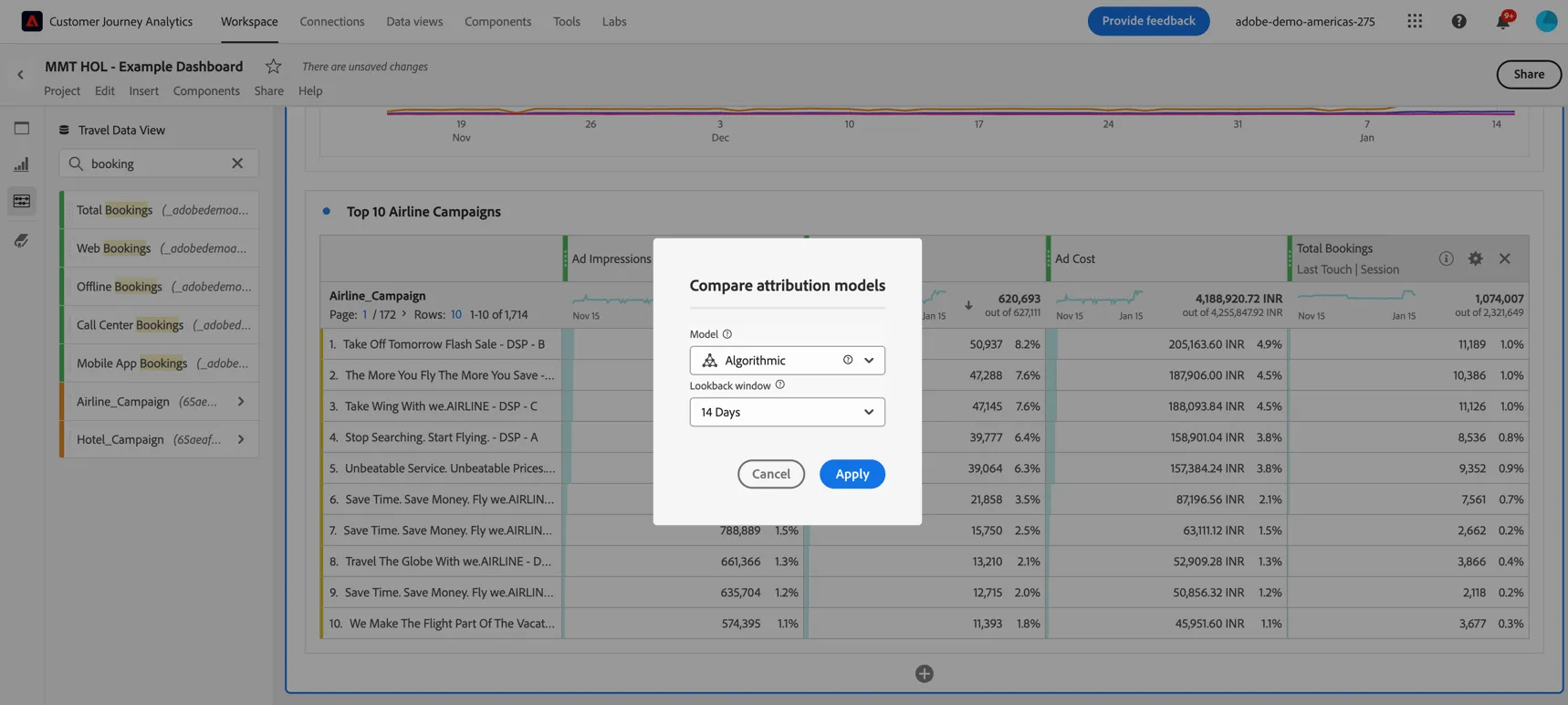
Click Apply. We can see that significantly more bookings were influenced by these display campaigns than previously attributed using single touch attribution.
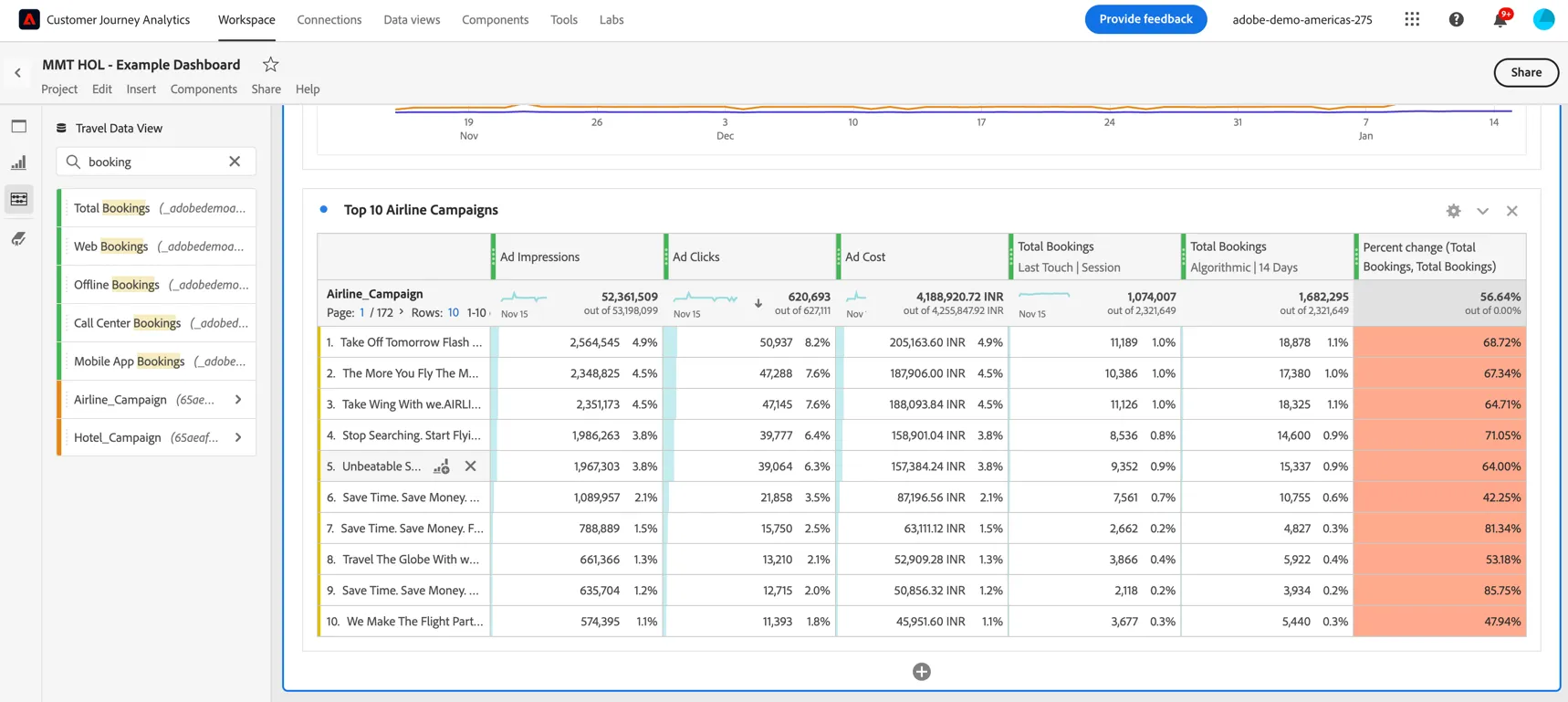
Assuming we're happy with this new model, delete last touch and percent change columns from the table.
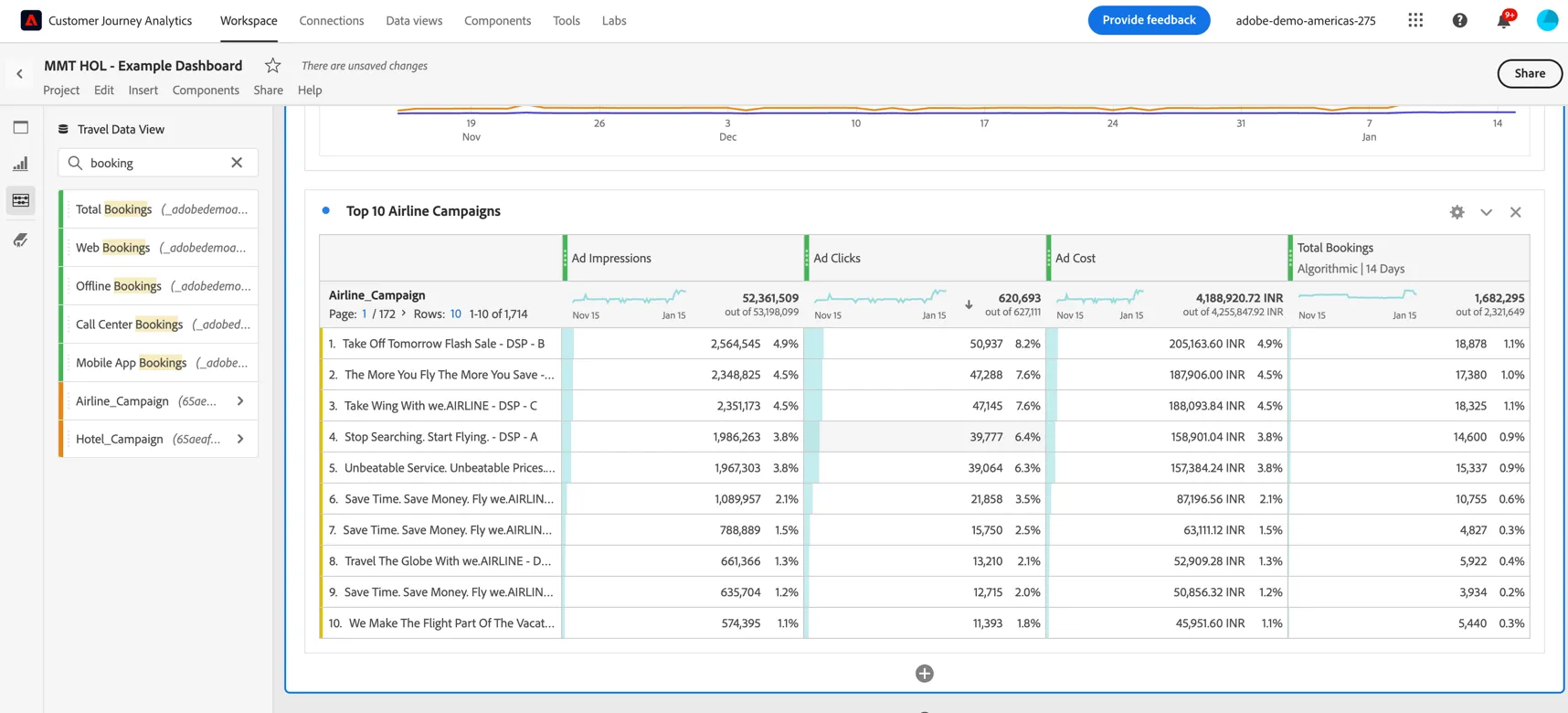
Now that we have both the ad cost and the conversions per campaign in the same table we can use a calculated metric to estimate the ad cost per conversion. Select both the Total Bookings column heading and the Ad Cost heading, right click and select to Create a calculated metric.
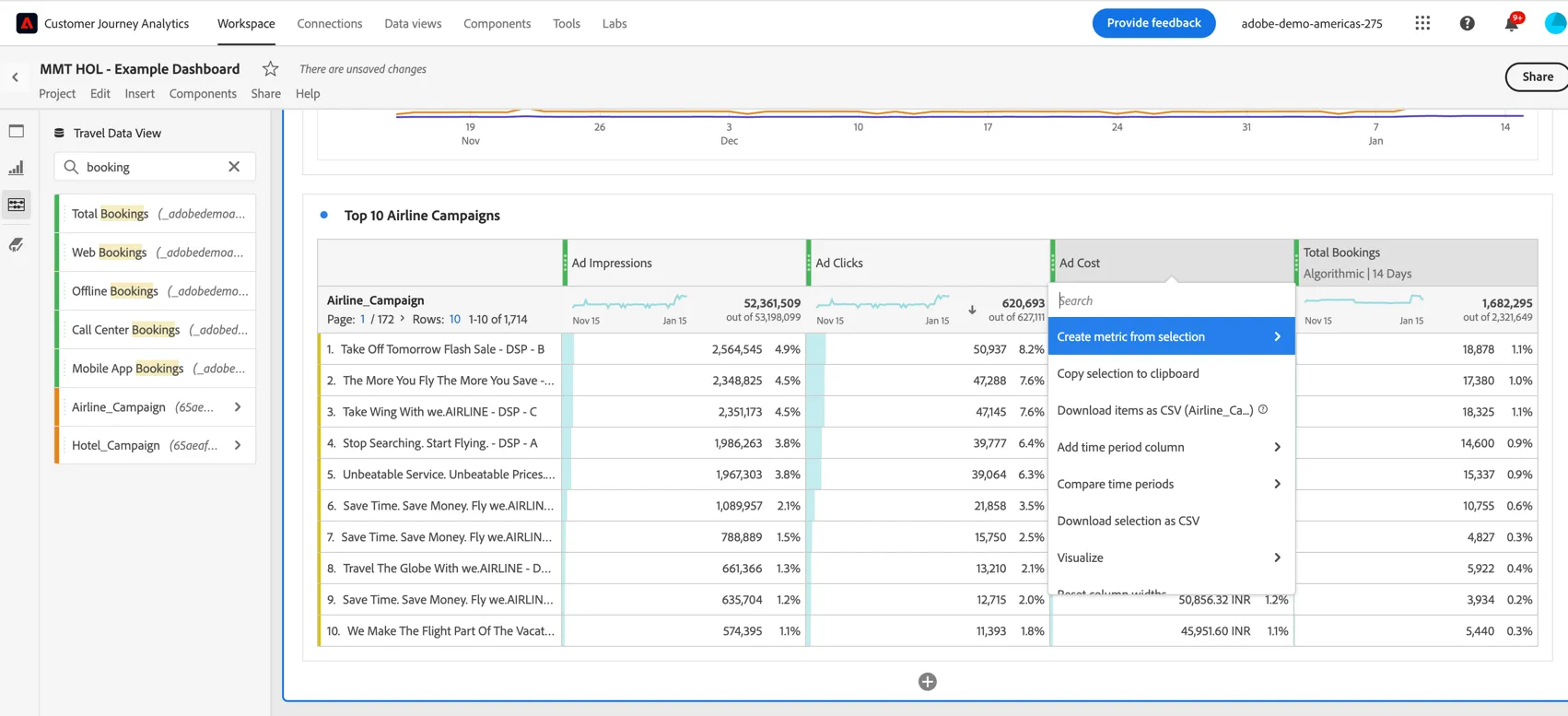
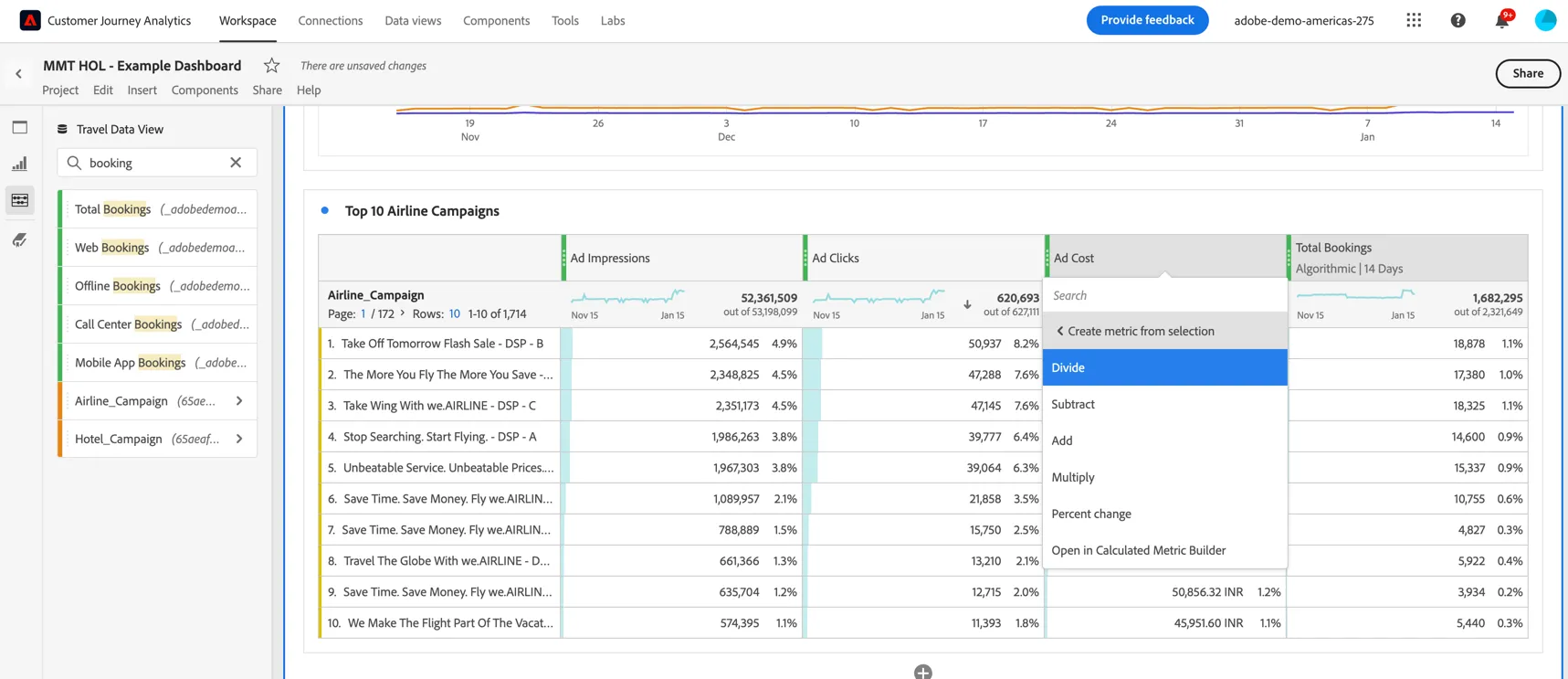
Select to Divide the columns.
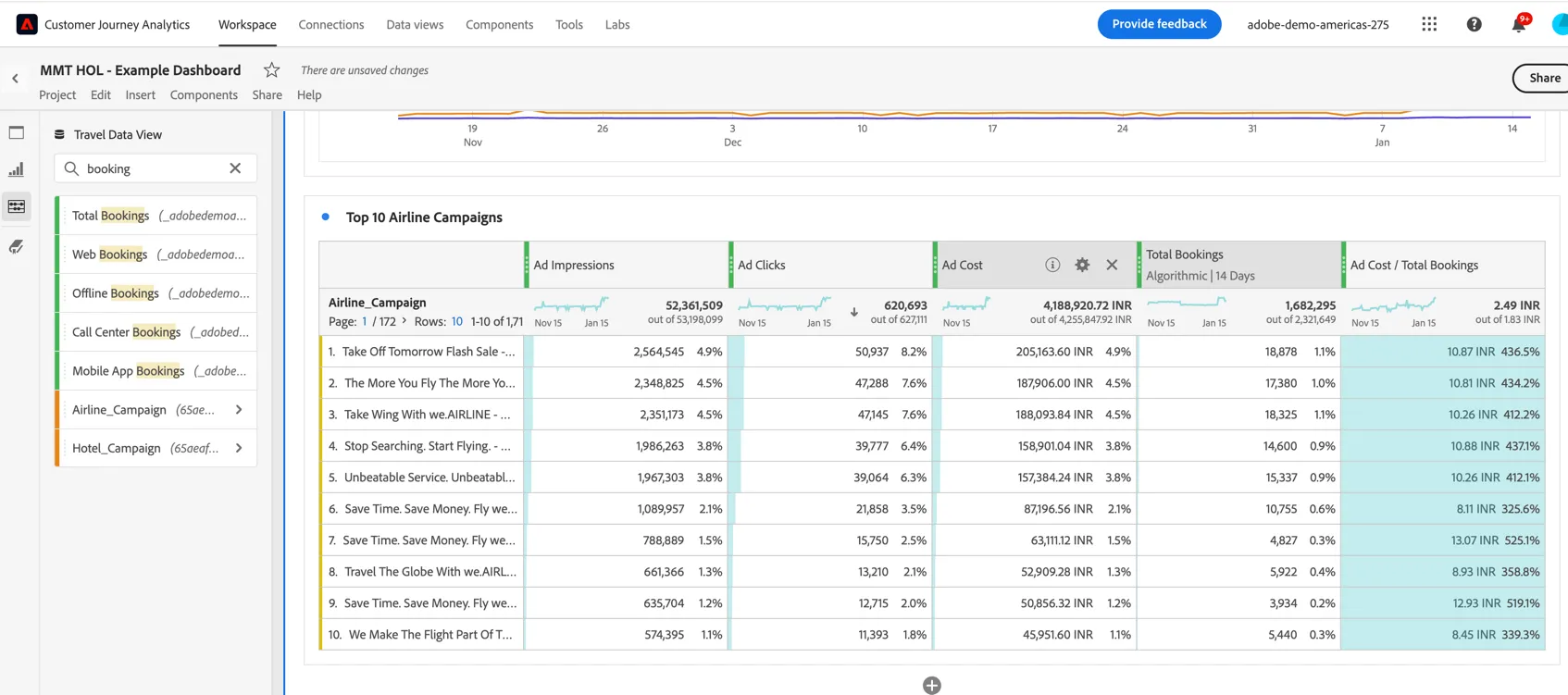
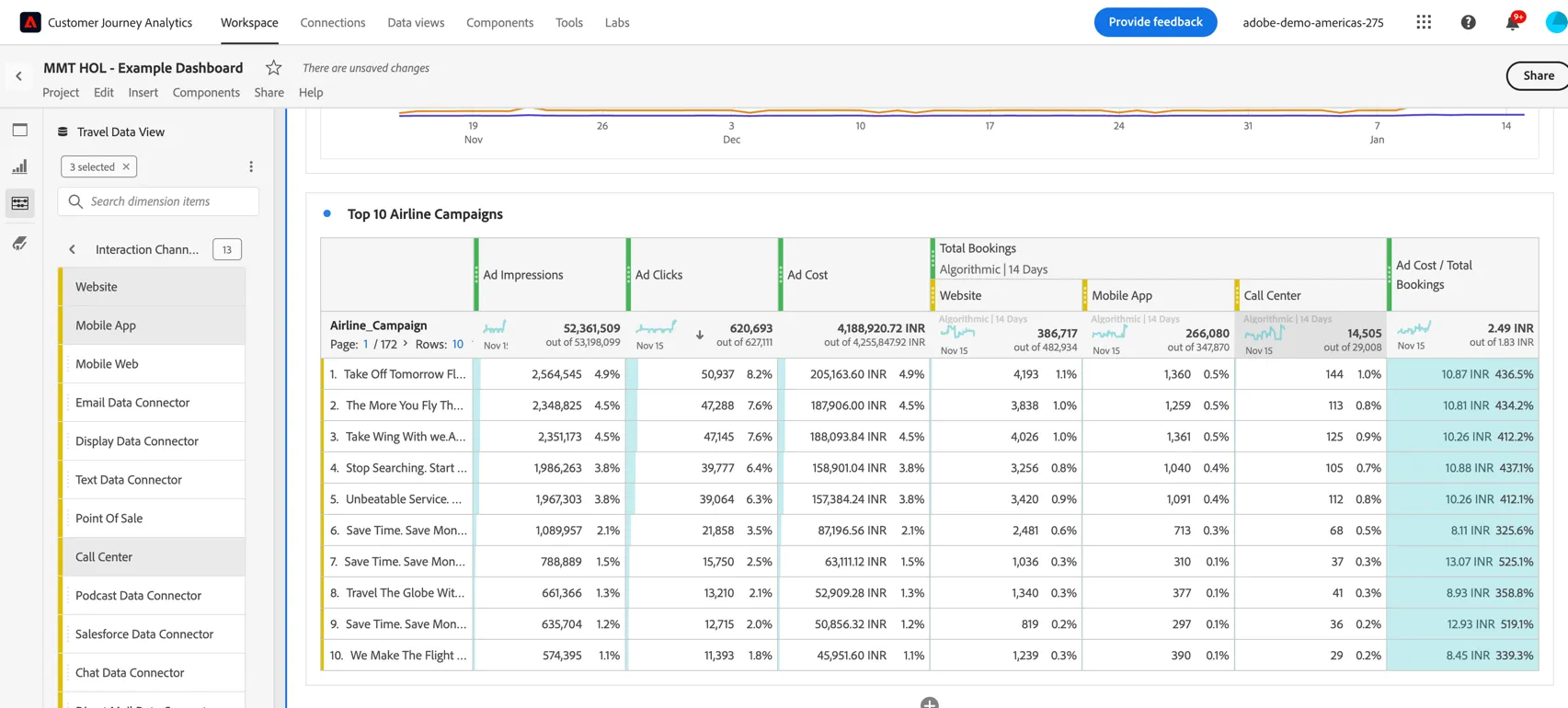
We can now see an Ad Cost / Total Bookings column.
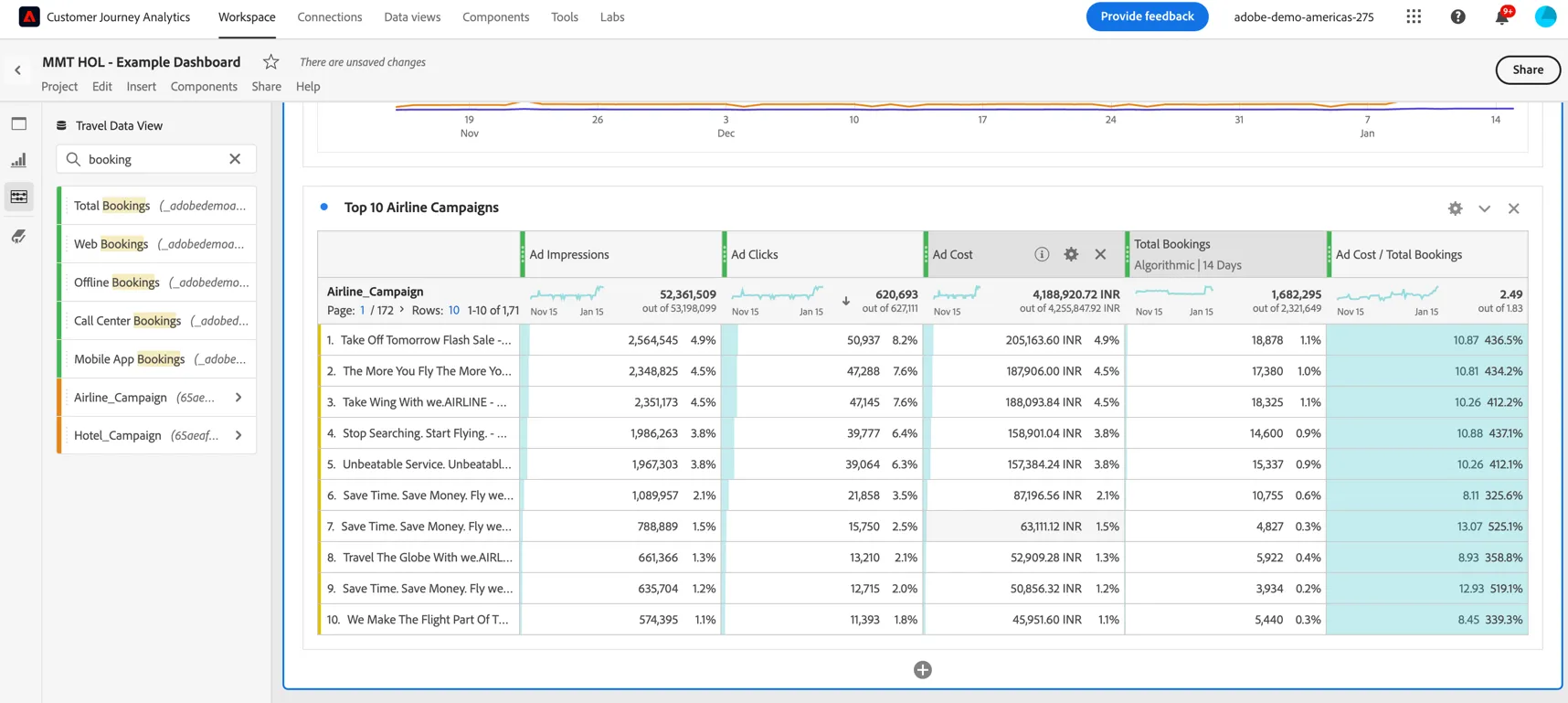
Click the info icon and the pencil icon to edit the metric settings.
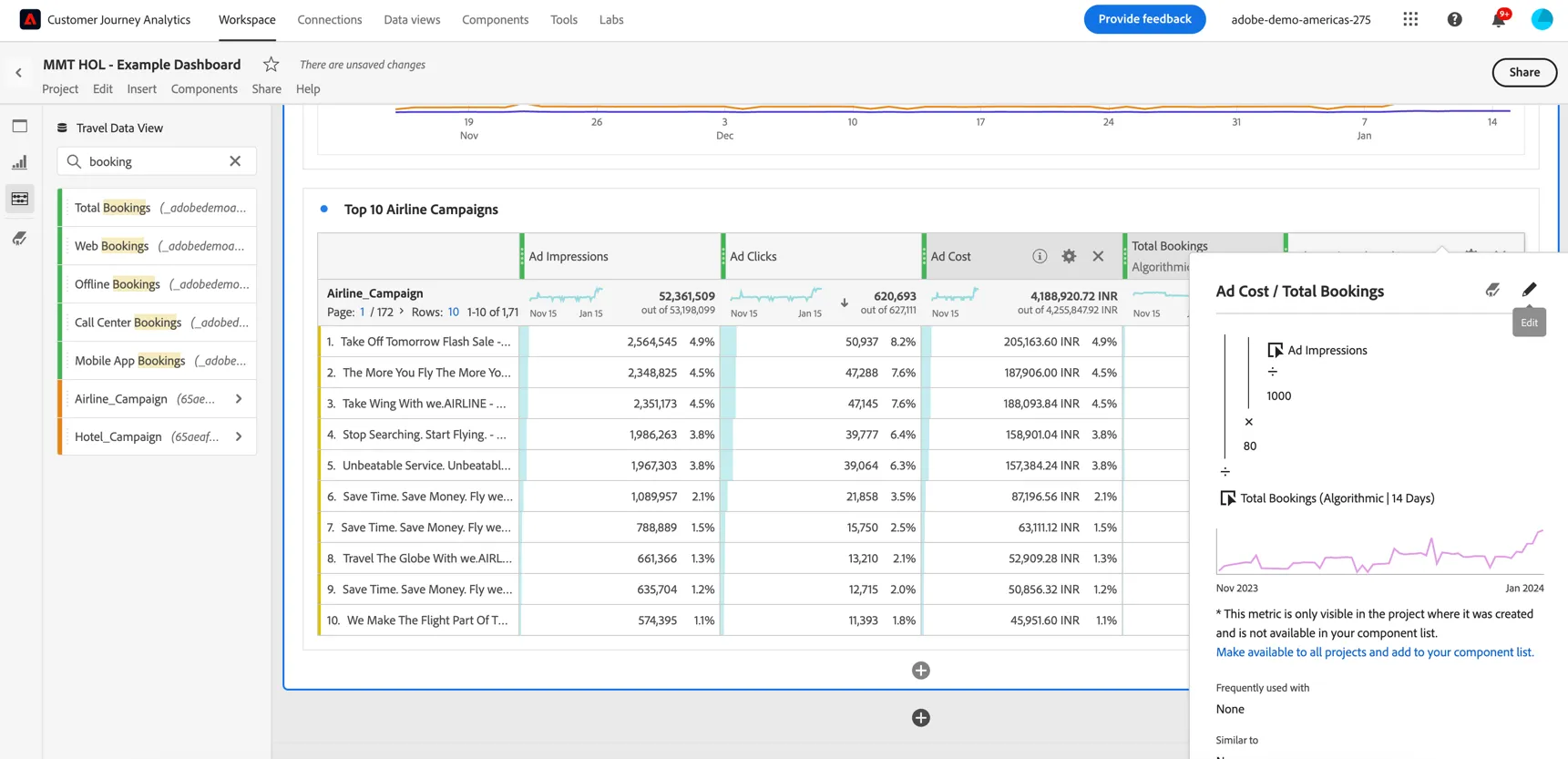
You can update the metric to show a different Currency
You might notice the Ad Cost here is also a calculated metric - this was done simply due to a data error in our demo instance - in a real instance this would be a static value provided by the ad platforms.
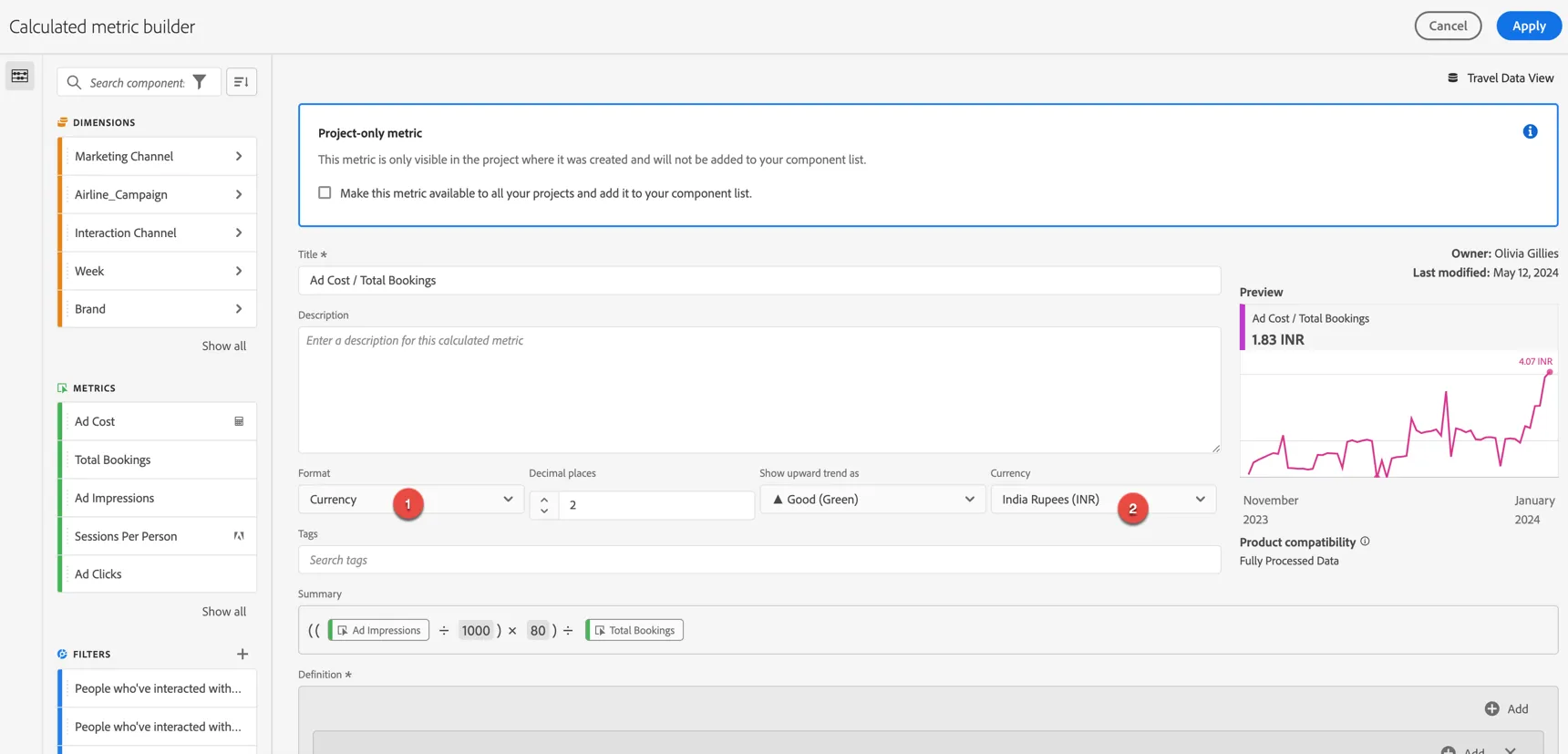
Click Apply.
Now keep in mind that this is reporting on total bookings not just those that happened on the website or app. Let's filter the results to see the number of bookings on web vs mobile vs call center. Search for the interaction channel and click into the available values. Select website, mobile app and call centre and drag these to filter the Total Bookings column.
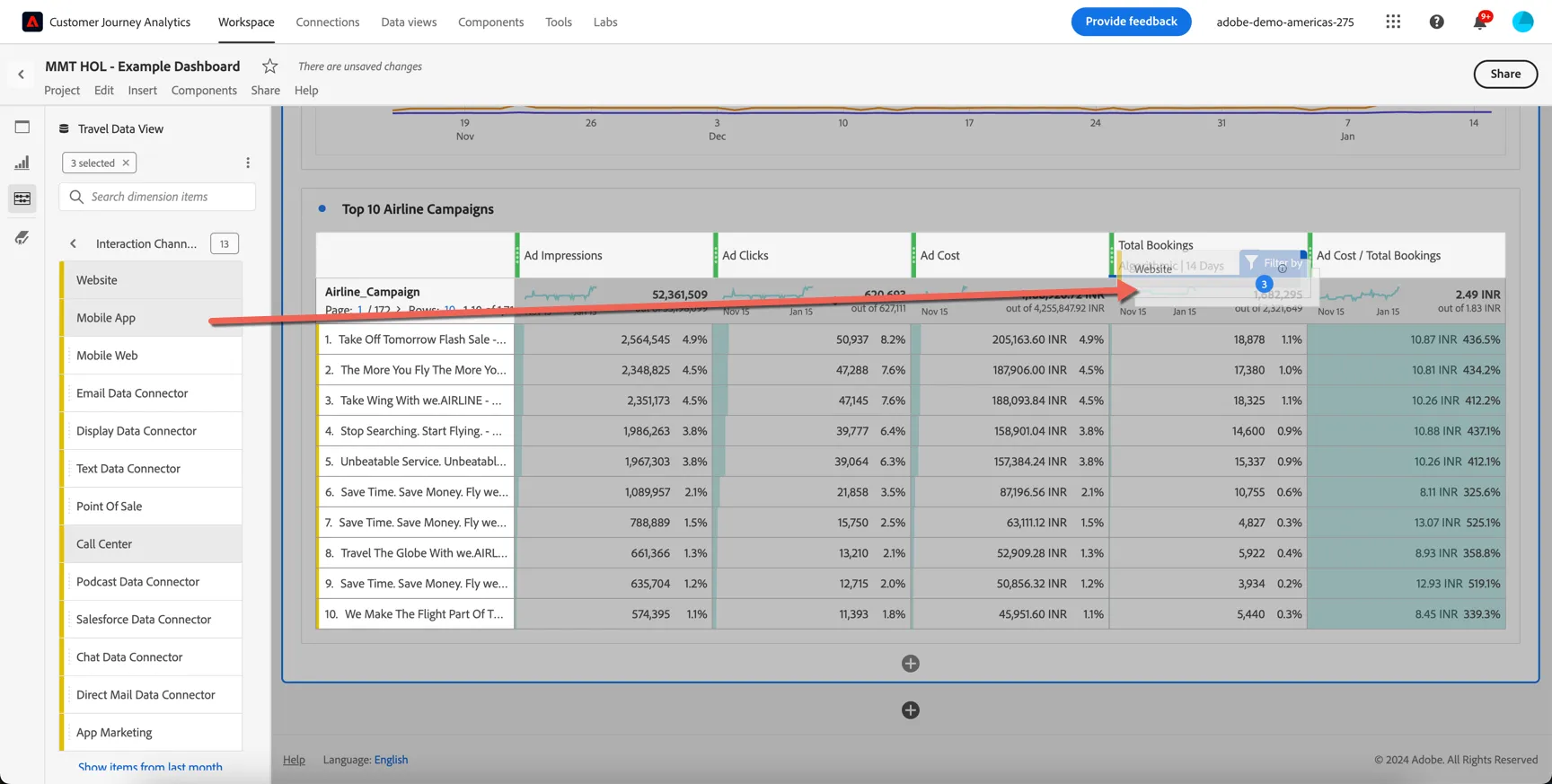
We can see the breakdown of bookings across online and offline channels.
Congratulations, this completes the exercise on omni-channel attribution in Customer Journey Analytics.