Make an analysis
4 min
Go to the menu Journeys
Click on the journey named bouessay_customer_care_journey
Click on the View report button
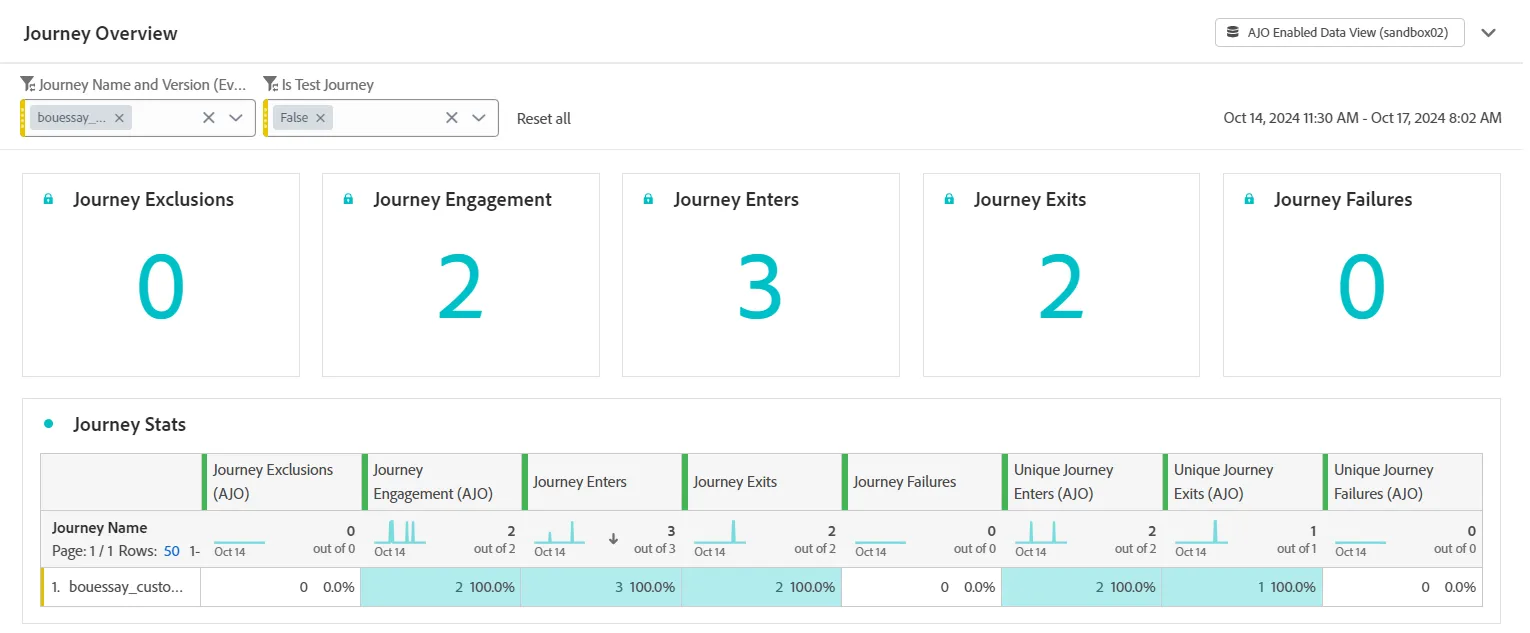
Look at all the data available, especially:
- Main KPI
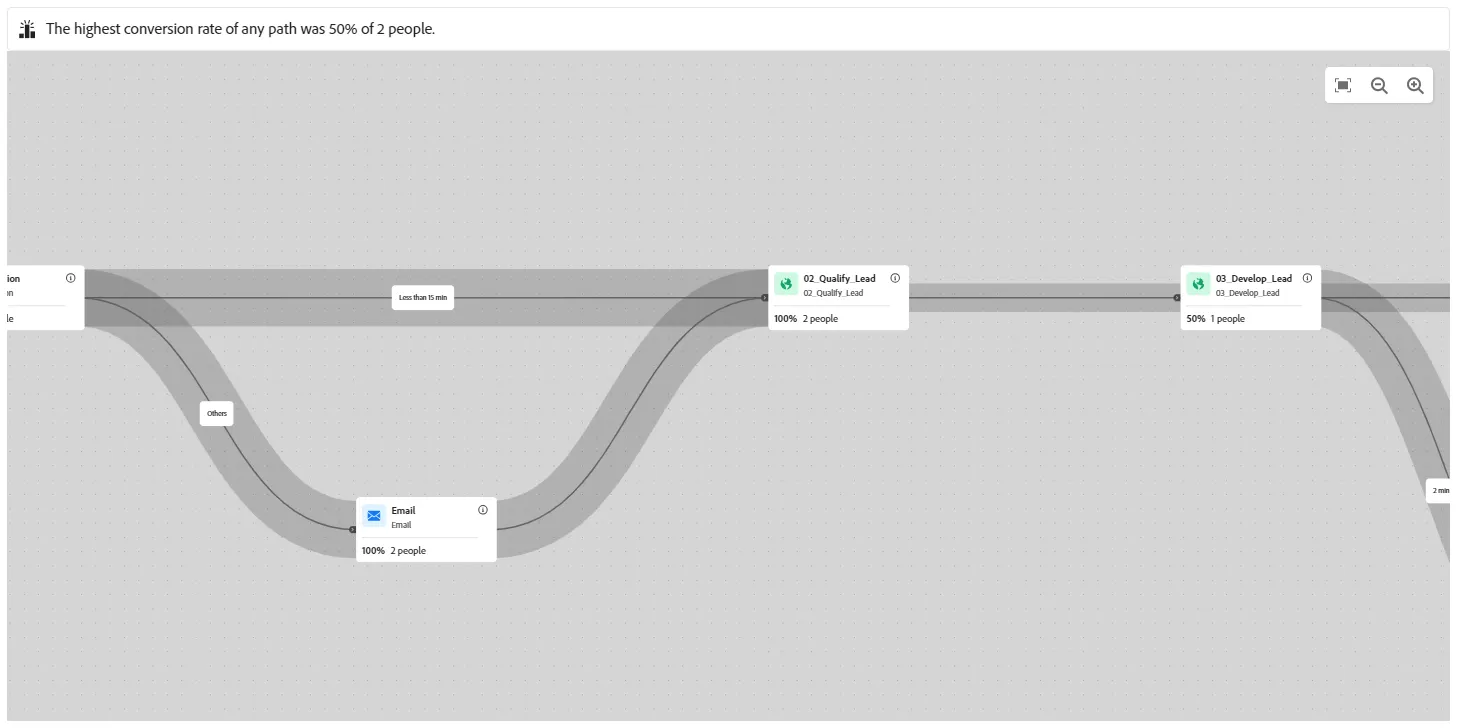
- The Journey Canvas diagram to show the main flows
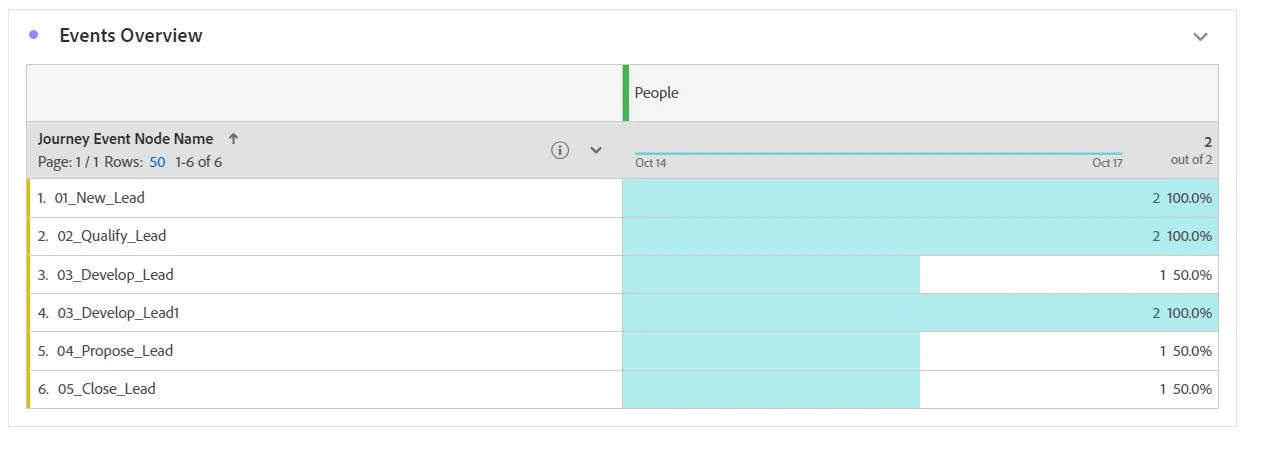
- Events overview
- Insight Builder to deep inside
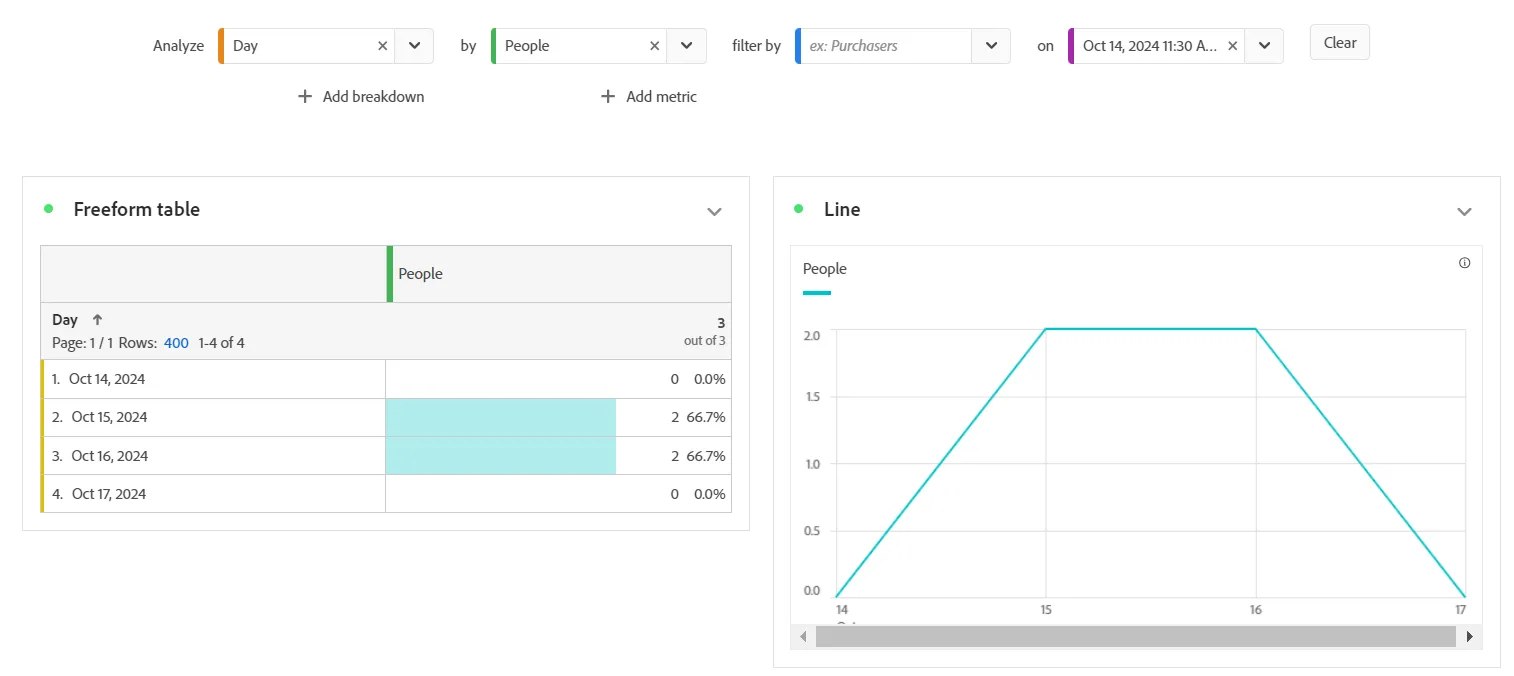
It's also possible to continue the analysis and do more things with Adobe Customer Journey Analytics (see the button Analyze in CJA)
Congratulations,it's done!