Re-engagement design
Edit the duplicated journey by clicking on the name.
Drag & drop the events named 02_Qualify_Lead followed by 03_Develop_Lead this way:
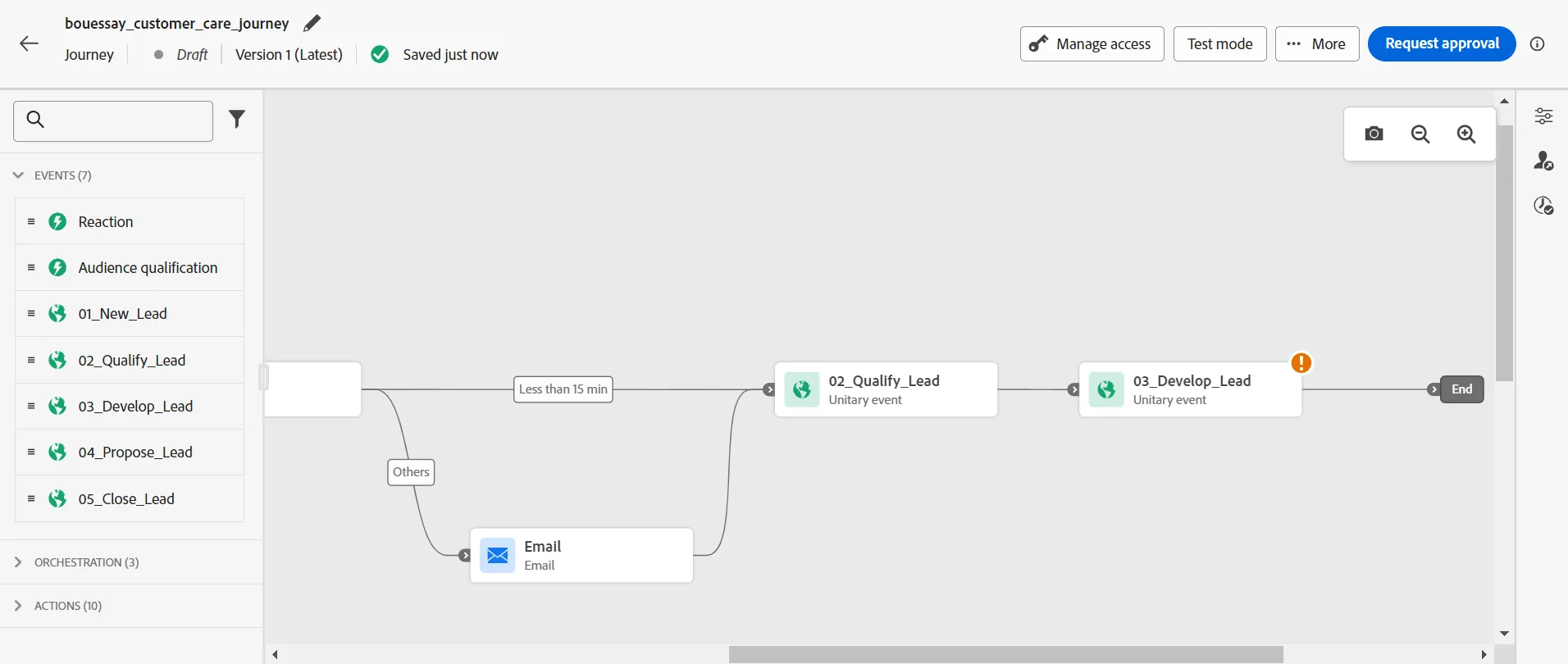
The 02_Qualify_Lead event will be generated by the Customer Care advisor, with the CxApp, during the conversation with the visitor. This event will happen because this is a task that the Customer Care advisor must do.
The 03_Develop_Lead event will happen when the visitor will have done something; that could be a task like fill in a form or share an ID document or go to a store, etc. This event may or may not happen because it depends on the visitor. It's possible to set a reminder by creating a re-engagement branch in the case this event doesn't happen during a time period.
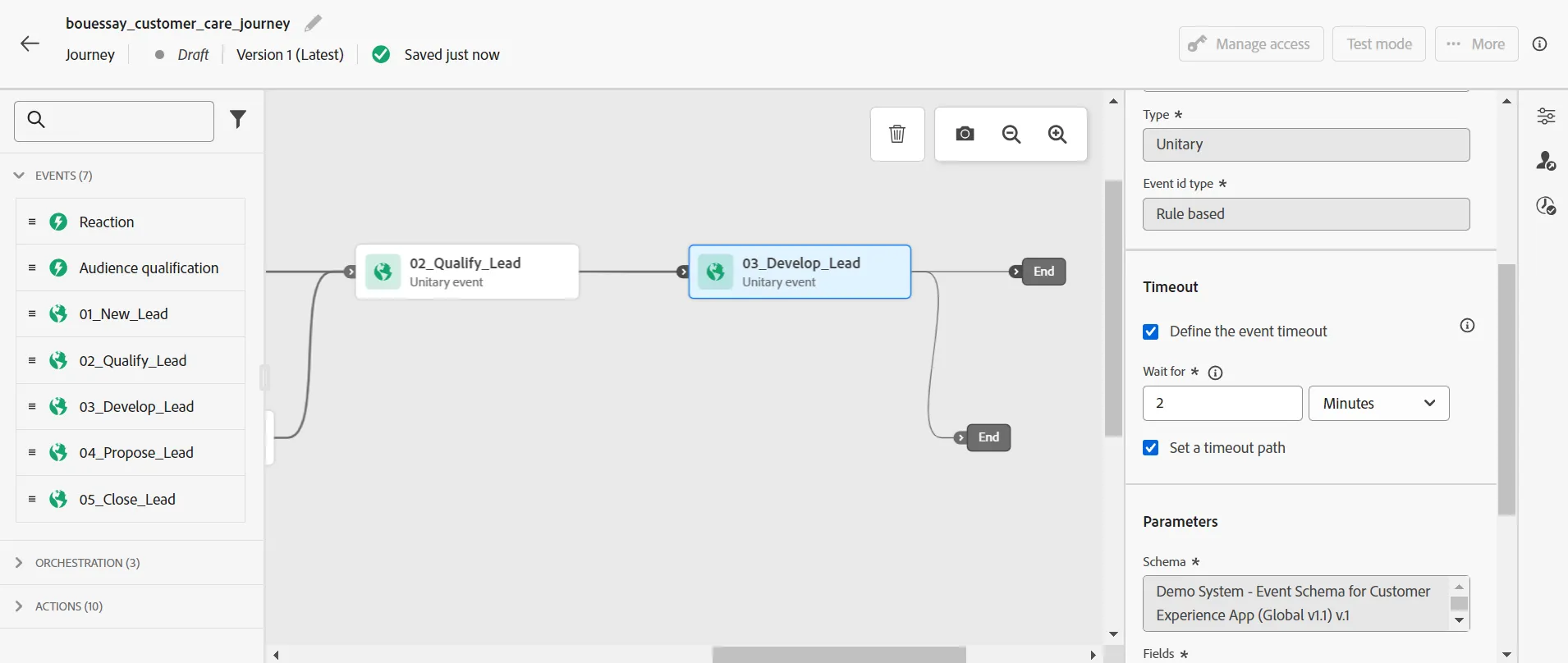
Click on the event named 03_Develop_Lead and check the Timeout box, Define the event timeout
Wait for 2 minutes as we are doing an exercise.
Drag & Drop an email action to re-engage with the visitor after the timeout period:
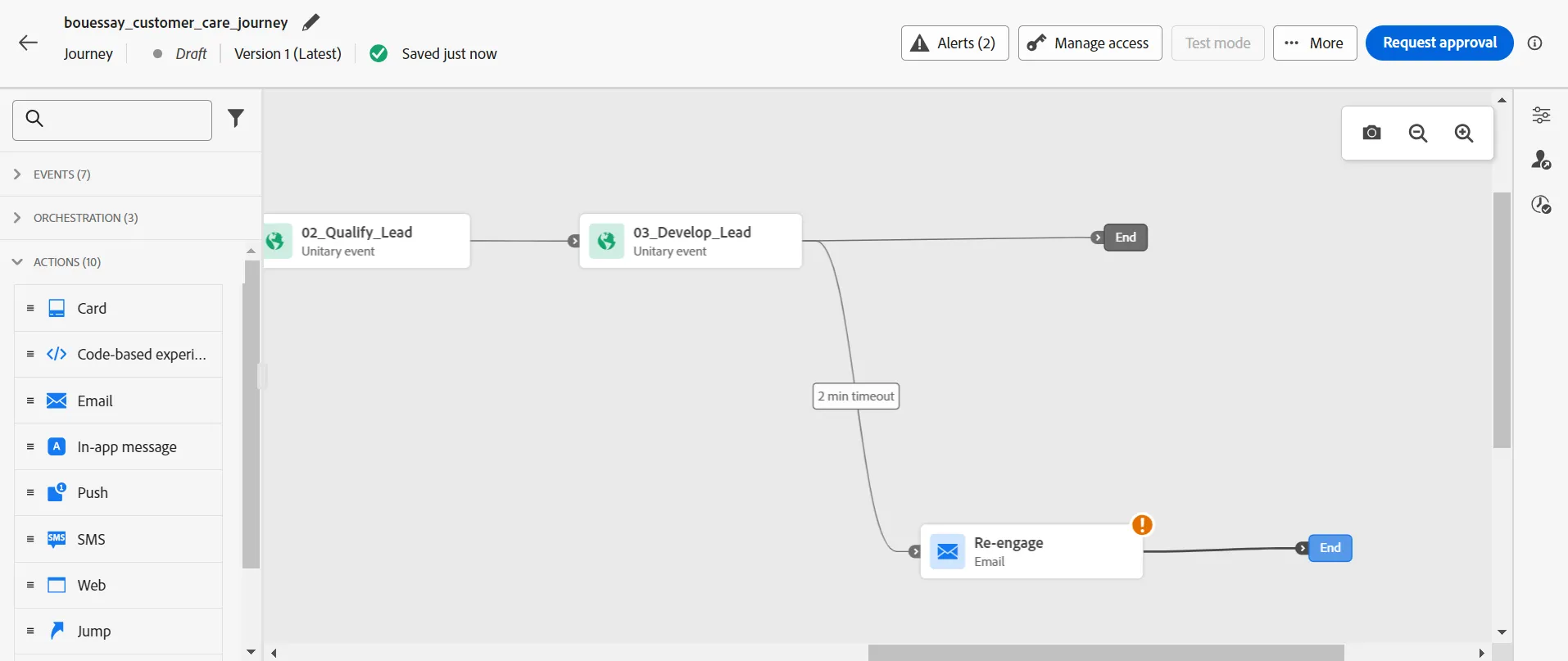
Configure the Email action with an email template and add personalization fields like the first name in the subject and body.
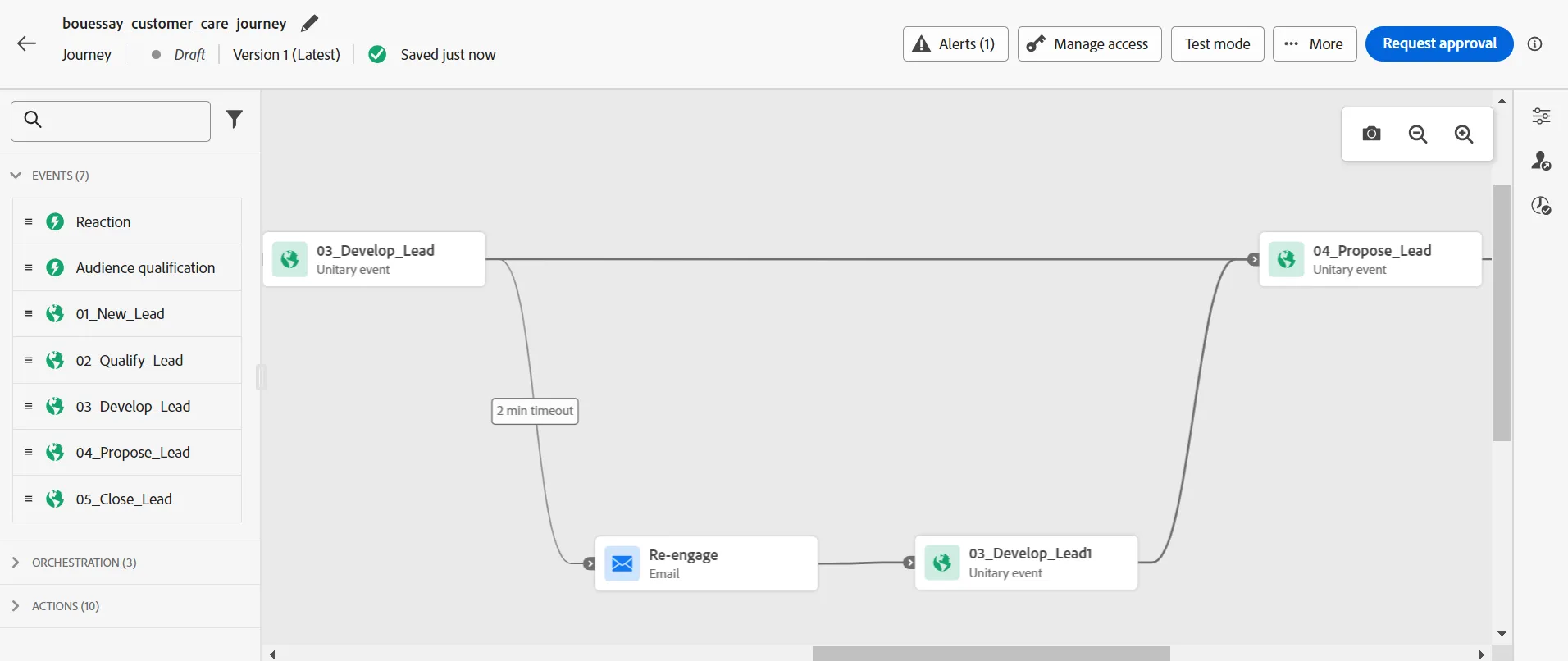
The goal is to move forward in the marketing funnel by encouraging the visitor to do something, in order to reach the 03_Develop_Lead goal or event.
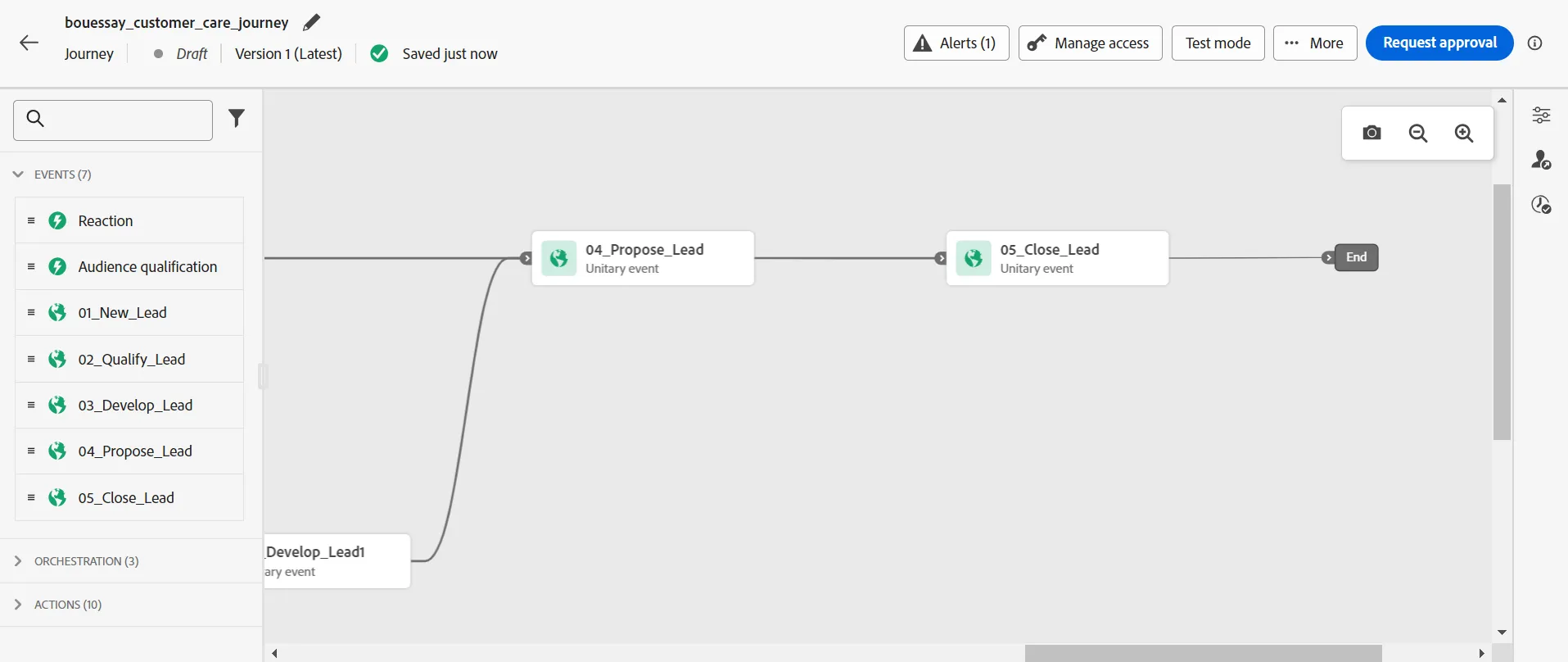
Drag&Drop the events to build this branch:
Complete the journey with the 05_Close_Lead event:
Our customer care journey has been optimized by using Adobe Journey Optimizer. Next, we are going to test it.