Test in live
A journey has already been published.
Simulate a visit by going to CitiSignal website: https://dsn.adobe.com/web/citisignalhol
Click on the Shop now button of one of the smartphone
Click on Add to cart button
Click on the little cart icon in the right top corner
Click on the Checkout button and wait a few seconds to get this screen:
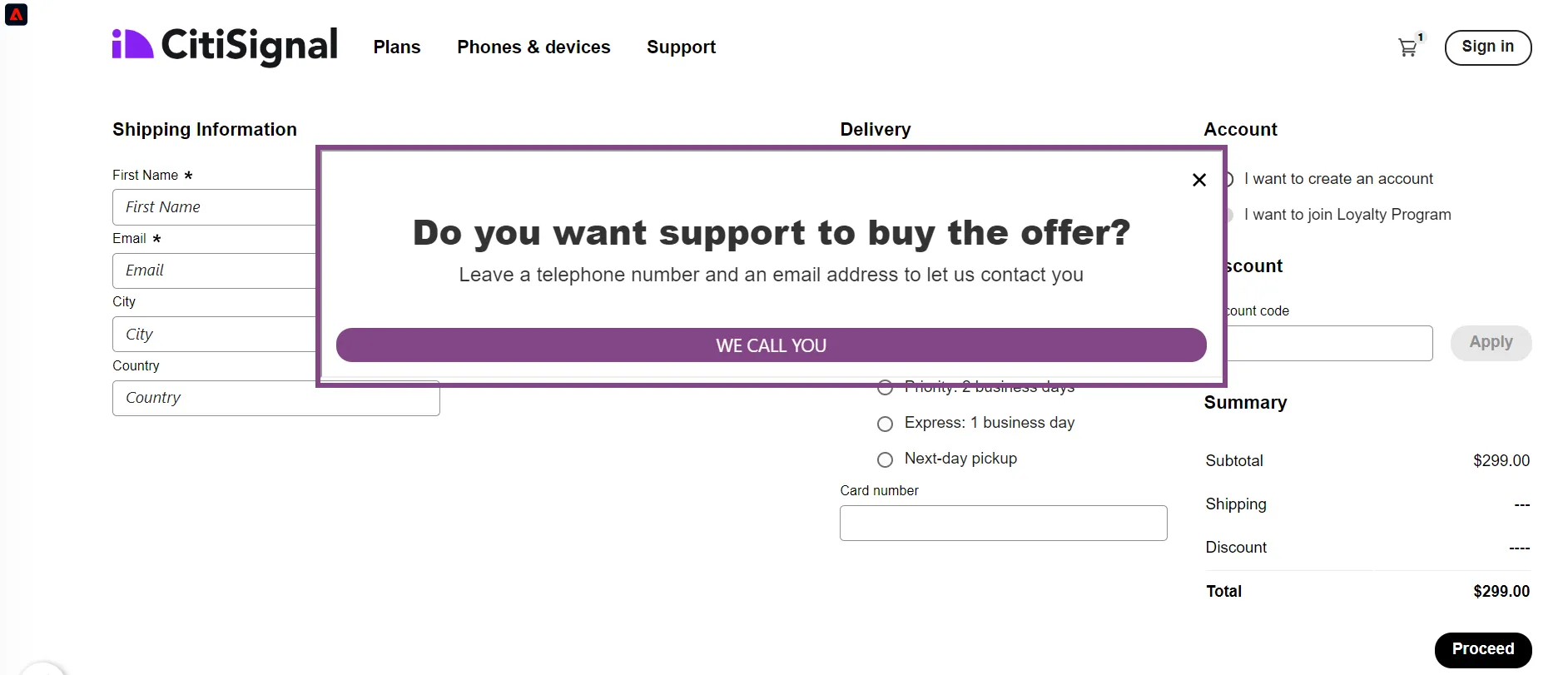
This message has been set up with Adobe Journey Optimizer; it's the campaign named Do you want support to buy the offer? and it's an in-app web campaign triggered as soon as the Experience Event commerce.checkout is fired in this web site.
Click on the WE CALL YOU button and fill in the form:
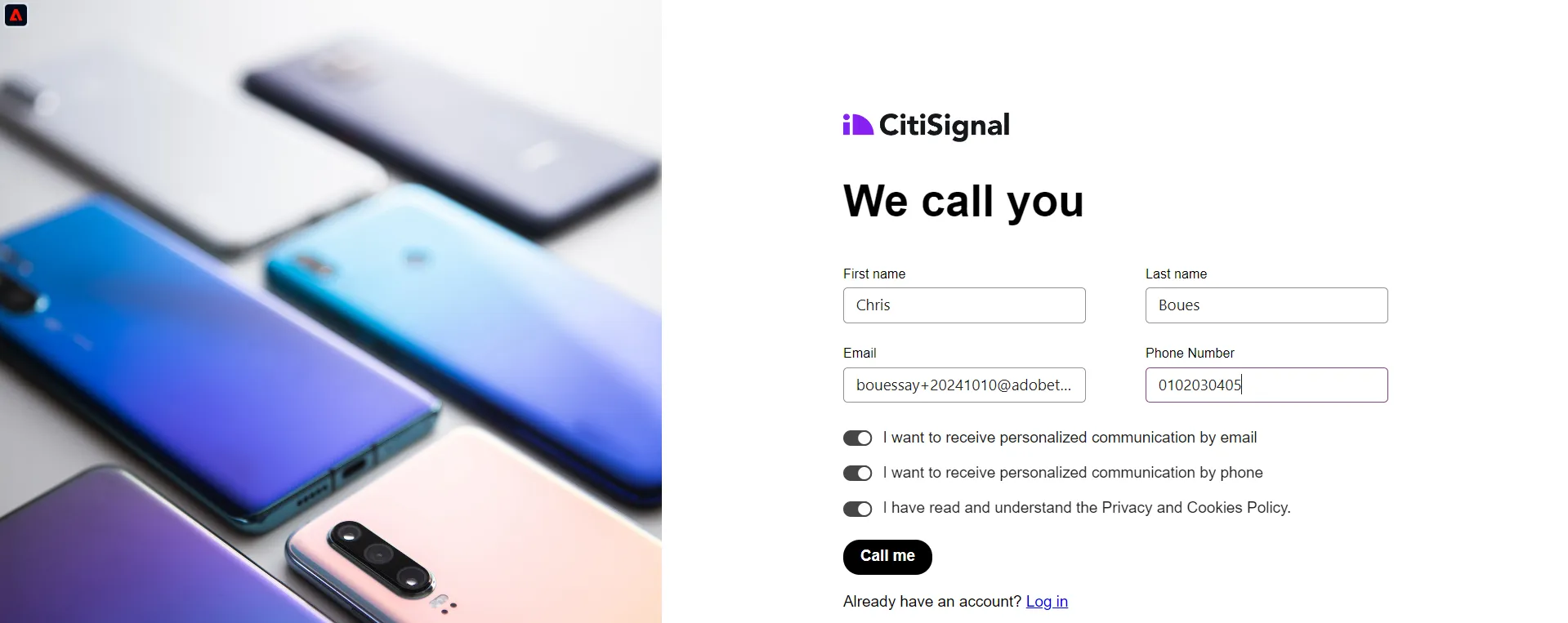
Click on the Call me button
Wait a few seconds and look at the numbers in the cards and the width of transitions in the live journey
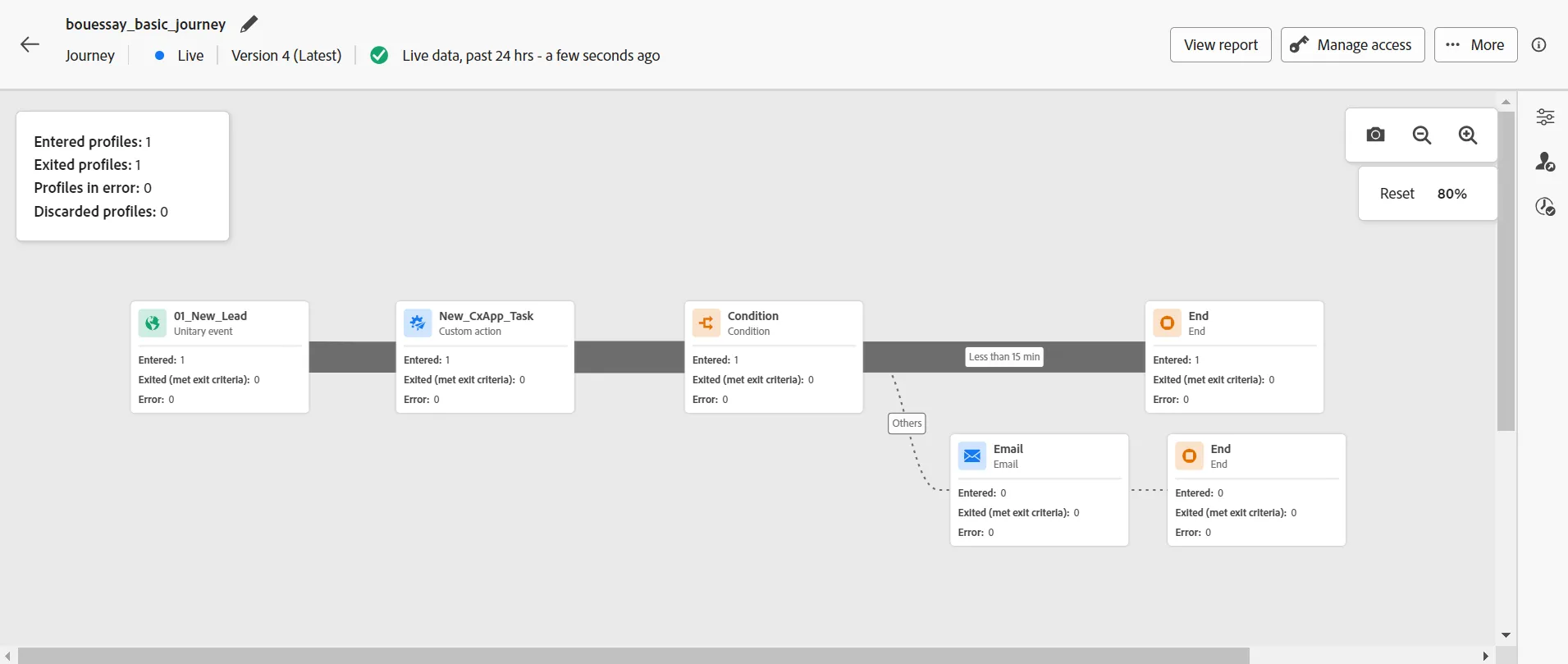
Congratulations, the exercise is completed!