Trigger a new task
We want to create a new task in the Customer Care app (CxApp) to ask a Customer Care advisor to call back the visitor
Expand the Actions menu
There are Standard Actions like Email, In-app message, Push, SMS, Web, Card.
And there are Custom Actions like New_CxApp_Task
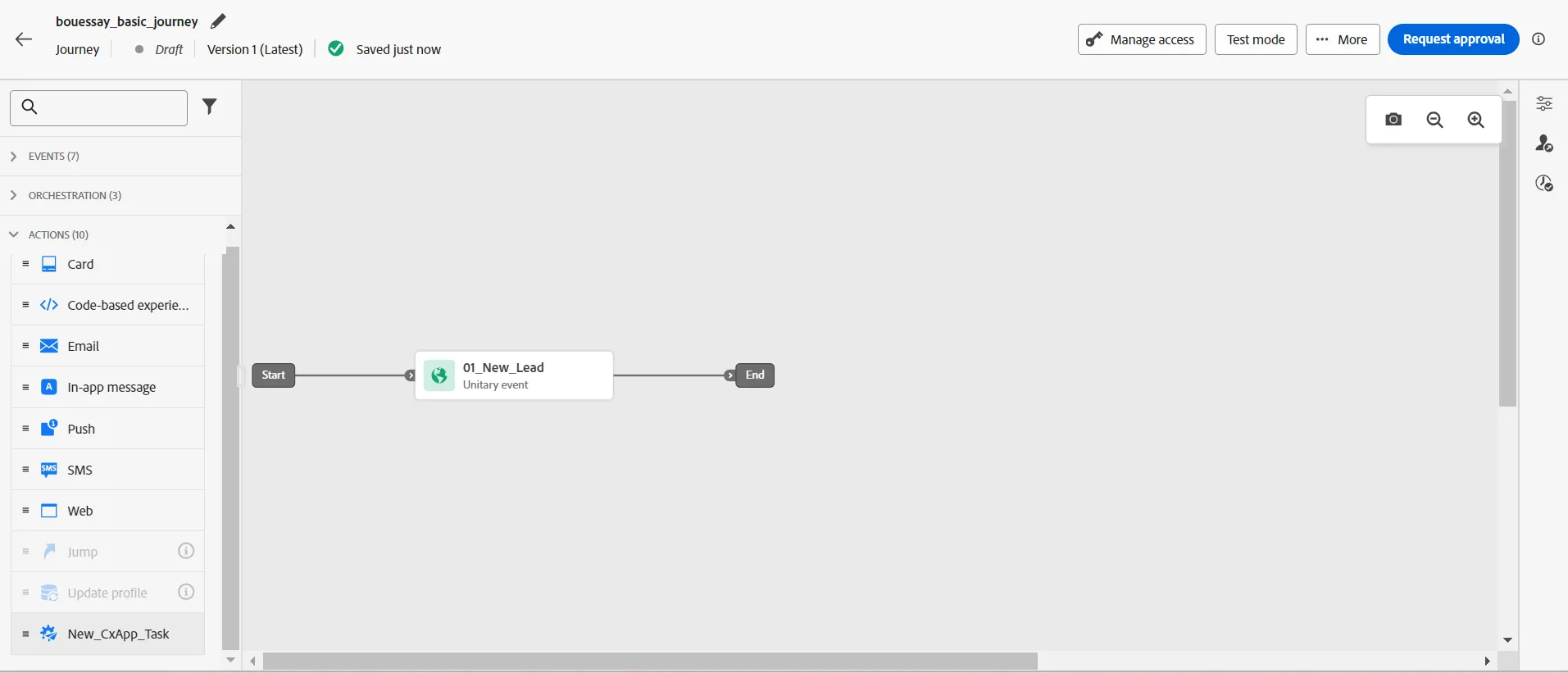
Drag & Drop the action named New_CxApp_Task and link it to the event, this way:
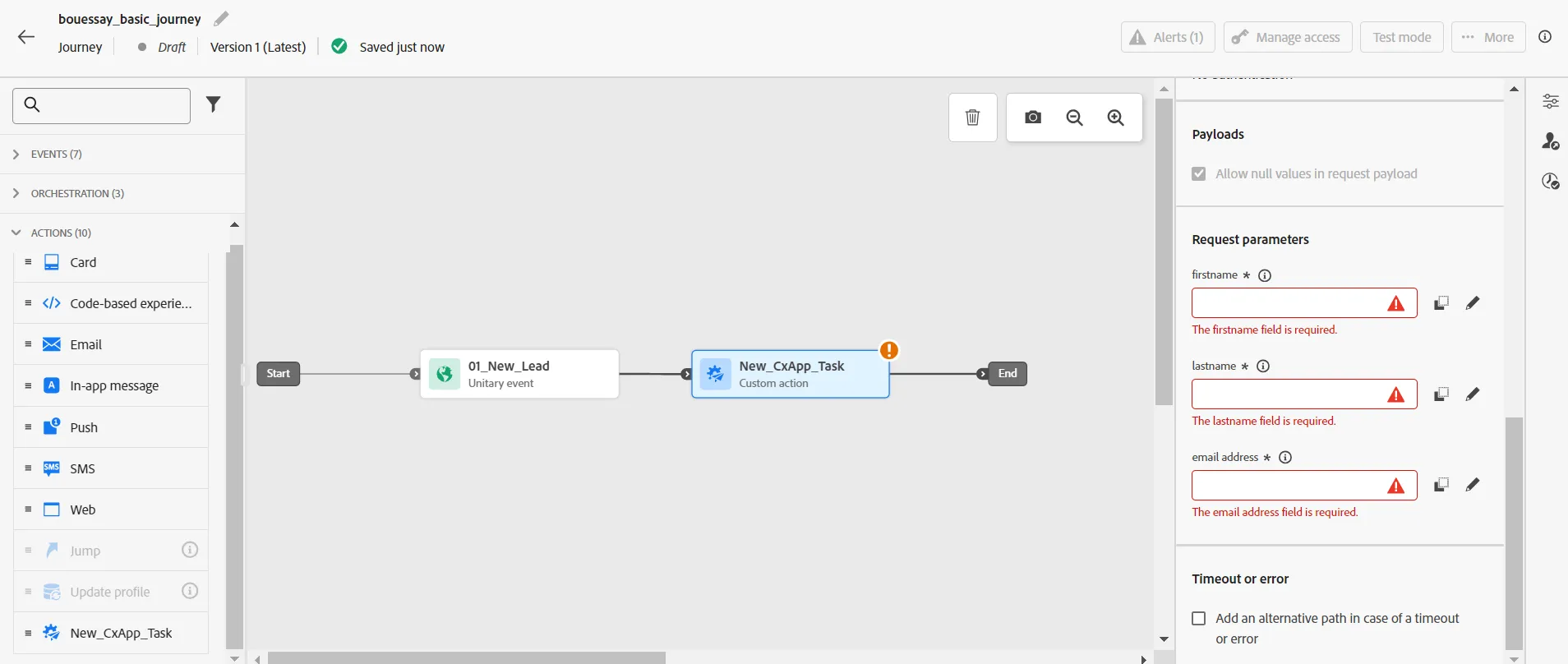
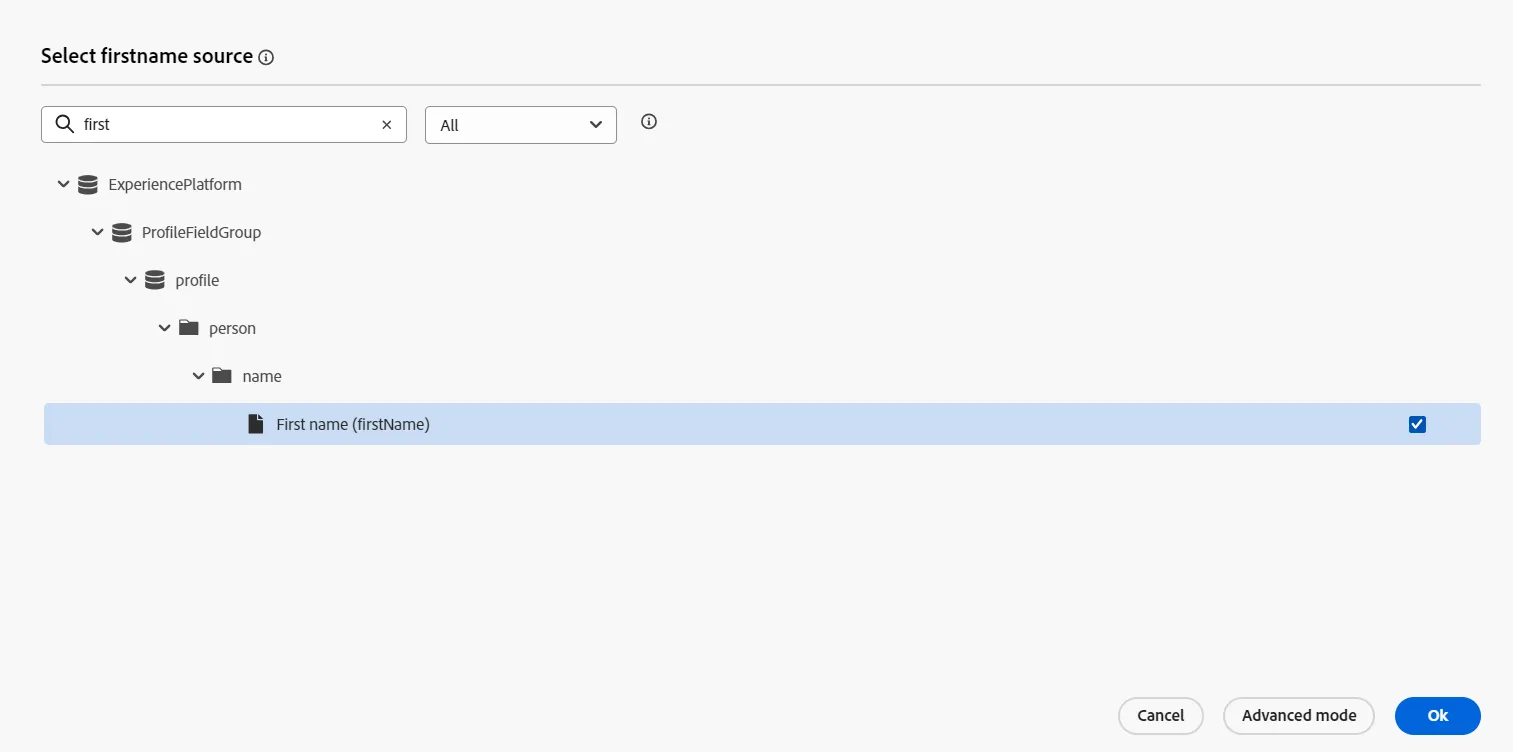
Fill in the first name field with the data coming from the ExperiencePlatform data source:
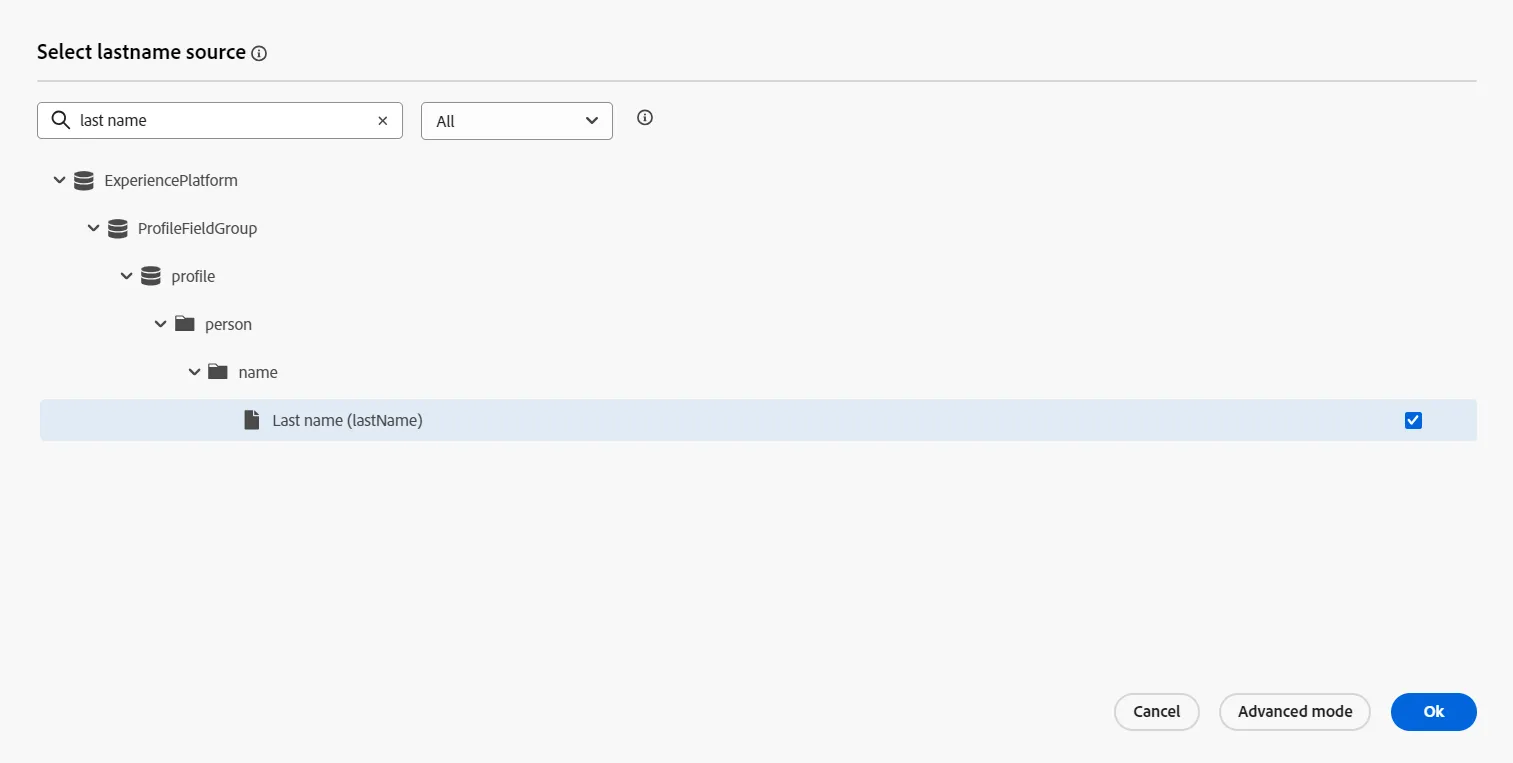
Fill in the last name field with the data coming from the ExperiencePlatform data source:
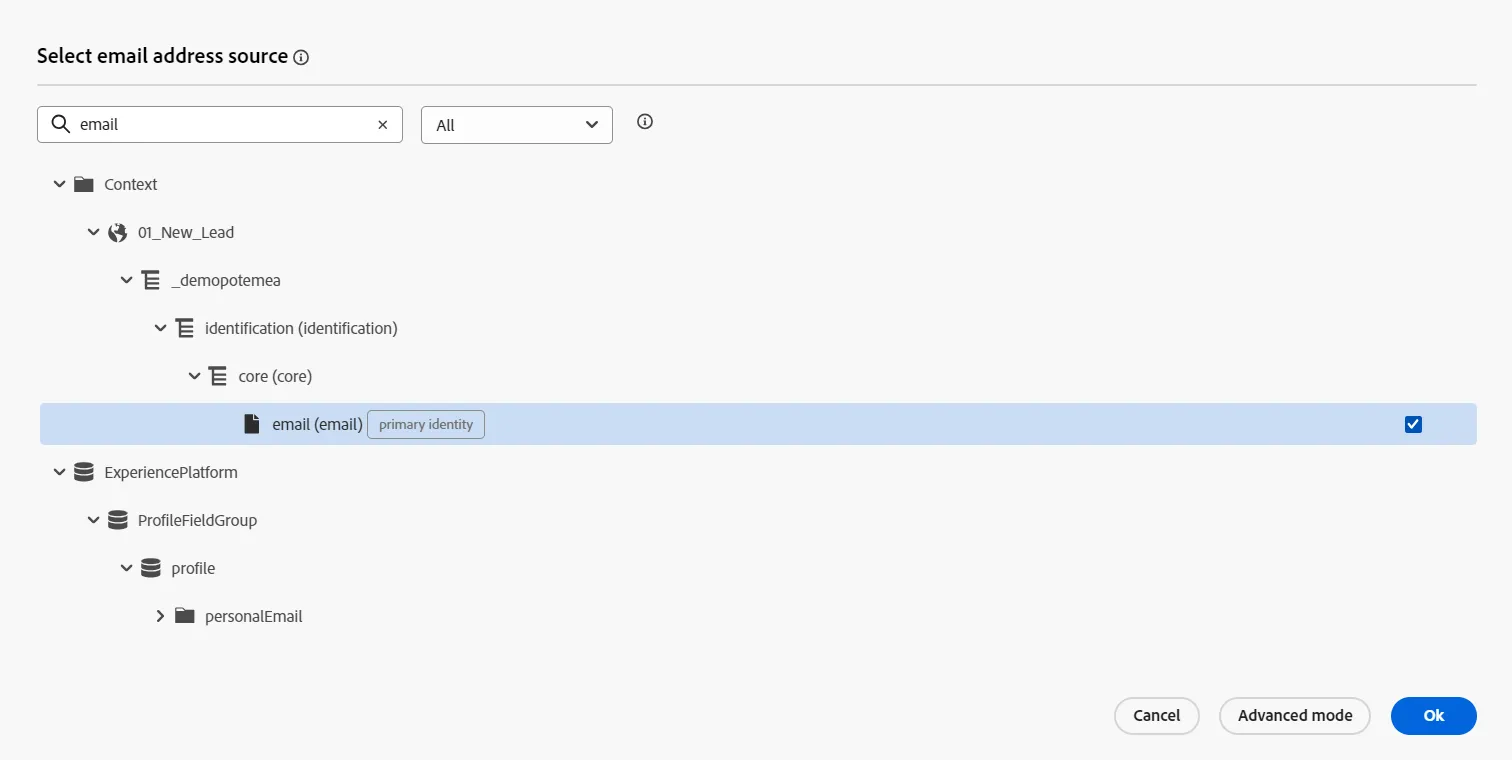
Fill in the email address field with the data coming from the event directly, available in the Context data source:
Click on Save button
The teacher will show how an administrator has set up the Custom Actions that are available in the menu
That's it! The Customer Advisor will soon call back the visitor.