Create Offer Item
2 min
Create Your Item
- On the navigation menu, click Catalogs under Decisioning.
- Click Create Item.
- Provide standard attributes.
- Offer Name: "Insider Offer - Initials"
- Set a Start and End dates.
- Create a Tag with Your initials
- Provide Custom Attributes:
- Expand offerContent under Custom attributes:
- Select Add from URL or Add asset from library. This is a sample image you can use:

- Under Text Fields:
- ctaLabel: Register
- Description: Earn one 7,500 bonus for Eligible Insider Members could earn additional bonus when using Wyndham Rewards Visa Card for the qualifying booking.
- Title: Hey Insider, Earn a Max 7,500 Points!
- Click Next
Eligibility
- Select By Rule
- Select Insider Member Not A Card Holder Member
- Click Next, Review, Save, and Approve.
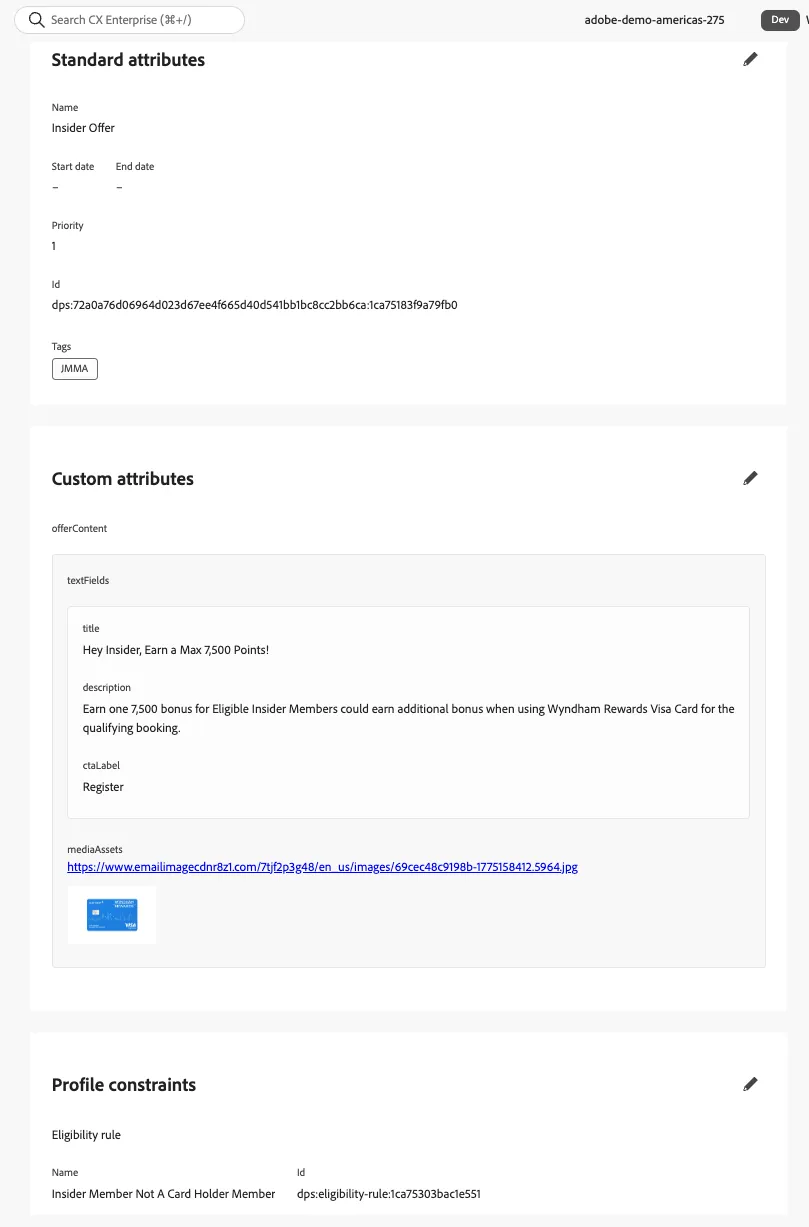
Congratulations, you have created your first offer item!