Have Checking Account
1 min
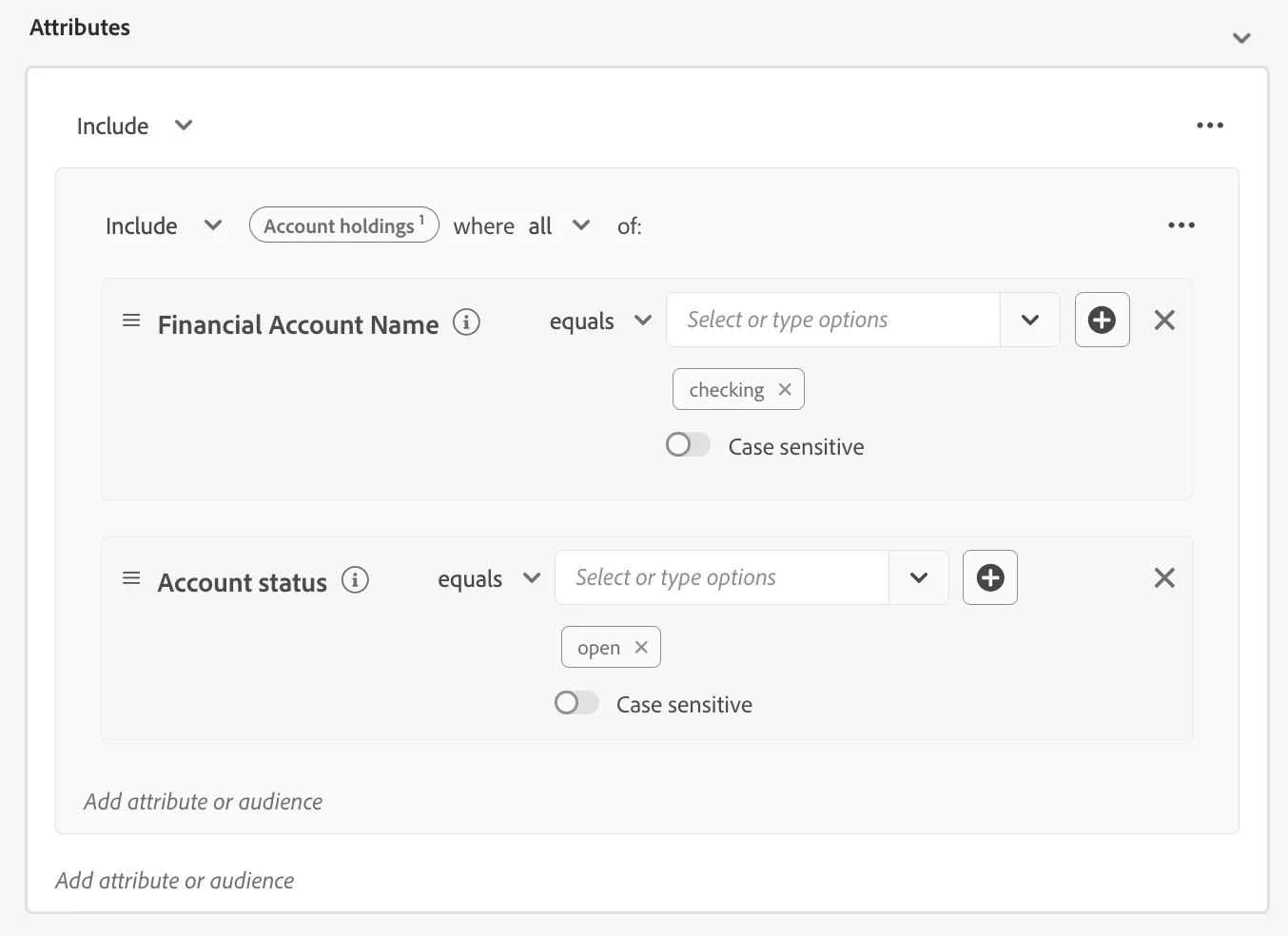
As part of this section we will create an audience of customers who have checking account:
- Have Financial Account Name equal "checking"
- Have account status equl open
- Click on Audiences in the left navigation panel.
- In the top right corner of the screen, click Create Audience.
- Select Build Rule.
- Click Create.
- Name your segment - Has Checking Account - (your initials)
- Click on Attributes in the left segment pane.
- Search for the term "Financial Account Name".
- Drag and drop the Financial Account Name data point into the Attributes section of the canvas.
- Set equal to Checking using the drop down options.
- Now search for the term "Account Status".
- Drag and drop Account Status below Financial Account Name to form an AND relation.
- Set equal to Open.
- Set Evaluation method to Batch.
- Review logic is as desired.
- Click Publish