Harmonized Fields
3 min
The harmonization service of Mix Modeler assimilates the aggregate and event data into a consistent data view. This data view is the source for training models and developing plans in Mix Modeler.
Harmonized Fields
Harmonized fields allow you to define fields for conceptually the same data, originating from different sources, each with their own definition of that data. These fields can be used in defining dataset rules, marketing touchpoints, and conversions.
- Navigate to Harmonized datasets then select Fields in the Mix Modeler UI.
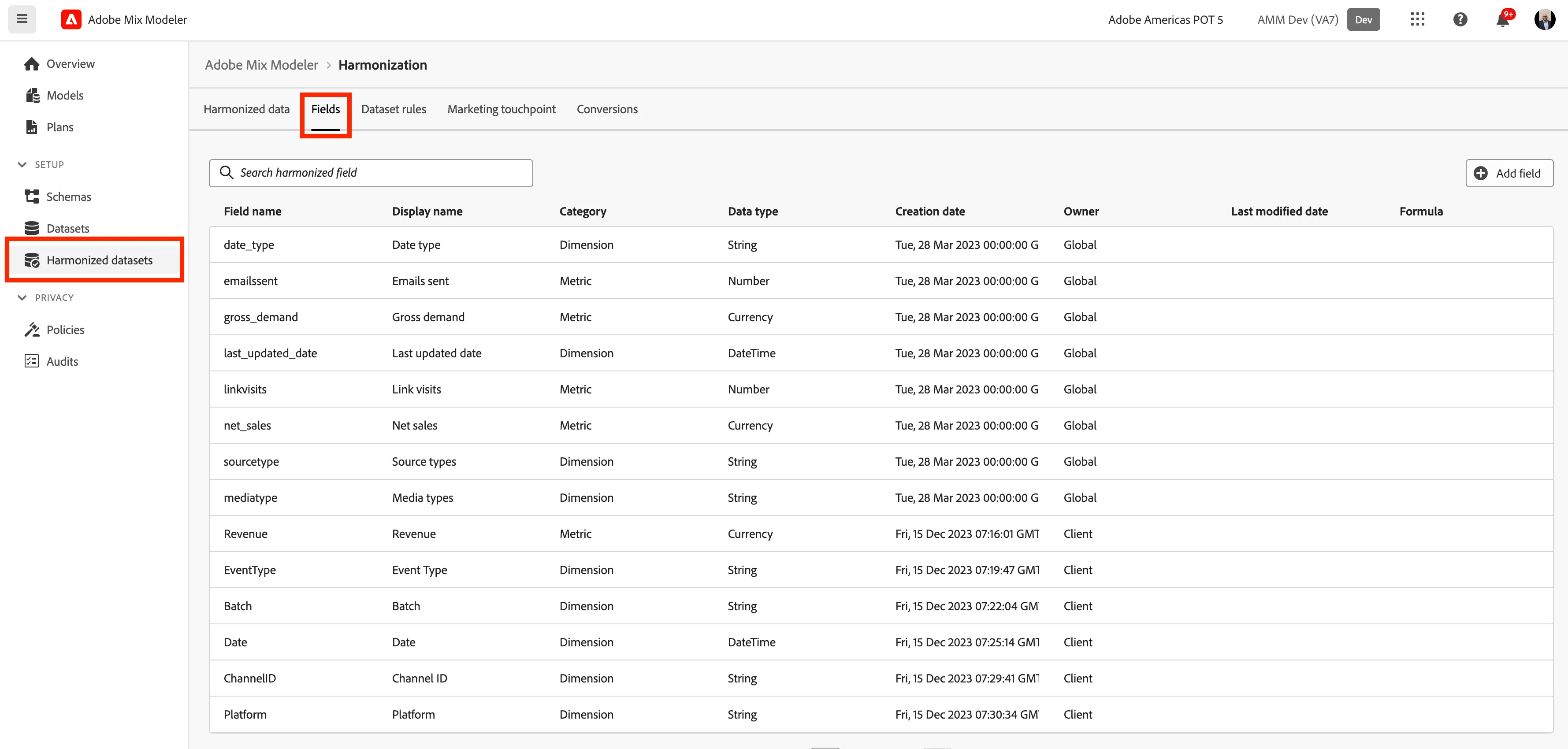
- Click on Add field button in the top right corner.
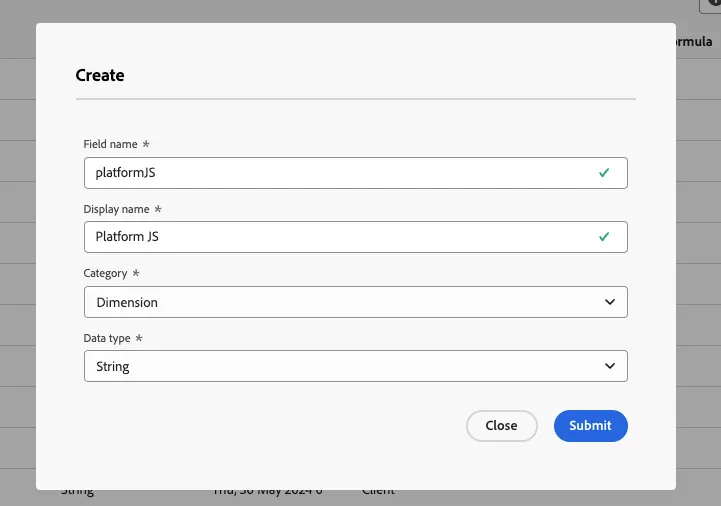
- Set the following information in fields properties in the pop up then click Submit:
Field name = platform + {Initials}
Display name = Platform + {Initials}
Category = Dimension
Data Type = String
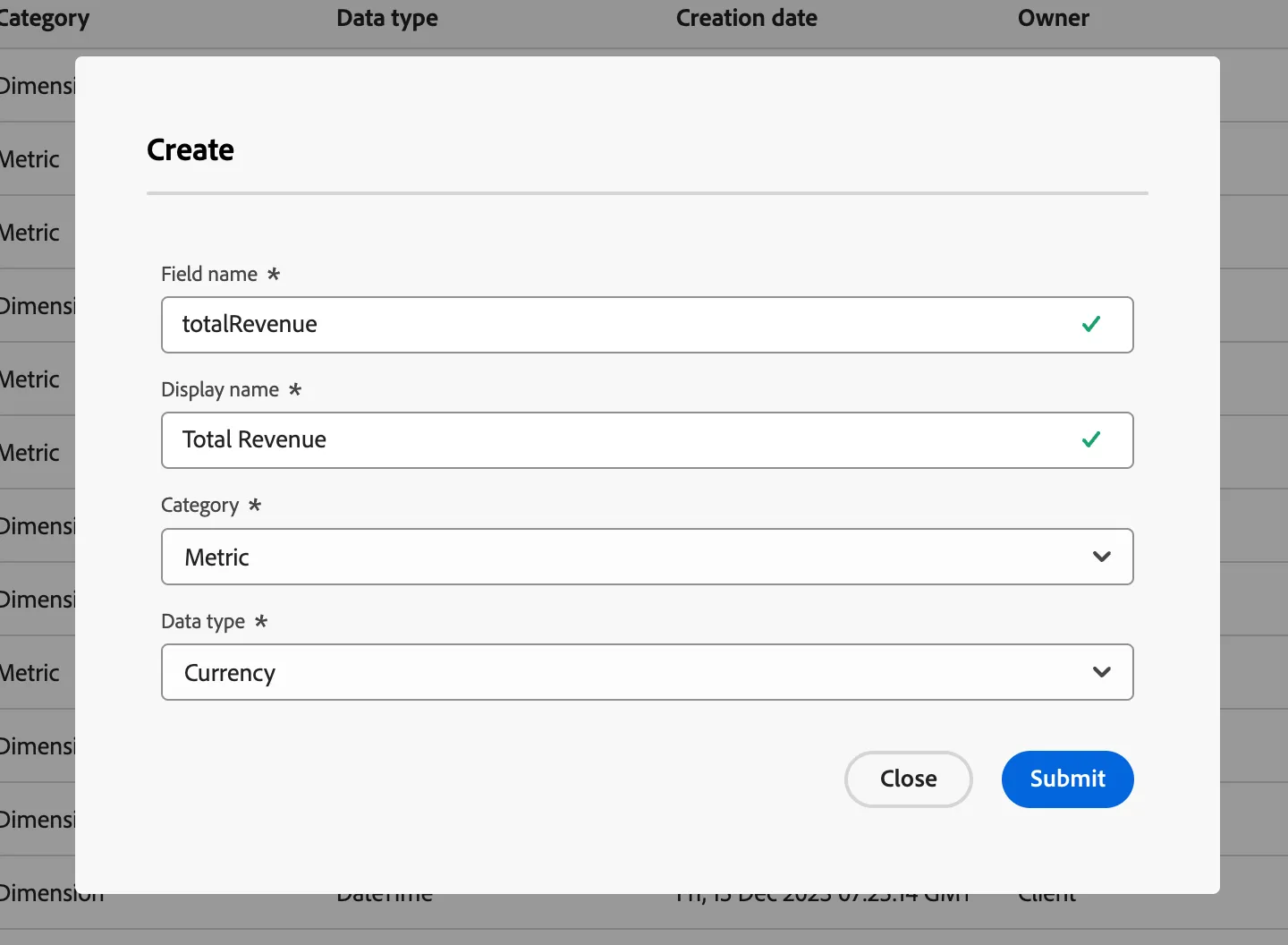
Field name = totalRevenue + {Initials}
Display name = Total Revenue + {Initials}
Category = Metric
Data Type = Currency
Congratulations! You have completed the Fields exercise.