Marketing Touchpoints
4 min
Marketing touchpoints are recipient, individual, and or cookie-level marketing events used to evaluate the impact of marketing investments on numeric or revenue-based conversions.
You define marketing touchpoints to assist you in attribution analysis.
Marketing Touchpoints
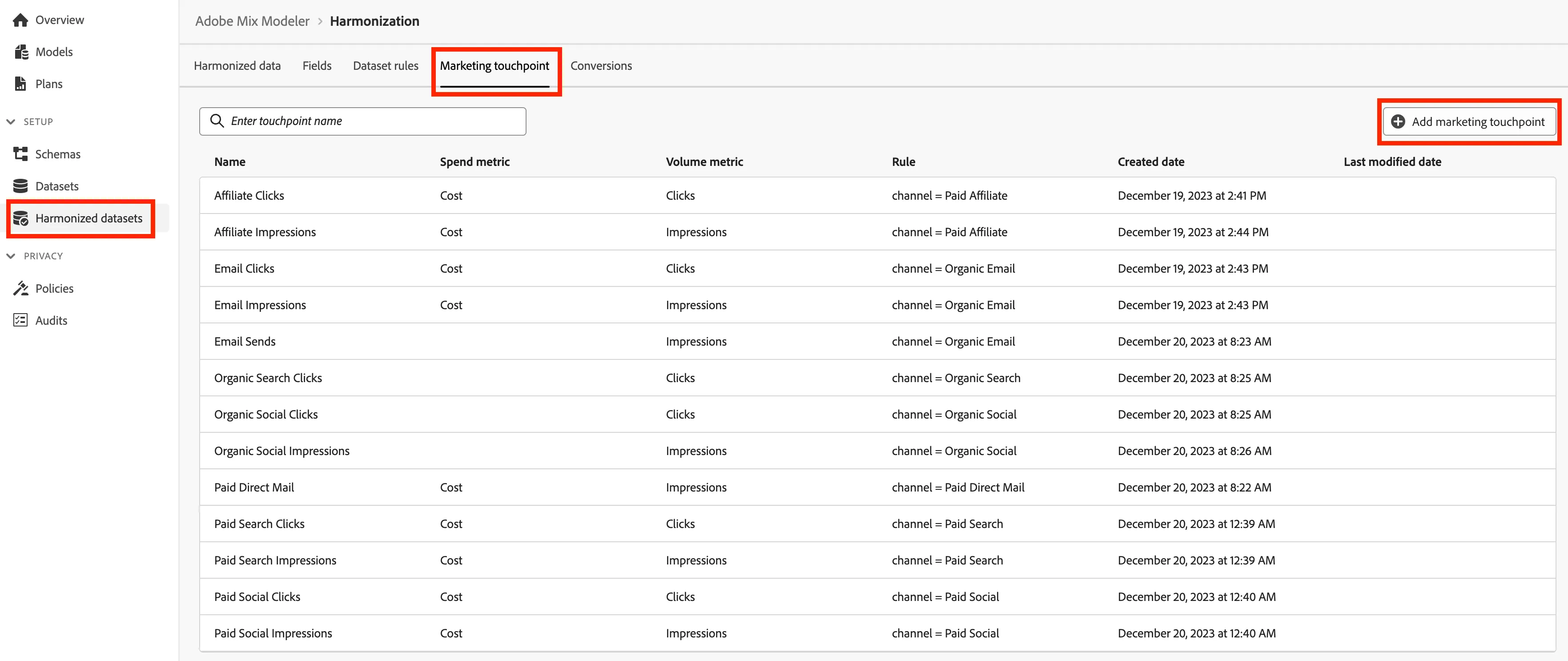
- Navigate to Harmonized datasets then select Marketing touchpoints in the Mix Modeler UI.
- Click on Add marketing touchpoint.
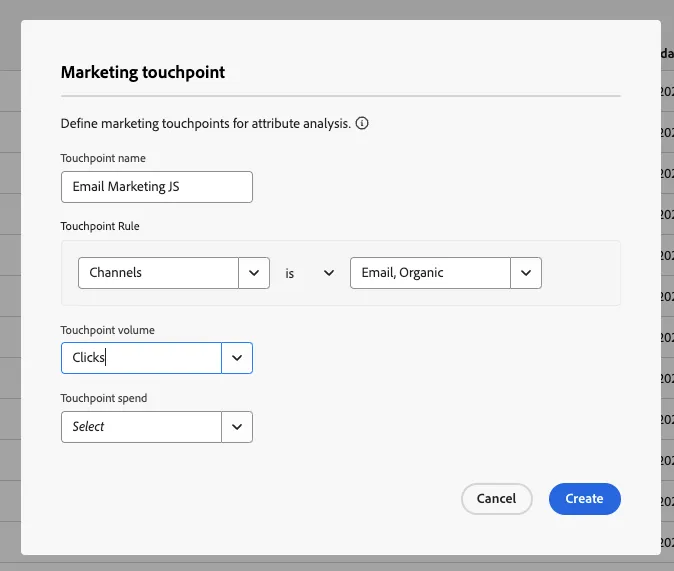
- For your first marketing touchpoint, let's configure a paid email send. Configure the marketing touchpoint as following:
Touchpoint name = Email + {Initials}
Touchpoint Rule = Channel is Email, Organic
Touchpoint volume = Clicks
Touchpoint spend = Select (Leave as the default)
- Click Create.
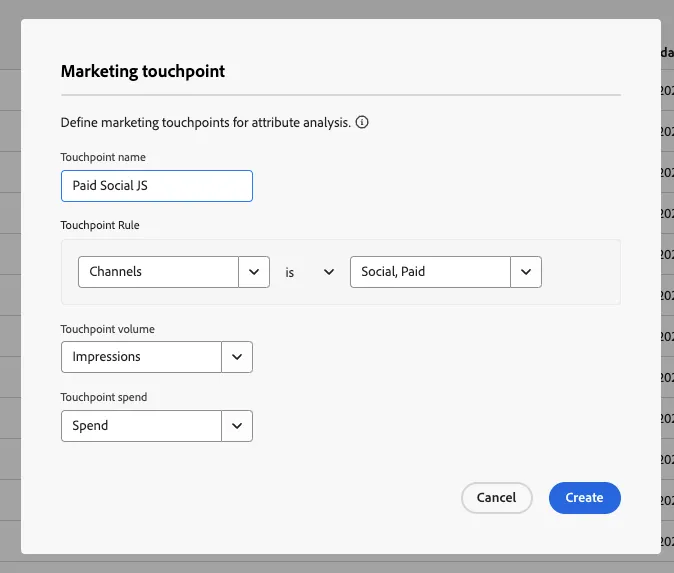
- For your the next marketing touchpoint, let's configure a paid social. Configure the marketing touchpoint as following:
Touchpoint name = Paid Facebook + {Initials}
Touchpoint Rule = Channel is Paid Social Facebook
Touchpoint volume = Impressions
Touchpoint spend = Spend
- Click Create.
Congratulations! You have completed the Marketing Touchpoints exercise.